Facebook-for-woocommerce: Product information and stock not updating in Facebook shop
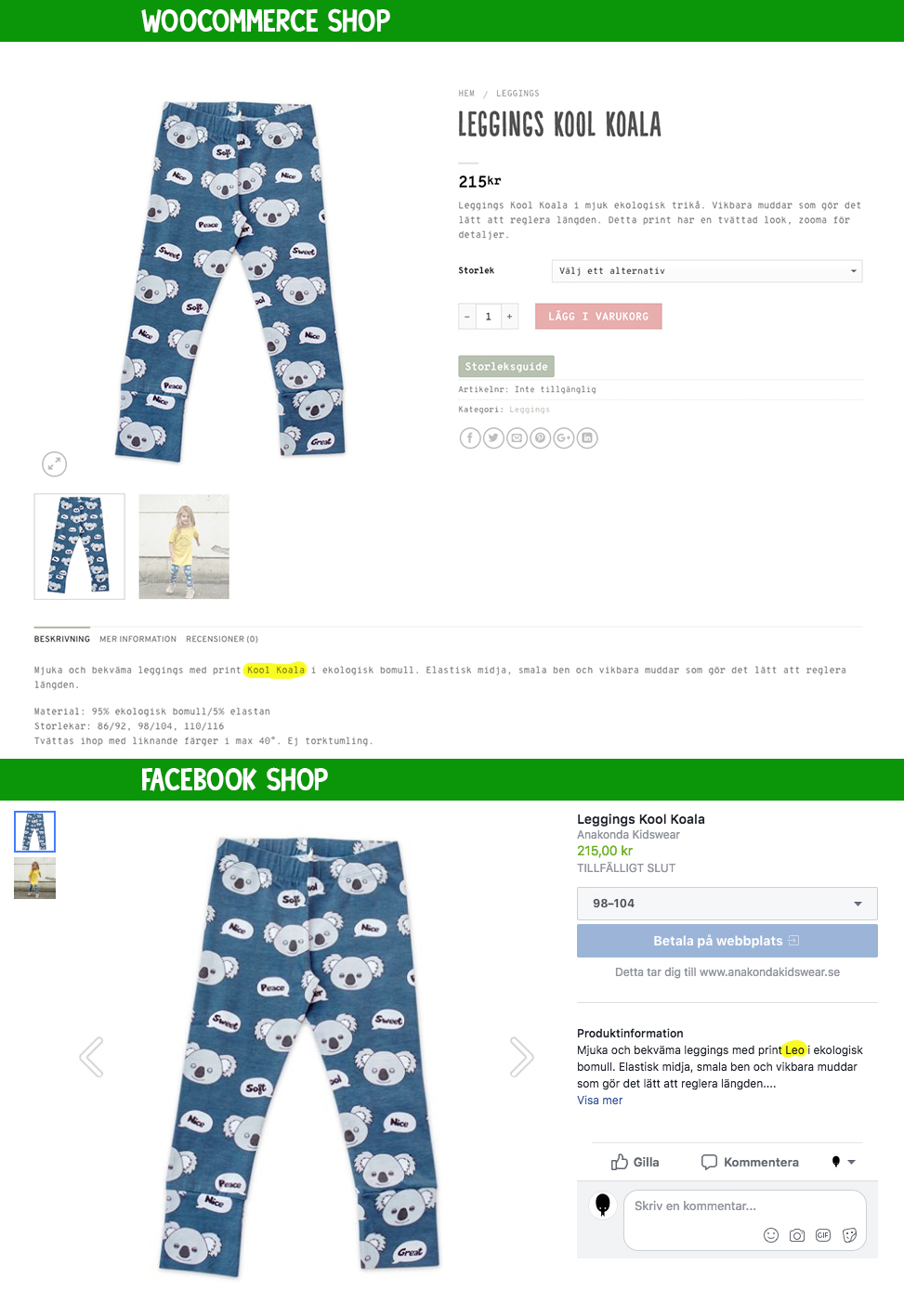
I have created a bunch of new products by duplicating some already existing products and just changing the images and product information. The old products were already in my fb shop and looked fine, but the new products still have the old product information when they show up in fb. Everything looks great in woo, and I have tried to sync and delete cache and delete product from fb and add again. I have also tried to reset the entire store, but I still get the old product information from my original products. If I create an entirely new product in woo it will show up and look as it should on fb. Also if I edit the product info one of the original products in woo, they won't update either. The price and title will change in fb, but not the product info. I really hope you can help me, cause I can't use the plugin like this.
I use all the latest versions of everything.
Thanks
 whippetdesign
All 6 comments
Automated Support Message
Hello,
Thanks for your interest in our plugin!
If your issue is a feature request or feedback for the developers, reply with Feature Request or Feedback.
If you are a developer or have a question for the developers related to code, reply with Developer Question.
Your comment will be categorized accordingly, and we will read it and reply when we can.
If you have encountered a bug or a problem with the plugin, the steps below contain information to help you resolve the issue yourself and provide us information we need to help you with your problem.
Search Existing Issues
First, please search our issues to see if your problem has been reported before.
There may already be a workaround or a solution to your problem. You can search our issues using the search bar near the top of our issues page; be sure to search both _open_ and _closed_ issues.
If you do find a similar issue, leave a comment on that issue and close this one. Your comment helps us prioritize which existing issues are important and urgent.
Common Resolution Methods
If you are experiencing a problem or bug and have not found any similar issue, please try the following:
- Upgrade to the latest version of the plugin.
- Try to
Resyncproducts using the button on the plugin config page - Reset the plugin by selecting
Reconfigure > Advanced Options > Delete, and setting up this plugin again. - Try to deactivate other plugins that you think may be interfering, then reset and set up again.
Necessary Information
If the above steps did not help, please provide the following information in your next comment in order for us to debug your problem:
- WooCommerce version
- WordPress version
- Plugin version (please note: we only support up-to-date versions of the plugin)
- A screenshot of where you see the problem (for example: if it is on Facebook, a screenshot of Facebook, if it is on WooCommerce, a screenshot of WooCommerce. If it is in multiple places, multiple screenshots.)
- The URL of your website
- The URL of your page
- The URL(s) of where you took your screenshot(s)
- (If applicable) Detailed steps you took in order to see the problem
Please include Debug Ready in your reply so our automated system can flag your issue for manual review. Please note that due to a high volume of issues, we may not be able to respond immediately.
Thanks for your patience,
The Facebook Dev Team (@mengyingdu, @dmitridr, @sammul, @jieminz22)
 dmitridr
on 22 Jun 2018
dmitridr
on 22 Jun 2018
My page is www.anakondakidswear.se
and fb shop facebook.com/anakondakidswear
Debug ready
whippetdesign
on 23 Jun 2018
Hi,
Do I understand you correctly that the issue occurs only when duplicating a product and at no other time?
It may take several minutes (up to several hours in the worst case) for the product description to change on FB, because the product may have to be re-reviewed. So sometimes it may seem like nothing has changed but if you go back later, things may have updated.
As a workaround, I would suggest deleting the product on FB (using the provided link in the product edit page) before duplicating it. It may fix the problem.
I am marking this as a bug, we will try to reproduce it and get back to you.
@mengyingdu we should add duplication to our testing framework as well, what do you think?
dmitridr
on 26 Jun 2018
I think not only we can add test case, but also added in the quality DIY bundle solution? If it's possible. @dmitridr
 mengyingdu
on 26 Jun 2018
mengyingdu
on 26 Jun 2018
Thanks for your help, but I just found the mistake! I had missed that there was a seperate field for Facebook information right underneath Variations, Linked products, etc. When I updated that information it was updated correctly in fb too :)
whippetdesign
on 26 Jun 2018
Glad to hear you figure out this on yourself!
mengyingdu
on 27 Jun 2018
Related issues
 cesneris
·
33Comments
cesneris
·
33Comments
 sm7uge
·
37Comments
sm7uge
·
37Comments
 dragad
·
47Comments
dragad
·
47Comments
 Hashtag1975
·
46Comments
Hashtag1975
·
46Comments
 Aprilhead
·
47Comments
Aprilhead
·
47Comments