Exporters: [3ds max] Export does not use the IDs defined on the multi-sub material.
On export you do not read the ID field on the multi-sub materials correctly..
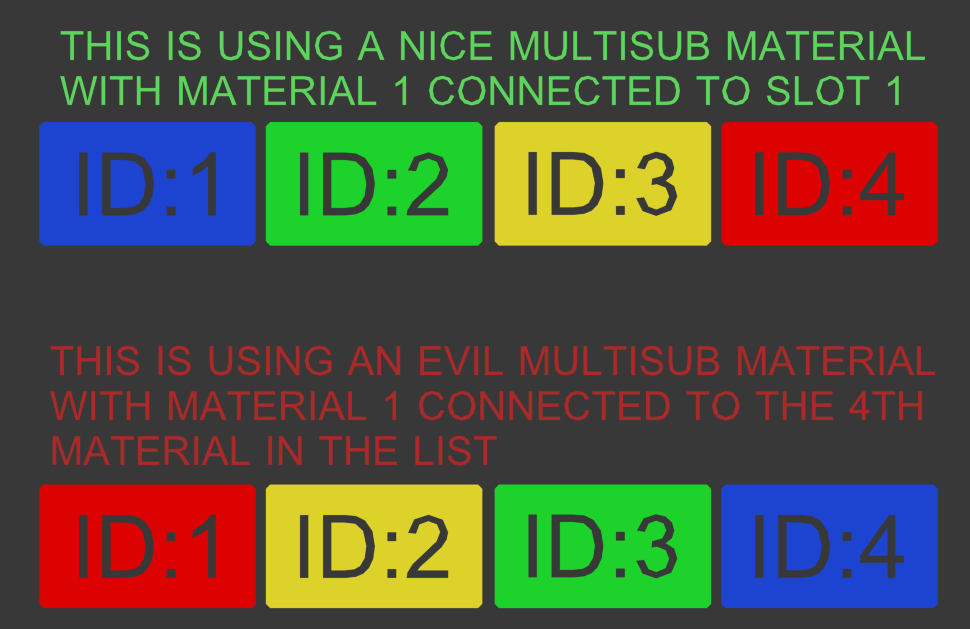
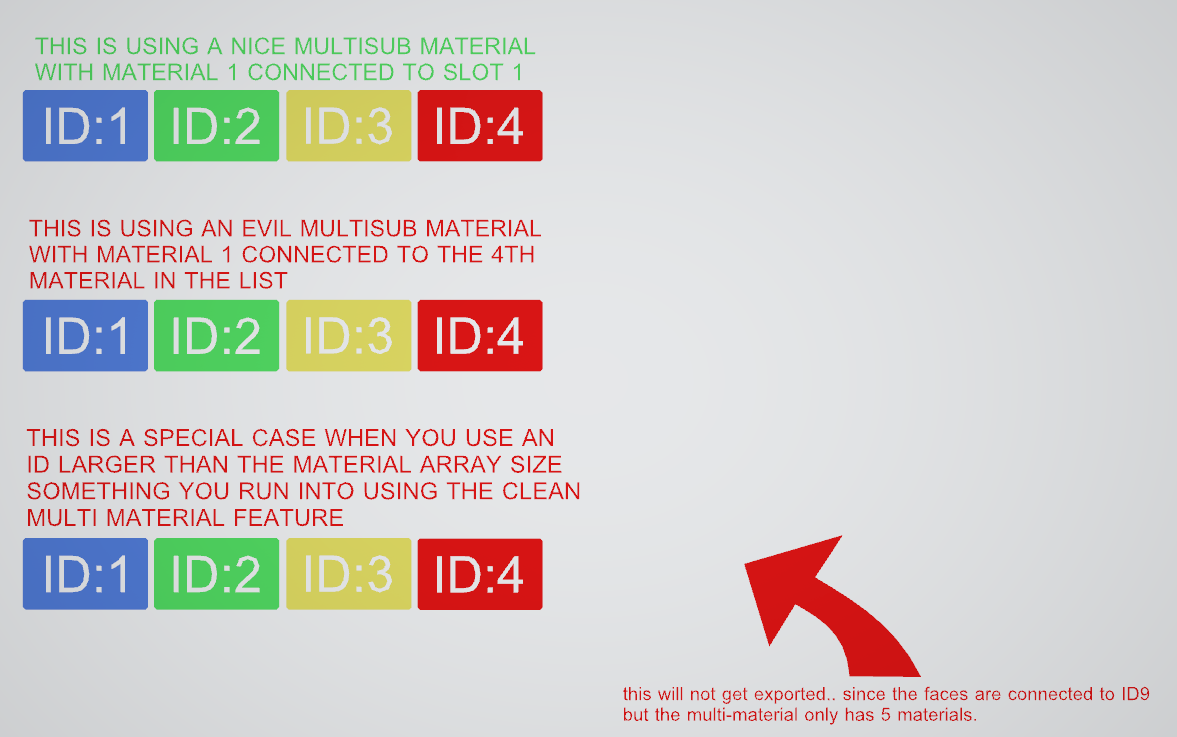
This is how the material Assignment should look..
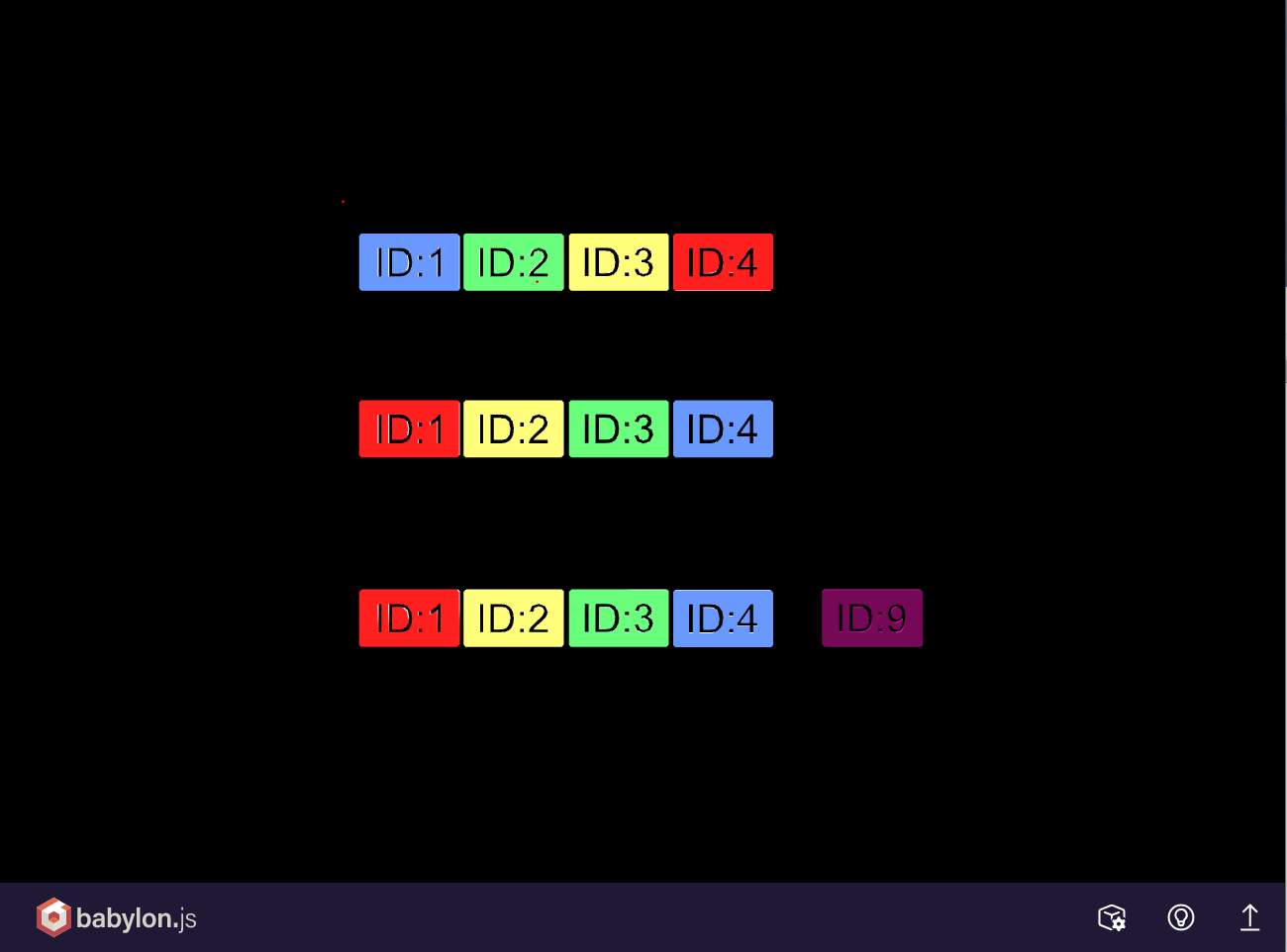
This is the material assignment I get on export to glTF
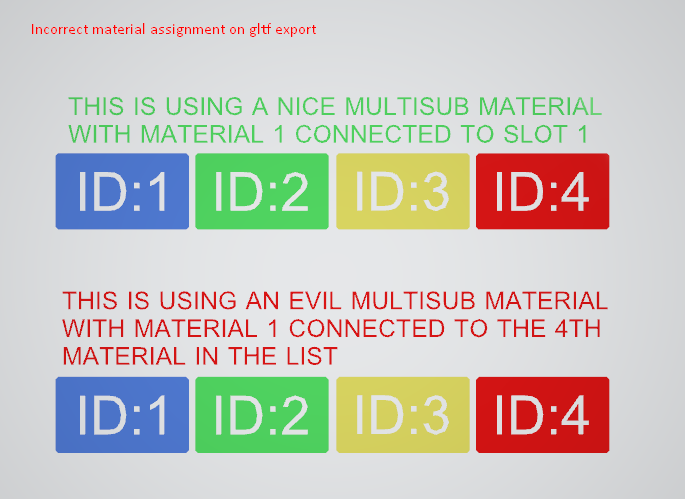

This is the two multi-sub materials that I have assigned. The first one gets exported as expected but the second one visualizes the problem.
It looks like that you are assuming that a multi-sub material is just an array and the first item in the multi-sub material is id:1
When I do maxscripts and work with multi-sub materials I always ask the multi-material to give me its materialIDList
That property is exposed in maxscript.. not sure if it is in max.net.
I have two multisub materials.. both containing 4 materials..

If you look in the bottom one.. I have set the First material in the multi-sub material to use ID:4
and if I run this in maxscript,with objects using that multimaterial selected,
m = $.material
m.materialIDList
I get this respons:
#Multi/Sub-Object:INCORRECT EXPORT.. LOOK AT THE IDS(Physical Material:RED, Physical Material:YELLOW, Physical Material:GREEN, Physical Material:BLUE)
#(4, 3, 2, 1)

--if I do this on the correctly exported material I get this.
#Multi/Sub-Object:CORRECT LOOKING MULTISUB(Physical Material:BLUE, Physical Material:GREEN, Physical Material:YELLOW, Physical Material:RED)
#(1, 2, 3, 4)
So I think there is a bug that you are not reading the actual ID of the material.. you are mainly relying on the order of the material array..
I have attached a 3dsmax file.. that you can test with
3dsmaxFile_BABYLONJS-MULTIMAT-BUG.zip
 ogmasoul3d
All 7 comments
Hello @ogmasoul3d,
Thanks for this.
Let me discuss with the team if this is a bug or advanced feature, while indexing the sub material by row or id is only a question of choice.
 pandaGaume
on 28 Jan 2021
pandaGaume
on 28 Jan 2021
Hmm I consider this a bug.. since the actual ID you assign to faces in 3dsmax.. correspond to the ID field.. not the order they come in the MultiSubMaterial UI..
I mainly discovered this when you use the "clean multi material" feature in the material editor.. which is removing materials not in use.
this can cause you to have a Multi-Material that has 5 material in the list..
but faces in 3dsmax have material assignments to ID 15 or 51..
this results in that part of the mesh not being exported (or not visible at all)
ogmasoul3d
on 28 Jan 2021
So in this example I have a multi-material with 5 materials.
I have given the last material ID 9
On my faces in 3dsmax edit-poly I have assigned them to use ID 9
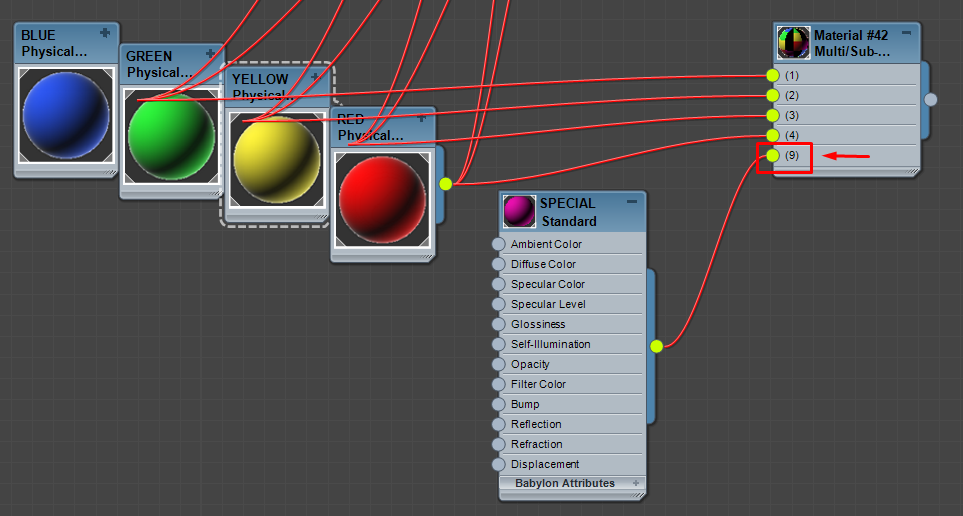
When I export this to gltf..
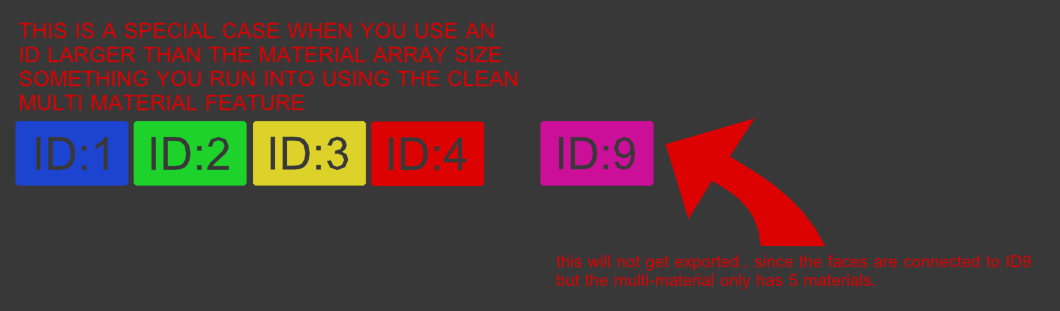
I get this.. the geometry which was using materialID 9 is not visible..
So I consider this a bug since you are not reading the values they way they function in 3dsmax..
So if some users have been complaining that parts of the mesh does not show up.. this could very well be the cause of thoose issues. This is what made me look for this in the first place.
Here is an 3dsmax sample of this happening
ogmasoul3d
on 28 Jan 2021
@ogmasoul3d Thanks for the clarification, it's seem to be inconsistent between Face and Material Id . I will have a look on it.
pandaGaume
on 28 Jan 2021
@ogmasoul3d Fixed with Babylon, still an issue with Gltf, have to check the serialization
pandaGaume
on 28 Jan 2021
@ogmasoul3d PR done, thanks for you help.
pandaGaume
on 29 Jan 2021
thank you so much for that speedy fix @pandaGaume, I am impressed of the response rate
ogmasoul3d
on 29 Jan 2021
Related issues
 Prospector-au
·
6Comments
Prospector-au
·
6Comments
 echadwick-wayfair
·
5Comments
echadwick-wayfair
·
5Comments
 philSG
·
8Comments
echadwick-wayfair
·
3Comments
philSG
·
8Comments
echadwick-wayfair
·
3Comments
 jsellam
·
7Comments
jsellam
·
7Comments