Hi,
Thx for the work acomplished on Unity3d expoter.
I have tested with this free asset : https://assetstore.unity.com/packages/3d/vehicles/land/interactive-classic-car-1955-pbr-3-styles-61925
and when I test the result on the browser, the camera is not found. I have removed object by object to find the problem and the issue is due to the material used on car_glass
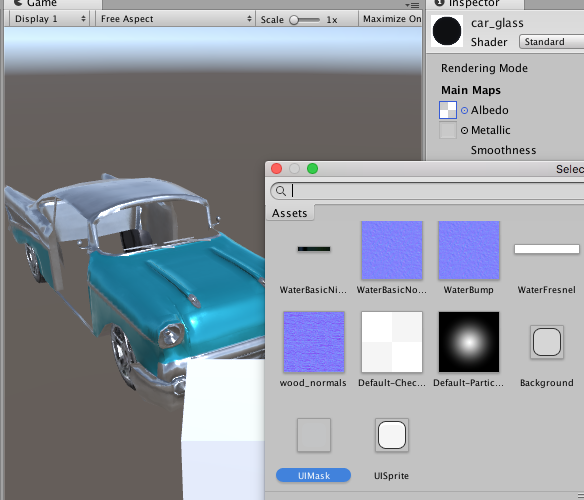
When an object use this default material the exporter stop the process without an error. It's because this texture is not a real file
Best regards,
Jeremie.
 jsellam
All 7 comments
Pinging @MackeyK24
 deltakosh
on 30 May 2018
deltakosh
on 30 May 2018
I will fix the built in extra resources error by giving a not supported warning.
But that model is way to complex for webgl... you might try combining some of car meshes... also unity specular highlights not supported either... i also noticed a funny pattern on the trunk... looks like our pbr material does not render that model exactly like unity render pipeline... your gonna have to clean up that model and make more webgl and babylon optimized.
Remember we export as much possible to native babylon assets... check your scene file and make sure textures and materials are setup... and babylon supports the material, texture, shader combo
 MackeyK24
on 30 May 2018
MackeyK24
on 30 May 2018
Thx I was just testing features with complex free assets
jsellam
on 30 May 2018
FYI... in future no need to REMOVE things til you find the culprit. Try check the Unity Console. if there are ANY errors or warnings... they will be there. It showed an error on the car_glass export. Then can go from there.
Note... I am adding support for the OLDER Legacy Animation Component that the cars are using.
So both the Animator and the legacy Animation components are supported (Legacy Animation controller DOES NOT support Any Mechanim Like Functionality like transitions, blend trees, layers, etc...)
Remember to go add a Babylon Animation State Component wherever you have a Animator or Animation component... This is required for the toolkit to tell what kind of animation (transform or skeleton) to use.
Also... Those cars are using a PingPong Unity animation wrap mode... babylon does not support (as far as i know) ping pong loop behavior. But you can easily make the Transform animation do a ping pong.
Take the trunk_open animation (1 sec animation)... expand the timeline so you can add another keyframe at 2 secs. Then just copy the keyframe values from KEYFRAME 0 (the start frame) to your new LAST KEYFRAME at 2 secs. Then change the animation wrap mode to Loop.
Thats what i am doing to all the car doors, trunk, wipers... etc..
MackeyK24
on 31 May 2018
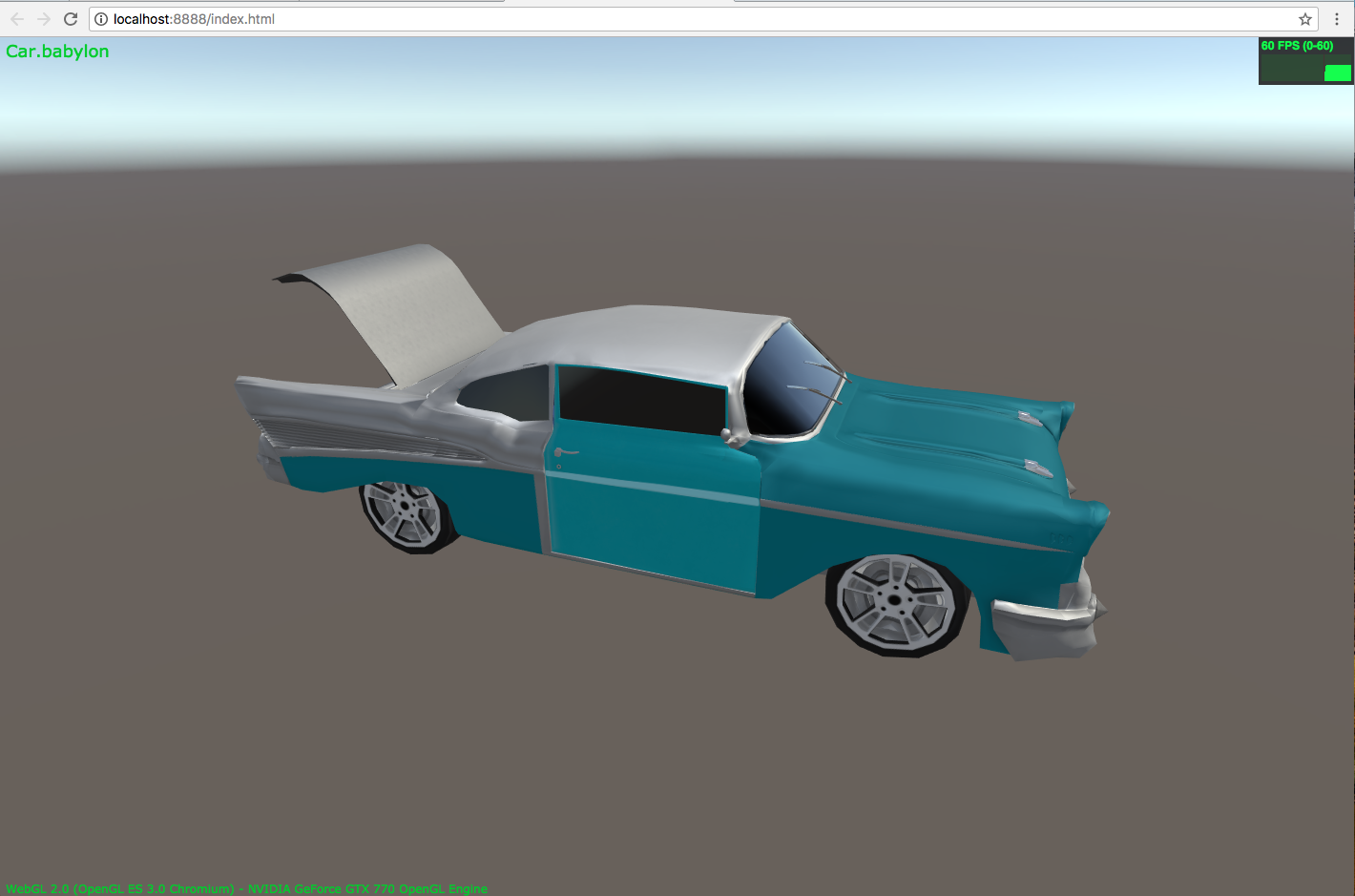
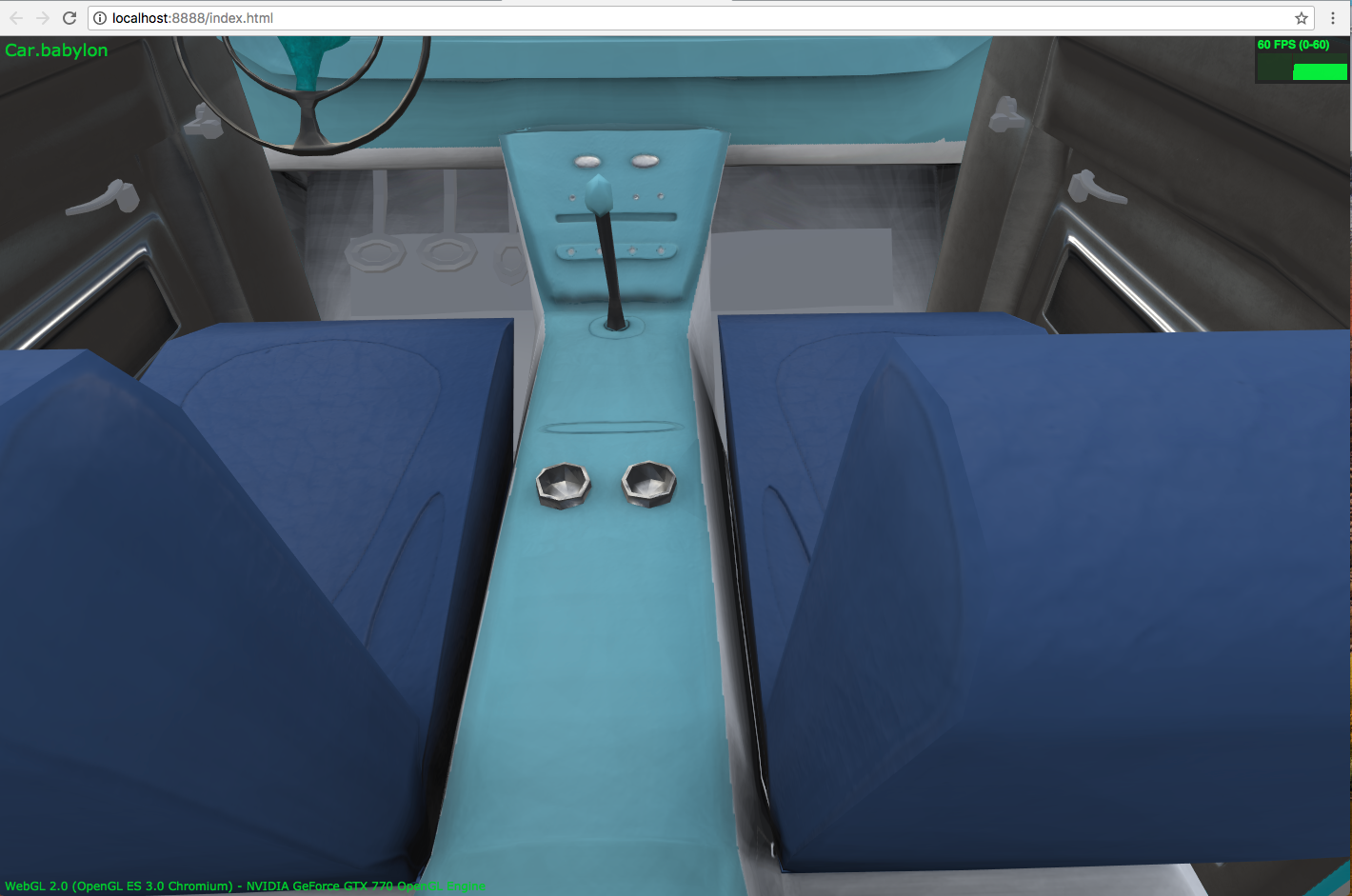
UPDATE: I think i can simulate unity specular highlights by simply scaling the pbr material specular intensity by a "Highlighting Multiplier" that can be set on the shader in the Babylon Render Options section. Defaults to 10.
So basically if a material has the unity "Specular Highlights" option is checked on the material, the toolkit will multiply the material.specularIntensity * material.highlightingMultiplier.
Screenshots:
MackeyK24
on 31 May 2018
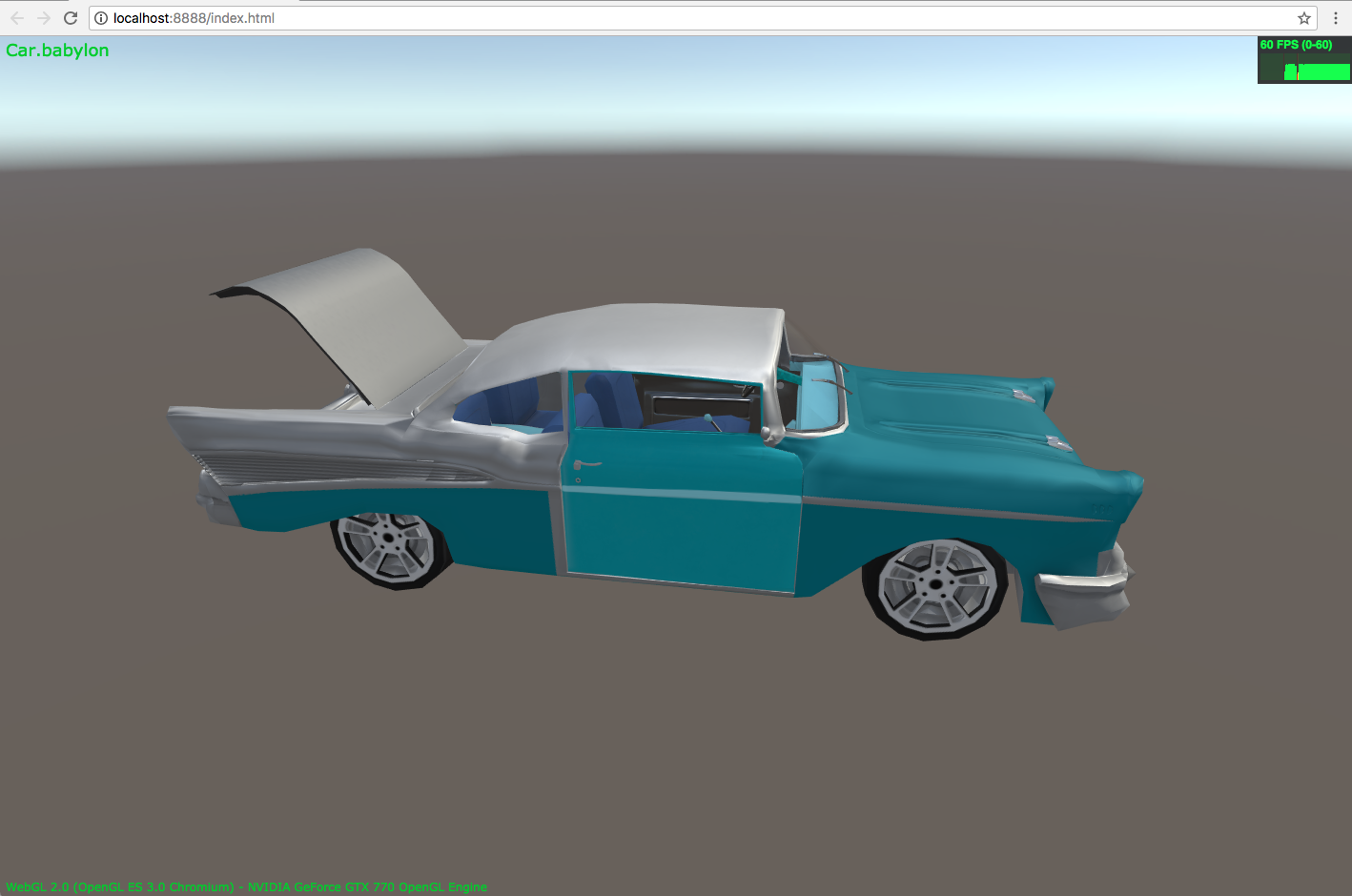
Another Update: I fiqured out a way to get around the protected Unity Built-In Textures GetPixels issue.
With little guy i just wrote, now i can export all the unity built-in extras like UIMask, UIBackground, Checkbox, etc...
    public static Texture2D RenderToTexture(this Texture2D source)
    {
        Texture2D result = null;
        RenderTexture temp = UnityEngine.RenderTexture.GetTemporary(source.width, source.height);
        if (temp != null) {
            Graphics.Blit(source, temp);
            RenderTexture old = UnityEngine.RenderTexture.active;
            UnityEngine.RenderTexture.active = temp;
            try {
                result = new Texture2D(source.width, source.height, source.format, false);
                result.ReadPixels(new Rect(0, 0, source.width, source.height), 0, 0);
                result.Apply();
            } catch (Exception ex) {
                UnityEngine.Debug.LogException(ex);
            } finally {
                RenderTexture.active = old;
                RenderTexture.ReleaseTemporary(temp);
            }
        }
        return result;
    }
So now without having to change the car glass material... you get this glass and headlight textures:
So now...
the new Toolkit 3.3.0 Beta will support:
1... Unity Built-In Textures
2... Simulated Specular Highlights
3... Legacy Animation Control
4... Realtime Shadows Fixes (Still Working On This)
MackeyK24
on 1 Jun 2018
Whhhaoou this is utterly cool
Good job mate
deltakosh
on 1 Jun 2018
Related issues
 echadwick-wayfair
·
4Comments
echadwick-wayfair
·
4Comments
 Tangerine-Chang
·
9Comments
Tangerine-Chang
·
9Comments
 Prospector-au
·
6Comments
Prospector-au
·
6Comments
 total3dx
·
5Comments
total3dx
·
5Comments
 MaximeOrlandi
·
7Comments
MaximeOrlandi
·
7Comments
Most helpful comment
I will fix the built in extra resources error by giving a not supported warning.
But that model is way to complex for webgl... you might try combining some of car meshes... also unity specular highlights not supported either... i also noticed a funny pattern on the trunk... looks like our pbr material does not render that model exactly like unity render pipeline... your gonna have to clean up that model and make more webgl and babylon optimized.
Remember we export as much possible to native babylon assets... check your scene file and make sure textures and materials are setup... and babylon supports the material, texture, shader combo