Exporters: [Max][C#] Temporary output directory copies all files from max output directory
The output directory 3ds Max\assemblies\2015 - 2016 contains all files from my 3dsmax directory, not just the files created by the project. It seems a bit impractical, is this on purpose?
 Selmar
All 12 comments
Hi @Selmar . Is your 3ds Max active project set to that directory or a different location?
 kcoley
on 1 Oct 2018
kcoley
on 1 Oct 2018
The 3dsmax active project directory is set to a completely different directory.
The C# project's OutDir (==TargetDir) is set to C:\Program Files\Autodesk\3ds Max 2016\bin\assemblies\, as is the default
the post build process simply copies all dlls instead of just the ones generated by the project:
copy "$(TargetDir)*.dll" "$(SolutionDir)assemblies\2015 - 2016\"
I imagine it's the same for the other max versions.
Selmar
on 1 Oct 2018
Even if you use that directory as the 3ds max plugin directory it wouldn't work well, because only the .dll files are there after this process anyway. This problem has nothing to do with 3dsmax, it's just a minor issue with copying the output files to our shared tools folders.
Selmar
on 1 Oct 2018
@Selmar gotcha, thanks for the insight! This is indeed an issue with the exporter. I'll work on a fix for this.
kcoley
on 1 Oct 2018
@Selmar is your output path set to bin\Debug in Visual Studio solution? (Select the project, go to properties, and select the build tab to check the Output path: value)

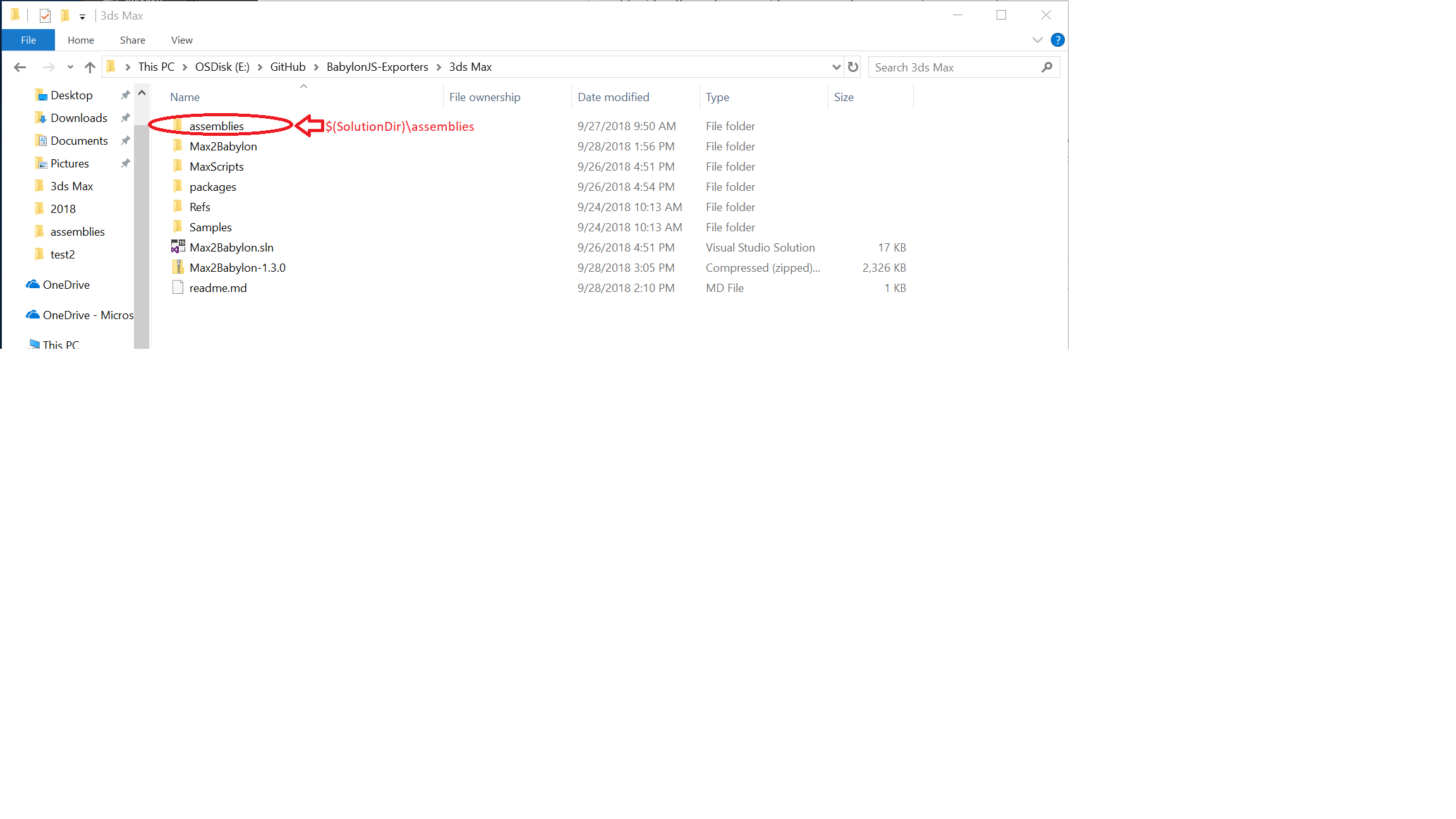
When I build, I only see the generated dlls in $(SolutionDir)assemblies\2015 - 2016\ from the build:
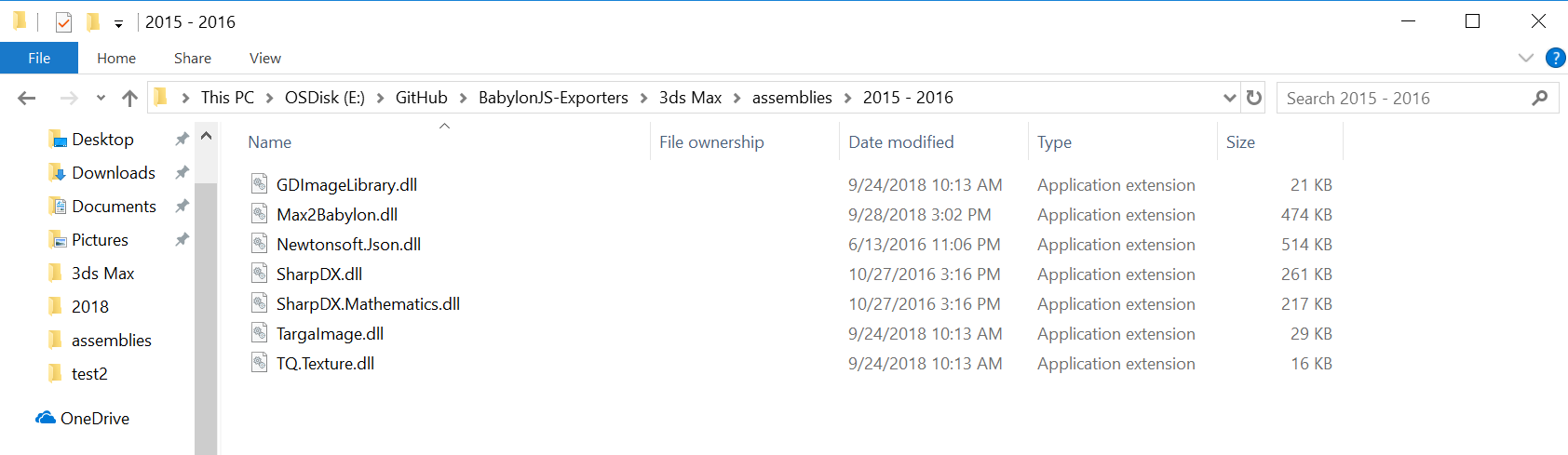
Is it different on your set up?
kcoley
on 1 Oct 2018
Yes, as I said, the out directory is set to the 3dsmax application's assemblies directory (C:\Program Files\Autodesk\3ds Max 2016\bin\assemblies). These are the default settings I have with the project (which makes sense when you're modifying the code and testing a new version).
Selmar
on 2 Oct 2018
I suggest we modify the post-build processes in the project to output the files in the repository's \3ds Max\assemblies\2015 - 2016 first and then copy to C:\Program Files\Autodesk\3ds Max 2016\bin\assemblies instead of vice-versa.
Selmar
on 2 Oct 2018
@Selmar, I see, so your OutDir is set to C:\Program Files\Autodesk\3ds Max 2016\bin\assemblies\ by default, whereas mine is set to bin\Debug\ by default. This could be a discrepancy between plugin versions. Did you try against the latest plugin (1.3.0)?
kcoley
on 2 Oct 2018
Closing for now. Please reopen of needed
 deltakosh
on 10 Oct 2018
deltakosh
on 10 Oct 2018
I'm sorry, I haven't had time to do this yet. I will check it when I get around to it.
Selmar
on 10 Oct 2018
@Selmar I think I am able to repro the issue you are hitting now. I switched my VS project from Debug to Release, and see the behavior you mentioned. I will look into a fix for this.
kcoley
on 23 Oct 2018
It happened several times before that the different configurations diverged. Usually when changes are made people forget the other configurations. :P
Right now there are more than is necessary (I think visual studio creates some defaults every time you add a project). I think all we need is the x64 builds (debug/release) and one x86 (any, to be able to view the forms inside visual studio, which requires an x86 build for some reason).
Selmar
on 13 Nov 2018
Related issues
 kutomer
·
6Comments
kutomer
·
6Comments
 echadwick-wayfair
·
4Comments
echadwick-wayfair
·
4Comments
 qualmon
·
6Comments
echadwick-wayfair
·
5Comments
qualmon
·
6Comments
echadwick-wayfair
·
5Comments
 jsellam
·
7Comments
jsellam
·
7Comments