Enterprise: Contextual Action Panel: Close button
Describe the bug
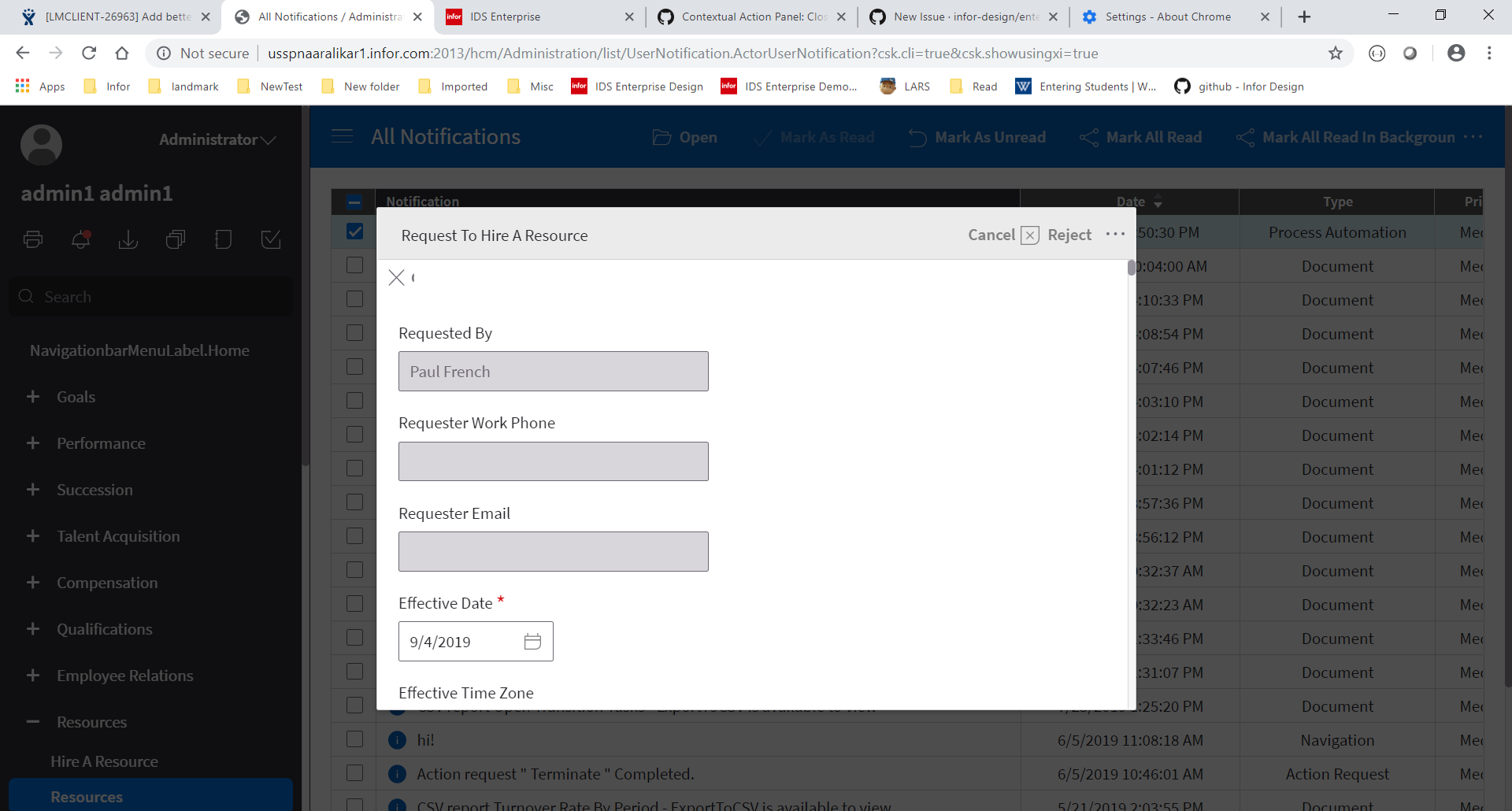
A close button is added to the contextual action panel when showCloseButton is set. But the close button is added to the modal header and not the button set of the toolbar as in the demo used to test for issue #1943.
The close button actually wraps around and appears below the header. Also, the text 'Close' is partially visible.
To Reproduce
Steps to reproduce the behavior:
In any contextual action panel sample,
(1) set showCloseButton to true
(2) add four buttons so an overflow button is displayed in the toolbar
(3) Bring up the contextual action panel
Expected behavior
The close button is on the top right corner of the contextual action panel. It is just an icon button with no text.
Version
- ids-enterprise: v4.22.0-dev
Screenshots
If applicable, add screenshots to help explain your problem.
Platform
- OS Version: Windows 10
- Browser Name Chrome
- Browser Version Version 77.0.3865.90
Additional context
Add any other context about the problem here.
 aaralikar
All 12 comments
aaralikar
on 24 Sep 2019
When @aaralikar and I were looking at this, we noticed that 'Close' was hard coded, instead of translated.
 Sovia
on 24 Sep 2019
Sovia
on 24 Sep 2019
@Sovia @aaralikar just making a note here that PR #2984 should address this. I had read the history on this a bit and noticed this comment in the original ticket #1943:
Expected behavior
The close button is on the top right. And the toolbar overflow button is to its left.
Just noting that the fact that the close button is not sitting to the right of the more button is due to the limitations of how the original standard Toolbar was built. We addressed this alignment issue with Flex Toolbar, which is fully implemented in the Contextual Action Panels, and allows separate toolbar section(s) to the right of the more menu. If you need to display the close button outside the overflow menu, I recommend switching to Flex Toolbar. PR #2984 has a couple tests demonstrating how it can be implemented.
 EdwardCoyle
on 15 Oct 2019
EdwardCoyle
on 15 Oct 2019
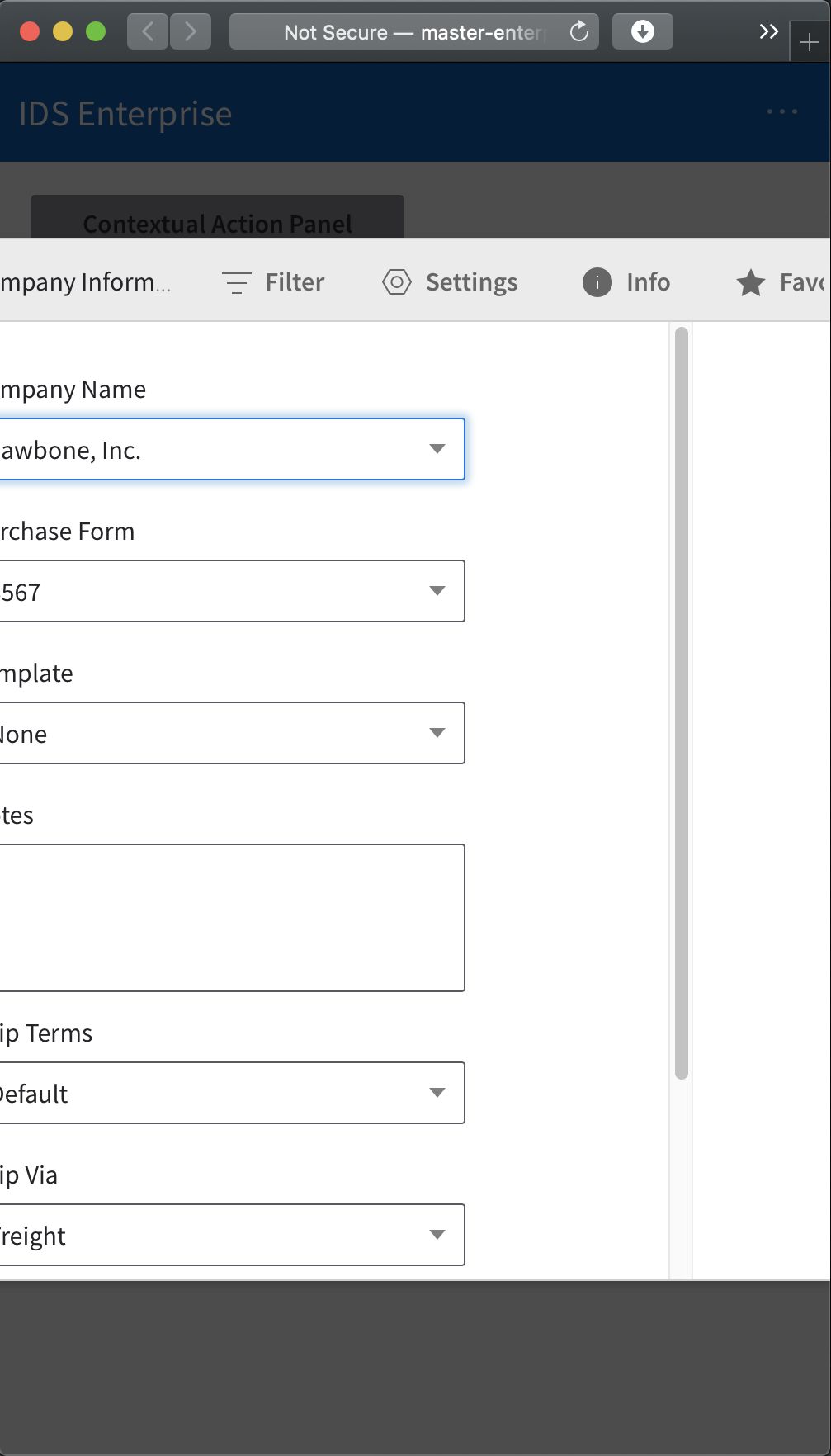
Test FAILED
Chrome, Safari, EDGE, Firefox
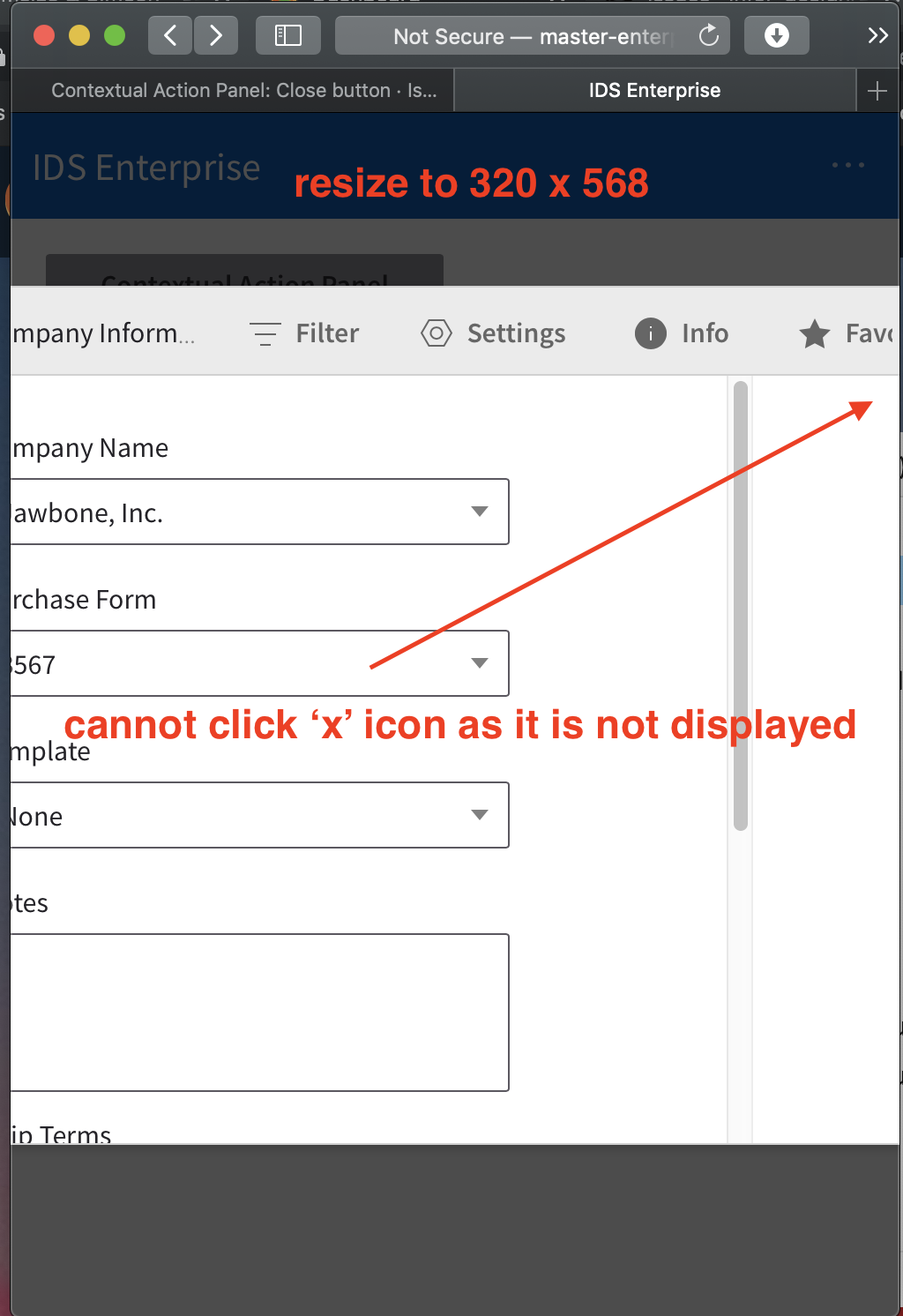
- test-close-button-flex : responsive view 320x 568, 375 x 667
- test-close-button-flex-from-settings : responsive view 320x 568, 375 x 667
see screenshot below for reference
Other Context:
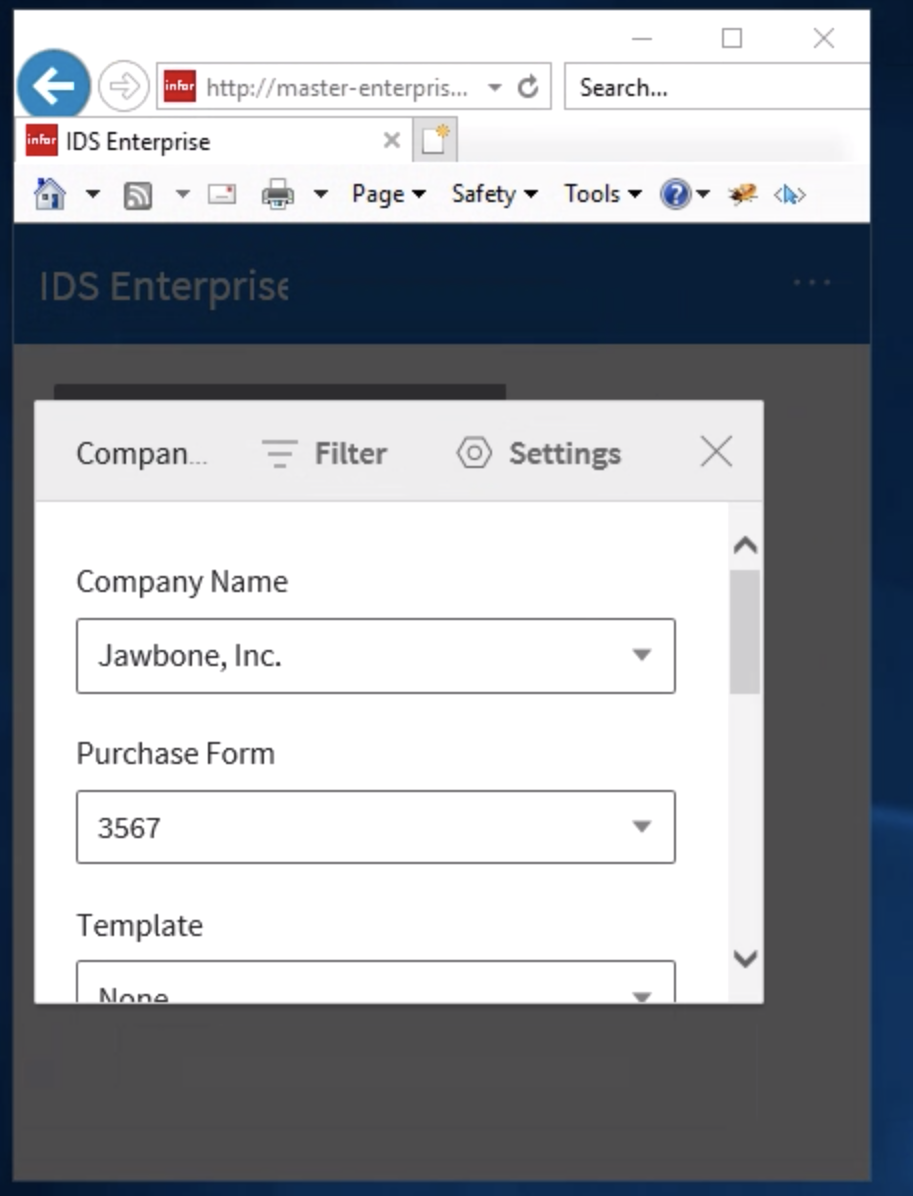
IE11 works perfectly fine
Also,
Modals should also be tested for accuracy:
modal/example-close-btn: the tooltip for close button/icon kind of like stays for almost to 1sec after clicking the ‘X’ icon
 jbrcna
on 23 Oct 2019
jbrcna
on 23 Oct 2019
Here's a screenshot for IE11
jbrcna
on 23 Oct 2019
@jbrcna Can you clarify the problem and steps to reproduce? The screen shots seem ok except maybe the misplaced scrollbar? Also the tooltip not closing is a non issue. So im not sure what the fail is here 100%
 tmcconechy
on 23 Oct 2019
tmcconechy
on 23 Oct 2019
I added a min-width on the CAPs in the new samples to address Eric's comment. I didn't make them responsive though, I think that's the complaint.
EdwardCoyle
on 23 Oct 2019
OK im thinking we definitely punt on this then?
tmcconechy
on 23 Oct 2019
It's a quick fix I could make during the beta. We can toss it into Q/A fixes for 4.23.0-beta/rc/etc
EdwardCoyle
on 23 Oct 2019
@tmcconechy the second screenshot (which is IE11) works fine and that should be the expected result. whereas in the first screenshot, the 'X' icon is not appearing thus, you cannot close the contextual action panel.
Steps to replicate:
- Open Chrome browser
- Navigate to http://master-enterprise.demo.design.infor.com/components/contextualactionpanel/test-close-button-flex?theme=uplift
and/or
http://master-enterprise.demo.design.infor.com/components/contextualactionpanel/test-close-button-flex-from-settings?theme=uplift - Click Contextual Action Panel
- Resize Browser window to 320x 568
- Notice that you cannot click the 'X' icon
- See screenshot below for reference
iPhone XS
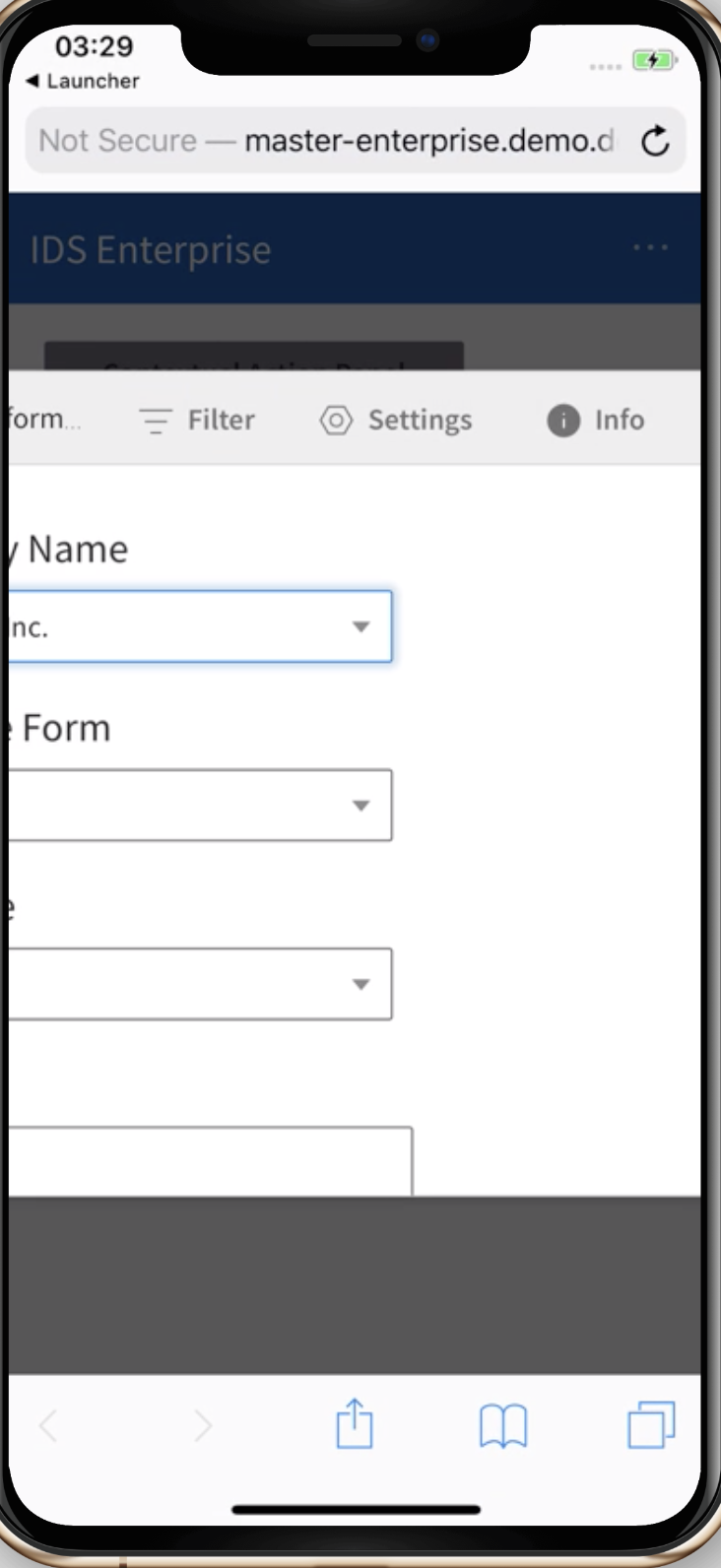
Safari
jbrcna
on 24 Oct 2019
An updated fix has been merged to master
tmcconechy
on 24 Oct 2019
Related issues
 CindyMercadoReyes
·
3Comments
CindyMercadoReyes
·
3Comments
 swetteinfor
·
3Comments
swetteinfor
·
3Comments
 fitzorama
·
3Comments
jbrcna
·
3Comments
EdwardCoyle
·
4Comments
fitzorama
·
3Comments
jbrcna
·
3Comments
EdwardCoyle
·
4Comments