Enterprise: Popupmenu: Destroy test case not working and causes memory leak
Describe the bug
Calling the destroy api on a Popupmenu control doesn't release the control from memory. These memory leaks can build up over time in a SPA and cause the browser window to slow down and crash.
To Reproduce
- Go to https://design.infor.com/code/ids-enterprise/latest/demo/components/popupmenu/test-destroy.html
- Open the Memory tab in Chrome Developer Tools
- Click on the 'Destroy' button
- Click the 'Collect garbage' button to make sure the browser has collected garbage
- Click the 'Take snapshot' button to see the memory heap.
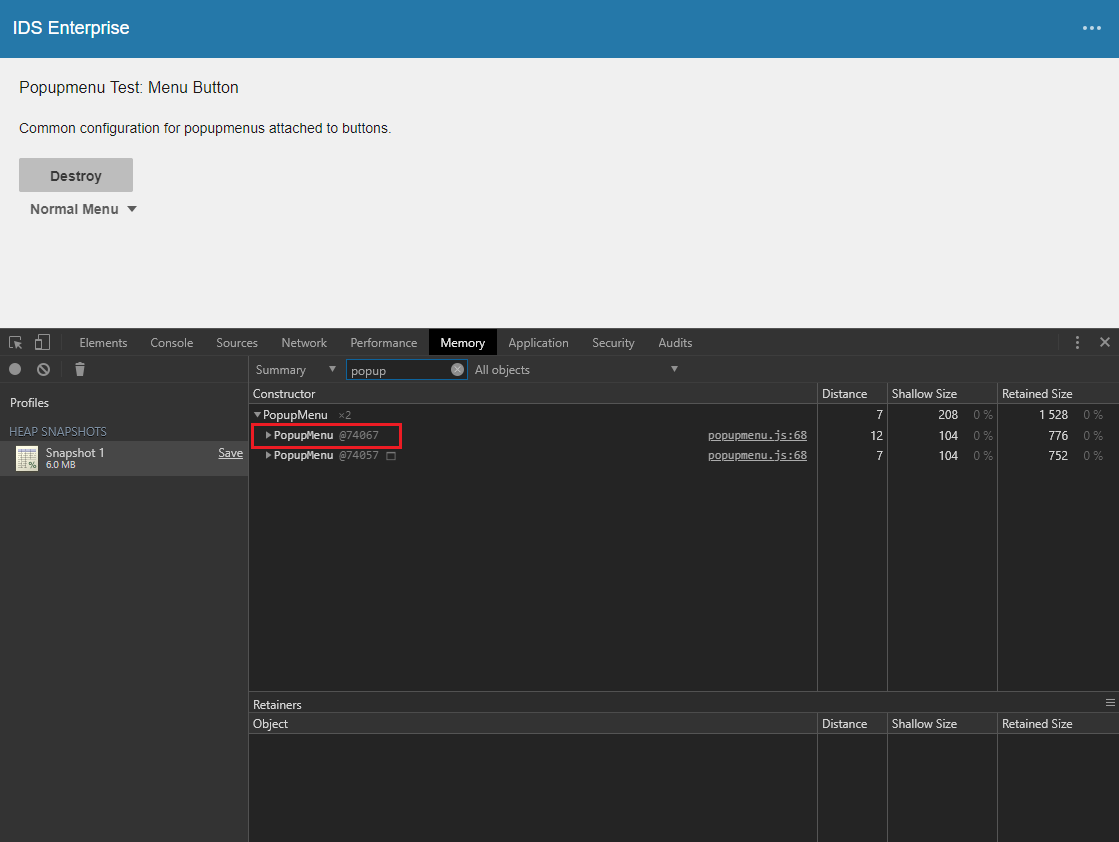
- Filter the results in the snapshot to 'popupmenu' and you will see that the instance of the Popupmenu control that was supposed to be destroyed is still in memory.
Expected behavior
After calling the destroy api on a control it should no longer exist in memory. The destroy method needs to properly cleanup/remove things so that garbage collection will remove the control from memory.
Version
- ids-enterprise: v4.19.4
Screenshots
Platform
- Device: Dell Laptop
- OS Version: Windows 10
- Browser Name: Chrome
- Browser Version: 75.0.3770.142 (Official Build) (64-bit)
 aaronpikkarainen
All 5 comments
@aaronpikkarainen, we just pushed a couple changes last week to our master surrounding Popupmenu-related memory leaks (see #2483). I re-tested your steps against the same test page running our master, and I wasn't able to reproduce. I was able to reproduce on design.infor.com though.
Would you be able to test our current master in your environment and see if the problem persists?
A side note: we have a layout you can use in the demoapp for these types of test that need to be isolated away from the theme switcher, header, app menu, etc. You can use https://design.infor.com/code/ids-enterprise/latest/demo/components/popupmenu/test-destroy.html?layout=nofrills to only show the component area, if that helps.
 EdwardCoyle
on 16 Jul 2019
EdwardCoyle
on 16 Jul 2019
@EdwardCoyle , I don't have a dev environment set up, but if you've tested current master and verified the issue doesn't exist, then that is sufficient for me.
aaronpikkarainen
on 17 Jul 2019
@aaronpikkarainen In this case i would probably say to test http://master-enterprise.demo.design.infor.com/components over https://design.infor.com/code/ids-enterprise/latest/demo/components as this represents the almost beta 4.20 and is updated every PR. (No need to go back to the other issues though just for future note)
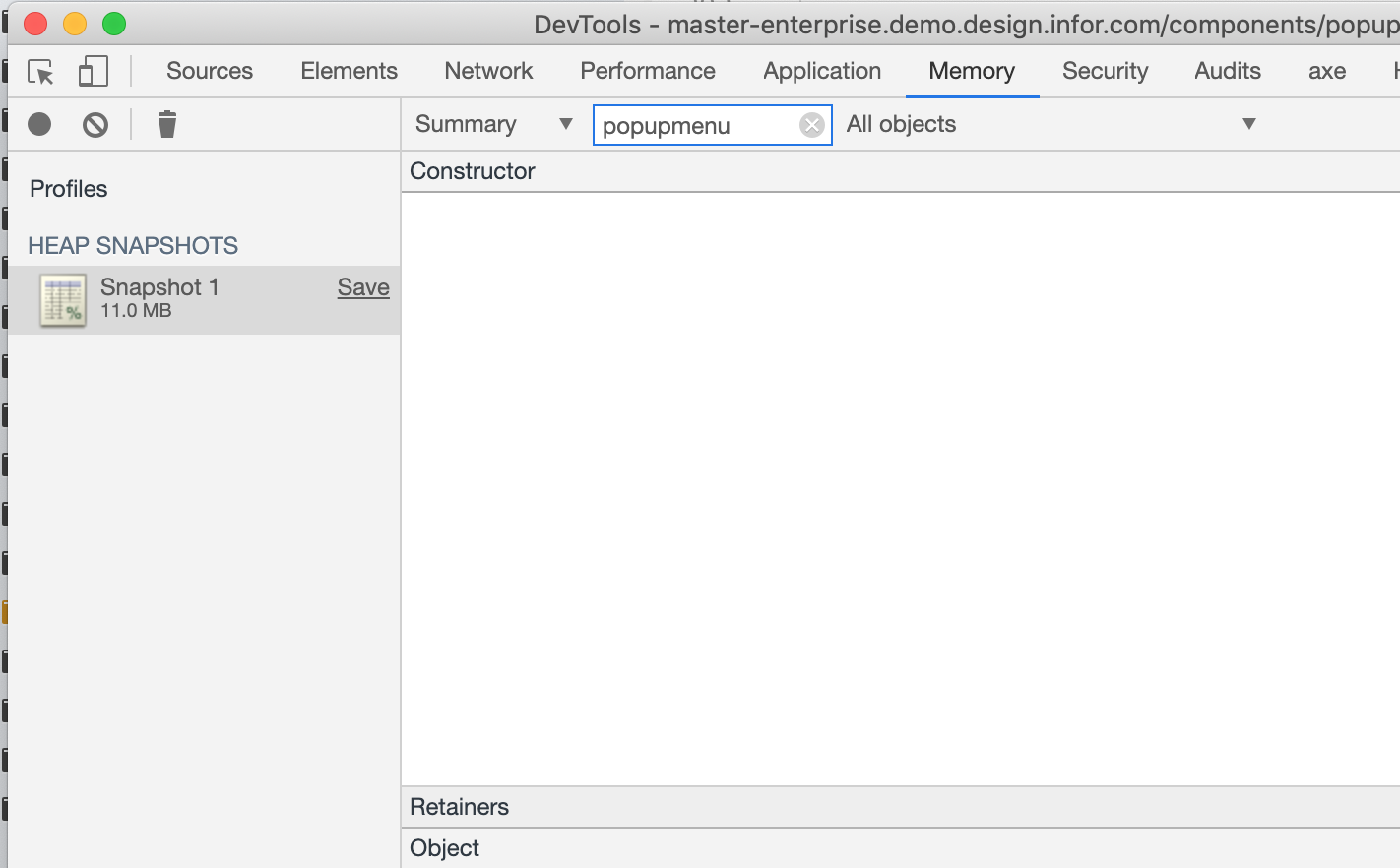
I tested this on master an no longer seeing the issue. I dont think the other issues you raised are fixed but we happened to fix a memory leak here. Results on master:
 tmcconechy
on 17 Jul 2019
tmcconechy
on 17 Jul 2019
Thank you. I tested now at http://master-enterprise.demo.design.infor.com/components/popupmenu/test-destroy.html?layout=nofrills and things look great. The Popupmenu is gone from memory.
aaronpikkarainen
on 17 Jul 2019
Passed QA testing as well on http://master-enterprise.demo.design.infor.com/components/popupmenu/test-destroy.html?layout=nofrills and http://localhost:4000/components/popupmenu/test-destroy.html?layout=nofrills, will retest once beta is deployed.
 brianjuan
on 19 Jul 2019
brianjuan
on 19 Jul 2019
Related issues
 CindyMercadoReyes
·
3Comments
CindyMercadoReyes
·
3Comments
 SasiPalanati
·
3Comments
brianjuan
·
3Comments
EdwardCoyle
·
4Comments
SasiPalanati
·
3Comments
brianjuan
·
3Comments
EdwardCoyle
·
4Comments
 sanx72
·
3Comments
sanx72
·
3Comments