Enterprise: Toolbar: A toolbar with a searchfield in a list details div text is same color as searchfield
Describe the bug
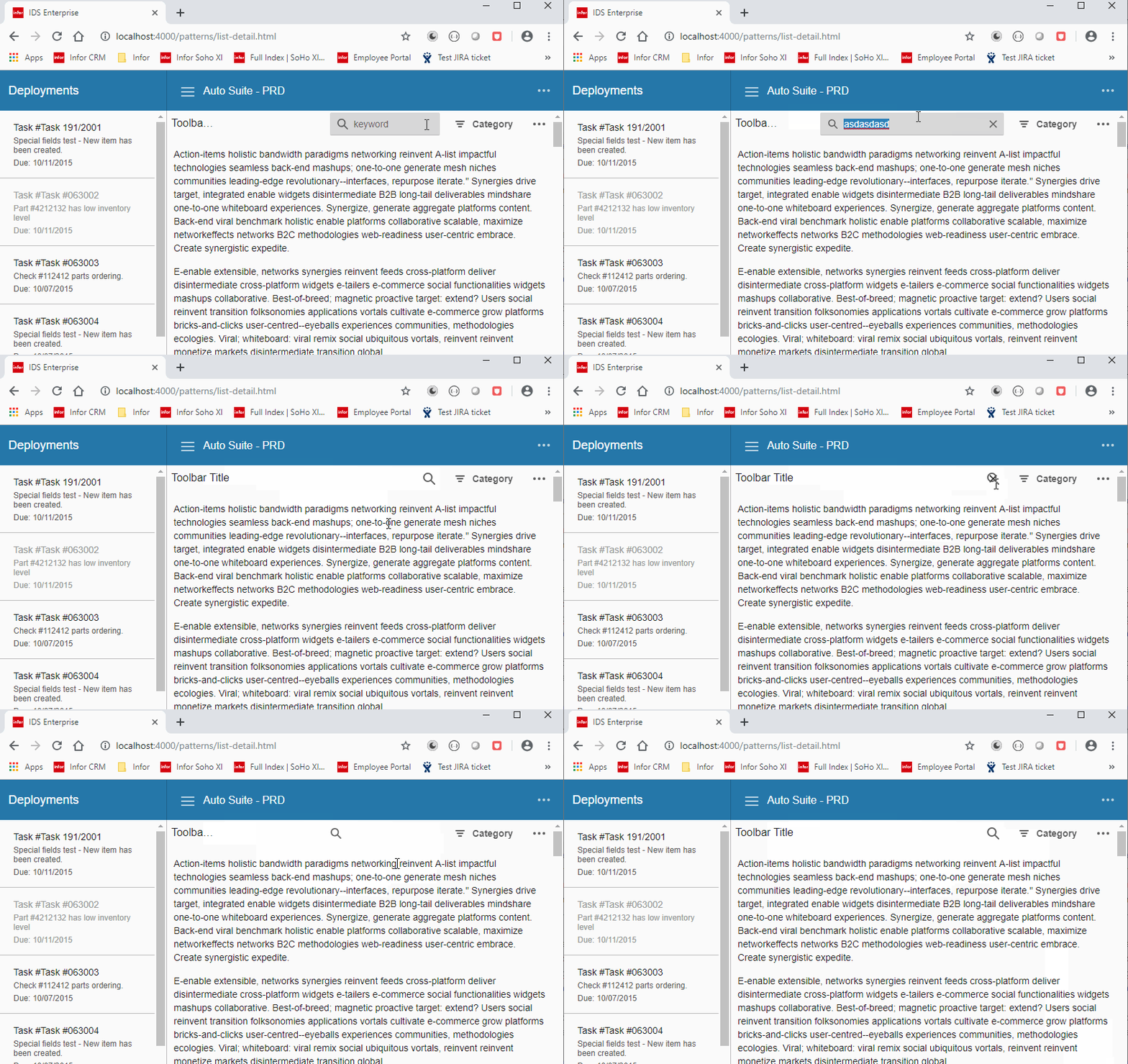
The text color matches the searchfield's color, so you can't read it. This is happening for a searchfield in a toolbar in a list details area. Also, the clear button is over the magnifiying glass button when there is a value in the searchfield, but it's collapsed.
To Reproduce
Steps to reproduce the behavior:
- Copy list-detail.zip into your codebase, and navigate to it.
- (TJM) On branch http://localhost:4000/patterns/list-detail.html i put it
- Click into the toolbar search field (the magnifying glass icon) and start typing
- See error
Expected behavior
Need to be able to see what is being typed.
Version
v4.19.0-dev
Screenshots
Platform
- All
 Sovia
Sovia
All 9 comments
Additionally.
- the placeholder text is the same color as the text
- when search is collapsed and you hover an x appears when it shouldnt
 tmcconechy
on 1 May 2019
tmcconechy
on 1 May 2019
Wondering if this worked before or is a new combination? Just wondering if we broke something
tmcconechy
on 1 May 2019
I feel like it was working in the landmark case before. I'm just not sure when. It looks like a rule in _list-detail.scss is what is setting the current color to transparent.
This is happening in our mainline, so it's probably been there since v4.17 . I've put in a temp fix in the landmark code
// Temporary fix until https://github.com/infor-design/enterprise/issues/2075 is fixed and available
.list-detail .toolbar .searchfield-wrapper input {
  color: inherit;
}
for now.
Sovia
on 1 May 2019
Very very interesting. So something was probably done to "unmask" this and it's very odd that at one point we set the color: transparent. Honestly I think we can remove that whole selector in our codebase, but we'll investigate.
 clepore
on 1 May 2019
clepore
on 1 May 2019
Was able to remove this whole snippet, and it seems like that was the culprit
 EdwardCoyle
on 1 May 2019
EdwardCoyle
on 1 May 2019
The text color is now different as the search field however, The text color is the same with placeholder & when search is collapsed and you hover an x appears when it shouldn't.
Verified in: http://4180-rc2-enterprise.demo.design.infor.com/patterns/list-detail.html
 janahintal
on 2 May 2019
janahintal
on 2 May 2019
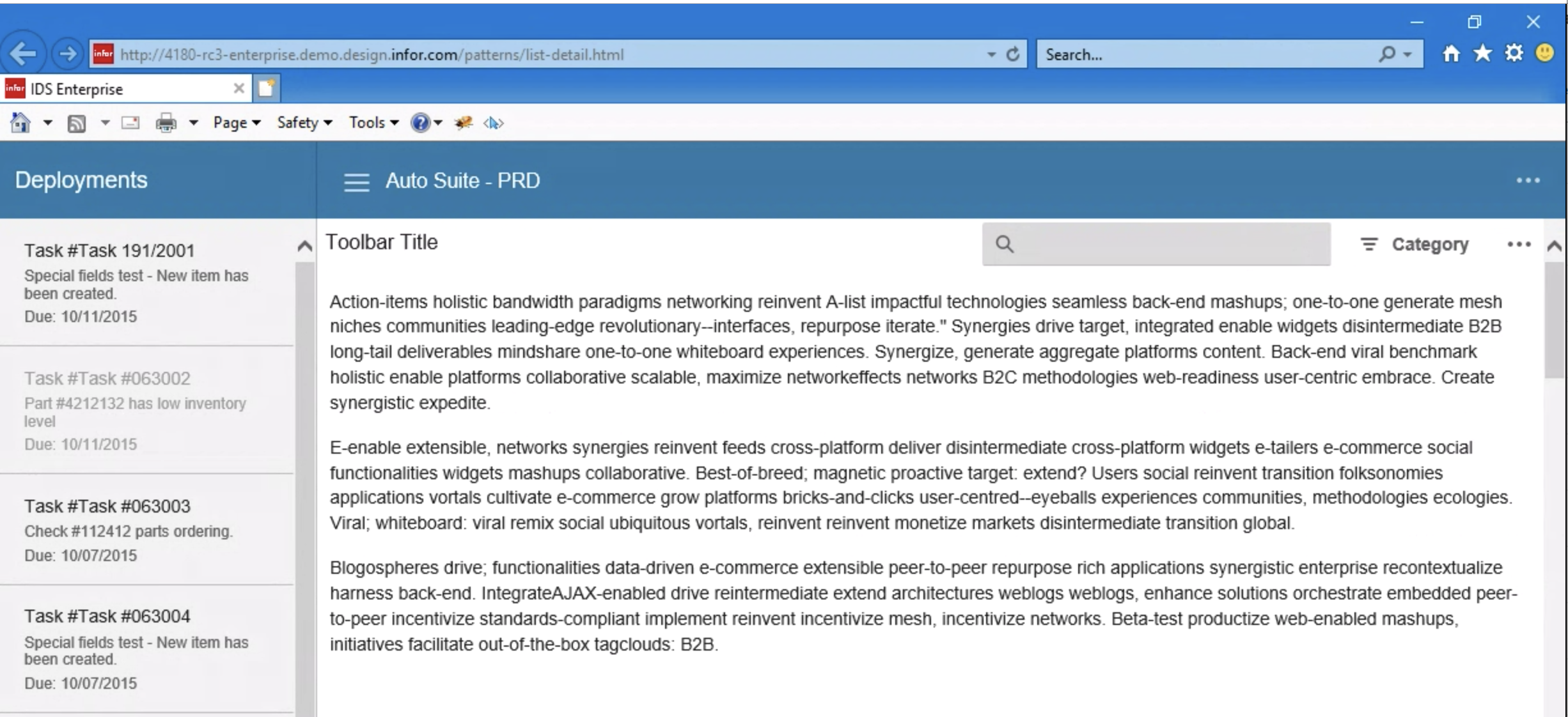
Hi @tmcconechy, Already tested in all OS browsers and noticed that the placeholder is not showing in Windows10 IE11 browser.
Will move to QA failed. Thank you.
Tested in: http://4180-rc3-enterprise.demo.design.infor.com/patterns/list-detail.html
janahintal
on 3 May 2019
@EdwardCoyle since we have this working in most browsers, let's split @janahintal 's latest finding as a separate issue (for 4.19 sprint) so we can release 4.18.0.
clepore
on 3 May 2019
Raised #2093 for that one
EdwardCoyle
on 3 May 2019
Related issues
EdwardCoyle
·
4Comments
 brianjuan
·
3Comments
brianjuan
·
3Comments
 jbrcna
·
3Comments
jbrcna
·
3Comments
 SofiK
·
3Comments
SofiK
·
3Comments
 SasiPalanati
·
3Comments
SasiPalanati
·
3Comments