Enterprise: Datagrid Active Cell Indicator is cropped for multiline on Edge and IE
Describe the bug
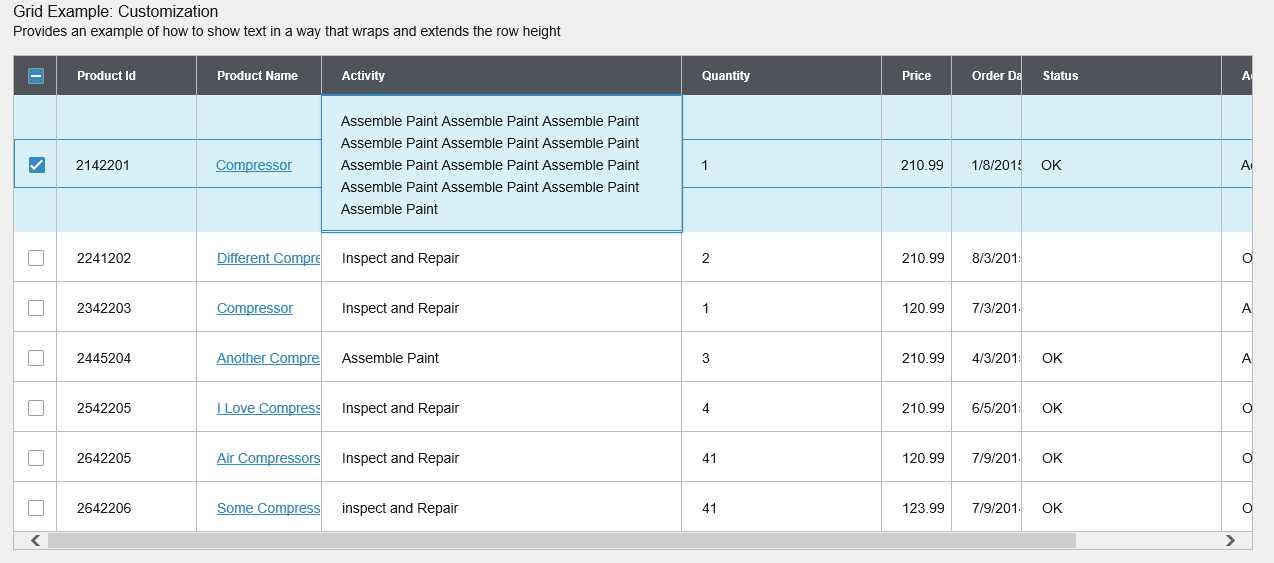
Datagrid Active Cell Indicator is cropped on Edge and IE when one of the columns is multiline
To Reproduce
Steps to reproduce the behavior:
- Go to 'http://localhost:4000/components/datagrid/test-long-text.html'
- Set the cellNavigation = false settings of the datagrid.
$('#datagrid').datagrid({
    columns: columns,
    selectable: 'multiple',
    dataset: data,
    editable: true,
    cellNavigation: false
  });
Click on the first row and see the active cell indicator/highlight:

This only occurs on Microsoft Edge and Internet Explorer. Not a major issue. Just wanted to know if this can be fixed or will be left as is. Thanks.
Platform
- OS Version: Windows 10
- Browser Name: Microsoft Edge/Internet Explorer
 NathanLouisBarcial
All 8 comments
The problem is that the height is automatic on those cells. Can think of three solutions.
- Add a rowHeight variable - will mean all rows set to a static height non dynamic
- Calculate the row height on render (by setting) and set the height to the height for every row. (Double render === slower)
- Add a rowHeight function - that will let you set row height in a calculated / dynamic function.
 tmcconechy
on 19 Feb 2019
tmcconechy
on 19 Feb 2019
Thanks for the suggested solutions, will get back to you if we'll be able to apply these. Thank you.
NathanLouisBarcial
on 22 Feb 2019
Hi @tmcconechy tried these and this may not work for us since it will mean additional calculations for a minor issue. Looking at this example in Google Chrome, and it actually works fine in other browsers except ie/edge. Can this be fixed on your end, if it will be too much work then we can accept this since it rarely occurs on our app. Thank you for your response.
NathanLouisBarcial
on 19 Mar 2019
OK we'll see what i can come up with for a fix when we can.
tmcconechy
on 19 Mar 2019
Hi, @tmcconechy.
We just tested this issue on the newest version of Microsoft Edge and it renders properly:

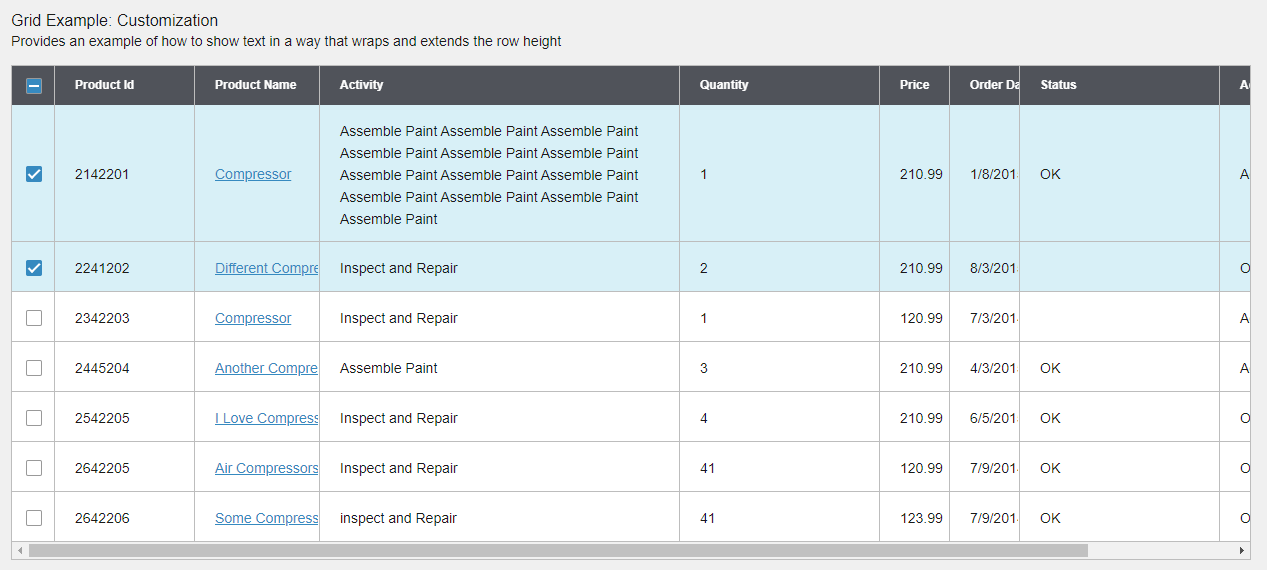
For IE and older Edge versions, the issue still occurs:
 sharmainerivera
on 14 May 2020
sharmainerivera
on 14 May 2020
I think this is a duplicate of another issue (which i cant seem to locate at the moment). I was working on this. But as far as i see i do not see this issue on IE 11 and Edge on the latest dev version.
https://master-enterprise.demo.design.infor.com/components/datagrid/test-long-text.html
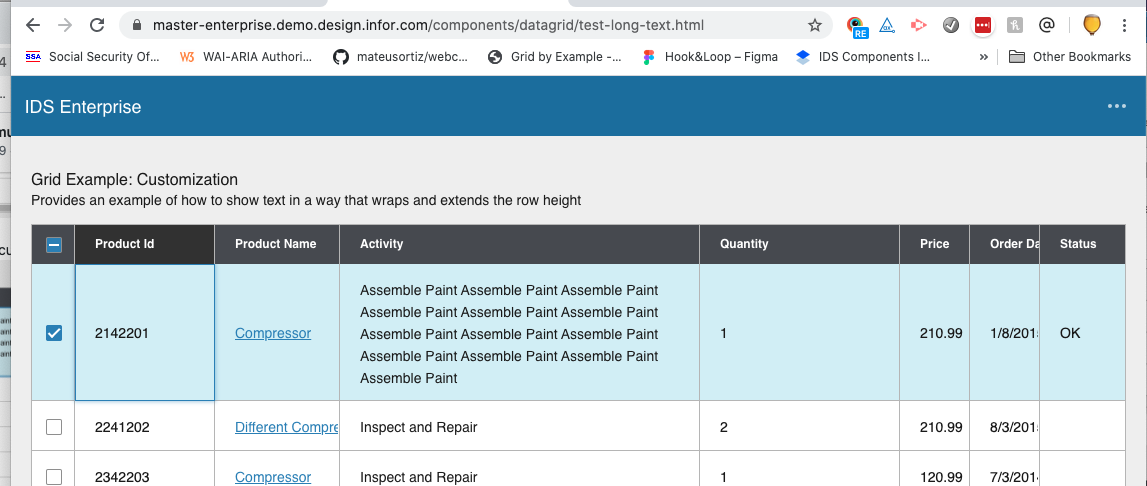
I think i have fixed this. BTW we probably wouldnt fix it for IE11 going forward as its somewhat minor
tmcconechy
on 14 May 2020
OK i see i missed a step about disabling cell navigation. So yes still in issue, although i partly fixed this without cell navigation setting changed... We do have it scheduled for next sprint. So will take a look then
tmcconechy
on 14 May 2020
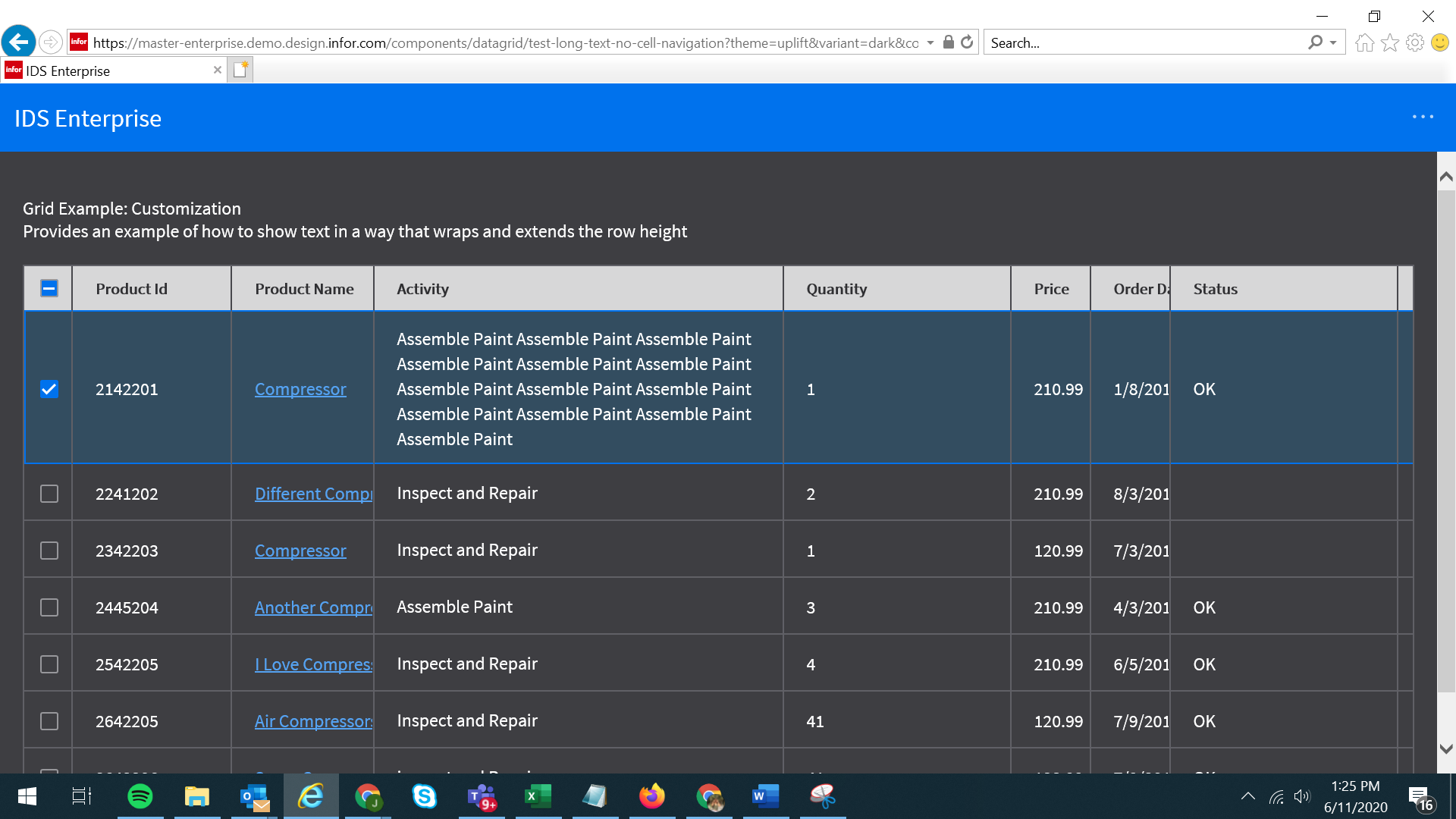
QA Passed. Thank you!
Verified in
https://master-enterprise.demo.design.infor.com/components/datagrid/test-long-text-no-cell-navigation & https://master-enterprise.demo.design.infor.com/components/datagrid/example-singleselect.html?theme=uplift&variant=dark
 janahintal
on 11 Jun 2020
janahintal
on 11 Jun 2020
Related issues
 SofiK
·
3Comments
SofiK
·
3Comments
 jbrcna
·
3Comments
jbrcna
·
3Comments
 fitzorama
·
3Comments
fitzorama
·
3Comments
 guoliang
·
3Comments
guoliang
·
3Comments
 brianjuan
·
3Comments
brianjuan
·
3Comments