Enterprise: Dropdown: Select within multiselect dropdown control doesn't let you make multiple selections
Describe the bug
In the multiselect control, when a user goes to enter a search query and views filtered options within the dropdown list, selecting an option clears the search query and removes all filtered search results. User has to perform another search query to make additional selections within filtered search results.
I understand that the input at the top of the dropdown used to display active list options selected is also used to perform search queries, but as a user I should be able to make multiple selections within a filtered options list without it clearing my search.
To Reproduce
Steps to reproduce the behavior:
Using the multiselect examples on the SoHo XI web site
https://design.infor.com/code/ids-enterprise/4.10.0/multiselect
- For the first control in the examples (States), click into control and type "ad" within dropdown search
- Options will filter to display only 2 choices: "Colorado" and "Nevada"
- Select either option
- Results of search are cleared after selection is made, user returns to top of dropdown list
Expected behavior
If a user is making selections within an active search, they should be allowed to make multiple selections without their search clearing.
Video
See video: https://screencast.com/t/V4miZiWnzy9l
Platform
All browsers and devices.
Additional context
I see how this can be considered a new feature, and it is performing as designed as a single-select control, but this is an issue with multiselect control that came up as part of recent UAT with a client. They are considering this a bad user experience, that you can search within a list and not make multiple selections within the filtering list results as you lose your original search query.
To solve, I've seen other controls include the search input separate from element/input that contains the active list options selected.
 picitelli
All 14 comments
Yeah, your right this will probably be a significant change, maybe even require a new design with separate search and values.
I wonder if this pattern might fit, where tags can be shown http://master-enterprise.demo.design.infor.com/examples/landmark/search-form.html perhaps the search lets them select a few tags that get added to the form.
 tmcconechy
on 4 Oct 2018
tmcconechy
on 4 Oct 2018
@tmcconechy , unfortunately that pattern doesn't fit in with our existing design and usage of the multiselect control within our application. Would be a big overhaul at this point to switch this control with another one, and re-implement into Mongoose when we are trying to go live within next 2 weeks. :(
I'll try to see if we "hack" the control to allow a user to make multiple selections within a filtered search, storing selections within filtered search results to a variable (and later combining with other active selections) and not updating the search input with active selections until a user clears the search.
picitelli
on 4 Oct 2018
2 weeks is not going to be viable i think for a fix here, may need a potential redesign. But happy to see what you can hack up, that maybe an idea...
Do you have a screen shot of the page/pattern you have, maybe i can think of another idea.
@EdwardCoyle any other ideas?
tmcconechy
on 4 Oct 2018
@tmcconechy, I understand it will take some time, we can let the client know that this is an enhancement request that has design considerations needed before putting fix in place.
Here is a screen of the orders listing page we have in the application: https://www.screencast.com/t/OeiT24qXzZ
There are several filtering controls at the top of the screen. The ones highlighted in red are the SOHO multiselect controls. These multiselect controls are all implemented into Mongoose as user components. Once you narrow down filtering options, you can perform a search on orders which displays below the filtering options in a grid.
I'm happy to hop on a quick WebEx and walk you through this if you have some time today/tomorrow. Please let me know.
picitelli
on 4 Oct 2018
This does seem pretty like the search field pattern:
http://master-enterprise.demo.design.infor.com/examples/landmark/search-form.html
- click expand on the filter button
I do understand changing that would be work on your end, but just saying this is one way design drew this up.
I cant 100% promise we would redesign the multiselect, but we can consider it for a future time.
tmcconechy
on 4 Oct 2018
@tmcconechy, I wish I can can just grab and use this pattern but for our application the grid itself is being rendered in Mongoose and we cannot use custom front-end for that. Trying to use as much native Mongoose as possible.
picitelli
on 4 Oct 2018
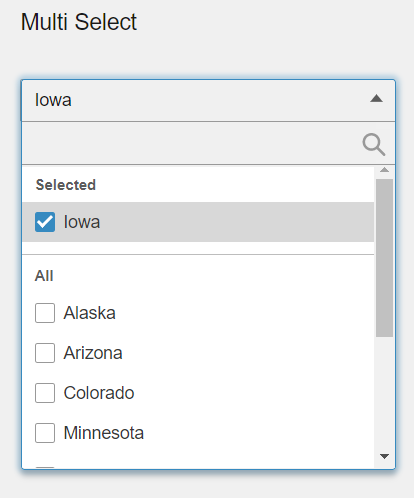
@tmcconechy Landmark would also like a better search for the multi-select control. In its current form, only one value can be searched for and once an item is selected, the search does not work any more as the selected item(s) are included in the search criteria.
One idea would be to move the search into the dropdown content area >
 fitzorama
on 14 May 2019
fitzorama
on 14 May 2019
True, you have to clear your search and search something else. But if we get enough of these requests we will have to consider a new design
tmcconechy
on 14 May 2019
3.5 controls allowed this. Why doesn't 4.x? Customers are asking for this. What does "get enough of these requests" mean?
 lipetzan
on 16 May 2019
lipetzan
on 16 May 2019
We reviewed this and decided the behavior is strange in going from search to select (it resets).
So we agree the behavior isnt ideal the way it works now.
So the plan is to fix that but not alter the design. Its scheduled for next sprint.
Enough requests means similar issues, or people voting up the issue ect.
tmcconechy
on 16 May 2019
Note to QA: this ticket went back and forth quite a bit. The only portions of this ticket that should be tested are present on the steps in #2488
 EdwardCoyle
on 18 Jul 2019
EdwardCoyle
on 18 Jul 2019
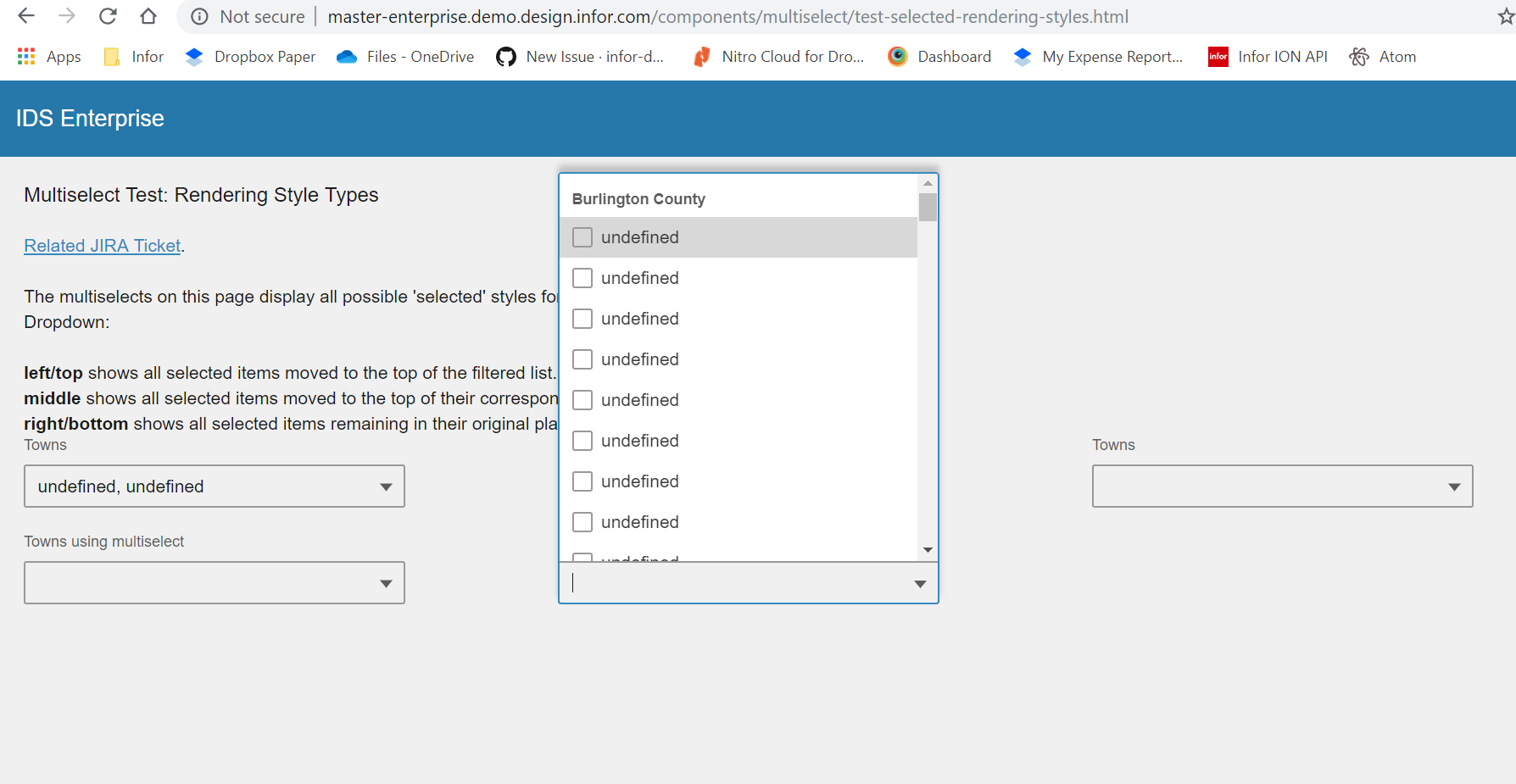
Hi @EdwardCoyle , tested this in http://master-enterprise.demo.design.infor.com/components/multiselect/example-index.html & http://master-enterprise.demo.design.infor.com/components/multiselect/test-selected-rendering-styles.html.
The undefined issue still exist in http://master-enterprise.demo.design.infor.com/components/multiselect/test-selected-rendering-styles.html
 janahintal
on 19 Jul 2019
janahintal
on 19 Jul 2019
Hi @janahintal, I am not able to reproduce the undefined error on that page against master-enterprise:
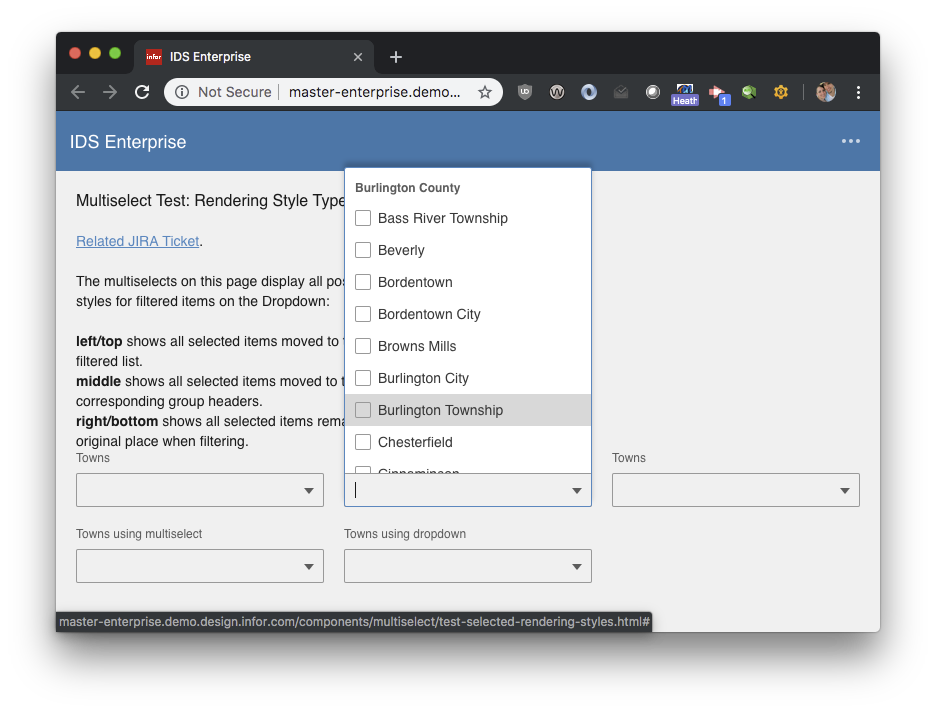
Can you please retest?
EdwardCoyle
on 22 Jul 2019
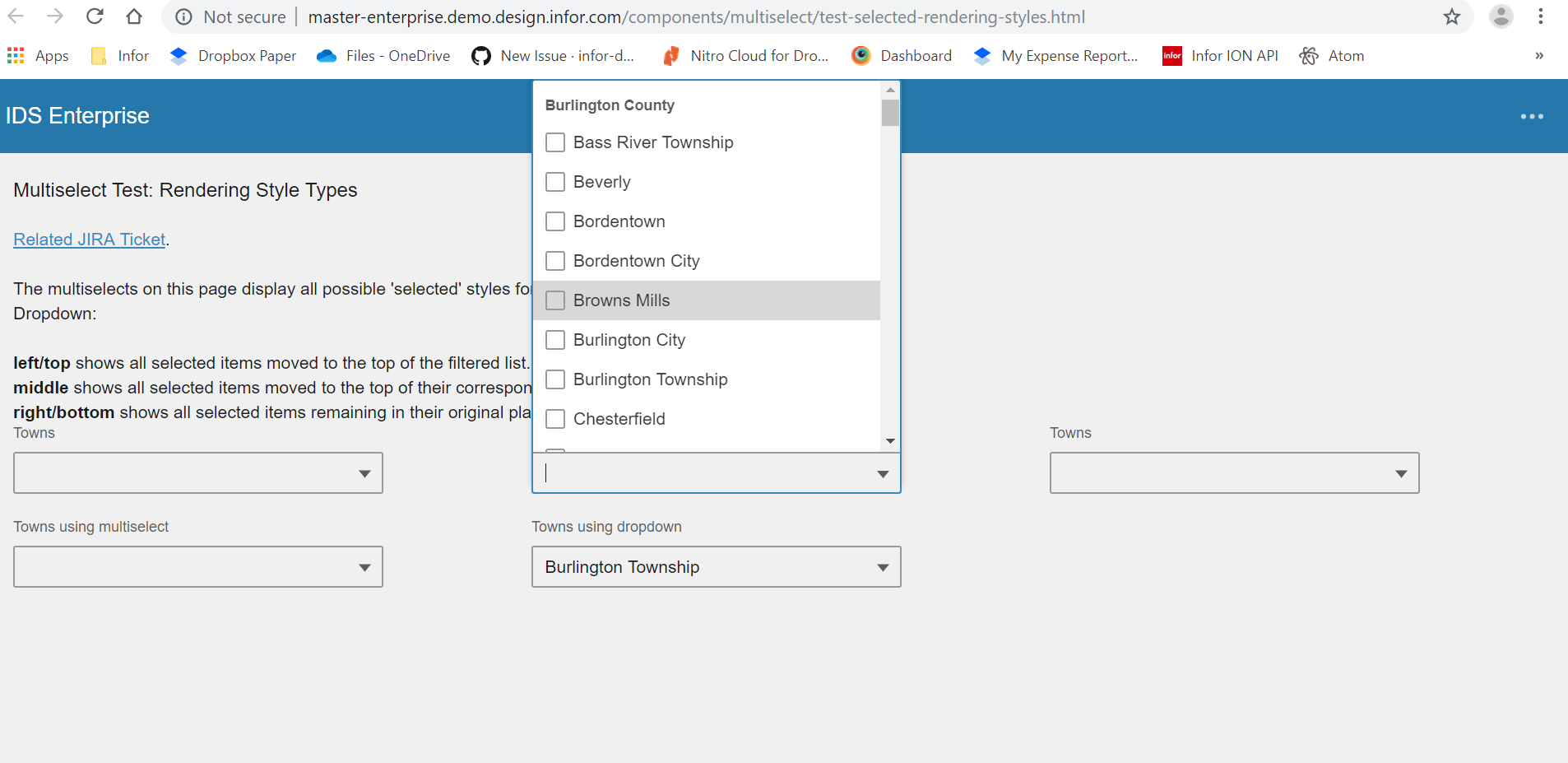
Hi @EdwardCoyle , I have re-tested it today. It's now working in my end. Will move to Done. Thanks! :)
janahintal
on 23 Jul 2019
Related issues
 dubde
·
4Comments
fitzorama
·
3Comments
dubde
·
4Comments
fitzorama
·
3Comments
 pwpatton
·
3Comments
pwpatton
·
3Comments
 swetteinfor
·
3Comments
swetteinfor
·
3Comments
 brianjuan
·
3Comments
brianjuan
·
3Comments
Most helpful comment
Hi @EdwardCoyle , I have re-tested it today. It's now working in my end. Will move to Done. Thanks! :)
