Enterprise-ng: Datagrid: Unable to copy a data value from Excel and paste into editable cell
Describe the bug:
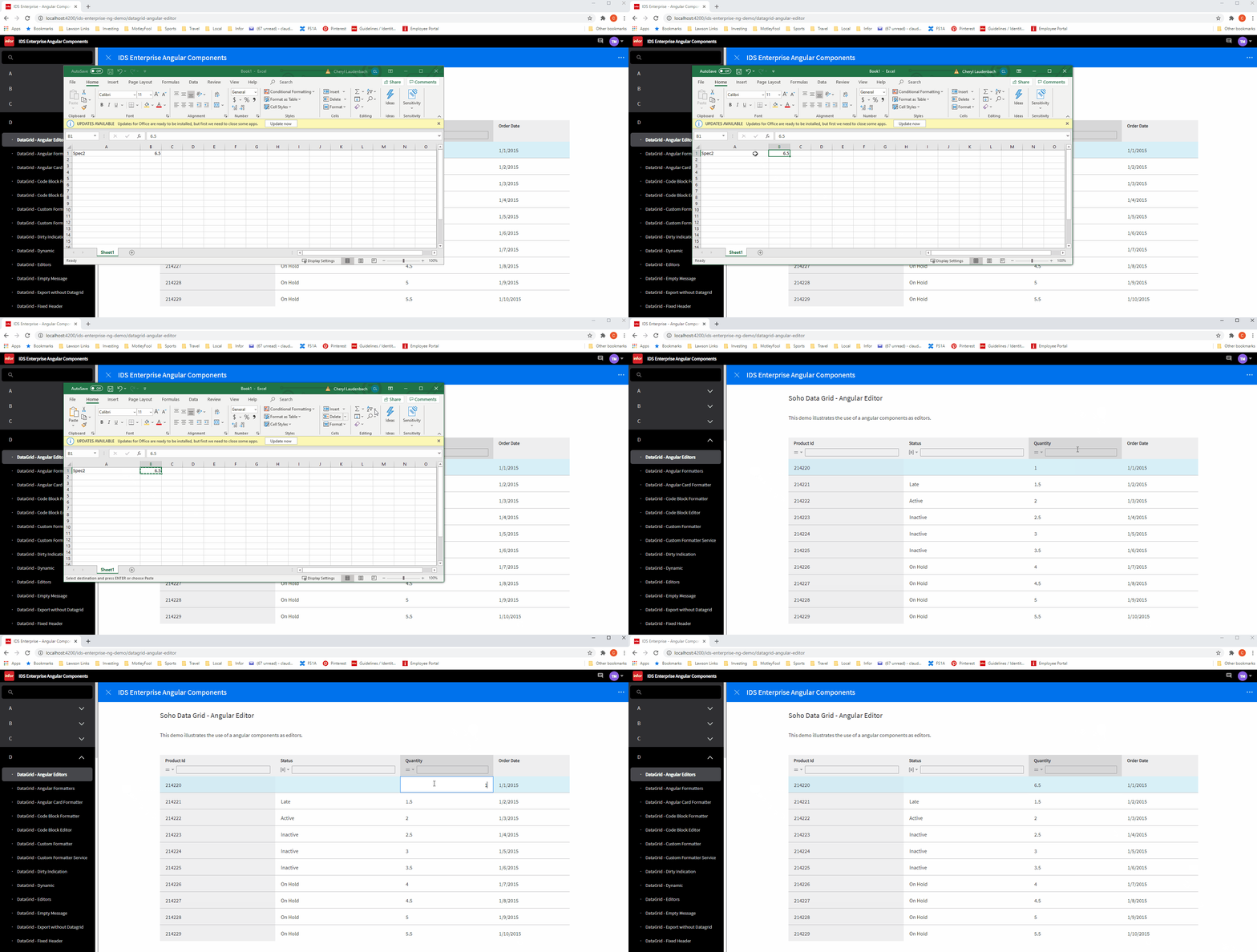
Unable to copy a cell in Excel and paste the copied value into an editable datagrid cell.
Steps to reproduce the behavior:
- Go to 'DataGrid - Angular Editors'
- Open Excel and enter a numeric value into a cell
- Copy the cell value from Excel
- Attempt to paste into a cell in the Quantity column
Expected behavior
Be able to cut and paste into an editable cell
Version
- ids-enterprise: v4.38.0-dev
 claudenbach
All 12 comments
claudenbach
on 4 Mar 2021
This seems to work in EP https://drive.google.com/file/d/15SZNyVvBMrfwxjbeTIYQ7uQFztzaYL3r/view
Is this maybe an angular only issue?
 tmcconechy
on 4 Mar 2021
tmcconechy
on 4 Mar 2021
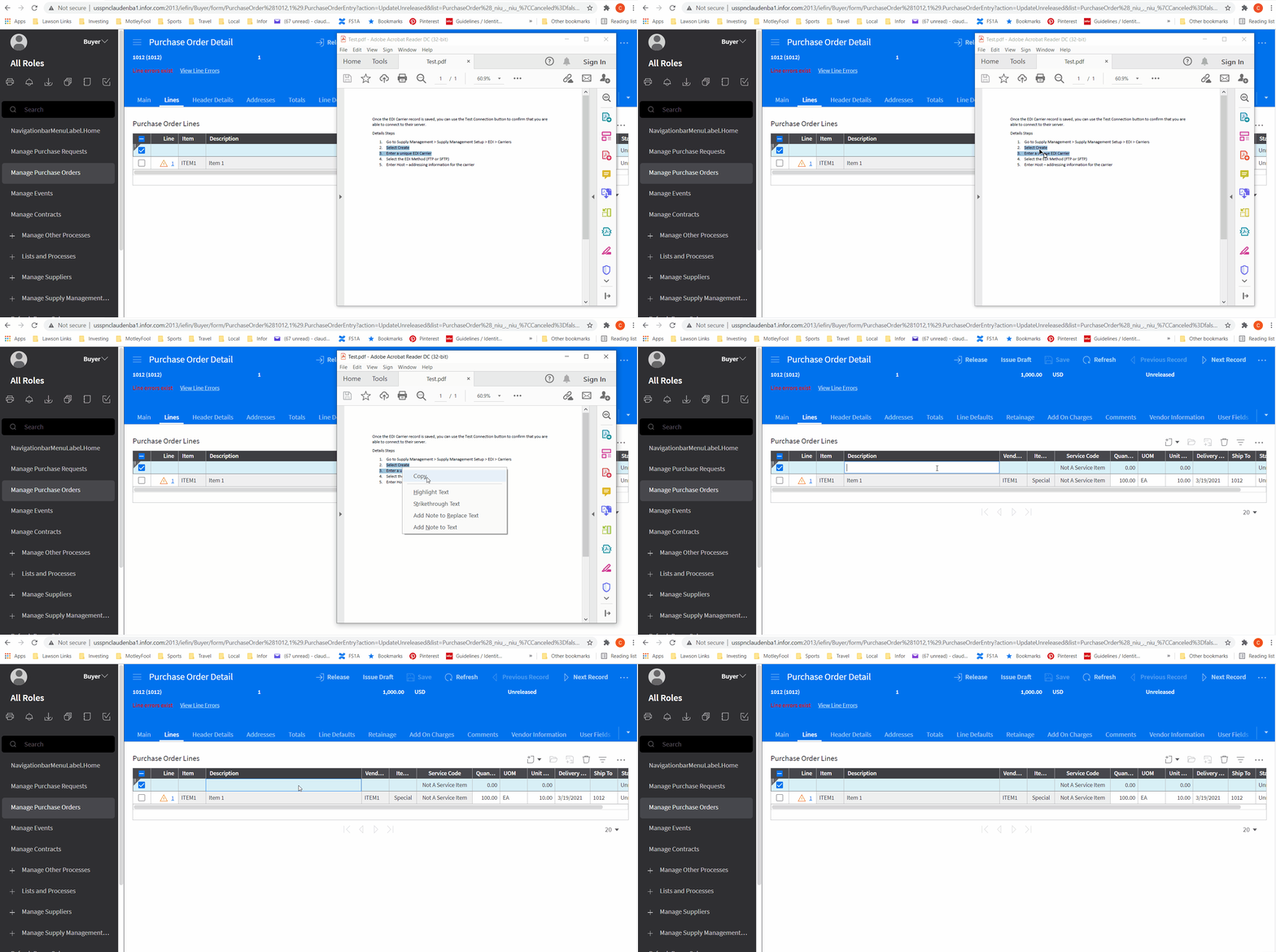
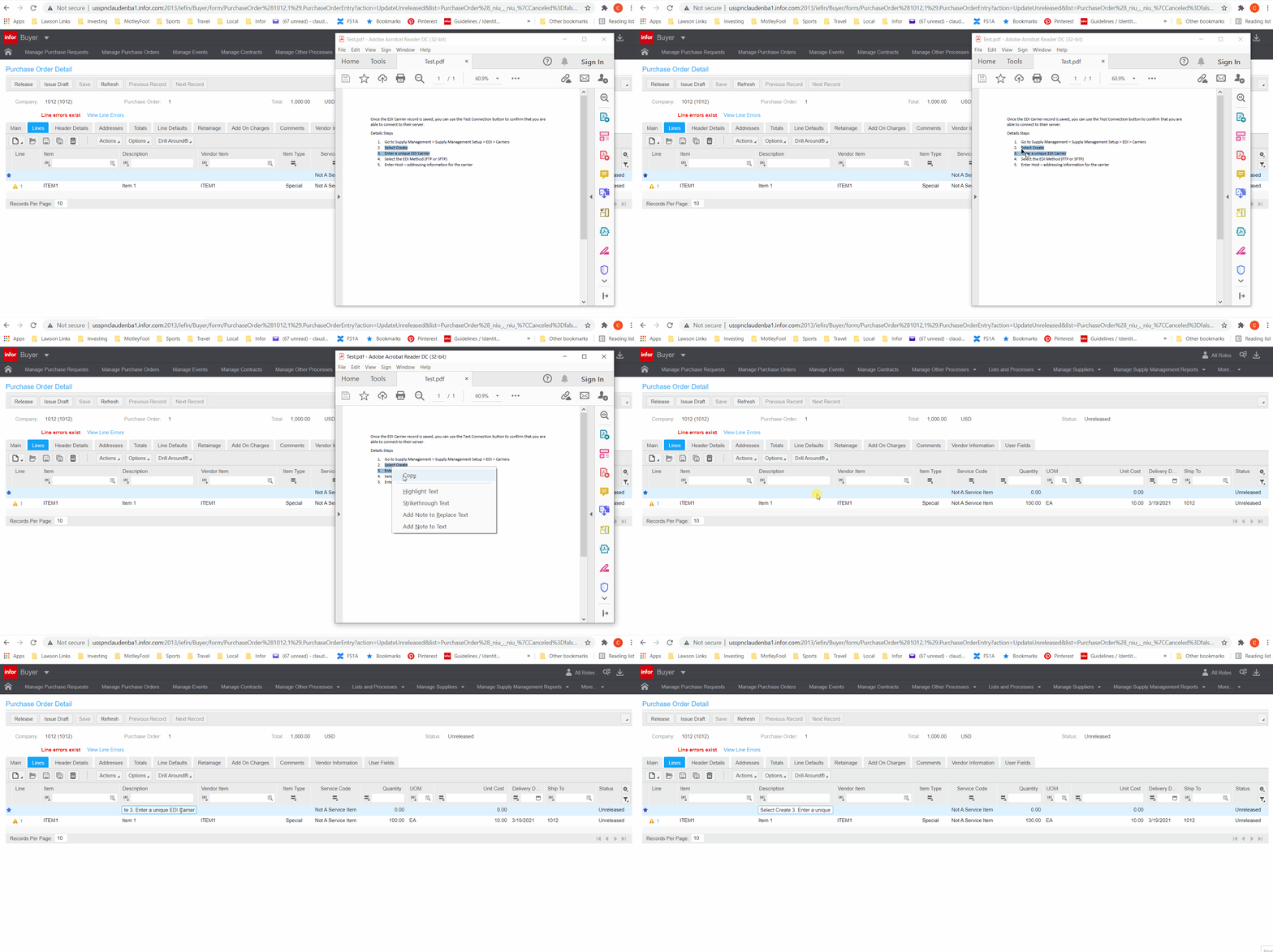
I have a similar issue, were the user is attempting to copy bulleted items with a .pdf file and they are unable to paste the copied value into a list cell. This did work in 3.5.
Do you need a different ticket for this issue?
claudenbach
on 22 Mar 2021
@claudenbach no thats ok. I think its going to be the same issue - the issue is around this area https://github.com/infor-design/enterprise/blob/master/src/components/datagrid/datagrid.js#L6266 where it tries to detect new lines in the data and create/copy the data to neighbouring cells. I'm not sure what the fix would be....
tmcconechy
on 23 Mar 2021
This is the Landmark example in 4.0:
claudenbach
on 23 Mar 2021
Landmark example in 3.5:
claudenbach
on 23 Mar 2021
Did paste from excel to create rows work in 3.5?
tmcconechy
on 23 Mar 2021
Yes.
claudenbach
on 23 Mar 2021
This was fixed in https://github.com/infor-design/enterprise/pull/5071
tmcconechy
on 21 Apr 2021
The issue still exists in https://main-enterprise.demo.design.infor.com/components/datagrid/test-copy-paste-from-excel.html
Go to https://main-enterprise.demo.design.infor.com/components/datagrid/test-copy-paste-from-excel.html
Copy data from Excel and paste in grid
See error
 janahintal
on 26 Apr 2021
janahintal
on 26 Apr 2021
@janahintal that is covered by https://github.com/infor-design/enterprise/issues/5072 as we made this a setting but that half wasnt important so we left it. For this just test on https://main-enterprise.demo.design.infor.com/components/datagrid/example-index
And we will fix that setting "on" at a later date.
tmcconechy
on 26 Apr 2021
Noted on this. As per checking, https://main-enterprise.demo.design.infor.com/components/datagrid/example-index is working as expected.
Also tried it in https://main-enterprise.demo.design.infor.com/components/datagrid/example-editable.html and I was now able to copy and paste form excel.
janahintal
on 27 Apr 2021
Related issues
 anhallbe
·
5Comments
anhallbe
·
5Comments
 edgarinfor
·
5Comments
edgarinfor
·
5Comments
 tomjohn9
·
6Comments
anhallbe
·
5Comments
tomjohn9
·
6Comments
anhallbe
·
5Comments
 swuendri
·
7Comments
swuendri
·
7Comments