Enterprise-ng: XSS in dropdown when the input is cleared
Describe the bug
Script tags inside dropdown options are executed when removing search text using backspace.
To Reproduce
Given the following component:
<select soho-dropdown [(ngModel)]="selected">
  <option *ngFor="let option of options" [value]="option">{{option}}</option>
</select>
@Component({
  selector: 'app-dropdown-xss',
  templateUrl: './dropdown-xss.component.html',
  styleUrls: ['./dropdown-xss.component.css']
})
export class DropdownXssComponent {
  selected = 'Hello';
  options = [
    {
      label: `<script>window.alert('xss')</script>XSS`,
      value: `<script>window.alert('xss')</script>XSS`,
  ];
}
Steps to reproduce the behavior:
- Click the dropdown
- Type a character, e.g "a"
- Press backspace
- The script executes, and an alert window is opened.
Expected behavior
The script should not execute.
Version
- ids-enterprise-ng: 6.1.0
- ids-enterprise: 4.22.0
Platform
Tested in Chrome & Firefox on Windows.
Additional context
Related: https://github.com/infor-design/enterprise-ng/issues/503
I can reproduce it on the current master branch of the enterprise-ng project by making the following changes:
- Remove
noSearchfrom the line with<select soho-dropdownindropdown-simple.html
 anhallbe
All 5 comments
QA Failed.
Unable to select values with double quotes "
- Goto http://master-enterprise.demo.design.infor.com/components/dropdown/test-special-chars.html
- Using arrow key, select "Value Contains escaped "quote" " or "it has "dbl quotes" "
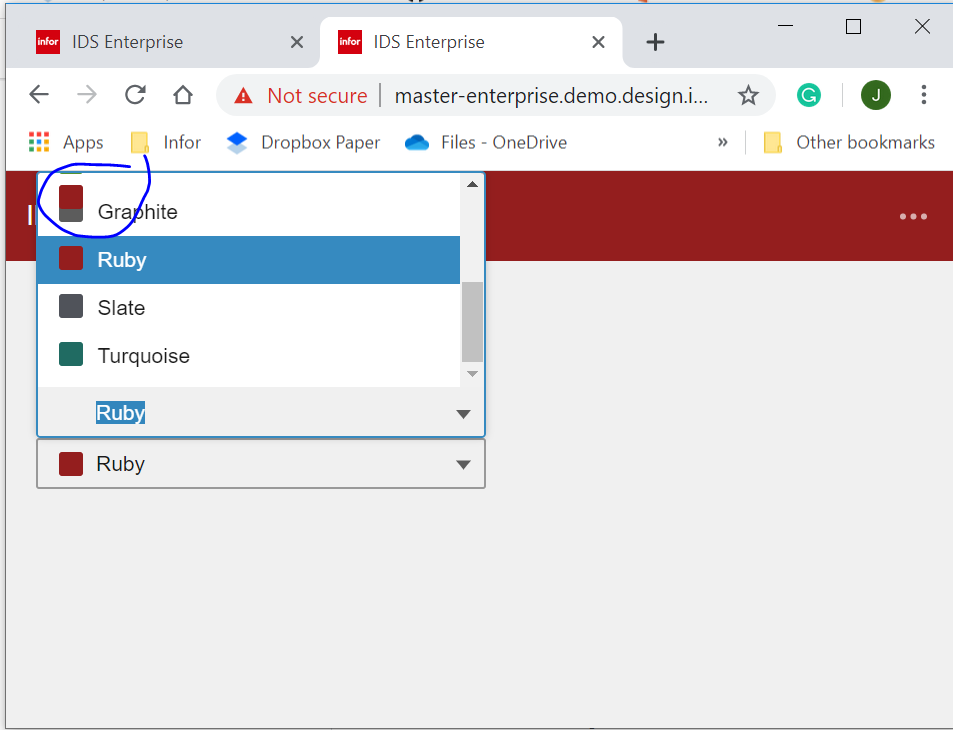
Icon color is distorted in responsive view
- Go to http://master-enterprise.demo.design.infor.com/components/dropdown/example-icons.html?theme=soho&variant=light&colors=941e1e
- Minimize the screen
- Open the Dropdown with Colors
 janahintal
on 6 Nov 2019
janahintal
on 6 Nov 2019
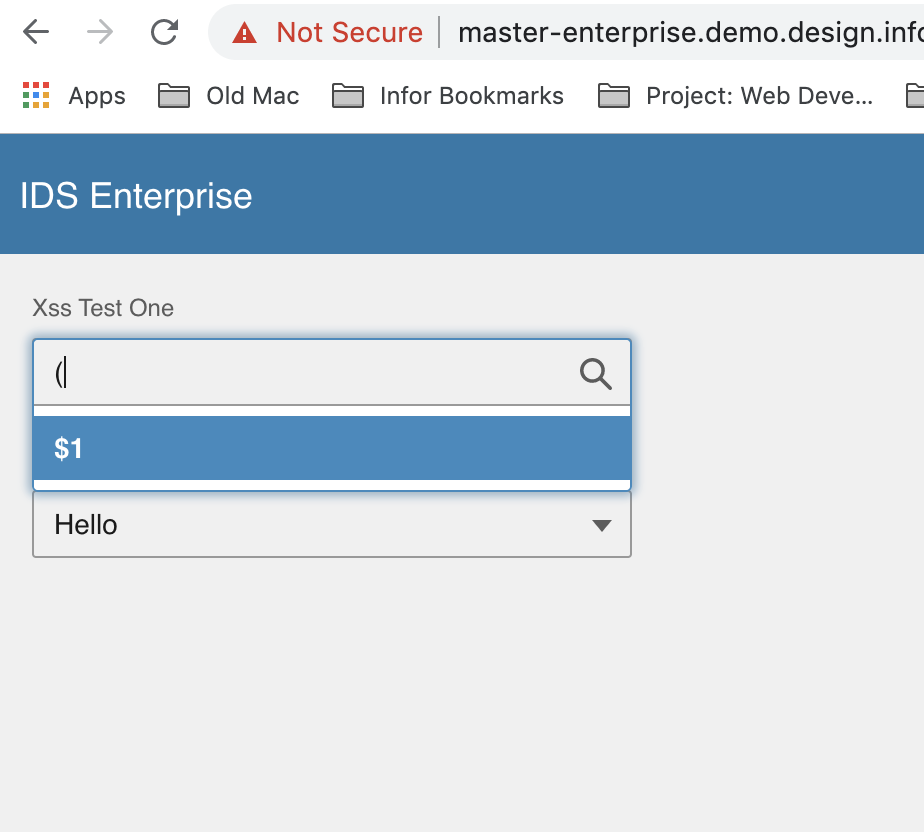
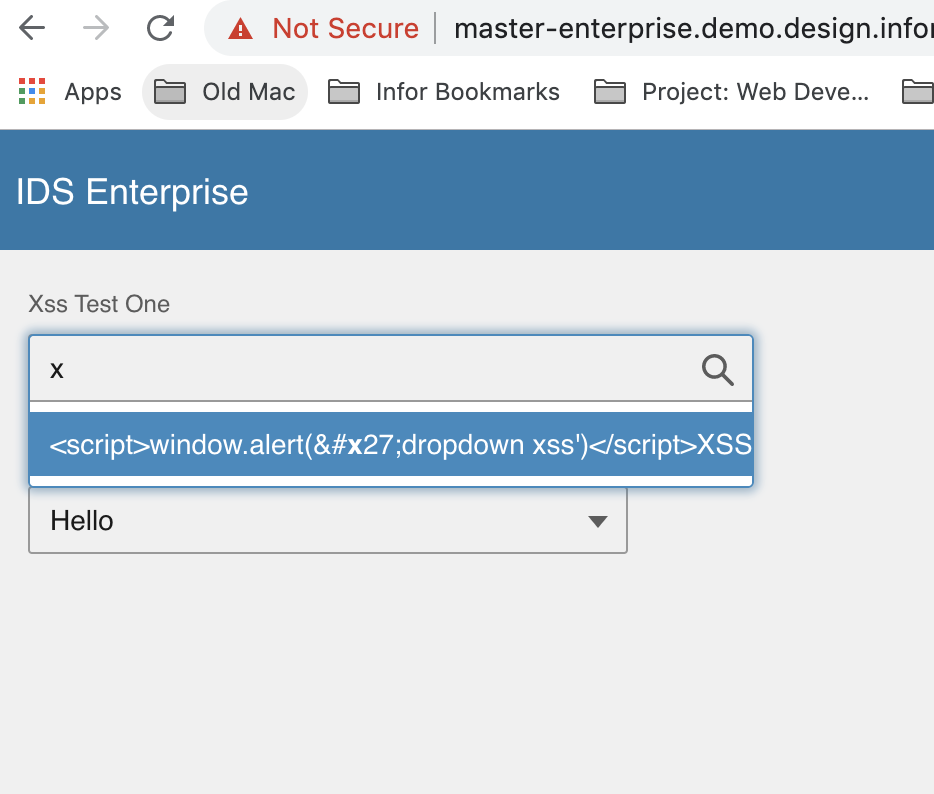
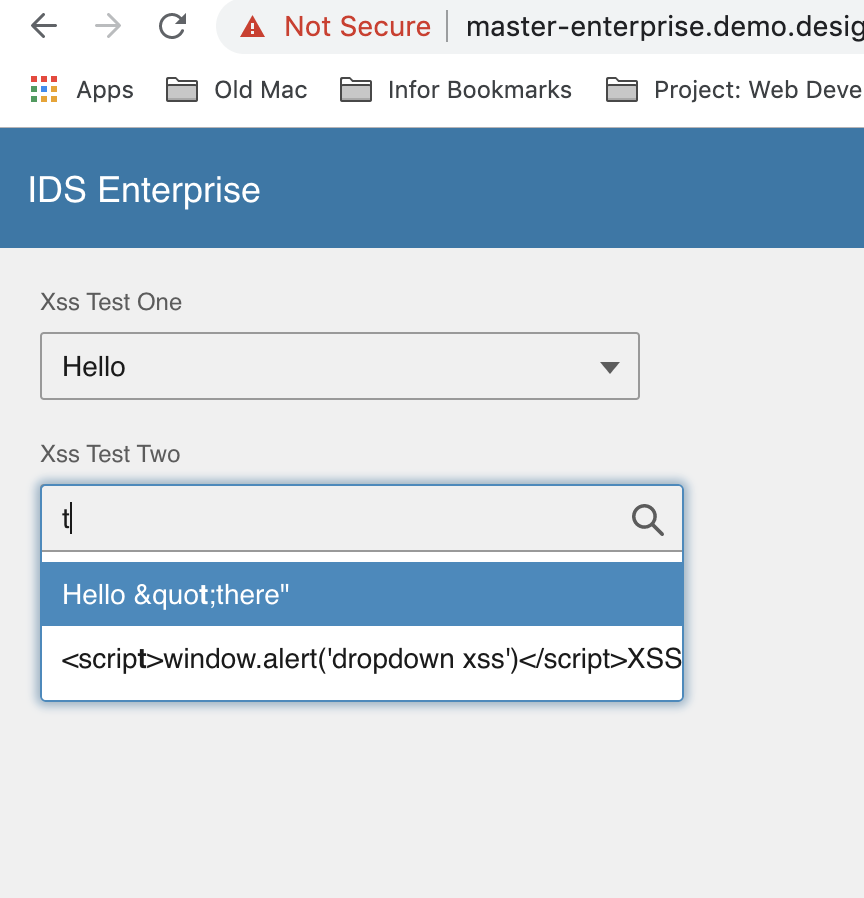
Additionally, in http://master-enterprise.demo.design.infor.com/components/dropdown/test-xss.html, searching some characters returns results that are not part of the list.
- Type "(" or ")", the result will return "$1"
- Type "x", the result will return "\'"
- In the 2nd dropdown, type "t", the result will return "\""
 brianjuan
on 6 Nov 2019
brianjuan
on 6 Nov 2019
All the issues found above are now fixed across all browsers except for the selecting of "Value Contains escaped "quote"" and "it has "dbl quotes"" using Enter key in http://4230-beta0-enterprise.demo.design.infor.com/components/dropdown/test-special-chars.html.
Steps:
- Open dropdown then type "
- Press arrow down key then select "Value Contains escaped "quote"" by pressing Enter key
- See issue: it won't be selected.
Should we make separate ticket/issue for that @tmcconechy ?
brianjuan
on 12 Nov 2019
I think this is fine as failed QA as that case isnt working.
 tmcconechy
on 12 Nov 2019
tmcconechy
on 12 Nov 2019
This issue is now resolved. Moving this to Done bucket.
 CindyMercadoReyes
on 14 Nov 2019
CindyMercadoReyes
on 14 Nov 2019
Related issues
 clepore
·
3Comments
clepore
·
3Comments
 hemantg05
·
5Comments
hemantg05
·
5Comments
 edgarinfor
·
5Comments
edgarinfor
·
5Comments
 volante007
·
5Comments
volante007
·
5Comments
 ayoayco
·
3Comments
ayoayco
·
3Comments