Enterprise-ng: CAP: Unable to open a second CAP when another CAP is already open
Describe the bug
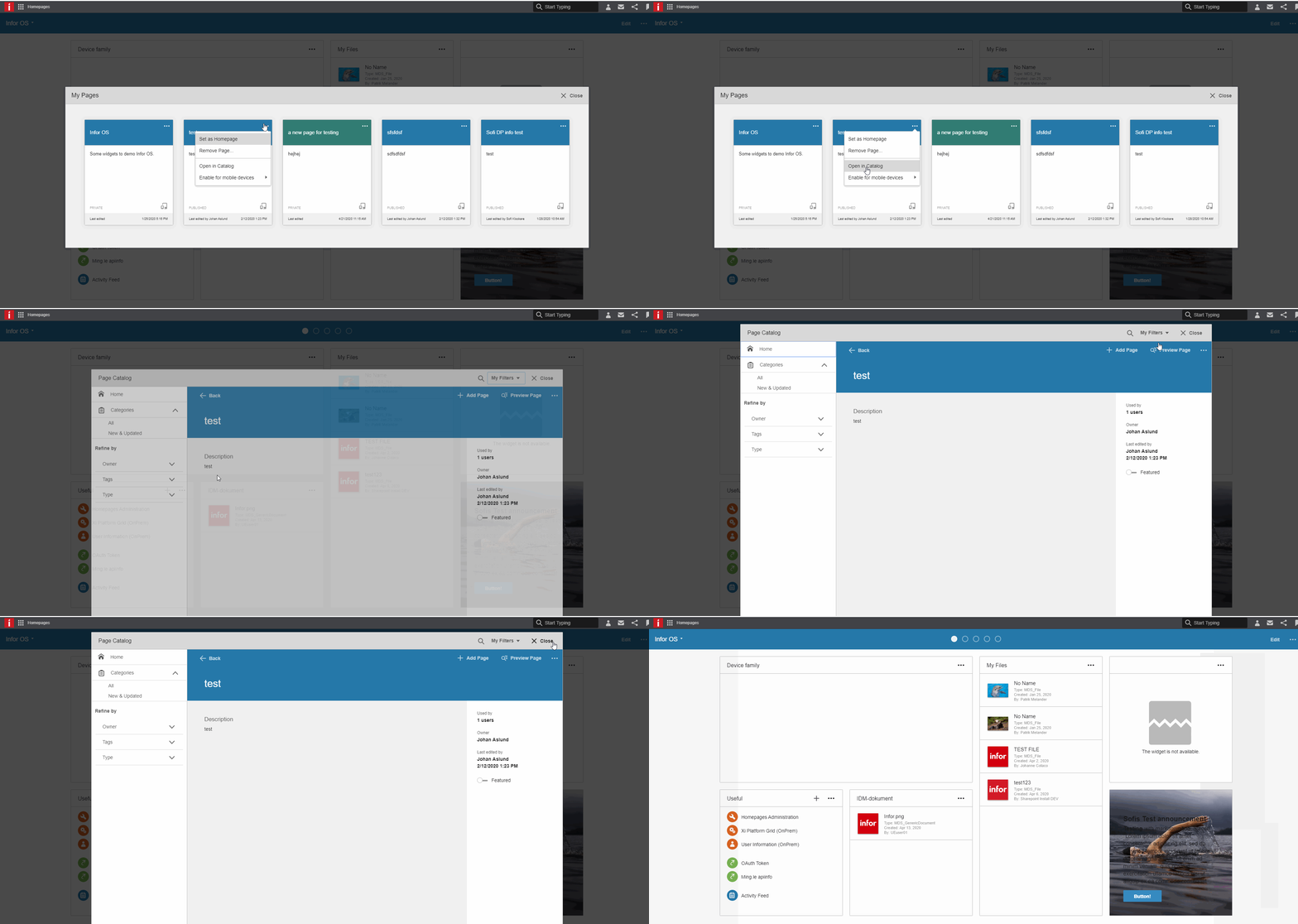
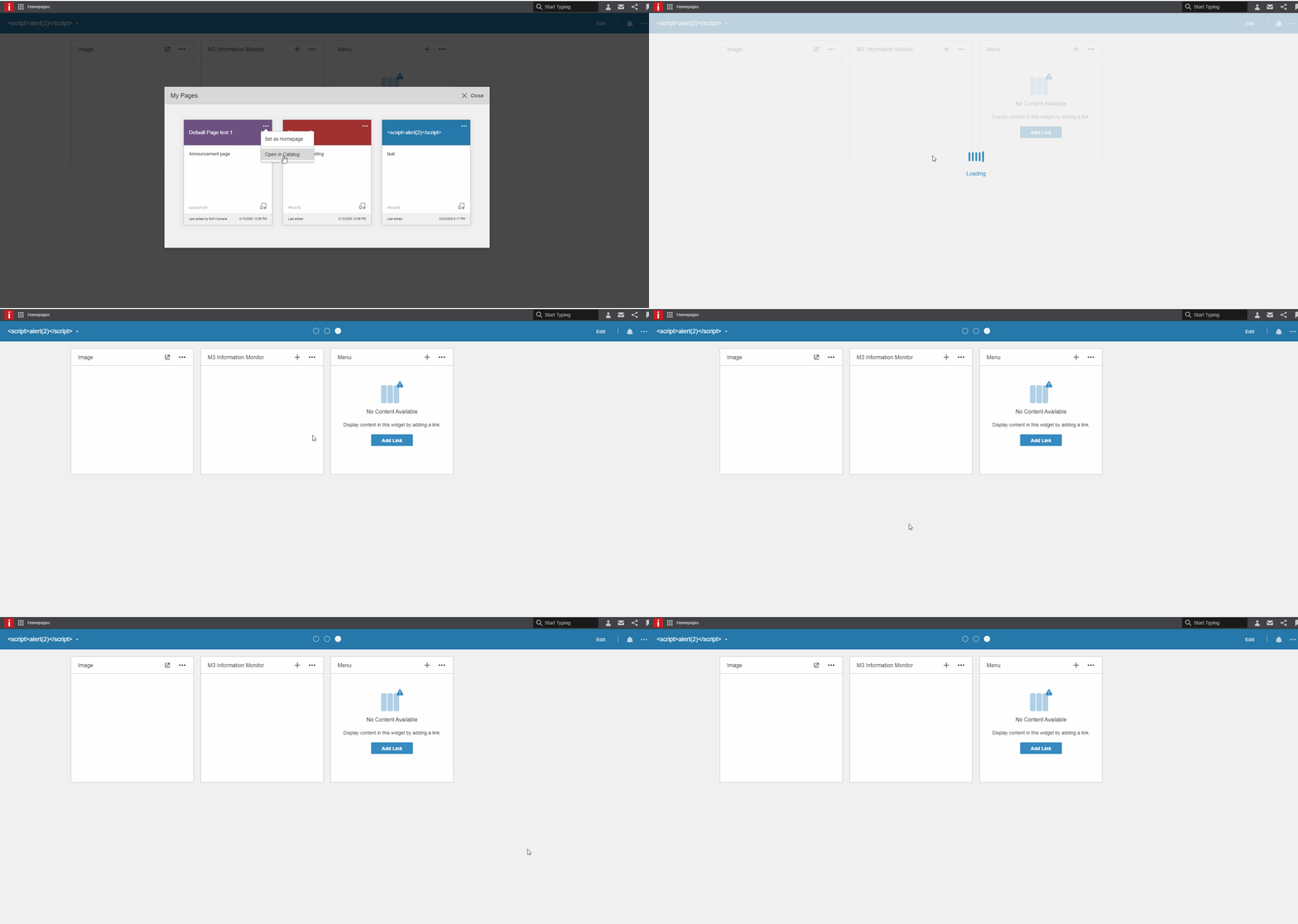
The ability to open a second CAP from another one appears to be broken and, two erratic behaviors have been identified:
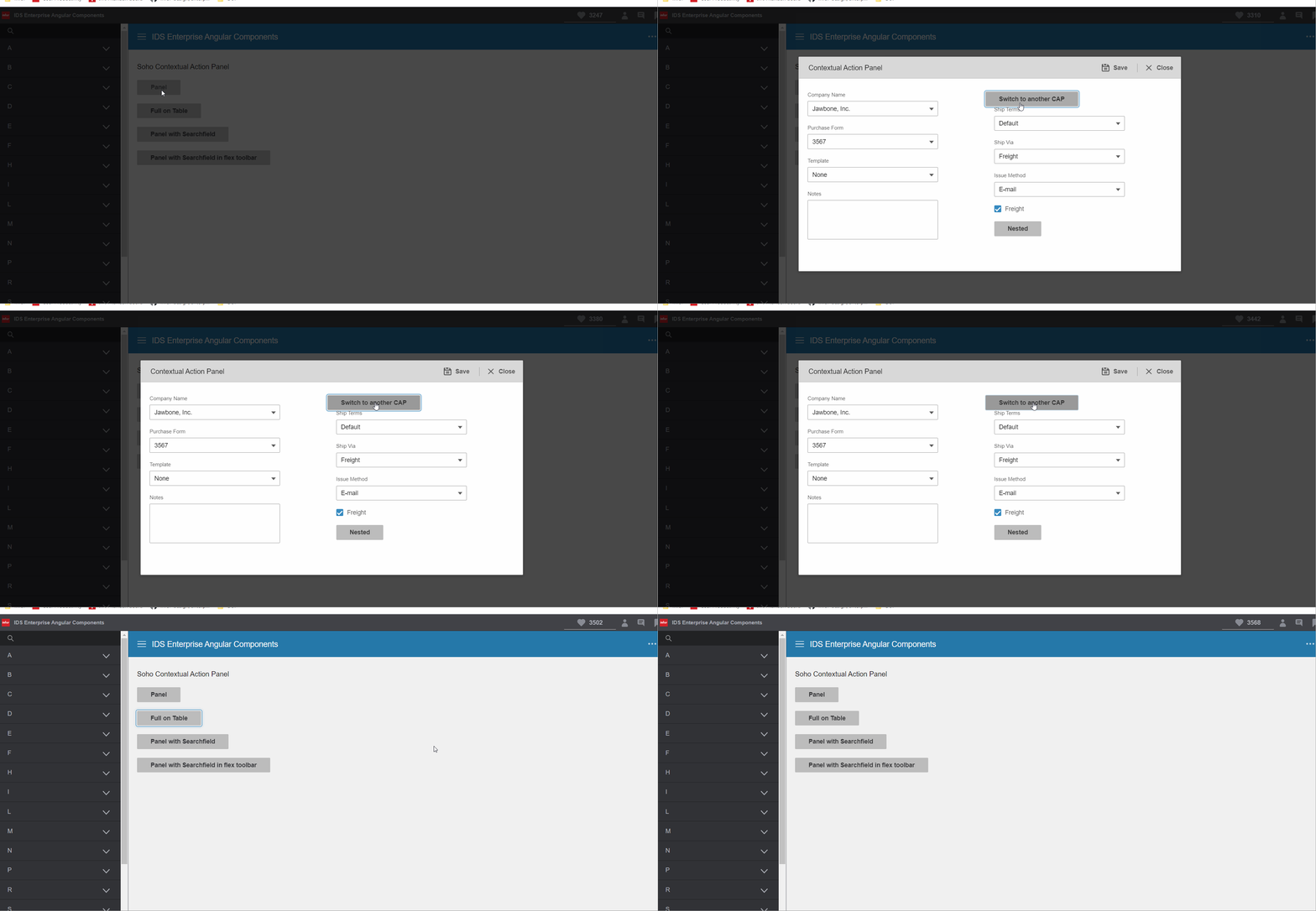
- If you open one CAP A and from there you try to open another CAP B without closing A then,
instead of opening B, the same CAP A is re-opened. Notice that the animation happens as usual but, the wrong CAP is displayed. - If you attempt the previous case but, you try to close CAP A right before opening B, then A disappears but, B is never displayed.
Issue is present in 7.0.0-dev.20200320 and it's reproducible in the latest demo using 4.28.0-dev.20200416 with 7.1.0-dev.20200320 and, this used to work at least on 5.4.2.
Notice that nested Modals still work as per the demos but, not the CAPs.
To Reproduce
Steps to reproduce the behavior:
- Open src\app\contextual-action-panel\contextual-action-panel.demo.ts
- Edit any of the existing panel opening methods to open a second CAP from one of its button:
...
openPanel() {
    const buttons = [
      {
        text: 'Save',
        cssClass: 'btn',
        icon: '#icon-save',
        click: (_e: any, panel: any) => {
          this.openPanel2(); // <=== Something like this!
          panel.close(true); // <=== If you remove this it re-opens the previous panel!
        }
      },
...
- Launch the demo
Expected behavior
When a CAP is displayed and a second CAP is opened then, the second CAP should be displayed until it is closed and the previous CAP visible again.
If the first CAP is closed right before opening the second then, the second CAP should be displayed until it is closed and no CAP is visible anymore.
Version
- ids-enterprise-ng: 7.1.0-dev.20200320
Screenshots
As shared by Johan Aslund:
Previous version (works):
Current version (fails):
Reproduced in demo:
Platform
- Desktop
- OS Version: Windows 10
- Chrome
- Latest
Additional context
It seems that some refactoring has been made that makes the CAP component re-uses same elements or references which prevents two CAP from transitioning between them.
 edgarinfor
All 5 comments
Team: WFM
edgarinfor
on 22 Apr 2020
Landmark needs this too
 pwpatton
on 22 Apr 2020
pwpatton
on 22 Apr 2020
I've pushed a fix for this to 4.28 (about to PR). Is anyone requesting a page for 4.27. The problem is the fix relies on the new modalManager only in 4.28. So it's not really that easy.
Workaround would be to totally destroy CAP before opening another one. This should work. I could possibly change one thing in CAP that might work in 4.27 but it will leave a complete memory leak each time you open the CAP more than once and that would manually need to be cleaned up so prefer to keep this all in 4.28 which freezes end of week anyways.
Please review my PR if your watching this 👍
 tmcconechy
on 23 Apr 2020
tmcconechy
on 23 Apr 2020
Another note about this fix. When the CAP is reopened its looking for an ID. So for best cleanup of memory its recommended to either add an id to the modalSettings option(modalSettings.id) or within the content property, the main div should have an ID <div id="panel-1" style="display: none;">. If not a unique one will be assigned and you should cleanup and destroy the CAP when done in that case because the component is not able to track open CAPs and reuse the same objects.
It will still work without if but you may need to call CAP destroy or destroyAll to further clean memory up.
tmcconechy
on 23 Apr 2020
QA Passed
moving this ticket to Done. thank you
v4.28.0-dev
 jbrcna
on 27 Apr 2020
jbrcna
on 27 Apr 2020
Related issues
 clepore
·
3Comments
clepore
·
3Comments
 tomjohn9
·
6Comments
tomjohn9
·
6Comments
 anhallbe
·
5Comments
anhallbe
·
5Comments
anhallbe
·
5Comments
anhallbe
·
5Comments
 Fruko
·
8Comments
Fruko
·
8Comments