Enterprise-ng: Datagrid stretch column does not work in IE
Describe the bug
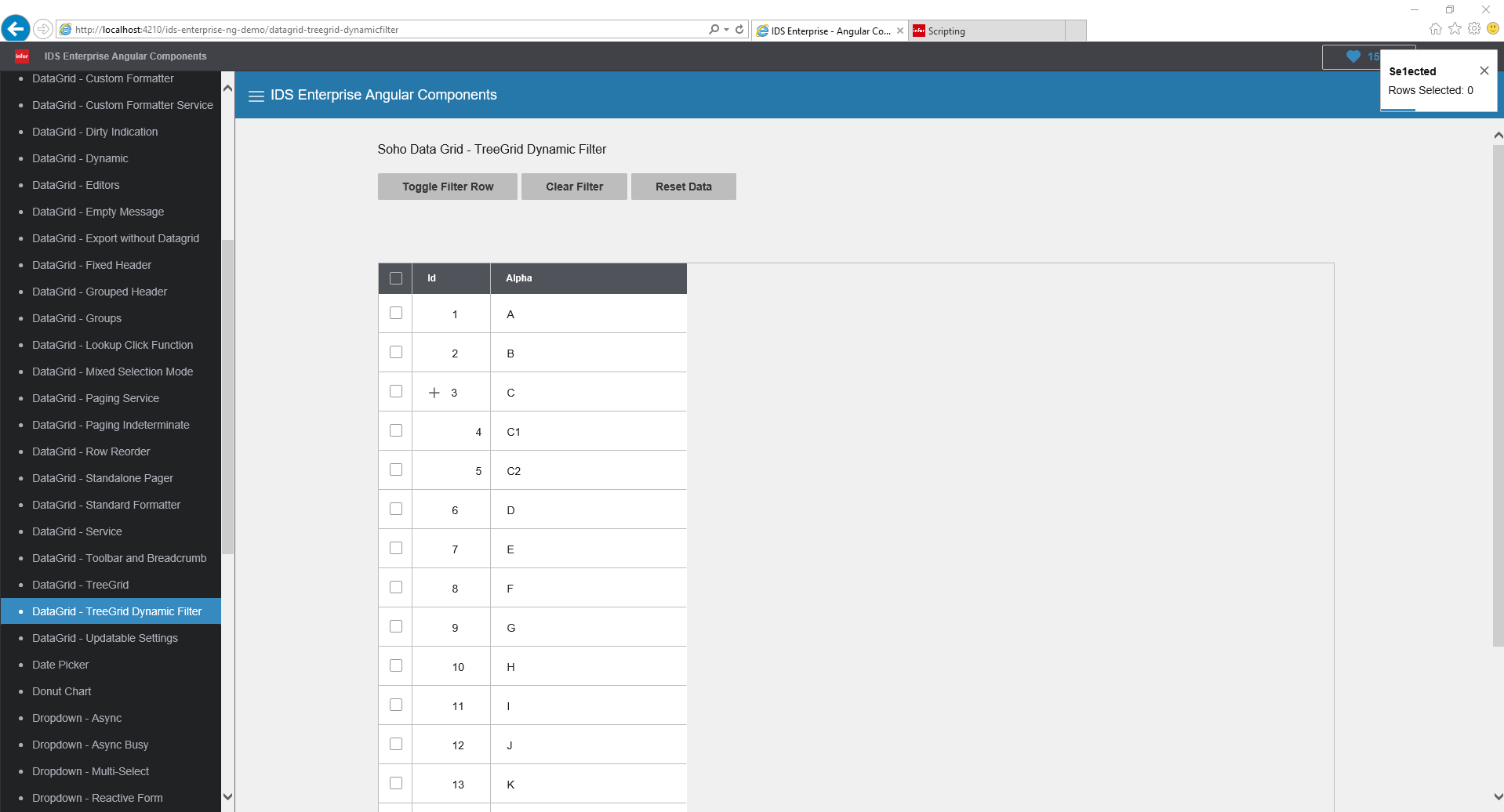
In internet explorer strechColumn option does not work and datagrid does not use full available size
To Reproduce
Steps to reproduce the behavior:
- Go to ng demo app
- Click on DataGrid - Editors or DataGrid - Standard Formatter or TreeGrid or TreeGrid Dynamic Filter
- See error
Expected behavior
If stretchColumn is set, use that to expand such column to make sure that grid is always full available width
Version
- ids-enterprise-ng: 5.1.0
Screenshots
 Fruko
Fruko
All 11 comments
This does appear to work in this example so maybe this is an angular issue http://master-enterprise.demo.design.infor.com//components/datagrid/test-columns-stretch-column.html
What did you set it to to reproduce?
 tmcconechy
on 24 Apr 2019
tmcconechy
on 24 Apr 2019
html
<div class="row">
  <div class="twelve columns">
    <h2 class="fieldset-title">Soho Data Grid - Custom Formatter Service</h2>
    <p>
      Broken stretch column
    </p>
  </div>
</div>

<br>
<div class="row top-padding">
  <div class="twelve columns demo" role="main">
    <div soho-datagrid *ngIf="gridOptions" [gridOptions]="gridOptions">
    </div>
  </div>
</div>
component ts
import {
  AfterViewInit,
  ChangeDetectionStrategy,
  Component, OnInit,
  ViewChild
} from '@angular/core';
import {
  SohoDataGridComponent,
} from 'ids-enterprise-ng';
import {
  PAGING_COLUMNS,
  PAGING_DATA
} from './datagrid-paging-data';
import { DataGridCustomFormatterService } from './datagrid-custom-formatter.service';

@Component({
  selector: 'app-datagrid-custom-formatter-service-demo',
  templateUrl: './datagrid-custom-formatter-service.demo.html',
  providers: [ DataGridCustomFormatterService ],
  changeDetection: ChangeDetectionStrategy.OnPush
})
export class DataGridCustomFormatterServiceDemoComponent implements OnInit {
  @ViewChild(SohoDataGridComponent) sohoDataGridComponent: SohoDataGridComponent;

  gridOptions: SohoDataGridOptions = undefined;

  RandomIntegerFormatter = (row, cell, value, column, item, api): string => {
    return this.formatterService.randomIntegerFormatter(row, cell, value, column, item, api);
  }

  constructor(private formatterService: DataGridCustomFormatterService) {}

  ngOnInit(): void {
    /**
     * Add a column for the custom formatter
     */
    const columns: SohoDataGridColumn[] = [];

    PAGING_COLUMNS.forEach(element => columns.push(element));

    this.gridOptions = {
      columns: columns,
      dataset: PAGING_DATA,
      selectable: 'single',
      stretchColumn: 'productName'
    };
  }
}
columns
``export const PAGING_COLUMNS: SohoDataGridColumn[] = [
{ id: 'selectionCheckbox', sortable: false, resizable: false, formatter: Soho.Formatters.SelectionCheckbox, align: 'center', exportable: false },
{ id: 'productId', name: 'Product Id', field: 'productId', sortable: false, filterType: 'integer', formatter: Soho.Formatters.Readonly },
{ id: 'productName', name: 'Product Name', field: 'productName', sortable: false, filterType: 'text', filterConditions: ['equals', 'contains'], width: 150, formatter: Soho.Formatters.Hyperlink },
{ id: 'activity', name: 'Activity', field: 'activity', sortable: false, filterType: 'text', hidden: true },
];
Fruko
on 25 Apr 2019
Which example did you update this on?
tmcconechy
on 25 Apr 2019
datagrid-custom-formatter-service.demo
Fruko
on 25 Apr 2019
Tried this out and it seemed to work ok for me.
- pull latest master of https://github.com/infor-design/enterprise-ng
- copy in these two files to src/app/datagrid
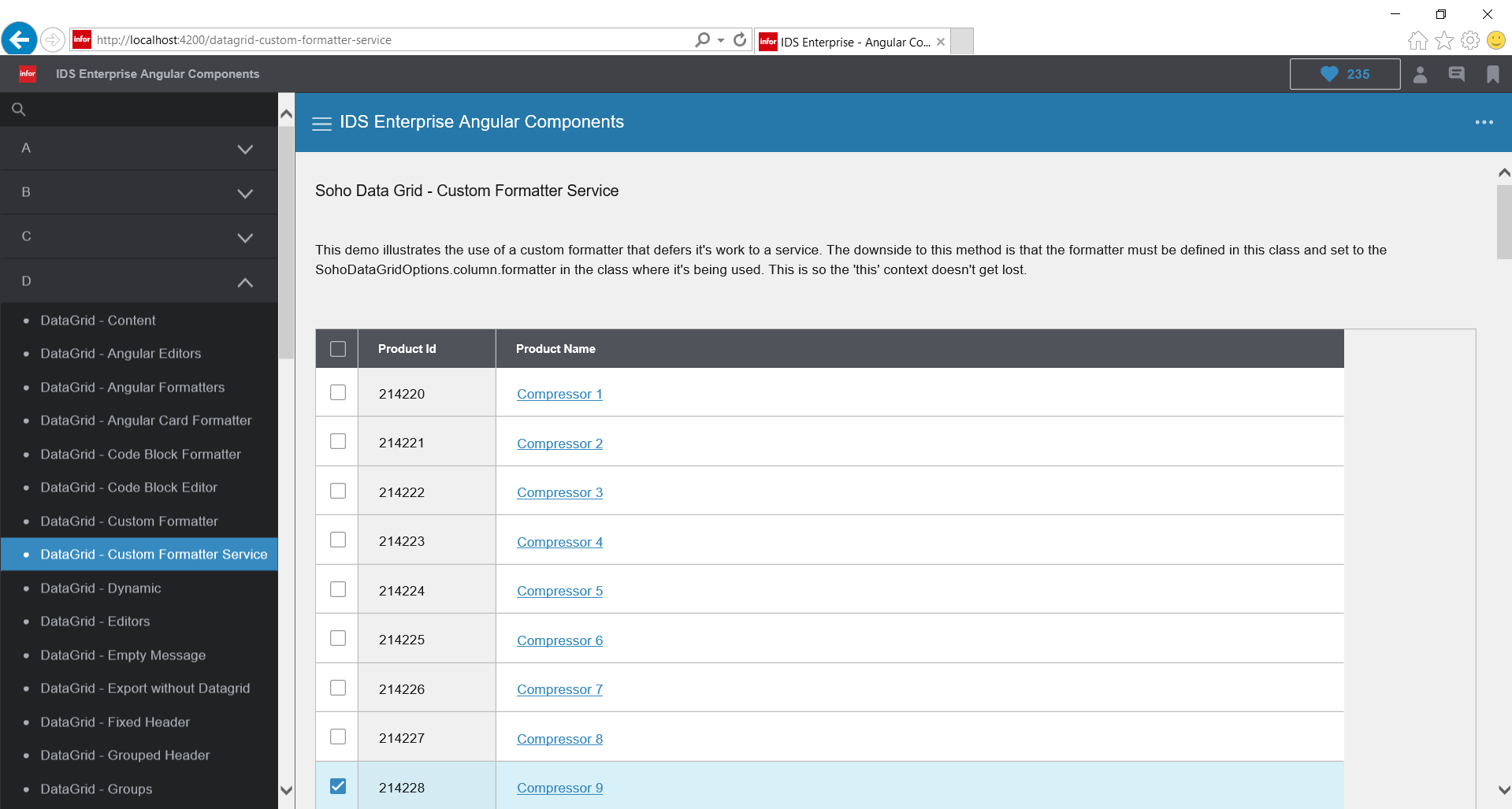
- run app on http://localhost:4200/ids-enterprise-ng-demo/datagrid-custom-formatter-service
- as expected the productName column stretches
tmcconechy
on 26 Apr 2019
Hello @tmcconechy ,
I just did that and this is the result (Internet Explorer -> this is only about IE not working)
Fruko
on 26 Apr 2019
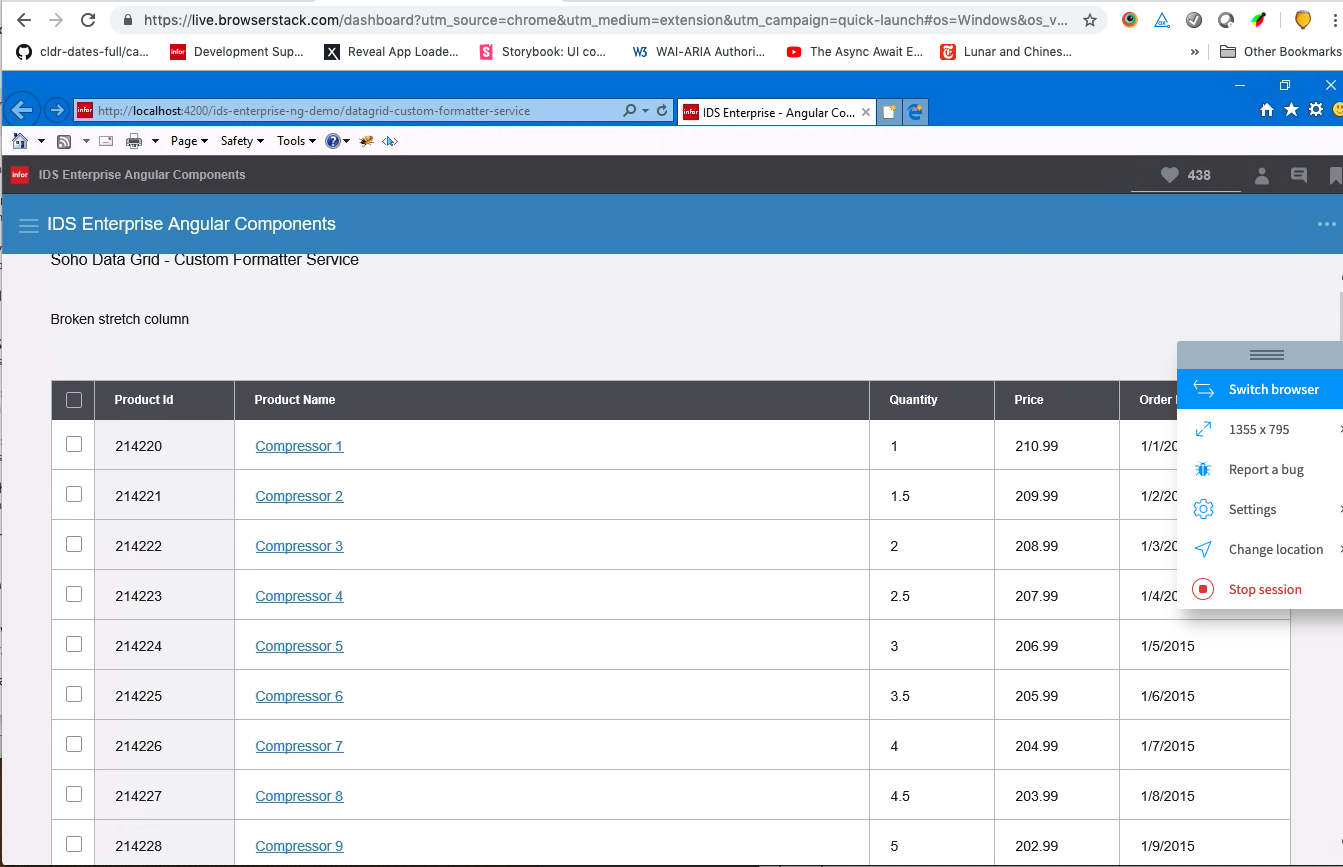
I got this in IE 11 - Windows 10 I did notice if you close the menu it doesnt resize, but that was a known limitation.
tmcconechy
on 26 Apr 2019
I'm using windows 10, IE 11 aswell. No resizing involved. That's odd - we see this issue in our product that uses 5.1.0 enterprise-ng.
Fruko
on 26 Apr 2019
Are you able to test 5.3.0? I still was not able to reproduce
tmcconechy
on 14 May 2019
Hello @tmcconechy,
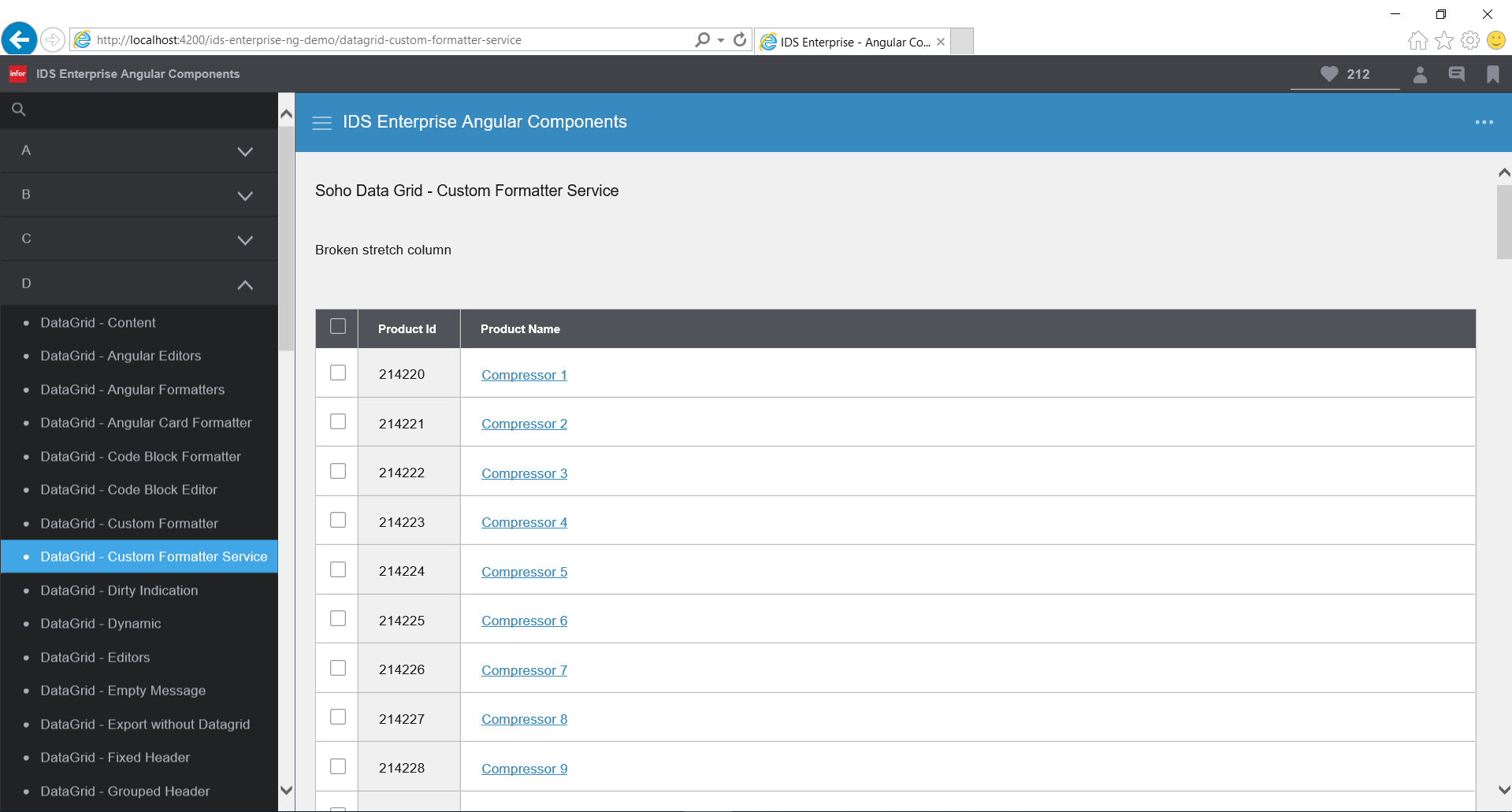
I just checked with 5.3.0 and the issue seems to be fixed
Fruko
on 14 May 2019
Excellent 👍
tmcconechy
on 14 May 2019
Related issues
 edgarinfor
·
5Comments
edgarinfor
·
5Comments
 anhallbe
·
5Comments
anhallbe
·
5Comments
 clepore
·
3Comments
anhallbe
·
5Comments
edgarinfor
·
7Comments
clepore
·
3Comments
anhallbe
·
5Comments
edgarinfor
·
7Comments