Elfinder: Change quicklook behavior to a basket list
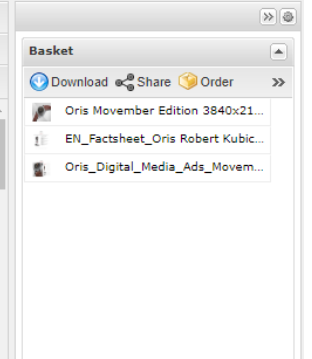
Basically, I want the current quicklook to be docked to the right side and give a list of selected files and not a preview and count of the selected files.
After doing this, we should have similar to this one,
UPDATE:
After digging up to the code, I achieved this by running through the fm.selectedFiles() and changed the content of template that I am appending to the info element inside the quicklook-info-data
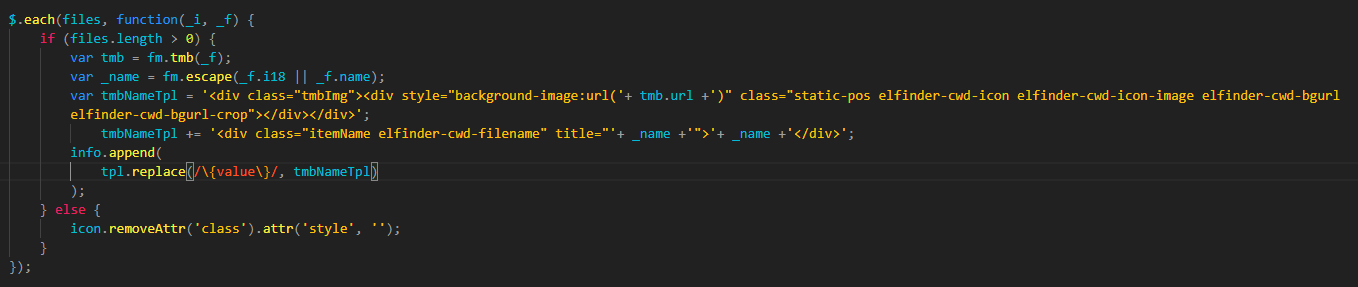
Now the issue is after selecting items in my current folder (items in the basket will be updated) then when I changed my folder basket is being emptied.
How can the selected files remain in the basket even if I navigate through different folders?
Thanks!
 jcpacanza
All 7 comments
@jancarlopacanza For item selection, the destination folder is first selected when the folder is moved, and when the CWD is switched, it becomes non-selected state. To continue selecting items Place an item in the clipboard with the Copy command. Clipboard data can be obtained with fm.clipbord().
 nao-pon
on 17 Oct 2018
nao-pon
on 17 Oct 2018
I will look into the copy command and fm.clipboard()
jcpacanza
on 18 Oct 2018
@nao-pon
I tried some but none of them worked, clipboard is always returning an empty array.
Is this correct?
fm.clipboard(fm.selectedFiles(), true);
or
fm.trigger('copy', {files : fm.selected()});
jcpacanza
on 18 Oct 2018
@jancarlopacanza Please use this.
fm.clipboard(fm.selected());
var files = fm.clipboard();
@nao-pon
This one works fine but the browser hangs when selecting items.
fm.clipboard(fm.selected());
var files = fm.clipboard();
Can you show me where can I find the code that is making this non-selected state
For item selection, the destination folder is first selected when the folder is moved, and when the CWD is switched, it becomes non-selected state.
Also, I'm seeing another problem even if items remained in the basket, I get no files when I press the Download button.
Do you know any other way I can use to make this function like you are adding an item to cart that you can download whenever you want.
Thanks.
jcpacanza
on 22 Oct 2018
@jancarlopacanza The problem is that elFinder keeps the file cache only if it is CWD's or what is in the clipboard. So it seems better to create your own commands.
For example,
- Keep the selected file in its own variables with that command
-var keeps = [];
-keeps.push (FileObject);// Please check and remove duplicate registrations - Create a UI that lists the file information held in that variable
- something with your coding - Call download command by user download action
-elFinderInstance.cache(keeps, 'add');// add to cache
-elFinderInstance.exec('download', $.map(keeps, function() {return this.hash;});
nao-pon
on 22 Oct 2018
@nao-pon - thank you for your time giving suggestions on how can I achieve my goal.
I found the method unselectAll() that is responsible for unselecting items every cwd . I have modified elfinder to meet my requirements.
I'm closing this now 👍
jcpacanza
on 23 Oct 2018
Related issues
 Offerel
·
10Comments
Offerel
·
10Comments
 wzfjesun
·
13Comments
wzfjesun
·
13Comments
 gadangmadhulika
·
16Comments
gadangmadhulika
·
16Comments
 hayes-seyah09354085977
·
17Comments
hayes-seyah09354085977
·
17Comments
 lab21gr
·
24Comments
lab21gr
·
24Comments