Elfinder: how to change connector without reloading elfinder.html
` array(
        'driver'        => 'LocalFileSystem',           // driver for accessing file system (REQUIRED)
        'path'          => '../files/',                 // path to files (REQUIRED)
        'URL'           => dirname($_SERVER['PHP_SELF']) . '/../files/', // URL to files (REQUIRED)
        'trashHash'     => 't1_Lw',                     // elFinder's hash of trash folder
        'winHashFix'    => DIRECTORY_SEPARATOR !== '/', // to make hash same to Linux one on windows too
        'accessControl' => 'access'                     // disable and hide dot starting files (OPTIONAL)
    ),`
i want to change the path without reloading the whole page
 hayes-seyah09354085977
All 17 comments
@hayes-seyah09354085977 In JavaScript.
var options = {
url : 'php/connector.php'
}
$('#elfinder').elfinder(options);
var instance = $('#elfinder').elfinder('instance');
var volumeId = 'l1_';
var path = 'path/to/target'; // without root path
var hash = volumeId + btoa(path).replace(/\+/g, '-').replace(/\//g, '_').replace(/=/g, '.').replace(/\.+$/, '');
// open target folder
instance.exec('open', hash);
 nao-pon
on 15 May 2018
nao-pon
on 15 May 2018
i'll try this
hayes-seyah09354085977
on 17 May 2018
how can i use that?
i try to this nothing happen what wrong with this
$.ajax({
type: 'GET',
async:true,
url: "search.php",
data: {eto:eto},
success: function(result){
result = $.parseJSON(result);
console.log('pinasok', result);
// console.log(result.length)
// console.log(result)
result.forEach(function(element){
var loc = element.Location;
var file = element.Filename;
$.post('locator.php',{loc:loc,file:file},function(data){
console.log(data)
});
})
var options = {
url : 'php/connector.minimal.php'
}
$('#elfinder').elfinder(options);
var instance = $('#elfinder').elfinder('instance');
var volumeId = 'l1_';
var path = './content/'; // without root path
var hash = volumeId + btoa(path).replace(/\+/g, '-').replace(/\//g, '_').replace(/=/g, '.').replace(/\.+$/, '');
// open target folder
instance.exec('open', hash);
}
});
Maybe var path = 'content';
nao-pon
on 17 May 2018
i also try this
var path = '../content/';
var path = 'c:/content/';
no luck
hayes-seyah09354085977
on 18 May 2018
Does the "../files/content" directory exist?
Please describe the scenario you desire in detail. (Open new elFinder? Or change the folder of open elFinder? ... etc)
Or please show me the script of your web page.
nao-pon
on 18 May 2018
i want to change the root directory or path dynamically
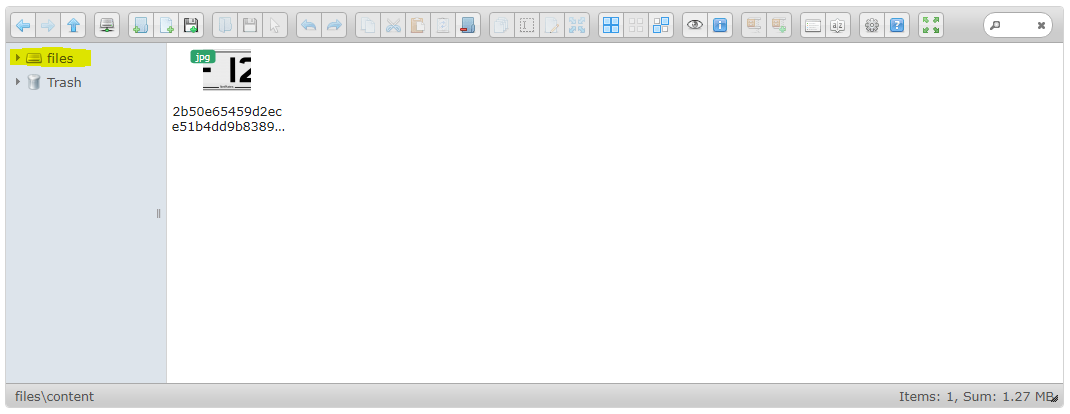
we building a search file via content using database and OCR
1st after the uploading the file the OCR function fetch the data and save it to database
2nd to search the file we click the content it will find a search in content and copy it in content folder (temp folder)

3rd after the search the elfinder display the result of content folder
here my code
var eto;
$(window).load(function() {
$('div#elfinder').on("click","label:contains(Content)",function(){
eto = $('div#elfinder').find('input#sseearch')[0].value;
$.ajax({
type: 'GET',
async:true,
url: "search.php",
data: {eto:eto},
success: function(result){
result = $.parseJSON(result);
console.log('search result', result);
// console.log(result.length)
// console.log(result)
result.forEach(function(element){
var loc = element.Location;
var file = element.Filename;
$.post('locator.php',{loc:loc,file:file},function(data){
console.log(data)
});
})
var options = {
url : 'php/connector.minimal.php'
}
$('#elfinder').elfinder(options);
var instance = $('#elfinder').elfinder('instance');
var volumeId = 'l1_';
var path = 'content'; // without root path
var hash = volumeId + btoa(path).replace(/\+/g, '-').replace(/\//g, '_').replace(/=/g, '.').replace(/\.+$/, '');
console.log(hash)
instance.exec('open', hash);
}
});
});
});
or how can i put this to your elfinder search machine
hayes-seyah09354085977
on 18 May 2018
What is the need to change the root directory dynamically? It seems enough to implementing the custom search function.
nao-pon
on 18 May 2018
what is the step to implement custom search?
how can i put data to this
protected function searchMatchContents($name, $query, $path) {
$match = true; // or false
return $match;
}
hayes-seyah09354085977
on 19 May 2018
Please return true if you search your database using $path and $query and match. This method is called for all target items.
nao-pon
on 19 May 2018
i will include my query inside the searchMatchContent like this?
protected function searchMatchContents($name, $query, $path) {
$sth=$dbDB->prepare("select * from [OCRTest] where Content LIKE '%".$_GET['eto']."%'");
$sth->execute();
$row=$sth->fetchAll(PDO::FETCH_ASSOC);
print_r (json_encode($row));
$name = //filename
$path = // path location
$match = true; // or false
return $match;
}
hayes-seyah09354085977
on 19 May 2018
I do not know the details because the structure of your database is unknown. What I can say is that the function searchMatchContents($name, $query, $path) needs to return true if the item of $path matches $query.
nao-pon
on 19 May 2018

this is my db Location(path), filename and content. hmmm what am i missing
hayes-seyah09354085977
on 23 May 2018
if(isset($_GET['eto'])&& $_GET['eto']!= ''){
$sth=$dbDB->prepare("select * from [OCRTest] where Content LIKE '%".$_GET['eto']."%'");
$sth->execute();
$row=$sth->fetchAll(PDO::FETCH_ASSOC);
print_r (json_encode($row));
}
else {
echo 'null';
}
my query to get value and i use ajax to fetch
hayes-seyah09354085977
on 23 May 2018
Probably,
protected function searchMatchContents($name, $query, $path) {
    static $results = null;
    if ($results === null) {
        $results = array();
    }
    if (!isset($results[$query])) {
        $sth=$dbDB->prepare("select * from [OCRTest] where Content LIKE '%".$query."%'");
        $sth->execute();
        $results[$query] = array_flip($sth->fetchAll(PDO::FETCH_COLUMN, 0));
    }
    return isset($results[$query][$this->_relpath($path)]);
}
However, the value of Location should be relative path from the root path. (Remove "/php/../files/")
nao-pon
on 23 May 2018
here my result after i change the location data to my db

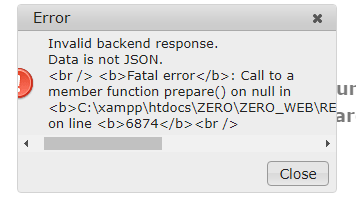
i try to search 'tr' to content
i double check if my db connector is correct and my connection is working
hayes-seyah09354085977
on 23 May 2018
Since $dbDB is undefined it is natural to get an error. Even if copy paste is done as it is, it does not work. You need to understand the contents and respond by yourself.
nao-pon
on 23 May 2018
Related issues
 gadangmadhulika
·
16Comments
gadangmadhulika
·
16Comments
 lab21gr
·
24Comments
lab21gr
·
24Comments
 dleffler
·
11Comments
dleffler
·
11Comments
 toastbrotch
·
13Comments
toastbrotch
·
13Comments
 isreehari
·
12Comments
isreehari
·
12Comments
Most helpful comment
Probably,
However, the value of Location should be relative path from the root path. (Remove "/php/../files/")