Elfinder: how to open folder with (.)
for example (.tmb)
i want to access that folder how?
 richard100589
All 13 comments
This will be help for you. Change your connector configuration.
https://github.com/Studio-42/elFinder/wiki/Connector-configuration-options-2.1#accessControl
https://github.com/Studio-42/elFinder/blob/master/php/connector.minimal.php-dist#L84-L102
 CodeLyokoXtEAM
on 19 May 2018
CodeLyokoXtEAM
on 19 May 2018
hhmmm i want to access via codes
richard100589
on 19 May 2018
like im pressing the button and the elfinder access it
richard100589
on 19 May 2018
First, allow access to ".tmb" in connector side.
function access($attr, $path, $data, $volume, $isDir, $relpath) {
    $basename = basename($path);
    return $basename[0] === '.' && $basename !== '.tmb' // if file/folder begins with '.' (dot) and not ".tmb"
             && strlen($relpath) !== 1           // but with out volume root
        ? !($attr == 'read' || $attr == 'write') // set read+write to false, other (locked+hidden) set to true
        :  null;                                 // else elFinder decide it itself
}
Next, create a button to open the ".tmb" folder into client side.
var instance = $('#elfinder').elfinder('instance');

var volumeId = 'l1_';
var path = '.tmb'; // without root path
var hash = volumeId + btoa(path).replace(/\+/g, '-').replace(/\//g, '_').replace(/=/g, '.').replace(/\.+$/, '');

var button = $('<button/>').on('click', function() {
    // open target folder
    instance.exec('open', hash);
});

$('#elfinder').after($('<div/>').append(button));
 nao-pon
on 19 May 2018
nao-pon
on 19 May 2018
Great it work! but if there other to hide the .tmb?
richard100589
on 23 May 2018
@richard100589 Probably,
function access($attr, $path, $data, $volume, $isDir, $relpath) {
    static $target;
    if (!$target && $volume->id() === 'l1_') {
        $target = $volume->getHash('.tmb');
    }
    $show = $_REQUEST['cmd'] === 'open' && isset($_REQUEST['target']) && $_REQUEST['target'] === $target;
    $basename = basename($path);
    return !$show && $basename[0] === '.'        // if file/folder begins with '.' (dot)
             && strlen($relpath) !== 1           // but with out volume root
        ? !($attr == 'read' || $attr == 'write') // set read+write to false, other (locked+hidden) set to true
        :  null;                                 // else elFinder decide it itself
}
unable to open .tmb access denied. i add " || $attr == 'hidden' " to see if .tmb is accessible
richard100589
on 25 May 2018
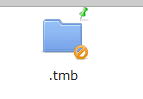
richard100589
on 25 May 2018
@richard100589 I checked next connector.php. It is no problems.
<?php
// load composer autoload before load elFinder autoload If you need composer
require './vendor/autoload.php';

// elFinder autoload
require './autoload.php';
// ===============================================

// Enable FTP connector netmount
elFinder::$netDrivers['ftp'] = 'FTP';
// ===============================================

/**
 * Simple function to demonstrate how to control file access using "accessControl" callback.
 * This method will disable accessing files/folders starting from '.' (dot)
 *
 * @param  string    $attr    attribute name (read|write|locked|hidden)
 * @param  string    $path    absolute file path
 * @param  string    $data    value of volume option `accessControlData`
 * @param  object    $volume  elFinder volume driver object
 * @param  bool|null $isDir   path is directory (true: directory, false: file, null: unknown)
 * @param  string    $relpath file path relative to volume root directory started with directory separator
 * @return bool|null
 **/
function access($attr, $path, $data, $volume, $isDir, $relpath) {
    static $target;
    if (!$target && $volume->id() === 'l1_') {
        $target = $volume->getHash('.tmb');
    }
    $show = $_REQUEST['cmd'] === 'open' && isset($_REQUEST['target']) && $_REQUEST['target'] === $target;
    $basename = basename($path);
    return !$show && $basename[0] === '.'        // if file/folder begins with '.' (dot)
             && strlen($relpath) !== 1           // but with out volume root
        ? !($attr == 'read' || $attr == 'write') // set read+write to false, other (locked+hidden) set to true
        :  null;                                 // else elFinder decide it itself
}

// Documentation for connector options:
// https://github.com/Studio-42/elFinder/wiki/Connector-configuration-options
$opts = array(
    'debug' => true,
    'roots' => array(
        // Items volume
        array(
            'driver'        => 'LocalFileSystem',           // driver for accessing file system (REQUIRED)
            'path'          => '../files/',                 // path to files (REQUIRED)
            'URL'           => dirname($_SERVER['PHP_SELF']) . '/../files/', // URL to files (REQUIRED)
            'trashHash'     => 't1_Lw',                     // elFinder's hash of trash folder
            'winHashFix'    => DIRECTORY_SEPARATOR !== '/', // to make hash same to Linux one on windows too
            'uploadDeny'    => array('all'),                // All Mimetypes not allowed to upload
            'uploadAllow'   => array('image', 'text/plain', 'application/zip'),// Mimetype `image` and `text/plain` allowed to upload
            'uploadOrder'   => array('deny', 'allow'),      // allowed Mimetype `image` and `text/plain` only
            'accessControl' => 'access'                     // disable and hide dot starting files (OPTIONAL)
        ),
        // Trash volume
        array(
            'id'            => '1',
            'driver'        => 'Trash',
            'path'          => '../files/.trash/',
            'tmbURL'        => dirname($_SERVER['PHP_SELF']) . '/../files/.trash/.tmb/',
            'winHashFix'    => DIRECTORY_SEPARATOR !== '/', // to make hash same to Linux one on windows too
            'uploadDeny'    => array('all'),                // Recomend the same settings as the original volume that uses the trash
            'uploadAllow'   => array('image', 'text/plain', 'application/zip'),// Same as above
            'uploadOrder'   => array('deny', 'allow'),      // Same as above
            'accessControl' => 'access',                    // Same as above
        )
    )
);

// run elFinder
$connector = new elFinderConnector(new elFinder($opts));
$connector->run();
thanks
richard100589
on 4 Jun 2018
@richard100589 Sorry, I do not test to open with JavaScript. It is not work. Please try next code.
var instance = $('#elfinder').elfinder('instance');

var volumeId = 'l1_';
var path = '.tmb'; // without root path
var hash = volumeId + btoa(path).replace(/\+/g, '-').replace(/\//g, '_').replace(/=/g, '.').replace(/\.+$/, '');

var button = $('<button/>').on('click', function() {
    // open target folder
    instance.request({
        data   : {cmd  : 'open', target : hash},
        notify : {type : 'open', cnt : 1, hideCnt : true},
        syncOnFail : true,
        lazy : false
    });
}).html('.tmb');

$('#elfinder').after($('<div/>').append(button));
If you want to allow thumbnail operations for administrators, you can set it as a separate volume as follows.
$opts = array(
    // 'debug' => true,
    'roots' => array(
        // Items volume
        array(
            'driver'        => 'LocalFileSystem',           // driver for accessing file system (REQUIRED)
            'path'          => '../files/',                 // path to files (REQUIRED)
            'URL'           => dirname($_SERVER['PHP_SELF']) . '/../files/', // URL to files (REQUIRED)
            'trashHash'     => 't1_Lw',                     // elFinder's hash of trash folder
            'winHashFix'    => DIRECTORY_SEPARATOR !== '/', // to make hash same to Linux one on windows too
            'uploadDeny'    => array('all'),                // All Mimetypes not allowed to upload
            'uploadAllow'   => array('image', 'text/plain'),// Mimetype `image` and `text/plain` allowed to upload
            'uploadOrder'   => array('deny', 'allow'),      // allowed Mimetype `image` and `text/plain` only
            'accessControl' => 'access'                     // disable and hide dot starting files (OPTIONAL)
        ),
        // Trash volume
        array(
            'id'            => '1',
            'driver'        => 'Trash',
            'path'          => '../files/.trash/',
            'tmbURL'        => dirname($_SERVER['PHP_SELF']) . '/../files/.trash/.tmb/',
            'winHashFix'    => DIRECTORY_SEPARATOR !== '/', // to make hash same to Linux one on windows too
            'uploadDeny'    => array('all'),                // Recomend the same settings as the original volume that uses the trash
            'uploadAllow'   => array('image', 'text/plain'),// Same as above
            'uploadOrder'   => array('deny', 'allow'),      // Same as above
            'accessControl' => 'access',                    // Same as above
        )
    )
);

if ($isAdmin/* please replace to your flag */) {
    $opts['roots'][] = array(
        'driver'        => 'LocalFileSystem',           // driver for accessing file system (REQUIRED)
        'path'          => '../files/.tmb',             // path to files (REQUIRED)
        'URL'           => dirname($_SERVER['PHP_SELF']) . '/../files/.tmb', // URL to files (REQUIRED)
        'tmbPath'       => '',
        'tmbURL'        => 'self',
        'winHashFix'    => DIRECTORY_SEPARATOR !== '/', // to make hash same to Linux one on windows too
        'uploadDeny'    => array('all'),                // All Mimetypes not allowed to upload
        'uploadAllow'   => array(),                     // Do not allow any types to upload
        'uploadOrder'   => array('deny', 'allow'),      // allowed Mimetype `image` and `text/plain` only
        'accessControl' => 'access',                    // disable and hide dot starting files (OPTIONAL)
        'disabled'      => array('archive', 'edit', 'extract', 'copy', 'cut', 'mkdir', 'mkfile', 'paste', 'upload')
    );
}
thank you very much i will try this code now and give feedback for this thanks :D
richard100589
on 8 Jun 2018
Related issues
 lab21gr
·
24Comments
lab21gr
·
24Comments
 jacceko
·
17Comments
jacceko
·
17Comments
 hayes-seyah09354085977
·
17Comments
hayes-seyah09354085977
·
17Comments
 flack
·
13Comments
flack
·
13Comments
 ghost
·
11Comments
ghost
·
11Comments