Edex-ui: Network And World Globe Issue
I'm using version 2.2.2 at Linux Mint 19.2, this is my ifconfig output:
eno1: flags=4099
ether 3c:a8:2a:b0:ad:c8 txqueuelen 1000 (Ethernet)
RX packets 0 bytes 0 (0.0 B)
RX errors 0 dropped 0 overruns 0 frame 0
TX packets 0 bytes 0 (0.0 B)
TX errors 0 dropped 0 overruns 0 carrier 0 collisions 0
lo: flags=73
inet 127.0.0.1 netmask 255.0.0.0
inet6 ::1 prefixlen 128 scopeid 0x10
loop txqueuelen 1000 (Local Loopback)
RX packets 24326 bytes 1745453 (1.7 MB)
RX errors 0 dropped 0 overruns 0 frame 0
TX packets 24326 bytes 1745453 (1.7 MB)
TX errors 0 dropped 0 overruns 0 carrier 0 collisions 0
wlo1: flags=4163
inet 192.168.43.150 netmask 255.255.255.0 broadcast 192.168.43.255
inet6 fe80::6577:64b6:b52f:bb17 prefixlen 64 scopeid 0x20
ether d8:5d:e2:8f:f4:2b txqueuelen 1000 (Ethernet)
RX packets 45142 bytes 42802492 (42.8 MB)
RX errors 0 dropped 0 overruns 0 frame 85395
TX packets 40540 bytes 6809902 (6.8 MB)
TX errors 0 dropped 0 overruns 0 carrier 0 collisions 0
device interrupt 18
When I select "wlo1" at settings it shows me offline with a blinking ipv4 adress. When I select "lo" it shows state: unknown ipv4:-------- ping:-- with no endpoint location, but not offline. What can I do to fix this? I have no firewalls enabled.
lo=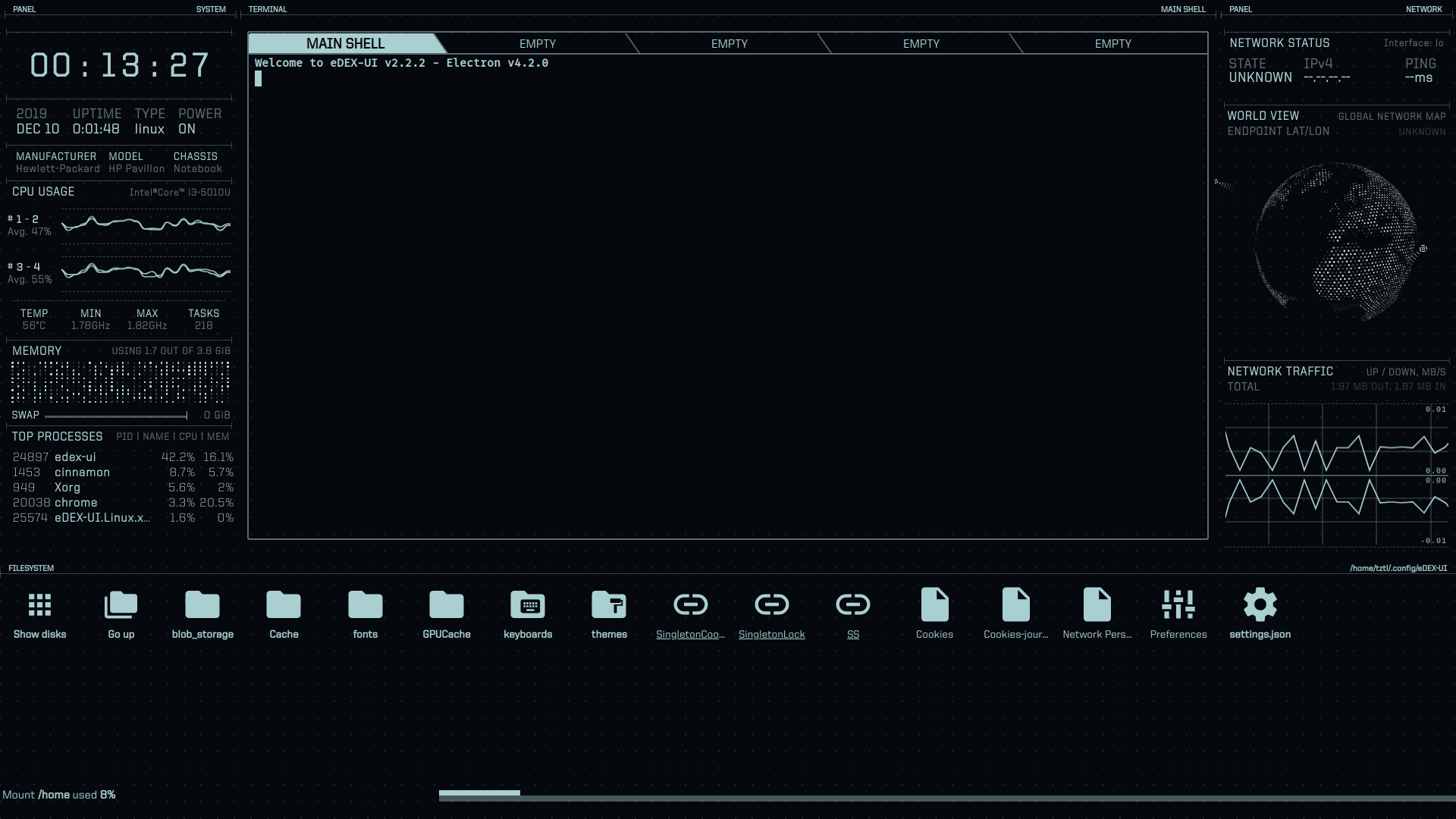
wlo1=
 tztl0
tztl0
All 4 comments
Weird that it shows the data graph on the loopback device. Anything else you could point out on your setup? Some vpn configs, proxy, anything?
You could also try running the latest master and checking if this still happens. I can provide built AppImages if you want.
 GitSquared
on 10 Dec 2019
GitSquared
on 10 Dec 2019
I have this issue too. Version 2.2.2 at macOS 10.14 and 10.15, and firewall off. Says offline just like the picture. Every time open this app and system popup window ask if allow it connect the internet.
 xzkeee
on 12 Dec 2019
xzkeee
on 12 Dec 2019
@xzkeee That's on windows, so separate issue. You should allow edex to connect in the firewall pop-up window.
GitSquared
on 12 Dec 2019
I solved this by adding GRUB_CMDLINE_LINUX="net.ifnames=0 biosdevname=0" to grub file. It turns the wlan interface from wlo1 to wlan0 so app can detect the connection.
tztl0
on 12 Dec 2019
Related issues
GitSquared
·
6Comments
 clragon
·
6Comments
clragon
·
6Comments
 jakewilliami
·
4Comments
jakewilliami
·
4Comments
 bennettyuan18
·
5Comments
bennettyuan18
·
5Comments
 mkbcaptain
·
3Comments
mkbcaptain
·
3Comments
Most helpful comment
I solved this by adding
GRUB_CMDLINE_LINUX="net.ifnames=0 biosdevname=0"togrubfile. It turns the wlan interface from wlo1 to wlan0 so app can detect the connection.