Edex-ui: [Terminal socket] Uncaught error pops up at startup and socket fails to establish when using a network proxy
When in start the app i have this error:
error [object Event]: Uncaught [object Event]
debug at /edex-ui/src/classes/terminal.class.js 111:43
My system is:
Terminal: konsole
OS: KDE neon
 davidnegreira
All 23 comments
same problem for me
 unclevan
on 21 Nov 2018
unclevan
on 21 Nov 2018
Does this happen immediately on startup?
 GitSquared
on 21 Nov 2018
GitSquared
on 21 Nov 2018
yes on startup, I paste all log from npm start:
▶ start Starting eDEX-UI v1.0.0
ℹ info With Node 8.9.3 and Electron 2.0.13
ℹ info Renderer is Chrome 61.0.3163.100
▶ Startup Initialized timer...
ℹ info Base config dir is .config/eDEX-UI
☐ pending Loading settings file...
✔ success Settings loaded!
☐ pending Creating new terminal process on port 3000
✔ success Terminal back-end initialized!
ℹ info Creating window...
… watching Waiting for frontend connection...
✖ error [object Event]: Uncaught [object Event]
⬤ debug at src/classes/terminal.class.js 111:43
● note UpdateChecker: Could not fetch latest release from GitHub's API.
⬤ debug Error: Error: connect ETIMEDOUT 192.30.253.116:443
davidnegreira
on 21 Nov 2018
@davidnegreira @unclevan Do you run anything on local port 3000-3005?
Also does that error make the window crash/freeze or is it just a pop-up you can dismiss?
GitSquared
on 21 Nov 2018
I got this problem too, here is my log:
...
✔ success Terminal back-end initialized!
ℹ info Creating window...
2018-11-22 10:53:11.734 Electron[23841:1192108] * WARNING: Textured window
… watching Waiting for frontend connection...
☒ complete Frontend window is up!
ℹ info UpdateChecker: Running latest version.
✖ error [object Event]: Uncaught [object Event]
⬤ debug at file:///Users/enoch/Projects/edex-ui/src/classes/terminal.class.js 111:43
- The textured window warning above, I don't know how to fix it.
- And the error happens after window is up.
This is my interface:
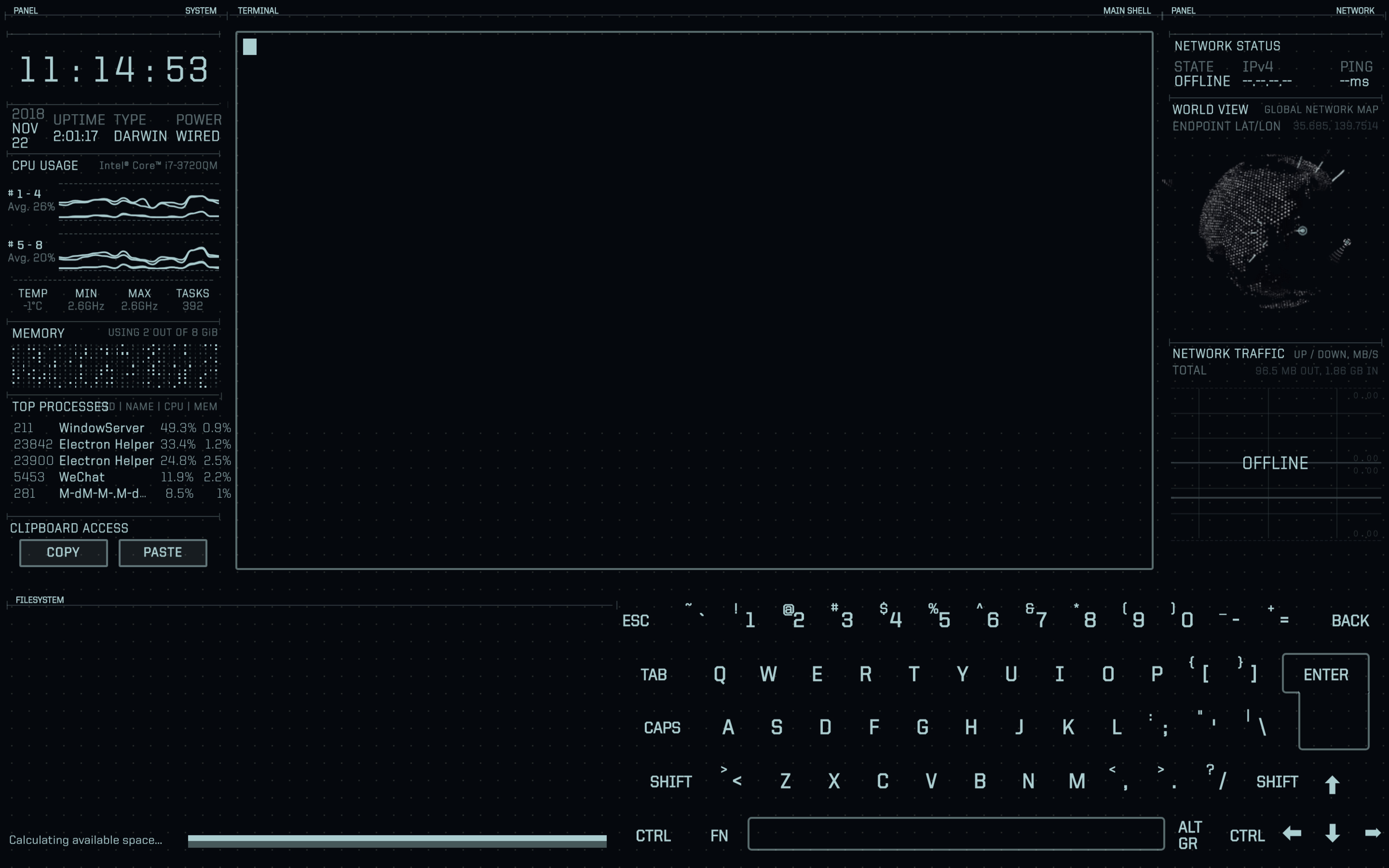
- Can not use terminal and file system.
 Enoooch
on 22 Nov 2018
Enoooch
on 22 Nov 2018

unclevan
on 22 Nov 2018
( @Enoooch The textured window warning is unrelated and will be fixed when the next electron v3 release is published & eDEX migrates to it. )
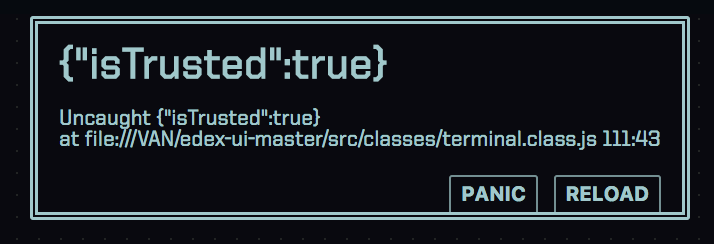
From the screenshots I can tell that the problem is that the internal websocket that connects eDEX and the actual terminal process fails to establish and drops and error.
Unfortunately the error message isn't really helpful. I'm going to try and make it output something more interesting.
GitSquared
on 22 Nov 2018
Could anyone try to run this again and tell me what's the error now?
GitSquared
on 22 Nov 2018
The latest version works for me, no error this time, only the warning left, thanks!
Enoooch
on 22 Nov 2018
...i didnt change anything. What the hell.
GitSquared
on 22 Nov 2018
...That's odd.
I am running this code in dev mode, this is my log now:
ℹ info Creating window...
2018-11-22 20:45:00.259 Electron[40481:2300690] * WARNING: Textured window
… watching Waiting for frontend connection...
☒ complete Frontend window is up!
✔ success Connected to frontend!
◼ Startup Timer run for: 12.73s
ℹ info Resized TTY to 066 031
ℹ info Resized TTY to 103 030
ℹ info UpdateChecker: Running latest version.
● note LocationGlobe: Error parsing data from ipinfo.now.sh
⬤ debug Error: TypeError: Cannot read property 'latitude' of undefined
Terminal and filesystem are available now.
Enoooch
on 22 Nov 2018
Yeah, log looks nominal, apart from that little geoip related error. Is anyone still having this?
GitSquared
on 22 Nov 2018
unclevan
on 23 Nov 2018
When I shut down the network proxy, everything was fine...
unclevan
on 23 Nov 2018
Hoooo. @unclevan do you think your proxy might have been blocking local connections?
GitSquared
on 23 Nov 2018
When I shut down the network proxy, everything was fine...
same here, when I do:
unset http_proxy
unset https_proxy
everything works fine
davidnegreira
on 23 Nov 2018
Nice. Now I know what's wrong. Will fix asap.
GitSquared
on 23 Nov 2018
When I shut down the network proxy, everything was fine...
I just had this same issue. It was because I had my rails dev server running on port 3000. Once I stopped the server, EDEX-UI worked again.
 Fedrius
on 30 Nov 2018
Fedrius
on 30 Nov 2018
@Fedrius About that, you can change the port used by eDEX in the settings. See the wiki.
GitSquared
on 1 Dec 2018
I've implemented a fix based on @davidnegreira's comment. On startup, the http_proxy and https_proxy env variables are disabled.
GitSquared
on 25 Dec 2018
Here are some development binaries if anyone wanna test this after the Christmas parties :christmas_tree:
can't provide builds for macOS on my own, sorry
GitSquared
on 25 Dec 2018
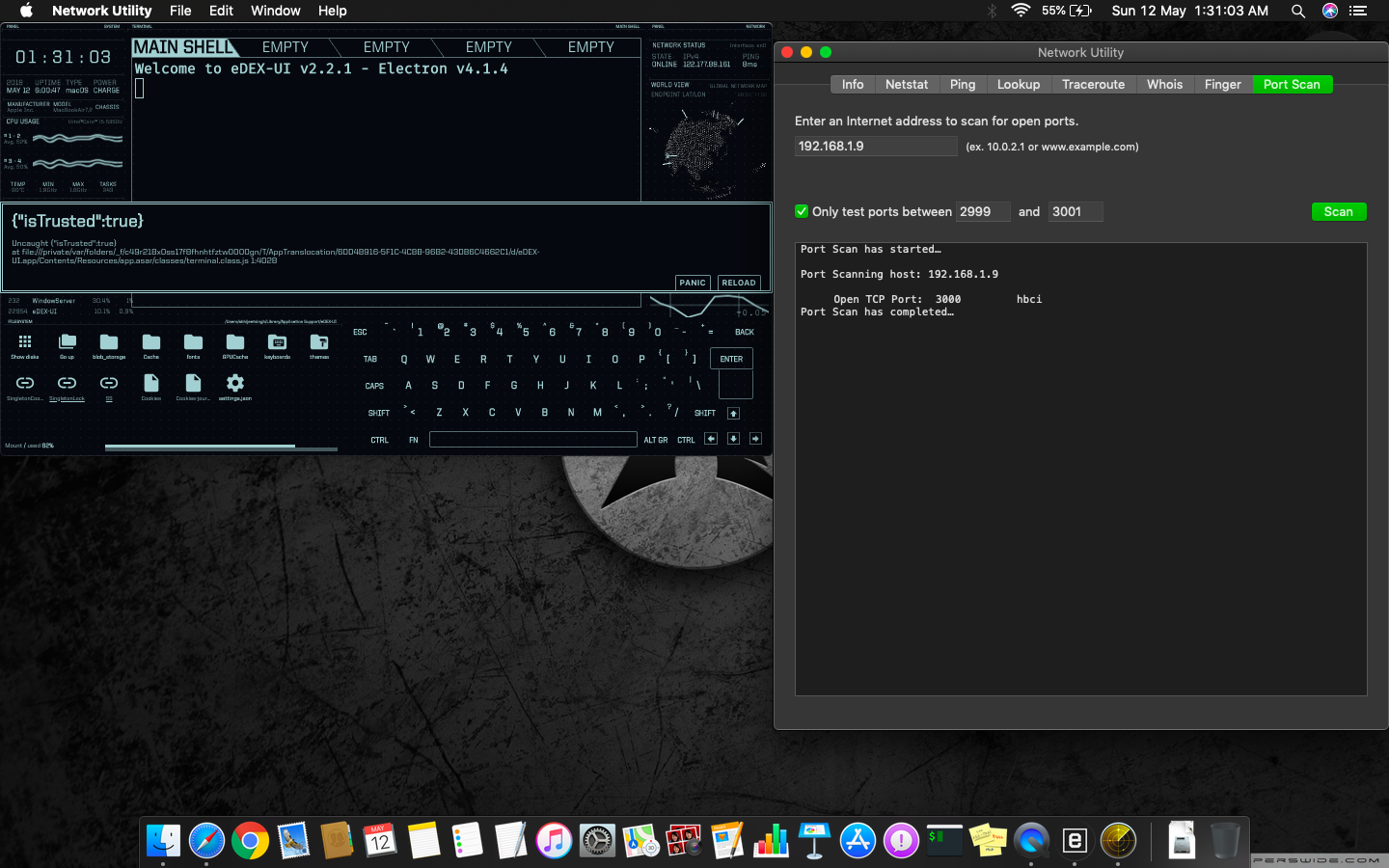
Sir, I'm still facing the same issue with the same error message.
I have also checked my port no 3000.
No other services are using this port.
 abhiunix
on 11 May 2019
abhiunix
on 11 May 2019
@abhiunix Two things:
- Do you use a network proxy?
- Does changing eDEX's settings to use some other port (e.g
3001) fixes the issue?
GitSquared
on 11 May 2019
Related issues
 tztl0
·
4Comments
GitSquared
·
6Comments
tztl0
·
4Comments
GitSquared
·
6Comments
 clragon
·
6Comments
clragon
·
6Comments
 wolfen351
·
5Comments
wolfen351
·
5Comments
 bennettyuan18
·
5Comments
bennettyuan18
·
5Comments