Easy-digital-downloads: Use SVG images for payment icons at checkout
We should switch to SVG images for the payment icons at checkout, rather than the existing .png and .gif versions. These are the images that appear either above "Select Payment Method" (.png) or the image that appear when validating a credit card number (.gif)
Reasons why:
The payment icons at checkout look blurry on retina displays. They should look crisp on any display. We nearly had retina versions of the existing icons back in 2013 but they were never merged in: https://github.com/easydigitaldownloads/easy-digital-downloads/issues/1212

And zoomed in a bit for clarity:

I've researched each credit card provider and all our existing logos are now incorrect or outdated. We should be careful to use the assets provided by each provider, just as we would want others to use our brand guidelines correctly.
We can't just double the size of the existing .png images. Screens are becoming more pixel dense, SVGs will future-proof the issue.
SVGs would allow someone to use the images at whichever size they like. Perhaps the site owner/theme developer would like to place more emphasis on the icons to build trust.
It will allow for crisp images on the
Payment Gatewaysadmin screen for theAccepted Payment Method Iconsand also when a credit card number is being validated via JS.It would allow us to remove a decent chunk of CSS from our EDD stylesheet and 12 images from the icons folder.
SVGs are well supported: https://caniuse.com/#search=svg.
Proposed icons:
I've hunted down each provider's brand guidelines and logos they prefer others to use. Some companies have multiple versions of their logo but the one we want in each instance is called the "Acceptance mark".
An acceptance mark, in respect of credit cards, is a logo or design that indicates which card schemes an automated teller machine or merchant accepts
We can't use any ol' credit card icon pack from the internet, from what I've seen they are all wrong. Here are the proposed SVG icons I've created:
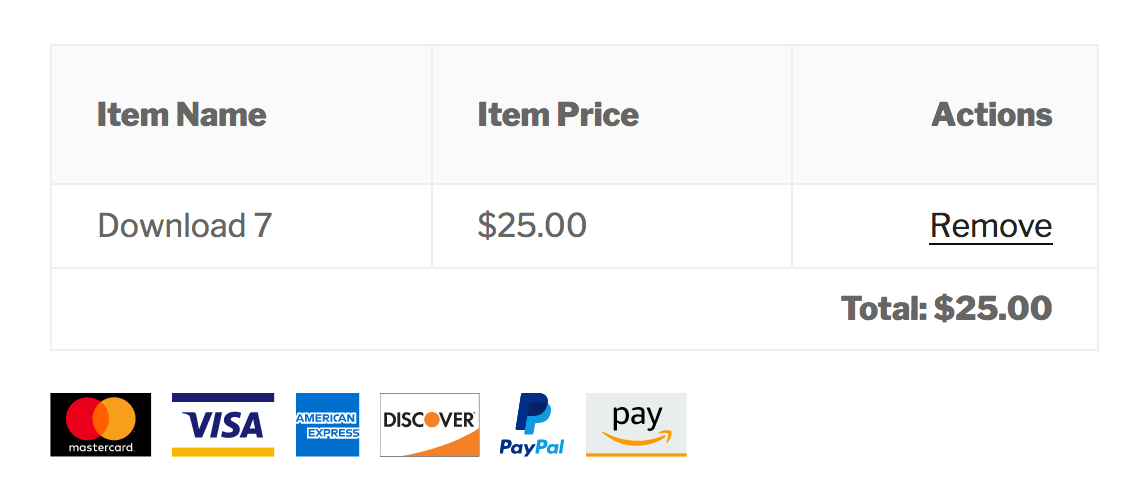
Zoomed in:

Notes
- Each SVG image has a viewbox height of 32 pixels, so they are the same height as the existing icons
- Some images are not as wide as the rest (e.g. American Express). This is how the provider would like their brand portrayed, we're not going to stretch the widths to suit us. IMO they all look perfectly fine.
The SVG images will be combined into 1
svg-icons.svgfile (cutting down image requests) and loaded into the footer of the checkout page. This allows us to reference each SVG like so:<svg width="50" height="32" class="payment-icon icon-mastercard" aria-hidden="true" role="img"> <use href="#icon-mastercard" xlink:href="#icon-mastercard"></use> </svg>This image mentioned above will exist in EDD's
templates/imagesfolder so a child theme can replace it with their own icons if need be.We could create a function for handling the loading of not only payment icons, but any icon within EDD (and subsequently switch them to SVGs also). E.g the iPhone icon for the iOS app, the tick when you add a download to the cart, the X for removing downloads/discounts etc. I do this in Themedd 1.1 with
themedd_get_svg(): https://github.com/easydigitaldownloads/themedd/blob/release/1.1/includes/icon-functions.php#L123
Here's a list of each credit card provider and their relevant guidelines/downloads for reference:
Visa
https://www.visaeurope.com/receiving-payments/pos_branding
American Express
https://www.amexpop.com/Asset/Index/5
https://merchant-supplies.americanexpress.com/?locale=en_CA#/catalog/All
Mastercard
https://brand.mastercard.com/brandcenter/mastercard-brand-mark.html
https://brand.mastercard.com/brandcenter/mastercard-brand-mark/downloads.html
Discover
https://www.discovernetwork.com/en-us/business-resources/free-signage-logos
PayPal
https://www.paypal.com/us/webapps/mpp/logo-center
Amazon
https://pay.amazon.com/us/merchant/tools
PR coming at some point.
 amdrew
All 21 comments
Ugh, why you gotta be 'unique' AmEx!
I'm all for this, so long as we still support loading .gif and .png for gateway addons that add their own icons.
 cklosowski
on 21 Aug 2018
cklosowski
on 21 Aug 2018
Yeah; that's much nicer. 👍
 JJJ
on 22 Aug 2018
JJJ
on 22 Aug 2018
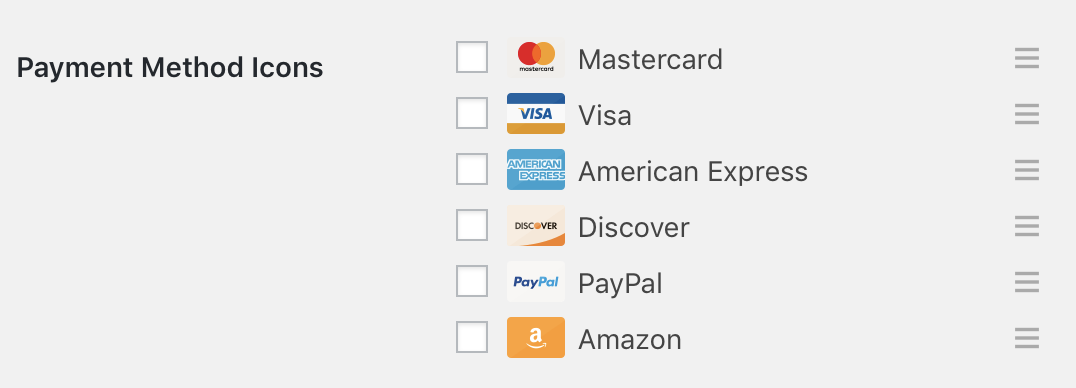
Old icons in new EDD3 card-order UI:
JJJ
on 22 Aug 2018
First pass at adding the new SVGs to checkout complete 🍾Ready for some initial testing on front-end.
Still to go:
- [x] Adding the payment icons to the admin payment gateways page
- [x] Adding the relevant icon via JS when the credit number is validated
- [x] Remove current icon files, they won't be needed
To test:
- Check out issue/6865
- Make sure
SCRIPT_DEBUGis set totrue - Enable some payment gateway via admin settings
- View checkout page.
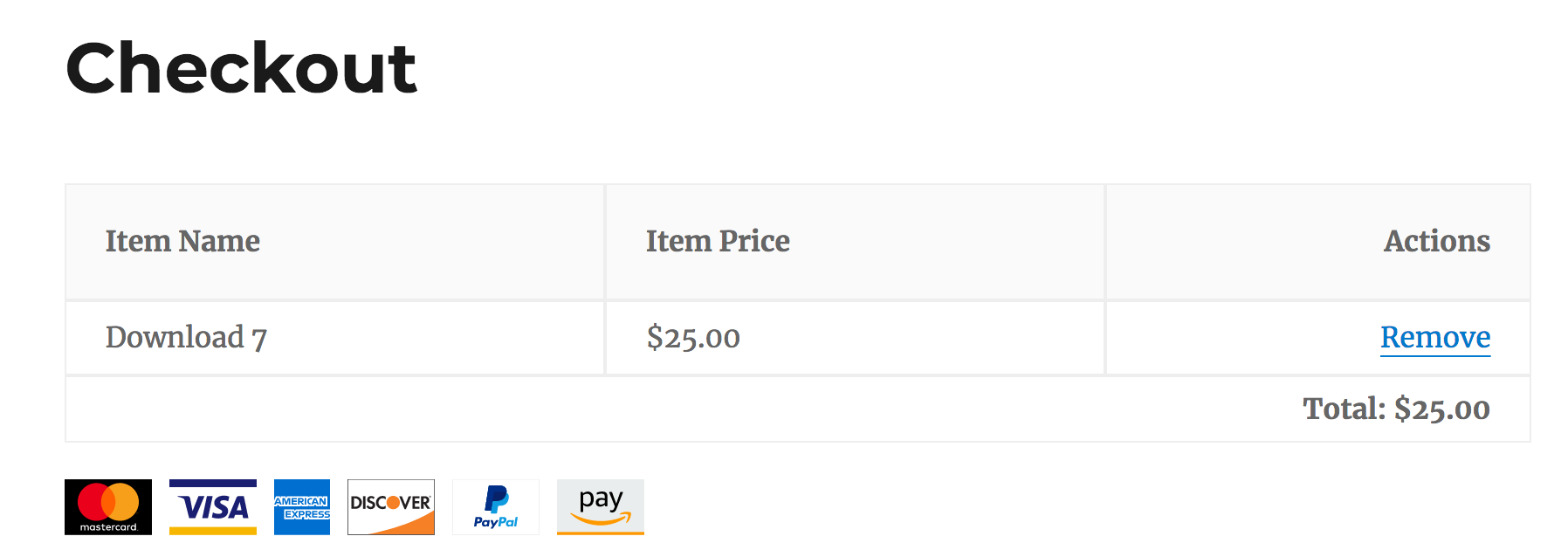
This is what the SVGs currently look like at checkout (shown with the Twenty Sixteen theme). PayPal has been tweaked to more closely match their guidelines. Each image is sized to 50px by 32px with the exception of mastercard, which is 32px by 32px.
I decided to change my initial proposal of how the SVGs would be loaded. I originally planned to have a SVG sprite file in the /templates folder, and this would be injected into the footer of the EDD checkout page. Though this would have worked fine, it would mean loading _all_ the payment icons, regardless of some not being active in the admin settings.
So now the SVG code is contained in a function (no more image in templates folder) and each icon is being conditionally added to the footer markup, based on whether it is active or not.
Performance
EDD checkout with PNG icons:
With all payment gateways active, my test site's EDD checkout page transfers 54.23KB of data in 11 requests, taking 3.45s to load. 6 of those requests are the .png images for each payment gateway.
EDD checkout with SVG icons:
With all payment gateways active, my test site's EDD checkout page transfers 60.13KB of data in 5 requests, taking 3.62s to load.
It's clear that the SVGs are a little bit heavier in file-size but I think having crisp images that work on any device (and less requests) is a good compromise.
amdrew
on 22 Aug 2018
Various testing notes:
Adding new payment icons via the existing edd_accepted_payment_icons filter
The last two payment icons (pngs) are being loaded via the existing edd_accepted_payment_icons filter. These are loading the images we already include in the icons folder. Note, the images have extra space within their icon image which is why they are not the same 32px height as the SVGs. Always better to trim to the edges and leaving the spacing to CSS through margin or padding.
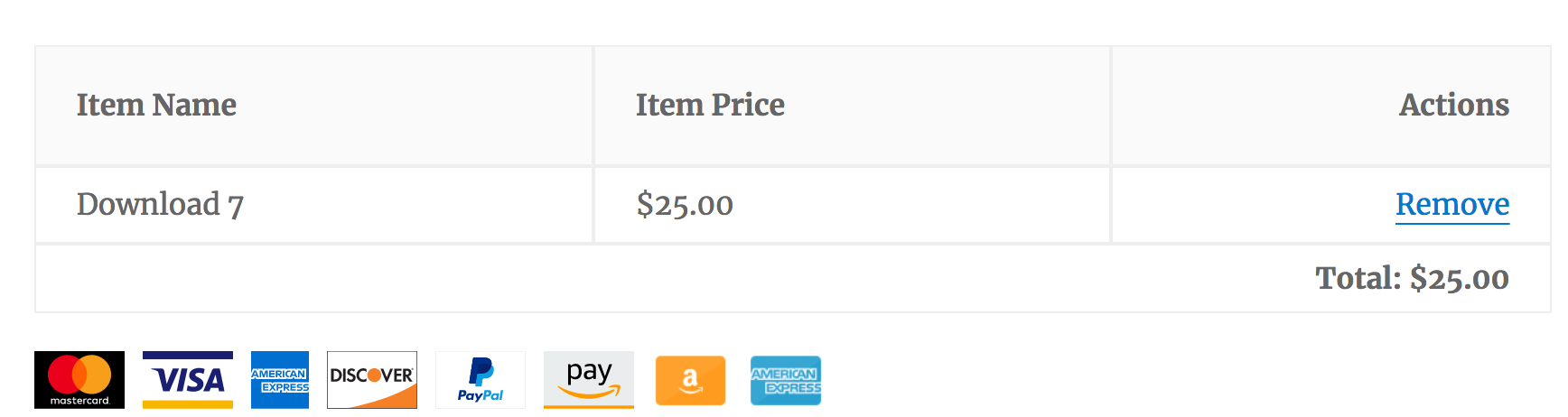
Example code to test:
function edd_custom_payment_icons( $icons ) {
    $icons[ EDD_PLUGIN_URL . 'templates/images/icons/amazon.png' ] = 'Custom Gateway 1';
    $icons[ EDD_PLUGIN_URL . 'templates/images/icons/americanexpress.png' ] = 'Custom Gateway 2';

    return $icons;
}
add_filter( 'edd_accepted_payment_icons', 'edd_custom_payment_icons' );
Replacing an existing payment icon
In this test the visa icon (svg) is being replaced with the old visa.png via the edd_accepted_payment_{$card}_image filter.
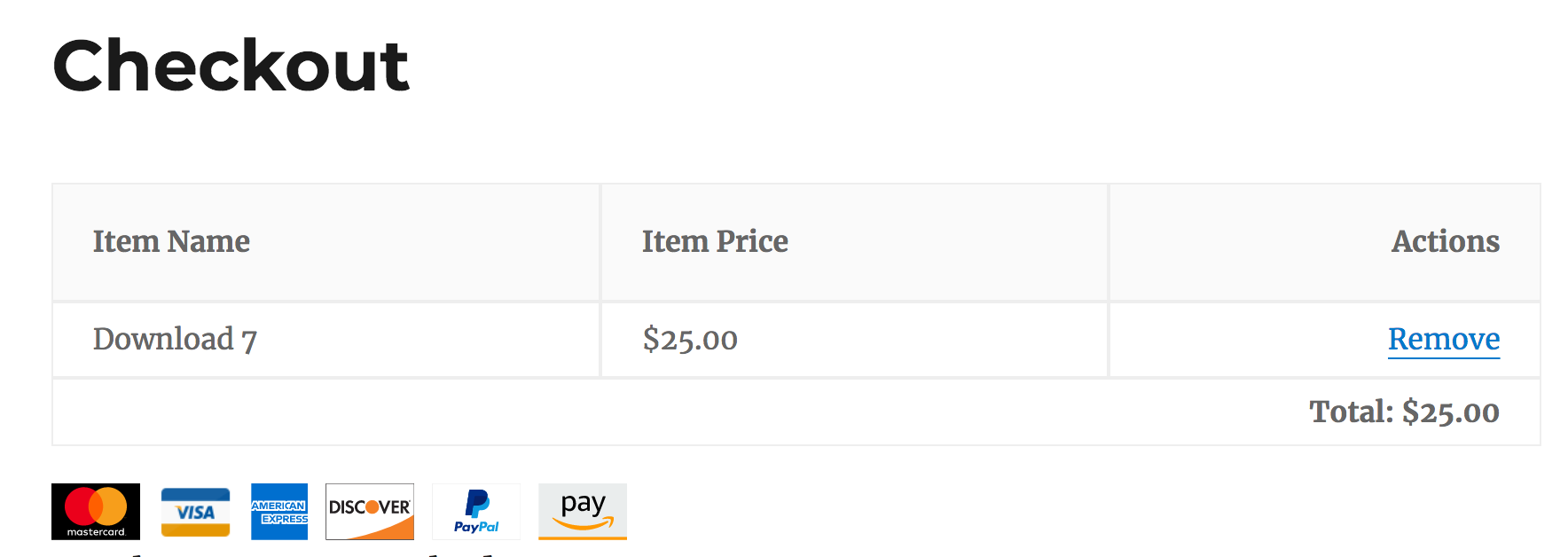
Example code to test:
/**
 * Replace existing payment icon.
 */
function edd_custom_accepted_payment_image() {
    return EDD_PLUGIN_URL . 'templates/images/icons/visa.png';
}
add_filter( 'edd_accepted_payment_visa_image', 'edd_custom_accepted_payment_image' );
@amdrew a good test would be to activate 2Checkout and see how it works. It registers it's own icon.
cklosowski
on 22 Aug 2018
@cklosowski Sweet, will give it a shot
amdrew
on 22 Aug 2018
All goody:

Edit: It may be worth re-doing the 2checkout logo as an SVG also (and any others of ours). At the very least we should remove the space from the logos (should be left to CSS):

Here's their official logo they use on their website: https://a.mtstatic.com/@public/production/site_9328/1525780235-logo.svg
It appears however that they would prefer the use of their circular logo as found here for the acceptance mark:
http://help.2checkout.com/articles/Knowledge_Article/Compliance-Guidelines/
http://help.2checkout.com/articles/Knowledge_Article/2Checkout-Credit-Card-Logos/?l=en_US&fs=RelatedArticle
amdrew
on 23 Aug 2018
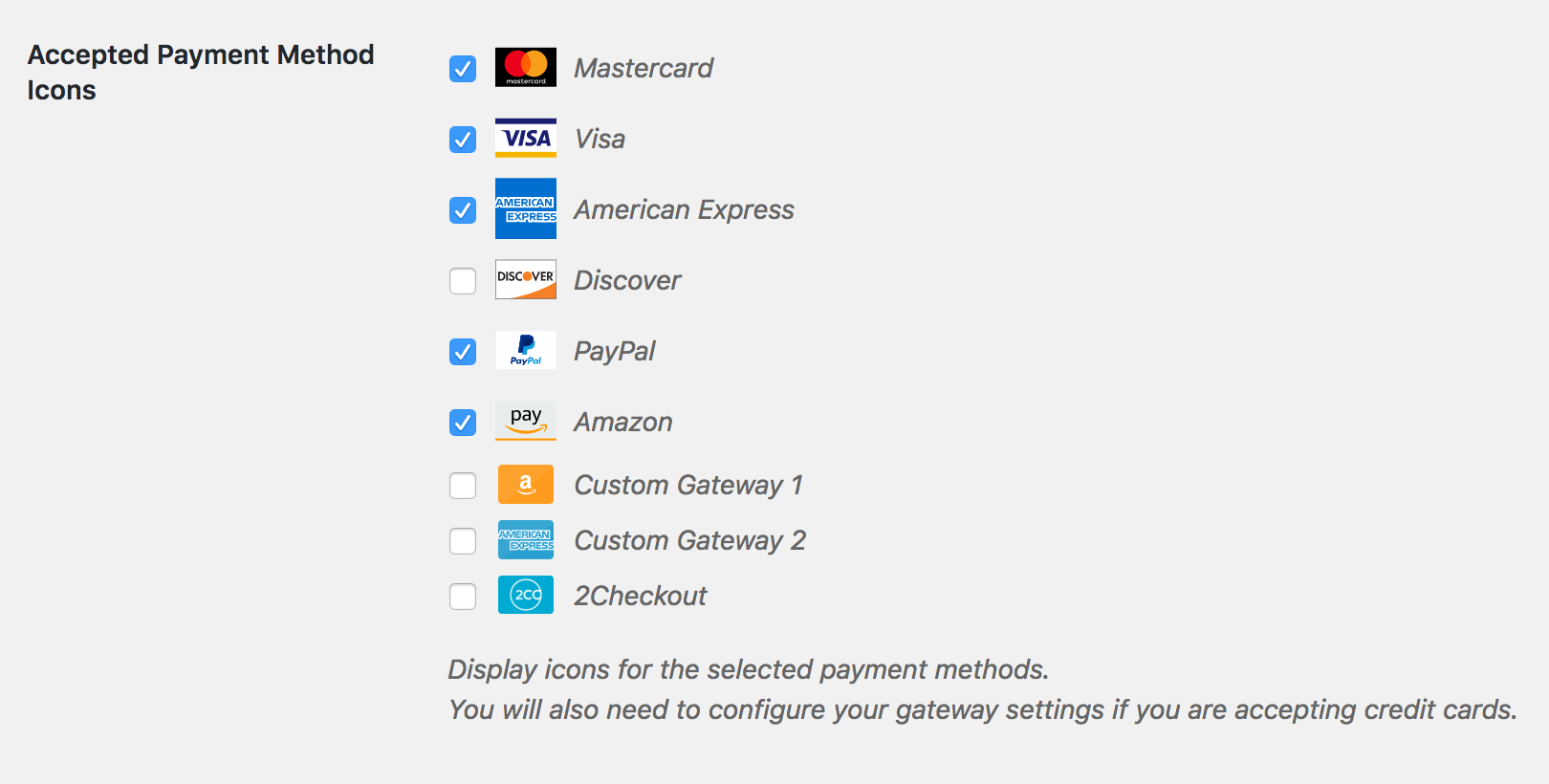
Admin view, WIP. Shows the standard 6 gateways and 3 custom ones (2 added by filter, 1 from 2checkout extension):

Since the non-SVG images have space included in the icon images, they mess with the spacing ever so slightly.
amdrew
on 23 Aug 2018
Made admin icons smaller so it more closely matches what was there previously. Tested down to IE10.
amdrew
on 23 Aug 2018
It's common for an online store to show their accepted payment methods for trust, often in the sidebar or site footer (not just the checkout page).
Examples:
https://wordpress.org/plugins/woocommerce-accepted-payment-methods/
https://support.3dcart.com/knowledgebase/article/View/395/2/how-do-i-add-a-payment-logo-to-my-website
https://support.bigcommerce.com/articles/Public/Adding-Payment-Logos-to-Stencil-Themes
https://help.shopify.com/en/themes/customization/store/add-credit-card-icons
With the recent changes to the PR you'll now be able to output all the payment methods selected in the EDD settings. You can also cherry-pick the icons you want and only those will be loaded onto the page.
Quick example with Themedd (+ 1 custom gateway with .png image):

amdrew
on 23 Aug 2018
With the recent changes to the PR you'll now be able to output all the payment methods selected in the EDD settings. You can also cherry-pick the icons you want and only those will be loaded onto the page.
We’ve implemented this into EDD3 also, so there’s a bit of overlap happening with this feature.
It probably would have made more sense to build this as a branch of release/3.0, as the 2.9 branch is essentially feature-frozen while 3.0 work happens. (The exception was GDPR.)
The new icons look great. They should get merged into release/3.0 ASAP so we can fix up any conflicts, before too much code is written here beyond the move to SVGs.
JJJ
on 23 Aug 2018
@JJJ I'll have a play with your newly created 6865-3.0 branch
amdrew
on 23 Aug 2018
Though this would have worked fine, it would mean loading all the payment icons, regardless of some not being active in the admin settings.
In EDD3, we _do_ explicitly force this situation to occur, and have accounted for the likelihood that gateways could come and go.
I believe we’ve tried to make it so icons will always be available to turn on/off (make customer facing) and reorder, even if the gateway is not “active/setup/complete/whatever.”
This is because, previously, activating a Gateway was necessary just to configure its settings. It needed to be customer facing while it was being configured. That seemed backwards to us. It should be possible to setup a Gateway before exposing it as a choice to customers. Because Gateways don’t have a way to say “I’m good!” there’s also no way to disable a gateway until it’s ready. If that ever happens, it’s be pretty neat.
JJJ
on 23 Aug 2018
Finished remaining tasks listed above, left comment on PR here: https://github.com/easydigitaldownloads/easy-digital-downloads/pull/6866#issuecomment-421235608
Ready for another round of testing for the credit card validation.
amdrew
on 14 Sep 2018
@amdrew for reference in the history of the issue, how would one output a list of payment icons somewhere other than the setting based one? That way if someone searches later they can come upon this issue and have some sort of expectation of how they should do it.
cklosowski
on 18 Sep 2018
@cklosowski Good idea.
Here's an example for outputting the enabled payment icons from the EDD settings, somewhere other than the EDD checkout. There are two parts, printing the SVG code to the HTML (so it's available to be displayed) and displaying the actual icons.
/**
 * Step 1: Load the payment icon SVG code into the footer HTML.
 */
function edd_custom_print_payment_icons() {

    /**
     * Return early if edd_print_payment_icons() does not exist, or we're already on the EDD Checkout (no need to load them twice).
     * Add your own conditional here if you plan to only load the icons on a specific page.
     */
    if ( ! function_exists( 'edd_print_payment_icons' ) || edd_is_checkout() ) {
        return;
    }

    // Get the enabled payment methods from Settings -> Payment Gateways -> General.
    $payment_methods = edd_get_option( 'accepted_cards', array() );

    // Create an $icons array.
    $icons = array();

    if ( ! empty( $payment_methods ) ) {
        foreach ( $payment_methods as $key => $option ) {
            $icons[] = $key;
        }
    }

    // Return the payment icons.
    return edd_print_payment_icons( $icons );

}
add_action( 'wp_footer', 'edd_custom_print_payment_icons' );
/**
 * Step 2: Display the payment icons on the page.
 */
function edd_custom_display_payment_icons() {

    if ( ! function_exists( 'edd_get_payment_icon' ) ) {
        return;
    }

    // Get the enabled payment methods from Settings -> Payment Gateways -> General.
    $payment_methods = edd_get_option( 'accepted_cards', array() );

    if ( ! empty( $payment_methods ) ) : ?>
    <div class="payment-icons">
        <p>We Accept: </p>
        <?php
            foreach ( $payment_methods as $key => $option ) {
                if ( edd_string_is_image_url( $key ) ) {
                // Compatibility for extensions that add additional payment methods using an image URL.
                    echo '<img class="payment-icon" src="' . esc_url( $key ) . '"/>';
                } else {
                    echo edd_get_payment_icon( array( 'icon' => $key, 'classes' => array( 'payment-icon' ) ) );
                }
            }
        ?>
    </div>
    <?php endif;
}
// Call the function where the icons should be displayed.
edd_custom_display_payment_icons();
Note: Since the icons above are being loaded outside of the EDD checkout, you'll need to provide your own CSS styling in your theme. E
Something like this (you can change the class name in step 2 above):
.payment-icon {
    max-width: 70px;
    max-height: 40px;
    margin-right: 10px;
}
I'll put together another example of loading only specific payment icons. Perhaps you don't want to load the payment icons selected from the EDD settings.
amdrew
on 19 Sep 2018
nice thanks @amdrew
cklosowski
on 19 Sep 2018
Here's how to output only specific payment icons. More or less the same deal as above, print the SVG code to the HTML (so it's available to be displayed) and then display the actual icons.
This example only outputs Visa, Mastercard and American Express payment icons.
/**
 * Step 1: Set up an array for the icons to be loaded.
 * These can be found in the edd_print_payment_icons() function.
 */
function edd_custom_payment_icons_to_load() {
    return array( 'visa', 'mastercard', 'americanexpress' );
}
/**
 * Step 2: Load the payment icon SVG code into the footer HTML.
 */
function edd_custom_print_payment_icons() {

    /**
     * Return early if edd_print_payment_icons() does not exist, or we're already on the EDD Checkout (no need to load them twice).
     * Add your own conditional here if you plan to only load the icons on a specific page.
     */
    if ( ! function_exists( 'edd_print_payment_icons' ) || edd_is_checkout() ) {
        return;
    }

    // Print the payment icons.
    return edd_print_payment_icons( edd_custom_payment_icons_to_load() );
}
add_action( 'wp_footer', 'edd_custom_print_payment_icons' );
/**
 * Step 3: Display the payment icons on the page.
 */
function edd_custom_display_payment_icons() {

    // Return early if the edd_get_payment_icon() function does not exist.
    if ( ! function_exists( 'edd_get_payment_icon' ) ) {
        return;
    }

    $payment_methods = edd_custom_payment_icons_to_load();

    if ( ! empty( $payment_methods ) ) : ?>
    <div class="payment-icons">
        <p>We Accept:</p>
        <?php
            foreach ( $payment_methods as $option ) {
                if ( edd_string_is_image_url( $option ) ) {
                    // Compatibility for extensions that add additional payment methods using an image URL.
                    echo '<img class="payment-icon" src="' . esc_url( $option ) . '"/>';
                } else {
                    echo edd_get_payment_icon( array( 'icon' => $option, 'classes' => array( 'payment-icon' ) ) );
                }
            }
        ?>
    </div>
    <?php endif;
}
// Call the function where the icons should be displayed.
edd_custom_display_payment_icons();
All said and done, where are the SVG icons? Does one need to go to every payment provider and download their branding?
 sharmashivanand
on 21 Oct 2019
sharmashivanand
on 21 Oct 2019
Related issues
 colomet
·
4Comments
colomet
·
4Comments
 boluda
·
4Comments
boluda
·
4Comments
 scottbuscemi
·
5Comments
scottbuscemi
·
5Comments
 julien731
·
5Comments
julien731
·
5Comments
 nabeghe
·
5Comments
nabeghe
·
5Comments
Most helpful comment
Ugh, why you gotta be 'unique' AmEx!
I'm all for this, so long as we still support loading
.gifand.pngfor gateway addons that add their own icons.