Dynamo: Dropdown / NodeModel producing multiple outports
Dynamo version
Dynamo Core - 2.0.0.4654
Dynamo Revit - 2.0.0.4655
Operating system
Windows 10
What did you do?
Saved the file with dropdowns in the file.
What did you expect to see?
Only one outPort per dropdown.
What did you see instead?
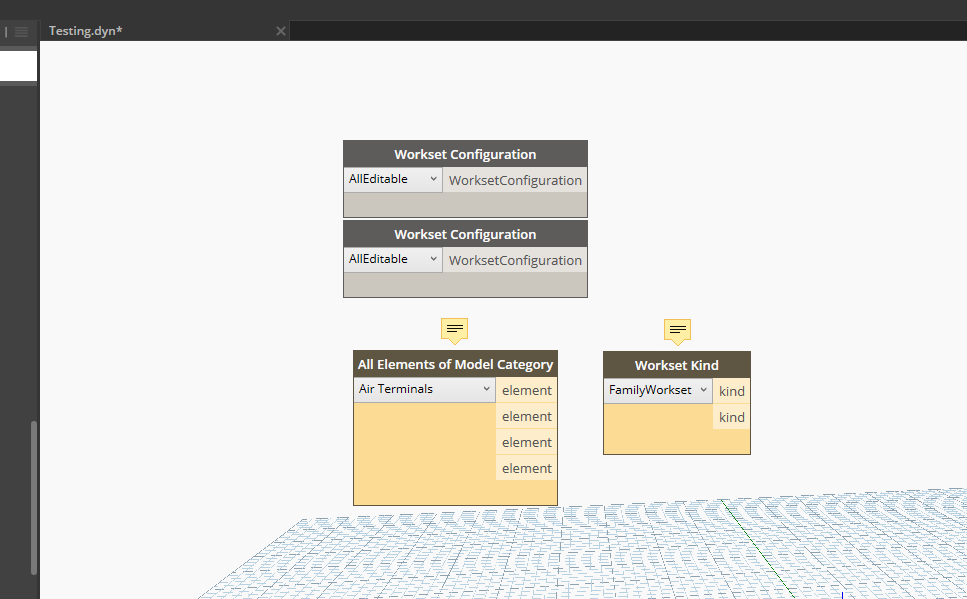
After opening the file, there are additional outPorts to the node.
Image:
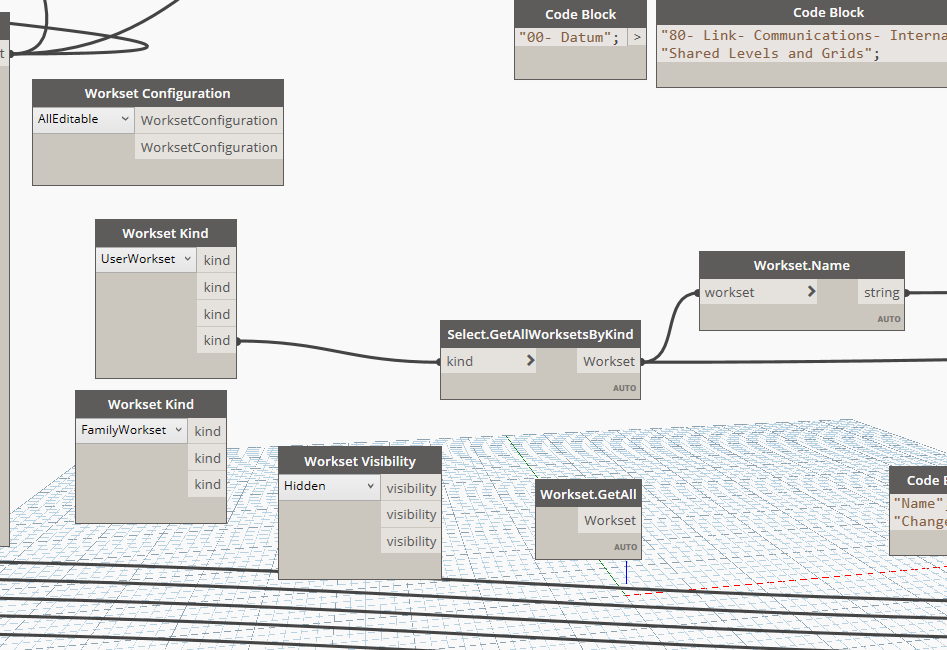
My node from my library is in the upper left corner. WorksetKind and WorksetVisibility are from Konrad's archi-lab package. Did this to confirm it was his package or mine, but it is both. Confirmed also this was not just in the session. I closed down the Dynamo and Revit applications. Problem still exists. After running, the node will return null.
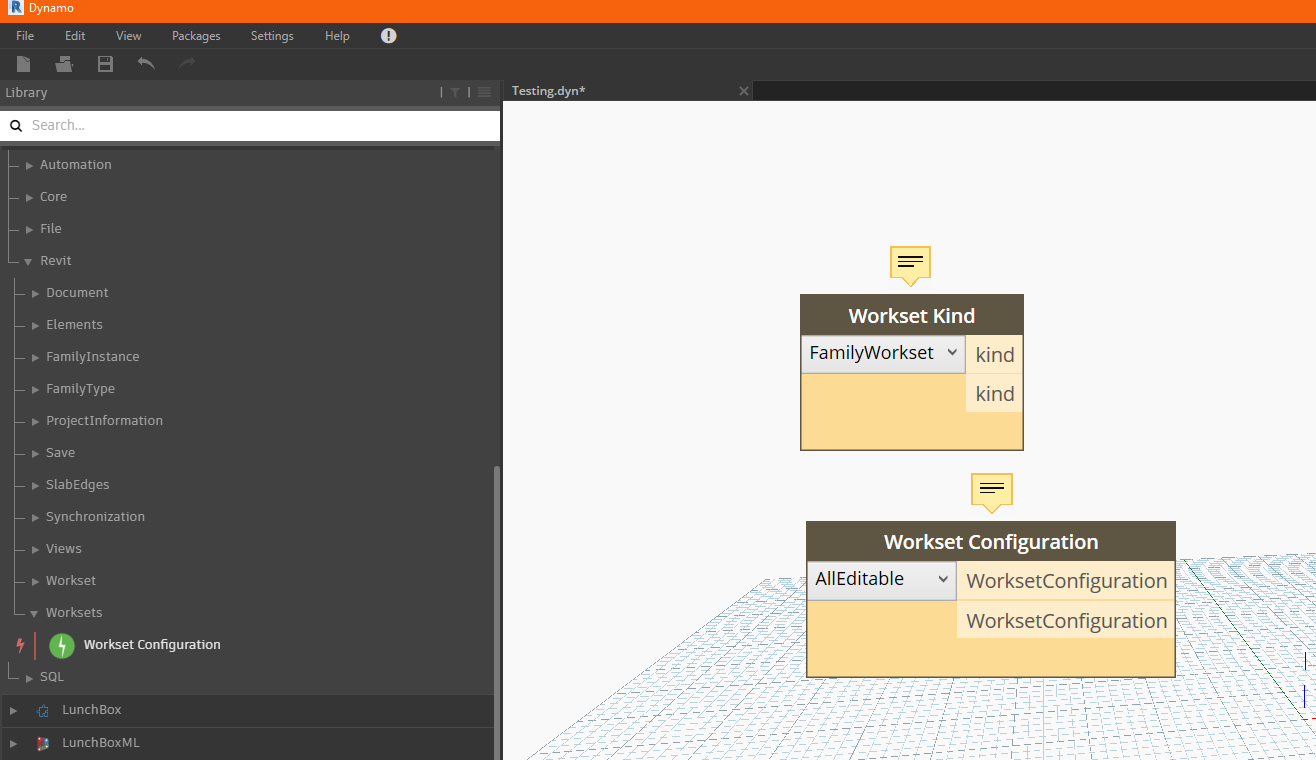
Also wanted to note that the previous test was in a graph that was promoted to 2.0. Below shows that it is not related to that upgrade. This is a new graph in 2.0 showing the same issue.
 kraftwerk15
All 12 comments
Either the packages have not been updated - or a package is installed which contains json.net or some other dependency that is causing json.net deserialization failure.
 mjkkirschner
on 7 Jun 2018
mjkkirschner
on 7 Jun 2018
Closing this issue for now. Please re-open if further input is needed.
 smangarole
on 7 Jun 2018
smangarole
on 7 Jun 2018
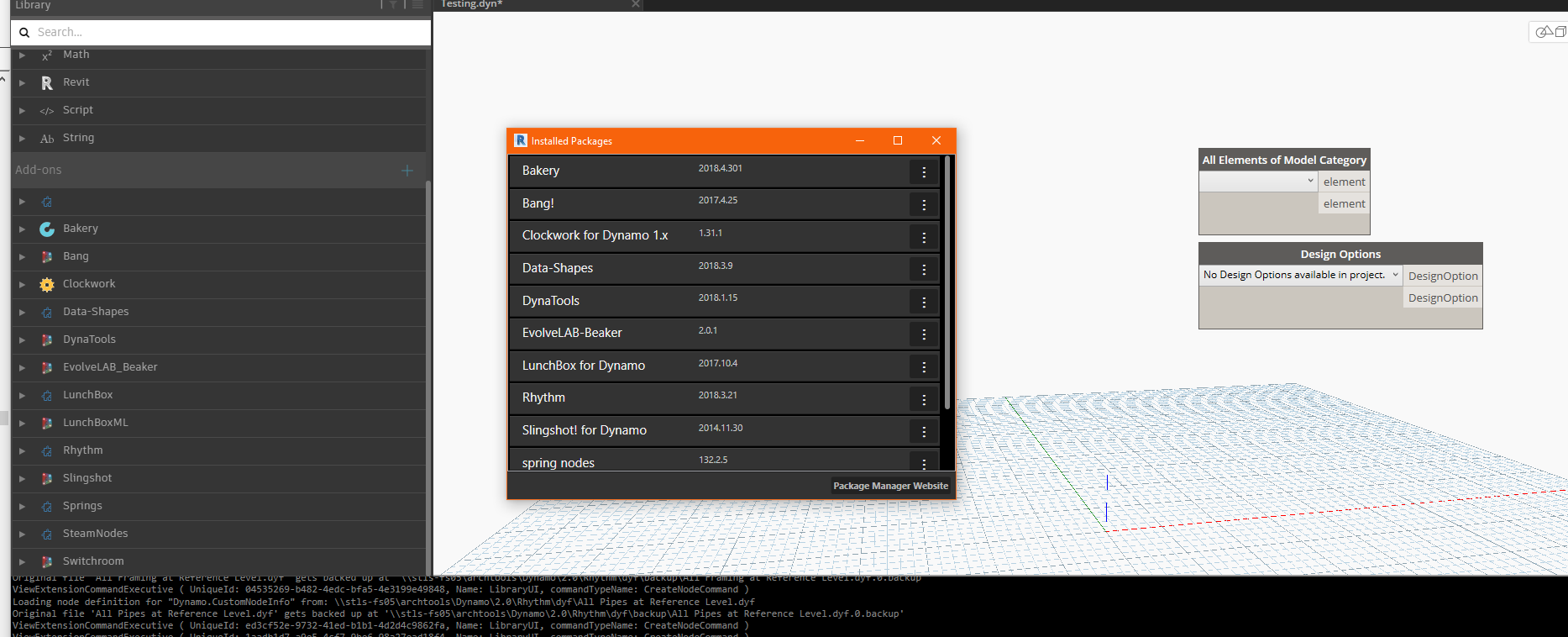
Sorry guys, just getting back to this from working. I continue to get this error with others packages as well. You will notice I removed my package from the managed packages location and removed archi-lab. This is Rhythm package producing the same error.
@smangarole @mjkkirschner I cannot re-open this issue as I am not a Contributor to the repo.
kraftwerk15
on 8 Jun 2018
Rhythm is also not updated for 2.0- try removing all packages but your own. Also do you distribute Json.net with your package dlls? Hint : don’t 😉
On Jun 7, 2018, at 6:13 PM, kraftwerk15 notifications@github.com wrote:
Sorry guys, just getting back to this from working. I continue to get this error with others packages as well. You will notice I removed my package from the managed packages location and removed archi-lab. This is Rhythm package producing the same error.
—
You are receiving this because you commented.
Reply to this email directly, view it on GitHub, or mute the thread.
mjkkirschner
on 8 Jun 2018
You're right on Rhythm. My process, please tell me what I'm doing wrong, was taking the Dropdown example here: https://github.com/DynamoDS/DynamoSamples/blob/master/src/SampleLibraryUI/Examples/DropDown.cs#L23
Adding newtonsoft.json via nuget. Then flagged this to Copy Local to false. Build Project that copies to the location.
The image below shows the example cs from above with the [JsonConstructor] per the example. Image also shows all usings and references, in case that is an issue.

Using Newton 11.0.0.0, example shows using 8.0.3. Also, I target .Net Framework 4.6.1, I think example shows 4.5. If that is an issue.
kraftwerk15
on 8 Jun 2018
@kraftwerk15 one thought - try referencing newtonsoft json.net version 8.03.
you're also referencing a bunch of dynamo core dlls - are these version 2.0 dlls? Do you have them set to copy local false?
mjkkirschner
on 8 Jun 2018
can you share an image of your package bin folder as well?
And please confirm you are attempting to only load your own package with all others removed to remove variables.
mjkkirschner
on 8 Jun 2018
@mjkkirschner
Dynamo 2.0 package location:
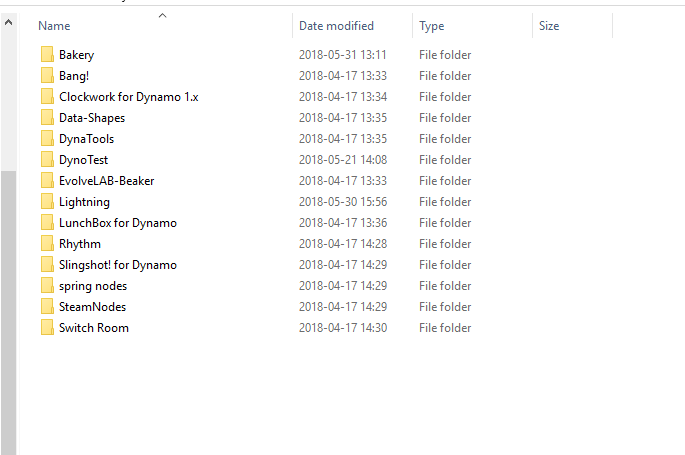
Specific Package Bin folder:
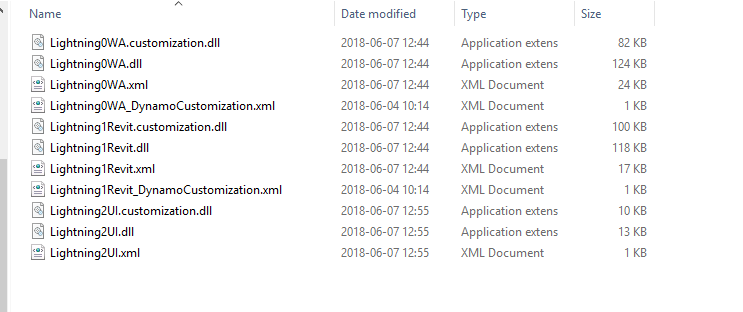
I'm waiting on a run to complete in Dynamo, then I can back out all other packages and try again. I did roll back newtonsoft to 8.0.3 and all Dynamo dlls are using /2/ folder and all Revit APIs are looking at 2018.
I did just notice that my two other dlls were using newtonsoft 8.0.3, while the Lightning2UI was using the 11.0.0. I'll test to see if it was that issue, again, once this run in Dynamo completes.
kraftwerk15
on 8 Jun 2018
@mjkkirschner It looks like rolling back to Newtonsoft.Json 8.0.3 fixed the problem. The below image shows two nodes from my package at the top that are behaving correctly. Below shows archi-lab and Rhythm that are broken.
Can we add on the Wiki (https://github.com/DynamoDS/Dynamo/wiki/Update-Packages-from-1.3-to-2.0) that only 8.0.3 can be used to avoid confusion for others?
kraftwerk15
on 8 Jun 2018
@alfarok did we ever update the dynamo core nugets to pull version 8.03 of newtonsoft.json.net?
mjkkirschner
on 8 Jun 2018
I did search on issues to see if there was an issue similar to mine before posting and could not find anything. Looked through archi-lab's and he already commented on a similar issue here.
https://github.com/DynamoDS/DynamoRevit/issues/2039
Cross-reference to archi-lab package:
https://github.com/ksobon/archilab/issues/14
kraftwerk15
on 8 Jun 2018
@mjkkirschner I did updated to include newtonsoft.json to be a dependency of DynamoCore nuget package
 QilongTang
on 8 Jun 2018
QilongTang
on 8 Jun 2018
Related issues
 mccrone
·
8Comments
mccrone
·
8Comments
 dimven
·
6Comments
dimven
·
6Comments
 ksobon
·
8Comments
ksobon
·
8Comments
 johnpierson
·
10Comments
johnpierson
·
10Comments
 DrLicor
·
4Comments
DrLicor
·
4Comments
Most helpful comment
@mjkkirschner I did updated to include newtonsoft.json to be a dependency of DynamoCore nuget package