How do I set the Page Size to "US Letter", or set the margins to a custom size in centimeters programmatically?

 deemid
>All comments
Margins : According to Demo 6, this is how you set margins:
doc.addSection({
        margins: {
            top: 0,
            right: 0,
            bottom: 0,
            left: 0,
        },
       ...
Page Size : Inferring from Demo 7, there is a 'size' property:
doc.addSection({
        size: {
            orientation: PageOrientation.LANDSCAPE,
        },
        children: [new Paragraph("Hello World")],
    });
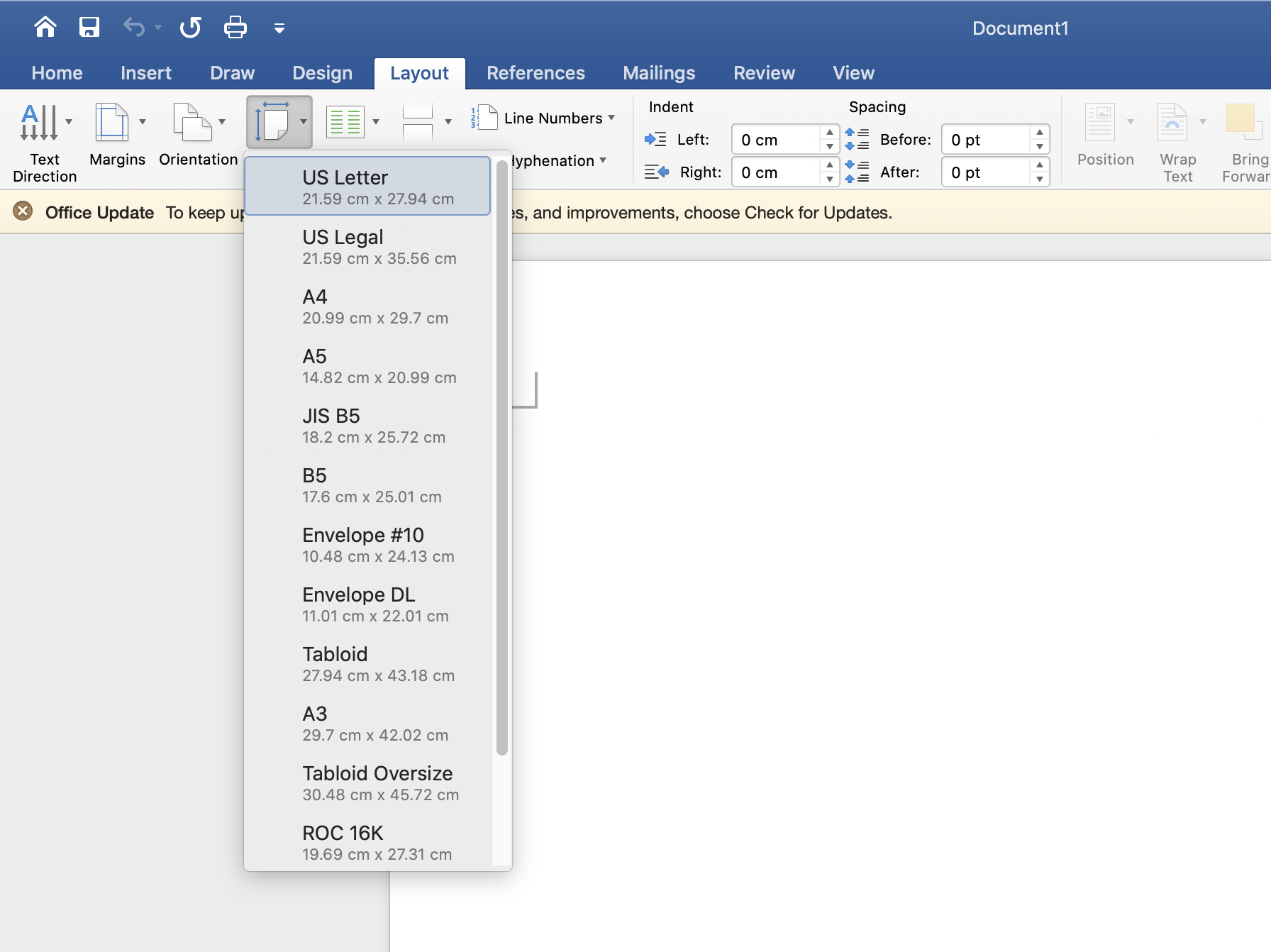
I looked into the API Docs and found that there are 3 parameters on the PageSize function : width, height, and orientation. You have to define the width and height manually according to the paper size choices available in Word.
So you can define your PageSize like this :
doc.addSection({
        margins: {
          top: 2267,//4cm
          right: 1134,//2cm
          bottom: 1984,//3.5cm
          left: 1701,//3cm
        },
        size:{
          width:12240,//21.59cm
          height:15840,//27.94cm
        },
       ...
But you can't just input the number in cm directly. In the docs, there's a reference related to Units of positioning. There's a link to a blog post explaining the concept more thoroughly. Supposedly the blog post author made a conversion tool, but it didn't work when I tried it. So I decided to come up with a formula to convert from centimeters to "20ths of a point"(dxa)
"20ths of a point" = value_in_cm / 2.54 * 72 * 20
As you can see in my example, 21.59cm is equal to 12240 "20ths of a point"
 altairravus
on 22 Sep 2020
altairravus
on 22 Sep 2020
Related issues
 zahrafali
·
3Comments
zahrafali
·
3Comments
 zeco2309
·
5Comments
zahrafali
·
5Comments
zeco2309
·
5Comments
zahrafali
·
5Comments
 madarche
·
5Comments
madarche
·
5Comments
 huynhtansi
·
6Comments
huynhtansi
·
6Comments
Most helpful comment
Margins : According to Demo 6, this is how you set margins:
Page Size : Inferring from Demo 7, there is a 'size' property:
I looked into the API Docs and found that there are 3 parameters on the PageSize function : width, height, and orientation. You have to define the width and height manually according to the paper size choices available in Word.
So you can define your PageSize like this :
But you can't just input the number in cm directly. In the docs, there's a reference related to Units of positioning. There's a link to a blog post explaining the concept more thoroughly. Supposedly the blog post author made a conversion tool, but it didn't work when I tried it. So I decided to come up with a formula to convert from centimeters to "20ths of a point"(dxa)
"20ths of a point" = value_in_cm / 2.54 * 72 * 20As you can see in my example, 21.59cm is equal to 12240 "20ths of a point"