Docx: How to maintain header distance from top
The default header distance from top is 1.25cm. My task requires it to be tinier. I couldn't find anything in manual nor in templates. Does such function exist?
 zeco2309
All 5 comments
We can change header and footer distance in addSection
doc.addSection({
margins: {
header: 400, //header distance from top
footer: 400, //footer distance
},
});
 rohit4799
on 16 Oct 2020
rohit4799
on 16 Oct 2020
The default header distance from top is 1.25cm. My task requires it to be tinier. I couldn't find anything in manual nor in templates. Does such function exist?
I found a solution. Do it like the code below. 😄
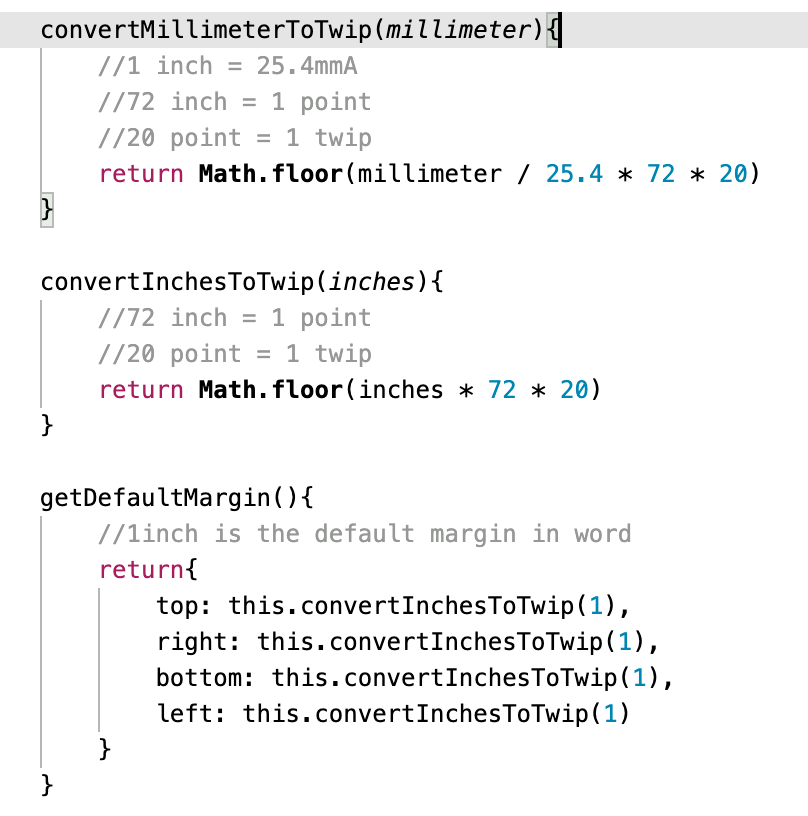
You can ignore that function calculateMargin cuz I made it for easy coding.
doc.addSection({
    margins: {
        top: this.calculateMargin(3.06),
        right: this.calculateMargin(2.2),
        bottom: this.calculateMargin(2.5),
        left: this.calculateMargin(2.2),
        header: this.calculateMargin(1.5),
    },
    ...
});
...
calculateMargin(cm) {
    return Math.floor(cm / 2.54 * 72 * 20);
}
 ehdwns980416
on 21 Nov 2020
ehdwns980416
on 21 Nov 2020
Side Remark: I think it would be cool to include these "convenience functions". Likely everyone is implementing them 😆 at some point.
 thojansen
on 23 Nov 2020
thojansen
on 23 Nov 2020
Great idea @thojansen! Created a PR to add Convenience functions into docx
 dolanmiu
on 24 Dec 2020
dolanmiu
on 24 Dec 2020
super cool !!!
thojansen
on 24 Dec 2020
Related issues
 uldcra
·
3Comments
uldcra
·
3Comments
 efx
·
5Comments
efx
·
5Comments
 iainfreestone
·
3Comments
iainfreestone
·
3Comments
 zahrafali
·
3Comments
zahrafali
·
3Comments
 sleepinzombie
·
3Comments
sleepinzombie
·
3Comments
Most helpful comment
Side Remark: I think it would be cool to include these "convenience functions". Likely everyone is implementing them 😆 at some point.