Desktop: GitHub Desktop launches with white screen and unresponsive
Description
I opened the GitHub Desktop on Windows, and it got only white screen.
Version
GitHub Desktop version: 1.0.13
OS version: 10.0.16299.248
Steps to Reproduce
- Open the program normally
- It was frozen with white screen
Expected behavior: Display the application like normal
Actual behavior: The screen turned white and there is error in console.
Reproduces how often: Right now, it happens all the time.
Logs
2018-01-22T15:26:14.827Z - info: [ui] [AppStore] loading 2 repositories from store
2018-01-22T15:26:14.829Z - info: [ui] [AppStore] found account: Be1con (Kittanan Jamnongrit)
2018-01-22T15:26:18.155Z - info: [ui] Executing getStatus: git status --untracked-files=all --branch --porcelain=2 -z (took 3.158s)
2018-01-22T15:26:18.157Z - info: [ui] Executing getRecentBranches: git log -g --no-abbrev-commit --pretty=oneline HEAD -n 2500 -- (took 3.146s)
2018-01-22T15:26:18.158Z - info: [ui] Executing getBranches: git for-each-ref --format=%(refname)%00%(refname:short)%00%(upstream:short)%00%(objectname)%00%(author)%00%(parent)%00%(symref)%00%(subject)%00%(body)%00%1F refs/heads refs/remotes (took 3.166s)
2018-01-22T15:26:19.530Z - info: [ui] Executing getCommits: git log 2f724a20accb665a2d648a04f9fbba800843b933 --date=raw --max-count=1 --pretty=%H%x1F%s%x1F%b%x1F%an <%ae> %ad%x1F%P -z --no-color -- (took 1.528s)
2018-01-22T15:26:23.528Z - info: [ui] Executing getCommits: git log origin/PrivateBranch..PrivateBranch --date=raw --max-count=100 --pretty=%H%x1F%s%x1F%b%x1F%an <%ae> %ad%x1F%P -z --no-color -- (took 3.197s)
2018-01-22T15:26:23.712Z - info: [ui] Executing getWorkingDirectoryDiff: git diff HEAD --no-ext-diff --patch-with-raw -z --no-color -- ExerciseExpress/ExerciseExpress.Android/ExerciseExpress.Android.csproj (took 3.449s)
2018-01-22T15:26:23.712Z - info: [ui] Executing getAuthorIdentity: git var GIT_AUTHOR_IDENT (took 3.299s)
2018-01-22T15:26:23.712Z - info: [ui] Executing getRemotes: git remote -v (took 3.339s)
2018-01-22T15:26:25.234Z - info: [ui] launching: 1.0.11 (Windows 10.0.16299)
2018-01-22T15:26:53.533Z - info: [ui] [AppStore] adding repository at D:\My Documents\MUICT\Senior Project\REST to store
2018-01-22T15:27:00.158Z - info: [ui] Executing fetch: git -c credential.helper= fetch --progress --prune origin (took 8.769s)
2018-01-22T15:27:01.589Z - info: [ui] Executing isUsingLFS: git lfs track (took 8.027s)
2018-01-22T15:31:37.560Z - info: [ui] Executing push: git -c credential.helper= push origin master --set-upstream --progress (took 239.392s)
2018-01-22T15:31:51.569Z - info: [ui] Executing fetch: git -c credential.helper= fetch --progress --prune origin (took 14.008s)
Additional Information
index.html:1 Uncaught (in promise) ninner: nullmessage: "Transaction committed too early. See http://bit.ly/2kdckMn"name: "PrematureCommitError"_e: Error
    at w (file:///C:/Users/Kittanan/AppData/Local/GitHubDesktop/app-1.0.13/resources/app/renderer.js:5:202692)
    at new n (file:///C:/Users/Kittanan/AppData/Local/GitHubDesktop/app-1.0.13/resources/app/renderer.js:5:250254)
    at file:///C:/Users/Kittanan/AppData/Local/GitHubDesktop/app-1.0.13/resources/app/renderer.js:5:223240
    at file:///C:/Users/Kittanan/AppData/Local/GitHubDesktop/app-1.0.13/resources/app/renderer.js:5:209329
    at j (file:///C:/Users/Kittanan/AppData/Local/GitHubDesktop/app-1.0.13/resources/app/renderer.js:5:206549)
    at $ (file:///C:/Users/Kittanan/AppData/Local/GitHubDesktop/app-1.0.13/resources/app/renderer.js:5:207207)
    at X (file:///C:/Users/Kittanan/AppData/Local/GitHubDesktop/app-1.0.13/resources/app/renderer.js:5:207061)
    at <anonymous>stack: "Error↵    at w (file:///C:/Users/Kittanan/AppData/Local/GitHubDesktop/app-1.0.13/resources/app/renderer.js:5:202692)↵    at new n (file:///C:/Users/Kittanan/AppData/Local/GitHubDesktop/app-1.0.13/resources/app/renderer.js:5:250254)↵    at file:///C:/Users/Kittanan/AppData/Local/GitHubDesktop/app-1.0.13/resources/app/renderer.js:5:223240↵    at file:///C:/Users/Kittanan/AppData/Local/GitHubDesktop/app-1.0.13/resources/app/renderer.js:5:209329↵    at j (file:///C:/Users/Kittanan/AppData/Local/GitHubDesktop/app-1.0.13/resources/app/renderer.js:5:206549)↵    at $ (file:///C:/Users/Kittanan/AppData/Local/GitHubDesktop/app-1.0.13/resources/app/renderer.js:5:207207)↵    at X (file:///C:/Users/Kittanan/AppData/Local/GitHubDesktop/app-1.0.13/resources/app/renderer.js:5:207061)↵    at <anonymous>"__proto__: Objectconstructor: function Error()prepareStackTrace: function r(e,t)stackTraceLimit: 10arguments: nullcaller: nullcaptureStackTrace: function captureStackTrace()length: 1name: "Error"prototype: Object__proto__: function ()message: ""name: "Error"toString: function toString()arguments: nullcaller: nulllength: 0name: "toString"__proto__: function ()__proto__: Objectconstructor: function Object()arguments: nullassign: function assign()caller: nullcreate: function create()defineProperties: function defineProperties()defineProperty: function defineProperty()entries: function entries()freeze: function freeze()getOwnPropertyDescriptor: function getOwnPropertyDescriptor()getOwnPropertyDescriptors: function getOwnPropertyDescriptors()getOwnPropertyNames: function getOwnPropertyNames()getOwnPropertySymbols: function getOwnPropertySymbols()getPrototypeOf: function getPrototypeOf()is: function is()isExtensible: function isExtensible()isFrozen: function isFrozen()isSealed: function isSealed()keys: function keys()length: 1name: "Object"preventExtensions: function preventExtensions()prototype: Objectseal: function seal()setPrototypeOf: function setPrototypeOf()values: function values()__proto__: function ()[[FunctionLocation]]: <unknown>hasOwnProperty: function hasOwnProperty()isPrototypeOf: function isPrototypeOf()propertyIsEnumerable: function propertyIsEnumerable()toLocaleString: function toLocaleString()toString: function toString()valueOf: function valueOf()__defineGetter__: function __defineGetter__()__defineSetter__: function __defineSetter__()__lookupGetter__: function __lookupGetter__()__lookupSetter__: function __lookupSetter__()get __proto__: function __proto__()set __proto__: function __proto__()stack: "PrematureCommitError: Transaction committed too early. See http://bit.ly/2kdckMn↵    at file:///C:/Users/Kittanan/AppData/Local/GitHubDesktop/app-1.0.13/resources/app/renderer.js:5:223240↵    at file:///C:/Users/Kittanan/AppData/Local/GitHubDesktop/app-1.0.13/resources/app/renderer.js:5:209329↵    at j (file:///C:/Users/Kittanan/AppData/Local/GitHubDesktop/app-1.0.13/resources/app/renderer.js:5:206549)↵    at $ (file:///C:/Users/Kittanan/AppData/Local/GitHubDesktop/app-1.0.13/resources/app/renderer.js:5:207207)↵    at X (file:///C:/Users/Kittanan/AppData/Local/GitHubDesktop/app-1.0.13/resources/app/renderer.js:5:207061)↵    at <anonymous>"__proto__: Tconstructor: function n(e,n)stack: (...)__proto__: Errorconstructor: function T(e,t)arguments: [Exception: TypeError: 'caller' and 'arguments' are restricted function properties and cannot be accessed in this context.
    at Function.remoteFunction (<anonymous>:2:14)]caller: [Exception: TypeError: 'caller' and 'arguments' are restricted function properties and cannot be accessed in this context.
    at Function.remoteFunction (<anonymous>:2:14)]length: 2name: "T"prototype: Errorconstructor: function T(e,t)arguments: [Exception: TypeError: 'caller' and 'arguments' are restricted function properties and cannot be accessed in this context.
    at Function.remoteFunction (<anonymous>:2:14)]caller: [Exception: TypeError: 'caller' and 'arguments' are restricted function properties and cannot be accessed in this context.
    at Function.remoteFunction (<anonymous>:2:14)]length: 2name: "T"prototype: Errorconstructor: function T(e,t)stack: [Exception: TypeError: Cannot read property 'stack' of undefined
    at E (file:///C:/Users/Kittanan/AppData/Local/GitHubDesktop/app-1.0.13/resources/app/renderer.js:5:202725)
    at Error.get (file:///C:/Users/Kittanan/AppData/Local/GitHubDesktop/app-1.0.13/resources/app/renderer.js:5:250038)
    at Error.remoteFunction (<anonymous>:2:14)]toString: function ()arguments: [Exception: TypeError: 'caller' and 'arguments' are restricted function properties and cannot be accessed in this context.
    at Function.remoteFunction (<anonymous>:2:14)]caller: [Exception: TypeError: 'caller' and 'arguments' are restricted function properties and cannot be accessed in this context.
    at Function.remoteFunction (<anonymous>:2:14)]length: 0name: "toString"prototype: Objectconstructor: function ()arguments: (...)caller: (...)length: 0name: "toString"prototype: Object__proto__: function ()[[FunctionLocation]]: dexie.es.js:399__proto__: Object__proto__: function ()[[FunctionLocation]]: dexie.es.js:399get stack: function ()__proto__: Object__proto__: function ()[[FunctionLocation]]: dexie.es.js:382stack: (...)toString: function ()get stack: function ()__proto__: Object__proto__: function ()[[FunctionLocation]]: dexie.es.js:382stack: (...)toString: function ()get stack: function ()__proto__: Object
 Be1con
All 74 comments
@Be1con my psychic debugger thinks this is related to our IndexedDB usage:
index.html:1 Uncaught (in promise) ninner: nullmessage: "Transaction committed too early. See http://bit.ly/2kdckMn"name: "PrematureCommitError"e: Error
at w (file:///C:/Users/Kittanan/AppData/Local/GitHubDesktop/app-1.0.13/resources/app/renderer.js:5:202692)
It's not clear whether this is a recoverable error, but as a workaround you can try this:
- close Desktop (or whatever's left of it)
- remove all the files in
%APPDATA%\GitHub Desktop\ - launch Desktop again
This should put you into a clean slate again. Let me know if that addresses the issue.
 shiftkey
on 22 Feb 2018
shiftkey
on 22 Feb 2018
@iAmWillShepherd have you encountered this error at all recently? I'm curious if we can mitigate this at all so that it doesn't crash the app...
shiftkey
on 22 Feb 2018
Is there any way to get the (unminified) stack trace for this issue @shiftkey?
 j-f1
on 22 Feb 2018
j-f1
on 22 Feb 2018
@j-f1 not while running the production build. Also I think it's occurring before our source map support is kicking in, somehow...
shiftkey
on 22 Feb 2018
@shiftkey It's works. Thank you. I hope this bug will be fixed soon.
Be1con
on 23 Feb 2018
@iAmWillShepherd have you encountered this error at all recently? I'm curious if we can mitigate this at all so that it doesn't crash the app...
@shiftkey sort of? But only ever when I'm running the app in debug mode. Each time I get the white screen, it's always to do with the JS not being compiled yet.
 iAmWillShepherd
on 23 Feb 2018
iAmWillShepherd
on 23 Feb 2018
@shiftkey
- close Desktop (or whatever's left of it)
- remove all the files in %APPDATA%\GitHub Desktop\
- launch Desktop again
This should put you into a clean slate again
Thank you. It worked for me 👍
 GarciaGArturo
on 23 Feb 2018
GarciaGArturo
on 23 Feb 2018
Moving this back to need-reproduction because it seems to be related to our Dexie usage (these are the docs for the error) but it's not clear how to trigger this.
shiftkey
on 28 Feb 2018
@shiftkey I totally agree, I'm not sure how this situation happen with me. So, yes, it might happened to Dexie, not from GitHub Desktop itself.
Be1con
on 28 Feb 2018
I am just now having the same issue.
If I start the client once, nothing happens.
If I start it twice I get the white screen. This screen is reacting to F11 -> full screen
and Alt+F4
Downloading and executing GitHubDesktopSetup.exe did not help.

deleting the folder file__0.indexeddb.leveldb recovered the client for me:

And I had a new folder then.
deleting this new folder and replacing it with the previous file__0.indexeddb.leveldb put me back to the white screen.

So i tempered with deleting single files within the folder.
deleting 000007.log is the jackpot.
It was 1928 kb.

When I had back my Github Desktop Client my changes did not show up. I first had to switch my repository to something other and back to my project. Then my changes have been acknowledged.

The new 000011.log is now 25kb.
Can anyone confirm this?
Otherwise I hope this information might help you guys.
Greetings
PS: I still have the faulty log file. But I dont know what credentials I could post here, so I dont do that.
 Nibbels
on 11 Mar 2018
Nibbels
on 11 Mar 2018
I had the white screen again.
The size of 000011.log was 1051kb again. Deleting only this file resolved the problem again.

Is there some 1 MB limit on the logfile?
I suppose this bug might be the cause of some other bug which is driving the log to 1MB size? And log rotation/etc. is not working properly?
Nibbels
on 25 Mar 2018
@Nibbels that log file is not the application log that Desktop generates, but a source related to the IndexedDB usage in the Electron runtime.
Is there anything interesting in that log file that might help explain how it's related to the application not working?
shiftkey
on 25 Mar 2018
The log seems to be some binary format.
And words in plaintext are mixed up.
Example:
- _ocmmnuti_yedevolmpne"ts_ should be community_development
- _eRepitreF-riwmra_ -> Repetier-Firmware
So it is obfuscated somehow and for some reason I dont know.
But I see lines that are repeating all the time.
It looks like:
Todays failing log:
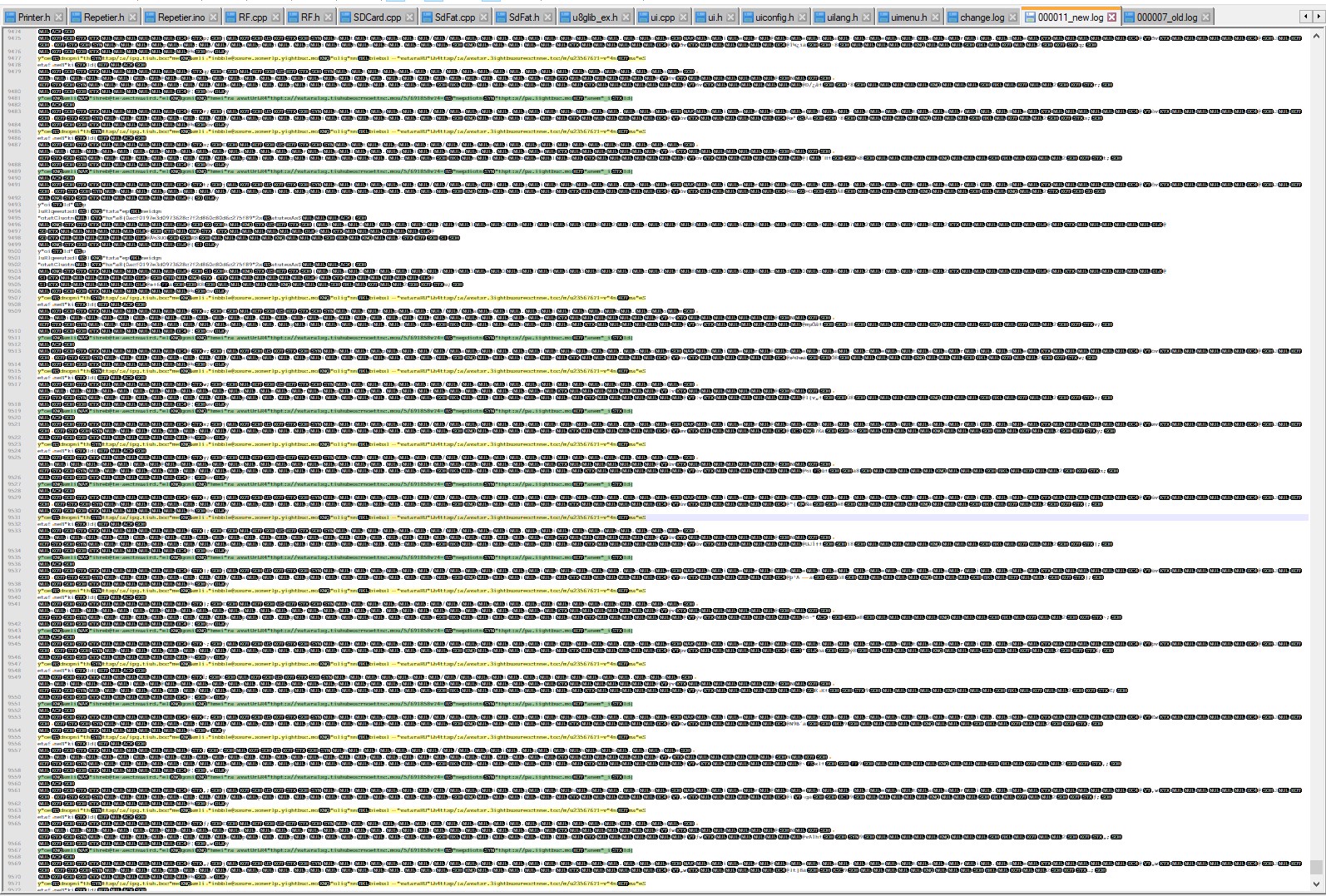
First failing log:

Those Images are bad quality because I zoomed. But I think this might show some of you what it looks like. If you need the files tell me!
But I wont give those files away to everyone until I know what I am giving away. I guess my Github account and its credentials are not worth much but I very much like to keep my account to myself ^^.
Greetings
Nibbels
on 25 Mar 2018
But I wont give those files away to everyone until I know what I am giving away. I guess my Github account and its credentials are not worth much but I very much like to keep my account to myself ^^.
Our IndexedDB usage is for tracking your repositories as well as the related GitHub issues/PRs/mentions - account details are stored in the Windows Credential Store, and I don't expect them to be there at all.
I think this is something Electron-related - the next steps are to confirm this log file is related to IndexedDB usage and understand why it might be related to the application being unresponsive.
shiftkey
on 26 Mar 2018
Tell me if you need more info/tests/.. from me.
I still have the rar containing a complete set of the non functional "IndexedDB" folder.

and both of the logfiles.
Nibbels
on 26 Mar 2018
I am encountering this issue (PrematureCommitError) on macOS High Sierra (10.13.4) running what I assume to be the most recent release build. I am aware of the workaround (on macOS, deleting ~/Library/Application Support/Github Desktop/IndexedDB), however, I thought I would make aware that the issue does not appear to be isolated to the Windows platform.
The behavior on macOS is slightly different. Instead of presenting a white window, nothing is presented. In order to open a white window and get into the developer's console, I typically click "About Github Desktop".
 FrederickGeek8
on 12 May 2018
FrederickGeek8
on 12 May 2018
@FrederickGeek8, was going crazy trying to resolve this, this fix helped on the same version, macOS High Sierra (10.13.4) , thank you very much!
 riomyers
on 12 May 2018
riomyers
on 12 May 2018
@FrederickGeek8 never mind... after adding a new local repository the desktop app has stopped working again, what a frustrating issue
riomyers
on 12 May 2018
@riomyers I just noticed that it appears to break shortly after. Perhaps clearing out the entire ~/Library/Application Support/Github Desktop/ will workaround it to a more permanent extent (though you will have to setup your account again)
FrederickGeek8
on 12 May 2018
Yesterday I had the bug again. Just deleting the .log seems to be enough. It was around 580kb size.
Nibbels
on 12 May 2018
@FrederickGeek8 thanks! I ended up doing the same last night after a bit of tinkering and finally got it working normally again, After I just had to drag in any local repositories and it's been working nicely since, thank you for the follow up!
riomyers
on 12 May 2018
@Nibbels this worked for me the first time temporarily as well but as you mentioned you "had the bug again" as did I, however after doing what @FrederickGeek8 recommended that seemed to do the trick and it's been working normally since, I also tested/repeated the same steps I took prior to the DB getting corrupted the first 2 times to make sure it wouldn't occur again, seems to be okay now :smile:
riomyers
on 12 May 2018
@FrederickGeek8 and @Nibbels sadly the issue has returned again, I even reinstalled the app, making sure to delete every single file related to it first and the problem is still occurring. Completely useless for now, I'll just use the command line.
riomyers
on 14 May 2018
@riomyers sorry to hear you're having ongoing issues with it.
We've been looking at migrating away from IndexedDB down the track (proof of concept with more details here https://github.com/desktop/desktop/pull/4630), which will make our usage of Dexie here redundant - stay tuned!
shiftkey
on 15 May 2018
@shiftkey thank you! I'm glad to hear there's a solution in the works and no worries at all! I've spent the weekend using command line git and I must admit I actually prefer the command line over the GUI, especially to avoid "1 commit ahead" issues that occur from Github Desktop when pulling from the origin's master and pushing to a remote fork of master, the GUI however does help a lot to keep track of changes more descriptively. Looking forward to future updates and improvements, thank you for the follow up!
riomyers
on 15 May 2018
The issue has been reported on macOS too over in #4833, and the equivalent workaround for getting back to clean slate on macOS is:
- close GitHub Desktop
- remove all files under
~/Library/Application Support/GitHub Desktop/ - restart GitHub Desktop
shiftkey
on 31 May 2018
Thank you @shiftkey! That worked perfectly
 lachie-92
on 31 May 2018
lachie-92
on 31 May 2018
That workaround did not work for me
 jpike88
on 29 Jun 2018
jpike88
on 29 Jun 2018
lmfaooo this is still an issue? just use the fucking terminal
riomyers
on 6 Jul 2018
Moving this to bug because we know enough about the root cause (despite not being able to trigger it ourselves) and we've talked about moving away from Dexie and using localStorage APIs - so we can control how we manage application data better.
shiftkey
on 23 Jul 2018
Any solution for Windows? I've uninstalled and reinstalled and it is still broken. At the moment completely bricked.
 viion
on 24 Jul 2018
viion
on 24 Jul 2018
I also had this.
GitHub Desktop Version: 1.2.6
OS: Windows 10
The first time I had this, I did nothing special. Just open it as usually.
I deleted ...\AppData\Roaming\GitHub Desktop\IndexedDB folder.
It worked.
To get my repositories back to GitHub Desktop, I drag-droped several folders to GitHub Desktop window. Some of the repositories were imported wrongly. It is a GitHub.com repository but it was shown as a other repository. I closed GitHub Desktop and opened again. It showed a white screen like the first time.
So drag-dropping several folders might be breaking the IndexedDB?
 S--Minecraft
on 27 Jul 2018
S--Minecraft
on 27 Jul 2018
I'm running MacOS Sierra 10.12.6 and am having the problem. The workaround described by @shiftkey does not work for me:
- close GitHub Desktop
- remove all files under ~/Library/Application Support/GitHub Desktop/
- restart GitHub Desktop
The screen is still white after restarting. Additionally, most of the menus are disabled.
I'm running the latest build of GitHub Desktop (downloaded yesterday - can't get version number because the about menu is disabled).
Working with command line for now. Look forward to this bug being fixed.
 lsh246
on 29 Aug 2018
lsh246
on 29 Aug 2018
@lsh246 are you possibly running external displays using a DisplayLink adapter?. There was a report of this causing similar behavior.
 steveward
on 29 Aug 2018
steveward
on 29 Aug 2018
Well well..
I had those drivers installed, but no device connected.
Nibbels
on 31 Aug 2018
I'm getting a white screen on my Mac mIni server (running MacOS High Sierra), which I'm accessing through VNC. I tried the workaround (deleting everything in Application Support/Github Desktop).
Could remote desktop (VNC) be the issue? Works fine on my Macbook Pro running High Sierra.
 atlistefan
on 3 Sep 2018
atlistefan
on 3 Sep 2018
I'm accessing my Mac Mini over Chrome Remote Desktop.
lsh246
on 3 Sep 2018
Same issue here, also with a Mac Mini running High Sierra (10.13.6) accessed via Screen Sharing. Deleting ~/Library/Application Support/Github Desktop doesn't resolve it, nor does trashing the Application, rebooting and reinstalling.
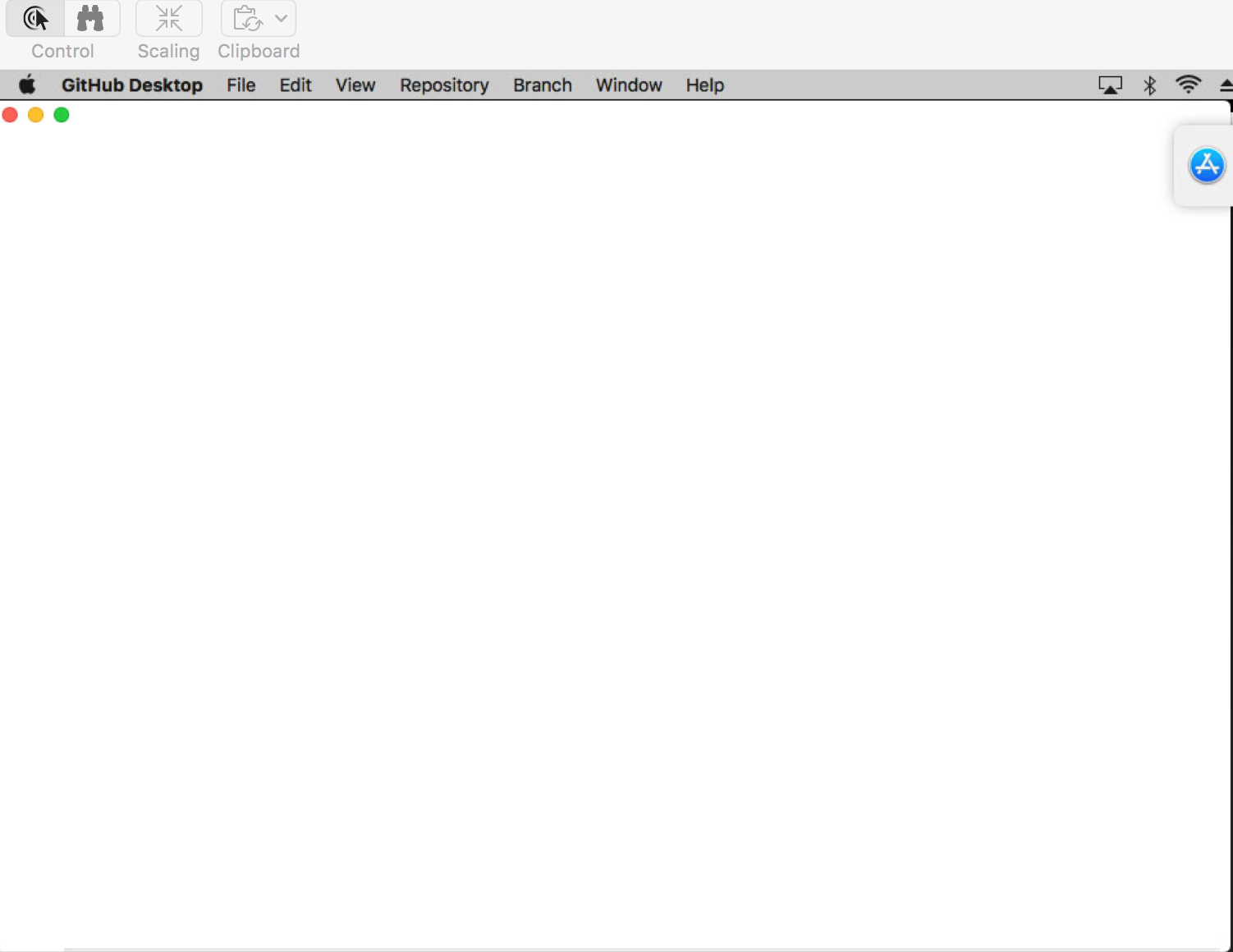
 evanmtp
on 4 Sep 2018
evanmtp
on 4 Sep 2018
Greetings! For what it's worth, I'm having the same issue when connecting to a Mac Mini on Sierra (10.12) via Apple Remote Desktop. The app window is empty. Clearing caches doesn't resolve the issue, nor does emptying the Application Support folders mentioned above. However, when I ARD from a Macbook to an iMac running High Sierra and the same version of GitHub Desktop installed, GitHub desktop displays as expected. Maybe it's specifically an issue with connecting to a headless Mac Mini?
 smashism
on 5 Sep 2018
smashism
on 5 Sep 2018
I'm facing same issue and only happening on Mac Mini and Sierra. I have Github Desktop running fine on Macbook running High Sierra.
 GeeSlimmy
on 26 Sep 2018
GeeSlimmy
on 26 Sep 2018
This issue occurred for me last night. Thanks for this post - I'll try the work around tonight.
 enswitzer
on 30 Oct 2018
enswitzer
on 30 Oct 2018
Had this issue on a Mac Mini at work since 1.2.3 and recently launched 1.5.0 on a Mac Mini at home and had the same white screen issue. Currently on an iMac that has run previous versions as well as the current version just fine.
Fully removed app, cleared Caches and Application Support folders, reinstalled 1.5.0 app fresh, but issue persists.
 apizz
on 26 Nov 2018
apizz
on 26 Nov 2018
I got the same white screen problem on my macbook pro with macOS Mojave, it shows "message:"Transaction committed too early. See http://bit.ly/2kdckMn"
name:"PrematureCommitError"" in the console,I found some solution said "Deleting ~/Library/Application Support/Github Desktop directory did fix the white window.", but I couldn't even find the github desktop folder in the application support, I tried to delete the application and reinstall it, which didn't work. Anybody has any thought about my case?
 jerviscz
on 27 Nov 2018
jerviscz
on 27 Nov 2018
@apizz are you possibly running external displays using a DisplayLink adapter? There was a report of this causing similar behavior.
@jerviscz you can run the command rm -r ~/Library/Application Support/GitHub Desktop/ from the Terminal to delete the directory. Let us know if that helps.
steveward
on 28 Nov 2018
@steveward i used AppCleaner to delete the github desktop folder in the application support and it works, thanks for your help
jerviscz
on 28 Nov 2018
@steveward For the mini at work I'm using Apple's Remote Desktop to connect to it, as it's headless. Home mini is headless as well, although I instead use the Mac's native Screen Sharing (VNC) to connect since I don't personally own ARD.
apizz
on 28 Nov 2018
@steveward I was able to grab an older release of Github Desktop - 1.2.6 - and this does _not_ create this problem when viewing my work Mac mini via ARD.
apizz
on 6 Dec 2018
Had this problem ATM, running Win7, GitHub 1.5.1, no remote. @Nibbels workaround with renaming the log worked for me! The log-file have 2,9MB!
 Tobias-B-Besemer
on 20 Dec 2018
Tobias-B-Besemer
on 20 Dec 2018
Recognized at the moment, that 2 repos I cloned today, are now missing in GitHub Desktop. Files are still on HDD, but Desktop "forgot" them...
Tobias-B-Besemer
on 20 Dec 2018
Hello. I'm on MacOS Mojave (10.14) and am having this problem. My Mac Mini is headless and I'm airplaying to my Apple TV. This problem also happens when using VNC or TeamViewer. I just downloaded the current version of GitHub Desktop today (Jan 19) and this computer hasn't had a previous version installed.
Closing the app, deleting the files in Application Support > GitHub Desktop, rebooting, and re-opening the app did not work.
 toddwchapin
on 19 Jan 2019
toddwchapin
on 19 Jan 2019
Same problem, accessing headless Mac mini through remote screen sharing.
 n8vision
on 29 Jan 2019
n8vision
on 29 Jan 2019
- close Desktop (or whatever's left of it)
- remove all the files in
%APPDATA%\GitHub Desktop\- launch Desktop again
it's working:👍
 komalsiddhapura
on 30 Jan 2019
komalsiddhapura
on 30 Jan 2019
whatever the cause i've had this happen today. did a reinstall with no improvement.
Found this issue
I deleted ...\AppData\Roaming\GitHub Desktop\IndexedDB folder.
It worked.
 Bornholio
on 10 Feb 2019
Bornholio
on 10 Feb 2019
Unfortunately, deleting the files in the GitHub Desktop folder or just the IndexedDC folder does not resolve the issue for me.
toddwchapin
on 11 Feb 2019
I'm seeing this issue on MacOS Mojave 10.14.3 too and don't see a folder at /Library/Application Support/Github Desktop. What's the up to date recommended fix?
Edit. I had seen a post above claiming the folder was at /Library/Application Support/Github Desktop but it should be ~/Library/Application Support/GitHub Desktop/
I deleted ~/Library/Application Support/GitHub Desktop/IndexedDB and I'm back in, but all repositories have to be re-added
 ianshmean
on 12 Mar 2019
ianshmean
on 12 Mar 2019
After recently updating to 1.6.5, I'm no longer experiencing the white screen when connecting to our headless Mac mini running macOS 10.13.6. Woo hoo!
apizz
on 3 Apr 2019
When I open Github Desktop session for the second time it opens up a blank white screen and I have to cleanup %appdata% and sign in to get started..
I am using the latest version - 2.1.0
 BoopalanARS
on 6 Aug 2019
BoopalanARS
on 6 Aug 2019
Wow, I didn't expect that is such a widespread problem. Anyway, I just finished reinstalled GitHub on my laptop (since I reinstalled Windows 10). So, I don't have this kind of problem, sort of.
I know it is not a good situation but I appreciate GitHub staffs for trying to solve the problem.
I hope that this bug will be solved soon.
Much love.
P.S. Typo in the title, sorry!
Be1con
on 27 Aug 2019
When I open Github Desktop session for the second time it opens up a blank white screen and I have to cleanup %appdata% and sign in to get started..
I am using the latest version - 2.1.0
Do we have any permanent solutions for this issue - Every time I Login have to clear the files and do fresh clone repo - this time consuming process - until we have some permanent fix for this problem.
BoopalanARS
on 22 May 2020
Just delete ...\AppData\Roaming\GitHub Desktop\IndexedDB folder.
 Kenan-Hussein
on 13 Jun 2020
Kenan-Hussein
on 13 Jun 2020
@Kenan-Hussein I did that. also deleted everything in ...\AppData\Roaming\GitHub Desktop\ and same issue. Some of it rebuilds, then it stops with a white screen. system reboots etc. no effect. My instinct is telling me that this time, its slightly different.
 umognog
on 26 Jun 2020
umognog
on 26 Jun 2020
This is happening again on most recent version (installed today from desktop.github.com)
 markgoho
on 4 Dec 2020
markgoho
on 4 Dec 2020
This is happening again on most recent version (installed today from desktop.github.com)
@markgoho I can confirm this as well, I am seeing the same behaviour but I have never experienced it before.
 tomasko126
on 4 Dec 2020
tomasko126
on 4 Dec 2020
@markgoho, @tomasko126 Are you seeing the "Transaction committed too early" error message when the application fails to load? We're tracking an issue like this in #11192 but I believed it was related to the latest beta version only. Could either (or both) of you drop a recent log file from a day when this issue occurs over in #11192? Thanks!
 niik
on 7 Dec 2020
niik
on 7 Dec 2020
Here's what happens when I open the application:
markgoho
on 7 Dec 2020
@markgoho Could you upload a log file from GitHub Desktop so that I could get some more information about this issue? To access the log files go to the file menu in GitHub Desktop and select Help > Show Logs in Finder (macOS) or Explorer (Windows).
The log files are created daily -- please upload a log file as an attachment from a day where you experienced the issue. Thanks!
niik
on 7 Dec 2020
@niik I would love to help! How would you suggest clicking on Help when the entire screen is white and doesn't change?
markgoho
on 7 Dec 2020
@niik I have been using the latest beta version as well. I see the same error message with the same stack trace as here.
Here is the .log file (I can't seem to find anything interesting in it tho):
2020-12-04.desktop.beta.log
tomasko126
on 8 Dec 2020
@niik I would love to help! How would you suggest clicking on Help when the entire screen is white and doesn't change?
My apologies, I didn't think through that canned response before replying. On Windows you can find the logs at %AppData%\GitHub Desktop\logs. What I'm mostly interested in is whether you were actually running our beta channel prior to installing from desktop.github.com. If not it's a very weird coincidence since we shipped an update last Friday to the beta channel which introduced a problem like this.
@niik I have been using the latest beta version as well. I see the same error message with the same stack trace as here.
Thank you! I have a fix ready to go in #11198 and I'll hopefully have a beta release out in a few hours to fix that. Please subscribe to or keep an eye on #11192. You'll likely have install the new beta version manually once we ship it.
niik
on 8 Dec 2020
@niik It seems that your patch in 2.6.1 Beta 3 has helped to fix this issue 🎉
tomasko126
on 8 Dec 2020
@niik Yes, I _was_ using the beta channel, then tried to go back to the regular version.
I can't seem to find any logs at the path you've provided.
I see AppData/Local/GitHubDesktop then three folders app-2.6.0, bin, packages but no logs
markgoho
on 8 Dec 2020
@markgoho the logs should be in AppData/Roaming/GitHub Desktop/logs.
steveward
on 9 Dec 2020
Thanks so much @steveward
Included the three most recent logs.
2020-12-04.desktop.beta.log
2020-12-04.desktop.production.log
2020-12-07.desktop.production.log
markgoho
on 9 Dec 2020
With the release of 2.6.1-beta3 (#11195) I'm going to close this issue! We're hoping to ship a production release next week.
niik
on 9 Dec 2020
Related issues
 SilverFoxA
·
66Comments
SilverFoxA
·
66Comments
 cheshire137
·
52Comments
cheshire137
·
52Comments
 NickCraver
·
76Comments
NickCraver
·
76Comments
 kiuru
·
58Comments
kiuru
·
58Comments
 justinjdickow
·
56Comments
justinjdickow
·
56Comments
Most helpful comment
@Be1con my psychic debugger thinks this is related to our IndexedDB usage:
It's not clear whether this is a recoverable error, but as a workaround you can try this:
%APPDATA%\GitHub Desktop\This should put you into a clean slate again. Let me know if that addresses the issue.