Deeplabcut: Error no file created after analyze_videos
Your Operating system and DeepLabCut version
Windows 10 OS build 17763.379, Anaconda Env & DeepLabCut version 2.0.5
Describe the problem
When running deeplabcut.analyze_videos no file is created in the directory where the video resides. Further, when run with save_as_csv set to True, again no file is created. My understanding is that this function should create a file in the same directory as the video?
Screenshots
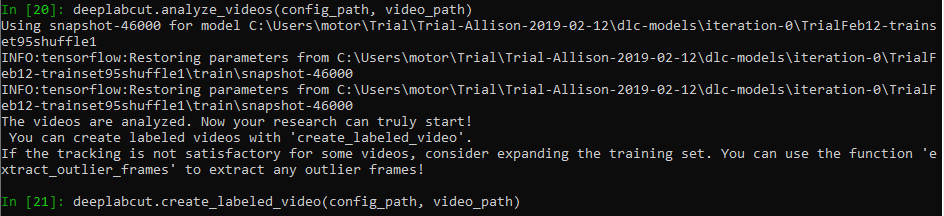
Additional context
Network training was completed on Google Colab, snapshots were created in increments of roughly 40,000 until a total of 200,000 had been completed. Network evaluation completed with a train pixel error of 1.24 and test error of 5.89. The snapshot being called is not the 'latest' snapshot as the cumulative training on Google Colab finished at a snapshot number (which reset each time) that was smaller than the 'latest'.
 AllisonWinter-Reed
All 12 comments
You might consider running it on Colab, as anaylze_videos is slow otherwise (on a cpu). You likely have an error in your video path input or config file, I cannot see what your inputs are in the screenshot. Also I don’t know your video type, but you also don’t specify it. If the function doesn’t find any new videos to analyze, then that would be the expected output. Please see the already executed demo notebooks in the repo for the examples of what the outputs should look like, and you can run “deeplabcut.analyze_videos?” To see the required inputs and formatting requirements.
 MMathisLab
on 27 Mar 2019
MMathisLab
on 27 Mar 2019
So I went back to Colab to run analyze_videos but ran into a file not found error.
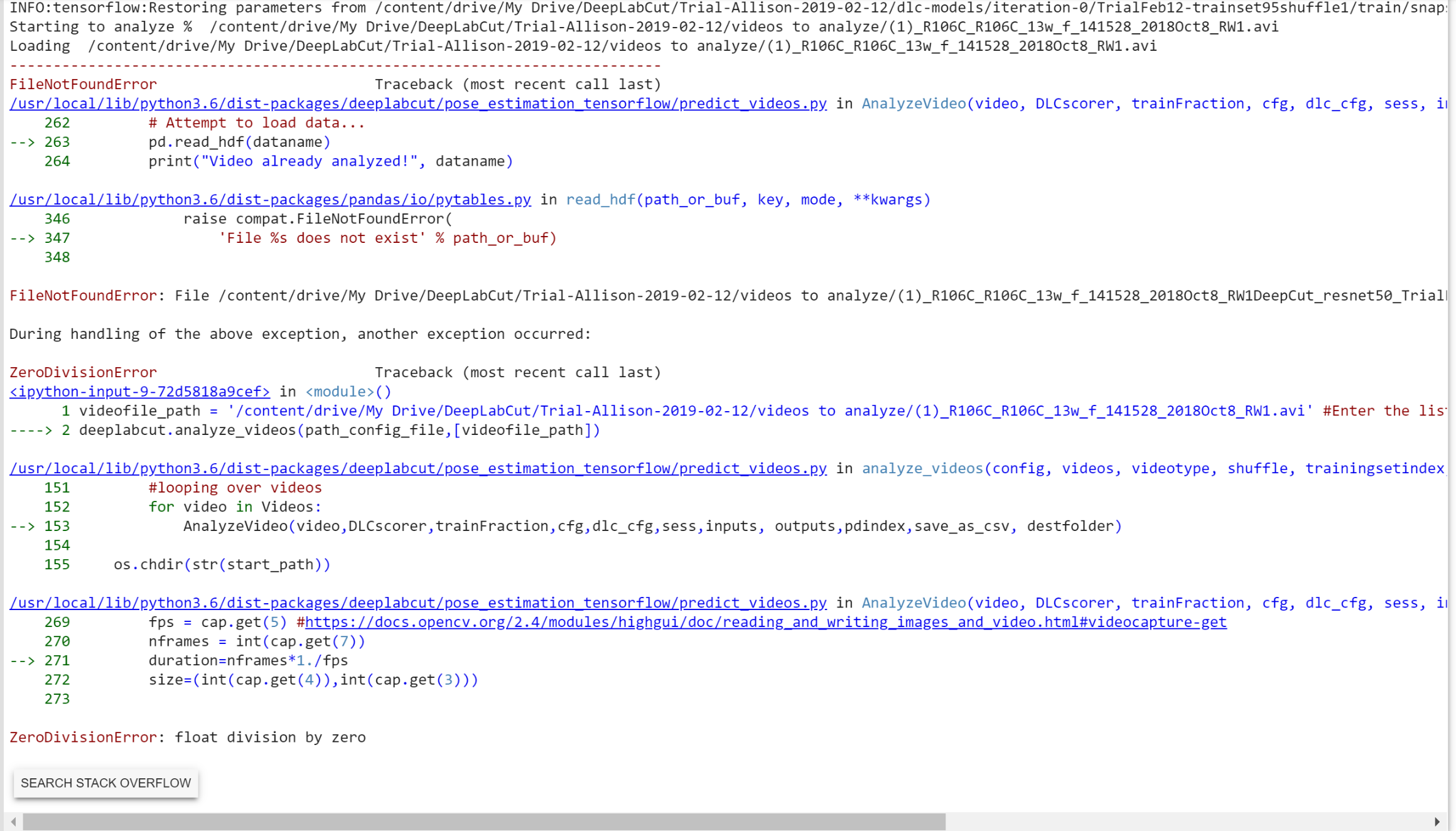
The specific error was: FileNotFoundError: File /content/drive/My Drive/DeepLabCut/Trial-Allison-2019-02-12/videos to analyze/(1)_R106C_R106C_13w_f_141528_2018Oct8_RW1DeepCut_resnet50_TrialFeb12shuffle1_46000.h5 does not exist
The file is of type .avi uncompressed. There is one video in the videos to analyze folder, and it looks like the video path input is correct. Specifically this is what I initialized my variables to:
videofile_path = '/content/drive/My Drive/DeepLabCut/Trial-Allison-2019-02-12/videos to analyze/(1)_R106C_R106C_13w_f_141528_2018Oct8_RW1.avi' #Enter the list of videos to analyze.
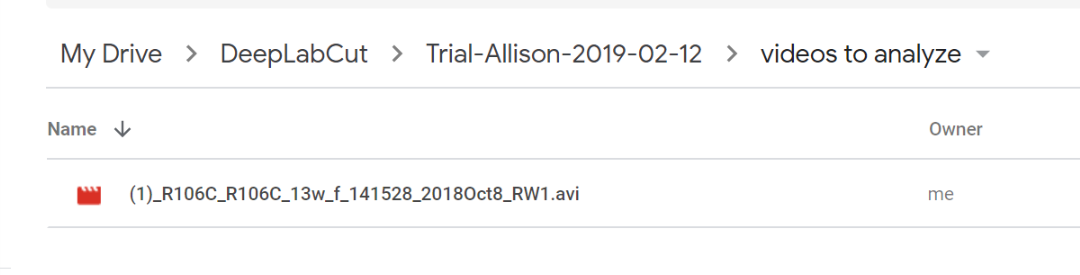
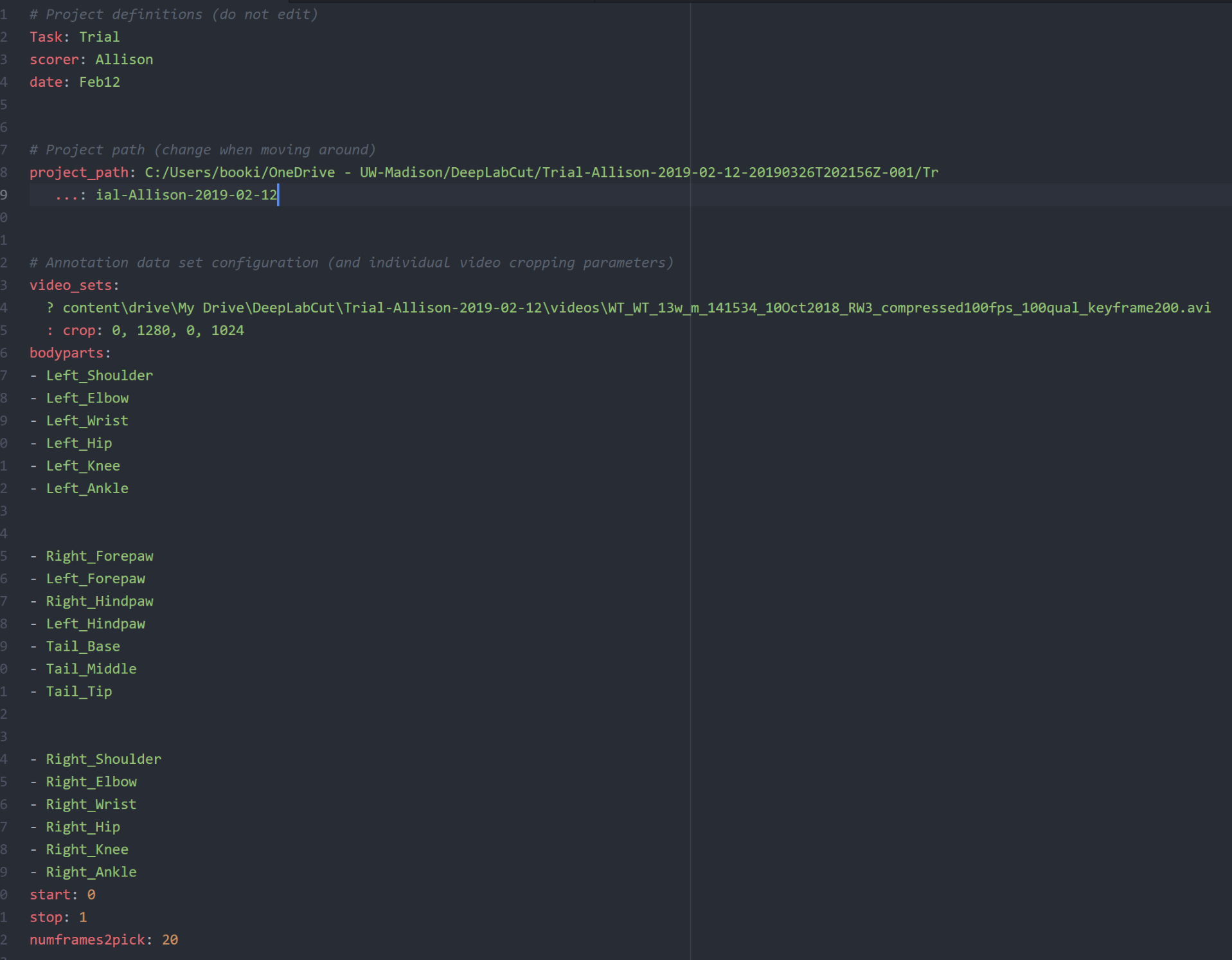
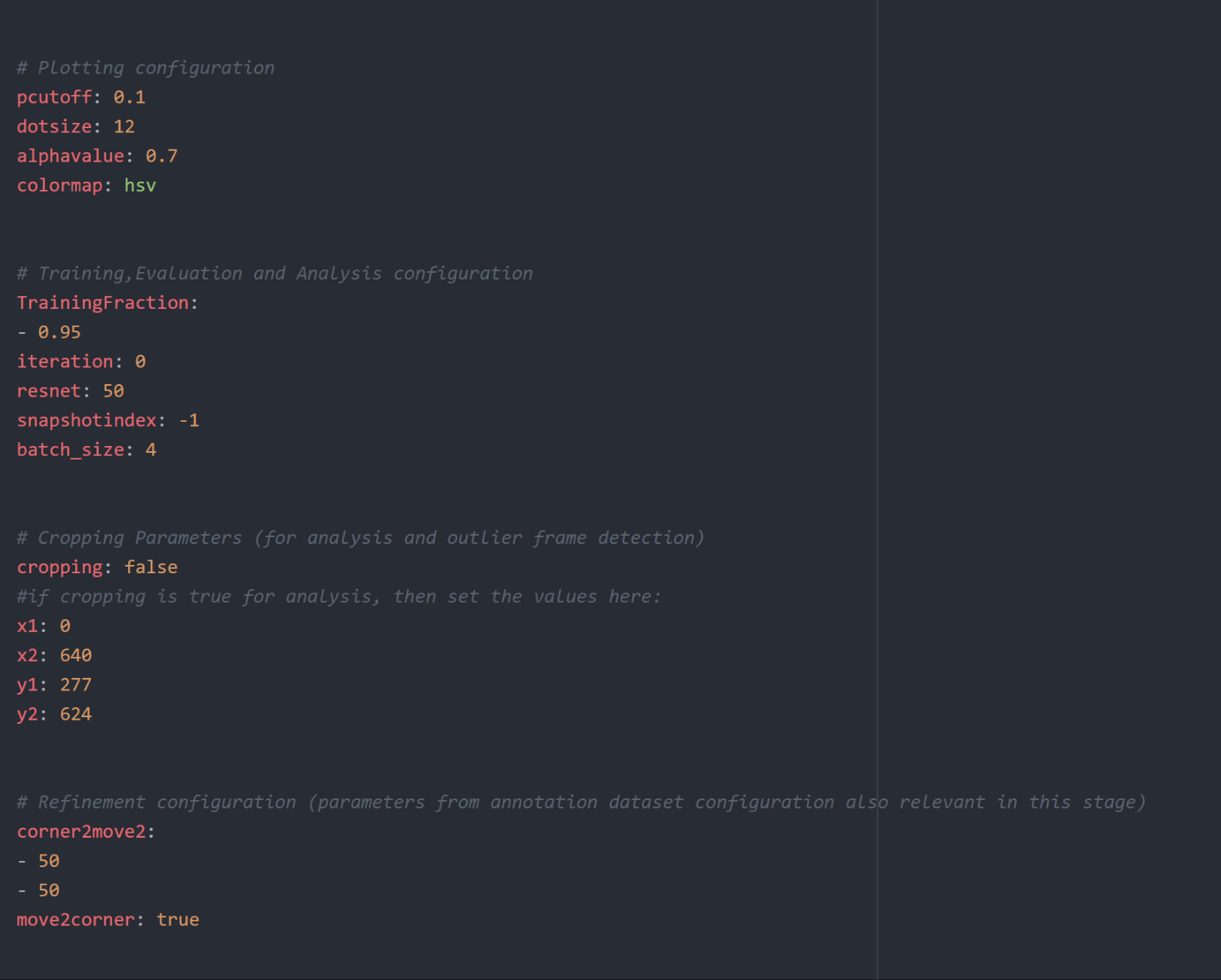
I'm not entirely sure what to look for when examining the config file for errors, the project path points to my drive and the video sets to the video used to train the network. I included screenshots of the file I am using, I'm grateful for any help you can give, thank you!
AllisonWinter-Reed
on 29 Mar 2019
The project path should all be on one line, so delete the ... that is from copy/paste. Also, in general it's better to not have spaces between the list items (i.e. bodyparts) in the config file :).
You might check the file is not corrupted too, as the error says float division by zero, where it finds a "0" FPS ...
Lastly, I'm actually not sure characters like ( can be used .. in general it's best to not have spaces and other characters besides alphanumerics.
MMathisLab
on 29 Mar 2019
The zero division error indicates that the was not loaded correctly, because openCV got fps=0. I would check the paths again or make sure that the video is not corrupt. Sorry for this!
 AlexEMG
on 31 Mar 2019
AlexEMG
on 31 Mar 2019
The path was definitely correct and the video played well before I uploaded it into my drive to be run on Colab. So I went back, updated the config file, and checked if a separate video would play before uploading it into Colab. I then ran analyze_videos and again no file was created where the video resides.
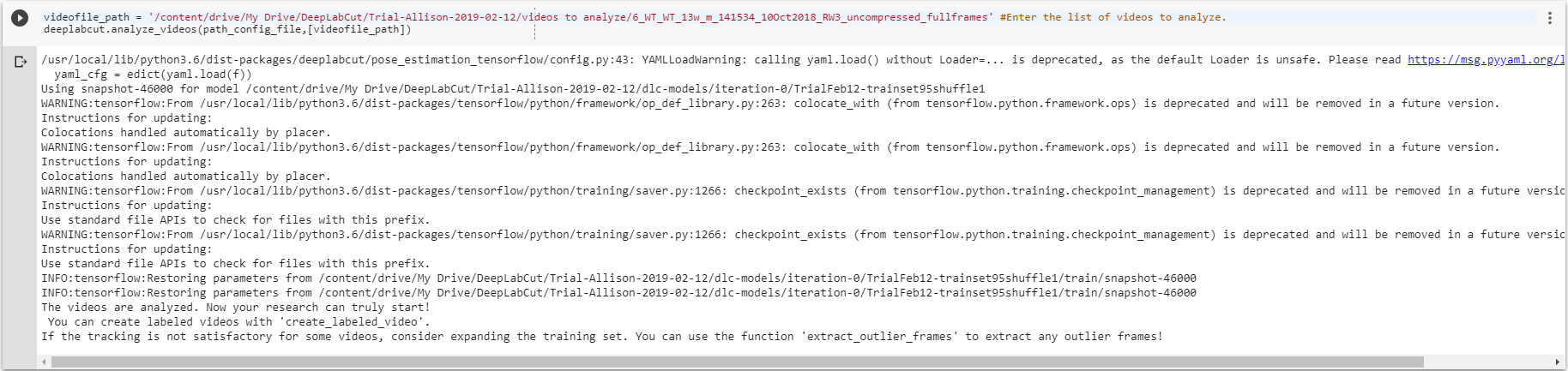
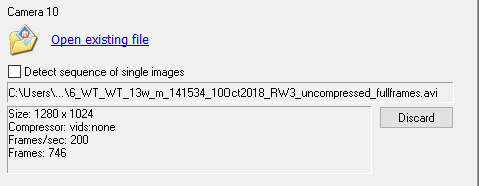
Could there be a problem with how deeplabcut processes .avi files with different compression types? I'm not sure if when I upload the video into my drive if Google compresses it down. Why I ask is because I had run into an earlier problem with video compression at the extract_frames stage. The video I was trying to load had a compression format of SMB8 and kept returning an error. I used a separate software to uncompress the videos and then was able to extract the frames, when I was doing this I found that .avi files with compression type CRAM and MJPG also worked.
I recreated an example of the error below:
uncompressed file (type used in current run that will not create a file during analyze videos):
SMB8 file (original):
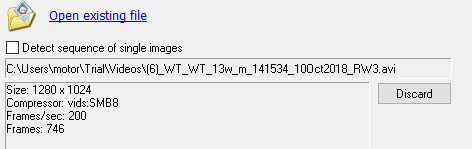
SMB8 test project was created using the uncompressed video.
SMB8 test2 project was created using the SMB8 compressed video.
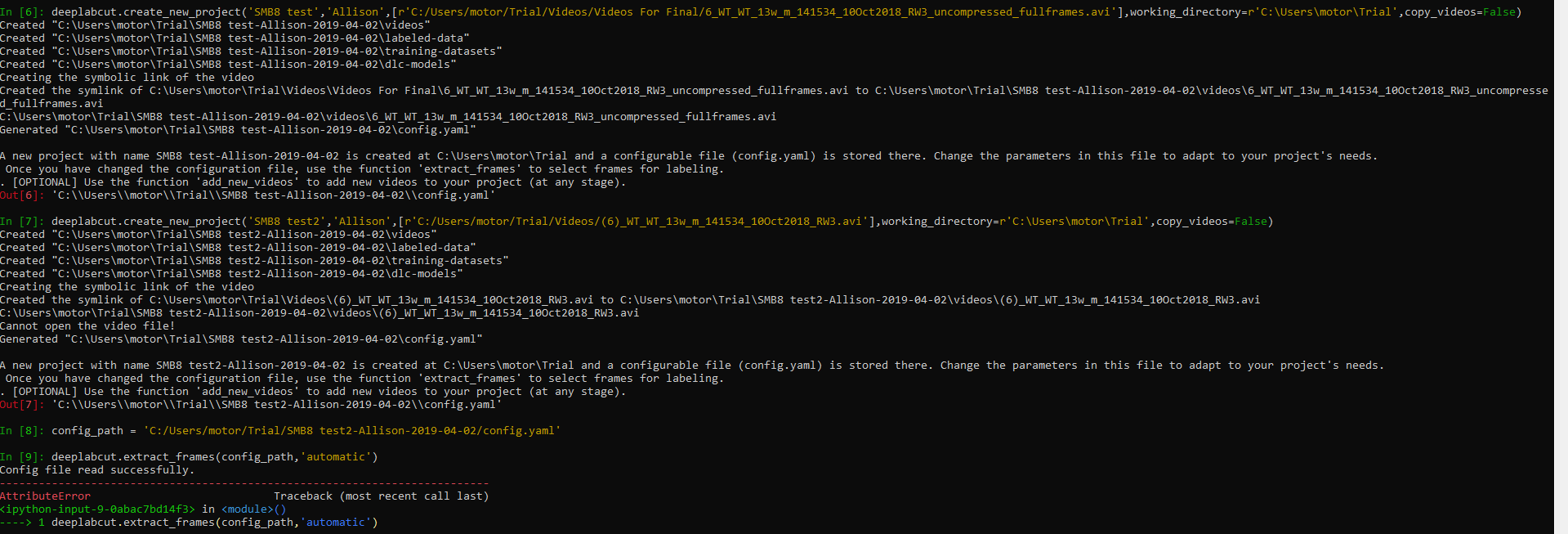
When I made a call to extract_frames using the project with the SMB8 compressed video it appears as though no video is there with the error "AttributeError: 'NoneType' object has no attribute 'keys'" being thrown and no frames being extracted. However, when I made the same call to extract_frames using the project with the uncompressed .avi file the frames are extracted and can be found in the project's labeled-data folder.
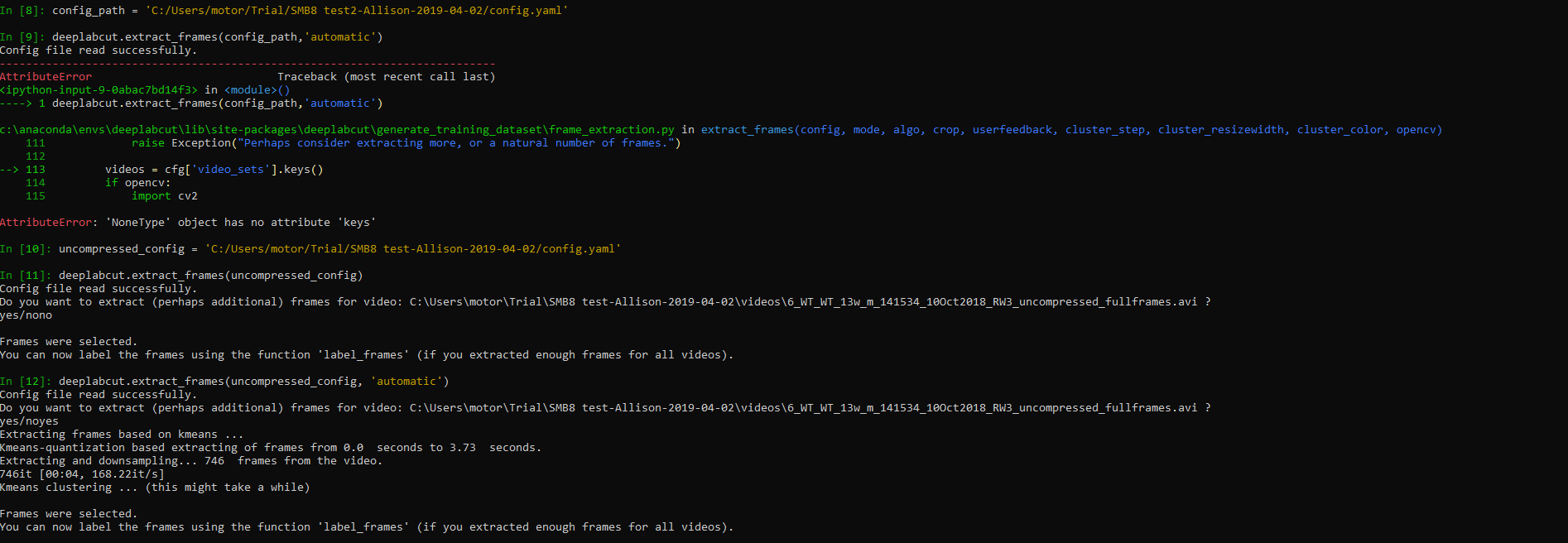
I'm not sure if this might be contributing to the current problem I am running into, but I would appreciate any of your insight.
AllisonWinter-Reed
on 2 Apr 2019
Seems there is a stray “?” In front of the video file name in your config file actually... also you didn’t post what you used to run analyze videos, but be sure the video is in [ ] and you specify what video type it is. The backend uses opencv so also check if your compression type is loadable, and you are videotype=‘.avi’ if it indeed an avi, etc
MMathisLab
on 3 Apr 2019
Hey @AllisonWinter-Reed did you get it working?
MMathisLab
on 6 Apr 2019
I will close due to inactivity, but please post here if you have more questions.
MMathisLab
on 9 Apr 2019
My apologies, I haven't been working on this issue for a few days.
I removed the stray ? as you mentioned. I also noticed the stray : in front of crop that should have been on the same line as the video file name and corrected that. After fixing those two things I was able to start Analyzing the videos in Colab.
Is there a sample config.yaml file that has formatting specifications that I can double check in case I run into any future problems?
AllisonWinter-Reed
on 9 Apr 2019
This one: https://github.com/AlexEMG/DeepLabCut/blob/master/examples/openfield-Pranav-2018-10-30/config.yaml
(You could also always re-create the/another project to get a config file)
AlexEMG
on 9 Apr 2019
Perfect, thanks for all your help!
AllisonWinter-Reed
on 9 Apr 2019
be sure the video is in [ ]
^ This.
Legend, thank you.
 Clyde92
on 20 May 2019
Clyde92
on 20 May 2019
Related issues
 jennymsmith94
·
3Comments
jennymsmith94
·
3Comments
 N-Sensho
·
3Comments
N-Sensho
·
3Comments
 phcao101
·
4Comments
phcao101
·
4Comments
 mschart
·
4Comments
mschart
·
4Comments
 Charly77220
·
3Comments
Charly77220
·
3Comments