Deeplabcut: Error when importing DeepLabCut on AWS
Hi,
I'm trying to use DLC on AWS, but having this error:
ImportError: Cannot load backend 'TkAgg' which requires the 'tk' interactive framework, as 'headless' is currently running
I'm using Deep Learning AMI (Ubuntu) Version 24.0, and GPU instance type p2.xlarge. Ubuntu version is 16.04.6 LTS.
What I did after connecting to the instance is:
conda create -n behavior python=3.6
source activate behavior
pip install deeplabcut
pip install https://extras.wxpython.org/wxPython4/extras/linux/gtk3/ubuntu-16.04/wxPython-4.0.3-cp36-cp36m-linux_x86_64.whl
pip install tensorflow==1.10
This is the screenshot.
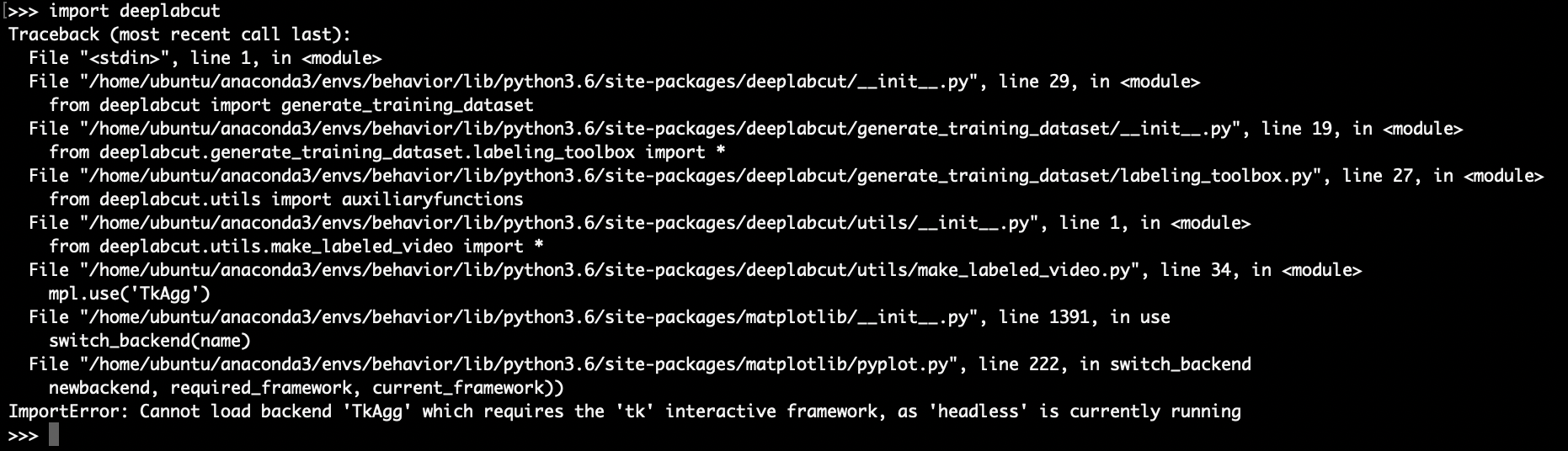
I checked that the version of matplotlib was 3.0.3.
Also, in a new environment, I installed tensorflow-gpu instead of tensorflow1.10 and then followed the instruction of this URL( https://www.tensorflow.org/install/gpu ) for Ubuntu 16.04 (CUDA9.0), but got the same error.
I did the same thing in Deep Learning AMI (Ubuntu) Versions (if I remember correctly) 8.0, 12.0, 16.0, 21.0, but got the same error every time.
Does anybody have a solution?
Thank you.
 N-Sensho
All 3 comments
On AWS you will need to run DLC in "light" mode, i.e. without GUIs. Here is how to set that before you import:
https://github.com/AlexEMG/DeepLabCut/blob/master/docs/UseOverviewGuide.md#option-2-using-the-program-terminal-start-ipython
in short, check the the Docker documentation, but export DLClight=True
 MMathisLab
on 26 Aug 2019
MMathisLab
on 26 Aug 2019
@N-Sensho does that fix the issue on AWS? Otherwise check out variants for changing the backend, e.g. https://www.google.com/search?q=cannot+load+backend+%27tkagg%27+which+requires+the+%27tk%27+interactive+framework
 AlexEMG
on 27 Aug 2019
AlexEMG
on 27 Aug 2019
I'm sorry for the late reply.
It worked! Thank you!
N-Sensho
on 29 Aug 2019
Related issues
 guyts
·
3Comments
guyts
·
3Comments
 Charly77220
·
3Comments
Charly77220
·
3Comments
 Shachafbe
·
4Comments
Shachafbe
·
4Comments
 phcao101
·
4Comments
phcao101
·
4Comments
 WernTanj
·
3Comments
WernTanj
·
3Comments
Most helpful comment
On AWS you will need to run DLC in "light" mode, i.e. without GUIs. Here is how to set that before you import:
https://github.com/AlexEMG/DeepLabCut/blob/master/docs/UseOverviewGuide.md#option-2-using-the-program-terminal-start-ipython
in short, check the the Docker documentation, but
export DLClight=True