Deconz-rest-plugin: Cannot login to Phoscon anymore
hello
I'm running a RPI 3 b+ with Home Assistant and the deCONZ addon. Since today I wasn't able to login to the phoscon web front. It just says login failed. Resetting the password doesn't work. Once I hit reset, a green button comes up to change the password, but pressing the button doesn't do a anything. Already removed the addon, rebooted the RPI and re-installed the addon, but Phoscon isn't reset; it just pretends as nothing happened. VNCing into the machine also shows all previous connections. Seems all the stuff is stored somewhere else and is not removed when removing. What can I do?
 FlyingPersian
All 11 comments
I have the same issue!
 ncandido
on 5 Feb 2020
ncandido
on 5 Feb 2020
Same
 Sim7b
on 6 Feb 2020
Sim7b
on 6 Feb 2020
@FlyingPersian I have the same issue. I spent all my evening thinking I did something wrong but apparently there is something wrong and bigger that just me...
 cobch
on 6 Feb 2020
cobch
on 6 Feb 2020
Second that. See #2430
 wucherpfennig
on 6 Feb 2020
wucherpfennig
on 6 Feb 2020
I have the same issue! Anyone found an workaround?
 WladyX
on 6 Feb 2020
WladyX
on 6 Feb 2020
Same issue here. Can't get "password reset" to work either.
 michaelrosenberg300
on 6 Feb 2020
michaelrosenberg300
on 6 Feb 2020
Same problem here https://github.com/dresden-elektronik/deconz-rest-plugin/issues/2430
I tried to uninstall and install the addon again and now a new "problem" comes out :( as you can see from the screen, hassio says it was impossible to install deconZ, but if I refresh the page I find deconZ installed
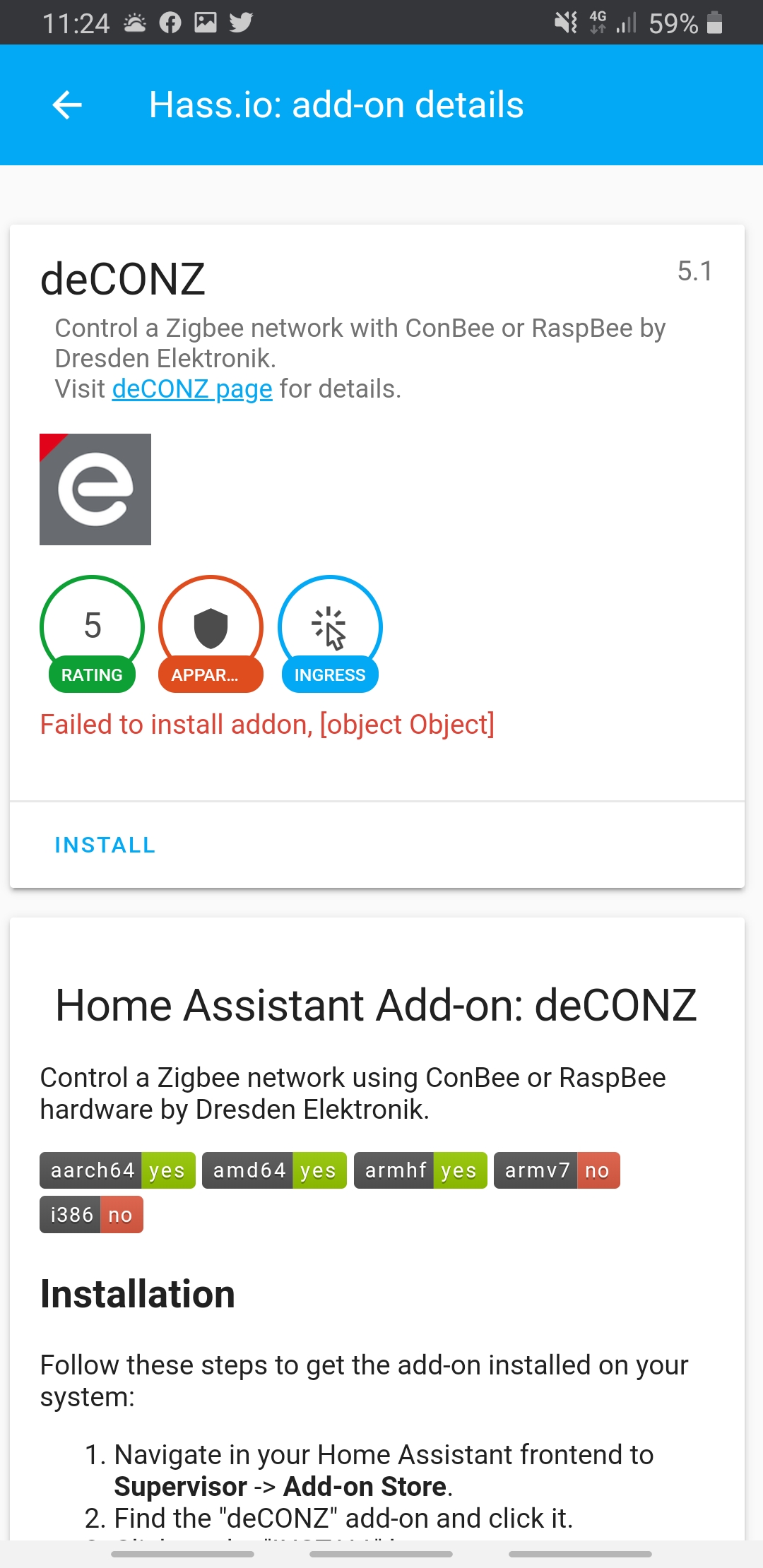
 stewie777
on 6 Feb 2020
stewie777
on 6 Feb 2020
I'm afraid that the only solution to solve the problem is a clean hassio installation
stewie777
on 6 Feb 2020
Or a clean install of deconz outside of Hassio.
Sim7b
on 6 Feb 2020
I didn't solve it yet, but for me it seems to be related to the ingress feature of hassio which uses tokens. For Deconz I'm getting a Invalid token access in the hassio_supervisor container whenever I try to login to the gateway, even though the token matches the one in addons.json.
As a workaround, you can expose the Deconz API backend directly on the host. You can enable it by going to the Deconz add-on configuration, scroll down to Network and enter 40850 in the Host column for the API backend. Restart the Deconz add-on and you should be able to reach the gateway on your hostname/ip and port 40850.
In the end, this indeed looks like a hassio issue.
 alexdepalex
on 6 Feb 2020
alexdepalex
on 6 Feb 2020
Seems to be fixed already. You just need to wait for the new supervisor release.
alexdepalex
on 6 Feb 2020
Related issues
 ReeChip
·
5Comments
ReeChip
·
5Comments
 1onar
·
5Comments
1onar
·
5Comments
 marthoc
·
6Comments
marthoc
·
6Comments
 g0dsCookie
·
3Comments
g0dsCookie
·
3Comments
 salopette
·
4Comments
salopette
·
4Comments
Most helpful comment
Seems to be fixed already. You just need to wait for the new supervisor release.
https://github.com/home-assistant/hassio-addons/issues/1049