Deck.gl: Adding multiple MapboxLayers at different heights
Hi there,
I'm trying to use the Mapbox/DeckGL interleaving feature to add multiple layers (at the moment two) in a Mapbox Map.
I have a DeckGL GeoJSON layer and a Scatterplot layer and I'm trying to insert them at different points in the Mapbox map. Specifically, I'd like for the GeoJSON layer to be rendered under the labels and the Scatterplot layer on top of everything.
This is what I return in my render function:
  return (
      <DeckGL
        debug={false}
        ref={(ref: any) => {
          this.deck = ref && ref.deck;
        }}
        layers={layers}
        initialViewState={viewport}
        controller={true}
        onWebGLInitialized={this.onWebGLInitialized}>
        {gl && (
          <MapGL
            ref={ref => {
              this.map = ref && ref.getMap();
            }}
            gl={gl}
            mapStyle={
              ui.isDarkTheme
                ? 'mapbox://styles/mapbox/dark-v9'
                : 'mapbox://styles/mapbox/light-v9'
            }
            mapboxApiAccessToken={MAPBOX_ACCESS_TOKEN}
            onLoad={this.onMapLoad}
            width="100%"
            height="100%"
          />
        )}
      </DeckGL>
    );
onMapLoad()
  onMapLoad = () => {
    // Finding the symbolLayerID is on-par with the examples provided
    map.addLayer(new MapboxLayer({ id: 'polygon-layer', deck }), symbolLayerID);
    map.addLayer(new MapboxLayer({ id: 'schools-layer', deck }));
}
With onMapLoad() just like above, both DeckGL layers just render on top of everything.
If I pass the before parameter to both addLayer calls, then they both render as expected, before the symbolLayerID layer.
However, I want the Scatterplot layer (schools-layer) to render on top of the labels.
I'm pretty sure I can just render a second DeckGL component just for the schools layer and sync the view between them so they pan together and everything, but it seems to me like I should be able to avoid doing that.
What am I doing wrong?
 ClaudiuCeia
All 8 comments
What deck.gl and react-map-gl versions are you using?
 Pessimistress
on 30 Apr 2019
Pessimistress
on 30 Apr 2019
"deck.gl": "^6.3.2",
"react-map-gl": "^4.0.5",
Hey @Pessimistress,
I upgraded deck.gl and react-map-gl to their latest versions and this works. Awesome!
Thank you! I'll just go ahead and close this for now, there don't seem to be any issues.
ClaudiuCeia
on 30 Apr 2019
Hey @Pessimistress ,
Sorry, I have to reopen this since I'm struggling with some issues and I'm not sure why.
With the code just like above, and with updated versions of deck.gl and react-map-gl:
- The map is not interactive (I cannot pan/zoom, etc)
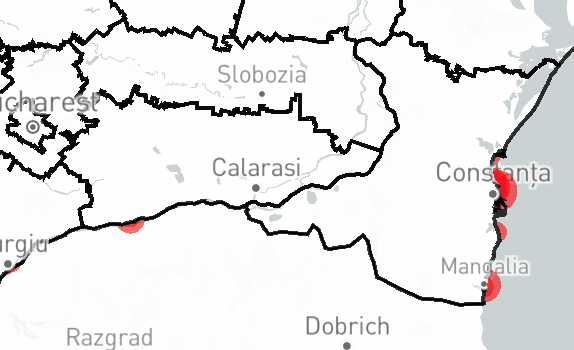
- The GeoJSON layer renders on top of the Scatterplot, and although it's not filled, it covers it (see image below)
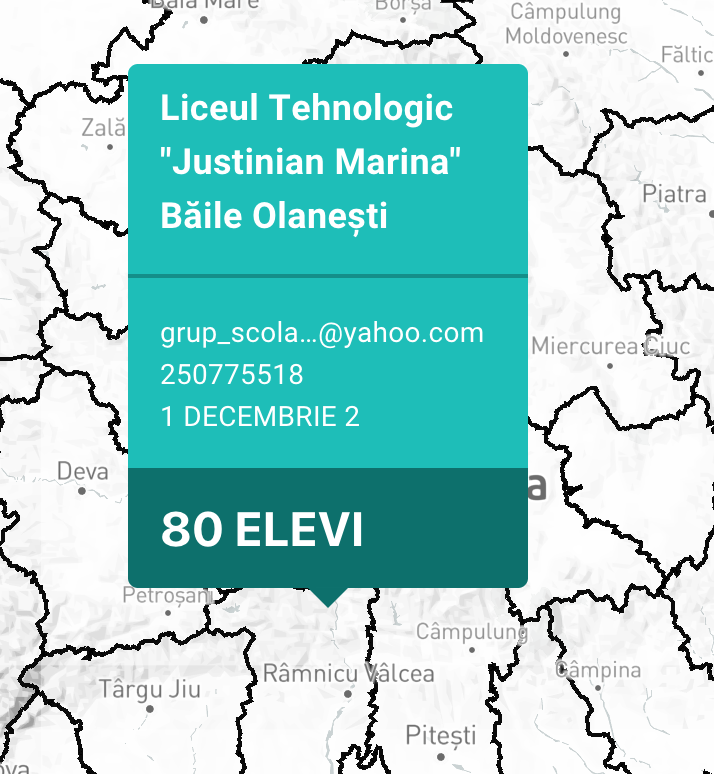
- Although the Scatterplot is being masked by the GeoJSON layer, picking still works (there should be a red dot below the hovercard chevron in the second image below)
If I don't pass the map as a child of DeckGL, then I get the interactivity back (I can move the map, zoom in, and so on). Here's the updated code snippet.
    return (
      <>
        <DeckGL
          debug={false}
          ref={(ref: any) => {
            this.deck = ref && ref.deck;
          }}
          layers={layers}
          initialViewState={viewport}
          controller={true}
          onWebGLInitialized={this.onWebGLInitialized}>
        </DeckGL>
        {gl && (
          <MapGL
            {...viewport}
            onViewportChange={this.props.updateViewportFromView}
            ref={ref => {
              this.map = ref && ref.getMap();
            }}
            gl={gl}
            mapStyle={
              ui.isDarkTheme
                ? 'mapbox://styles/mapbox/dark-v9'
                : 'mapbox://styles/claudiuc/cjv3yyroa1pgh1fof28ri62ut'
            }
            mapboxApiAccessToken={MAPBOX_ACCESS_TOKEN}
            onLoad={this.onMapLoad}
            width="100%"
            height="100%"
          />
        )}
      </>
    );
However, the issues with the scatterplot layer rendering remain.
The only way to make the scatterplot layer as a mapbox layer render correctly is by removing map.addLayer(new MapboxLayer({ id: 'schools-layer', deck }));.
Then the map renders correctly and I can also interact with it, but picking doesn't work. If I make the map a child of DeckGL, then picking works as expected, but I cannot interact with the map.
I'm fairly certain this is a problem on my side, but I can't pinpoint where the problem is.
I would like to render two interleaved deck.gl layers, and have them both by pickable, as well as have an interactive map. Is there an example I can follow, or maybe you have some guidance for me?
ClaudiuCeia
on 30 Apr 2019
Since you are using react map as a child of DeckGL, you want to import StaticMap instead of the default export, and just drop the onViewportChange prop. The interaction needs to be handled by the DeckGL component.
Pessimistress
on 30 Apr 2019
Thank you!
Any suggestions on debugging interaction here? I did as you suggested but I cannot pan/zoom the map at all now:
    <DeckGL
          debug={false}
          ref={(ref: any) => {
            this.deck = ref && ref.deck;
          }}
          layers={layers}
          initialViewState={viewport}
          controller={true}
          onWebGLInitialized={this.onWebGLInitialized}>
          {gl && (
            <StaticMap
              ref={ref => {
                this.map = ref && ref.getMap();
              }}
              gl={gl}
              mapStyle={
                ui.isDarkTheme
                  ? 'mapbox://styles/mapbox/dark-v9'
                  : 'mapbox://styles/claudiuc/cjv3yyroa1pgh1fof28ri62ut'
              }
              mapboxApiAccessToken={MAPBOX_ACCESS_TOKEN}
              onLoad={this.onMapLoad}
              width="100%"
              height="100%"
            />
          )}
      </DeckGL>
Hard to say without seeing the rest of your set up. You can try compare your app with the basic example: https://github.com/uber/deck.gl/blob/master/examples/get-started/react/mapbox/app.js
Pessimistress
on 1 May 2019
Hey,
I figured it out. The basic example is fine, I've used deck.gl like that before, with no issues at all.
The problem was with interleaving deck.gl layers with the base map.
 map.addLayer(new MapboxLayer({ id: 'polygon-layer', deck }), 'building');
 // map.addLayer(new MapboxLayer({ id: 'schools-layer', deck }));
I was only adding the first layer, and not the second, to the base map, which was causing problems.
I think that StaticMap could detect if all of the layers from the deck have been added to the base map or not and maybe issue an warning in that case?
Please let me know if you need more details - it works for me now and I get why it didn't before, but I think this error can be detected by StaticMap at runtime.
Edit: Unfortunately, this still doesn't work as expected. I'll try to create a minimal repro case to show you.
I'm trying to get:
  - Base map layer
  - Base map layer
  - Base map layer
 - GeoJSON deck.gl layer
 - Base map layer
 - Scatterplot deck.gl layer
But no matter what the before parameter to mapboxgl.addLayer is, they seem to not work as expected:
 map.addLayer(new MapboxLayer({ id: 'polygon-layer', deck }), 'building'); // This renders on top of everything
 map.addLayer(new MapboxLayer({ id: 'schools-layer', deck })); // This renders on top of the previous deck.gl layer
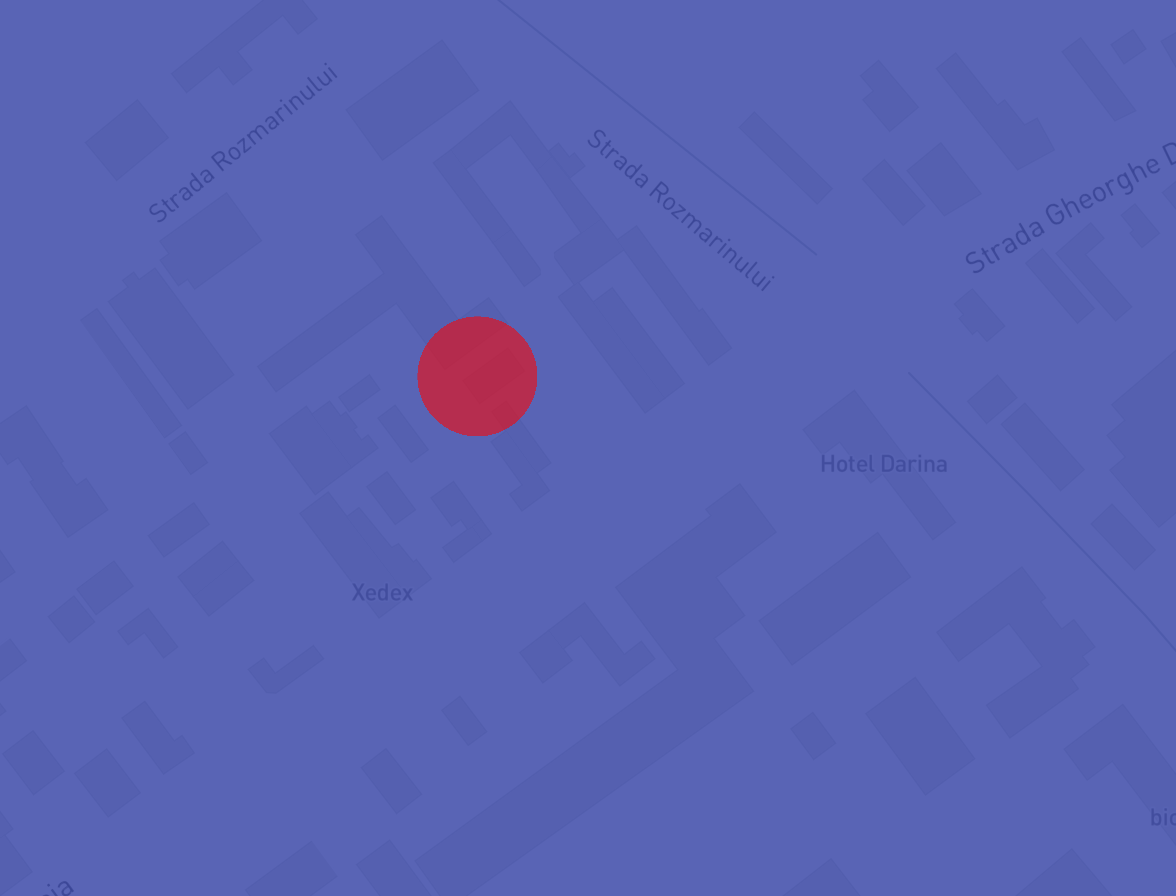
_The GeoJSON layer is blue, the scatterplot is red._
If I omit map.addLayer(new MapboxLayer({ id: 'schools-layer', deck }));, then everything renders correctly, but no map interactivity. Note that the before param for adding the scatterplot layer makes no diffference.
I'll try to get a minimal example going to show you.
ClaudiuCeia
on 1 May 2019
Related issues
 mayteio
·
3Comments
mayteio
·
3Comments
 TareqAlqutami
·
3Comments
TareqAlqutami
·
3Comments
 mathieudelvaux
·
4Comments
mathieudelvaux
·
4Comments
 FilipHusnjak
·
3Comments
FilipHusnjak
·
3Comments
 euzu
·
3Comments
euzu
·
3Comments