Dbeaver: Column Rows do not show up, until select all
System information:
- MacOS Big Sur 11.0 Beta
- DBeaver: Version 7.2.3.202010191702
Connection specification:
- MySQL database
Describe the problem you're observing:
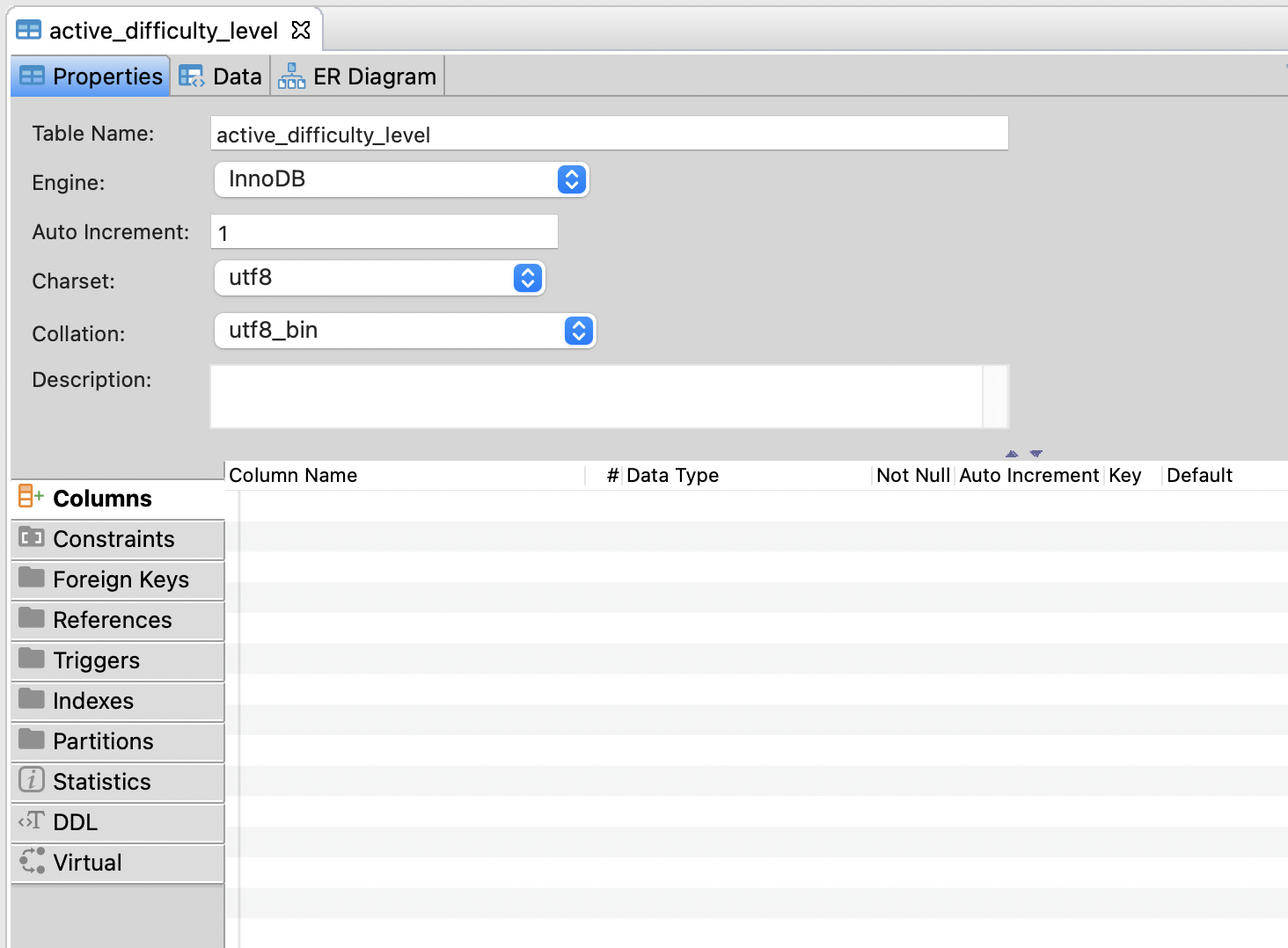
The first time I open a table, the Columns text do not show up. Then, select all Column rows, all the rows will stay.

 Chrisfufu
All 28 comments
Could you please send log files?
 kseniiaguzeeva
on 26 Oct 2020
kseniiaguzeeva
on 26 Oct 2020
Could you please send log files?
Where is the log file? There is no error, it's just the rows are not showing up until I hit "command + A" or use the mouse to select them all.
Chrisfufu
on 26 Oct 2020
Maybe we manage to find something usefull here. Please see where logs are: https://github.com/dbeaver/dbeaver/wiki/Log-files
kseniiaguzeeva
on 27 Oct 2020
Maybe we manage to find something usefull here. Please see where logs are: https://github.com/dbeaver/dbeaver/wiki/Log-files
ok. I will take a look later today. and give you a screenshot.
Chrisfufu
on 27 Oct 2020
Thank you! You can send files here or [email protected]
kseniiaguzeeva
on 27 Oct 2020
Thank you! You can send files here or [email protected]
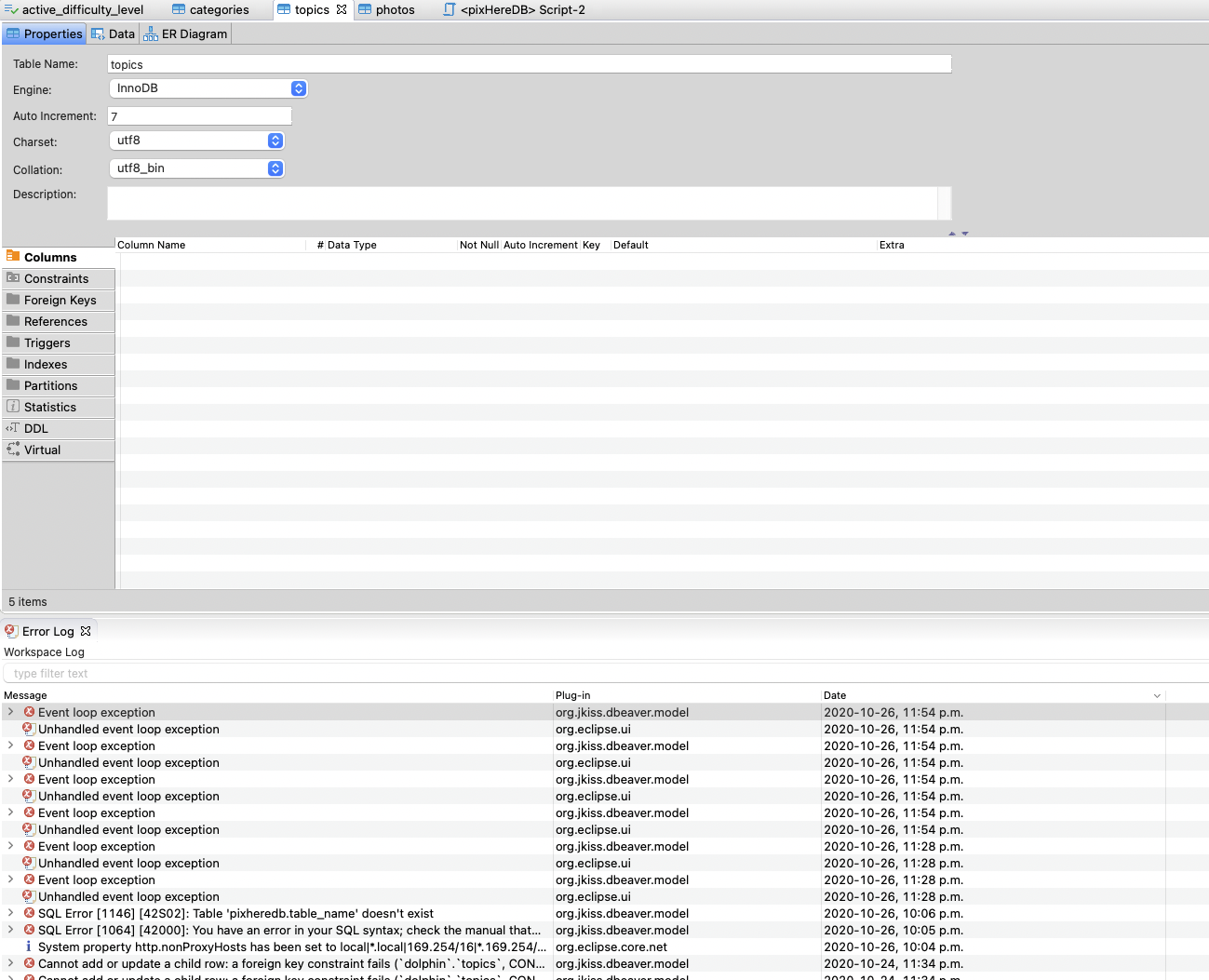
I opened the error log, however, I don't see anything related to this. here is the screenshot.
Chrisfufu
on 28 Oct 2020
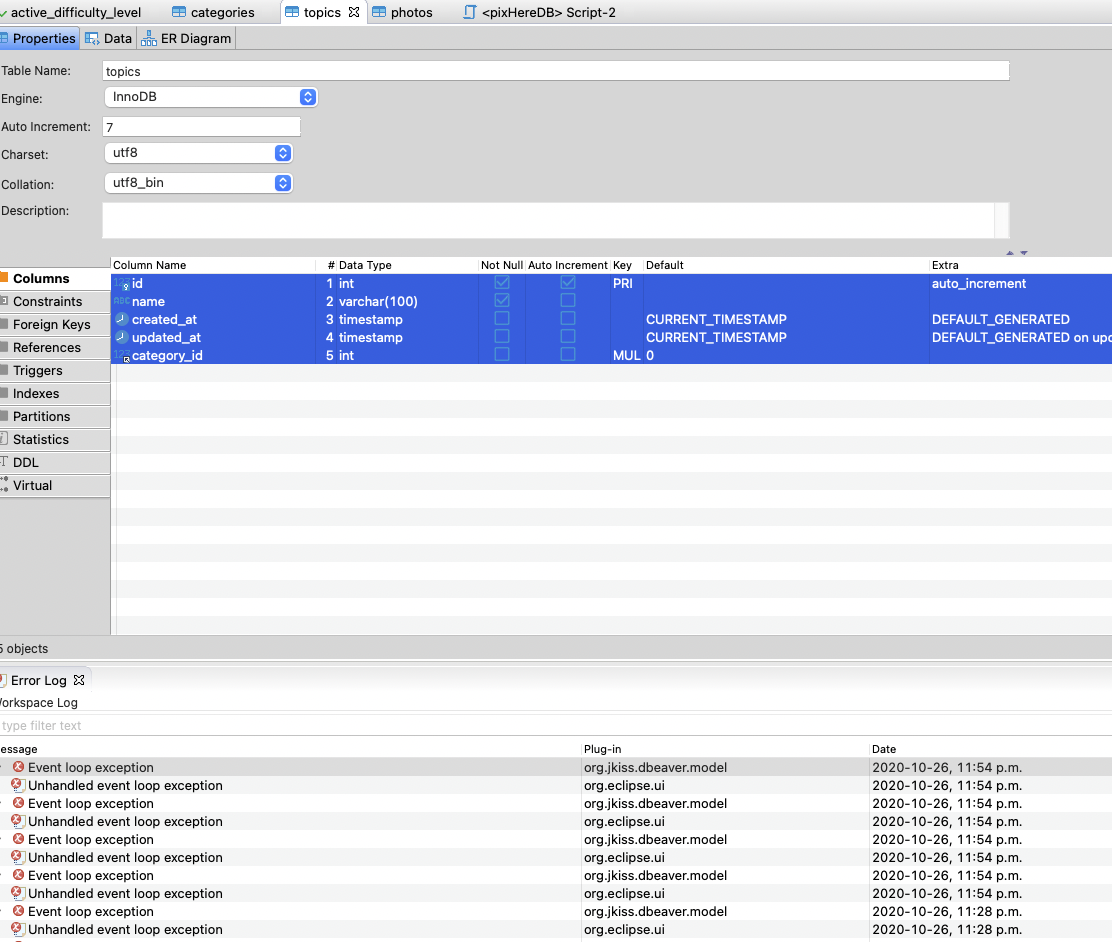
Then I select all, all the rows under "Columns" will stay there.
Chrisfufu
on 28 Oct 2020
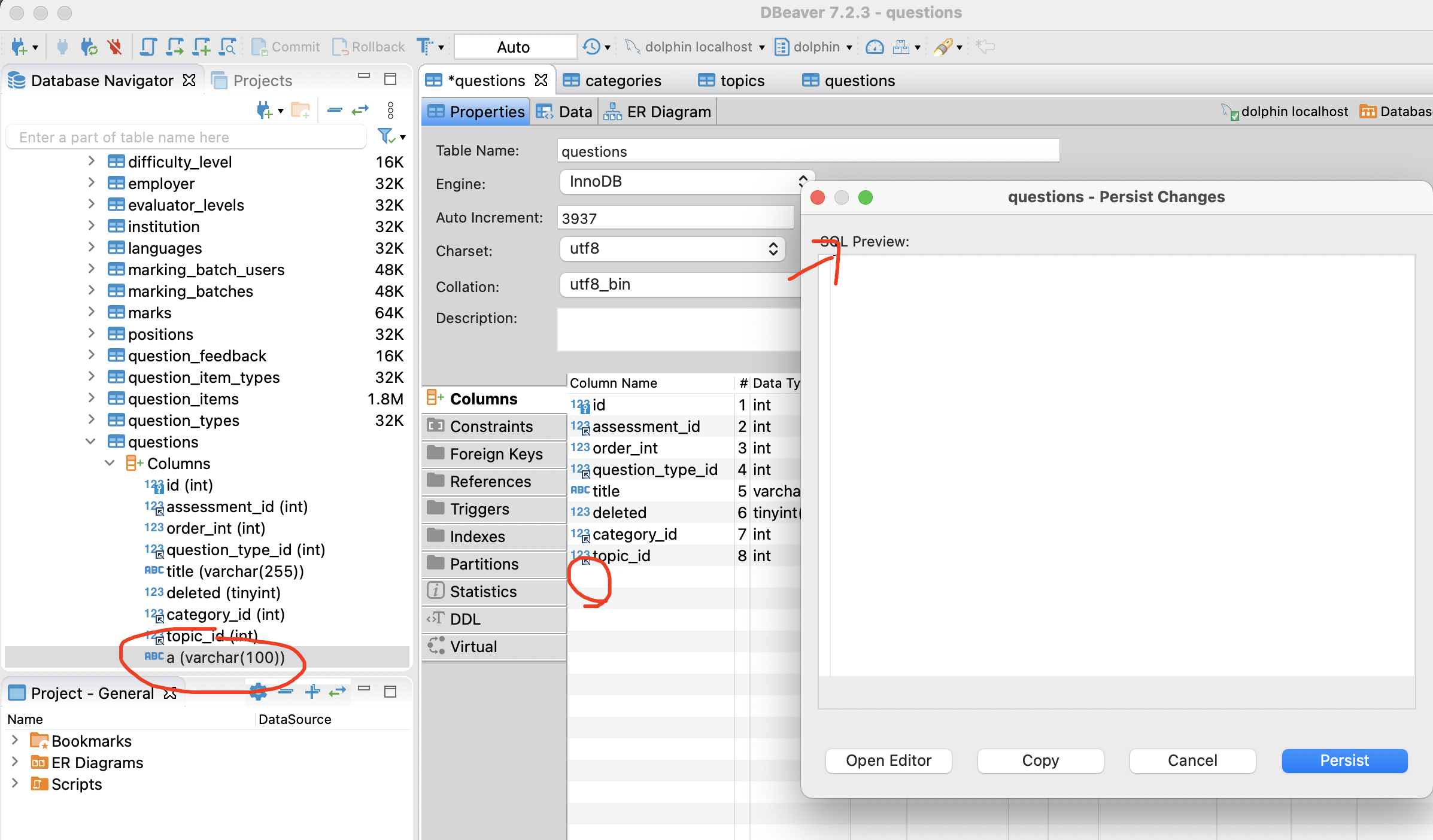
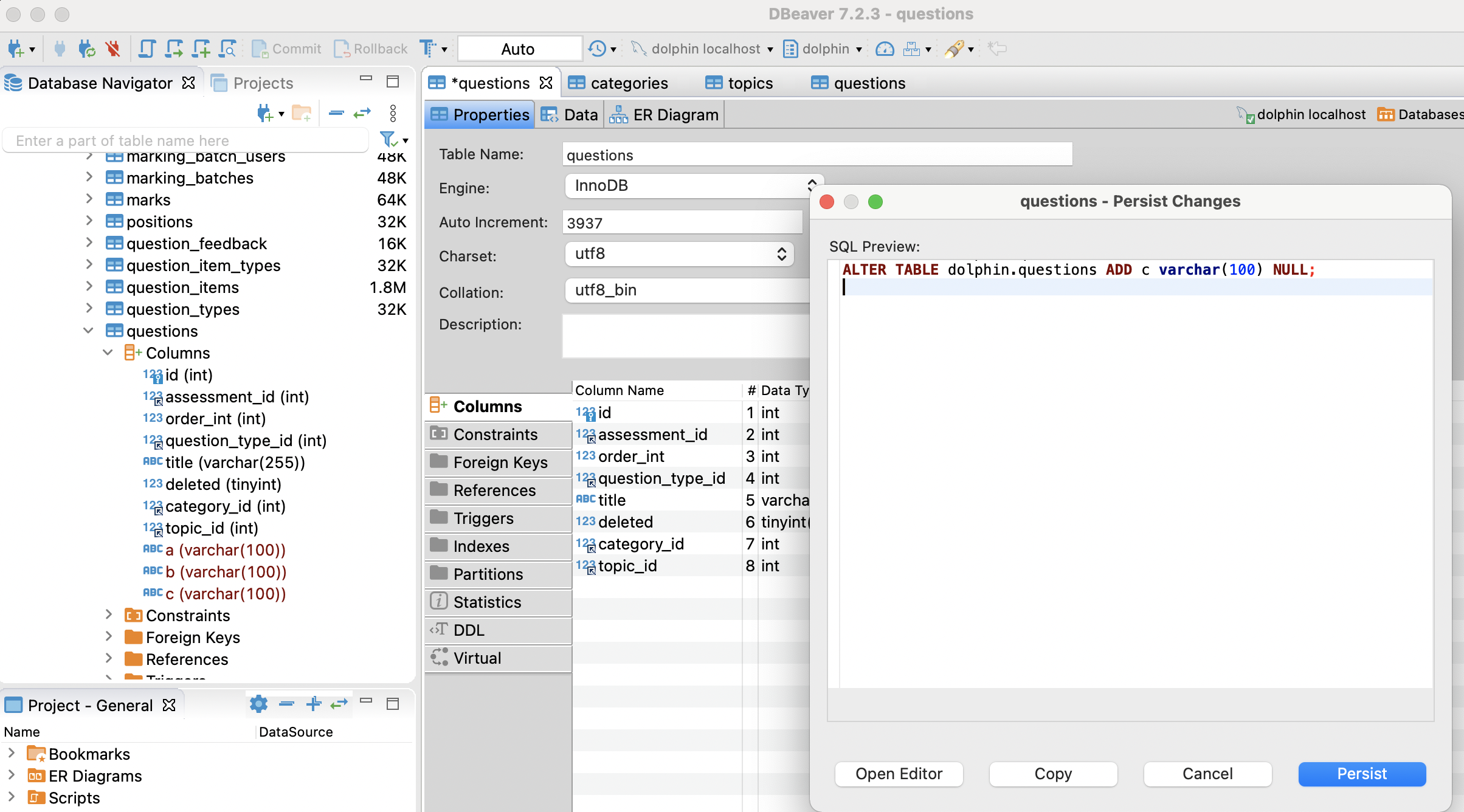
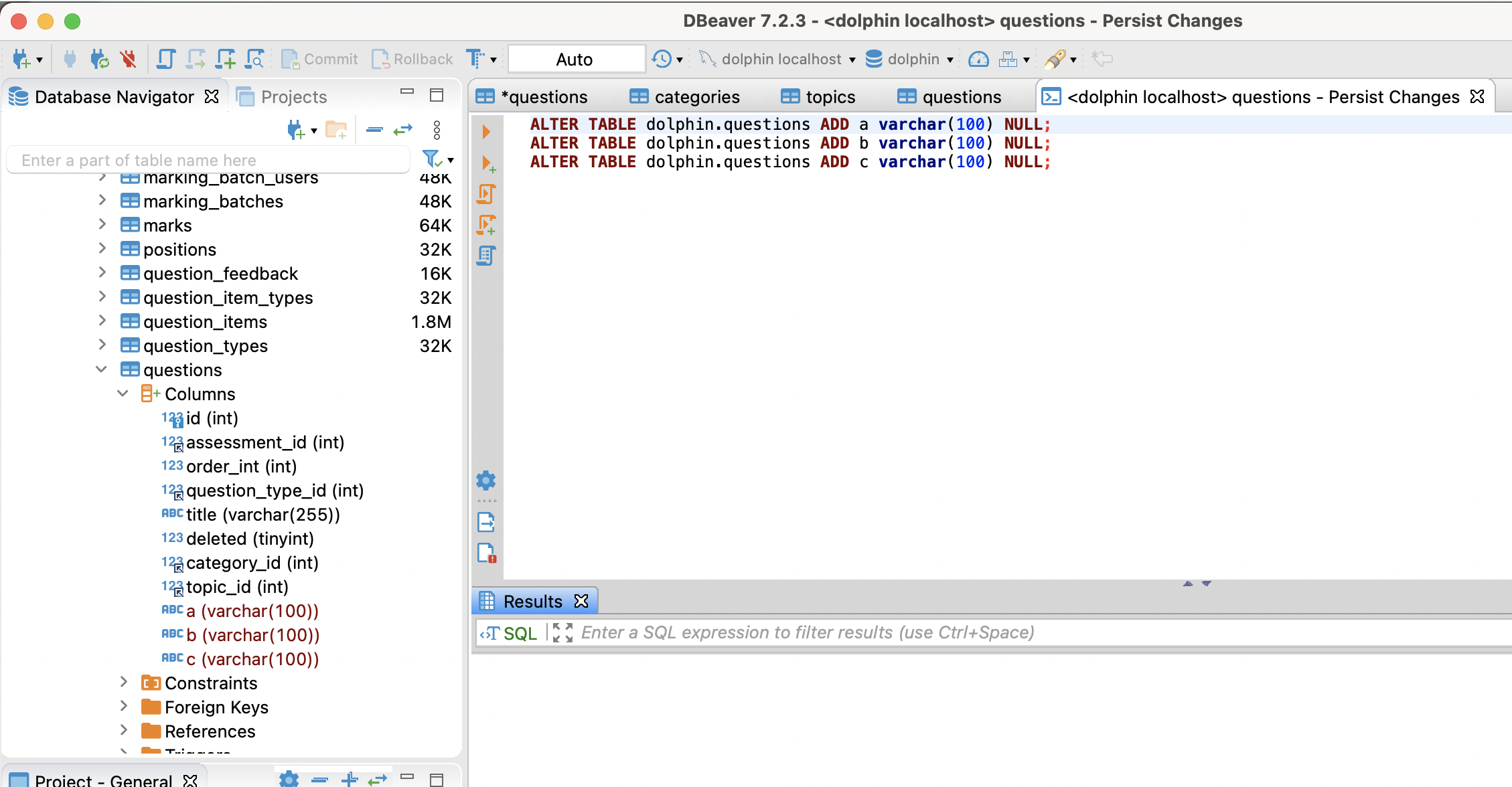
When I try to create a new column, on the left panel, it contains the new column, however, I cannot see it in the properties.
when I click on save, the sql does not show up properly as well: maybe needs to padding-top? because I only see the third new column (see screenshot 2). when I clicked on open editor on the second screenshot: it contains the sql data (see screenshot 3)
Chrisfufu
on 30 Oct 2020
I did a test on another mac machine, not with the Big Sur system. I think maybe the Big Sur is the reason why it got displayed improperly.
Chrisfufu
on 30 Oct 2020
Thank you for the additional details. Could you please also send log files https://github.com/dbeaver/dbeaver/wiki/Log-files?
kseniiaguzeeva
on 8 Nov 2020
Thank you for the additional details. Could you please also send log files https://github.com/dbeaver/dbeaver/wiki/Log-files?
I have downgraded my system from Big Sur to Catalina. I don't have the issue in the Catalina system anymore.
If you wanted to close this issue, you could do that. However, this is an issue for the Big Sur users.
Chrisfufu
on 8 Nov 2020
https://github.com/forcedotcom/dataloader/issues/217
This is an SWT related issue, that has become "incompatible" with macOS Big Sur. For the sake of all eclipse developers, i hope Apple fixes this, because there are THOUSANDS of old eclipse apps that cannot be upgraded to the more recent SWT VERSIONS (when eclipse fix them, anyway...)
If you guys find a workaround for this that does not involve updating Eclipse SWT plugins, please post it!
 marcolopes
on 15 Nov 2020
marcolopes
on 15 Nov 2020
ok. I see. thanks for letting me know.
Chrisfufu
on 15 Nov 2020
I have the same question in macOS Big Sur, even if this OS version has been already released.
My table rows do not displayed until the mouse moves over and click one row or select all.
 lechie
on 16 Nov 2020
lechie
on 16 Nov 2020
I have the same question in macOS big sur, even if this OS version has been already released.
My table rows does not displayed until mouse moveover and click one row or select all.
yeah. wait for the fix now.
Chrisfufu
on 16 Nov 2020
Possibly it will be fixed when updating Eclipse (DBeaver release 7.3.1).
kseniiaguzeeva
on 17 Nov 2020
Fixed the issue with invisible rows. All other UI bugs related to SWT will be fixed in one of our future releases when we upgrade our Eclipse version.
 akilovich
on 23 Nov 2020
akilovich
on 23 Nov 2020
Hi @marcolopes. At least in this situation, the workaround turns out to be quite simple.
akilovich
on 23 Nov 2020
thanks.
Chrisfufu
on 24 Nov 2020
Could you please test the fix on EA version https://dbeaver.io/files/ea/?
kseniiaguzeeva
on 24 Nov 2020
Hi @marcolopes. At least in this situation, the workaround turns out to be quite simple.
Thanks! I got to that conclusion also... i had problems with the SWT TABLES, and a forced REDRAW resolves the issue!
Algo had other problems, and i had to "patch" the SWT LIB (Display class) to avoid a core runtime error (this was fixed on more recent versions of SWT that i can't use right now)
marcolopes
on 24 Nov 2020
Could you please test the fix on EA version https://dbeaver.io/files/ea/?
I've downgraded my system to catalina. maybe @lechie can help. thanks
Chrisfufu
on 24 Nov 2020
Fixed in 7.3.0. Could you please try EA https://dbeaver.io/files/ea/?
kseniiaguzeeva
on 26 Nov 2020
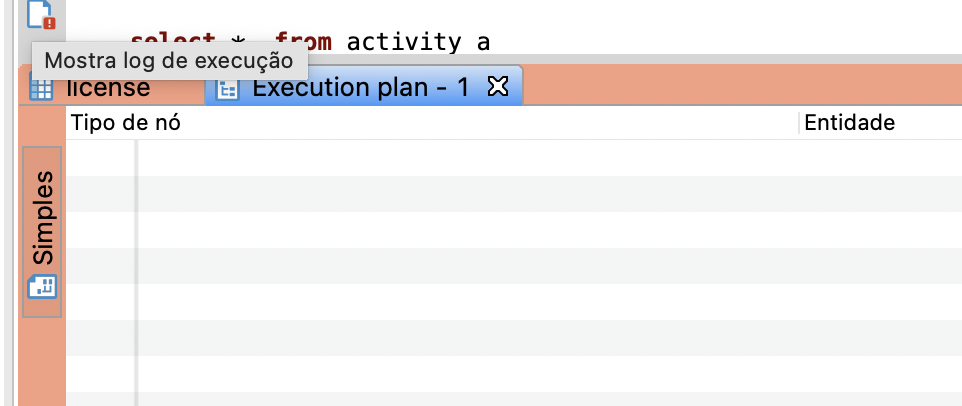
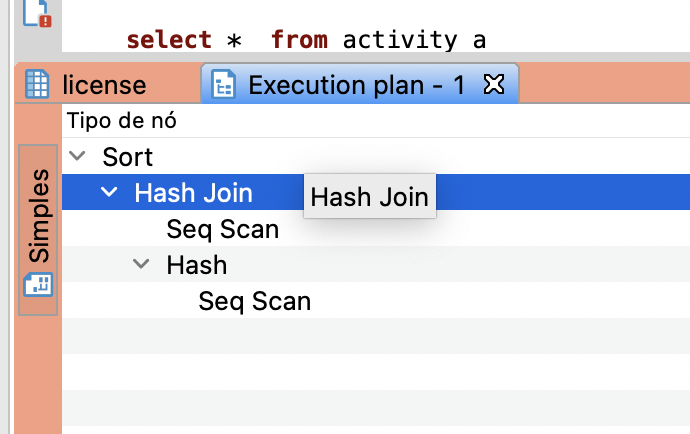
Hello @kseniiaguzeeva I'm using 7.3.0 but have same problem in "Execution Plan" Result table.
Only when I clicked it renders result.
Editor before 7.3.0 also have a lot of rendering issues, but 7.3.0 solves.
 dyorgio
on 8 Dec 2020
dyorgio
on 8 Dec 2020
Please tell your OS and send the screenshot
kseniiaguzeeva
on 8 Dec 2020
Sorry @kseniiaguzeeva, it is the same: macOS Big Sur 11.0.1 (20B29).
Before click:
After click:
More details about 7.3.0: Editor render is much better, but sometimes (during scroll) there is a delay to text appears (500ms, 250ms).
dyorgio
on 8 Dec 2020
Thank you for the report. It is fixed in 7.3.1 EA version. You can try it https://dbeaver.io/files/ea/
kseniiaguzeeva
on 9 Dec 2020
Thank you for the report. It is fixed in 7.3.1 EA version. You can try it https://dbeaver.io/files/ea/
thanks.
Chrisfufu
on 9 Dec 2020
Related issues
 MrBrax
·
50Comments
MrBrax
·
50Comments
 netroby
·
38Comments
netroby
·
38Comments
 zejji
·
33Comments
zejji
·
33Comments
 dmlogic
·
36Comments
dmlogic
·
36Comments
 19edison
·
71Comments
19edison
·
71Comments