Dash-to-panel: [Question] When is Gnome 40 support going to be released?
I am waiting to upgrade to Fedora 34 just for dash-to-panel, any ETA? Please release beta at least (ASAP), something is better than nothing...
 ShrirajHegde
All 21 comments
you can install the extension from source.
i've been using it for a few weeks now and its been working great for the most part.
the only issue is this pesky one described in https://github.com/home-sweet-gnome/dash-to-panel/issues/1338, which afaik is also blocking the official release.
 YLivay
on 2 Jun 2021
YLivay
on 2 Jun 2021
can't it be released as a beta? because even if it's installed from source, thanks to shitty gnome-extensions-app, it auto-updates all extensions to the latest available version in https://extensions.gnome.org/
ShrirajHegde
on 2 Jun 2021
I don't understand who in their right mind decided to have no option to disable auto-update on gnome-extensions-app
ShrirajHegde
on 2 Jun 2021
@YLivay Do we have a date on when this will be released?
 wshihdehx
on 2 Jun 2021
wshihdehx
on 2 Jun 2021
@ShrirajHegde try installing it from the source. It works fine (so far). I agree about having it released as a beta because of the stupid auto-update . I can't understand either why there is no option to disable auto-update. It makes no sense.
 koa9
on 2 Jun 2021
koa9
on 2 Jun 2021
@koa9 I tried that but then the auto-update puts it back to the old version causing gnome shell to crash even, I hope this gets released soon.
wshihdehx
on 2 Jun 2021
Someone create a bug report for disabling auto-update by default for gnome-extensions-app, Can't even manage without the app because the new gnome-tweaks has no extensions tab
It's 2021 and still gnome-tweaks isn't integrated into gnome-control-center
ShrirajHegde
on 2 Jun 2021
It will be released when #1333 and #1326 are resolved, and any other non-working features are removed from the settings UI. I don't have an ETA. I've personally made some headway on #1326 but it still needs some more work and I haven't had a lot of time to work on it.
If you don't care about those issues, you should be able to install currently from the master branch of this repo without having gnome-extensions-app overwrite it. You will want to follow the instructions in the wiki.
 jderose9
on 2 Jun 2021
jderose9
on 2 Jun 2021
Doesn't work on Gnome 40.1, after I install it manually the Gnome shell crashes and all UI elements disappear
"gnome-shell quit unexpectedly"
wshihdehx
on 2 Jun 2021
@wshihdehx You might have tried doing this already (but in case other people are stuck) try removing it from ~/.local.share/gnome-shell/extension/[email protected]/ and then doing a fresh installation using the wiki instructions as provided by @jderose9 .
Noted about the auto-update disaster and will try to avoid it and I am genuinely concerned about this.
koa9
on 2 Jun 2021
@ShrirajHegde Just did it. See here
koa9
on 2 Jun 2021
@wshihdehx You might have tried doing this already (but in case other people are stuck) try removing it from ~/.local.share/gnome-shell/extension/[email protected]/ and then doing a fresh installation using the wiki instructions as provided by @jderose9 .
Noted about the auto-update disaster and will try to avoid it and I am genuinely concerned about this.
Unfortunately that didn't work for me, every time I install Dash To Panel on Gnome 40.1 causes the Gnome Shell to crash and the entire UI to disappear. Guess I will just use the default UI until things are more stable and next will I will wait a year before upgrading to new Fedora/Gnome releases, not worth the trouble.
wshihdehx
on 2 Jun 2021
@ShrirajHegde Just did it. See here
That is probably the wrong repository, the name of the application is gnome-extensions-app
ShrirajHegde
on 2 Jun 2021
I installed it from the source and I've been using it for 3 days now, works fine so far. BTW, I always update extensions manually I don't even remember if there is auto update for extensions.
 digaev
on 3 Jun 2021
digaev
on 3 Jun 2021
I installed it from the source and I've been using it for 3 days now, works fine so far. BTW, I always update extensions manually I don't even remember if there is auto update for extensions.
the problem is this time, gnome-extensions-app downgrades the extension which isn't compatible with gnome 40
ShrirajHegde
on 3 Jun 2021
the best response by gnome dev: https://gitlab.gnome.org/GNOME/gnome-tweaks/-/issues/357
politely criticizing design choice is such a crime! it's not even some entitled rant, mentioned as request and has 4 'please's
I don't understand how mentioning freedom to not update extensions is such an offensive crime.
why not break down gnome-control-center into separate apps for each tab then?
anyway, is there any other application to manage extensions? it's pointless to create issues.
EDIT: "freedom"=bad
ShrirajHegde
on 5 Jun 2021
the best response by gnome dev: https://gitlab.gnome.org/GNOME/gnome-tweaks/-/issues/357
politely criticizing design choice is such a crime! it's not even some entitled rant, mentioned as request and has 4 'please's
I don't understand how mentioning freedom to not update extensions is such an offensive crime.why not break down gnome-control-center into separate apps for each tab then?
anyway, is there any other application to manage extensions? it's pointless to create issues.
EDIT: "freedom"=bad
Just use the website , but first you need to install the GNOME Shell integration extension for your browser (google it). Official wiki page.
digaev
on 5 Jun 2021
the best response by gnome dev: https://gitlab.gnome.org/GNOME/gnome-tweaks/-/issues/357
politely criticizing design choice is such a crime! it's not even some entitled rant, mentioned as request and has 4 'please's
I don't understand how mentioning freedom to not update extensions is such an offensive crime.
why not break down gnome-control-center into separate apps for each tab then?
anyway, is there any other application to manage extensions? it's pointless to create issues.
EDIT: "freedom"=badJust use the website , but first you need to install the GNOME Shell integration extension for your browser (google it). Official wiki page.
yeah, that is installed, I install extensions via browser. I just have an irrational fear of being offline.
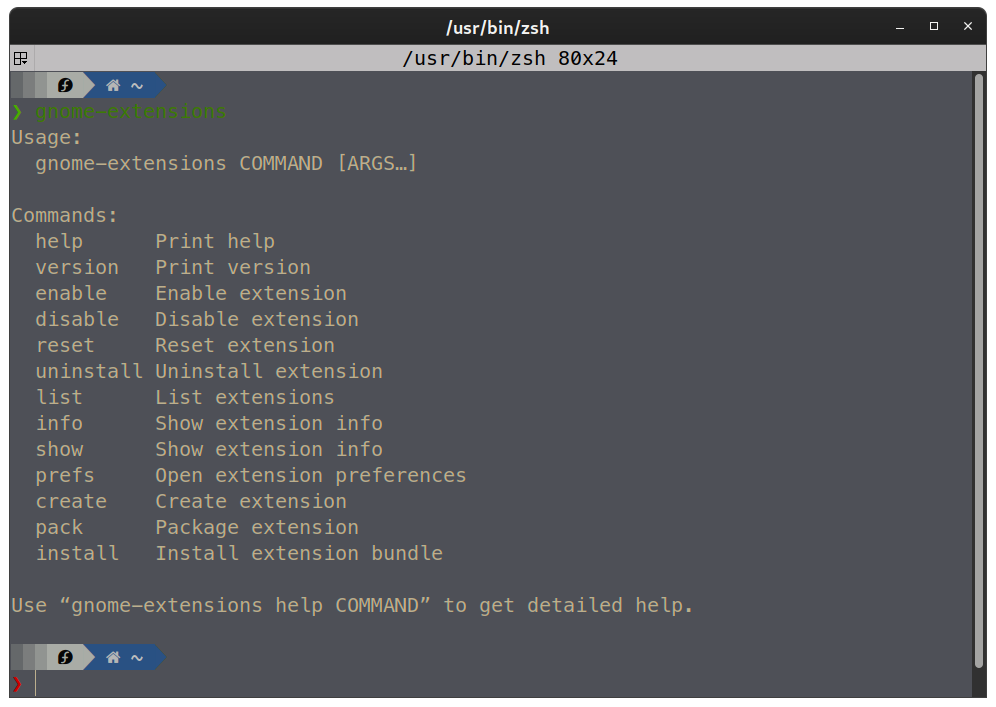
anyway, gnome-extensions CLI tool to the rescue (when offline)
ShrirajHegde
on 5 Jun 2021
I just installed from source and make the $HOME/.local/share/gnome-shell/extensions/[email protected]
immutable (chattr -R +i ...) and auto-update problem is circumvented for now.
 godzillachan
on 8 Jun 2021
godzillachan
on 8 Jun 2021
I just installed from source and make the $HOME/.local/share/gnome-shell/extensions/[email protected]
immutable (chattr -R +i ...) and auto-update problem is circumvented for now.
just removing gnome-extensions-app solves the problem
ShrirajHegde
on 8 Jun 2021
@ShrirajHegde please close this this ticket as it is a duplicate of issue #1265.
 nekohayo
on 9 Jun 2021
nekohayo
on 9 Jun 2021
Related issues
 bmccorm2
·
5Comments
bmccorm2
·
5Comments
 MicleBrick
·
6Comments
MicleBrick
·
6Comments
 Rawleenc
·
6Comments
Rawleenc
·
6Comments
 jamesiri
·
4Comments
jamesiri
·
4Comments
 sbadux
·
6Comments
sbadux
·
6Comments
Most helpful comment
I don't understand who in their right mind decided to have no option to disable auto-update on gnome-extensions-app