Dash-to-panel: How to configure extension by the CLI?
I installed extension by the command line
sudo apt install gnome-shell-extension-dash-to-panel
But I can't configure it the same way.
I can customize the original dash this way:
gsettings set org.gnome.shell.extensions.dash-to-dock dash-max-icon-size 32
But I can't do it for dash-to-panel:
~|⇒ gsettings set org.gnome.shell.extensions.dash-to-panel taskbarPosition CENTEREDMONITOR
No such schema “org.gnome.shell.extensions.dash-to-panel”
I see the extension in Tweaks
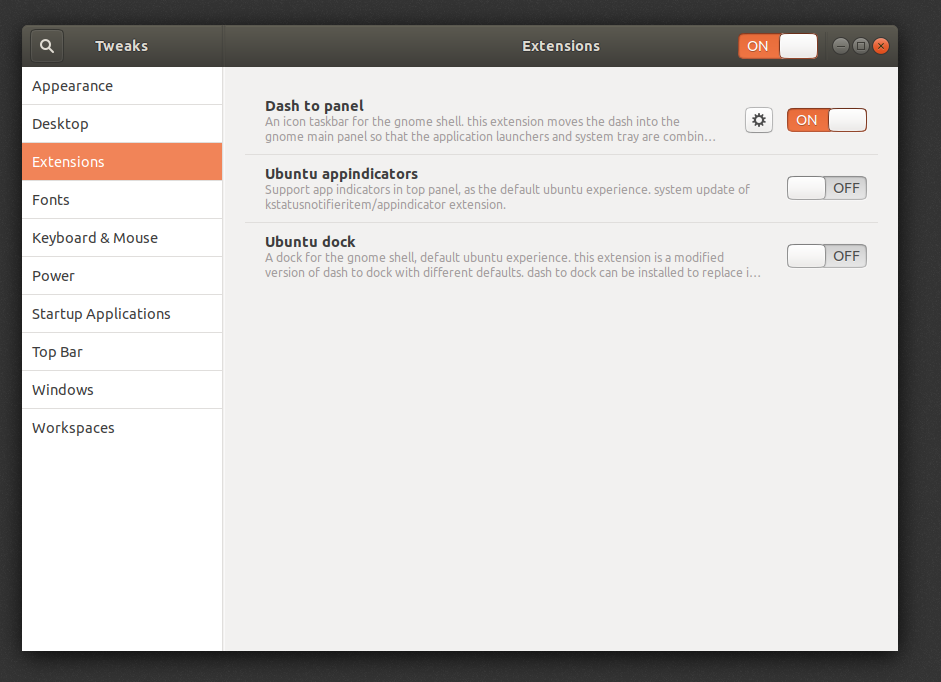
But don't see in _dconf_

Only after I changed some parameters in Tweaks, _dash-to-panel_ will appear in _dconf_. But only the changed options.
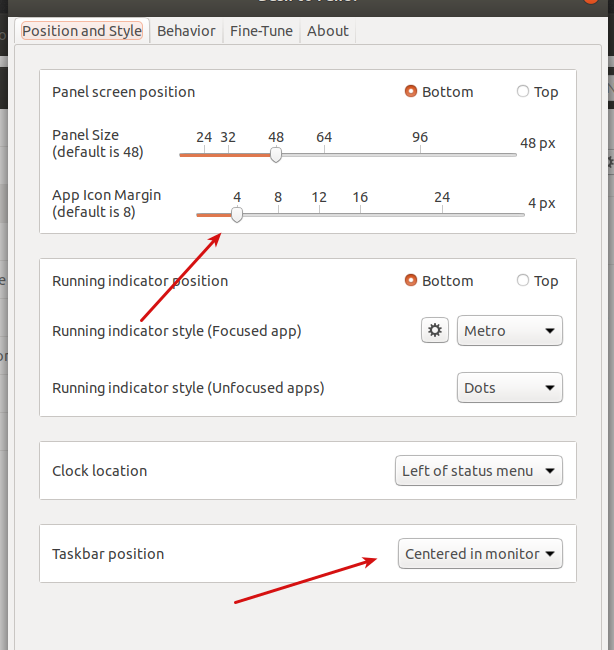
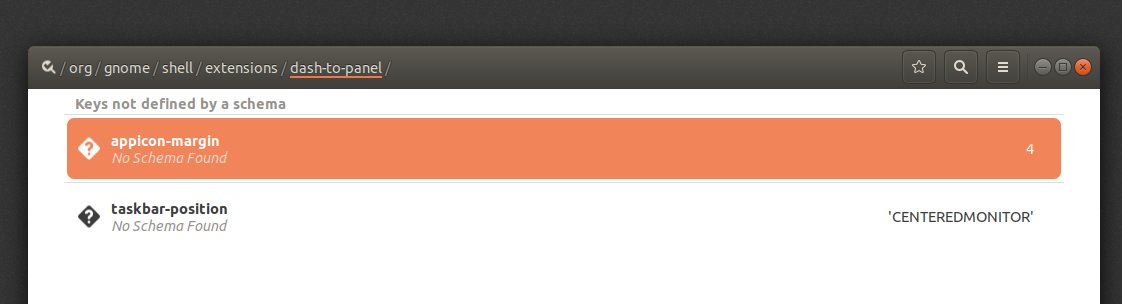
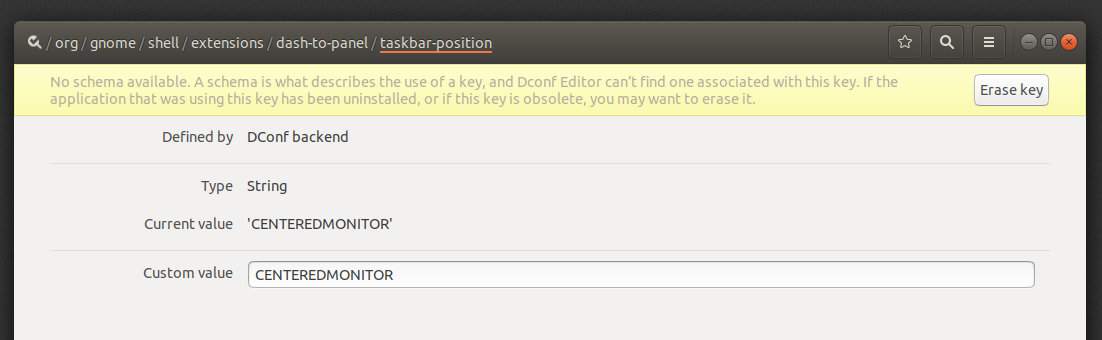
And _dconf_ also cannot recognize the schema
gnome-shell: 3.28.1
gnome-shell-extension-dash-to-panel: 13-1
gnome-tweaks: 3.28.1
dconf-editor: 3.28.0
ubuntu: 18.04 (in Virtualbox)
 in-in
in-in
All 14 comments
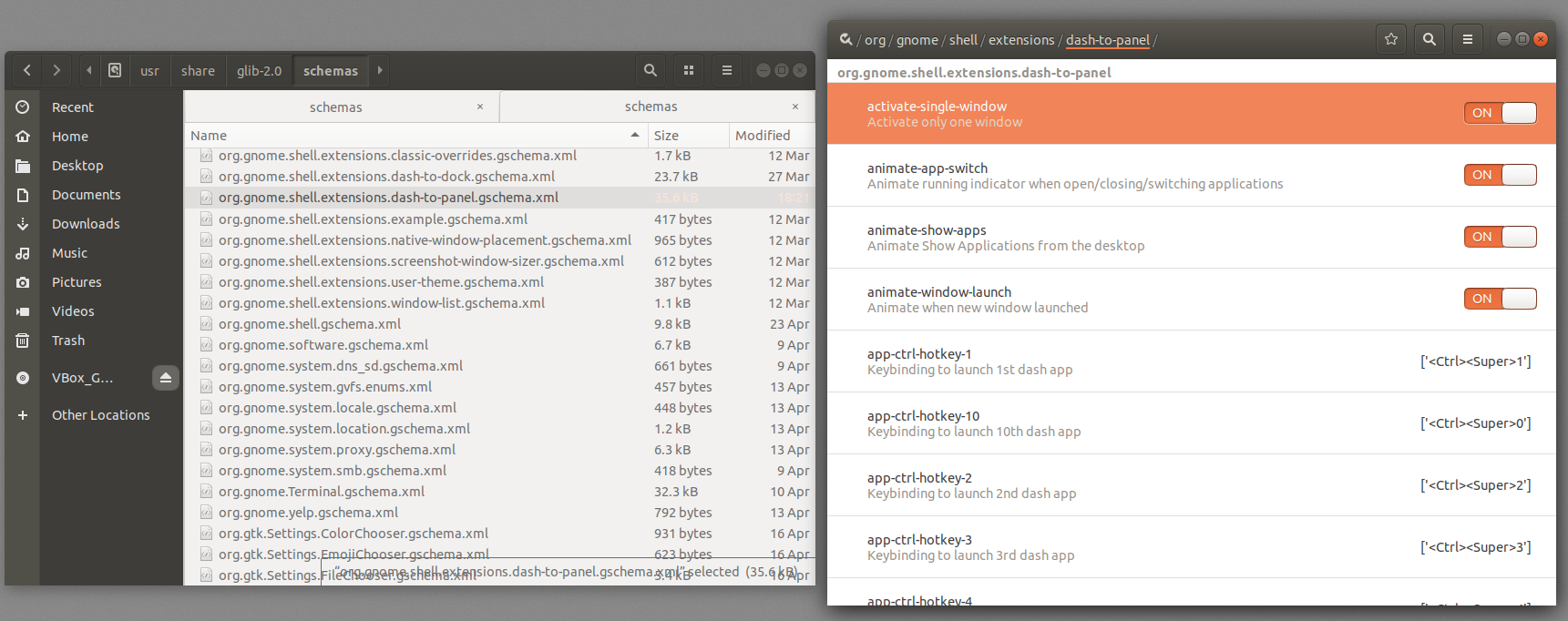
I think I found that the problem was. The schema file is in the wrong directory.
sudo cp /usr/share/gnome-shell/extensions/[email protected]/schemas/org.gnome.shell.extensions.dash-to-panel.gschema.xml /usr/share/glib-2.0/schemas/ &&
sudo glib-compile-schemas /usr/share/glib-2.0/schemas/
And now I can configure dash-to-panel through the _dconf_
in-in
on 7 May 2018
Thanks for doing the research. Unfortunately, unless I am misunderstanding, I don't think there's any action we can take on this end. A release is provided to GNOME Extensions as a zip file which is then delivered and unpacked via chrome-gnome-shell or gnome software. There's no opportunity to place files in a system folder (and I assume the proper target location would be distro-specific).
 jderose9
on 8 May 2018
jderose9
on 8 May 2018
How do other extensions get to the system folder?
When I install these extensions:
sudo apt install gnome-shell-extension-dash-to-panel gnome-shell-extension-dashtodock gnome-shell-extensions
Their schemas are located in / usr / share / glib-2.0 / schemas / except _dash-to-panel_

I also tried three different ways to install dash-to-panel:
- from
apt-get(above) - manual, from Github https://github.com/home-sweet-gnome/dash-to-panel/wiki/Installation
- from this page https://extensions.gnome.org/extension/1160/dash-to-panel/
The same result every time
in-in
on 8 May 2018
I looked at how dash to dock is doing that and I ported the solution on branch "system-wide-install".
Could you please pull that branch and then try this command from your repo directory?
sudo make DESTDIR=/ install
Thanks!
 charlesg99
on 8 May 2018
charlesg99
on 8 May 2018
After these actions:
git clone -b system-wide-install https://github.com/jderose9/dash-to-panel
cd dash-to-panel
sudo make DESTDIR=/ install
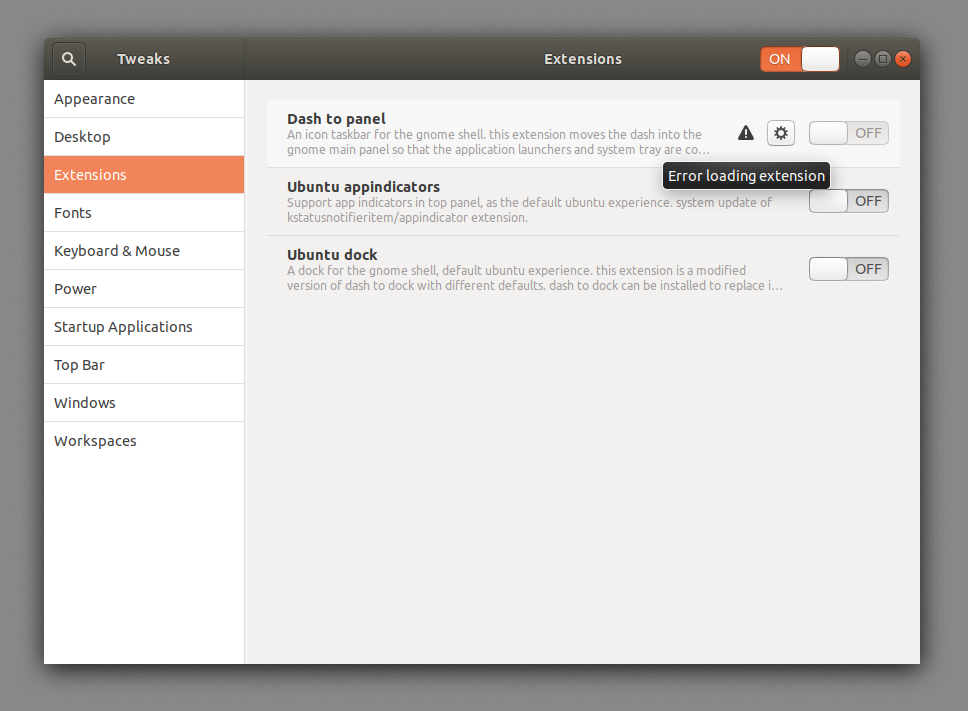
The extension stops loading and still does not appear in _dconf_
in-in
on 9 May 2018
Could you please look at your log using journalctl /usr/bin/gnome-shell -f -o cat while you're trying to enable the extension?
I did some tests and if I remove the dash-to-dock file from /usr/share/glib-2.0/schemas, no matter how I try to install it (apt, extensions.gnome.org, make), the schema doesn't go back there. Then the same problem occurs in dconf:
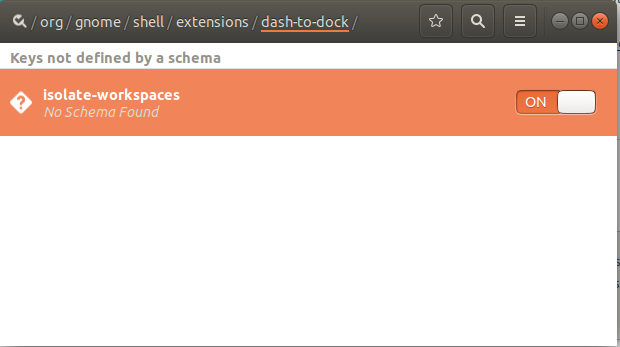
Still doesn't explain how it got there in the first place, unless it comes pre-installed with ubuntu (as the ubuntu-dock). Thanks.
charlesg99
on 9 May 2018
For both extensions, ubuntu is sourcing the package from debian. I'm not familiar with their package configuration format, but there seems to be a line copying the schema out for dash-to-dock, that doesn't exist in dash-to-panel.
https://gitlab.com/highvoltage/gnome-shell-extension-dashtodock-packaging/blob/master/debian/install
The maintainer is the same for both packages, so I would suggest reaching out to him to see if the package can be updated to match the dash-to-dock configuration (and perhaps if he needs us to tweak anything on this end, he can provide guidance on that).
Also, just for the sake of clarity, I wanted to mention that this won't really help installation from other sources - I assume dash-to-dock schema wouldn't be found in dconf had the extension been installed from e.g.o rather than apt.
jderose9
on 9 May 2018
Could you please look at your log using journalctl /usr/bin/gnome-shell -f -o cat while you're trying to enable the extension?
GNOME Shell started at Wed May 09 2018 16:02:29 GMT-0400 (EDT)
Extension "[email protected]" had error: Error: Schema org.gnome.shell.extensions.dash-to-panel could not be found for extension [email protected]. Please check your installation.
JS ERROR: Exception in callback for signal: extension-state-changed: Error: Schema org.gnome.shell.extensions.dash-to-panel could not be found for extension [email protected]. Please check your installation.
getSettings@/usr/share/gnome-shell/extensions/[email protected]/convenience.js:85:15
_enable@/usr/share/gnome-shell/extensions/[email protected]/extension.js:79:16
_emit@resource:///org/gnome/gjs/modules/signals.js:128:27
logExtensionError@resource:///org/gnome/shell/ui/extensionSystem.js:152:5
enableExtension@resource:///org/gnome/shell/ui/extensionSystem.js:134:9
onEnabledExtensionsChanged/<@resource:///org/gnome/shell/ui/extensionSystem.js:279:9
onEnabledExtensionsChanged@resource:///org/gnome/shell/ui/extensionSystem.js:276:5
Hey @jderose9, thanks for the insight. Do you know what is the purpose of the "system-wide installation" mentioned here? Is it useful in dash to panel or should I scrap that?
charlesg99
on 10 May 2018
Hey @jderose9, thanks for the insight. Do you know what is the purpose of the "system-wide installation" mentioned here? Is it useful in dash to panel or should I scrap that?
It looks like this was done by an Ubuntu dev to support Ubuntu Dock installation into the system level folders (rather than under the user's home folder). The debian package configuration seems to be doing the same thing basically, but I don't think it's actually using that flag in the Makefile (but I'm not 100% on that).
It might be easiest to see if we can just get the debian package maintainer to chime in. I just sent him an email.
jderose9
on 10 May 2018
Jonathan responded and said that he would update the debian package configuration soon to copy the schema out.
jderose9
on 11 May 2018
"Uploading gnome-shell-extension-dash-to-panel_14-1_amd64.changes"
^^^ That fixes this issue and should be synced to ubuntu too later today (although a backport would be nice if someone has the time for that)
 highvoltage
on 23 May 2018
highvoltage
on 23 May 2018
Thanks a bunch @highvoltage!
charlesg99
on 25 May 2018
This Issue still exists in the Ubuntu 19.10, gnome-shell 3.34 and latest dash to panel.
Related information: https://askubuntu.com/questions/92686/how-can-i-install-gsettings-schema-via-a-gnome-shell-extension
 BoQsc
on 24 Jan 2020
BoQsc
on 24 Jan 2020
Related issues
 jamesiri
·
4Comments
jamesiri
·
4Comments
 BetaConnector
·
5Comments
BetaConnector
·
5Comments
 dobkeratops
·
4Comments
dobkeratops
·
4Comments
 bmccorm2
·
5Comments
bmccorm2
·
5Comments
 ghost
·
5Comments
ghost
·
5Comments
Most helpful comment
"Uploading gnome-shell-extension-dash-to-panel_14-1_amd64.changes"
^^^ That fixes this issue and should be synced to ubuntu too later today (although a backport would be nice if someone has the time for that)