Darktable: parametric masks: "set range" color picker changes module parameters
In the following example, I have discarded history and set the exposure slider in the exposure module to 0. I have switched on parametric masks
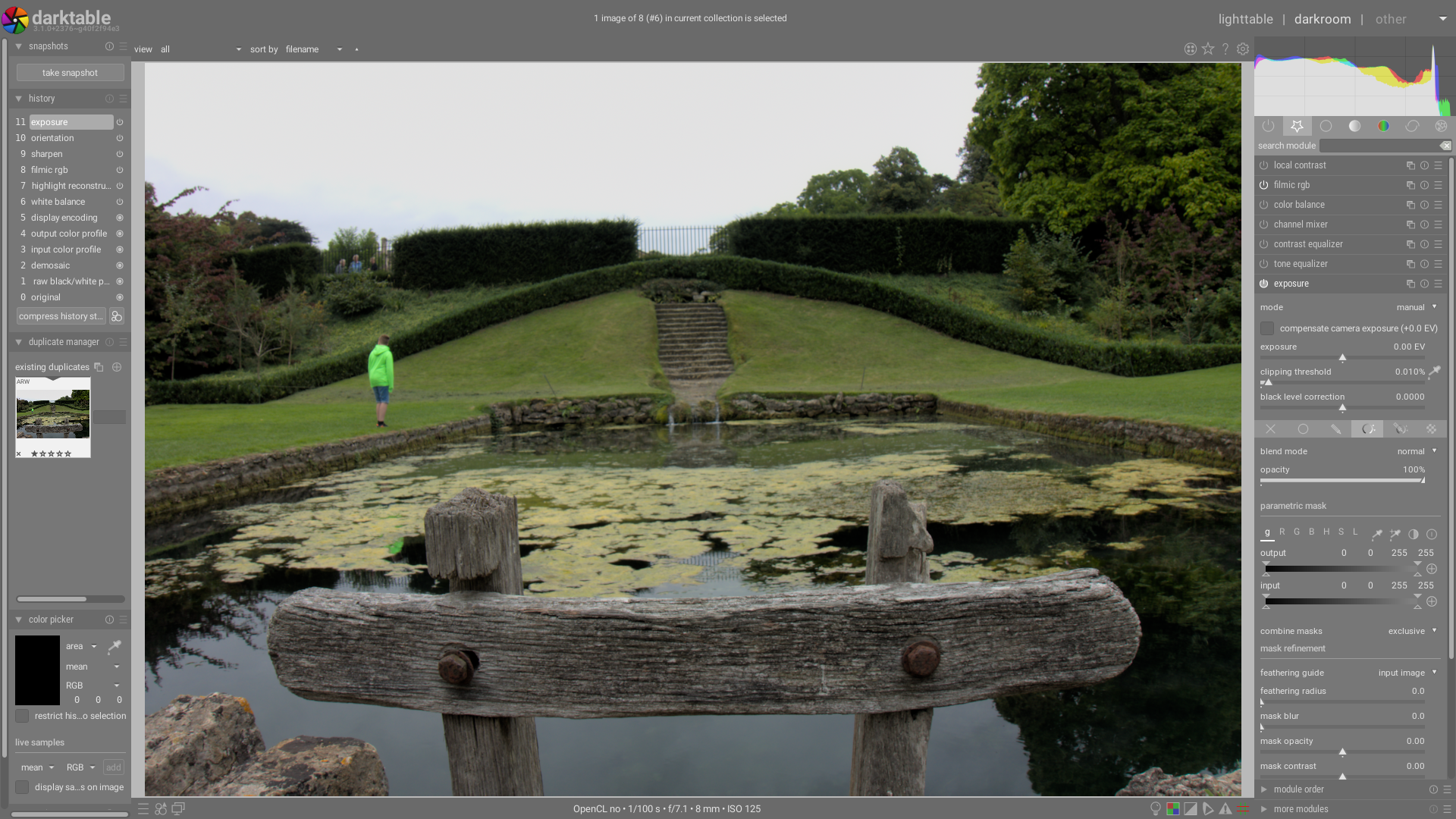
I click the 'set range from area' color picker and choose an area. I can't take a screenshot of this because as soon as darktable loses focus (because I've switched to the screenshot app) the following happens:
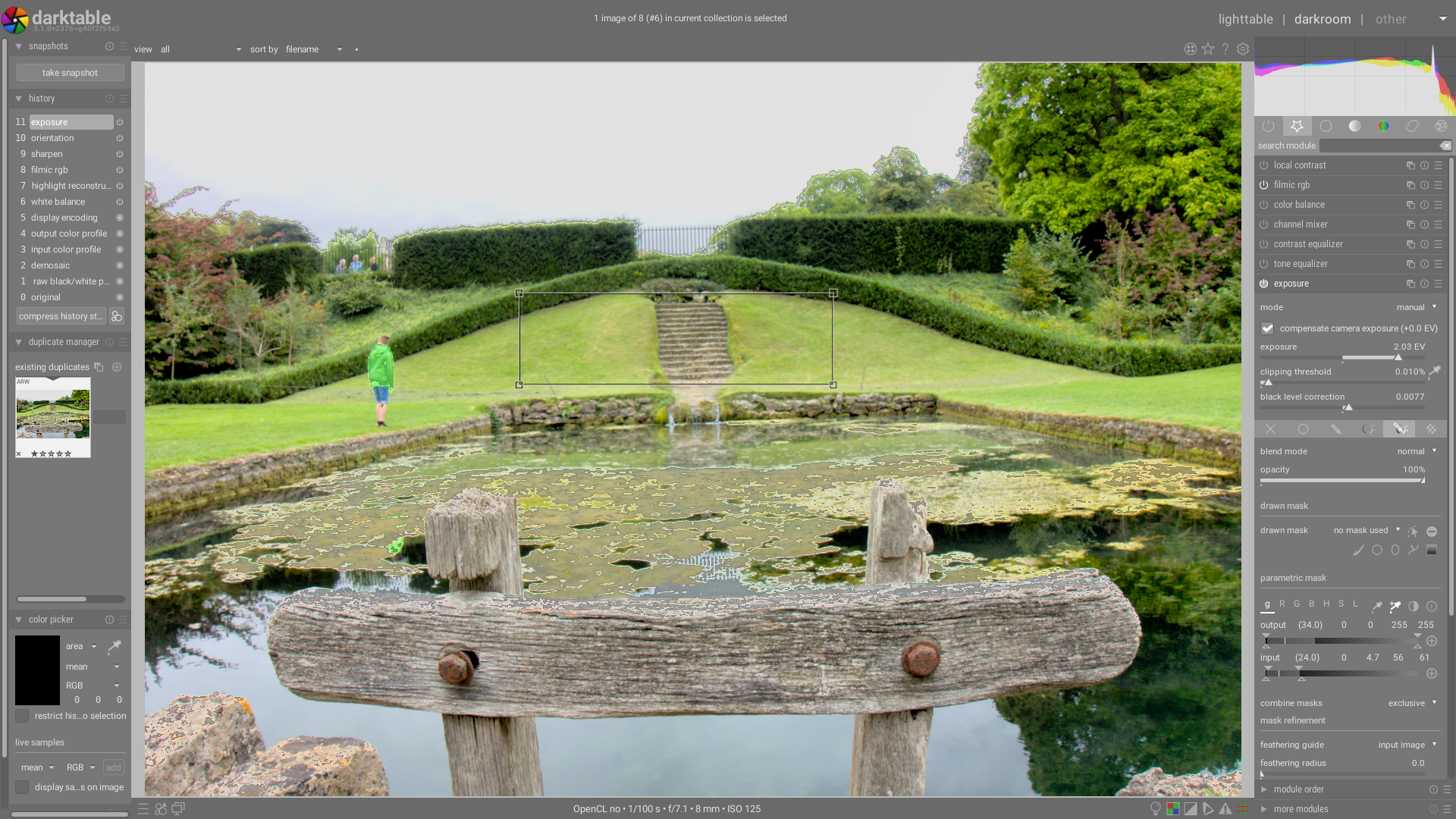
Somehow the color picker has caused the exposure to be changed to 2.03EV and the black level to be changed as well.
Similar issues in #5654 with the other color picker.
Issue on 3.1.0+2376~g40f2f94e3 on ArchLinux with and without openCL.
 elstoc
All 10 comments
Confirmed.
Not as severe as shown by elstoc, but this should happen at all.
Platform
- darktable : 3.1.0+2383~gc9ca6258d
- OpenCL installed : Yes (nvidia-opencl-common 440.82-1~bpo10+1)
- OpenCL activated : Yes
- Graphics card : GeForce RTX 2060 SUPER7979 MiB
- Graphics driver : nvidia (440.82)
- OS : Linux (kernel 5.4.0-0.bpo.4-amd64)
- Distro : Debian Buster (rel. 10.4)
Additional context
- Self compiled : Yes.
- Compilers : gcc 8.3.0 - clang 10.0.1 - LLVM 10.0.1
- Cmake : 3.13.4
- Gtk : 3.24.5-1
- Glib : 2.58.3-2
- Sqlite : 3.27.2
- Optimization : None
 jade-nl
on 28 Jun 2020
jade-nl
on 28 Jun 2020
I cannot reproduce, any step by step reproducer ? Maybe this needs a very specific set of actions ?
 TurboGit
on 28 Jun 2020
TurboGit
on 28 Jun 2020
It's pretty consistent for me. I've tried a few images. After selecting a range area, as soon as you alt-tab away from darktable or try to adjust the right-hand panel width the exposure and black level sliders change.
elstoc
on 28 Jun 2020
The exposure settings look just like if I'd used the color picker on the main body of the exposure module. I suspect darktable is getting confused about which color picker is which.
elstoc
on 28 Jun 2020
So probably a bad interaction with the new exposure compensation and some gui event refreshing the display.
TurboGit
on 28 Jun 2020
Are you looking at this already ?
TurboGit
on 28 Jun 2020
Not apart from testing. I'm not sure how the color picker works. I see another possible issue with rgb curve - on this module the same (parametric mask) area selector seems to also display the range on the in-module histogram display (same as if I'd ctrl-clicked on the in-module GUI color picker).
elstoc
on 28 Jun 2020
Ok, I'll try to have a look this week.
TurboGit
on 28 Jun 2020
Ok, I think I have it, it was trivial in fact. I'll PR in a minute.
TurboGit
on 28 Jun 2020
See #5657
TurboGit
on 28 Jun 2020
Related issues
elstoc
·
4Comments
 johnny-bit
·
5Comments
johnny-bit
·
5Comments
 Nilvus
·
5Comments
Nilvus
·
5Comments
 lapineige
·
4Comments
lapineige
·
4Comments
 denever
·
4Comments
denever
·
4Comments