Darktable: Glitch issue on focus peaking in culling mode (image zoomed)
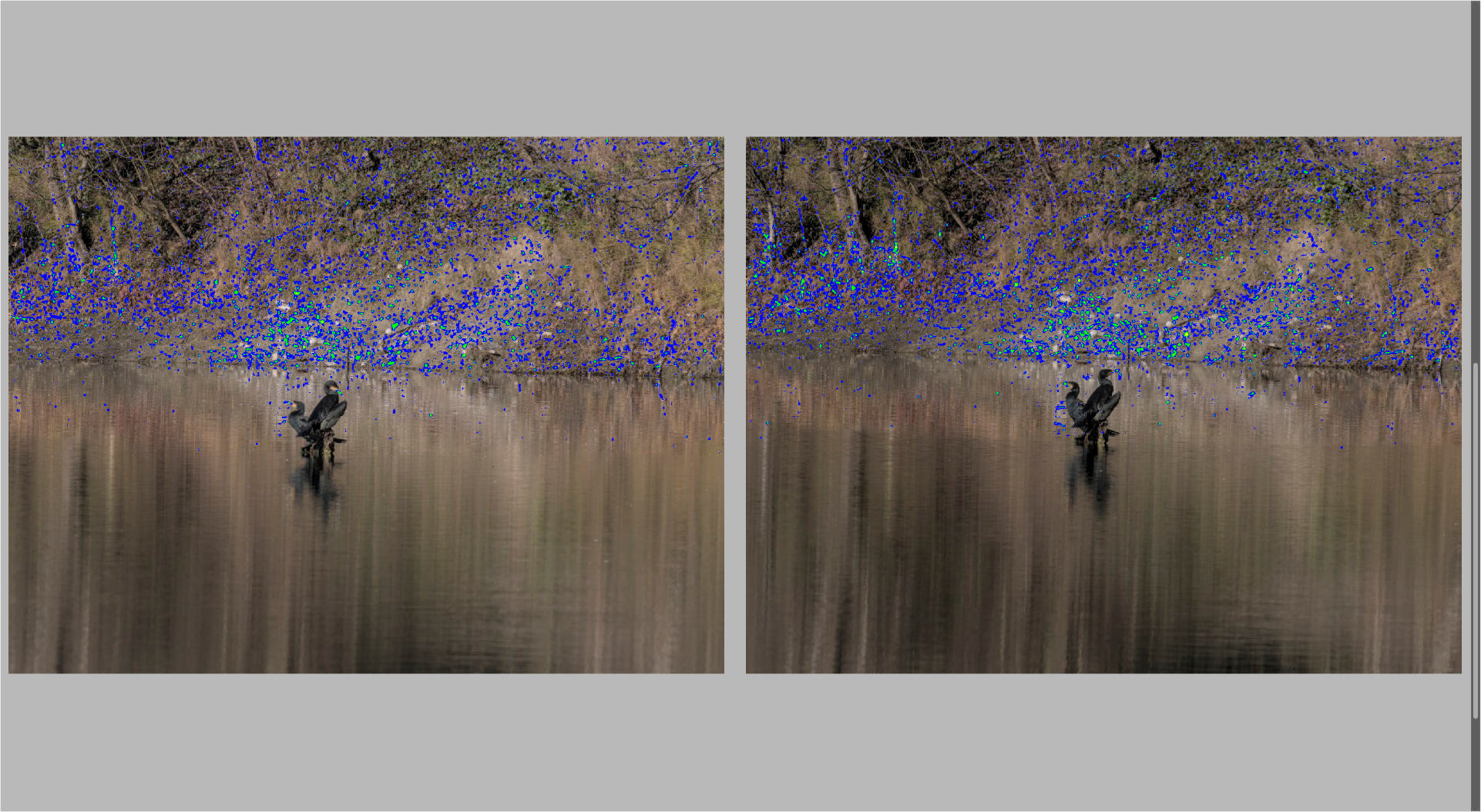
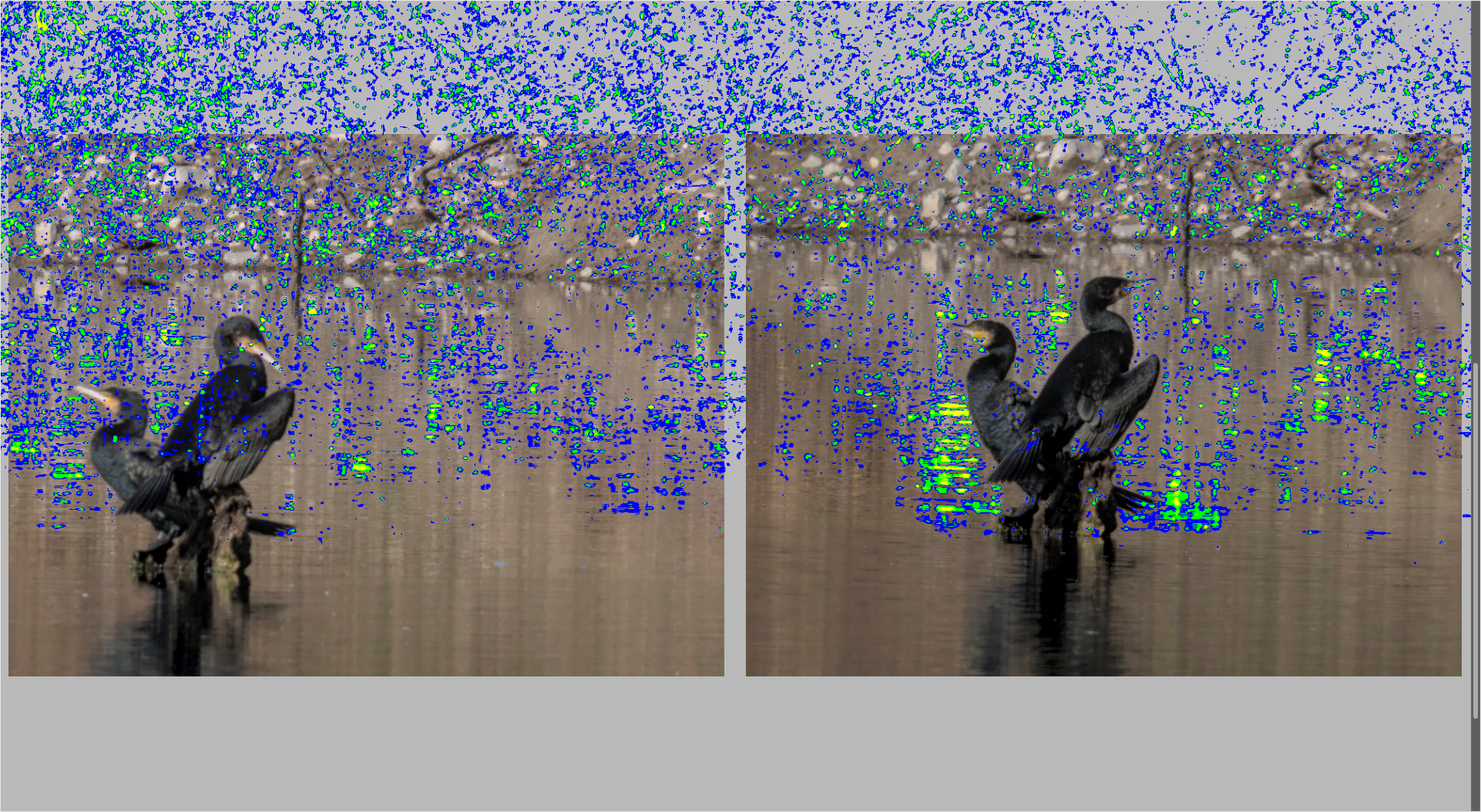
Just see the images below. First image is an image fit in the borders preview. Second one is the same zoomed. darktable always show focus peaking of all image, even outside the preview zone of the image. Reproducible on few set of images tested. Quite ugly ! @aurelienpierre and @AlicVB ?
To Reproduce
Just select for example to images and go in culling mode with focus peaking on. Zoom on the images and see the issue.
Expected behavior
Limit to image preview zone.
Screenshots
Platform (please complete the following information):
- Darktable Version: master (last commit of this day)
- OS: Ubuntu 19.10
- No OpenCL
 Nilvus
All 5 comments
I don't reproduce.
 aurelienpierre
on 21 Jan 2020
aurelienpierre
on 21 Jan 2020
I don't reproduce.
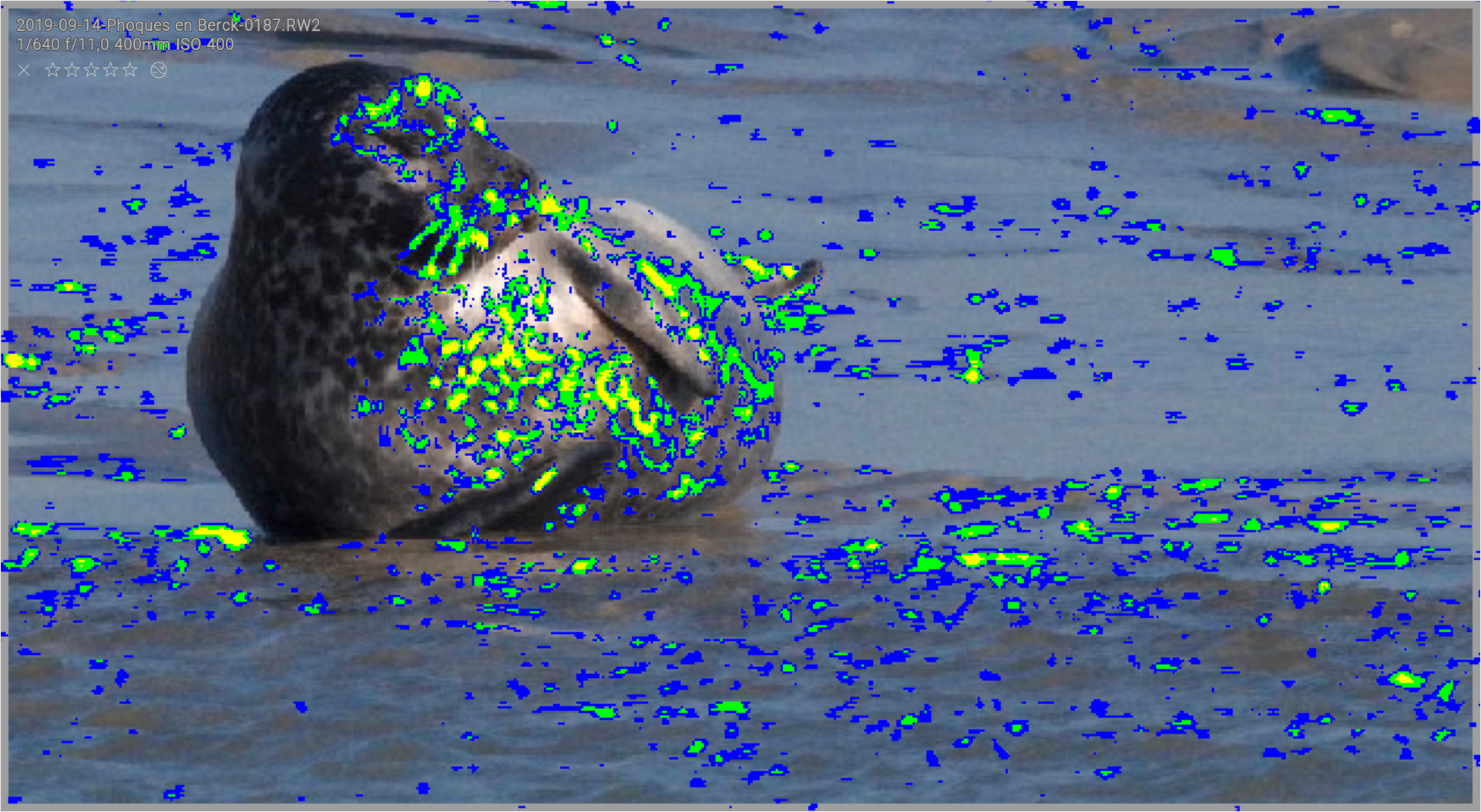
Quite strange, it's always reproducible for me, on all images I tested (something like a dozen) and I can also reproduce it each time in classic preview view on lighttable (default Alt+W shortcut). See below (on little grey borders, you could see focus peaking appear):
Nilvus
on 21 Jan 2020
This issue did not get any activity in the past 30 days and will be closed in 7 days if no update occurs. Please check if the master branch has fixed it since then.
![github-actions[bot] picture](https://avatars2.githubusercontent.com/in/15368?v=4&s=40) github-actions[bot]
on 21 Feb 2020
github-actions[bot]
on 21 Feb 2020
oups, forgot this one... I can reproduce, and it comes from the fact that focus drawing doesn't clip to the image area like the image surface.
That said, actually for zoomed images, focus peaking is recompute each time you move the image, which is not necessary. But I'm reluctant to fix that now, as it'll be simpler once culling/preview is moved to specific widgets, like what I'm doing for filemanager.
 AlicVB
on 21 Feb 2020
AlicVB
on 21 Feb 2020
@Nilvus what about closing this?
 jenshannoschwalm
on 10 Mar 2020
jenshannoschwalm
on 10 Mar 2020
Related issues
 bapBardas
·
6Comments
bapBardas
·
6Comments
 Praveen-Rai
·
5Comments
Praveen-Rai
·
5Comments
 pphotography
·
3Comments
pphotography
·
3Comments
 schwerdf
·
4Comments
schwerdf
·
4Comments
 elstoc
·
4Comments
elstoc
·
4Comments