Darktable: Culling/Filemanger View starred image filter not respected.
darktable-3.1.0+1670~g92a7e6aeb-win64
I vaguely remember the scroll bar used to be present in the culling view, it no longer is.

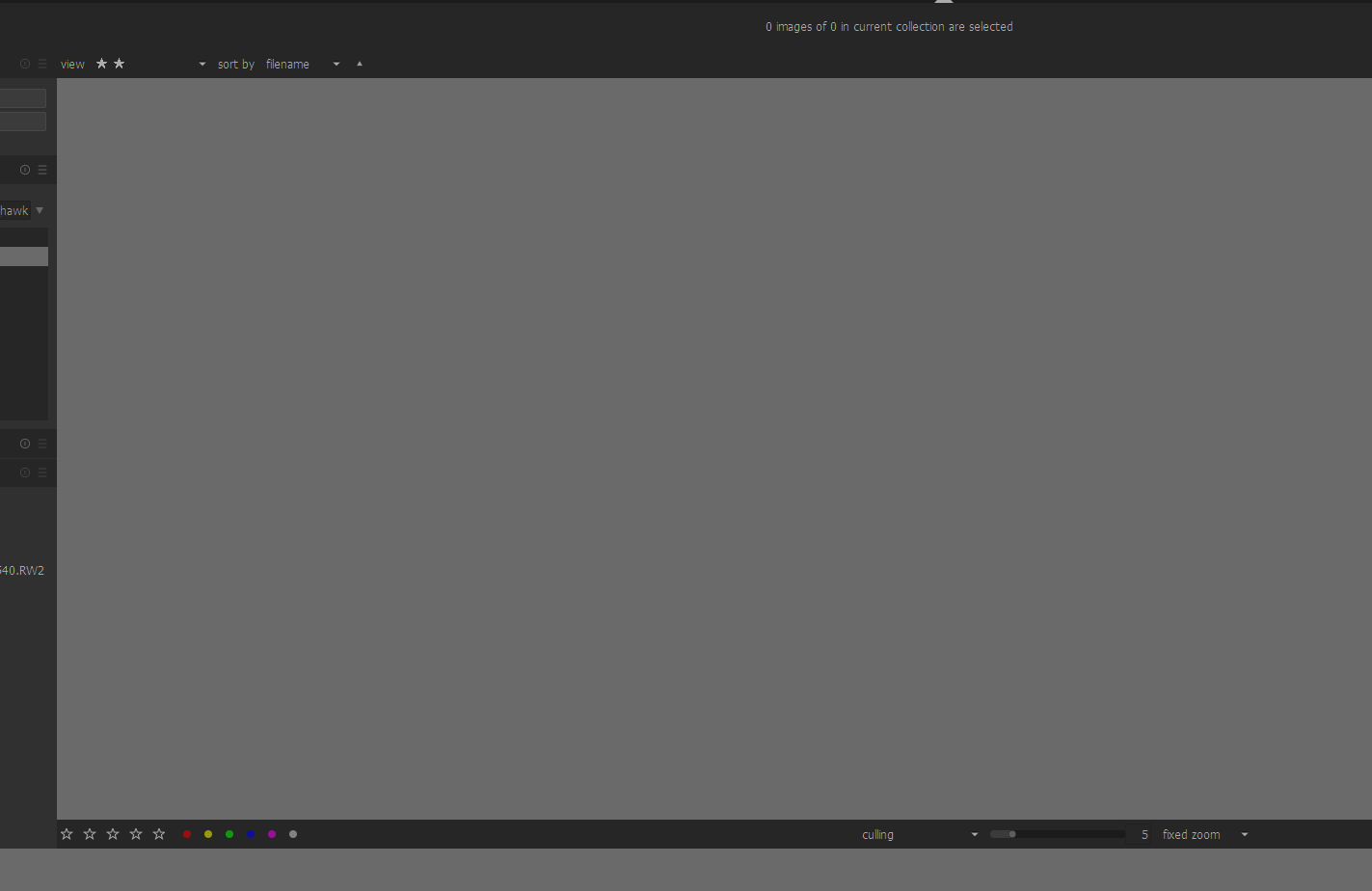
When I starred images in culling view and then selected the number of starred images to see nothing was visible
CTRL+W is taking very long now to display an image.
 chhil
chhil
All 32 comments
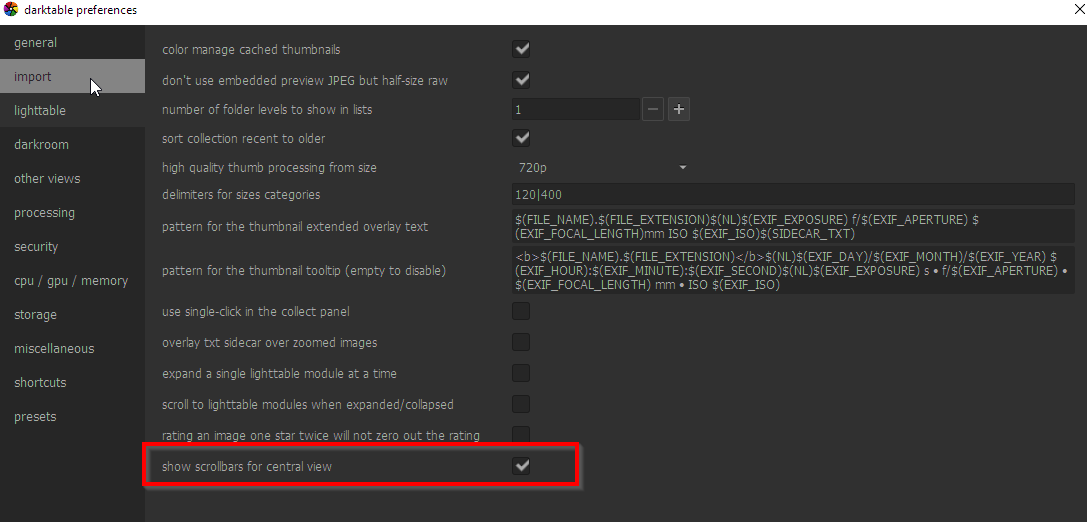
Scrollbars are enabled in preferences.
chhil
on 18 May 2020
Filtering fails in filemanger too...
I have a 2 star image.
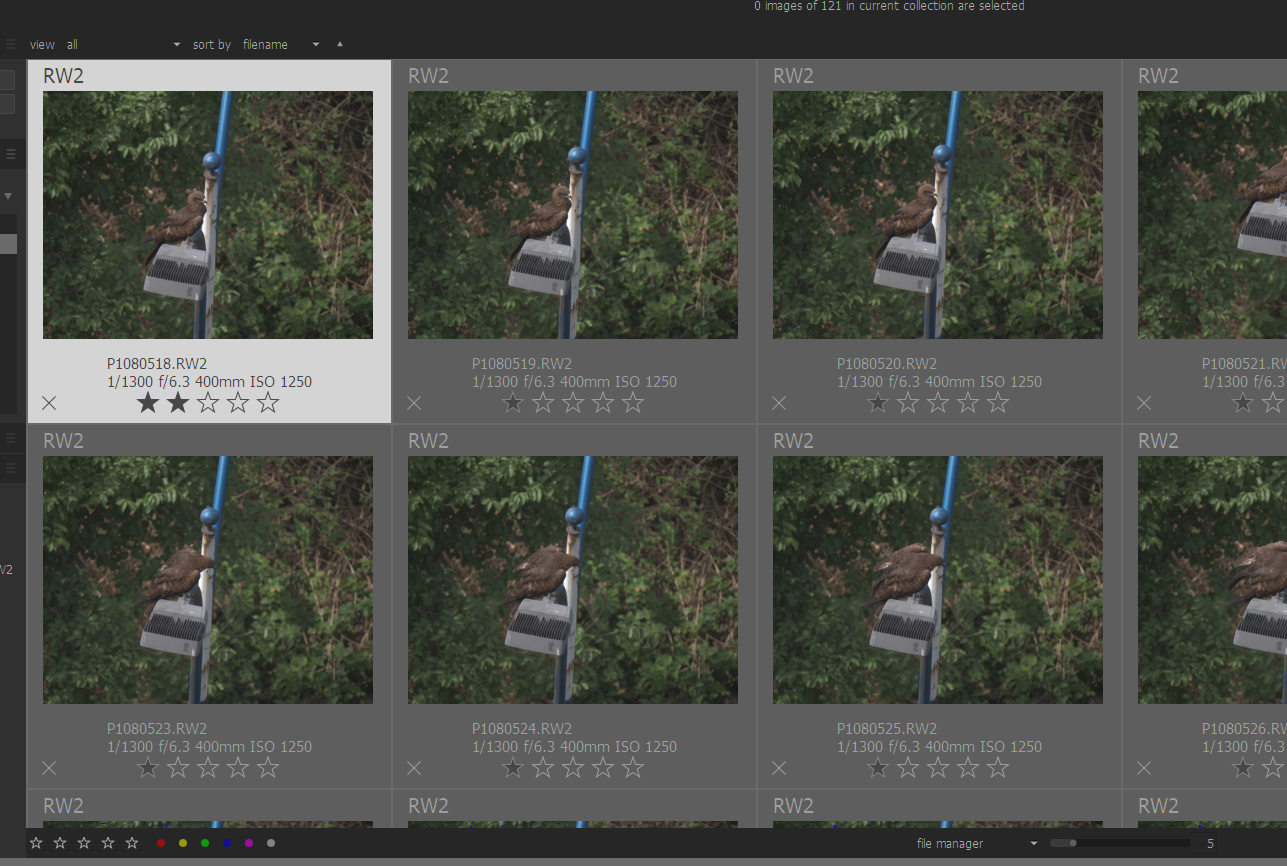
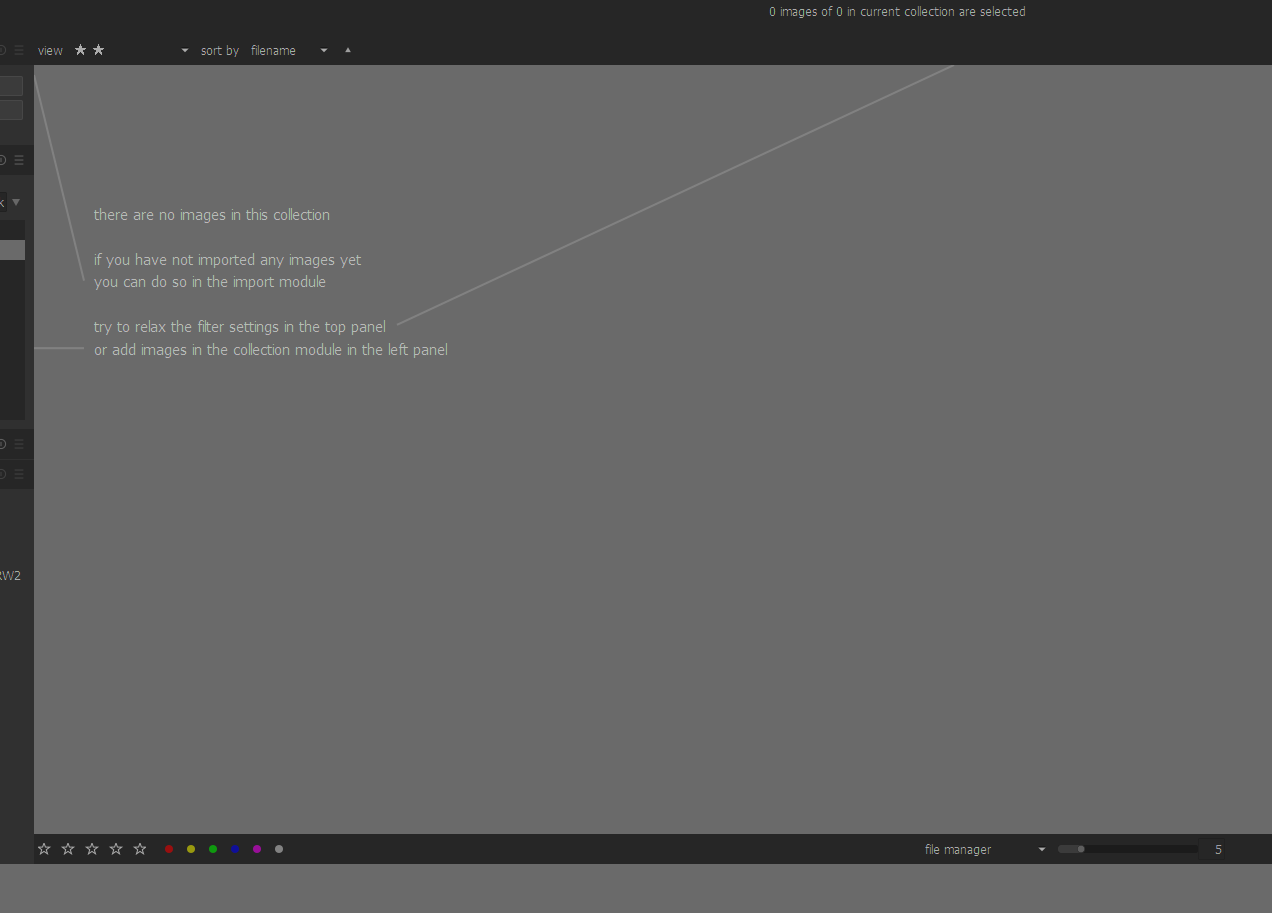
On applying star filter no images show up.
chhil
on 18 May 2020
- for the scrollbars : yes, I've not implemented them, because I'm really not sure it's relevant in this mode and it's worth the pain to add code complexity here.
- for the rest, it may very well be fixed in current master with my "just" pushed PR. Can you test again ? (I'll do too in the evening)
- for the ctrl+X delay, if it's not fixed in current master, can you launch dt in a terminal with
-d lighttableand report the output ?
thanks
 AlicVB
on 18 May 2020
AlicVB
on 18 May 2020
Thanks @AlicVB
for the scrollbars : yes, I've not implemented them, because I'm really not sure it's relevant in this mode and it's worth the pain to add code complexity here.
If I have many pics and I want to cull from the middle, how do I get to those pics?
for the rest, it may very well be fixed in current master with my "just" pushed PR. Can you test again ? (I'll do too in the evening)
Will surely test the merge, evening is relative across timezones ;) Maybe if you have a PR number I can track it based on emails.
for the ctrl+X delay, if it's not fixed in current master, can you launch dt in a terminal with -d lighttable and report the output ?
Output
version: darktable 3.1.0+1670~g92a7e6aeb
start: 2020:05:18 17:31:07

[dt_pthread_create] info: bumping pthread's stacksize from 0 to 2097152
[dt_pthread_create] info: bumping pthread's stacksize from 0 to 2097152
[dt_pthread_create] info: bumping pthread's stacksize from 0 to 2097152
[dt_pthread_create] info: bumping pthread's stacksize from 0 to 2097152
[dt_pthread_create] info: bumping pthread's stacksize from 0 to 2097152
[dt_pthread_create] info: bumping pthread's stacksize from 0 to 2097152
[dt_pthread_create] info: bumping pthread's stacksize from 0 to 2097152
[dt_pthread_create] info: bumping pthread's stacksize from 0 to 2097152
[dt_pthread_create] info: bumping pthread's stacksize from 0 to 2097152
[dt_pthread_create] info: bumping pthread's stacksize from 0 to 2097152
[dt_pthread_create] info: bumping pthread's stacksize from 0 to 2097152
[dt_pthread_create] info: bumping pthread's stacksize from 0 to 2097152
[imageio_load_module] `C:\Program Files\darktable\lib\darktable/plugins/imageio/storage\libfacebook.dll' is compiled for another version of dt (module 20 (opt) != dt 21 (opt)) !
[imageio_load_module] failed to open storage `facebook': (null)
[imageio_load_module] `C:\Program Files\darktable\lib\darktable/plugins/imageio/storage\libflickr.dll' is compiled for another version of dt (module 20 (opt) != dt 21 (opt)) !
[imageio_load_module] failed to open storage `flickr': (null)
[imageio_load_module] `C:\Program Files\darktable\lib\darktable/plugins/imageio/storage\libgooglephoto.dll' is compiled for another version of dt (module 20 (opt) != dt 21 (opt)) !
[imageio_load_module] failed to open storage `googlephoto': (null)
7.510548 reload thumbs from db. force=0 w=1812 h=799 zoom=5 rows=3 size=362 offset=75 centering=1...
7.580547 done in 0.0700 sec 15 thumbs reloaded
10.838781 done in 0.0070 sec
12.783722 reload thumbs from db. force=1 w=1812 h=799 zoom=5 rows=3 size=362 offset=75 centering=1...
12.784722 done in 0.0010 sec 0 thumbs reloaded
Currently building, if your change is in there I will test it.
$ ./doBuildReleaseWithDebug.sh
remote: Enumerating objects: 33, done.
remote: Counting objects: 100% (33/33), done.
remote: Compressing objects: 100% (11/11), done.
remote: Total 36 (delta 26), reused 22 (delta 22), pack-reused 3
Unpacking objects: 100% (36/36), done.
From git://github.com/darktable-org/darktable
   92a7e6aeb..9d3aa350a  master     -> origin/master
Updating 92a7e6aeb..9d3aa350a
Fast-forward
 src/dtgtk/culling.c       |  7 -------
 src/dtgtk/culling.h       |  8 --------
 src/dtgtk/thumbtable.c    | 17 +++++++----------
 src/external/wb_presets.c | 10 ++++++++++
 src/libs/tools/filter.c   |  8 ++++----
 src/views/view.c          | 13 +++++++++----
 6 files changed, 30 insertions(+), 33 deletions(-)
version: darktable 3.1.0+1677~g9d3aa350a
Star filtering is back in filemanager and culling mode.
ctrl+w still takes time
========================================
version: darktable 3.1.0+1677~g9d3aa350a
start: 2020:05:18 18:20:31

[dt_pthread_create] info: bumping pthread's stacksize from 0 to 2097152
[dt_pthread_create] info: bumping pthread's stacksize from 0 to 2097152
[dt_pthread_create] info: bumping pthread's stacksize from 0 to 2097152
[dt_pthread_create] info: bumping pthread's stacksize from 0 to 2097152
[dt_pthread_create] info: bumping pthread's stacksize from 0 to 2097152
[dt_pthread_create] info: bumping pthread's stacksize from 0 to 2097152
[dt_pthread_create] info: bumping pthread's stacksize from 0 to 2097152
[dt_pthread_create] info: bumping pthread's stacksize from 0 to 2097152
[dt_pthread_create] info: bumping pthread's stacksize from 0 to 2097152
[dt_pthread_create] info: bumping pthread's stacksize from 0 to 2097152
[dt_pthread_create] info: bumping pthread's stacksize from 0 to 2097152
[dt_pthread_create] info: bumping pthread's stacksize from 0 to 2097152
[imageio_load_module] `C:\Program Files\darktable\lib\darktable/plugins/imageio/storage\libfacebook.dll' is compiled for another version of dt (module 20 (opt) != dt 21 (opt)) !
[imageio_load_module] failed to open storage `facebook': (null)
[imageio_load_module] `C:\Program Files\darktable\lib\darktable/plugins/imageio/storage\libflickr.dll' is compiled for another version of dt (module 20 (opt) != dt 21 (opt)) !
[imageio_load_module] failed to open storage `flickr': (null)
[imageio_load_module] `C:\Program Files\darktable\lib\darktable/plugins/imageio/storage\libgooglephoto.dll' is compiled for another version of dt (module 20 (opt) != dt 21 (opt)) !
[imageio_load_module] failed to open storage `googlephoto': (null)
9.311413 reload thumbs from db. force=1 w=1824 h=799 zoom=5 rows=3 size=364 offset=95 centering=2...
9.376653 done in 0.0652 sec 15 thumbs reloaded
9.419654 reload thumbs from db. force=0 w=1812 h=799 zoom=5 rows=3 size=362 offset=95 centering=1...
9.424652 done in 0.0050 sec 0 thumbs reloaded
12.723828 reload thumbs from db. force=0 w=1828 h=799 zoom=5 rows=3 size=365 offset=95 centering=1...
12.728861 done in 0.0050 sec 0 thumbs reloaded
16.837201 done in 0.0070 sec
18.604034 reload thumbs from db. force=1 w=1828 h=799 zoom=5 rows=3 size=365 offset=95 centering=1...
18.605033 done in 0.0010 sec 0 thumbs reloaded
24.624619 reload thumbs from db. force=0 w=1828 h=847 zoom=5 rows=3 size=365 offset=95 centering=1...
24.625618 done in 0.0010 sec 0 thumbs reloaded
25.184842 reload thumbs from db. force=0 w=1828 h=769 zoom=5 rows=3 size=365 offset=95 centering=1...
25.185839 done in 0.0010 sec 0 thumbs reloaded
28.949479 reload thumbs from db. force=1 w=1828 h=769 zoom=5 rows=3 size=365 offset=-1 centering=1...
28.963478 done in 0.0140 sec 2 thumbs reloaded
38.375814 reload thumbs from db. force=1 w=1828 h=769 zoom=5 rows=3 size=365 offset=1 centering=1...
38.376816 done in 0.0010 sec 0 thumbs reloaded
38.412817 reload thumbs from db. force=0 w=1840 h=769 zoom=5 rows=3 size=368 offset=1 centering=0...
38.414815 done in 0.0020 sec 0 thumbs reloaded
40.568123 done in 0.0180 sec
40.589141 reload thumbs from db. force=0 w=2540 h=120 zoom=1 rows=23 size=120 offset=1 centering=0...
40.590137 done in 0.0010 sec 0 thumbs reloaded
Thanks @AlicVB
for the scrollbars : yes, I've not implemented them, because I'm really not sure it's relevant in this mode and it's worth the pain to add code complexity here.
If I have many pics and I want to cull from the middle, how do I get to those pics?
Culling mode is a "compare" mode and I think it's better to limit the images viewed for that. Too much will make that difficult. I really think it's not the place to have images outside the screen so that will need scrollbars. I agree with @AlicVB: that's not the mode for scrollbars.
Will surely test the merge, evening is relative across timezones ;) Maybe if you have a PR number I can track it based on emails.
That's this commit: https://github.com/darktable-org/darktable/commit/9d3aa350a18560f6e6913b90148a70c3a1ef1708 from this #5103 PR (was indeed a hard debugging time to find that), merged just a few hours ago 6-7 hours at the time I write this.
 Nilvus
on 18 May 2020
Nilvus
on 18 May 2020
that's not the mode for scrollbars.
I don't agree with that
So if you have 1000 images and need to cull 900-905 one need to roll the scroll on the filmstrip to get to them. The scrollbar in the mainview was very helpful where one could drag it down.
chhil
on 18 May 2020
So if you have 1000 images and need to cull 900-905 one need to roll the scroll on the filmstrip to get to them. The scrollbar in the mainview was very helpful where one could drag it down.
I never see a scrollbar in mainview on culling mode and that's not the purpose. But I never use so much images. 25 images displayed at once it's a lot. The mainview display a maximum (on same screen, so without scrollbar) of 25 images at once and that's the reason of culling. Seeing a set of images on same view. For other things, you have other modes (and overlays options now with the star icon to have). It's possible with shortcuts and mouse wheel to change image displayed. Also possible to indeed use filmstrip.
Nilvus
on 18 May 2020
You are missing the point, fine you have a set number of images available but you still need to traverse to images not in the current view its just inconvenient to not have scrollbars which were already there.There is a reason why setting scrollbars in the lightable preference is there.
chhil
on 18 May 2020
You are missing the point, fine you have a set number of images available but you still need to traverse to images not in the current view its just inconvenient to not have scrollbars which were already there.There is a reason why setting scrollbars in the lightable preference is there.
I'm not missing the point and I never see that scrollbars before. But that just means we don't use and don't see that mode the same way. Scrollbars in the lighttable preference doesn't mean (for me at least) scrollbars for all modes. I see the use (and use them) of scrollbars on the 2 other main modes but not in culling. If those scrollbars were adding on culling mode, so I would like to have them activated or not for this mode, so independently from the 2 other modes.
Nilvus
on 18 May 2020
@chhil :
culling is designed to show a very limited nb of images. and in fact, preview is just culling with 1 image. Yes, you can set culling zoom to value till 25, but it's not designed for that, and some functionality like zooming are only available until a lower value.
Culling is designed to compare side by side a limited nb of images with zooming/panning features.
The use case you describe is different, and will be better handled in filemanager or zoomable lighttable, eventually with low zoom value to see "big" thumbnails.
Ultimately, as @Nilvus says, you can also show filmstrip in culling mode (ctrl-F)
And last point, using scrollbars for big collection and low nb of image, you are doing blind move, which will de facto need lot of adjustments, and require lot of computations, especially for culling.
I don't close your issue in order to investigate your ctrl-x delay. (next post)
AlicVB
on 18 May 2020
for the culling dynamic mode performances, some questions :
- how many images are usually selected before entering culling ?
- how many images do you have usually on screen when entering culling with ctrl-x ?
- What is your screen size ?
- if you exit and reenter culling, do you see the delay too ?
I'll certainly have some other questions, depending on your answers... Sorry for that, but as I can't reproduce, I need you ;)
AlicVB
on 18 May 2020
@AlicVB
zoomable lightable is eally not usable from my perspective. Plus images get cutoff from the right hand side.
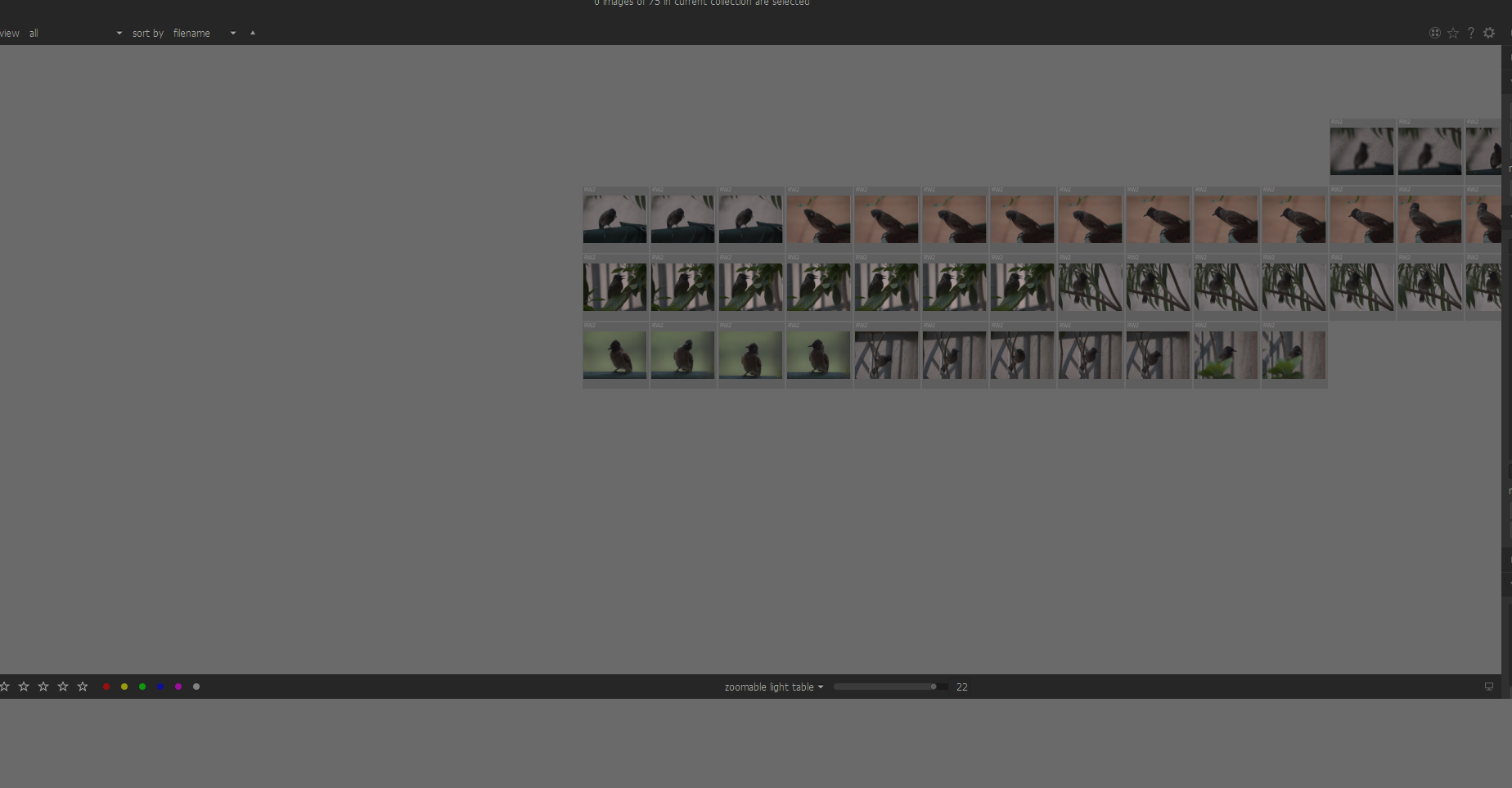
I have 79 images in my collection.
how many images are usually selected before entering culling ?
I have culling set to 5 so 5 images on screen.
how many images do you have usually on screen when entering culling with ctrl-x ?
5
What is your screen size ?
2560x1080
if you exit and reenter culling, do you see the delay too ?
No delay or its minimal.
I use high speed shutter on my camera and it can generate a lot of images for one shot followed by a lot of images for other shots in the collection. So I could previously scroll and get to my images in with the vertical scrollbar, its breaks backwards compatibility from my perspective. Those who don't want it can easily disable it in the preferences for "all modes". I understand its a redesign and you are tying to make it better, but taking away functionality doesn't seem right.
chhil
on 18 May 2020
I use high speed shutter on my camera and it can generate a lot of images for one shot followed by a lot of images for other shots in the collection. So I could previously scroll and get to my images in with the vertical scrollbar, its breaks backwards compatibility from my perspective. Those who don't want it can easily disable it in the preferences for "all modes". I understand its a redesign and you are tying to make it better, but taking away functionality doesn't seem right.
I disagree with that and you seems to forgot that answer from @AlicVB:
And last point, using scrollbars for big collection and low nb of image, you are doing blind move, which will de facto need lot of adjustments, and require lot of computations, especially for culling.
So, if it require a lot of adjustment and computations, that would mean other backwards and maybe issues. So not so simple. And by the way, as we both said, that's not the purpose of culling mode, even if it was there before...
Nilvus
on 18 May 2020
@Nilvus
Did it work before this change?
Yes it did.
One can say we will break backwards compatibility and thats fine as long as there is some formal approval of the decision.
chhil
on 18 May 2020
@Nilvus
Did it work before this change?
Yes it did.
I can't confirm and never see them but if you say it... Maybe that was not tested/wanted (could be there before just by inherit for others lighttable modes, so not wanted and not tested). As I said, I never see them (but of course, I never select so much images on same times and I also use really often use high shutter mode on camera and so generate a lot of images ; I often do birds in flight photos...). And as @AlicVB and me said few times here: that has never been the purpose of culling mode.
One can say we will break backwards compatibility and thats fine as long as there is some formal approval of the decision.
You just forget that culling has been completely rewritten so that's make a huge difference.
Nilvus
on 18 May 2020
One can say we will break backwards compatibility and thats fine as long as there is some formal approval of the decision.
I'm sorry to say that I disagree with that. backwards compatibility is about losing edits, not slightly changing habits. Especially when habits use a "non-design for" behavior.
That said, I'm focusing on your other point. Reading your last answer about exit-reenter, I think it's a caching problem. What you can do (in prefs) :
- increase
memory in megabytes to use for thumbnail cache - verify that
enable disk backend for thumbnail cacheis on - try with
enable disk backend for full preview cacheon
and 2 questions :
- what amount of memory in your system ?
- where are your image stored ? (local disk, NAS, ...)
AlicVB
on 18 May 2020
No, there was no scroll bars for culling and if there was it was a bug. In culling mode the idea is to have all selected images to be fully visible. So there is no need to scrollbars. I bet you are confusing with some other modes or another software.
 TurboGit
on 18 May 2020
TurboGit
on 18 May 2020
zoomable lightable is eally not usable from my perspective. Plus images get cutoff from the right hand side.
That's mostly expected and as always been like that I think. The initial center of the zoomable lighttable depends on the selection. I have been a big user of the zoomable lighttable but not since 2 years or so, so maybe I miss remember. We could check on a 2.6.
TurboGit
on 18 May 2020
@AlicVB
increase memory in megabytes to use for thumbnail cache
changed 512 to 1500
verify that enable disk backend for thumbnail cache is on
Was on.
try with enable disk backend for full preview cache on
Turned it on.
Thanks, works as it should minimal time.
When "disk backend for full preview cache" was off, slightly slower. Can be on/off and it wouldnt make a difference to someone not keeping an eye on the difference.
and 2 questions :
what amount of memory in your system ?
32GB Ram 2GB Video
where are your image stored ? (local disk, NAS, ...)
On an external SSD.
chhil
on 19 May 2020
My sincere apologies to @Nilvus and @AlicVB .
I installed 3.0.2 and scrollbars aren't there. I don't know which dev release. post that one I was using that had scrollbars.
chhil
on 19 May 2020
I don't know which dev release. post that one I was using that had scrollbars.
No, no no... There has never been scrollbars on culling mode. Don't know how to be clearer than that.
TurboGit
on 19 May 2020
I don't know which dev release. post that one I was using that had scrollbars.
No, no no... There has never been scrollbars on culling mode. Don't know how to be clearer than that.
And even if they're was scrollbars, that would be an issue for this mode, not a feature. So now it's clear, let's focus on your real issue (cache one!).
Nilvus
on 19 May 2020
@TurboGit :)
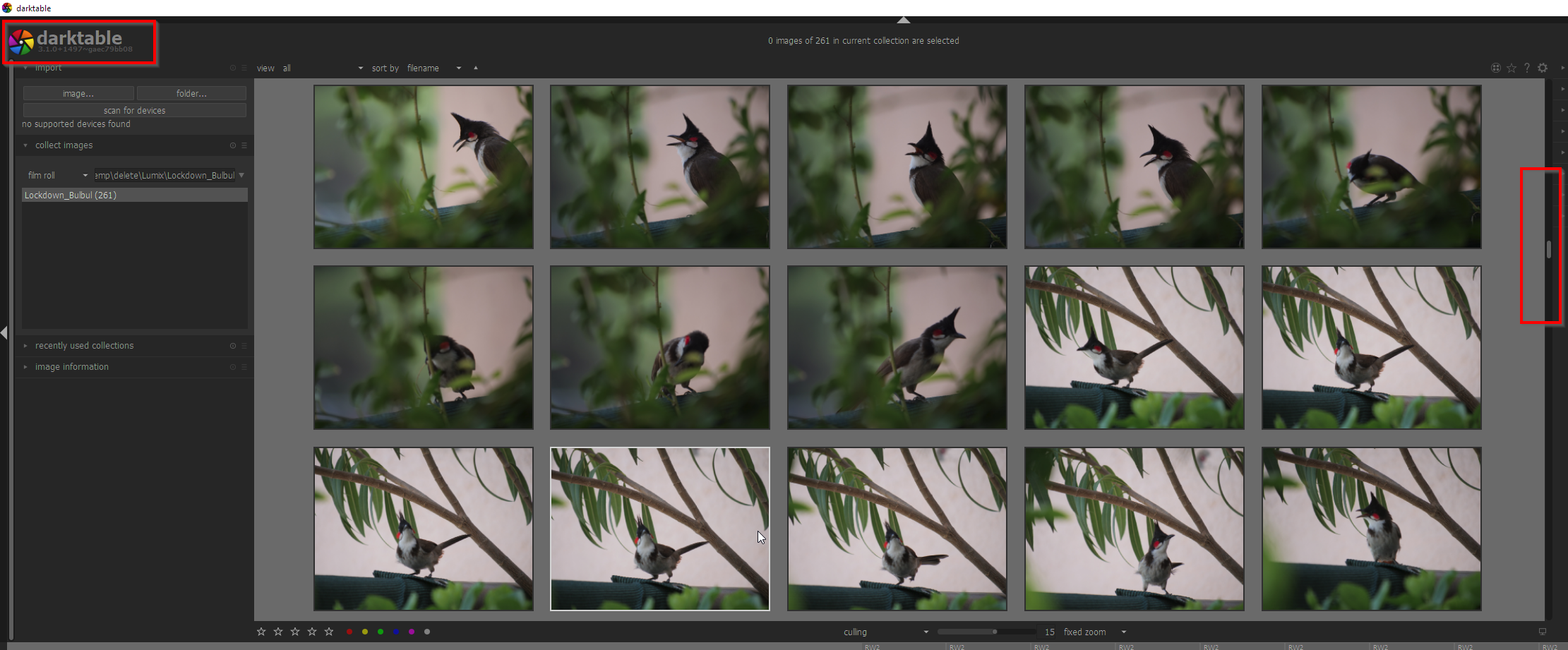
Here they don't function, but I know I have used them ;)
This is the last you will hear about these scrollbars from me.
chhil
on 19 May 2020
Sure a transient bug probably when working on the new culling mode :)
TurboGit
on 19 May 2020
@chhil : about your performance issue, the suggested preferences solve it, right ?
If so, I think, this is the thumbnail cache size the key here. Culling/preview use "big" images, and so need more space to cache them...
AlicVB
on 19 May 2020
Yes it solves it. Maybe the defaults should be changed in the preferences on new installs and upgrades?
chhil
on 19 May 2020
Yes it solves it. Maybe the defaults should be changed in the preferences on new installs and upgrades?
I agree to that, I've often help users on forums to set them (after myself been helped by others at my beginnings). Actual default settings seems to be quite old. I would suggest to set new defaults ones from 4 cores, 8Gb RAM but default settings from that probably need to be discussed but we could now increase them to be suitable to more defaults recent settings. Actual settings are really to low.
- Memory for thumbnail cache should at least be set to 2048 I think (most settings now have huge disks for photos).
- Threads should be at least on 3 (most CPU now have at least 4 cores, so let one for others process)
- And tiling memory should be set at least to 2500 even if I would suggest 3072
Nilvus
on 19 May 2020
Huh. I browsed a bit and yeah - max threads regardless what's set are clamped in [1..8] range so there's a room for improvement there (with all the Ryzens, Threadrippers, Core i7/9, Desktop Xeons...)
Overally I agree with @Nilvus - current detection is 4core + 8GB ram is considered "beefy", where nowadays that's at most "old office paperweirght" ;)
Probably best approach would be to enhance dt_configure_performance with more aggressive caching, threading & memory limits and change DT_CURRENT_PERFORMANCE_CONFIGURE_VERSION
 johnny-bit
on 20 May 2020
johnny-bit
on 20 May 2020
I don't think it makes sense to set number of threads to high number - cores are utilized by OpenMP threads, and that setting doesn't affect OpenMP.
 parafin
on 20 May 2020
parafin
on 20 May 2020
Discussion about default settings continue in #5328 so let's close this one...
AlicVB
on 6 Jun 2020
Related issues
Nilvus
·
5Comments
 GrahamByrnes
·
3Comments
GrahamByrnes
·
3Comments
 mjut
·
5Comments
mjut
·
5Comments
 trougnouf
·
5Comments
johnny-bit
·
5Comments
trougnouf
·
5Comments
johnny-bit
·
5Comments