Darktable: dt 2.7/denoise profiled produces strange margin
sorry for creating another bug report but I am much closer now
Describe the bug
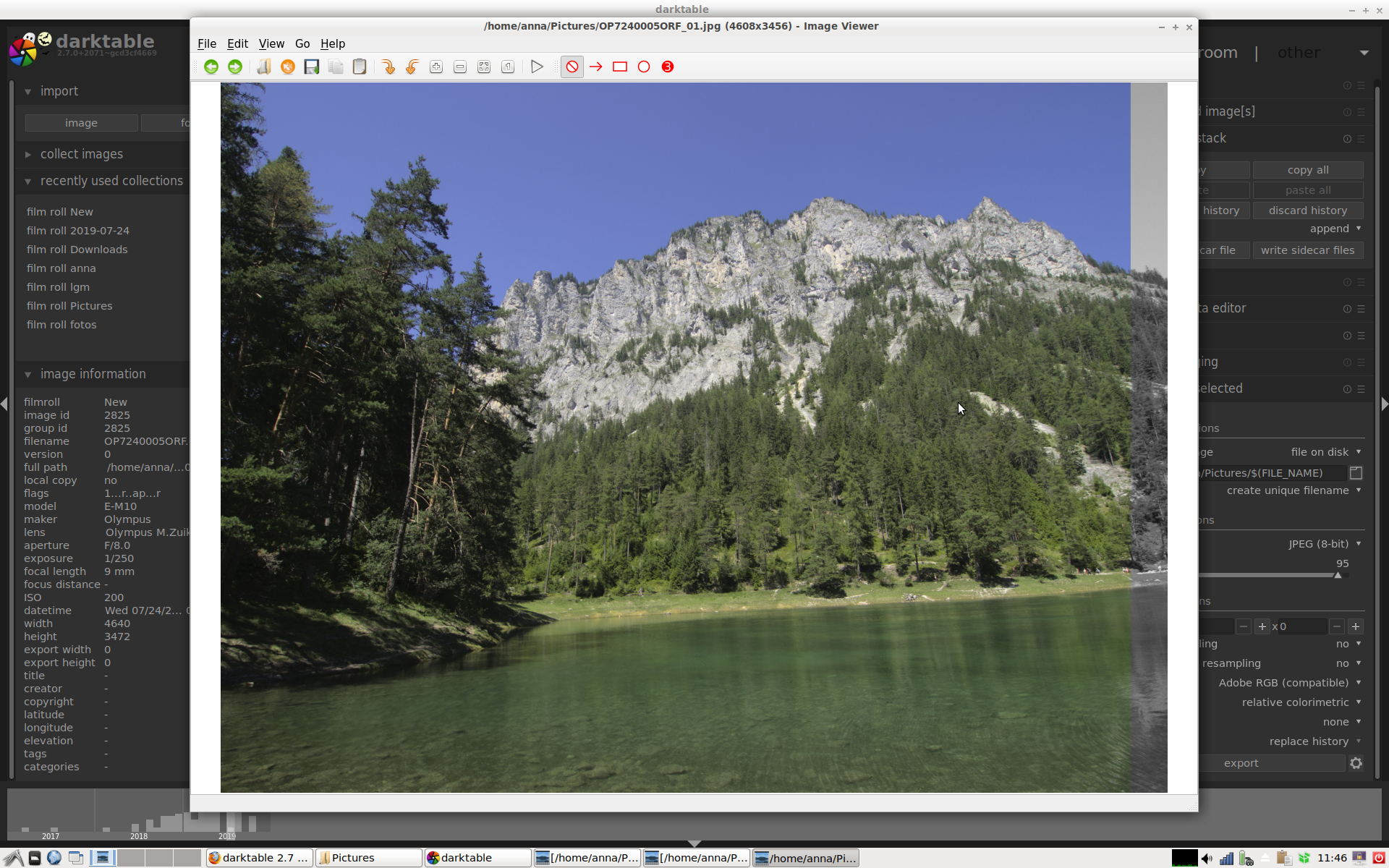
dt 2.7 produces strange margin on the right edge when editing raws from Olympus e-m10 and denoise profiled/preset chroma is active
To Reproduce
- import any raw file produced by an Olympus E-M10 (mark I)
- open the file in darkroom
- activate module denoise profiled with preset chroma
- export the file to original size
Expected behavior
there is a margin at the right edge of the exported photo
Platform (please complete the following information):
- OS: Debian 11, MX 19
- 2.7
 blitzgneisserin
All 67 comments
It seems similar to this one #3136
 pitbuster
on 1 Nov 2019
pitbuster
on 1 Nov 2019
apparently the stripe is also present when exporting/editing Fuji raws
blitzgneisserin
on 1 Nov 2019
Cannot reproduce with latest version. It could be due to the OpenCL bug recently fixed. Can you test again? If not fixed on your side you'll have to give a lot of context.
 TurboGit
on 1 Nov 2019
TurboGit
on 1 Nov 2019
well I have tested this on several Debian and Debian-like systems (Debian 10, Debian 11/testing, MX19, I also tried to install dt 2.7 on Manjaro and Fedora but couldn't) with the latest dt as well
opencl is not available here
maybe have a look at the discussion on discuss.pixls.us. one person could reproduce it
here is more info on my system:
[code]
System:
Host: mx Kernel: 4.19.0-6-amd64 x86_64 bits: 64 compiler: gcc
v: 8.3.0
parameters: BOOT_IMAGE=/boot/vmlinuz-4.19.0-6-amd64
root=UUID=ab93ee8b-8f5f-452a-a8bd-4b90c35f2d4a ro quiet splash
Desktop: LXDE 0.10.0 info: lxpanel wm: marco 1.20.3
dm: LightDM 1.26.0 Distro: Simux OS 19 October 24 2019
base: Debian GNU/Linux 10 (buster)
Machine:
Type: Laptop System: Acer product: Aspire V3-372 v: V1.12
serial:
Mobo: Acer model: Aspire V3-372 v: V1.12 serial:
UEFI: Insyde v: 1.12 date: 02/23/2017
Battery:
ID-1: BAT0 charge: 29.6 Wh condition: 29.6/51.1 Wh (58%)
volts: 17.3/15.4 model: SANYO AC14B3K type: Li-ion
serial:
CPU:
Topology: Dual Core model: Intel Core i5-6200U bits: 64
type: MT MCP arch: Skylake family: 6 model-id: 4E (78)
stepping: 3 microcode: CC L2 cache: 3072 KiB
flags: avx avx2 lm nx pae sse sse2 sse3 sse4_1 sse4_2 ssse3 vmx bogomips: 19200
Speed: 800 MHz min/max: 400/2800 MHz Core speeds (MHz): 1: 800
2: 800 3: 800 4: 802
Vulnerabilities: Type: l1tf mitigation: PTE Inversion; VMX:
conditional cache flushes, SMT vulnerable
Type: mds mitigation: Clear CPU buffers; SMT vulnerable
Type: meltdown mitigation: PTI
Type: spec_store_bypass mitigation: Speculative Store Bypass
disabled via prctl and seccomp
Type: spectre_v1 mitigation: usercopy/swapgs barriers and
__user pointer sanitization
Type: spectre_v2 mitigation: Full generic retpoline, IBPB:
conditional, IBRS_FW, STIBP: conditional, RSB filling
Graphics:
Device-1: Intel HD Graphics 520
vendor: Acer Incorporated ALI Skylake GT2 driver: i915
v: kernel bus ID: 00:02.0 chip ID: 8086:1916
Display: x11 server: X.Org 1.20.4 driver: intel
compositor: marco v: 1.20.3 resolution: 1920x1200~60Hz
OpenGL: renderer: Mesa DRI Intel HD Graphics 520 (Skylake GT2)
v: 4.5 Mesa 18.3.6 compat-v: 3.0 direct render: Yes
Audio:
Device-1: Intel Sunrise Point-LP HD Audio
vendor: Acer Incorporated ALI driver: snd_hda_intel v: kernel
bus ID: 00:1f.3 chip ID: 8086:9d70
Sound Server: ALSA v: k4.19.0-6-amd64
Network:
Device-1: Realtek RTL8111/8168/8411 PCI Express Gigabit
Ethernet
vendor: Acer Incorporated ALI driver: r8169 v: kernel
port: 3000 bus ID: 02:00.0 chip ID: 10ec:8168
IF: eth0 state: down mac:
Device-2: Qualcomm Atheros QCA6174 802.11ac Wireless Network
Adapter
vendor: Foxconn driver: ath10k_pci v: kernel port: 3000
bus ID: 03:00.0 chip ID: 168c:003e
IF: wlan0 state: up mac:
Drives:
Local Storage: total: 592.27 GiB used: 233.72 GiB (39.5%)
ID-1: /dev/sda vendor: Kingston model: RBU-SNS8152S3256GF
size: 238.47 GiB block size: physical: 512 B logical: 512 B
speed: 6.0 Gb/s serial:
ID-2: /dev/sdb type: USB vendor: Kingston
model: DataTraveler 3.0 size: 115.50 GiB block size:
physical: 512 B logical: 512 B serial:
scheme: MBR
ID-3: /dev/sdc type: USB vendor: Generic model: USB3.0 CRW -SD
size: 238.30 GiB block size: physical: 512 B logical: 512 B
serial:
Partition:
ID-1: / raw size: 54.69 GiB size: 53.58 GiB (97.97%)
used: 27.23 GiB (50.8%) fs: ext4 dev: /dev/sda6
ID-2: swap-1 size: 8.79 GiB used: 0 KiB (0.0%) fs: swap
swappiness: 15 (default 60) cache pressure: 100 (default)
dev: /dev/sda5
Sensors:
System Temperatures: cpu: 48.5 C mobo: 46.0 C
Fan Speeds (RPM): N/A
Repos:
No active apt repos in: /etc/apt/sources.list
Active apt repos in: /etc/apt/sources.list.d/antix.list
1: deb http://iso.mxrepo.com/antix/buster buster main
Active apt repos in: /etc/apt/sources.list.d/debian-stable-updates.list
1: deb http://deb.debian.org/debian buster-updates main contrib non-free
Active apt repos in: /etc/apt/sources.list.d/debian.list
1: deb http://deb.debian.org/debian buster main contrib non-free
2: deb http://deb.debian.org/debian-security buster/updates main contrib non-free
Active apt repos in: /etc/apt/sources.list.d/mx.list
1: deb http://mxrepo.com/mx/repo/ buster main non-free
No active apt repos in: /etc/apt/sources.list.d/various.list
Info:
Processes: 197 Uptime: 3m Memory: 15.56 GiB
used: 1007.9 MiB (6.3%) Init: SysVinit v: 2.93 runlevel: 5
default: 5 Compilers: gcc: 8.3.0 alt: 8 Shell: bash v: 5.0.3
running in: quick-system-in inxi: 3.0.36
[/code]
blitzgneisserin
on 1 Nov 2019
maybe have a look at the discussion on discuss.pixls.us. one person could reproduce it
I can't read all pixls discussion sorry. At least point the thread and comment num.
TurboGit
on 1 Nov 2019
opencl is not available here
So that rules out the recent fix for OpenCL.
TurboGit
on 1 Nov 2019
Since I cannot reproduce maybe its due to bad interaction with another module. At least just activating the denoise module from a fresh edit of the RAW you've post does not exhibit the issue. So what is needed, a clean procedure to reproduce:
- select picture
- delete history stack (from lt [discard history])
- go to darkrroom
- activate ...
- activate ...
- expose with paramaters : bla, bla, bla
Without that we just won't be able to make progress.
Thanks.
TurboGit
on 1 Nov 2019
Can we just leave this open a little bit longer, maybe for a few days or so. The system I am using is not so "exotic" I think, I cannot imagine that nobody can reproduce this.
I am not doing anything special. I just activate denoise profiled with preset chroma and export to jpg. That is all I do. It does not matter if other modules are active or not.
blitzgneisserin
on 1 Nov 2019
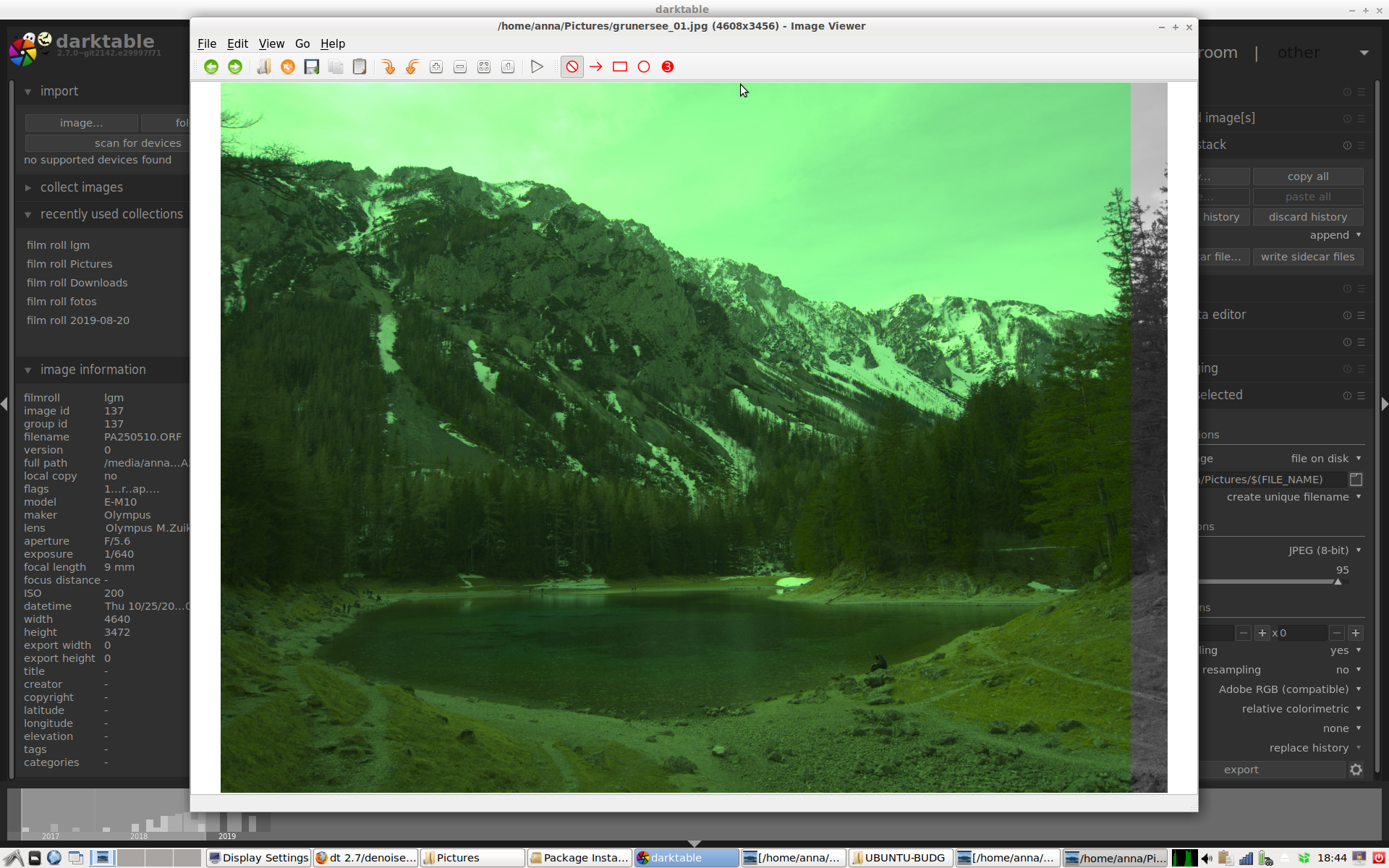
see, all modules except denoise were deactivated
blitzgneisserin
on 1 Nov 2019
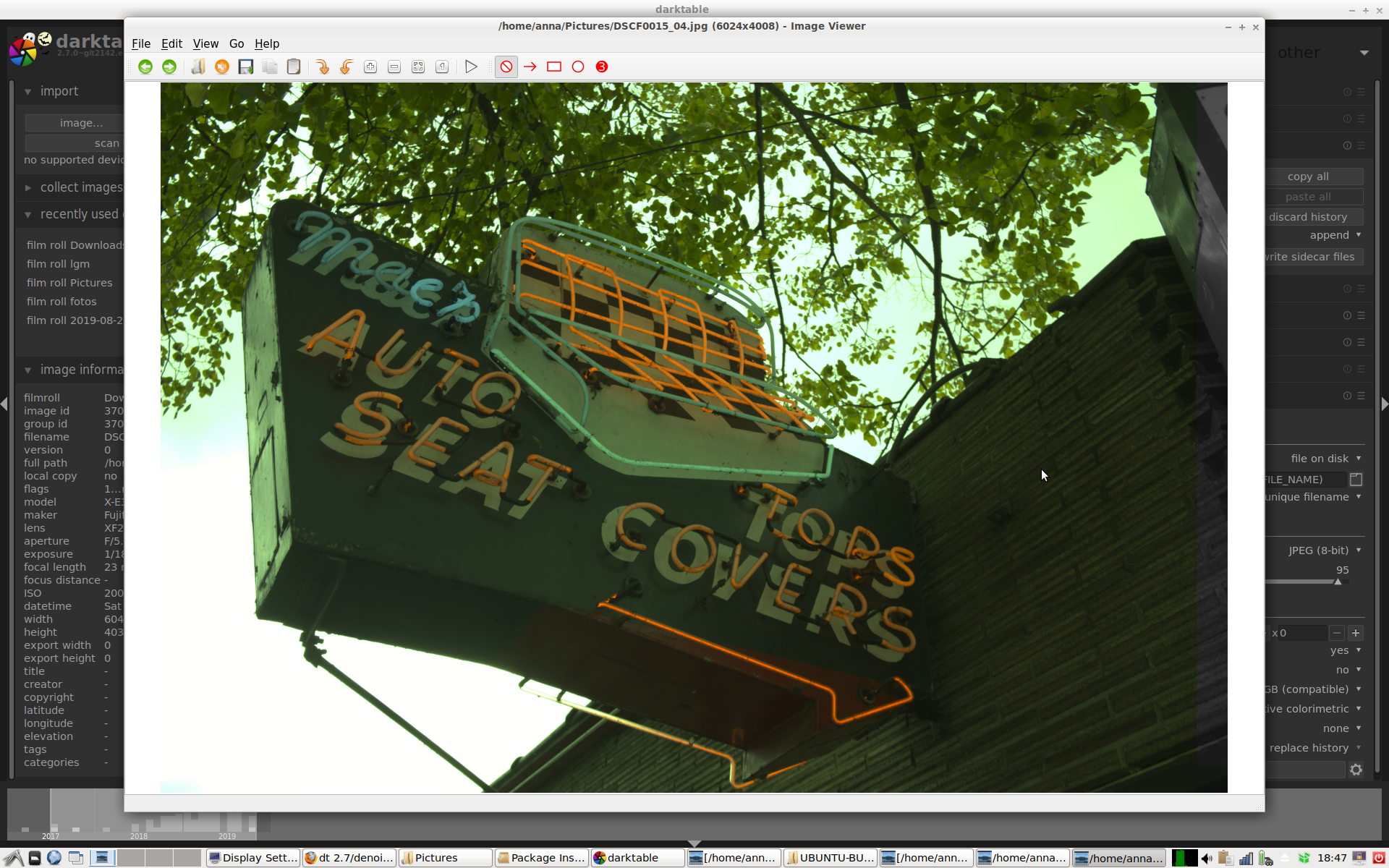
this is with the Fuji raw I got form dpreview
blitzgneisserin
on 1 Nov 2019
see, all modules except denoise were deactivated
How am I suppose to see that from a screenshot in the lighttable?????
TurboGit
on 1 Nov 2019
I cannot imagine that nobody can reproduce this.
But that's a fact, if you don't want to admit that and don't want to provide more information this will be closed. I don't want to loose my time if you don't want to help. Sorry.
TurboGit
on 1 Nov 2019
1 person did reproduce it
blitzgneisserin
on 1 Nov 2019
@blitzgneisserin Can you reproduce this from a completely clean profile as created on first run? That eliminates some variables.
EDIT: also, importing an image with no existing XMP file.
 junkyardsparkle
on 1 Nov 2019
junkyardsparkle
on 1 Nov 2019
@junkyardsparkle yes, I already did all that.
blitzgneisserin
on 1 Nov 2019
Ok, then I can't reproduce either on latest master.
junkyardsparkle
on 1 Nov 2019
see, all modules except denoise were deactivated
How am I suppose to see that from a screenshot in the lighttable?????
The "green" screenshots were supposed to show that every module except denoise profiled was deactivated, even white balance
blitzgneisserin
on 1 Nov 2019
I can only repeat the info I have already provided: I have tested this with dt 2.7 compiled a few days ago and dt 2.7 that I downloaded from opensuse today, on Debian buster, MX 19 and Debian testing (Bullseye). All modules except denoise profiled were switched off, but apparently it does not matter if other modules are active or not. All xmp-files were deleted, darktable settings were set back to default (deleted all files related to dt in my home folder). CR2-files are not affected.
And I want to add one more thing: I think I am using dt 2.7 since a few weeks now almost daily and I did not encounter this error until a few days ago. Well, but the truth is, I usually do not edit raws but tiffs.
I also provided extensive info about my hardware that I do not want to repeat here.
What else do you want to know?
What kind of systems are you (who couldn't reproduce) using actually?
It is important that you actually export the photo in original size and open the exported file. The stripe is not visible in the preview window. It is also missing if you export to anything but the original size.
blitzgneisserin
on 1 Nov 2019
@blitzgneisserin : can you send over the .xmp ?
Also, can you try running dt from the command line and see if some errors are reported?
Last, can you run darktable-cltest on the computer and send the output.
TurboGit
on 1 Nov 2019
What kind of systems are you (who couldn't reproduce) using actually?
Slackware -current with Nvidia blob drivers here... but if OpenCL isn't involved, that probably doesn't matter much. The only setting I change from clean profile is to disable openCL, and make profiled denoise module visible (odd that it's hidden by default), then select chroma preset. Export unscaled to both TIFF and JPEG, pixel-peep all edges (in geeqie), nothing unusual is visible.
It is important that you actually export the photo in original size and open the exported file. The stripe is not visible in the preview window. It is also missing if you export to anything but the original size.
That part's clear enough. Does this happen with JPEG, TIFF and PNG export? Also without setting Adobe RGB as output profile?
junkyardsparkle
on 1 Nov 2019
anna@mx:~
$ /opt/darktable/bin/darktable
[defaults] found a 64-bit system with 16320232 kb ram and 4 cores (0 atom based)
[defaults] setting high quality defaults
(darktable:4518): GLib-GObject-CRITICAL **: 22:22:37.428: g_object_set_data: assertion 'G_IS_OBJECT (object)' failed
(darktable:4518): Gtk-CRITICAL *: 22:22:37.428: gtk_widget_get_has_tooltip: assertion 'GTK_IS_WIDGET (widget)' failed
anna@mx:~
$ /opt/darktable/bin/darktable-cltest
0.042109 [opencl_init] opencl related configuration options:
0.042127 [opencl_init]
0.042147 [opencl_init] opencl: 1
0.042149 [opencl_init] opencl_library: ''
0.042152 [opencl_init] opencl_memory_requirement: 768
0.042157 [opencl_init] opencl_memory_headroom: 300
0.042186 [opencl_init] opencl_device_priority: '/!0,//*'
0.042194 [opencl_init] opencl_mandatory_timeout: 200
0.042199 [opencl_init] opencl_size_roundup: 16
0.042203 [opencl_init] opencl_async_pixelpipe: 0
0.042207 [opencl_init] opencl_synch_cache: active module
0.042211 [opencl_init] opencl_number_event_handles: 25
0.042217 [opencl_init] opencl_micro_nap: 1000
0.042220 [opencl_init] opencl_use_pinned_memory: 0
0.042223 [opencl_init] opencl_use_cpu_devices: 0
0.042226 [opencl_init] opencl_avoid_atomics: 0
0.042228 [opencl_init]
0.042399 [opencl_init] could not find opencl runtime library 'libOpenCL'
0.042478 [opencl_init] could not find opencl runtime library 'libOpenCL.so'
0.042632 [opencl_init] found opencl runtime library 'libOpenCL.so.1'
0.042655 [opencl_init] opencl library 'libOpenCL.so.1' found on your system and loaded
0.042664 [opencl_init] could not get platforms: -1001
0.042667 [opencl_init] FINALLY: opencl is NOT AVAILABLE on this system.
0.042685 [opencl_init] initial status of opencl enabled flag is OFF.
P2090860.ORF.xmp.zip
yes, it happens with other file formats as well and with other output profiles
blitzgneisserin
on 1 Nov 2019
Ok, first the XMP looks very wrong. I'll get back to this.
But even when loading the XMP on top of your image and exporting full size in jpeg I don't have this border.
Now to get the XMP as it is I suppose you did select [original] (or highlight reconstruction) in history stack and activated denoise profiled. Right?
This should not be done, and probably something to fix/check.
If you confirm that, then indeed the steps to reproduce were not precise, anyway can you try:
- select picture
- delete history stack (from lt [discard history])
- go to darkrroom
- activate .denoise profile with chroma preset
- go to lighttable
- export with full size (0 x 0 - jpeg - 95%)
TurboGit
on 1 Nov 2019
And please if it reproduces again then send over the XMP that was created after the exact steps described above and nothing else.
TurboGit
on 1 Nov 2019
Yes, I went back to the original in the history and then activated denoise profile, but not always - why is it a problem (why should it not be done)? But I also tried several other ways, including not doing anything after importing the files and just deactivating everything but denoise profile.
I followed your instructions exactly and the stripe is still there. No matter what I do it is there if I use denoise profile. Here is the sidecar file.
P2090860.ORF.xmp.zip
blitzgneisserin
on 1 Nov 2019
Ok, the latest XMP looks good to me.
I'm on Debian-sed (still close to 10/Buster), 16Gb RAM and I have tried with and without OpenCL. No issue on my side... I'm out of idea at this point.
TurboGit
on 1 Nov 2019
It's strange. Let's wait a bit. Maybe time will solve the problem. Thanks anyway.
Btw: darktable 2.6 works perfectly here (at least in this respect), no stripe when using denoise profile.
Well and sorry for the little misunderstanding.
blitzgneisserin
on 1 Nov 2019
It's strange. Let's wait a bit. Maybe time will solve the problem.
If you really want to attack the problem with brute force, you could try building from various points in the recent development history, and see if you can pinpoint a place where the problem first shows up... tedious way to spend an evening, though. You might want to at least try a build from prior to #2946, where some things in that module changed.
junkyardsparkle
on 2 Nov 2019
I followed the steps suggested by @TurboGit and could reproduce the margin again.
What I did:
1 - Lightroom - select raw, discard history
2 - Darkroom - activate denoise profile chroma preset
3 - Lightroom - exported to jpg (original size, high quality resampling on)
I'm on Ubuntu 18.04, 12 GB ram, DT git2128-097c0c544
Attached, _debug all_ information.
dt.txt
Same on DT git2153
dt.txt
I retested this with git2153 after renaming ~/.config/darktable to ~/.config/darktable.old and the margin is still there
 gadolf66
on 2 Nov 2019
gadolf66
on 2 Nov 2019
I still cannot reproduce even with high quality re sampling (tested with and without OpenCL).
TurboGit
on 2 Nov 2019
@gadolf66 what kind of hardware do you have?
blitzgneisserin
on 2 Nov 2019
Follow hardware specs.
hardware.txt
gadolf66
on 2 Nov 2019
@gadolf66 apparently we are using the same graphics driver (i915)
blitzgneisserin
on 2 Nov 2019
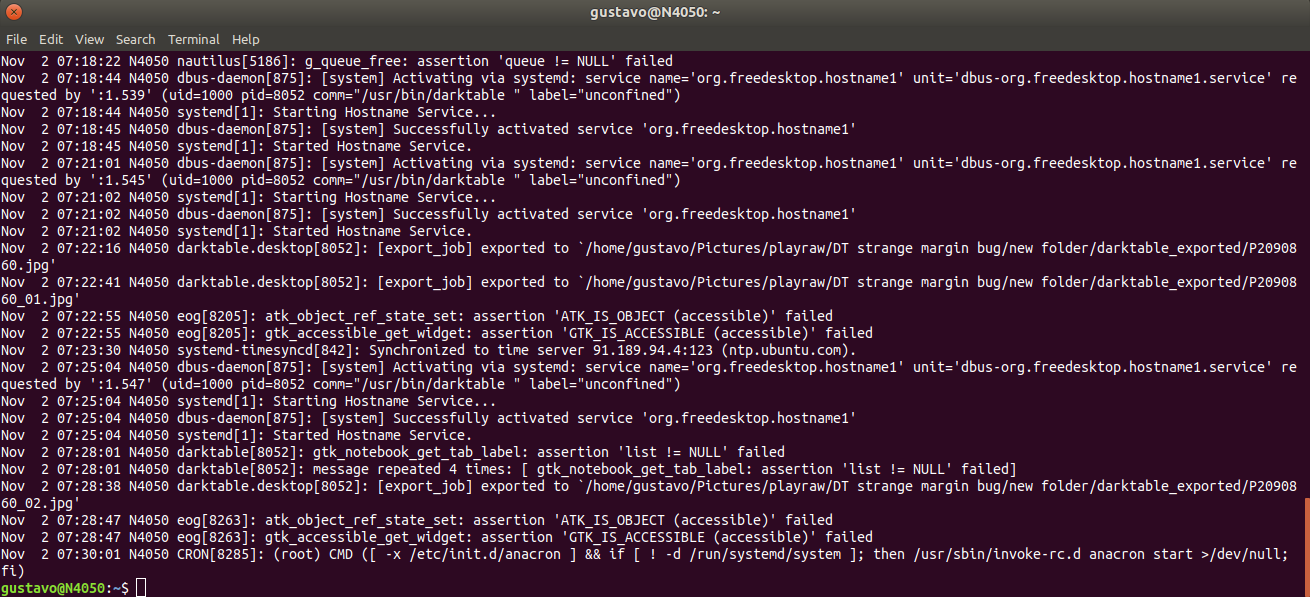
syslog:
gadolf66
on 2 Nov 2019
I can't reproduce either.
To find what may cause this bug:
- please test if you get the same issue changing blending mode to other blend modes (using the "color" blend mode, which was used by the chroma preset in dt 2.6.2, and using HSV lightness)
- please test if you get the same issue using denoise (bilateral filter) with big values to all parameters (for instance 50, 1, 1, 1) using HSV color blend mode on that module
 rawfiner
on 2 Nov 2019
rawfiner
on 2 Nov 2019
Changing blend modes changes the margin tonality; and in HSV lightness, the margin gets pure black.
Denoise (bilateral filter) with those settings and blend mode doesn't produce the margin.
gadolf66
on 2 Nov 2019
Thanks for testing @gadolf66
So you see the margin with all blend modes? But, you don't see any margin without any blend mode, right?
rawfiner
on 2 Nov 2019
That's correct.
EDIT: @rawfiner I mean, I used only color and HSV lightness modes,
gadolf66
on 2 Nov 2019
I'm wondering if this is not a tiling issue?
What are the values in the preference for the 2 tiling setting?
TurboGit
on 3 Nov 2019
Host memory limit -> 1500 MB
Minimum ammount ... -> 16 MB
gadolf66
on 3 Nov 2019
Dear @blitzgneisserin @TurboGit
on my labtop I can reproduce
same GFX and memory setting than @gadolf66
Edit1
I must correct my self, the opencl was off (due to what ever reason) when I reproduced. I will test again, once opencl works again...
Edit2
After I activated opencl, I cannot reproduce anymore!
HD5500 i915 with opencl activated=yes
yes I tweaked darktablerc:
- opencl_use_cpu_device=true
- because it does give some speed and
- lower temperature=lower fan
 AxelG-DE
on 4 Nov 2019
AxelG-DE
on 4 Nov 2019
I still can't with the same parameters :(
TurboGit
on 4 Nov 2019
And tested with and without OpenCL !
@AxelG-DE @gadolf66 : can you reproduce if you set the values to 4000 and 16.
(you need to restart dt)
TurboGit
on 4 Nov 2019
but why this issue got closed now??
I will test acc. to your recommendation
AxelG-DE
on 4 Nov 2019
@TurboGit
I think you found it
- I disabled opencl again and 1500 / 16 MB --> still reproduce (no one-day-fly)
- changed to 4000/16MB and cannot reproduce
Every time I did discard history and activated denoise profiled chroma again
dt 3.0-rc0-8 (and -7)
AxelG-DE
on 4 Nov 2019
@blitzgneisserin so, here you got your workaround! Increase Host memory limit to 4000
AxelG-DE
on 4 Nov 2019
I'm not sure how this got closed :( I probably clicked on the wrong button.
TurboGit
on 4 Nov 2019
@AxelG-DE it works! thanks!
blitzgneisserin
on 4 Nov 2019
Ok, still strange that many people cannot reproduce. It means that not only this depends on memory setting but also some hardware spec probably! Anyway, let me close this at this point.
TurboGit
on 4 Nov 2019
Just a question. What does host memory limit actually do? Does it mean that dt will not use more than 4GB or RAM?
blitzgneisserin
on 4 Nov 2019
@TurboGit
Did I get this right, you also have a i915?
If yes, do we need to dig out, which drivers and settings we all use?
When I activated mine, I do remember, there was several steps to be done (and I forgot almost all of them, after they where in the configs...)
AxelG-DE
on 4 Nov 2019
Can this be really fixed, so darktablerc does not need to be edited?
blitzgneisserin
on 4 Nov 2019
@AxelG-DE : No I don't have an i915, and yes maybe that's the piece of hardware in the equation here.
@blitzgneisserin : No we can't fix that at the moment as no one knows where the problem is really in the code and until a core dev can reproduce we are in the fog!
But yes, we want this to be fixed.
TurboGit
on 4 Nov 2019
Well at least everybody who could reproduce this has an i915 (3 people). But those video cards are quite common, although not ideal for darktable.
blitzgneisserin
on 4 Nov 2019
Well, I thought you were also reproducing without OpenCL? no?
If this is only with OpenCL, then it becomes clear to me. The OpenCL intel drivers have been a source of problems in many cases. So maybe another instance of those issues... We had even blacklisted some Intel drivers.
TurboGit
on 4 Nov 2019
@TurboGit
If this is only with OpenCL,
Pascal, other way around :) Please see my report above. I could repeatedly reproduce the following:
- opencl off = issue is present
- opencl on = issue is not present
AxelG-DE
on 4 Nov 2019
Of so issue is present only when using CPU, then why the graphic card i915 should be in the equation? The graphic card is not used for computing in CPU mode and I doubt that this is only a display issue.... Well I'm getting even more confused now :)
TurboGit
on 5 Nov 2019
This is only in wavelets mode right?
If so, I think I found my mistake in the code that handles denoiseprofiled's tiling! I will open a PR asap.
rawfiner
on 5 Nov 2019
Sorry, forget, what I said. Chroma set wavelets....
AxelG-DE
on 5 Nov 2019
Of so issue is present only when using CPU, then why the graphic card i915 should be in the equation?
Fyi, a couple of months ago, I tried to enable opecl in my intel gfx card, by adding the intel-opencl Neo ppa. (https://launchpad.net/~intel-opencl/+archive/ubuntu/intel-opencl).
Although I couldn't enable opencl, I left it there for some months, and only recently (som 3 weeks ago) _I think_ I uninstalled all that environment.
What about you, @blitzgneisserin ? Any attempts on enabling opencl?
gadolf66
on 5 Nov 2019
@gadolf66 I tried to activate opencl with the beignet driver but apparently darktable does not like it
blitzgneisserin
on 5 Nov 2019
For guys who had opencl disabled try this...
 chhil
on 5 Nov 2019
chhil
on 5 Nov 2019
Please test if you still have the bug with #3294
rawfiner
on 5 Nov 2019
@rawfiner crashes at start
$ /opt/darktable/bin/darktable
[defaults] found a 64-bit system with 16320232 kb ram and 4 cores (0 atom based)
[defaults] setting high quality defaults
[dt_ioppr_check_so_iop_order] missing iop_order for module filmicrgb
[dt_ioppr_check_so_iop_order] missing iop_order for module toneequal
blitzgneisserin
on 5 Nov 2019
@blitzgneisserin please use a fresh config dir
rawfiner
on 5 Nov 2019
@rawfiner I did, I even tested it with an entirely new user account
blitzgneisserin
on 5 Nov 2019
@rawfiner
on my side, the failure is gone (opencl off, Host memory limit 1500, --> was the "failing setup")
AxelG-DE
on 5 Nov 2019
@gadolf66
I have intel-neo, xf86-video-intel and libva-intel-driver installed. Currently I forgot, where all in X11 setup I had to fiddle for getting the i915 running (wasn't funny on gentoo). Also several i915 settings in Kernel...
Anhow: #3294 solved it for me and further anyhow, I set memory back to 4000 and opencl on again :-)
AxelG-DE
on 5 Nov 2019
Related issues
 lovesegfault
·
3Comments
lovesegfault
·
3Comments
 ChristopherRogers1991
·
6Comments
ChristopherRogers1991
·
6Comments
 mjut
·
5Comments
mjut
·
5Comments
 trougnouf
·
5Comments
trougnouf
·
5Comments
 schwerdf
·
4Comments
schwerdf
·
4Comments
Most helpful comment
@rawfiner
on my side, the failure is gone (opencl off, Host memory limit 1500, --> was the "failing setup")