Cwa-app-ios: [UX] "Risiko-Ermittlung" is non-reactive
Describe the bug
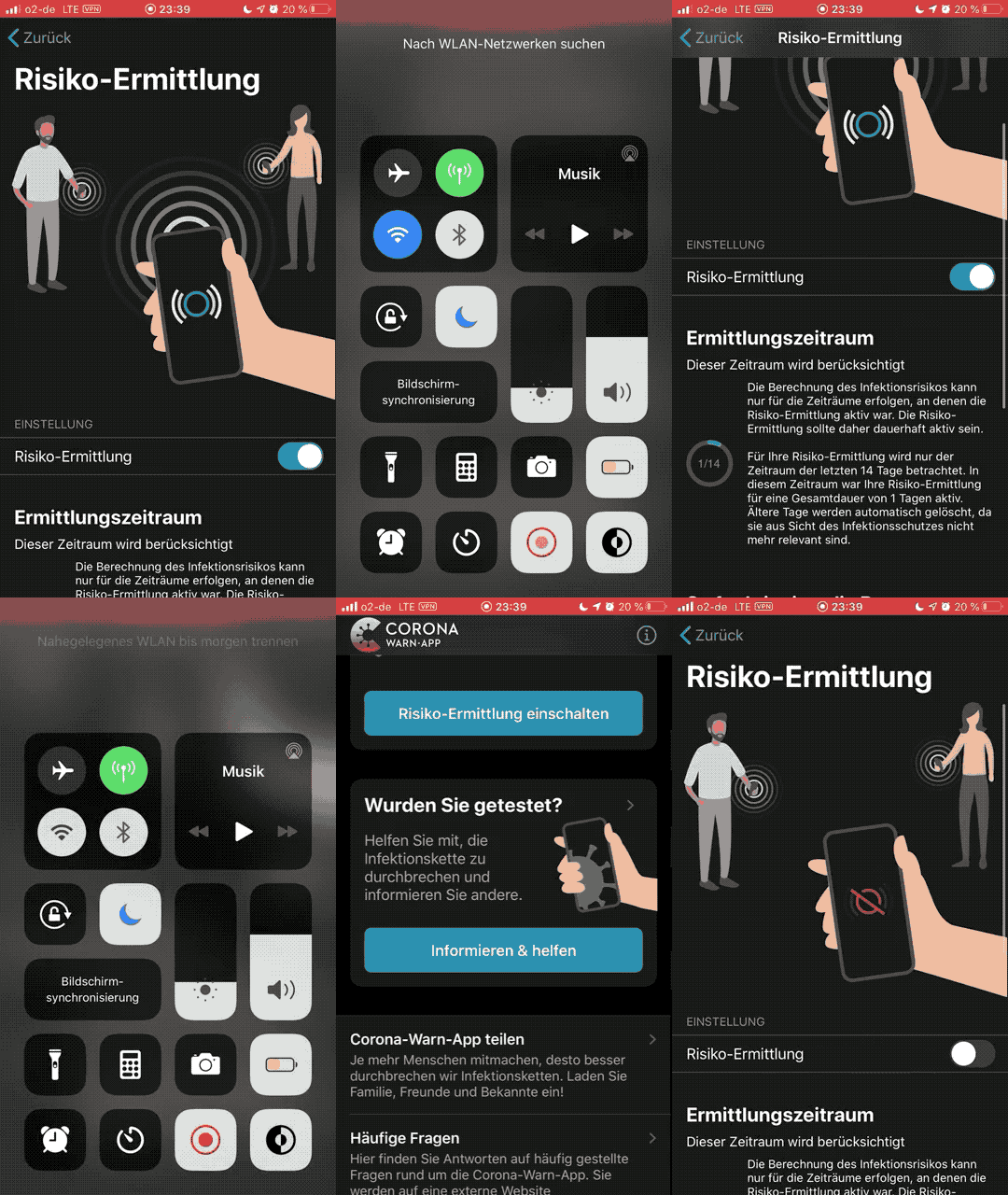
The activation of "Risiko-Ermittlung" doesn't trigger the Wifi or Bluetooth connectivity to be turned on or off while you have the app opened or not – system wide.
This is UX-wise a false-positive behavior which should not occur at all.
Expected behaviour
The user expects a reactive, so to say direct, feedback when the user activates "Risiko-Ermittlung". Though the actual settings is de/activated it does not change the system-wide de/activation of Wifi and/or Bluetooth.
Steps to reproduce the issue
- Open "Corona-Warn-App" app
- De/activate Wifi/Bluetooth
- Change settings in "Corona-Warn-App"
- Change Wifi/Bluetooth system-wide setting
- Change view inside Corona-Warn-App
- Go back to settings view: check if "Corona-Warn-App" responded to the change reactively
Technical details
- iOS Version: Latest (13.6)
- Device: iPhone ≥ 7
Possible Fix
- Provide a warning message at least, so the user is aware of that the in-app change does not change system wide settings immediately. Furthermore, give a hint that activation only occurs if Wifi/Bluetooth is activated – vice versa.
Additional content
Internal Tracking ID: EXPOSUREAPP-2118
 form-follows-function
All 4 comments
Hello @form-follows-function,
thanks for reaching out. I will forward this issue to our development team for further investigation.
Thank you,
LMM
Corona-Warn-App Open Source Team
 GPclips-zz
on 11 Aug 2020
GPclips-zz
on 11 Aug 2020
@GPclips & @form-follows-function
Everything is working fine here.
If you _deactivate_ Bluetooth via Control Centre the sending and receiving of Keys don't stop, so the App doesn't show a message/info if you turn on "Exposure Logging" in the App.
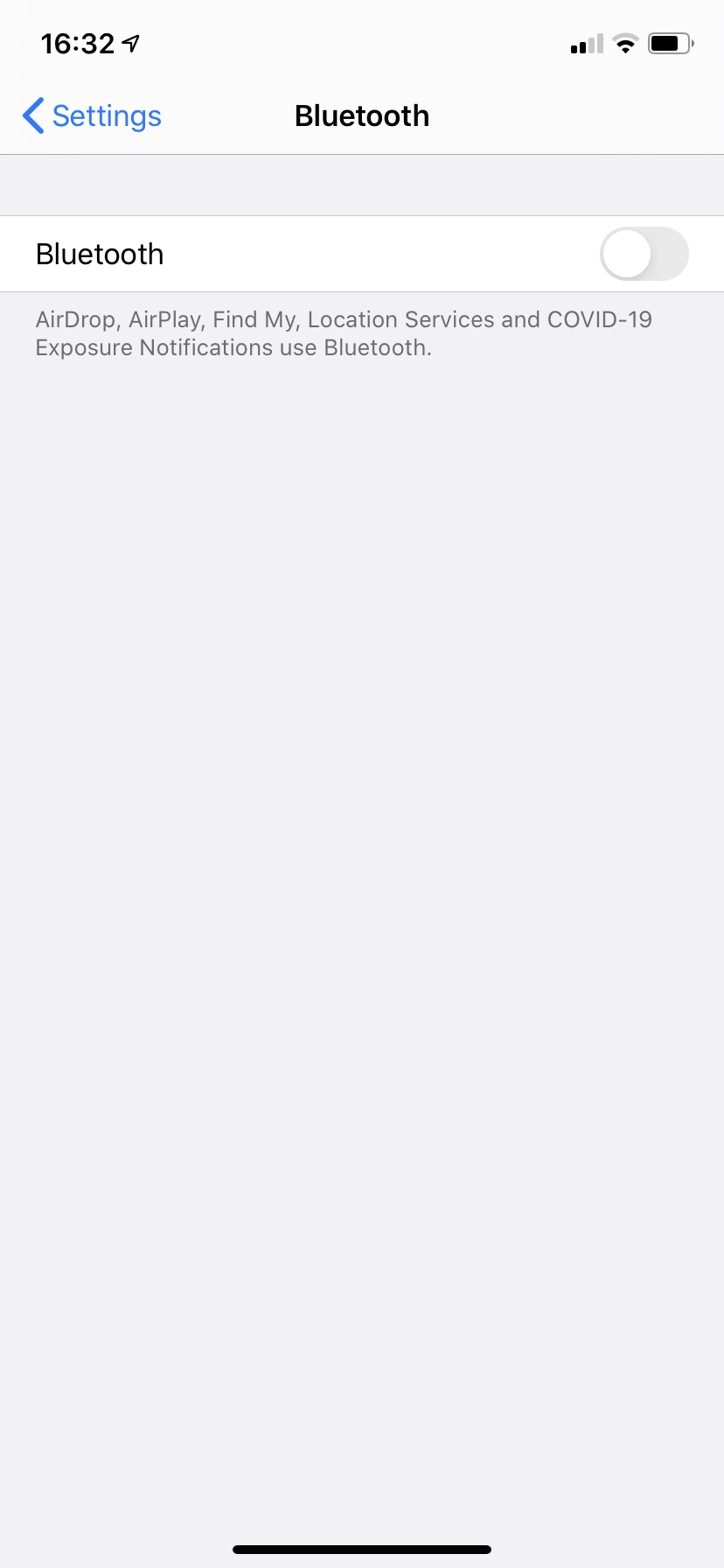
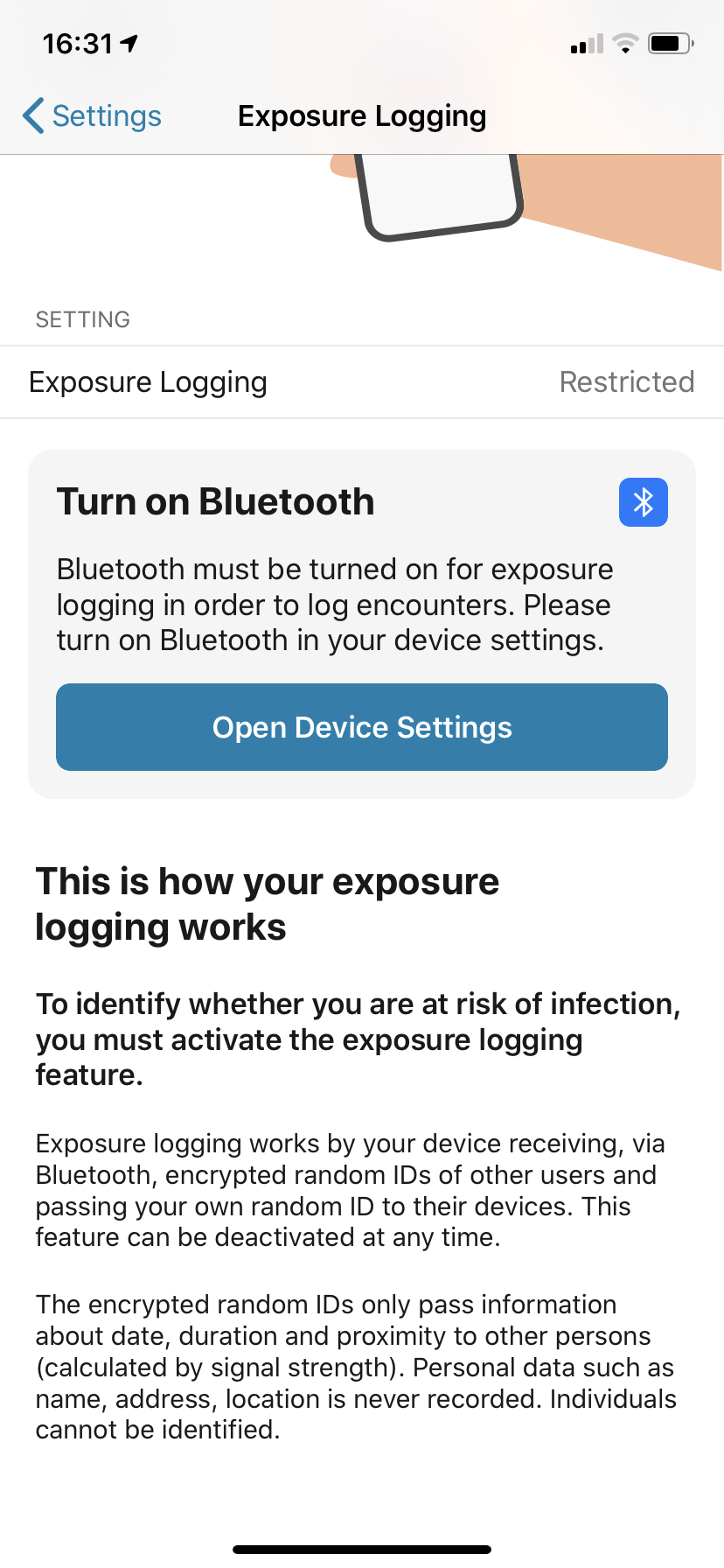
If you deactivate Bluetooth via Settings and then turn on "Exposure Logging" in the App, a message will show up that you have to turn on Bluetooth via the Device Settings.
Turn off "Exposure Logging"
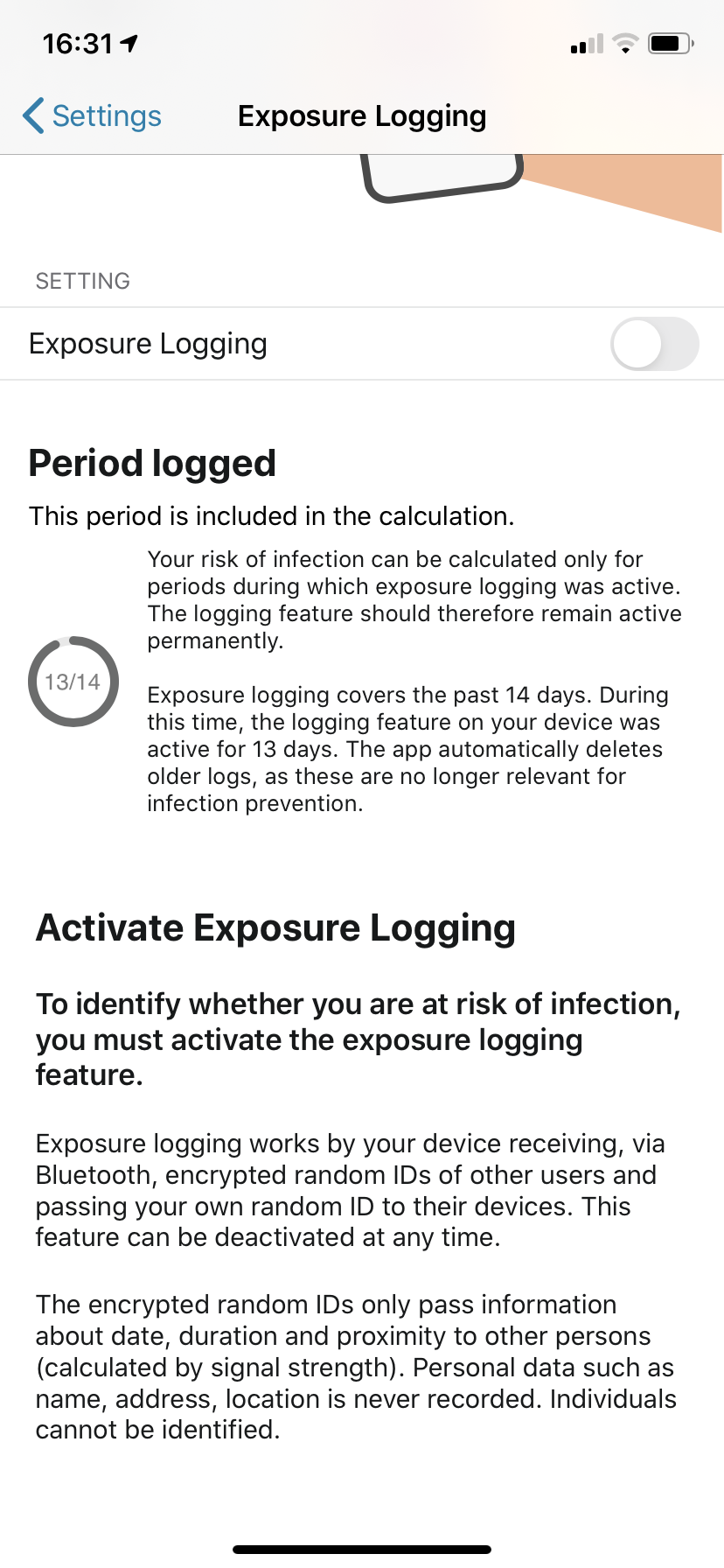
Turn off Bluetooth via Device Settings
Turn "Exposure Logging" back on and you will see this message.
 Ein-Tim
on 15 Aug 2020
Ein-Tim
on 15 Aug 2020
See also this in the FAQ.
@thomasaugsten I think we can close this now.
Ein-Tim
on 20 Aug 2020
@Ein-Tim Thanks for clarification. Maybe the mentioned FAQ Section can be included in the app when _deactivating_ Bluetooth via Control Center. Anyways I'll close the issue for now.
form-follows-function
on 20 Aug 2020
Related issues
 tibor
·
47Comments
tibor
·
47Comments
 TeRe20200
·
64Comments
TeRe20200
·
64Comments
 Tho-Mat
·
65Comments
Tho-Mat
·
65Comments
 Krumelur
·
55Comments
Ein-Tim
·
43Comments
Krumelur
·
55Comments
Ein-Tim
·
43Comments