Cwa-app-ios: Text covered by button panel
Rating: Low
Description:
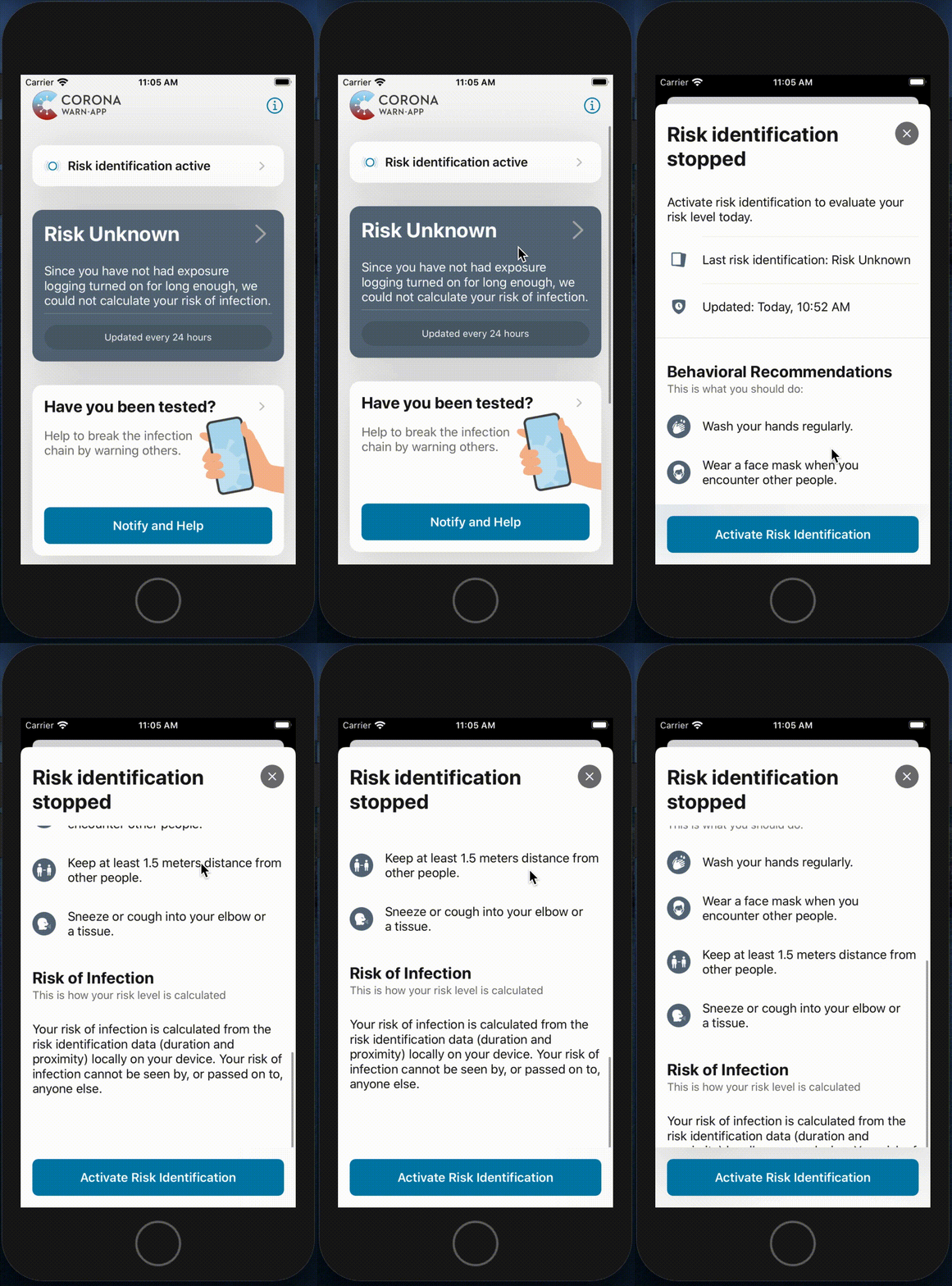
On the main screen, after selecting the second panel, in this case, with "Risk Unknown", it opens a modal screen stating that you should activate risk identification. When scrolling down the instructions, in order to read the entire Risk of Infection text you have to hold the screen above the button panel. The text of the Risk of Infection instruction is covered by the button panel.
This bug represents no risk to the integrity of the app.
Expected behaviour:
The entire Risk of Infection instruction text should appear above the button panel after scrolling hit the bottom.
Go to 'Main Screen'
Click on 'Risk Unknown' panel

- Scroll down until hit the bottom
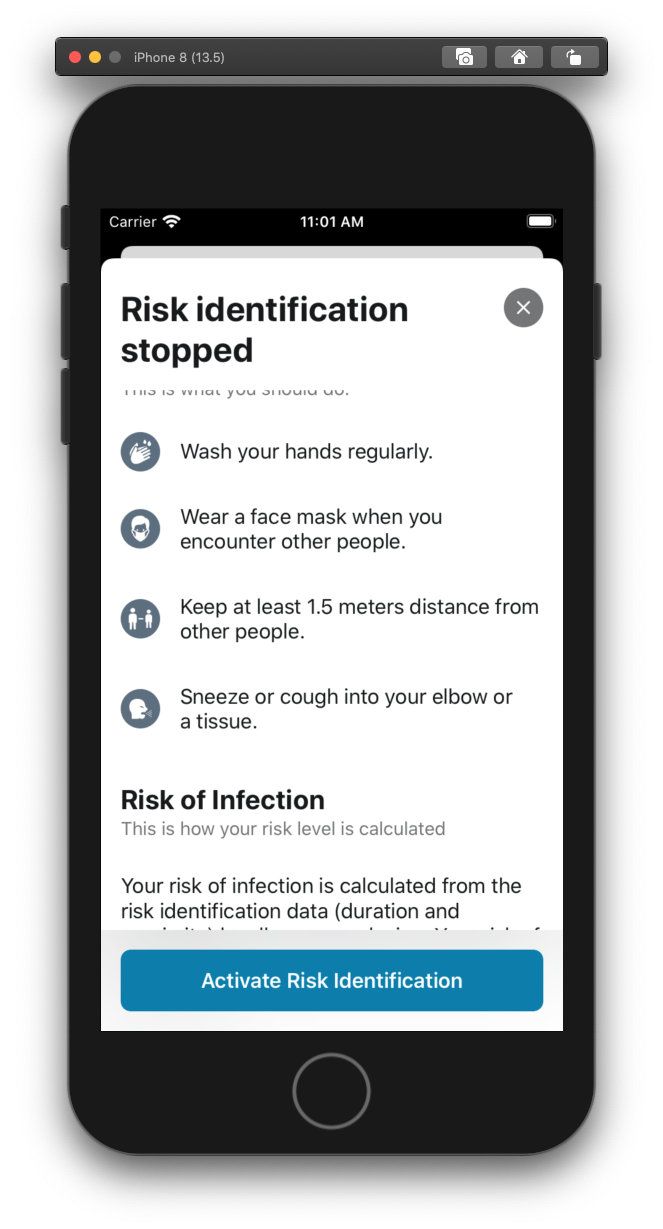
- See error "Text is covered by the panel button"
 dbarbos
All 2 comments
Just a minor change to the constraints. Already have the fix done.
Could you, please, assign it to me?
Thank you.
 gabrielb82
on 10 Jun 2020
gabrielb82
on 10 Jun 2020
Fixed in #540
 EisvogelSAP
on 14 Jun 2020
EisvogelSAP
on 14 Jun 2020
Related issues
 JThoennes
·
132Comments
JThoennes
·
132Comments
 TeRe20200
·
64Comments
TeRe20200
·
64Comments
 MichaelElbflorenz
·
53Comments
MichaelElbflorenz
·
53Comments
 ouboub
·
67Comments
ouboub
·
67Comments
 inforsgit
·
97Comments
inforsgit
·
97Comments
Most helpful comment
Just a minor change to the constraints. Already have the fix done.
Could you, please, assign it to me?
Thank you.