Cwa-app-ios: Fehlerhafte Zählung der aktiven Tage
Es erfolgte keine Neuinstallation oder Löschung der Daten. Trotzdem folgt auf Tag 13/14 der Tag 6/14.

Avoid duplicates
- [ ] Bug is not mentioned in the FAQ
- [ ] Bug is not already reported in another issue
Describe the bug
Expected behaviour
Steps to reproduce the issue
Technical details
- iOS Version:
- Device:
Possible Fix
Additional context
 MichaelElbflorenz
All 53 comments
Hi @MichaelElbflorenz ,
Thanks for reporting this bug. In order to find out the root cause reason, I would like to know more detail from you, for example, have you ever deactivate the "Risiko-Ermittlung"? Thanks.
 haosap
on 30 Jun 2020
haosap
on 30 Jun 2020
Hi @MichaelElbflorenz, @haosap and @ChristianKienle, I have exactly the same behavoir.
- Installed on 16/06/2020
- 29/07/2020 App said „13 von 14 Tagen aktiv“
- 30/07/2020 App says „6 von 14 Tagen aktiv“ „Aktualisiert: Gestern, 21:00“
- no re-installation and never deactivated „Risiko-Ermittlung“
- iOS 13.5.1
- iPhone 11 Pro
BR
 Skibbe69
on 30 Jun 2020
Skibbe69
on 30 Jun 2020
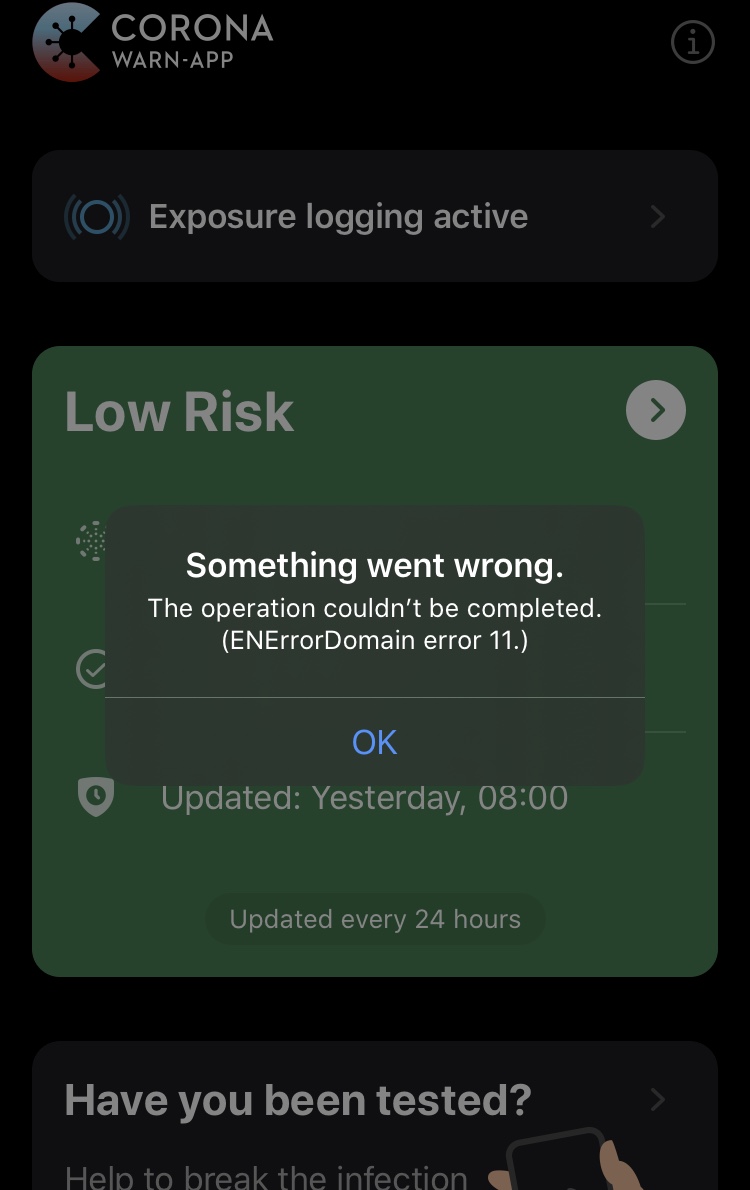
Similar here, my app showed "14 of 14 days saved", but now suddenly "2 of 14 days saved". It also showed an error message a couple of times (since today), stating "Something went wrong. The operation couldn't be completed. (ENErrorDomain error 11.)"
No deactivating in between.
_Edited:_ My app got updated (Today, 12:29) and still says "2 of 14 days".
 tillnagel
on 30 Jun 2020
tillnagel
on 30 Jun 2020
@haosap it fully matches the description of @Skibbe69. No new installation, never disabled "risk detection", no error message or similar. So far the app has worked without problems.
MichaelElbflorenz
on 30 Jun 2020
Just checked the App again, now it says: „7 von 14 Tagen aktiv“
Skibbe69
on 30 Jun 2020
I see the same bug. "X of 14 days saved" counted up until X=13, now it says "7 of 14 days saved.
I have not disabled the logging, my only interaction with the app was to open it about once a day to see whether it got updated.
iPhone 7
iOS 13.5.1
 solstice
on 30 Jun 2020
solstice
on 30 Jun 2020
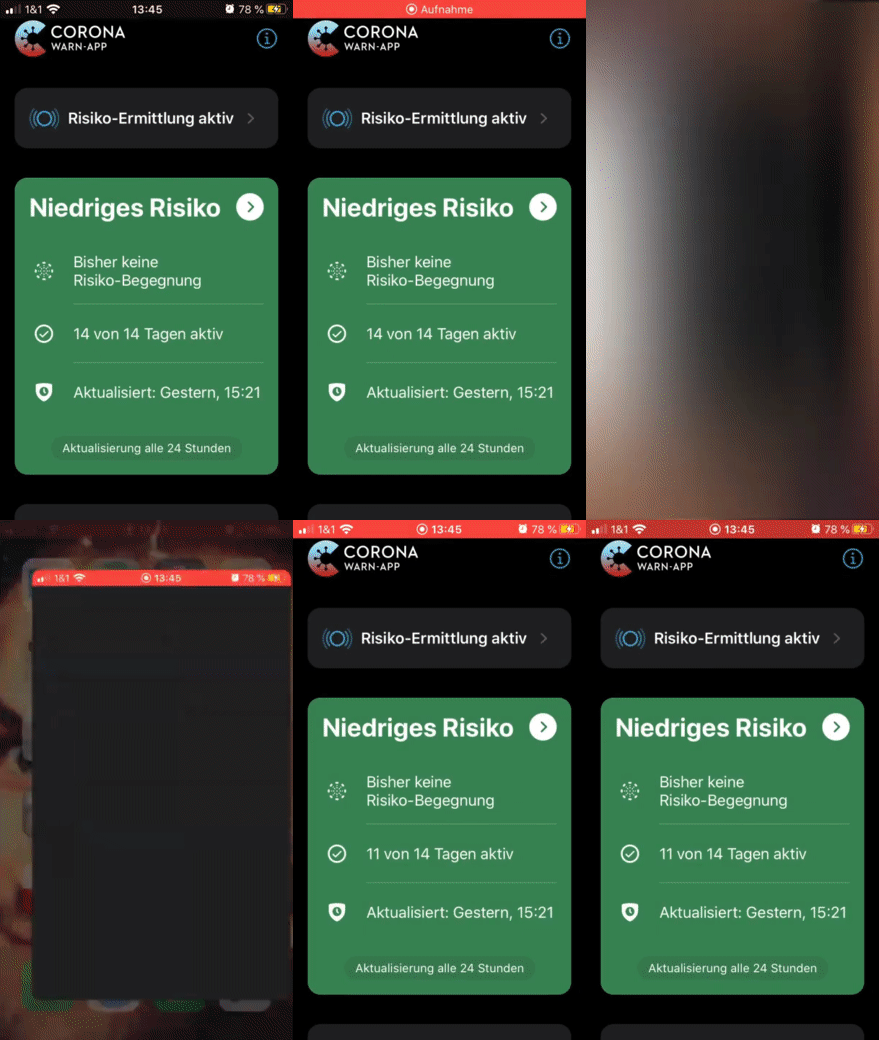
I can confirm this and made a short screencast to show how the counter jumps from "14" to a random (?) number after the app has been completely closed and reopened.
 tyrann0us
on 30 Jun 2020
tyrann0us
on 30 Jun 2020
Same Issue for me. Never uninstalled/removed the App and never deactivated the Risk Detection Toggle. Went from 14 Days down to 7 Days now.
iPhone X / iOS 13.5.1
 CJHarms
on 30 Jun 2020
CJHarms
on 30 Jun 2020
Bug fixed - tests written - PR opened (#807 – still in draft to iron out the rough edges).
 ChristianKienle
on 30 Jun 2020
ChristianKienle
on 30 Jun 2020
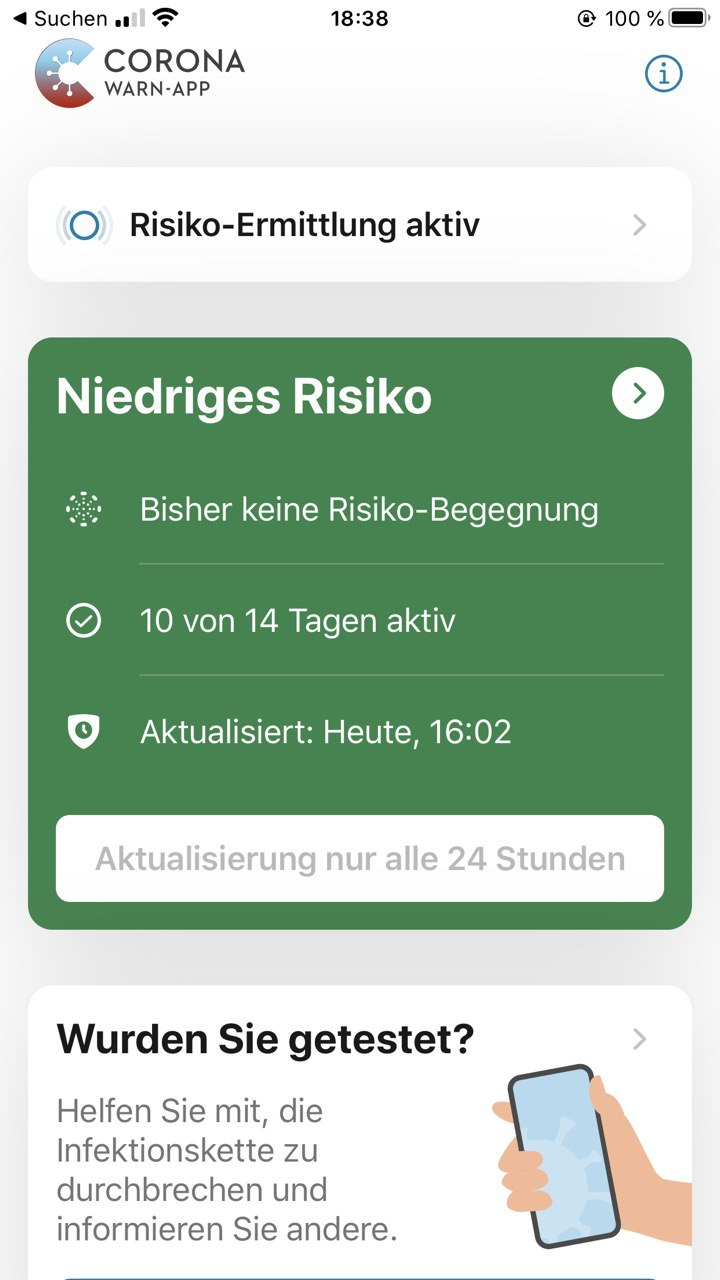
Same or similar bug happened here: first it showed 14 days.. after clicking the update button it was only 10..

 bufemc
on 30 Jun 2020
bufemc
on 30 Jun 2020
Same here. This morning i had 14/14, some hours later only 9/14.
 jatty
on 30 Jun 2020
jatty
on 30 Jun 2020
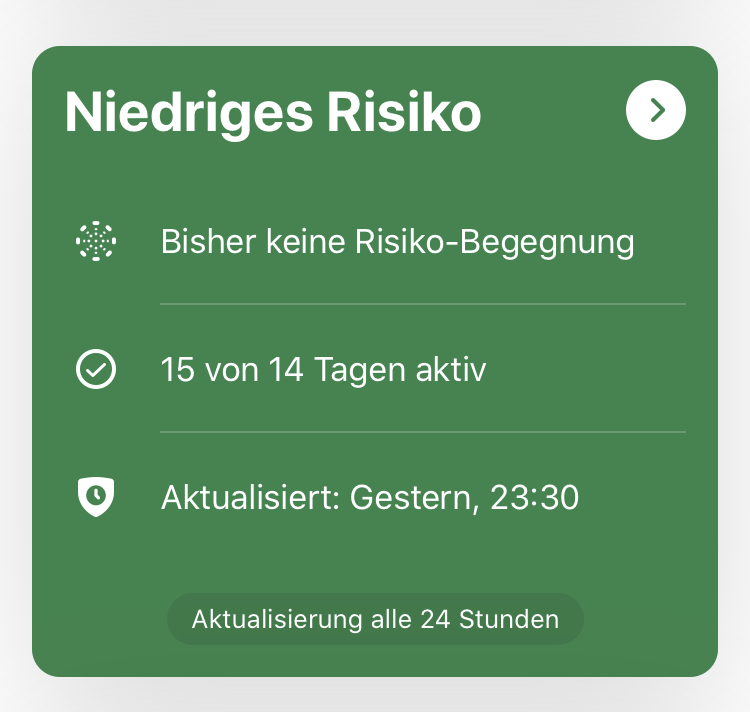
I have not seen this example reported anywhere yet. Since this morning it consistently shows 15/14 days so not sure if it’s deleting the 15th day (the Launch Tuesday) correctly or it’s just a display issue. Should I create a new issue?
 cfritzsche
on 1 Jul 2020
cfritzsche
on 1 Jul 2020
Dear app users,
The hot fix is available at App Store now. Please update your app.
Thank you very much for your support.
haosap
on 1 Jul 2020
Thanks that fixed it. 14/14 now.
cfritzsche
on 1 Jul 2020
For me, it says 12/14. I'm not sure what the expected behavior is: Jump to the number before the bug occurred (that seems the case for @cfritzsche) or stay with the "reduced" number and count it up (happens for me).
Edit: The expected behaviour is that it stays at the reduced number and counts up from there, see https://github.com/corona-warn-app/cwa-app-ios/issues/804#issuecomment-652256254.
tyrann0us
on 1 Jul 2020
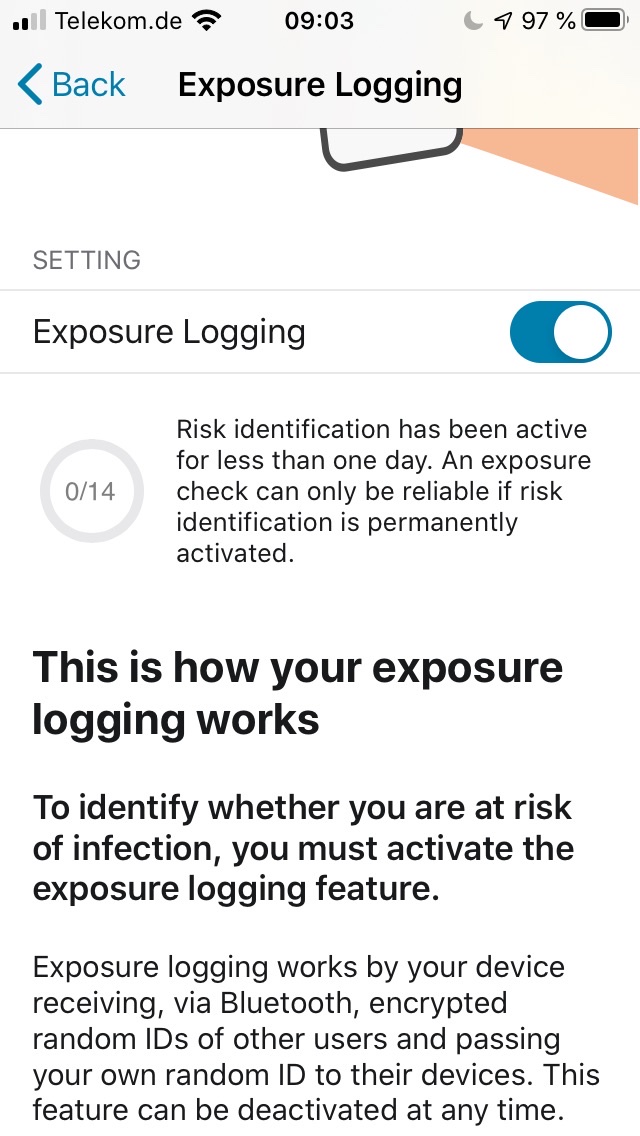
In my case it still says 0/14 days, Risk unknown. I’ve restarted the app after update. 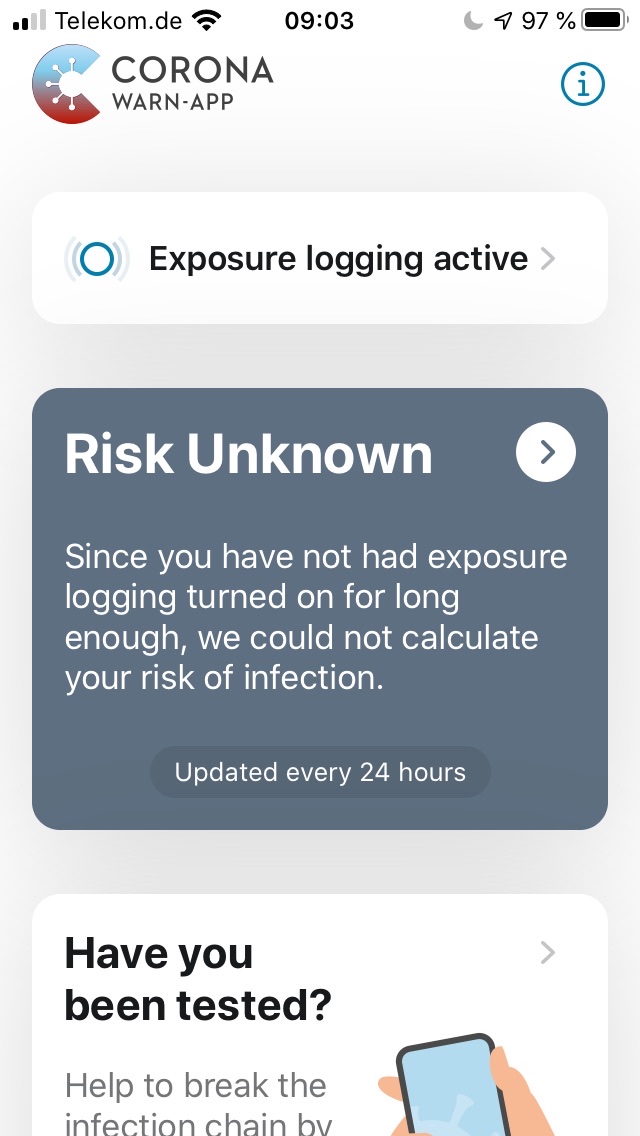
 jwildeboer
on 1 Jul 2020
jwildeboer
on 1 Jul 2020
The hot fix is available at App Store now. Please update your app.
Side note: For me, the update is not shown in the "Available Updates" list but only via the detail page of the app.
tillnagel
on 1 Jul 2020
After updating, same behavior as @tyrann0us reports: Still showing "3 of 14 days".
tillnagel
on 1 Jul 2020
Hi @tillnagel ,
the update is not able to fix counters that jumped back to 7 days (or any other values), but will only prevent that from happening in the future. Your contact events are, however, NOT affected by that, since they are not stored by the app but the exposure notification framework. cc @tkowark
haosap
on 1 Jul 2020
Thanks @haosap for the clarification. Is it the same for people not updating the app, i.e. it only ever was a display bug and never affected the contact event behavior?
tillnagel
on 1 Jul 2020
Thanks @haosap for the clarification. Is it the same for people not updating the app, i.e. it only ever was a display bug and never affected the contact event behavior?
Hi @tillnagel ,
I think, if the user doesn't update the app. The side effect is, the trancing days (only number) will be pruned after 14 days. Therefore, some strange number was shown instead of the correct one. It does NOT affect the risk level calculation, but it really confuses users. So we highly recommend users to update their apps. Thanks.
haosap
on 1 Jul 2020
Same issue for me.
After I updated to the new version the Number of Active Days went down from 13 to 11. (I don’t even know why I didn’t reached 14 days, I installed the App on the launch day and never deactivated “Risiko-Ermittlung”)
iPhone XR/iOS 13.6 Public Beta 2
Edit 19.07.20:
Now I'm stuck at 12 days since 2 weeks. Neither the iOS update nor the update to the latest CWA version fixed it.
 Ein-Tim
on 1 Jul 2020
Ein-Tim
on 1 Jul 2020
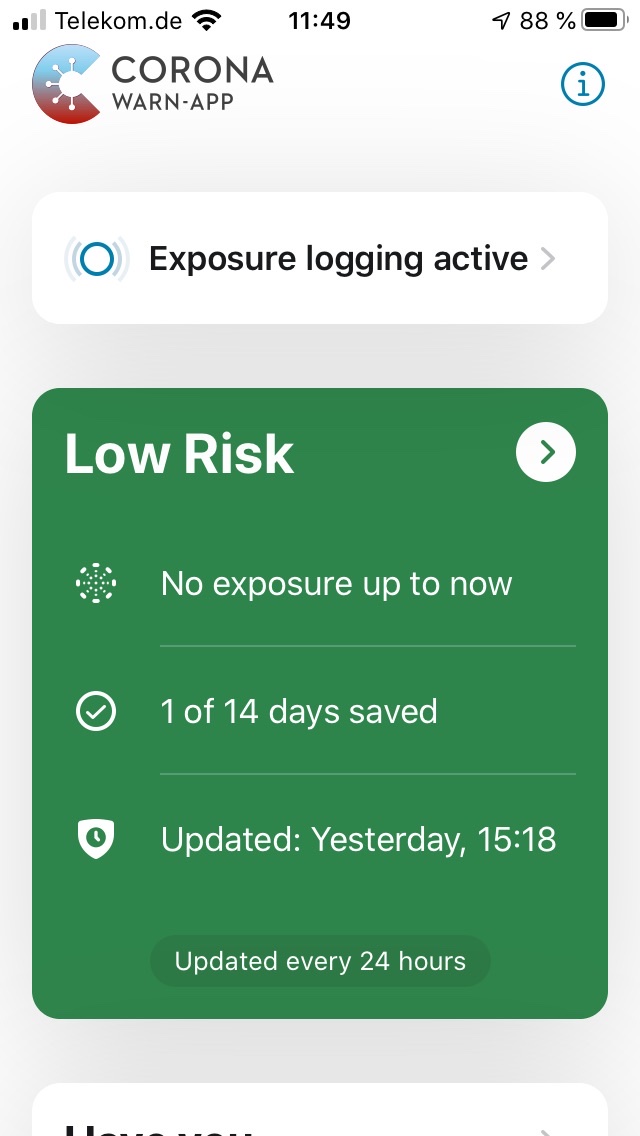
Ok. Seems I was just not patient enough. Though I “lost” the 14 days, everything is back to normal now and risk calculation is working again after updating to 1.0.3.
Thank you, team, for identifying the bug, fixing it and distributing the updated app in less than 24 hours! This is truly inspiring!
jwildeboer
on 1 Jul 2020
Indeed great work!
One little remark: I second https://github.com/corona-warn-app/cwa-app-android/issues/701, users should be informed in the App Store version history about what has changed with the update.
 ferdinand
on 1 Jul 2020
ferdinand
on 1 Jul 2020
For me (using iOS 13.5.1 on an iPhone SE 2), things seemed to work fine in version 1.0.2 of the app. The (original) issue discussed here (or at least something that looks like it) was actually introduced to me by/after installing the update to version 1.0.3.
After the update had been installed, the counter had been set back to 9/14, not changing even after the >24 hours timeframe (automatic background processing worked so far).
The issue persist after installing the update to version 1.0.4, again unchanged after the >24 hours timeframe.
 gkgg
on 4 Jul 2020
gkgg
on 4 Jul 2020
I am stuck at 13 of 14 days on iOS. I installed the app on the same day it was released (3 weeks ago).
 c-hoeger
on 7 Jul 2020
c-hoeger
on 7 Jul 2020
Same here 13 of 14 days, for 5 days now :-(
Iphone 8S iOS 13.5.1
 maku1303
on 7 Jul 2020
maku1303
on 7 Jul 2020
Same here!
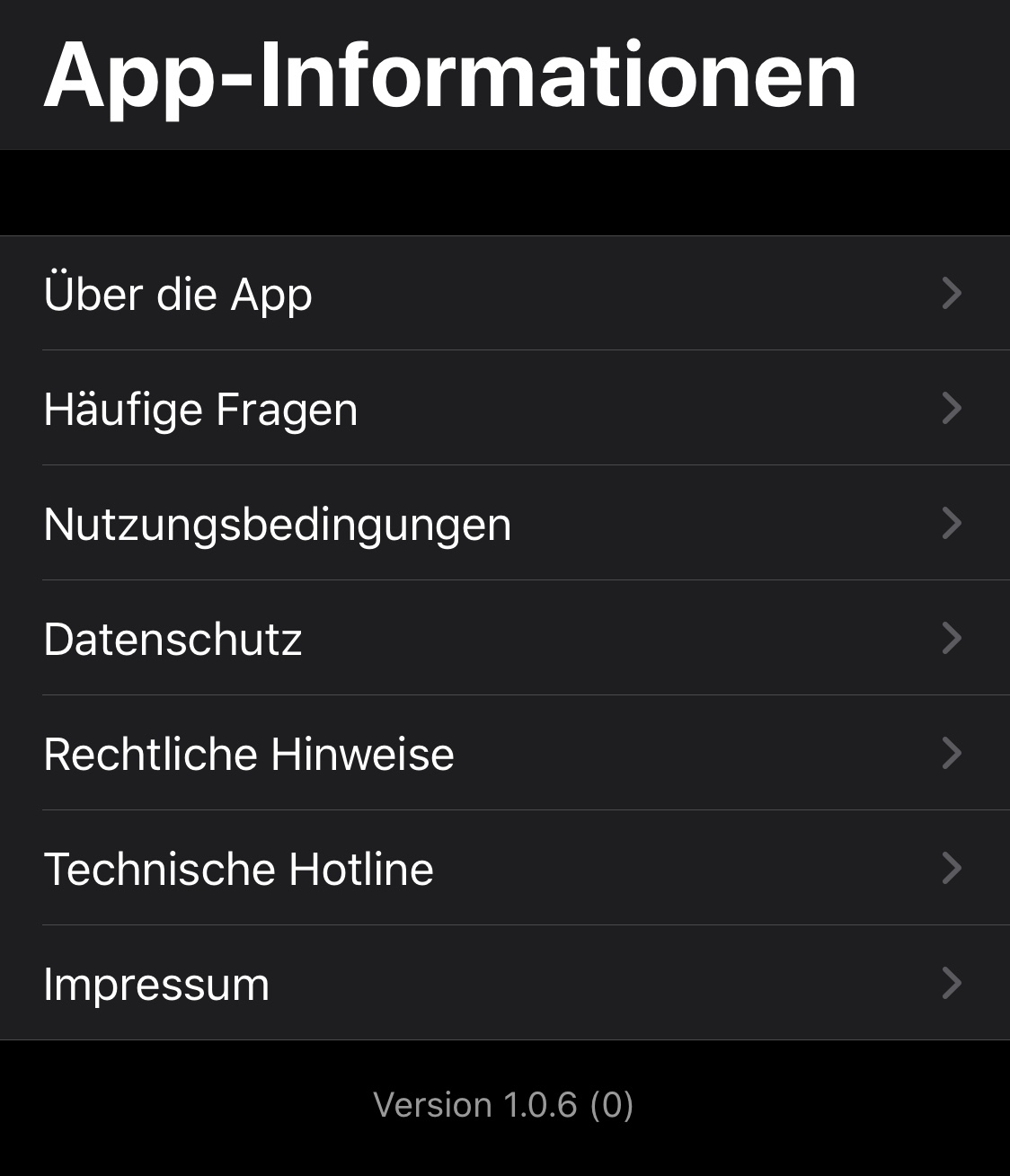
iOS 13.5.1, App v1.0.4 (0)
 Git2077
on 8 Jul 2020
Git2077
on 8 Jul 2020
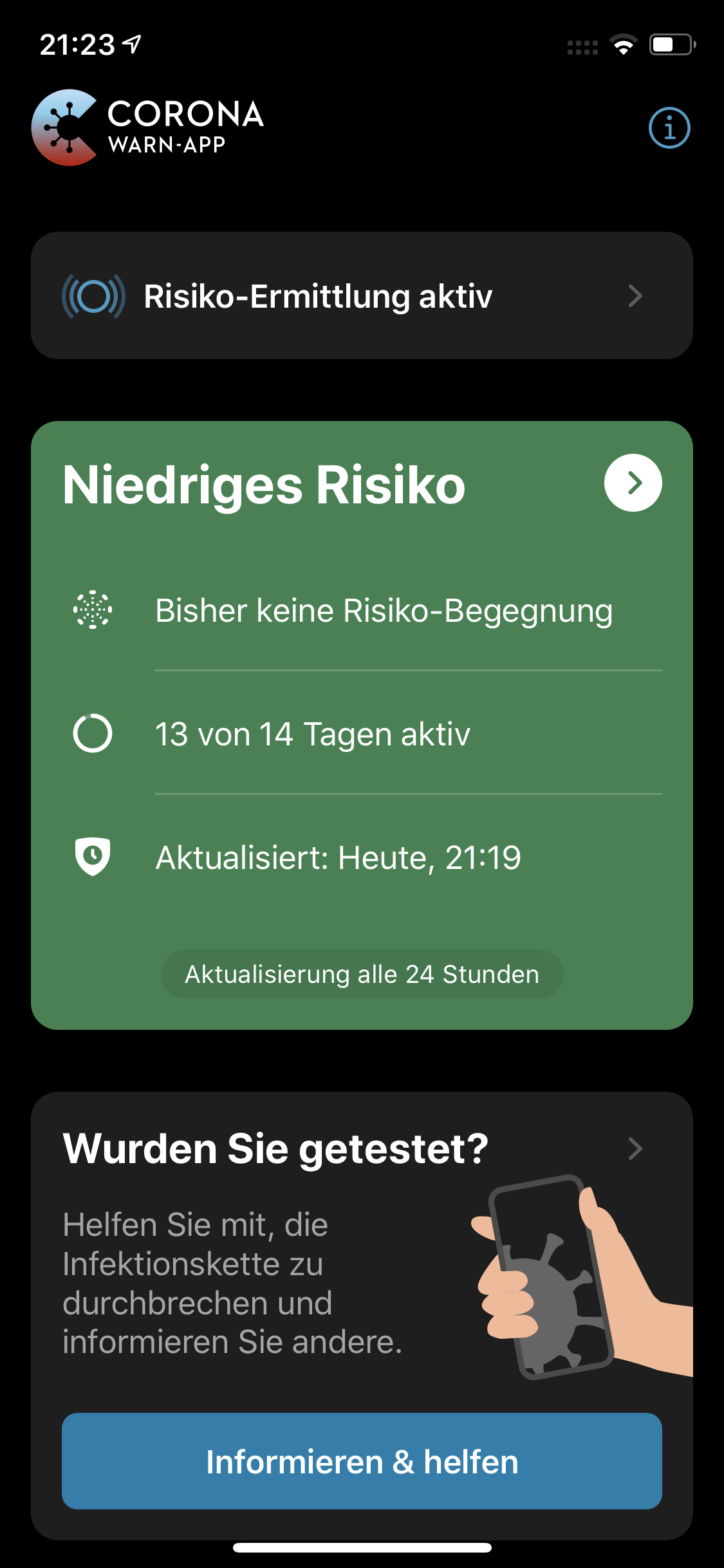
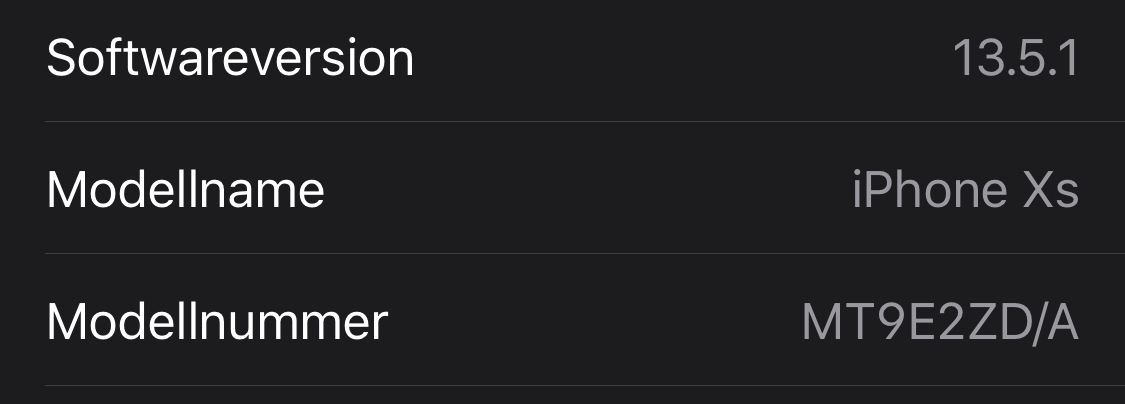
I updated the app yesterday morning before the app has synchronized and installed the app on 16.06.2020. I still have the problem with counting the days.
Like mentioned yesterday in issue #888
 slage16
on 11 Jul 2020
slage16
on 11 Jul 2020
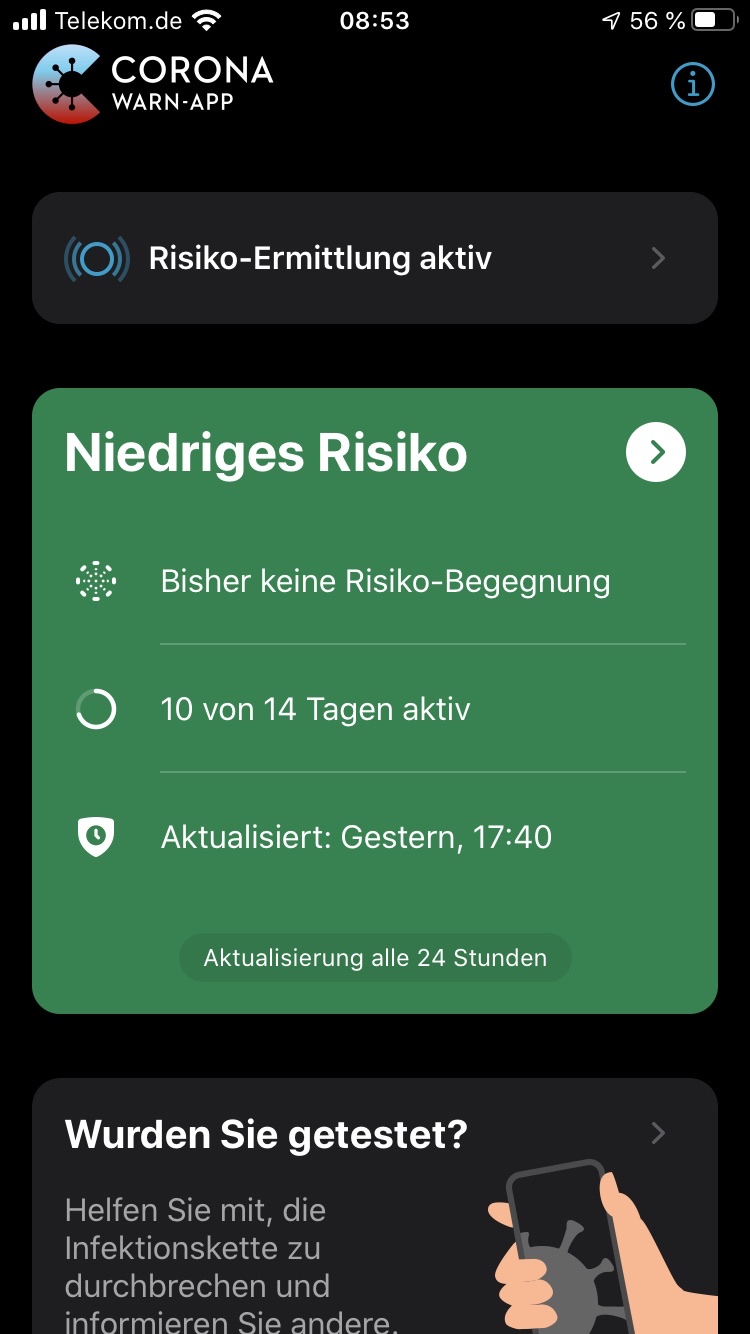
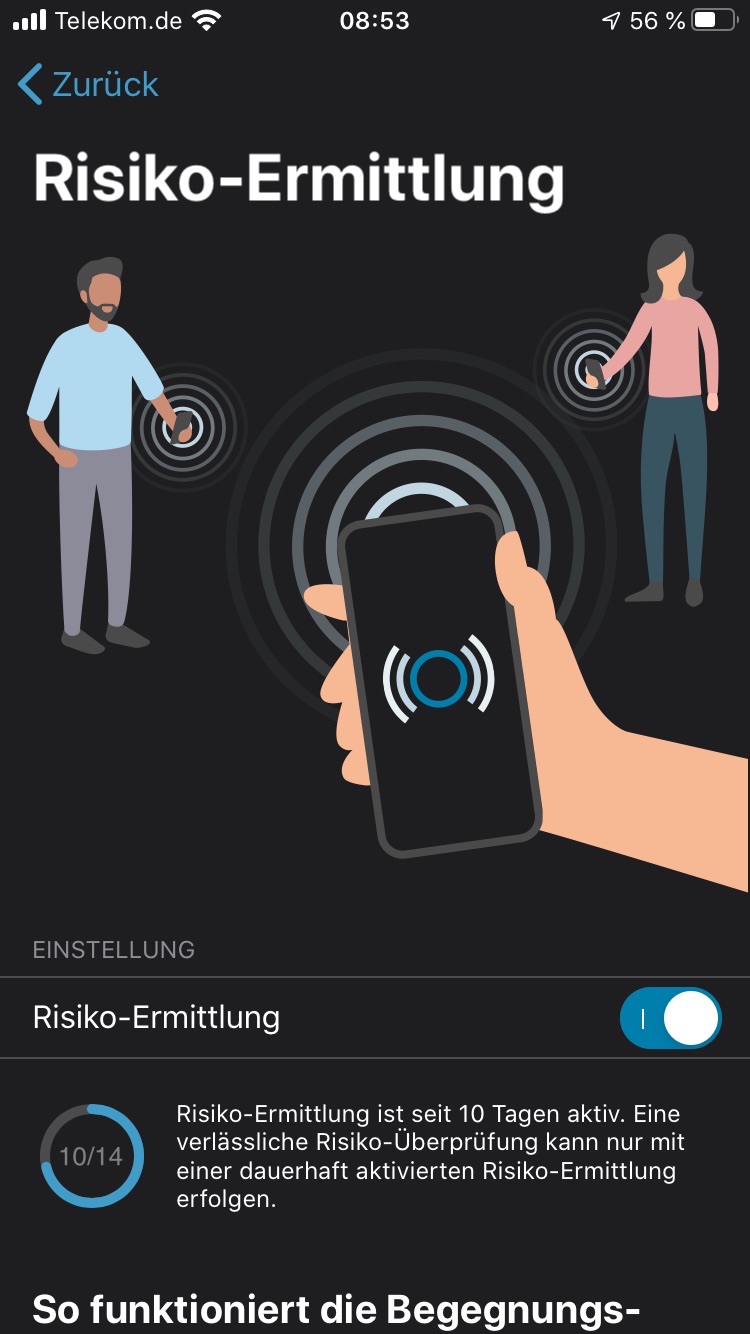
[update] After installing the update to v1.0.5 followed by the one to v1.0.6 later the same day (07/10/20), the active days indicator only changed once (from 9/14 to 10/14, over night after installing the updates).
As I didn't change the way I am using my phone and all looked well in v1.0.2, I cannot tell what caused the appearance of that stuck(?) counter after updating to v1.0.3 (which might as well be more of a correlation than a causation).
All I can tell is that v1.0.2 seemed to work well as far as this indicator issue is concerned, and that none of the updates, including v1.0.6, seemed to solve the underlying problem for my system/phone.
gkgg
on 12 Jul 2020
I have the same issue. It shows that I have 13 of 14 days saved for several days even after the daily exposure update. I have an iPhone 11, iOS 13.5.1 and the Corona-Warn-App is version 1.0.6.
 FarahElI
on 12 Jul 2020
FarahElI
on 12 Jul 2020
I just had „15/14 days“ which was confusing and now it says „unknown risk“, as if I had never turned exposure logging on.
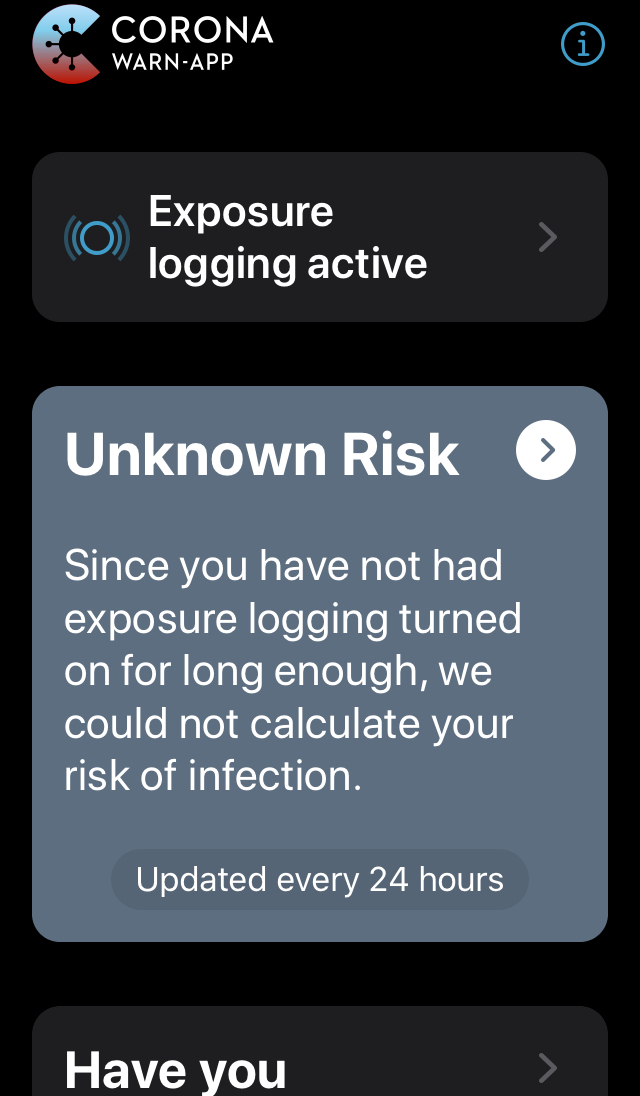
I have often had irregular day counts but wasn’t sure if I was just confused. I will start taking screenshots to keep track.
Just updated the Corona Warn App, nothing changed.
iPhone SE 13.5.1
 whynotberlin
on 13 Jul 2020
whynotberlin
on 13 Jul 2020
[update] Maybe it is too early to call my observations a pattern, but perhaps telling about it rings a bell … somewhere.
The shortened version:
- running v1.0.2, counters/indicators work as expected
- after updating to v1.0.3 counters/indicators drop to "9/14", appear to be stuck there
- updating to v1.0.4 doesn't bring any changes
- after updating to v1.0.5/v1.0.6 (morning/evening of the same day), the next day in the morning the counters/indicators show "10/14", but appear to be stuck there again
- after updating to v1.0.7 the next day in the morning the counters/indicators show "11/14", but appear to be stuck there again
I did neither change the way I use my phone, nor did I receive any system updates (still iOS 13.5.1).
gkgg
on 15 Jul 2020
[update] after being stuck at "13/14 days" for a while, I am now stuck at "14/14 days" for about 5 days :-(
1.0.7 (0)
And hurray, I have a new "Fehler 13"
iOS
maku1303
on 15 Jul 2020
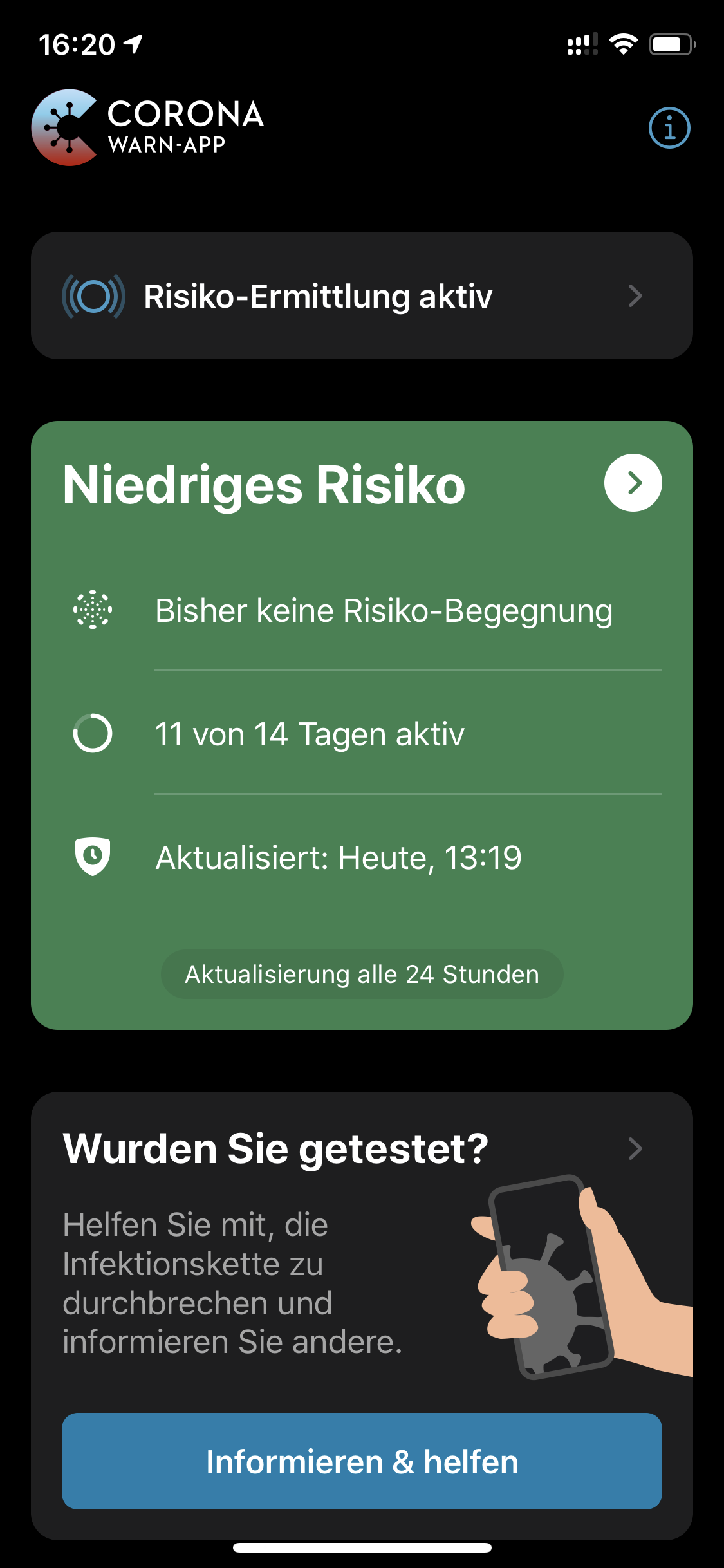
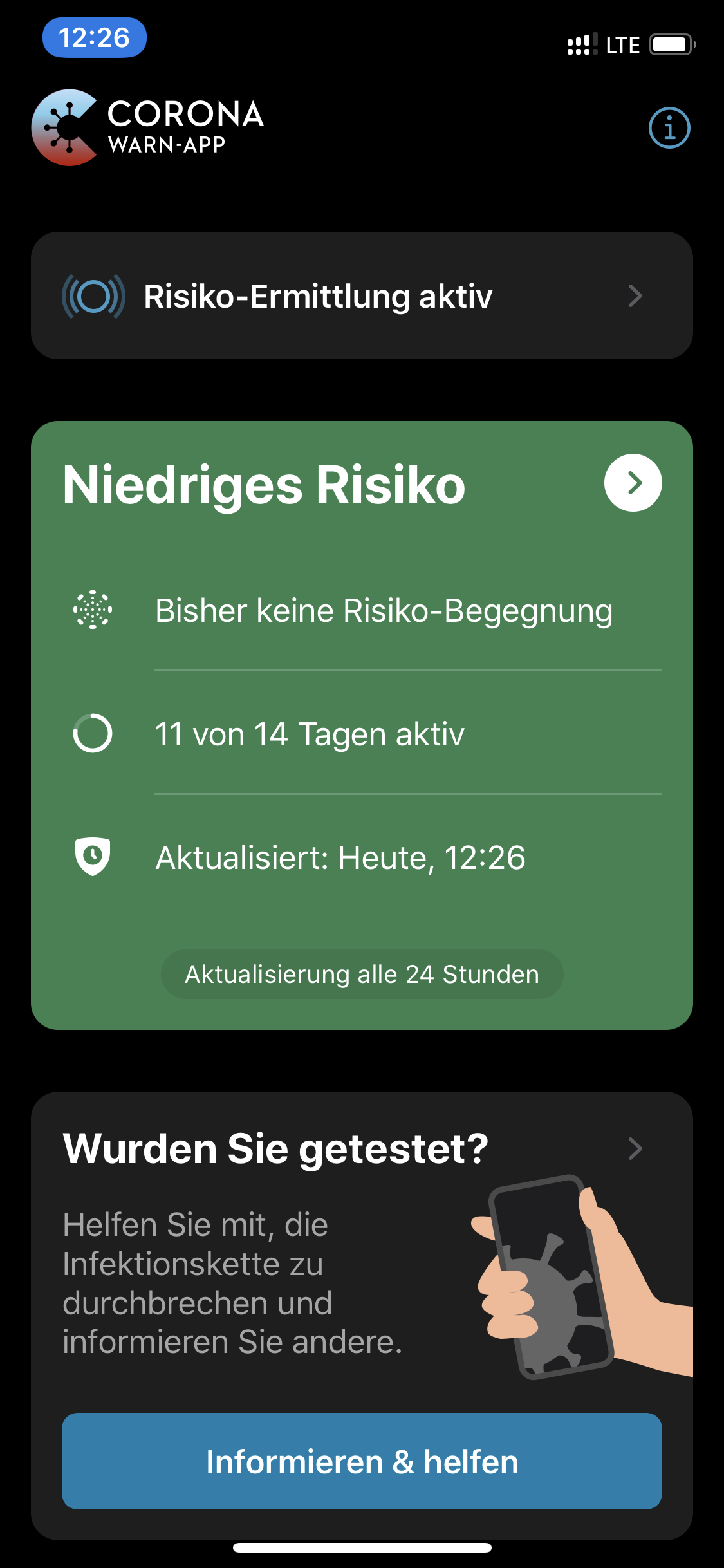
I still have problems with the correct display of the active days.
Currently I have 11 of 14 days in my calendar since 2 days
App-Version 1.0.7
iPhone Xs
iOS 13.6
Wednesday:
Thursday:
slage16
on 17 Jul 2020
@maku1303 14/14 does not count as stuck. Your "Risiko-Ermittlung" was just active for the entire last 14 days. We are currently working on making that screen clearer, but if you see that and it does not change anymore, everything is working as expected (https://www.coronawarn.app/de/faq/#days_active_explanation)
@slage16 the 11 / 14 days can stay for a couple of days depending on which days in the past the app was deactivated. As an example: today you have 11/14 day and exposure logging was deactivated for the last 3 days. Then it would take 11 days until you see a change as only then the deactivation from 3 days ago would no longer be in the last 14 days window. See https://www.coronawarn.app/de/faq/#days_active_Android for more details and https://github.com/corona-warn-app/cwa-app-android/issues/796#issuecomment-653061512 for a detailed breakdown.
 tkowark
on 17 Jul 2020
tkowark
on 17 Jul 2020
@tkowark
But I never deactivated the risk detection or the app
slage16
on 17 Jul 2020
Not even indirectly by using flight mode, disabling bluetooth, shutting the phone off at night?
tkowark
on 17 Jul 2020
Same here. I never turned it off. I only have a 'do-not-disturb'on at night. And my count 13 of 14 days is still stuck. It just added the message three days ago that my app is not supported in the region that I live. Although I'm still at the same spot. But the pop up message disappeared again yesterday.
FarahElI
on 17 Jul 2020
Not even indirectly by using flight mode, disabling bluetooth, shutting the phone off at night?
After three day’s in a row don’t disable bluetooth, using flight mode or switch of my iPhone off, it displays still 11 of 14 days. And this problem I’ve now since Wednesday.
It shouldn't be too difficult for you to implement an algorithm with modulo.
slage16
on 19 Jul 2020
Since this bug has not resurfaced after the recent updates, we'll close the issue accordingly. If you experience it again with the latest app and iOS version, please open a new, dedicated issue.
Thanks for all your input!
tkowark
on 24 Jul 2020
Since this bug has not resurfaced after the recent updates, we'll close the issue accordingly. If you experience it again with the latest app and iOS version, please open a new, dedicated issue.
Thanks for all your input!
Hi @tkowark
My days are still stuck at 12 from 14 days since more than 2 weeks.
I've installed the CWA on the launch day and never deactivated "Risiko Ermittlung".
Should I create a new issue?
Best wishes
Tim
Ein-Tim
on 24 Jul 2020
hahaha .... now the just removed the "x/y days" from the screen
iOS Iphone 8s
maku1303
on 24 Jul 2020
@maku1303 the x/y das is still there, only if you "completed" the full 14 days there is the "dauerhaft aktiv" display.
Since the issue still persist for @Ein-Tim , I'll reopen the issue.
tkowark
on 24 Jul 2020
@Ein-Tim which version of CWA are you running right now?
tkowark
on 24 Jul 2020
@Ein-Tim which version of CWA are you running right now?
I'm running version 1.1.1 (3) and in the App store I can't download any newer version.
Ein-Tim
on 24 Jul 2020
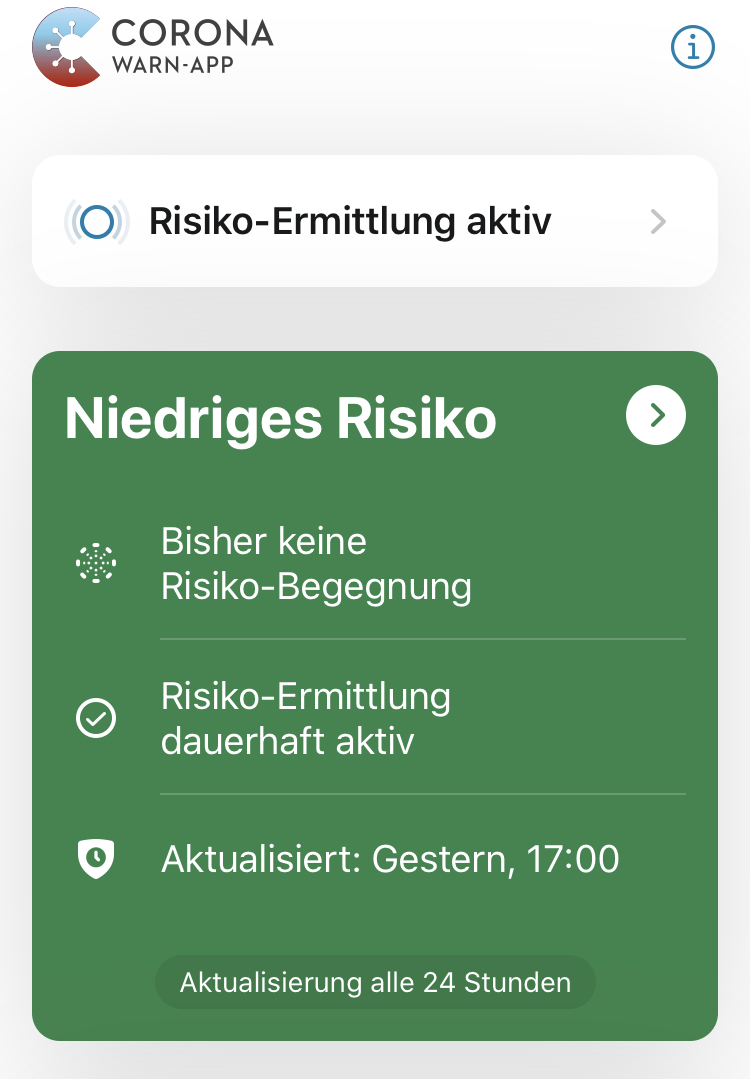
I was at 14/14 for about 10 days. Now i see this
maku1303
on 24 Jul 2020
Yes, exactly as I've written above. Your app is working as expected. The text change was made since many users did not understand why the app did not continue counting after arriving at 14/14 days.
tkowark
on 24 Jul 2020
@tkowark What should I do?
Should I wait until a newer version of CWA is released and if the days are still stuck then, I comment here again?
If you need further technical details I'll provide them.
Ein-Tim
on 24 Jul 2020
Mhhh, since this thread is already rather crowded and the original "days jumping back" issue should be resolved, let's do it like this:
- I'll close this issue again
- You open a dedicated new issue "Days active stuck at 12/14 days for more than 2 weeks"
- If your displayed active days change either by themselves or due to a new version, would be great to get feedback in the new issue
Sounds reasonable?
tkowark
on 24 Jul 2020
Yes, let's do it this way.
Thank you!
Ein-Tim
on 24 Jul 2020
Yes, exactly as I've written above. Your app is working as expected. The text change was made since many users did not understand why the app did not continue counting after arriving at 14/14 days.
Okay, I understand. I just saw at my wife’s iPhone already 20/14 days.
maku1303
on 25 Jul 2020
@maku1303 Please ensure to run the latest version of the app (currently 1.1.2) - it seems that your wife still uses a quite old one.
Mit freundlichen Grüßen/Best regards,
SW
Corona Warn-App Open Source Team
 SebastianWolf-SAP
on 27 Jul 2020
SebastianWolf-SAP
on 27 Jul 2020
Related issues
 wandoliver
·
3Comments
wandoliver
·
3Comments
 tom-georg
·
3Comments
tom-georg
·
3Comments
 rainervonuns
·
3Comments
rainervonuns
·
3Comments
 avenius
·
3Comments
avenius
·
3Comments
 delcorny
·
3Comments
delcorny
·
3Comments
Most helpful comment
Bug fixed - tests written - PR opened (#807 – still in draft to iron out the rough edges).