Cwa-app-ios: After upgrade to iOS 13.6 the app is disabled and cannot be re-enabled because region is not supported
Avoid duplicates
- [x ] Bug is not mentioned in the FAQ
- [x ] Bug is not already reported in another issue
Describe the bug
Upgrade my iPhone 11 Pro with a now working app to iOS 13.6.
Now the exposure tracking cannot be enabled because the region is not supported.
The app starts in manual mode but cannot be enabled.
Expected behaviour
After the upgrade to iOS 13.6 the app should continue to be enabled and working.
Steps to reproduce the issue
- Go to Einstellungen / Datenschutz / Health
- COVID-19-Begegnungsaufzeichnungen: Aus
- Anschalten: Grau: In deiner Region nicht verfügbar
Technical details
- iOS Version: 13.6
- Device: iPhone 11 Pro
Possible Fix
EDITED BY ADMIN:
If you aren't able to turn on Exposure Notifications, follow these steps:
Download this configuration profile.
http://appldnld.apple.com/iOSProfiles/Reset_ExposureNotifications.mobileconfigOpen the Settings->General->Profiles (Profile&Geräteverwaltung) and tap Profile Downloaded.
- Tap Install in the upper-right corner, then follow the
on screen instructions. - Reboot your iPhone to complete the installation.
- Turn on Exposure Logging in the Settings app.
EDITED BY ADMIN
Additional context
This is really a show-stopper. The app stops working completely.
Internal Tracking ID: EXPOSUREAPP-1814
 JThoennes
All 132 comments
After i read your message i did the following:
- Close CWA
- Disable "Bewegungsaufzeichnungen" in
Einstellungen, Datenschutz, Health, COVID-19-Bewegungsaufzeichnungen - Update to 13.6
- Enable "Bewegungsaufzeichnungen"
- Start CWA to check.
=> CWA running and aktiv
(I had installed 1.0.7(0) )
 Tho-Mat
on 16 Jul 2020
Tho-Mat
on 16 Jul 2020
I‘m having the same problem.
Further steps to fix:
- deleted app
- reinstallation
- „Risiko-Ermittlung“ can not be activated.
The App is worthless in this state. The switch button can not be operated to active "Risikoermittlung"
 Heavy02011
on 16 Jul 2020
Heavy02011
on 16 Jul 2020


Heavy02011
on 16 Jul 2020
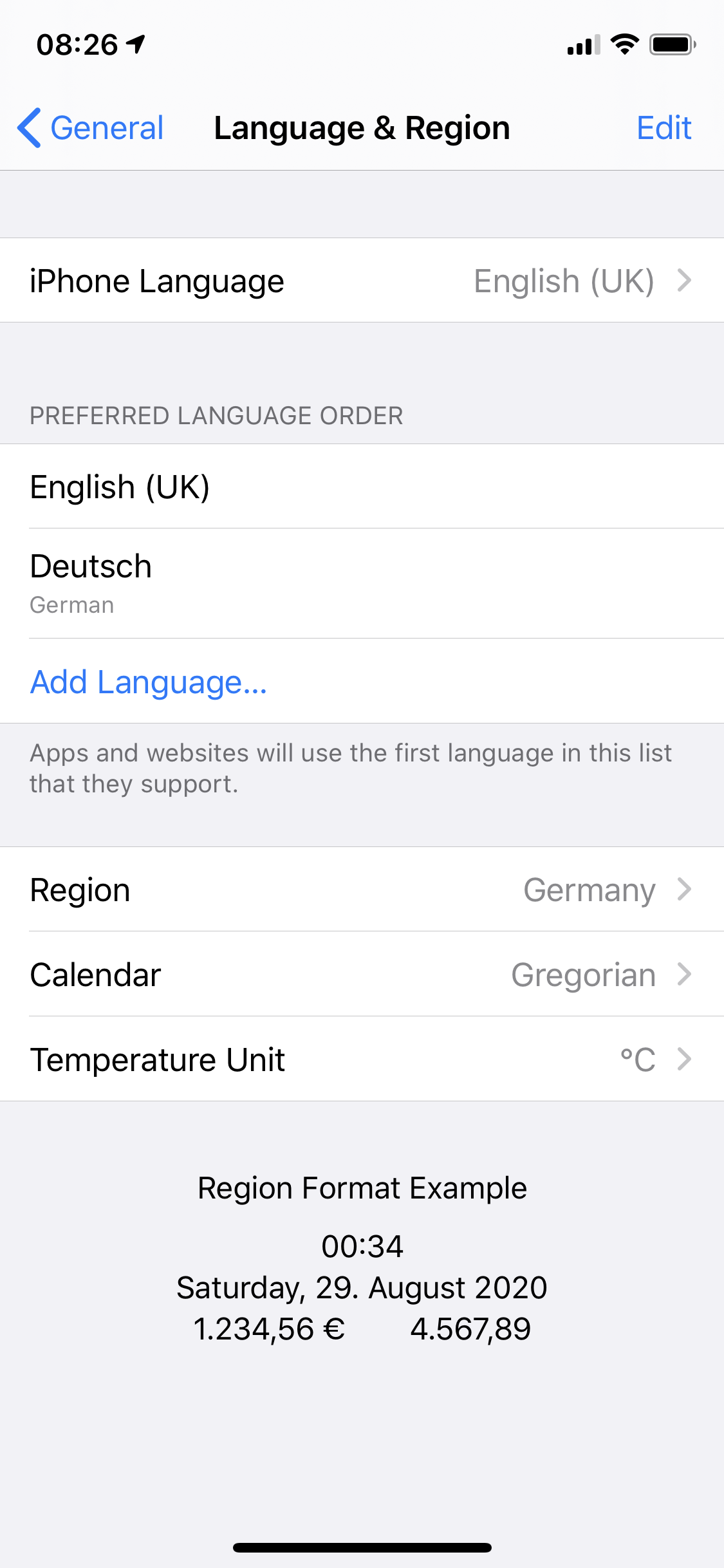
I have the same behavior this morning on my iPhone after the update from 13.6.

 rheid
on 16 Jul 2020
rheid
on 16 Jul 2020
Thanks for the report. We couldn't reproduce this issue so far on our devices with iOS 13.6, but this will definitely be investigated. We'll let you know once there is an update.
Mit freundlichen Grüßen/Best regards,
SW
Corona Warn-App Open Source Team
 SebastianWolf-SAP
on 16 Jul 2020
SebastianWolf-SAP
on 16 Jul 2020
Hello,
I'm facing the same issue as described here with my device after upgrading to iOS 13.6 today. Already called the hotline, they took notes but didn't know about the issue. Everything worked fine with iOS 13.5.
CWA version: 1.0.7
iOS version: 13.6 (17G68)
Device: iPhone XR (A2105)
My provider: Drillisch, o2-de -- real SIM, not an eSIM
Location: Passau, Germany
Default language: English before upgrading, switched to German as an attempt to fix it
Things I tried:
- rebooted phone several times
- reselected "Germany" as my region in settings
- reinserted my SIM card (German number & contract)
- background refresh is enabled
- install the Italian app ("Immuni"), which is also unable to access the exposure API (I kept the CWA parallel)

It renders the app/exposure notification framework useless.
Best regards
jg
 androthan
on 16 Jul 2020
androthan
on 16 Jul 2020
FTR - on both my iPhones (11 and SE 2016), both running wit English as default language, I had no problems with the App after updating to 13.6.
 jwildeboer
on 16 Jul 2020
jwildeboer
on 16 Jul 2020

Heavy02011
on 16 Jul 2020
To all which upgraded to iOS 13.6.
Please report your mobile network provider and your location together with working / not working. And default language.
Maybe we can find a pattern.
My provider: Fonic / o2 Network
Location: Aachen
Default language: German
Not working after upgrade.
JThoennes
on 16 Jul 2020
Same problem here since ios13.6
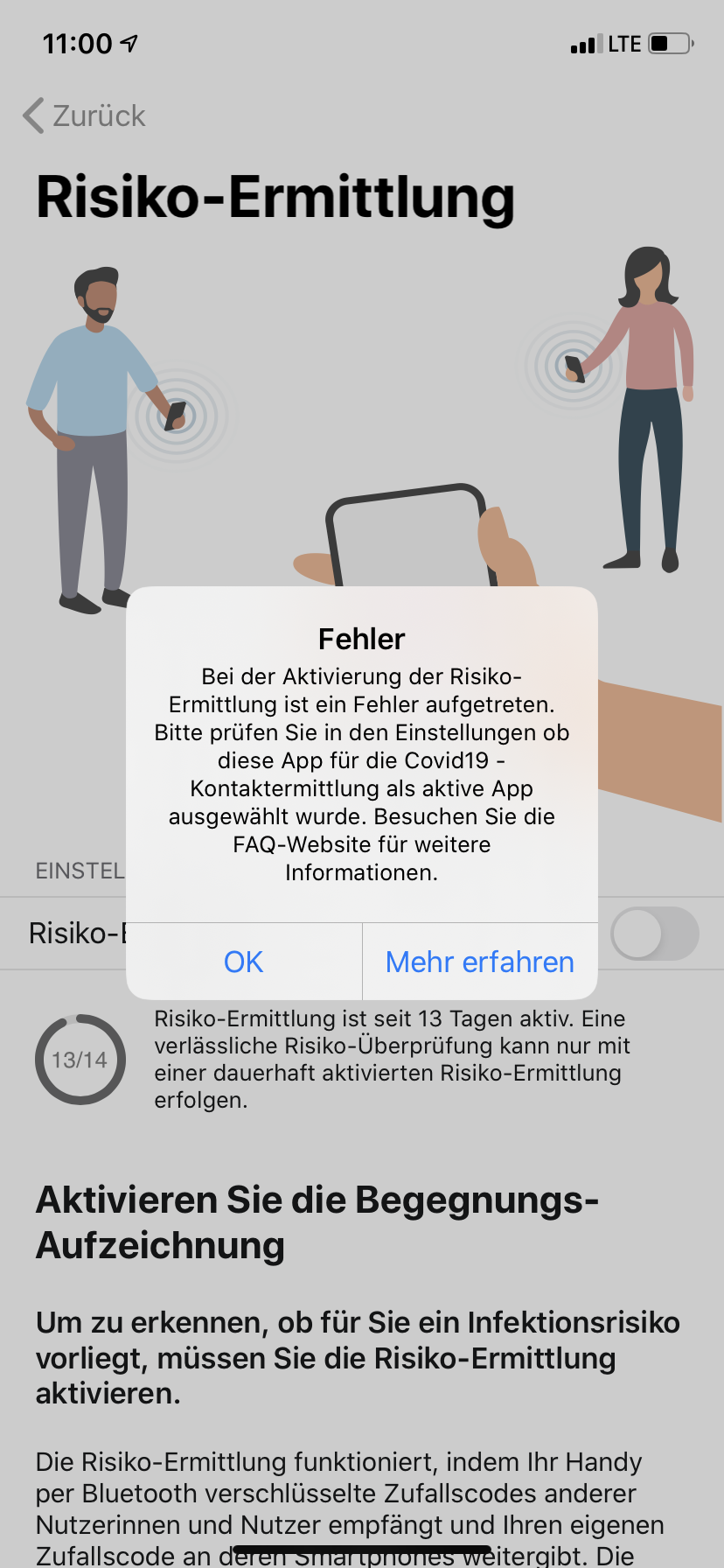

Provider deutsche Telekom
Default language German
 seetiger2000
on 16 Jul 2020
seetiger2000
on 16 Jul 2020
My provider: Telekom.de
Location: Karlsruhe, Germany
Device: iPhone X
CWA: 1.0.7
Default language: English
Not working after upgrade.
 m-arx
on 16 Jul 2020
m-arx
on 16 Jul 2020
My provider: 1&1, Network O2
Location: Weilheim i. OB, Germany
Device: iPhone SE 2Gen
CWA: 1.0.7
Default Language: German, changed to English as an attempt to fix it
Not working after upgrade
 sebago2000
on 16 Jul 2020
sebago2000
on 16 Jul 2020
My provider: T-Mobile
Location: Stuttgart
Default language: German
Not working after upgrade.
Heavy02011
on 16 Jul 2020
My provider: Telekom.de and Vodafone
Location: Munich, Germany
Device: iPhone 11 (Vodafone) and SE 1st gen (Telekom)
CWA: 1.0.7 on both.
Default language: English on both.
Everything working after upgrade.
jwildeboer
on 16 Jul 2020
Steps I would take to try to reactivate tracking:
- go into flight mode
- force end CWA
- leave flight mode (so force new booking into mobile network)
- check settings to see if COVID-19 tracking becomes available.
If that doesn't work:
- go into flight mode.
- switch device off.
- Power on again
- deactivate flight mode
- check settings to see if COVID-19 tracking becomes available
Final measures:
- delete app
- power cycle device
- install app
jwildeboer
on 16 Jul 2020
Same problem here:
My provider: Telekom.de (E-Sim/primary), Vodafone (physical Sim, deactivated since 2 weeks and during this issue)
Location: Frankfurt, Germany
Device: iPhone XS
CWA 1.0.7 (0)
Default language: German
Not working after upgrade


 MarcelStu
on 16 Jul 2020
MarcelStu
on 16 Jul 2020
Hello,
I'm facing the same issue as described here with my device after upgrading to iOS 13.6 today. Already called the hotline, they took notes but didn't know about the issue. Everything worked fine with iOS 13.5.CWA version: 1.0.7
iOS version: 13.6 (17G68)
Device: iPhone XR (A2105)My provider: Drillisch, o2-de
Location: Passau, Germany
Default language: English before upgrading, switched to German as an attempt to fix itThings I tried:
- rebooted phone severeal time
- reselected "Germany" as my region in settings
- reinserted my SIM card (German number & contract)
- background refresh is enabled
- install the Italian app ("Immuni"), which is also unable to access the exposure API (I kept the CWA parallel)
It renders the app/exposure notification framework useless.
Best regards
jg
Hi @androthan ,
Thanks for testing it. Could you please do us a favor? We cannot see the bug in our dev team, so please try to disable the location service and enable the location service again. Thanks.
 haosap
on 16 Jul 2020
haosap
on 16 Jul 2020
maybe it's a pattern: most affected people have 2 sim-cards in use - so it could be a problem with the integrated eSim.
Can the people only using only one provider tell if they are using an esim Profile?
 tocotronaut
on 16 Jul 2020
tocotronaut
on 16 Jul 2020
maybe it's a pattern: most affected people have 2 sim-cards in use. It could be a problem with the integrated eSim.
Can the people only using one provider tell if they are using an esim Profile?
I use a eSim for the Apple Watch
iPhone 11
Provider Telekom
seetiger2000
on 16 Jul 2020
maybe it's a pattern: most affected people have 2 sim-cards in use. It could be a problem with the integrated eSim.
Can the people only using one provider tell if they are using an esim Profile?
I can confirm that I have an eSIM in my iPhone SE, which is deactivated, but could be the reason. The provider is Truphone.
sebago2000
on 16 Jul 2020
maybe it's a pattern: most affected people have 2 sim-cards in use - so it could be a problem with the integrated eSim.
Can the people only using only one provider tell if they are using an esim Profile?
I am using a normal SIM though my phone supports eSIM.
JThoennes
on 16 Jul 2020
I'm using a normal Sim+esim (o2+telekom)
but i did [https://github.com/corona-warn-app/cwa-app-ios/issues/911#issuecomment-659134174]
and have no problem
Tho-Mat
on 16 Jul 2020
Thomas, I sent you a personal mail in order to support you with debugging information.
I didn't receive a mail from you
 thomasaugsten
on 16 Jul 2020
thomasaugsten
on 16 Jul 2020
Thomas, I sent you a personal mail in order to support you with debugging information.
I didn't receive a mail from you
Thomas, sent the mail to the provided SAP address again. Grey listing?
JThoennes
on 16 Jul 2020
Hi @androthan ,
Thanks for testing it. Could you please do us a favor? We cannot see the bug in our dev team, so please try to disable the location service and enable the location service again. Thanks.
@haosap Tried that now several times, even with some restarts included. Nothing changed. Will send a sysdiagnose like mentioned above.
Addition: I'm not using an eSIM and never was.
androthan
on 16 Jul 2020
I have IOS 14.0 (beta) and CWA in germany ist not working. Only blank screen after app start.
 DenisMtfl
on 16 Jul 2020
DenisMtfl
on 16 Jul 2020
did somebody received this message or can reproduce this message?

thomasaugsten
on 16 Jul 2020
I have IOS 14.0 (beta) and CWA in germany ist not working. Only blank screen after app start.
For iOS 14 people, there is an own bug... ;-)
Pinned issue: https://github.com/corona-warn-app/cwa-app-ios/issues/749
@DenisMtfl
JThoennes
on 16 Jul 2020
did somebody received this message or can reproduce this message?
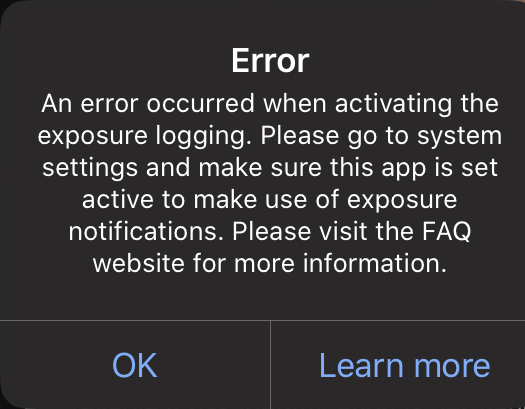
Nope, I only get this window.
sebago2000
on 16 Jul 2020
did somebody received this message or can reproduce this message?
No
seetiger2000
on 16 Jul 2020
maybe it's a pattern: most affected people have 2 sim-cards in use - so it could be a problem with the integrated eSim.
Can the people only using only one provider tell if they are using an esim Profile?
i am on an iPhoneX, so no eSIM and it doesn't work for me.
m-arx
on 16 Jul 2020
Thanks for testing it. Could you please do us a favor? We cannot see the bug in our dev team, so please try to disable the location service and enable the location service again. Thanks.
i have disabled location services,
restarted iPhone and re-enabled location services.
System setting still shows "not available in your region"
m-arx
on 16 Jul 2020
My provider: Telekom
Location: Hagen, NRW, Germany
Device: iPhone 11 Pro Max
CWA: 1.0.7
Default Language: German
SIM: eSIM only
CWA is fully working after update.
 wbmp
on 16 Jul 2020
wbmp
on 16 Jul 2020
Hello,
I'm facing the same issue as described here with my device after upgrading to iOS 13.6.
_Everything worked fine with iOS 13.5_
I was using CWA since day 1 w/o problems.
- CWA version: 1.0.7
- iOS version: 13.6 (17G68) (was attending Apple beta program before but deleted beta profile after final iOS 13.6 was available)
Device: iPhone 11 Pro
provider: o2-de with nano sim and Apple Watch with o2 eSIM
- Location: Munich, Germany
- Default language: German before upgrading, switched to English as an attempt to fix it
Things I tried:
- Activated / deactivated location services several times and rebooted
- rebooted phone several times
- switched to flight mode several times
reselected "Germany" as my region and language in settings
deleted app twice
- power cycled device
reinstalled app
background refresh is enabled
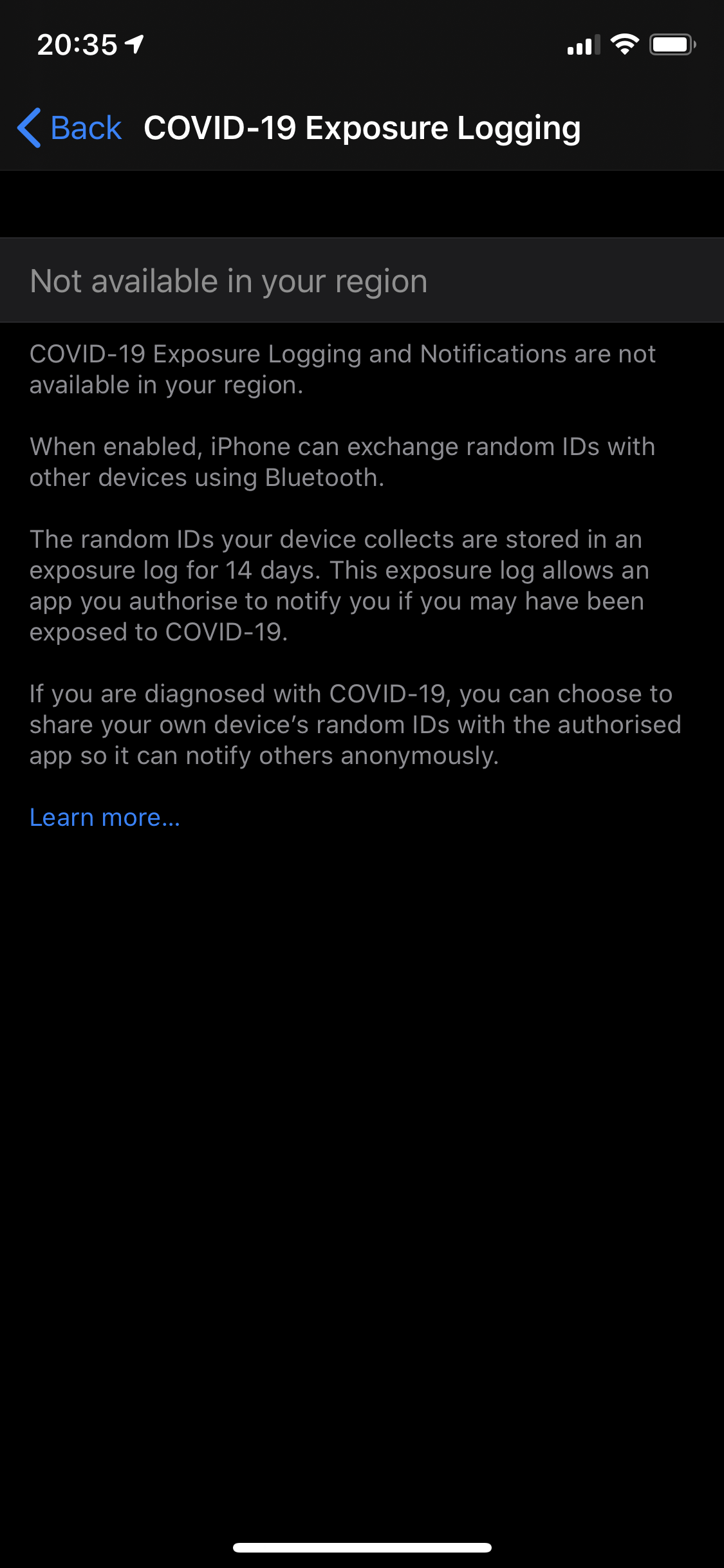
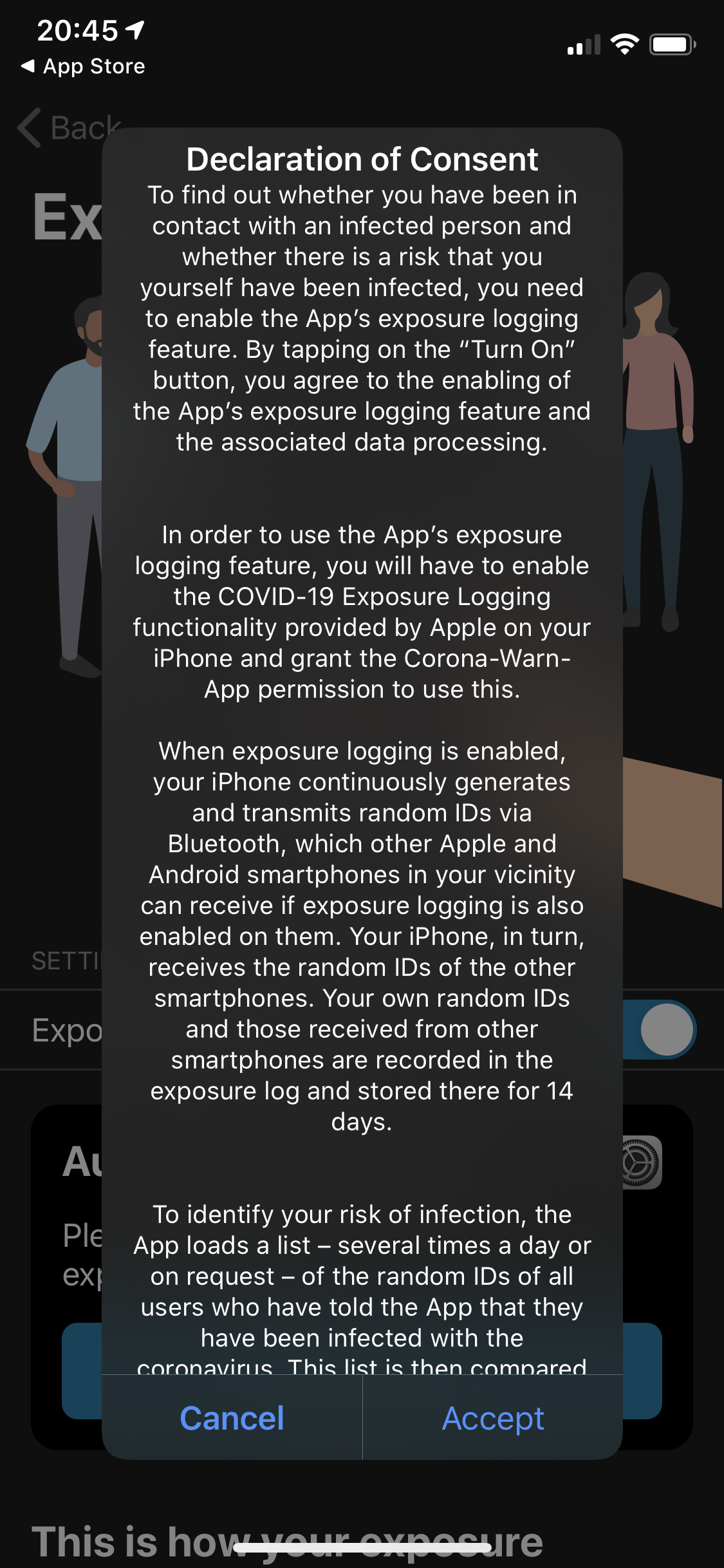
If I click accept - window disappears but exposure logging switch still deactivated
 florian101010
on 16 Jul 2020
florian101010
on 16 Jul 2020
Hi
I don't experience this issue, but I wanted to share some technical details, maybe it'll help with the investigation.
CWA version: 1.0.7
iOS version: 13.6 (17G68) (was attending Apple beta program before, deleted beta Profil one week ago. So I updaded from iOS 13.6 Public Beta 3)
Device: iPhone XR
Provider: o2-de with nano sim
Location: Munich, Germany
Default language: German
 Ein-Tim
on 16 Jul 2020
Ein-Tim
on 16 Jul 2020
Hey guys,
in our team we always have problems with new iOS Versions regarding bluetooth. With 13.6 in particular: we investigated today morning, that it seems that the scanning not starts in our app after the device was updated to iOS 13.6. The simple "solution" was to just simply rebuild the native iOS specific code with xcode 11.6 (the version that matches iOS 13.6).
@Tho-Mat @SebastianWolf-SAP So maybe this is the reason why the developers cannot reproduce the issue if they tried to "debug" the app. Because the new build on an 13.6 iOS device requires the new xcode version.
Hope that helped and it is maybe exactly the same "stupid" issue we faced.
Good luck!
PS: https://github.com/corona-warn-app/cwa-app-ios/issues/916 <-- seems to be the same root cause?
 Flocksserver
on 17 Jul 2020
Flocksserver
on 17 Jul 2020
Hi there.
No issues with iOS 13.6, dualSim Telekom.
Ciao
Markus
 markusbucher
on 17 Jul 2020
markusbucher
on 17 Jul 2020
@Flocksserver Thanks for the hint. However, according to the information which we have received directly from Apple, the root cause is actually within the operating system and not related at all to the app or how it is built. Preliminary investigation results show that it has something to do with the region issue bugs (these nasty popups) that iOS already had in 13.5.
It seems that some erroneous state was persisted in the Exposure Notification Framework in the operating system that leads now to a complete malfunction on _some_ devices in 13.6. No workarounds known so far except a factory reset - we definitely wouldn't recommend that... Apple is working on a fix with highest priority. Let's cross our fingers that they fix it soon.
SebastianWolf-SAP
on 17 Jul 2020
at that moment the problem was fixed
seetiger2000
on 17 Jul 2020
@seetiger2000 Can you elaborate what you did to fix the problem?
thomasaugsten
on 17 Jul 2020
@seetiger2000 Can you elaborate what you did to fix the problem?
I did nothing
Just became a push notification from iOS that the Corona tracking is active again
seetiger2000
on 17 Jul 2020
On the iPhone X the App doesn't work since I upgraded the iOS (now 13.6). After upgrading my iPhone 7 the App is working as usual (?). I tried to delete and reinstall it, switched on and off the flight mode, restarted the iPhone and so on. It seems to be a serious problem.
 githubuserbischur
on 17 Jul 2020
githubuserbischur
on 17 Jul 2020
@seetiger2000 did you reset anything ?
thomasaugsten
on 17 Jul 2020
@seetiger2000 did you reset anything ?
No reset or update needed
seetiger2000
on 17 Jul 2020
No push for and exposure logging still “not active in my region”.
florian101010
on 17 Jul 2020
Steps I would take to try to reactivate tracking:
- go into flight mode
- force end CWA
- leave flight mode (so force new booking into mobile network)
- check settings to see if COVID-19 tracking becomes available.
If that doesn't work:
- go into flight mode.
- switch device off.
- Power on again
- deactivate flight mode
- check settings to see if COVID-19 tracking becomes available
Final measures:
- delete app
- power cycle device
- install app
Did this 100 times (no exaggeration). It doesn’t work
 Alexcirlan
on 17 Jul 2020
Alexcirlan
on 17 Jul 2020
Did somebody has a test device with this problem? Maybe he can try to reset the settings of iOS. But he will lose all his wifi passwords, apple pay cards and all other custom settings. Not recommended on a productive device.
Settings -> General -> Reset -> Reset All Settings (First Option)
thomasaugsten
on 17 Jul 2020
No push for and exposure logging still “not active in my region”.
Same for me - did not go back to working.
@florian101010 - you seem like a frood who knows where his towel is.
m-arx
on 17 Jul 2020
Well, my iPhone XR also seems to be an "amazingly together guy"! ; )
Did the upgrade minutes ago and everything works just fine!
My provider: Telekom
Location: Würzburg, Germany
Device: iPhone XR
Default language: English
CWA: 1.0.7, downloaded on June 17
 Kiju-hd
on 18 Jul 2020
Kiju-hd
on 18 Jul 2020
Good morning
Yes I resetted everything, e.g. the App, restarted the phone, etc.
Mit freundlichem Gruß
Hans-Peter Bischur
Am 17.07.2020 um 20:07 schrieb Thomas Augsten notifications@github.com:
@seetiger2000 did you reset anything ?
—
You are receiving this because you commented.
Reply to this email directly, view it on GitHub, or unsubscribe.
githubuserbischur
on 18 Jul 2020
Good morning Yes I resetted everything, e.g. the App, restarted the phone, etc. Mit freundlichem Gruß Hans-Peter Bischur Am 17.07.2020 um 20:07 schrieb Thomas Augsten notifications@github.com: @seetiger2000 did you reset anything ? — You are receiving this because you commented. Reply to this email directly, view it on GitHub, or unsubscribe.
Same here, no result as it behaves the same.
Alexcirlan
on 18 Jul 2020
I would like to send you a screenshot:
Mit freundlichem Gruß
Hans-Peter Bischur
Am 17.07.2020 um 20:34 schrieb florian101010 notifications@github.com:
No push for and exposure logging still “not active in my region”.
—
You are receiving this because you commented.
Reply to this email directly, view it on GitHub, or unsubscribe.
githubuserbischur
on 18 Jul 2020
Good morning
Mit freundlichem Gruß
Hans-Peter Bischur
Am 18.07.2020 um 10:23 schrieb Alexcirlan notifications@github.com:
Good morning Yes I resetted everything, e.g. the App, restarted the phone, etc. Mit freundlichem Gruß Hans-Peter Bischur Am 17.07.2020 um 20:07 schrieb Thomas Augsten [email protected]: @seetiger2000 did you reset anything ? — You are receiving this because you commented. Reply to this email directly, view it on GitHub, or unsubscribe.
Same here, no result as it behaves the same.
—
You are receiving this because you commented.
Reply to this email directly, view it on GitHub, or unsubscribe.
githubuserbischur
on 18 Jul 2020
I am also suffering from this issue. No e-Sim.
I‘m curious, before my update to 10.13.6 I constantly got the Popup Message about Region change. Did the people that are suffering from this current issue also get the pop-up or is this also happening to people who didn’t get the pop-up?
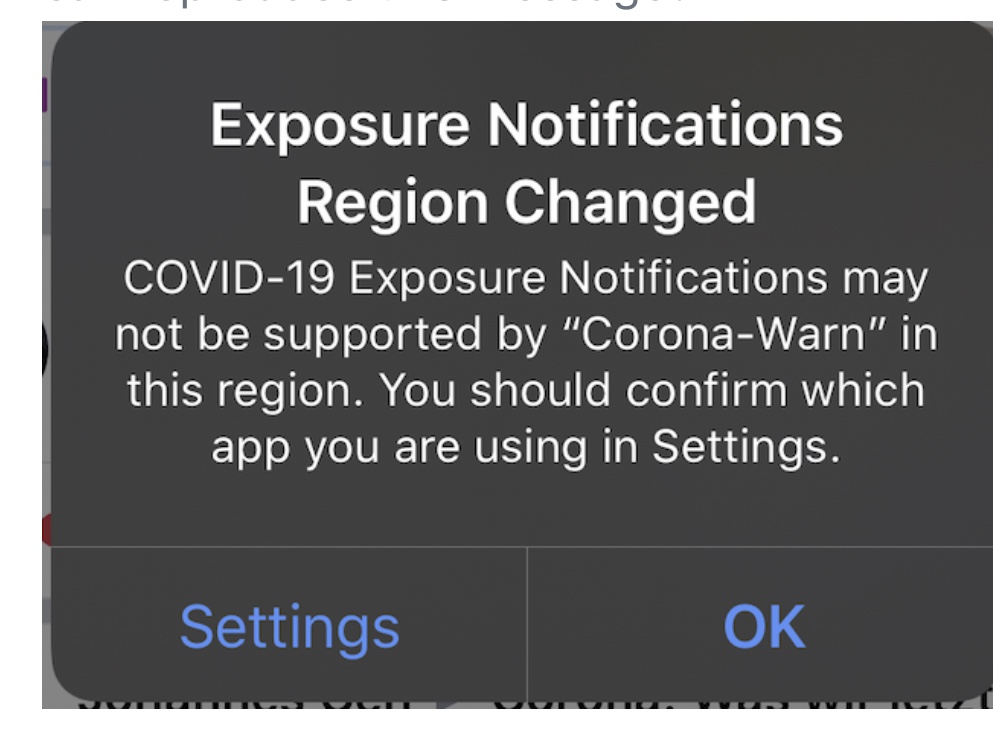
 USR123456
on 18 Jul 2020
USR123456
on 18 Jul 2020
Just to add to my report - before the upgrade I got these pop-ups with regard to region changes quite regularly several times every day.
JThoennes
on 18 Jul 2020
I can confirm, I also got several of those location warnings per day before the upgrade.
m-arx
on 18 Jul 2020
I don’t remember these location / region warning pop ups before the upgrade. It just worked.
florian101010
on 18 Jul 2020
Hi
I got this popup too, it appeared every day. Helpcenter told me to ignore it. Now the App us wearthless for me.
Thank for writing the mail.
Mit freundlichem Gruß
Hans-Peter Bischur
Am 18.07.2020 um 15:24 schrieb Thomas Kowark notifications@github.com:
@USR123456 - good point. To keep the thread manageable, it would be great though, to only get confirmation from people that did not have (or cannot remember seeing) theses popups. As noted in #911 (comment) it is the working assumption that these two errors go hand in hand.
—
You are receiving this because you commented.
Reply to this email directly, view it on GitHub, or unsubscribe.
githubuserbischur
on 18 Jul 2020
Hi I got this popup too, it appeared every day. Helpcenter told me to ignore it. Now the App us wearthless for me.
With iOS 13.5/13.5.1 this information given was correct. Ignore it. Apple was questioned to fix Popup.
With iOS 13.6 Apple fixed the popup (i dont belive you get the old popup anymore), but unfortunately the Update broke the Covid-19 Kontaktprotokoll completely for some people.
This seems to be a problem Apple has to solve so nobody here or at the hotline can help you with this problem..
We can only try to help Apple to repair the problem. for this it can be useful to look out for Patterns
tocotronaut
on 18 Jul 2020
just tried to activate “Risikoermittlung” and it worked without any further actions.
The App is working again.
Heavy02011
on 18 Jul 2020
Seem to work for me as well! Without any further actions.
florian101010
on 18 Jul 2020
Hello there, the API framework just "reactivated" itself on my device today. I did nothing directly to fix it, my phone just notified me about the enabled exposure notifications. However remarkable is, that I was logged in to an Austrian cell network (Magenta-T) when this happened. My iPhone XR was still connected to a Wifi-Hotspot though. The CWA refreshed itself and seems to be working fine for now.
jg
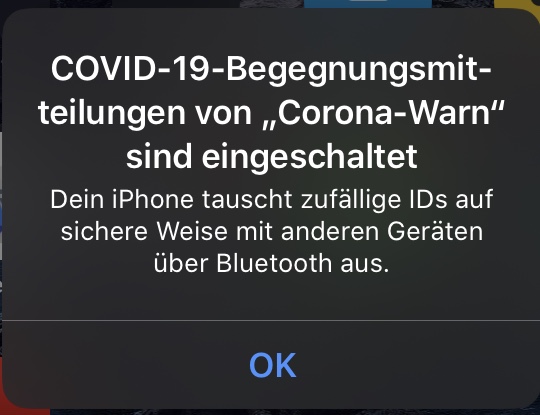
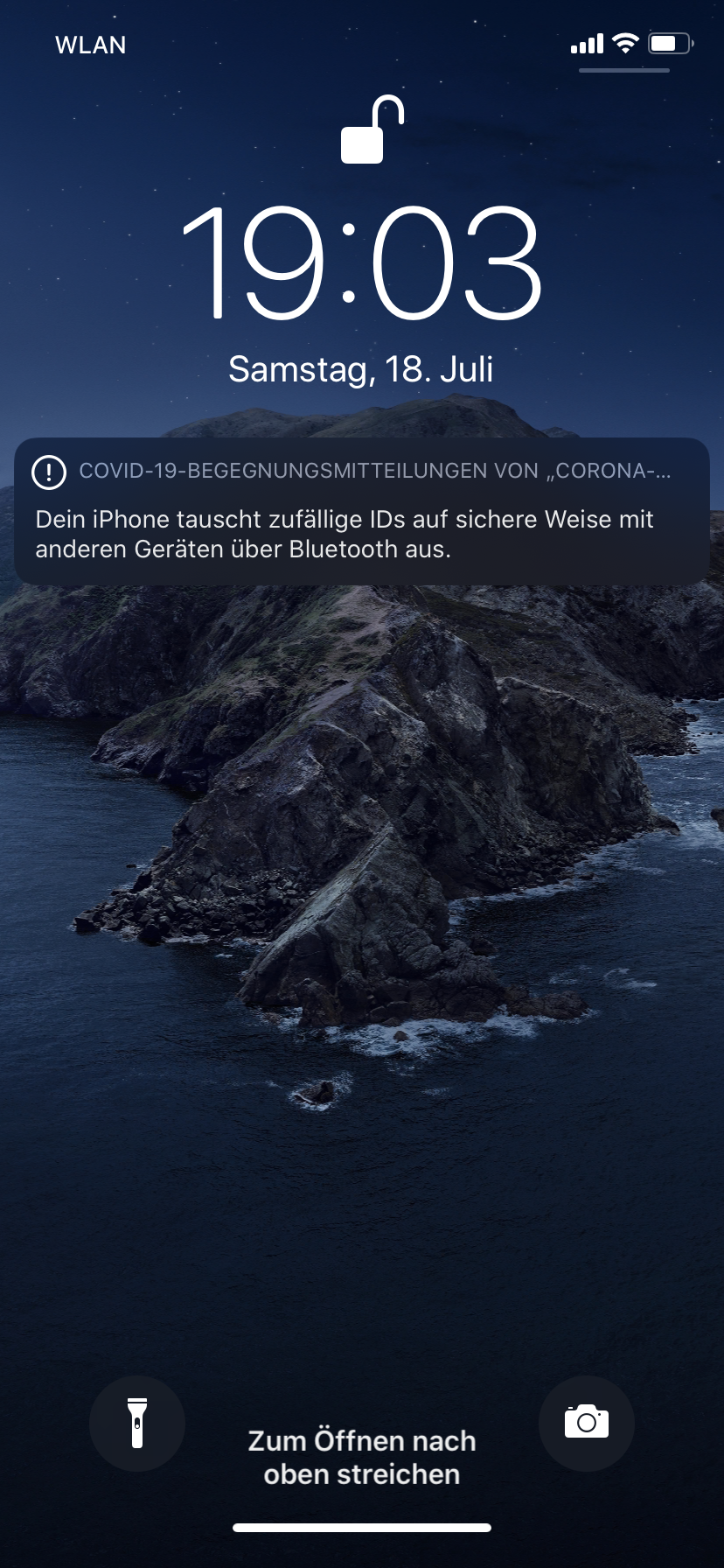
androthan
on 18 Jul 2020
For me (iOS14 beta2)
is still not working
It is stopping at this step... opening the app again will show a black screen.
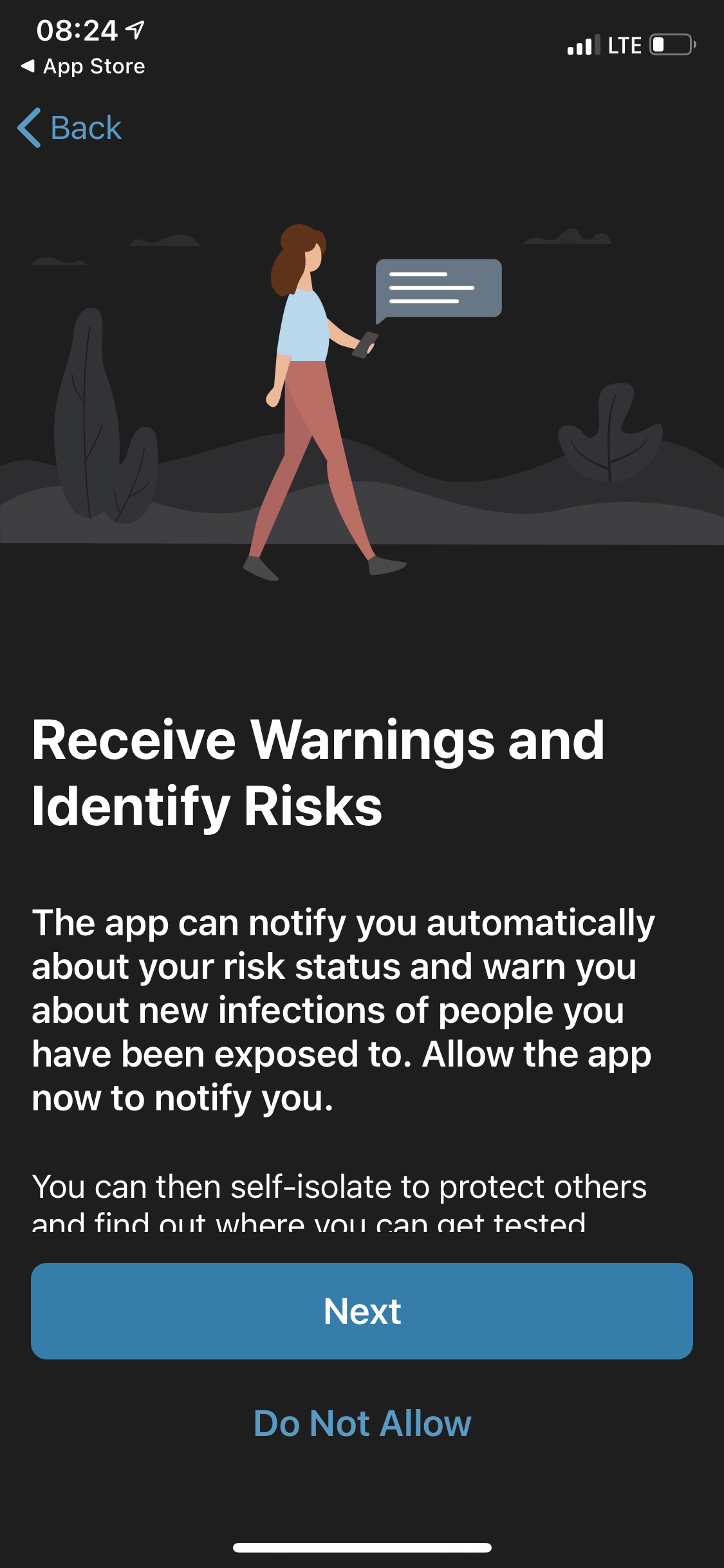
In settings i see “not available in your region” even i am in Germany
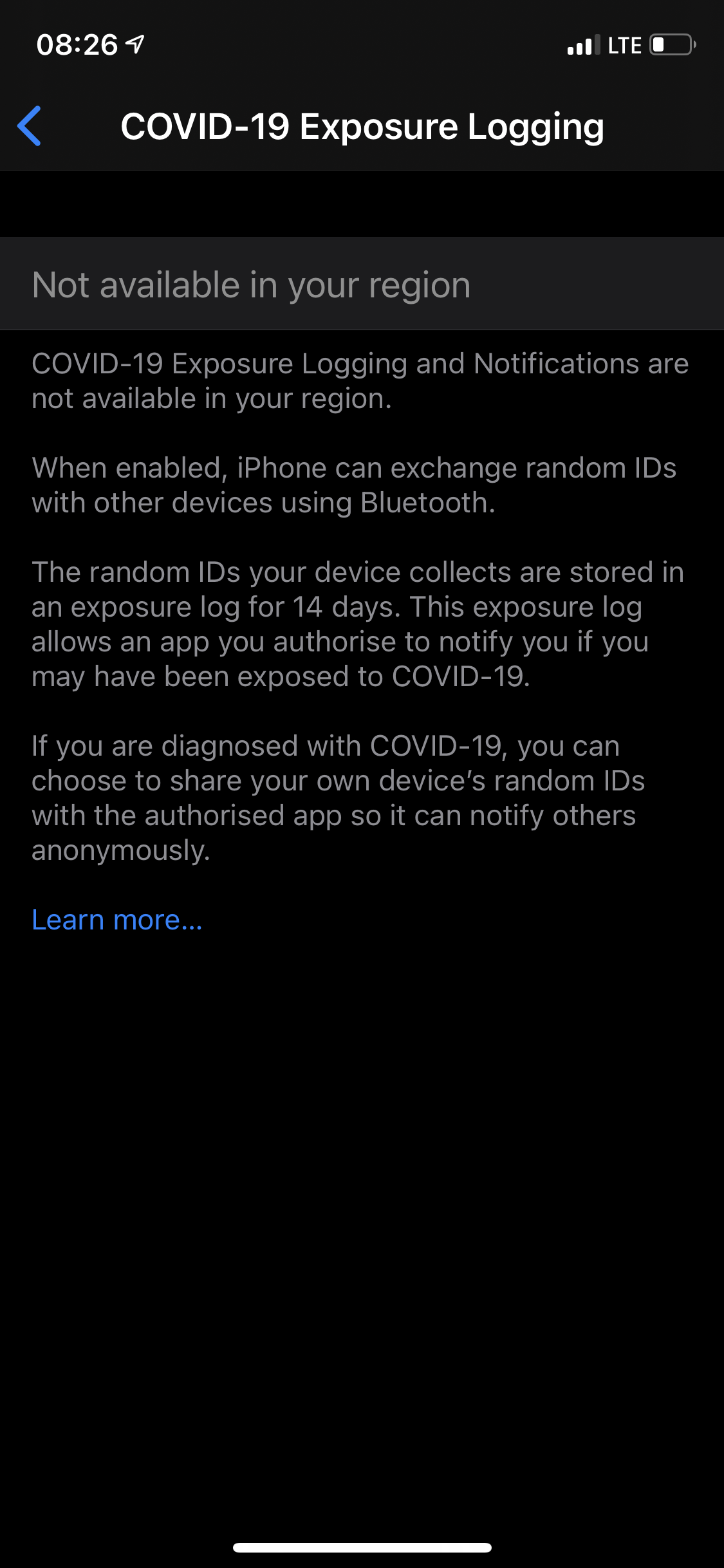
I tried all the tricks (even reset settings) but didn’t work.
Alexcirlan
on 19 Jul 2020
For me (iOS14 beta2)
is still not working
It is stopping at this step... opening the app again will show a black screen.
In settings i see “not available in your region” even i am in Germany
I tried all the tricks (even reset settings) but didn’t work.
For iOS 14, there is another issue, for example: #886. You could also take a look at the FAQ
Ein-Tim
on 19 Jul 2020
Hello there, the API framework just "reactivated" itself on my device today. I did nothing directly to fix it, my phone just notified me about the enabled exposure notifications. However remarkable is, that I was logged in to an Austrian cell network (Magenta-T) when this happened. My iPhone XR was still connected to a Wifi-Hotspot though. The CWA refreshed itself and seems to be working fine for now.
jg
I was also logged into an Austrian mobile network wenn I successfully tried to active exposure logging.
florian101010
on 19 Jul 2020
Hello
Does anybody know what apple is planning to fix this bug?
Mit freundlichem Gruß
Hans-Peter Bischur
Am 19.07.2020 um 10:50 schrieb florian101010 notifications@github.com:
Hello there, the API framework just "reactivated" itself on my device today. I did nothing directly to fix it, my phone just notified me about the enabled exposure notifications. However remarkable is, that I was logged in to an Austrian cell network (Magenta-T) when this happened. My iPhone XR was still connected to a Wifi-Hotspot though. The CWA refreshed itself and seems to be working fine for now.
jg
I was also logged into an Austrian mobile network wenn I successfully tried to active exposure logging.
—
You are receiving this because you commented.
Reply to this email directly, view it on GitHub, or unsubscribe.
githubuserbischur
on 20 Jul 2020
on the FAQ
https://www.coronawarn.app/en/faq/?search=13.6
this is now mentioned - is there an apple bugtracker link where the issue can be tracked?
m-arx
on 20 Jul 2020
Unfortunately not, but we will keep you up to date here as soon as we hear something from Apple.
Mit freundlichen Grüßen/Best regards,
SW
Corona Warn-App Open Source Team
SebastianWolf-SAP
on 20 Jul 2020
The App was working fine on my old iPhone SE. After migrating to the new iPhone SE2020 it seemed OK but the contact data was not transferred. While still setting up the new phone I updated to 13.6 with all above mentioned effects.
Provider: 1&1 / Vodafone Network, same SIM as in old iPhone, no E-SIM
Location: Stuttgart area
 tiwdi
on 20 Jul 2020
tiwdi
on 20 Jul 2020
I browsed through all the screenshots but the message I get when I try to activate was not posted jet. So, for the sake of completeness:
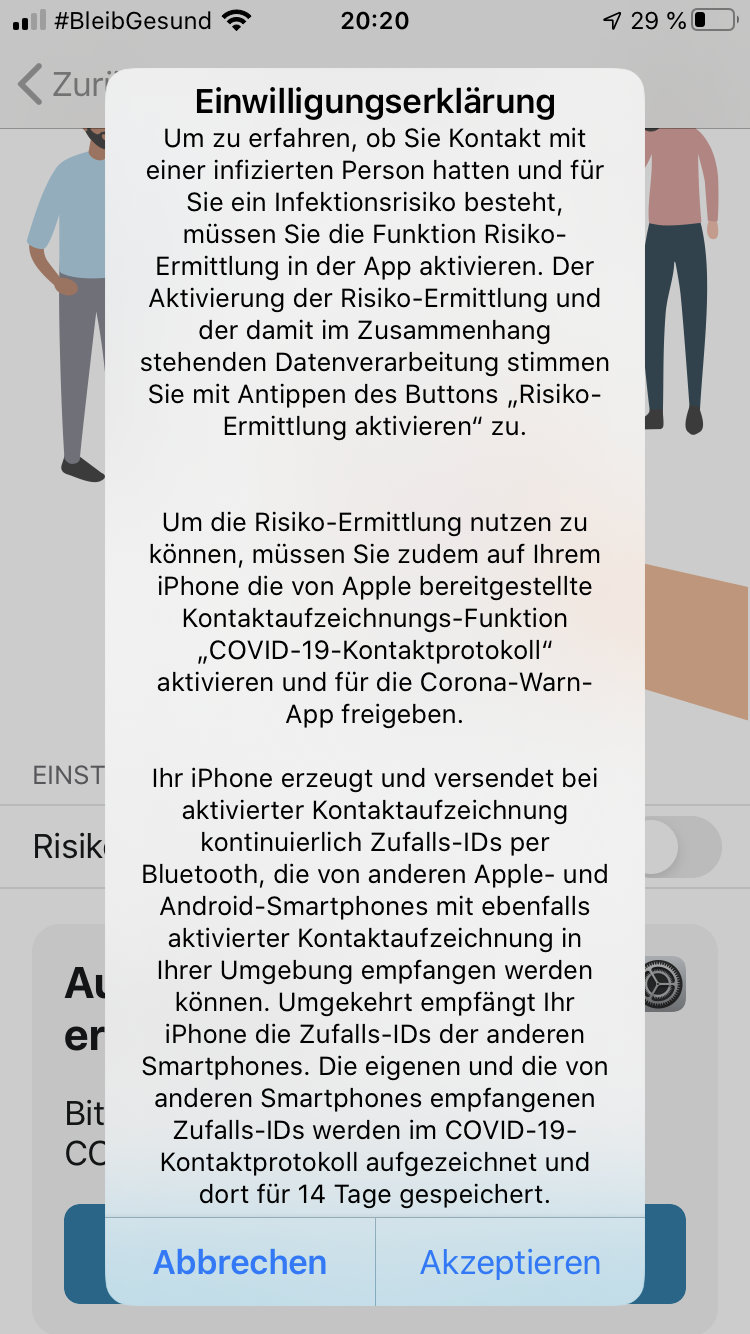
The effect of pushing one of the two buttons is the same - nothing!
tiwdi
on 20 Jul 2020
Today I started a bicycle tour near the border to the Netherlands and all of a sudden the contact exposure started working again. Back to normal.
JThoennes
on 20 Jul 2020
Good morning
After updating the app this morning I can’t find any improvements. What the h... is Apple improving?
Hans-Peter
Am 20.07.2020 um 23:38 schrieb Jörg Thönnes notifications@github.com:
Today I started a bicycle tour near the border to the Netherlands and all of a sudden the contact exposure started working again. Back to normal.
—
You are receiving this because you commented.
Reply to this email directly, view it on GitHub, or unsubscribe.
githubuserbischur
on 21 Jul 2020
This Issue is not for chatting or everyday questions. Please stay Focused on Issue#911
btw: Apple is not the Developer of the Corona Warn App.
You can see, the (technical) Corona-Warn-App Changelog here: https://github.com/corona-warn-app/cwa-app-ios/releases
if Apple improves something you'll probably get an iOS/iPadOS update.
tocotronaut
on 21 Jul 2020
Hello, still got the problem, send you a direct mail as indicated above.
Thanks.
m-arx
on 21 Jul 2020
My provider: Vodafone.de 41.2
Location: Herzogenaurach, Bavaria, Germany
Device: iPhone SE 2Gen
CWA: 1.1.1 (3) (If CWA means Corona Warn App)
Default Language: German
Not working after upgrade
 SonicTTH
on 22 Jul 2020
SonicTTH
on 22 Jul 2020
Provider 1 psim: Vodafone.de 41.2
Provider 2 esim: Telekom.de 41.0
Location: Baden-Württemberg, Germany
Device: iPhone XR
CWA: 1.1.1
Default Language: German
Device have an active corporate profile
Not working after upgrade
 Beiden1984
on 22 Jul 2020
Beiden1984
on 22 Jul 2020
same issue here
I notice that after I had very short time in Belgium(no in Belgium but with the iphone registered to Belgium network in border region), the issue happened.
 steer629
on 23 Jul 2020
steer629
on 23 Jul 2020
Hi
is there any progress in finding the bug?
Hans-Peter
Am 23.07.2020 um 14:27 schrieb steer629 notifications@github.com:
same issue here
I notice that after I had very short time in Belgium(no in Belgium but with the iphone registered to Belgium network in border region), the issue happen
—
You are receiving this because you commented.
Reply to this email directly, view it on GitHub, or unsubscribe.
githubuserbischur
on 23 Jul 2020
Iphone X 13.6, Telekom, CWA 1.1.1 (3) German language Cologne
Same here, CWA stopped to work after upgrade to 13.6 "Keine Risikoermittlung".
Deleted and reinstalled the app yesterday. Now I can't even authorize it now like others mentioned before.
Very strange that this forum seams to be the only place where this is oprnly discussed, all the news platforms don't talk about it!
Wolfgang
 Atti1952
on 25 Jul 2020
Atti1952
on 25 Jul 2020
Hello,
my problem was solved by Apple Support.
This was coordinated by @thomasaugsten.
@thomasaugsten: how can others trigger this? can they open a bug report with Apple and expect the same treatment?
m-arx
on 25 Jul 2020
Nice, but what did they do? My App isn’t working.
Mit freundlichem Gruß
Hans-Peter
Am 25.07.2020 um 12:08 schrieb m-arx notifications@github.com:
Hello,
my problem was solved by Apple Support.
This was coordinated by @thomasaugsten.
@thomasaugsten: how can others trigger this? can they open a bug report with Apple and expect the same treatment?
—
You are receiving this because you commented.
Reply to this email directly, view it on GitHub, or unsubscribe.
githubuserbischur
on 25 Jul 2020
They fixed a configuration issue on my phone
, not user-correctable.
m-arx
on 25 Jul 2020
I read in a newspaper this morning that they have fixed the bug. But my app still isn’t working.
Gruß
Hans-Peter
Am 25.07.2020 um 14:20 schrieb m-arx notifications@github.com:
They fixed a configuration issue on my phone
, not user-correctable.
—
You are receiving this because you commented.
Reply to this email directly, view it on GitHub, or unsubscribe.
githubuserbischur
on 26 Jul 2020
Has the same problem since update to v13.6.
Before has working stable. And by my wife on v13.5.1 still working well.
I chatted with the Apple support. Sadly I get no informations about this issue.
Have forward the FAQ link of CWA:
https://www.coronawarn.app/de/faq/#iOS_136
And also this link to the github issue. But sadly if I’m not participating a dev team I’m not able to get some informations.
There only can day that the dev teams in conversation how the FAQ says already.
That means for me, still waiting...
 Hachrey
on 26 Jul 2020
Hachrey
on 26 Jul 2020
We hope Apple will publish the fix for this problem soon to the public. They tested a fix with a small test group but not publish the fix or hand it over to us.
thomasaugsten
on 26 Jul 2020
How can we join the beta/TestFlight group?
Alexcirlan
on 26 Jul 2020
Provider normal SIM : Telekom
Location: Lüneburg, Germany
Device: iPhone SE (1)
CWA: 1.1.2
IOS 13.6
Default Language: German
Trying to get CWA working since app was launched, but never got it running.
Gray button "Risiko Ermittlung" , could never be enabled, because of "Covid-19-Bewegungsaufzeichnungen" -> "In deiner Region nicht verfügbar".
 dwarsloeper
on 27 Jul 2020
dwarsloeper
on 27 Jul 2020
Device: iPhone X
iOS: 13.6
Network: O2-de
Location: Frankfurt am Main
I reset my iPhone and since then I cannot activate exposure logging. The switch goes on but when I go back it turns off.
In the iPhone privacy settings under Heath It says that exposure is ON.
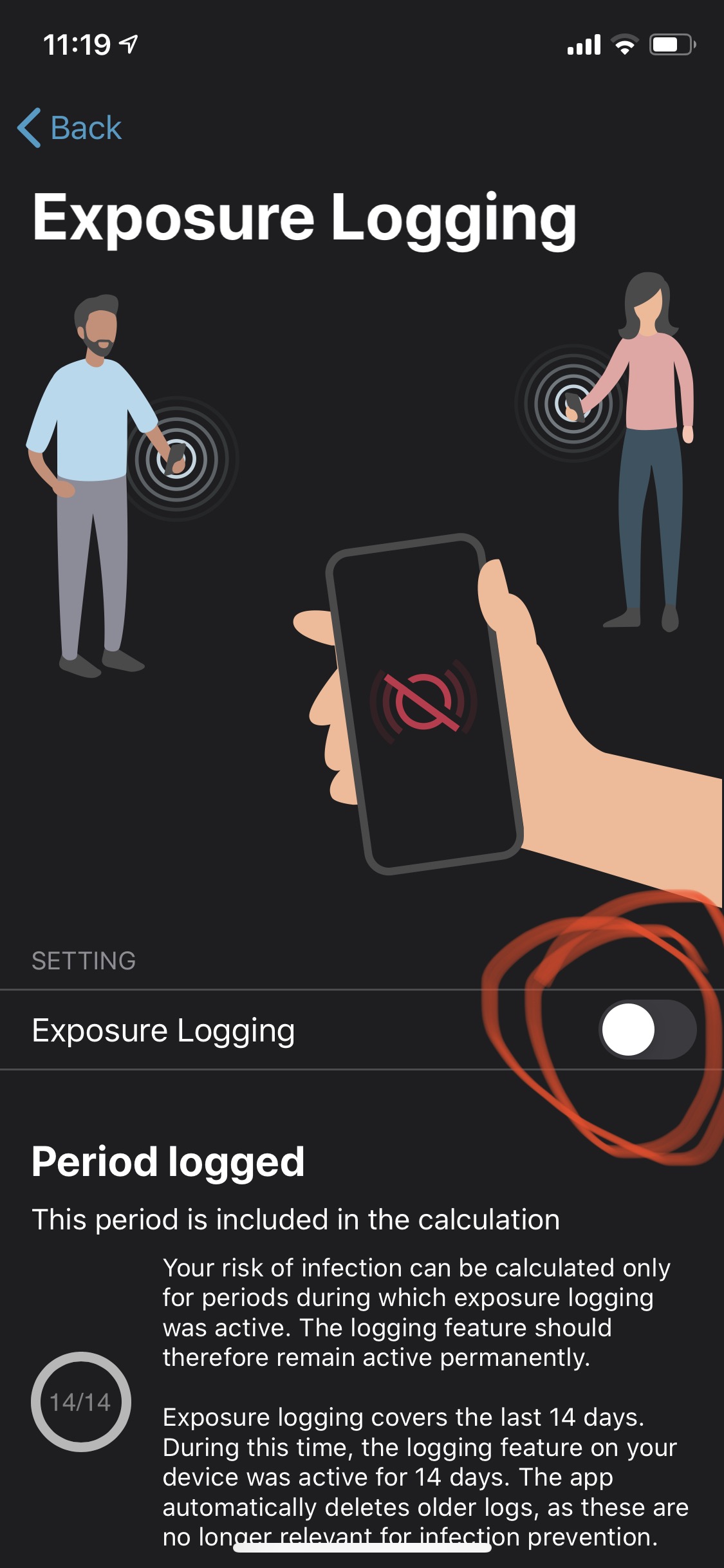
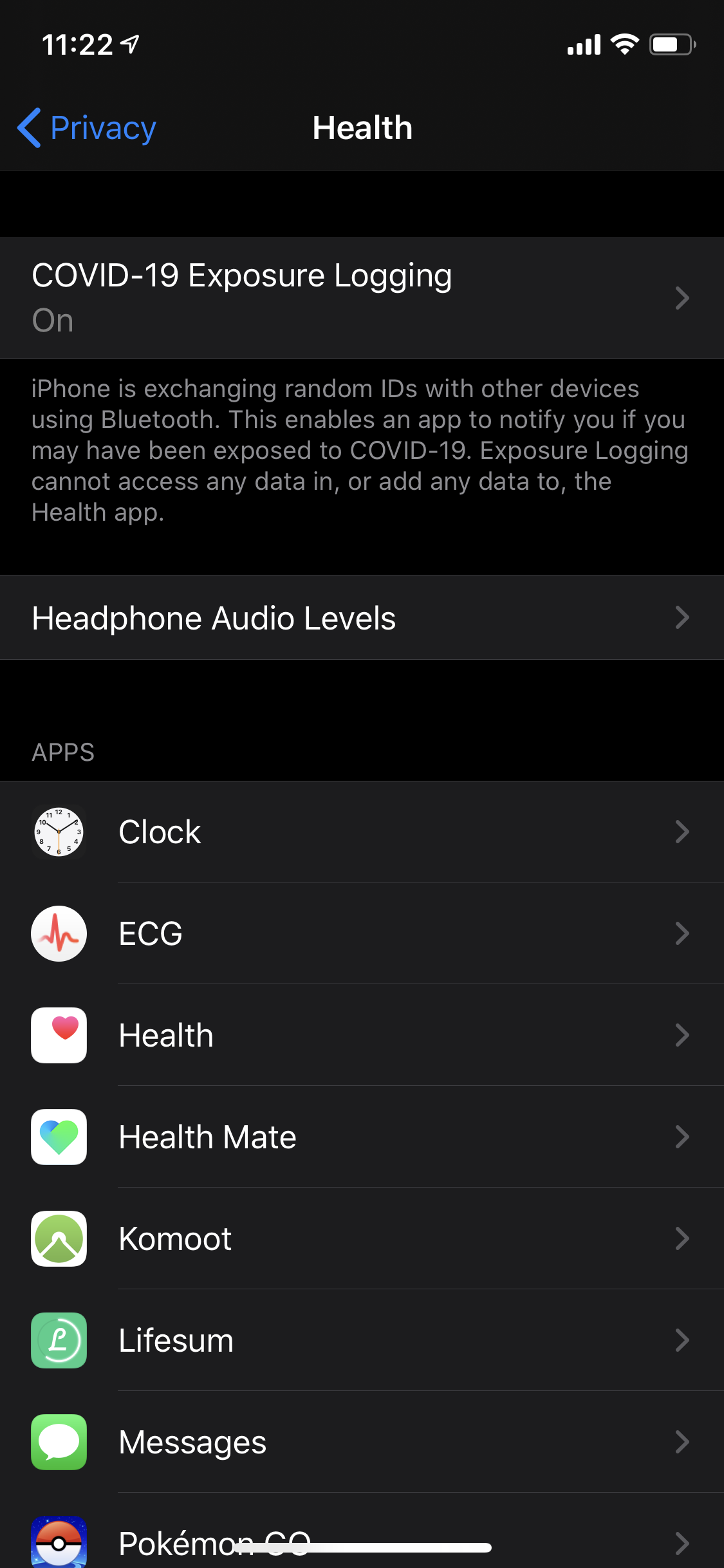
 Sergey564
on 28 Jul 2020
Sergey564
on 28 Jul 2020
@Sergey564 can you provide a screenshot when you click on COVID 19 in the iOS settings?
thomasaugsten
on 28 Jul 2020
did somebody received this message or can reproduce this message?
Yes, I'm getting this time to time:
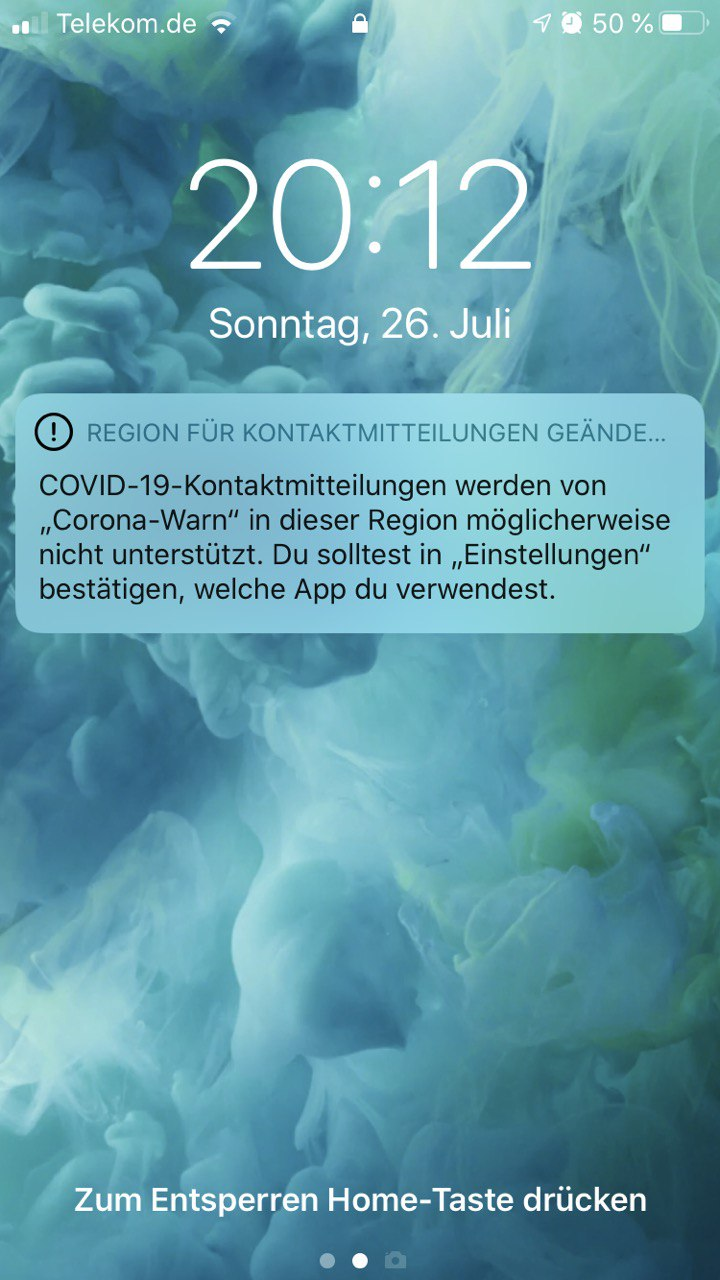
But if I go to settings everything is enabled and looks OK
 DenisBY
on 28 Jul 2020
DenisBY
on 28 Jul 2020
@Sergey564 can you provide a screenshot when you click on COVID 19 in the iOS settings?
Here
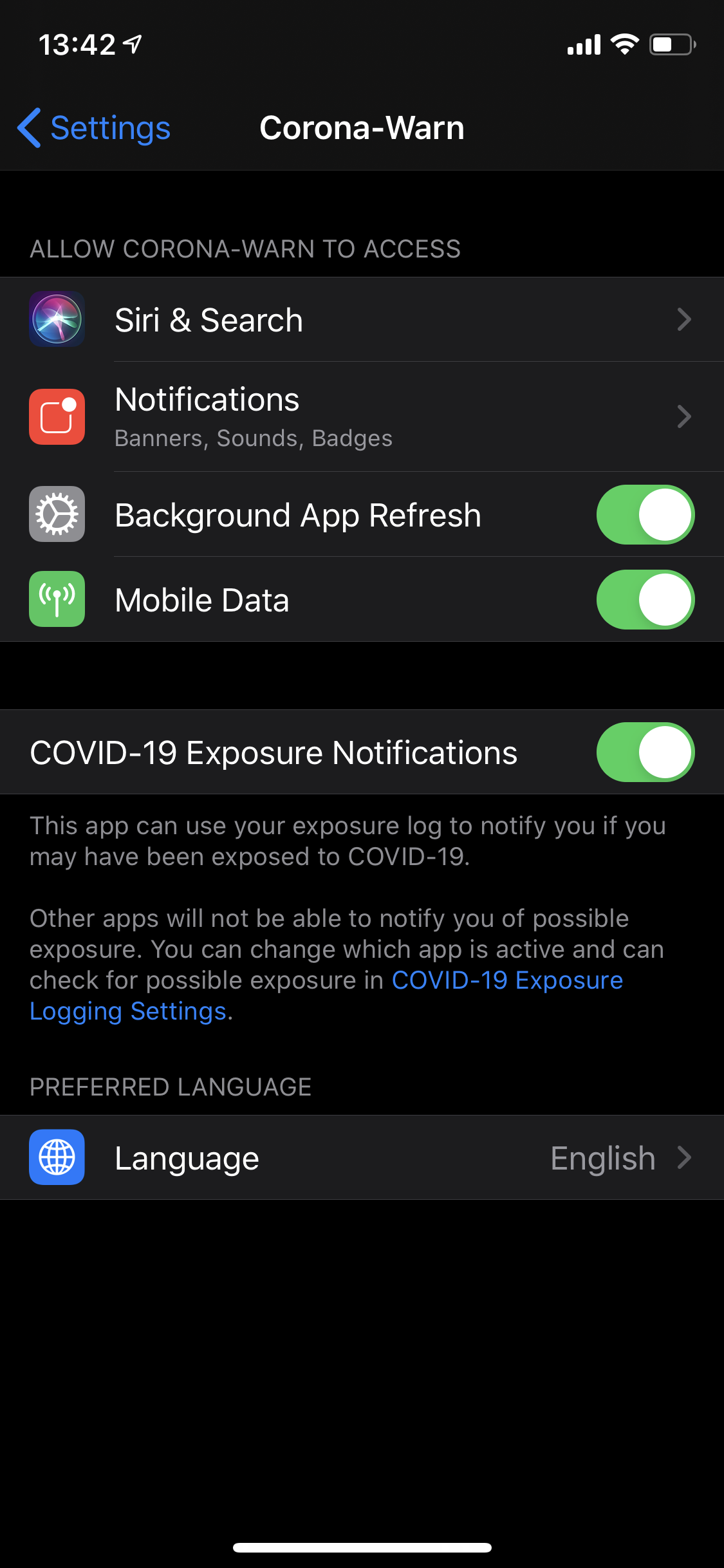
Sergey564
on 28 Jul 2020
Here it is
Gruß
Hans-Peter
Am 28.07.2020 um 13:45 schrieb Sergey564 notifications@github.com:
@Sergey564 can you provide a screenshot when you click on COVID 19 in the iOS settings?
Here
—
You are receiving this because you commented.
Reply to this email directly, view it on GitHub, or unsubscribe.
githubuserbischur
on 28 Jul 2020
After restarting iPhone the problem is solved.
Sergey564
on 28 Jul 2020
No, that didn’t help
Hans-Peter
Am 28.07.2020 um 20:42 schrieb Sergey564 notifications@github.com:
After restarting iPhone the problem is solved.
—
You are receiving this because you commented.
Reply to this email directly, view it on GitHub, or unsubscribe.
githubuserbischur
on 28 Jul 2020
I am having the same problem here
 Netswipe
on 29 Jul 2020
Netswipe
on 29 Jul 2020
Same problem here
iPhone 11 Pro
iOS 13.6
Vodafone, no eSIM
Corona warn app was working before updating to 13.6
 stbender
on 29 Jul 2020
stbender
on 29 Jul 2020
Had the same problem since weeks now.
Today first I tried to delete the cwa, which did not worked out correctly. The app was deleted, but some settings were still active in the settings section. The cwa icon was replaced by a general apple Icon, but I was still able to access the settings (turn on/off background sync etc). CWA could not be reinstalled from App Store because the App was still installed for Apple (Open Icon instead of Reinstall icon).
I performed a complete reset and backup restore of my iPhone (11 Pro - iOS 13.6 - Vodafone 41.2) and after that I was able to reinstall the cwa successfully.
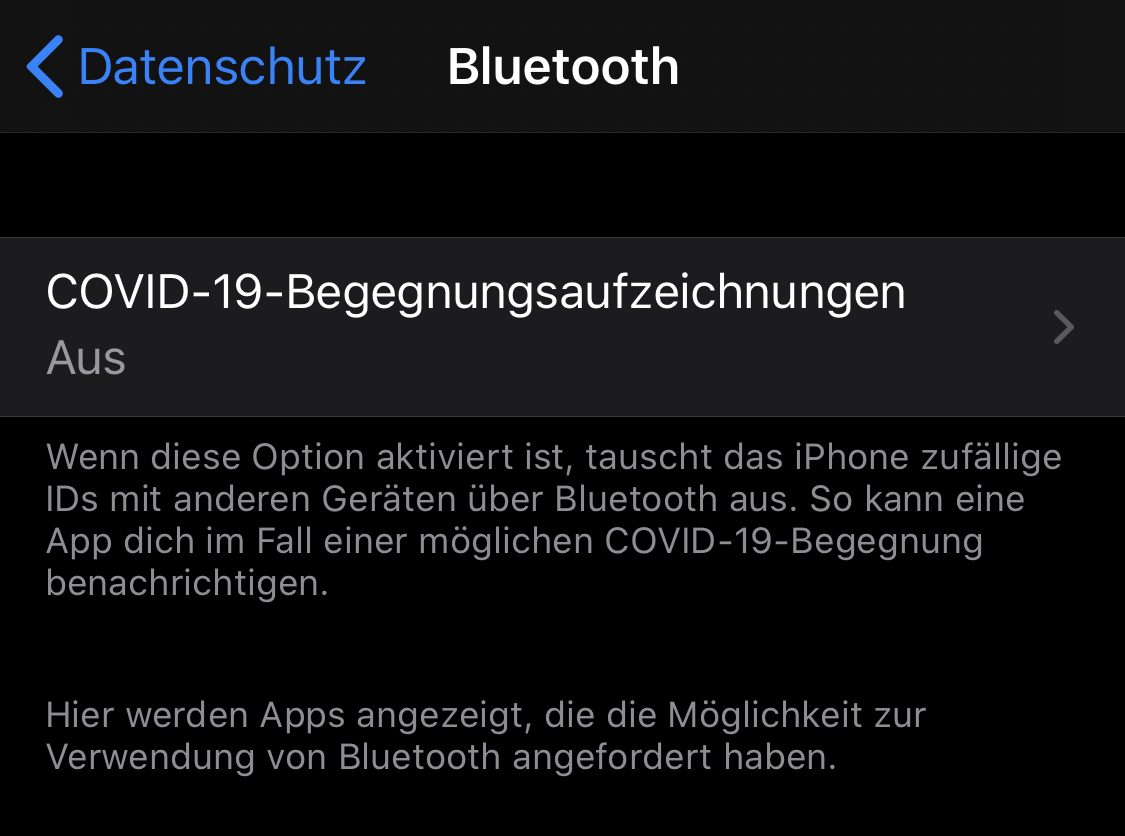
But unfortunately the exposure logging is still stopped, even after a complete new reset and reinstall with cwa 1.1.2 (0).
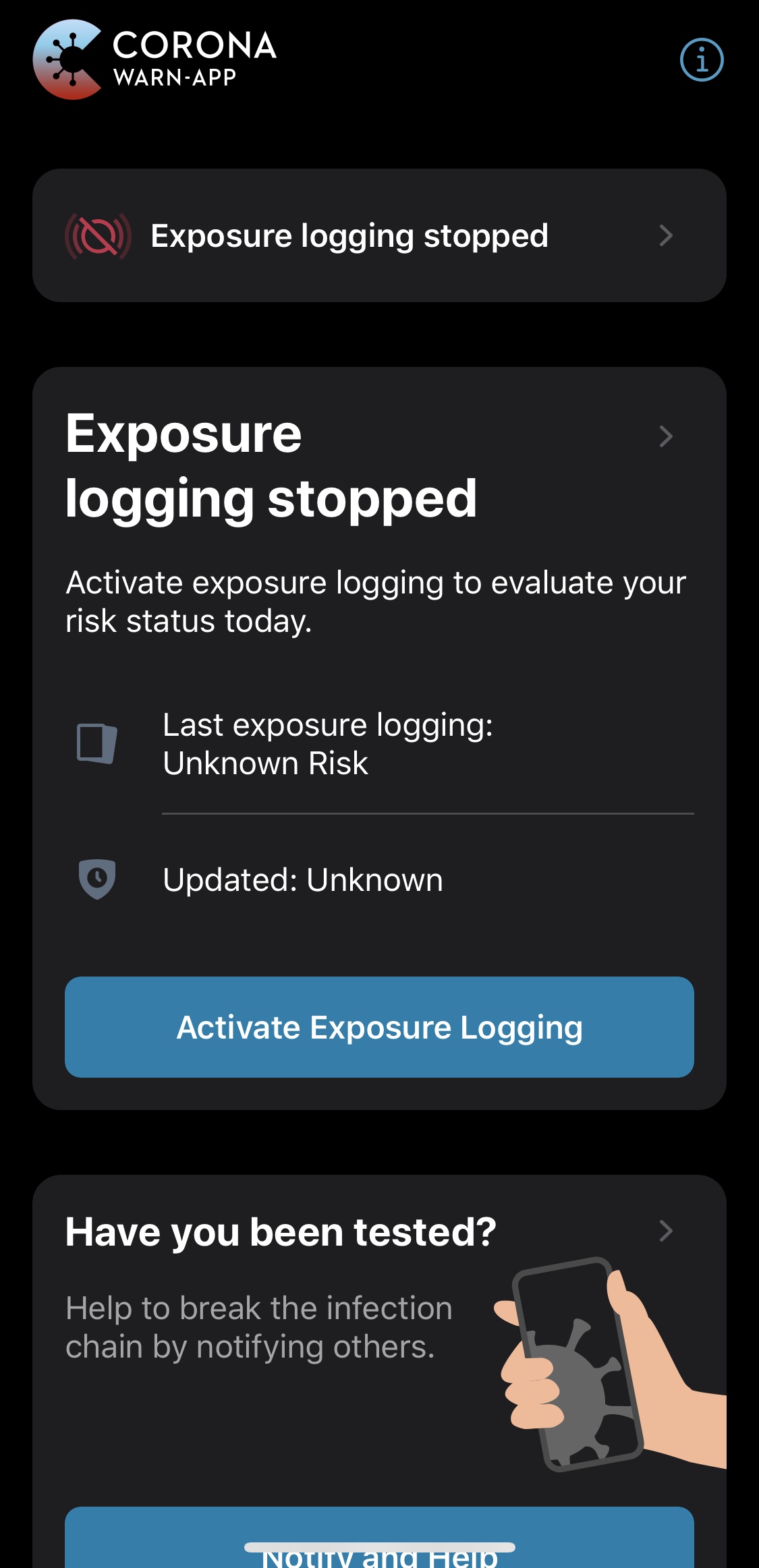
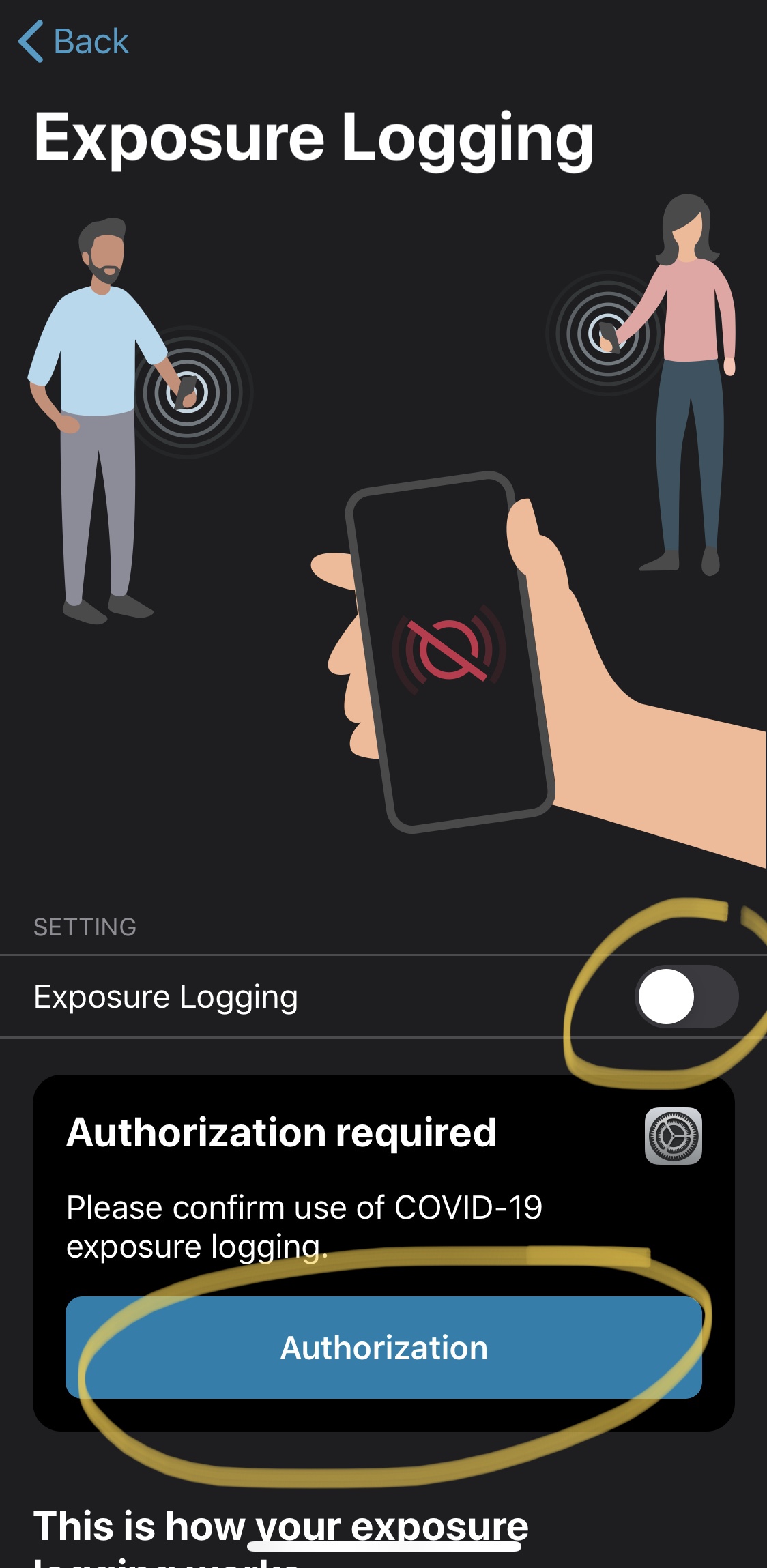
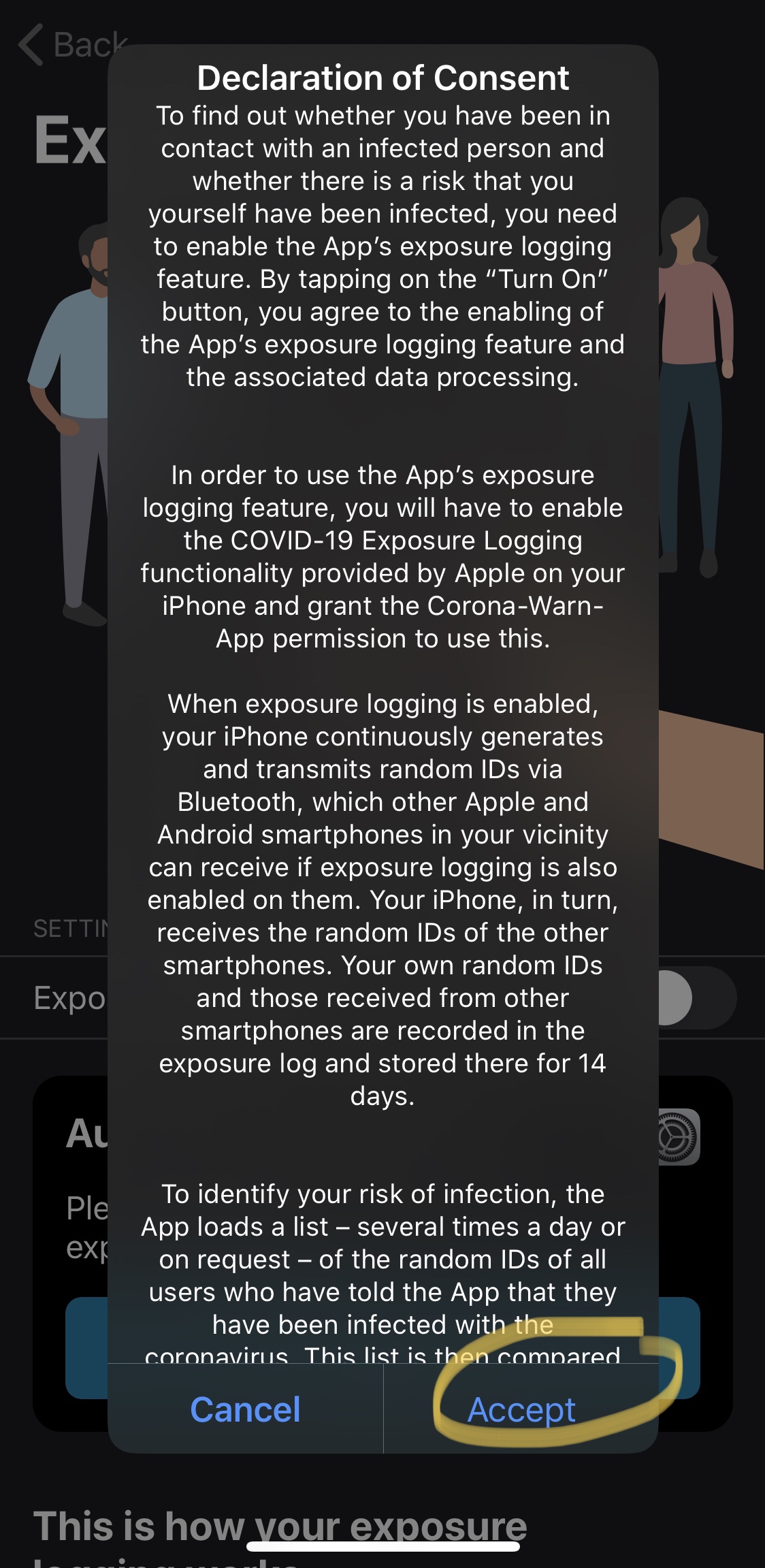
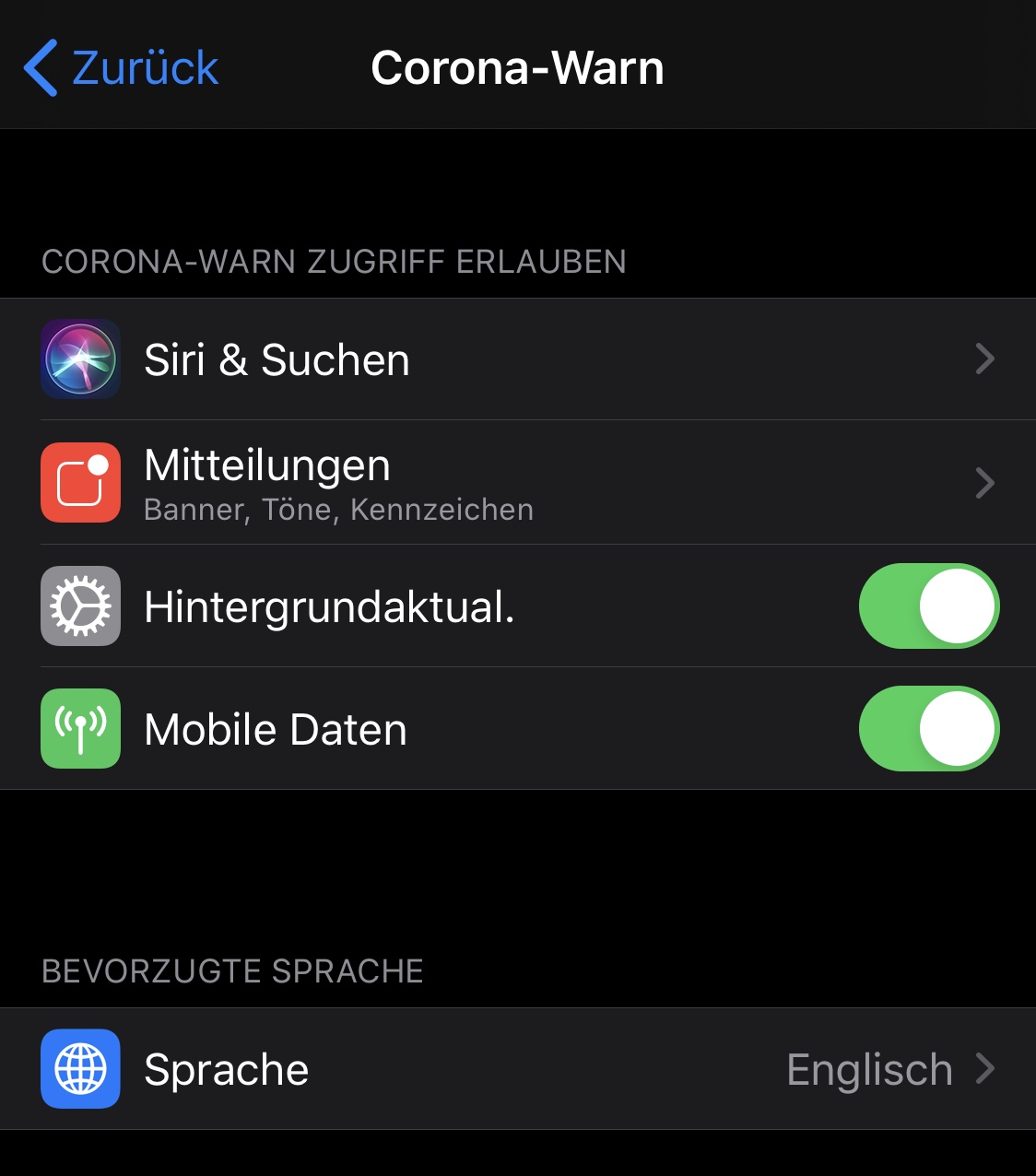
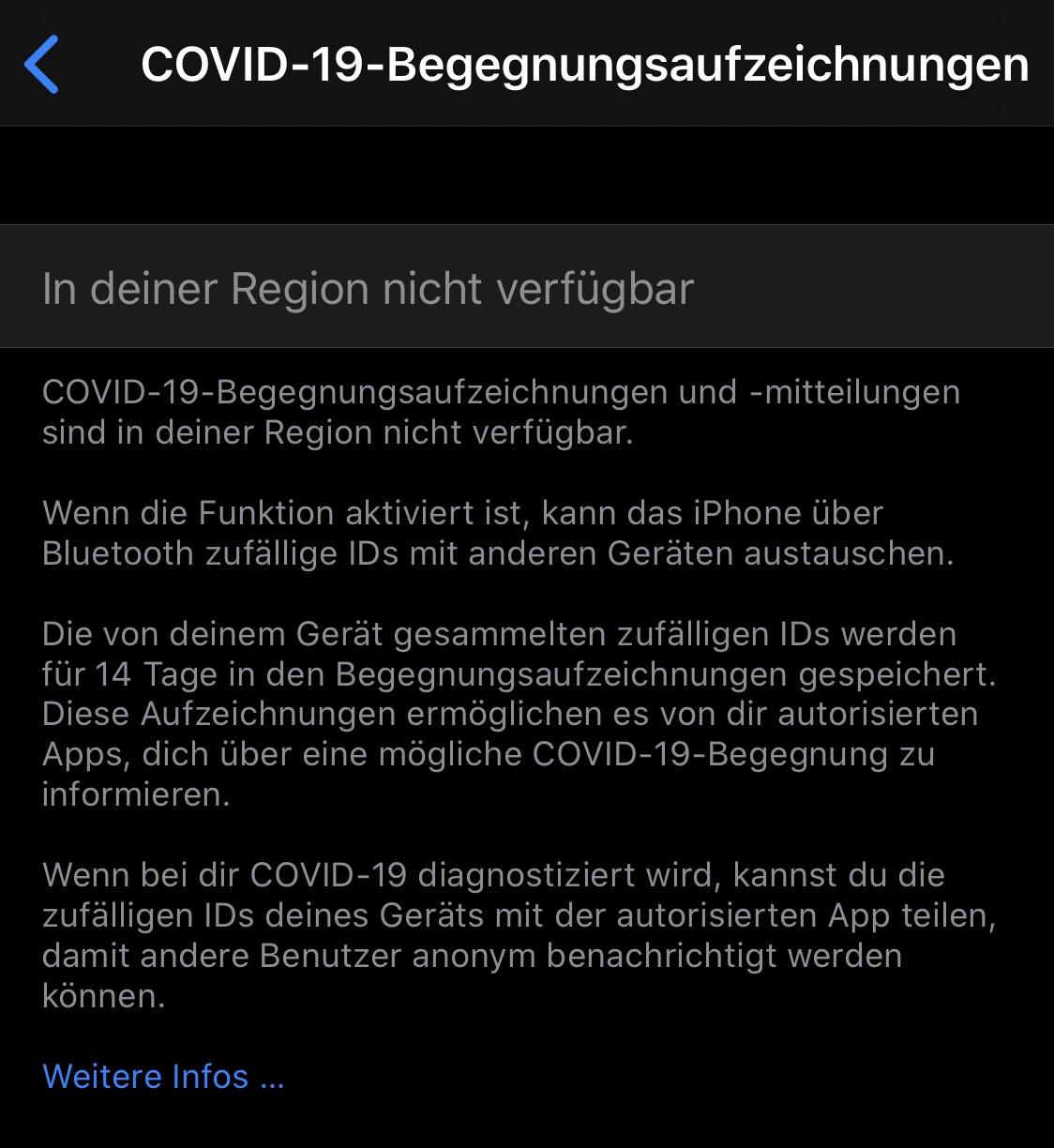
PS: cwa has no active Bluetooth interface!
 JimmyBoy4711
on 30 Jul 2020
JimmyBoy4711
on 30 Jul 2020
Our first test with a fixing iOS profile was successful we hope we can distribute this iOS profile soon. Thanks for your patient.
thomasaugsten
on 30 Jul 2020
Is there any progress in repairing the bug?
githubuserbischur
on 4 Aug 2020
We still in discussion with Apple to receive this repairing profile.
thomasaugsten
on 4 Aug 2020
If you aren't able to turn on Exposure Notifications, follow these steps:
Download this configuration profile.
http://appldnld.apple.com/iOSProfiles/Reset_ExposureNotifications.mobileconfigOpen the Settings->General->Profiles (Profile&Geräteverwaltung) and tap Profile Downloaded.
- Tap Install in the upper-right corner, then follow the
on screen instructions. - Reboot your iPhone to complete the installation.
- Turn on Exposure Logging in the Settings app.
thomasaugsten
on 4 Aug 2020
It works! Thank you!
stbender
on 5 Aug 2020
Yes, works!
stbender notifications@github.com schrieb am Mi. 5. Aug. 2020 um 00:22:
It works! Thank you!
—
You are receiving this because you commented.
Reply to this email directly, view it on GitHub
https://github.com/corona-warn-app/cwa-app-ios/issues/911#issuecomment-668853772,
or unsubscribe
https://github.com/notifications/unsubscribe-auth/APWGJZI6GGXOVDIOXSFG5ALR7CCZRANCNFSM4O2ZQIIQ
.
Netswipe
on 5 Aug 2020
It works now, thank you!
Alexcirlan
on 5 Aug 2020
Works, ty!
 warrie87
on 5 Aug 2020
warrie87
on 5 Aug 2020
Yeepee (not very professionell, I know), but at leaste all your efforts were successful! Thank you 🤓
Hans-Peter
Am 05.08.2020 um 07:49 schrieb warrie87 notifications@github.com:
Works, ty!
—
You are receiving this because you commented.
Reply to this email directly, view it on GitHub, or unsubscribe.
githubuserbischur
on 5 Aug 2020
Seems to works, we'll find out in the future. Therefore thanx for your effort, I feel safer now.
Unfortunately some serious questions remain:
How come that it took so long?
Why was this failure not shared with the public. Even Apple support wasn't aware of the problem when I called them yesterday and demonstrated the failure of activation? After internal reseach they got back to me and promised to take care of it with 13.6.1. even if not every Iphone with 13.6 was affected, there must be thousands more out there that didn't get any hint. How many of those were able to find this forum, and were able to do the installation process?
Shoudn't the news media and of course the government be aware of this slapstick? Finally it's about health, safety and last not least a substancial amount of money for a small app.
Atti1952
on 5 Aug 2020
There will be soon a iOS Update available which will fix this state on all affected devices automatically via OTA Update.
thomasaugsten
on 5 Aug 2020
Does not work !!
Applied the profile, rebootet iPhone SE, Exposure Notifications can still not be enabled : "Covid-19-Bewegungsaufzeichnungen" -> "In deiner Region nicht verfügbar".
Removed CWA, re-installed again : same problem.
Provider normal SIM : Telekom
Location: Lüneburg, Germany
Region: Germany
Device: iPhone SE (1)
CWA: 1.1.2
IOS 13.6
Default Language: German
Trying to get CWA working since app was launched, but never got it running.
Gray button "Risiko Ermittlung" , could never be enabled, because of "Covid-19-Bewegungsaufzeichnungen" -> "In deiner Region nicht verfügbar".
dwarsloeper
on 5 Aug 2020
@dwarsloeper Hi did you ensure to install the profile under Settings->General->Profiles and press install multiple times? Can you please remove the profile and try again?
thomasaugsten
on 5 Aug 2020
Hi, yes I did and removed / installed again. Same result .. doesn't work

When I started the app again , following error popped up :

Cannot reproduce. Following some screeshots ... which are probably very well known to you.

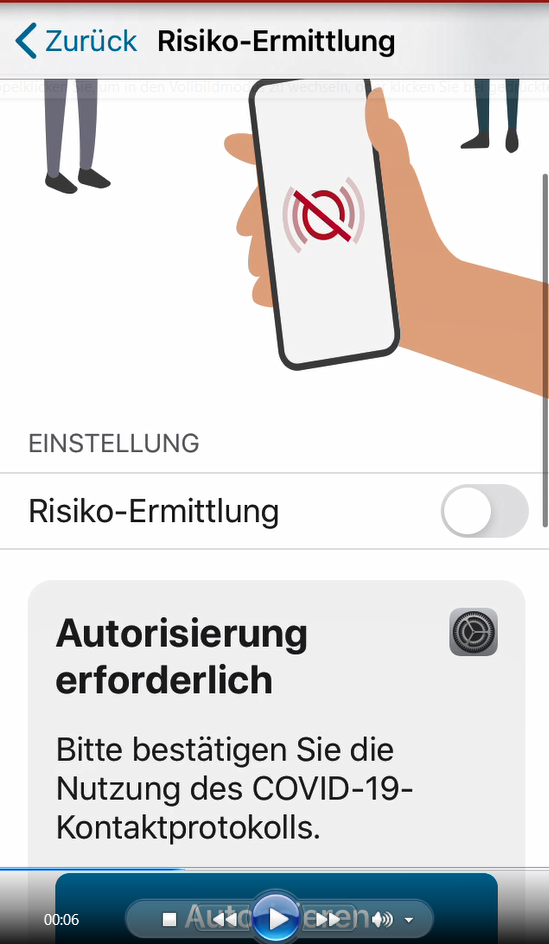

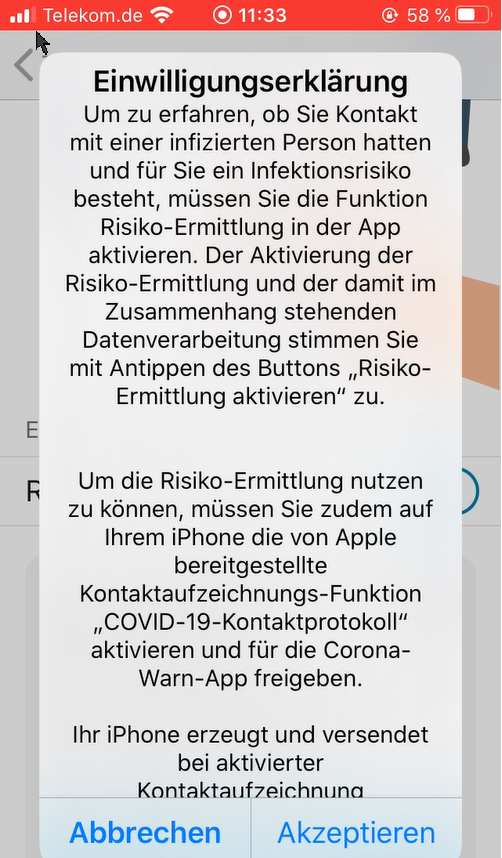
Enabled Button ist activated for a second...

.... the goes off immediately again
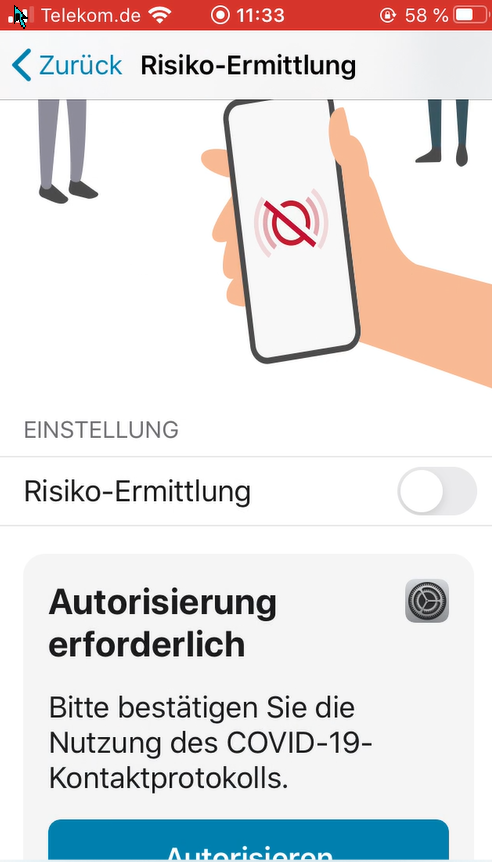
### AND NOW ??
dwarsloeper
on 5 Aug 2020
Hi we need more details about the situation on your phone.
Can you contact me directly
thomasaugsten
on 5 Aug 2020
sure
dwarsloeper
on 5 Aug 2020
It works now. Thank you 😊
MarcelStu
on 5 Aug 2020
If you aren't able to turn on Exposure Notifications, follow these steps:
- Download this configuration profile.
http://appldnld.apple.com/iOSProfiles/Reset_ExposureNotifications.mobileconfig- Open the Settings->General->Profiles (Profile&Geräteverwaltung) and tap Profile Downloaded.
- Tap Install in the upper-right corner, then follow the
on screen instructions.- Reboot your iPhone to complete the installation.
- Turn on Exposure Logging in the Settings app.
Works, perfekt! Thx!!!
JimmyBoy4711
on 5 Aug 2020
The profile worked fine for me. But I had to re-install the app first to reactivate the tracking again!
However thanks for your effort!
 J1ppY
on 5 Aug 2020
J1ppY
on 5 Aug 2020
The profile worked! Thank you for your efforts!
tiwdi
on 6 Aug 2020
iPhone SE 1.G (iOS 13.6.,App Version 1.1.2)Riskidentification still doesn't work. The request: Activate risk identification! But it's already activated. Background-updates never worked!I always had to make the updates manually!The protocol shows the last entry when I updated manually
 stecampe
on 8 Aug 2020
stecampe
on 8 Aug 2020
@stecampe the background app refresh is activated in your iOS?
Einstellungen->Allgemein->Hintergrundaktualisierung ?
thomasaugsten
on 8 Aug 2020
Yes it’s activated! Bluetooth is on , energysaving Mode off!
Thomas Augsten notifications@github.com schrieb am Sa. 8. Aug. 2020 um
19:38:
@stecampe https://github.com/stecampe the background app refresh is
activated in your iOS?
Einstellungen->Allgemein->Hintergrundaktualisierung ?—
You are receiving this because you were mentioned.
Reply to this email directly, view it on GitHub
https://github.com/corona-warn-app/cwa-app-ios/issues/911#issuecomment-670954531,
or unsubscribe
https://github.com/notifications/unsubscribe-auth/AQNWZA47LXHFKSCR24XBW6DR7WEPRANCNFSM4O2ZQIIQ
.>
Sent from Gmail Mobile
stecampe
on 8 Aug 2020
Excuse me! Refresh was off!
>
Yes it’s activated! Bluetooth is on , energysaving Mode off!
Thomas Augsten notifications@github.com schrieb am Sa. 8. Aug. 2020 um
19:38:@stecampe https://github.com/stecampe the background app refresh is
activated in your iOS?
Einstellungen->Allgemein->Hintergrundaktualisierung ?—
You are receiving this because you were mentioned.
Reply to this email directly, view it on GitHub
https://github.com/corona-warn-app/cwa-app-ios/issues/911#issuecomment-670954531,
or unsubscribe
https://github.com/notifications/unsubscribe-auth/AQNWZA47LXHFKSCR24XBW6DR7WEPRANCNFSM4O2ZQIIQ
.>
Sent from Gmail Mobile
>
Sent from Gmail Mobile
stecampe
on 8 Aug 2020
Hi there - on the described preliminary fix- this dies not work on my iPhone (11 pro Max). I can’t even load the configuration profile. Any thoughts how to fix? Thx
 Thisi-3307
on 12 Aug 2020
Thisi-3307
on 12 Aug 2020
Apple released 13.6.1 this release should solve the issue for all devices. Please try to upgrade your OS.
thomasaugsten
on 13 Aug 2020
This update to iOS 13.6.1 on my iPhone fixed the issue. 😀
Thx
Thisi-3307
on 13 Aug 2020
There is no issue before and after iOS update
Thisi-3307 notifications@github.com schrieb am Do. 13. Aug. 2020 um 11:22:
This update to iOS 13.6.1 on my iPhone fixed the issue. 😀
Thx—
You are receiving this because you were mentioned.
Reply to this email directly, view it on GitHub
https://github.com/corona-warn-app/cwa-app-ios/issues/911#issuecomment-673367353,
or unsubscribe
https://github.com/notifications/unsubscribe-auth/AQNWZA5DWMPETH3M6R3Q6ATSAOWFTANCNFSM4O2ZQIIQ
.>
Sent from Gmail Mobile
stecampe
on 13 Aug 2020
With ios Update 13.6.1 the problem is solved.
Beiden1984
on 15 Aug 2020
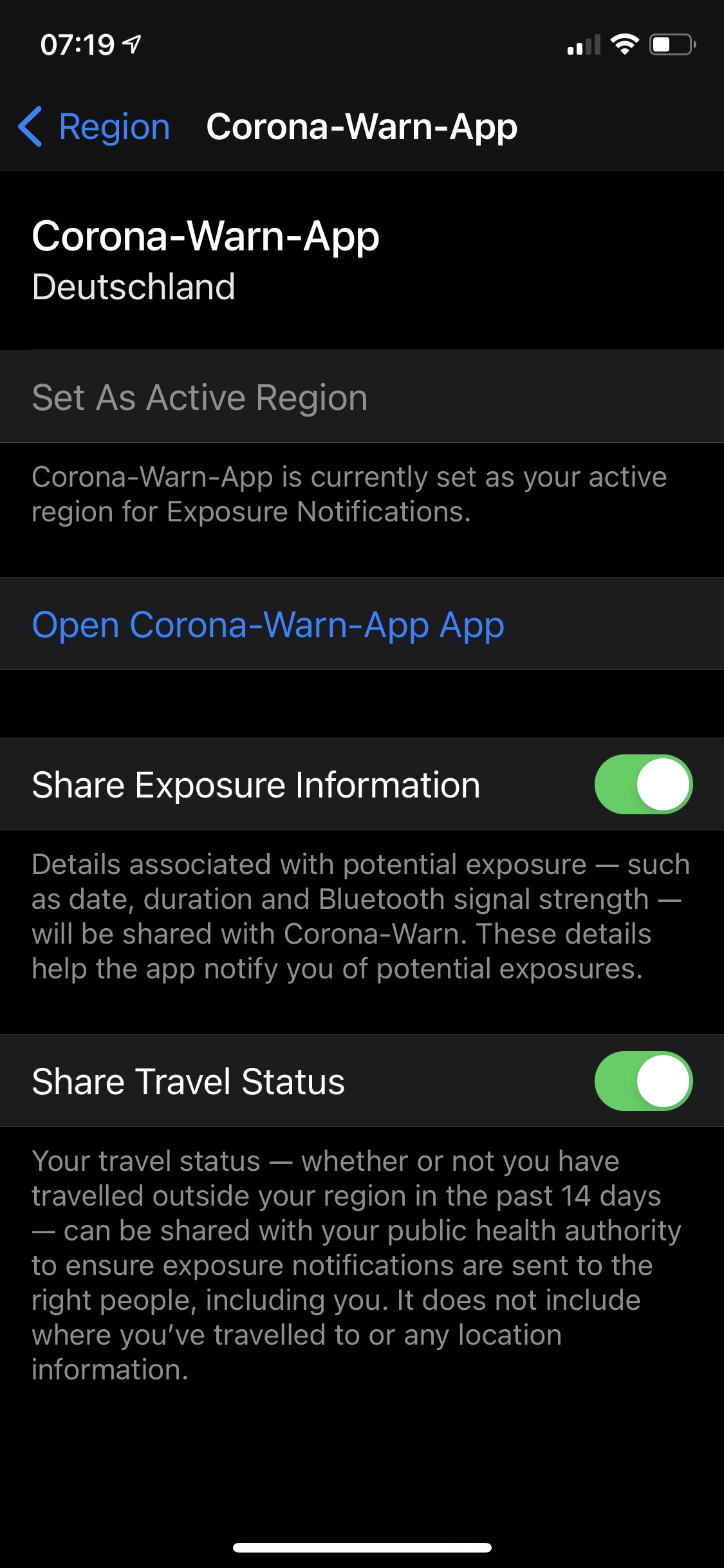
Problem and solution on iOS14 beta 5
After installing beta5 Corona-Warn-app stopped working with “not available in your region” error.
This was fixed by going on iPhone settings > exposure notification > set active region
There I selected Germany (you can add even more).
And then it works again.

Alexcirlan
on 19 Aug 2020
This issues seems to now be reliably solved with iOS 13.6.1. Thank you all for your input and your patience while this was sorted out. In case it reappears on a different iOS Version (e.g., with the release of iOS 14 (the release version)), please open a new issue.
 tkowark
on 19 Aug 2020
tkowark
on 19 Aug 2020
How i want to upgrade ios 12.4.8
 yusri1094
on 15 Oct 2020
yusri1094
on 15 Oct 2020
How i want to upgrade ios 12.4.8
if you have 12.4.8 your device is probabyl too Old to recieve iOS13.
So you may need a new device to use the Corona-Tracking Feature.
otherwise Try This:
Go to Settings > General > Software Update.
Tap Download and Install.
tocotronaut
on 15 Oct 2020
I have now iOS 14.1. So i don’t know if there is an issue with 12.4.8
tocotronaut notifications@github.com schrieb am Do. 15. Okt. 2020 um
08:03:
How i want to upgrade ios 12.4.8
if you have 12.4.8 your device is probabyl too Old to recieve iOS13.
otherwise Try This:
Go to Settings > General > Software Update.
Tap Download and Install.—
You are receiving this because you were mentioned.
Reply to this email directly, view it on GitHub
https://github.com/corona-warn-app/cwa-app-ios/issues/911#issuecomment-708919054,
or unsubscribe
https://github.com/notifications/unsubscribe-auth/AQNWZAZ2VYEHXKZOEJZ6ABTSK2GEFANCNFSM4O2ZQIIQ
.>
Sent from Gmail Mobile
stecampe
on 15 Oct 2020
iOS 12 is generally not supported by Corona-Warn-App. You need! iOS 13 or later.
tocotronaut
on 15 Oct 2020
Related issues
 Hermann12
·
3Comments
Hermann12
·
3Comments
 rsplaul
·
3Comments
rsplaul
·
3Comments
 janberlin
·
3Comments
janberlin
·
3Comments
 felixbohnacker
·
3Comments
Ein-Tim
·
3Comments
felixbohnacker
·
3Comments
Ein-Tim
·
3Comments
Most helpful comment
@Flocksserver Thanks for the hint. However, according to the information which we have received directly from Apple, the root cause is actually within the operating system and not related at all to the app or how it is built. Preliminary investigation results show that it has something to do with the region issue bugs (these nasty popups) that iOS already had in 13.5.
It seems that some erroneous state was persisted in the Exposure Notification Framework in the operating system that leads now to a complete malfunction on _some_ devices in 13.6. No workarounds known so far except a factory reset - we definitely wouldn't recommend that... Apple is working on a fix with highest priority. Let's cross our fingers that they fix it soon.