Cura 4.7.1
Win 10 64bit
Geeetech A10T, basically a 3 in 1 out (mixing) ender 3
Marlin 2.X
I cannot do multicolor prints anymore. I have a 3 in 1 out hotend, this would apply to a 2 in 1 out as well. once the "shared nozzle" was removed, my 8 virtual extruders (3 actual colors, 5 mixes) seem to mean nothing to Cura. I have wasted much time and filament because I thought "they took away the shared nozzle, they must be assuming it would be shared as most hobbyists don't have dual hotend printers." Well I've tried all the relevant settings in "all settings" and haven't seen more than 1 extruder move in a multicolor print yet. It allows me to select each model and select it's extruder, but only the first one used actually works (guessing that applies to "bed adhesion extruder" as well). I have not used my 5 virtual extruders since Cura 4.6, but I can print a model with any of my 3 actual extruders if the entire model is that extruder first.
Reproduction steps
- slice any multi extruder print. My example: 3 cubes 15x15x1.8 made of 3 15x15x0.6 slices of different colors, alternating order each cube. ext1 black base, ext2 white middle, ext3 Orange top, & rotate order for next cube. 1 prime tower? 11 minutes?
- begin print
- observe your all black unicolor print's failure
the 3 multicolor cubes are not grouped
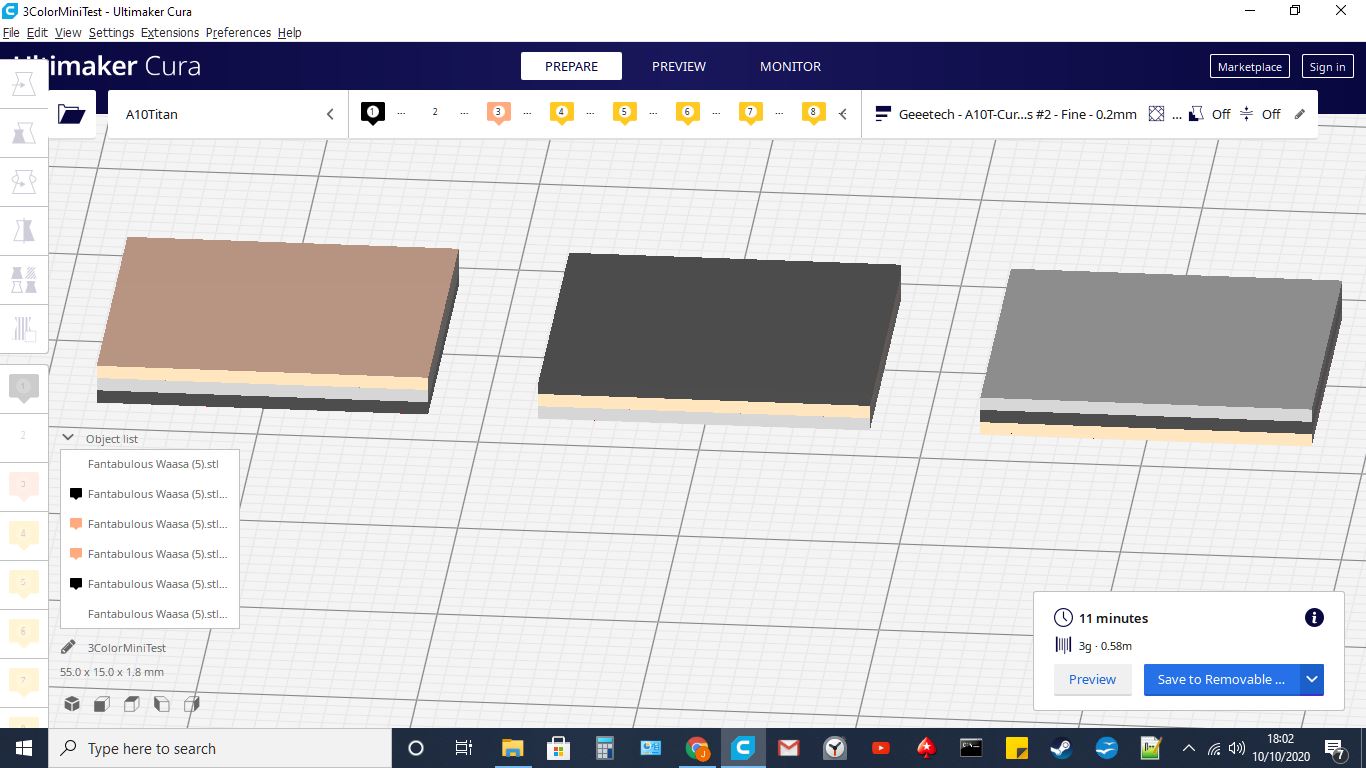
I would include my project save, but the file type is invalid? I included a screenshot, but obviously don't github... Sorry but this should work for this purpose. Hopefully.
 JChiBears
All 6 comments
hello ,can I ask a question? how to add a printer? Thank you.
 zyddst
on 11 Oct 2020
zyddst
on 11 Oct 2020
I have not printer,so I can't use cura?
zyddst
on 11 Oct 2020
zyddst
on 11 Oct 2020
This is not the place for that question. I'll answer, but you should search... you will need more help. Click "non network printer" then find your printer brand, then model. Beyond that, good luck, SEARCH.
JChiBears
on 11 Oct 2020
l lack a plugin,l have arlready solved.l am sorry to disturb you .Thank you for your help.
zyddst
on 12 Oct 2020
@JChiBears there is a fairly lengthy discussion about this option here: https://github.com/Ultimaker/Cura/issues/8148
There are also some workarounds there to enable the feature in newly created printers. Currently only the printer definition can set it, but you can still enable it by editing some configuration files.
The option was hidden in 4.7 since we have reason to believe it causes damage to printers. People are working out a better solution in that thread.
 Ghostkeeper
on 12 Oct 2020
Ghostkeeper
on 12 Oct 2020
Related issues
 JRRN
·
3Comments
JRRN
·
3Comments
 tomoinn
·
3Comments
tomoinn
·
3Comments
 ferociousdiablo
·
3Comments
ferociousdiablo
·
3Comments
 Liger0
·
3Comments
Liger0
·
3Comments
 timherrm
·
3Comments
timherrm
·
3Comments