Application version
(The version of the application this issue occurs with.)
4.7.0
Platform
(Information about the operating system the issue occurs on. Include at least the operating system and maybe GPU.)
Windows 10
Printer
(Which printer was selected in Cura?)
Ender 5
Reproduction steps
- (Something you did.)
- (Something you did next.)
Start a program. Go through wizard. Load print. Clone Dynamic settings. Change settings. Close program. Start program.
"Your configuration seems to be corrupt. Something seems to be wrong with following profiles: - Creality Ender 5
- creality_ender5_hatchbox
Would you like to resdet to factory defaults?"
Screenshot(s)
(Image showing the problem, perhaps before/after images.)
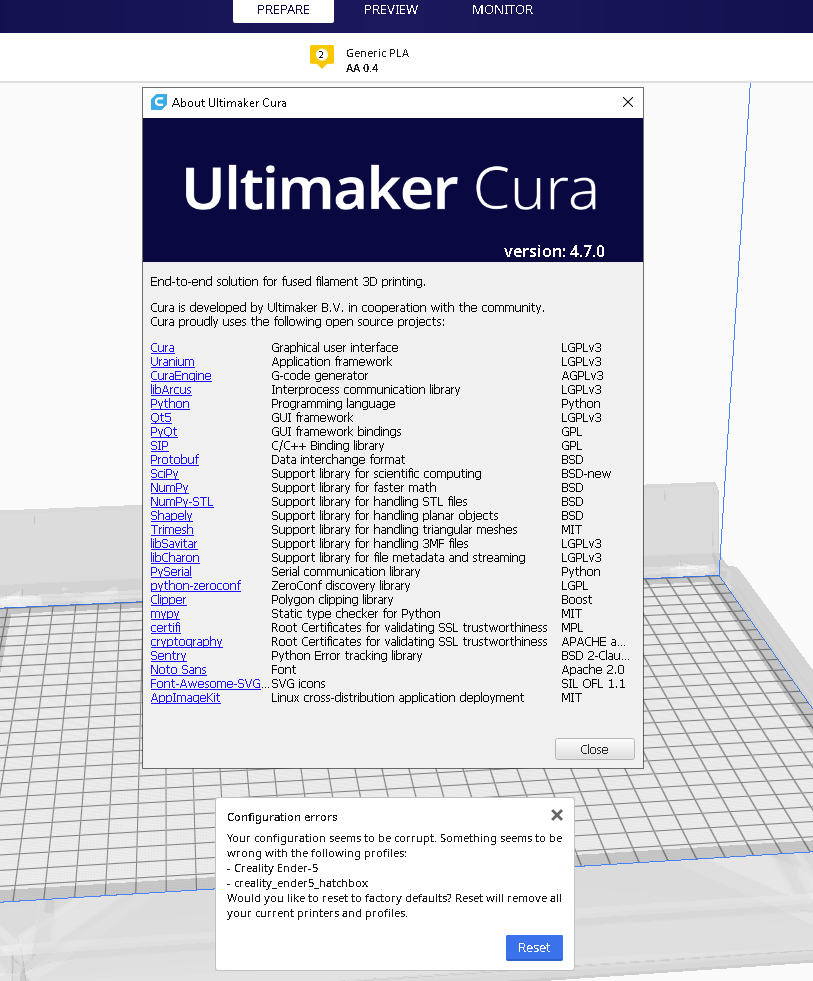
Actual results
(What happens after the above steps have been followed.)
Requires a reset of all configuration settings. Creates duplicate Ender 5 profile with #2 at the end
Expected results
(What should happen after the above steps have been followed.)
Should start without resetting.
Project file
(For slicing bugs, provide a project which clearly shows the bug, by going to File->Save. For big files you may need to use WeTransfer or similar file sharing sites.)
Problem is in startup
Log file
(See https://github.com/Ultimaker/Cura#logging-issues
to find the log file to upload, or copy a relevant snippet from it.)
cura.log
Additional information
(Extra information relevant to the issue.)
All the files in the cura folder
cura.zip
 petarvucetin
All 5 comments
Upgrade to 4.7.1, this was fixed there.
 nallath
on 7 Sep 2020
nallath
on 7 Sep 2020
Installed new version. Kept my config files. Same problem.

petarvucetin
on 7 Sep 2020
Have to delete and re-create all the settings and printers to make it go away.
petarvucetin
on 7 Sep 2020
You can just delete the creality_ender_5 files from your configuration folder.
4.7.0 had an issue with duplicating a default profile, that one has been fixed. Unfortunately, the "damage" it caused isn't something we can automatically fix.
nallath
on 7 Sep 2020
I can recommend installing the Start Optimiser plugin from the Marketplace; it adds a button to the Configuration errors dialog to disable only the corrupted configuration files instead of resetting everything.
 fieldOfView
on 7 Sep 2020
fieldOfView
on 7 Sep 2020
Related issues
 mubarak111nsu
·
3Comments
mubarak111nsu
·
3Comments
 Liger0
·
3Comments
Liger0
·
3Comments
 tomoinn
·
3Comments
tomoinn
·
3Comments
 timherrm
·
3Comments
timherrm
·
3Comments
 konvoj
·
3Comments
konvoj
·
3Comments