Cura: On external monitor, it keeps paused with "Not Responding" on Windows 10
Application version
4.6.1
Platform
Windows 10 pro, ver 2004
Printer
Ender 3
Reproduction steps
- From a windows laptop with external monitor, run Cura at the external monitor.
- change print settings from right side a pull down widnow => paused with "Not responding"
- after a few actions including changing view angle. then do above second step again => paused with "Not responding"
Screenshot(s)
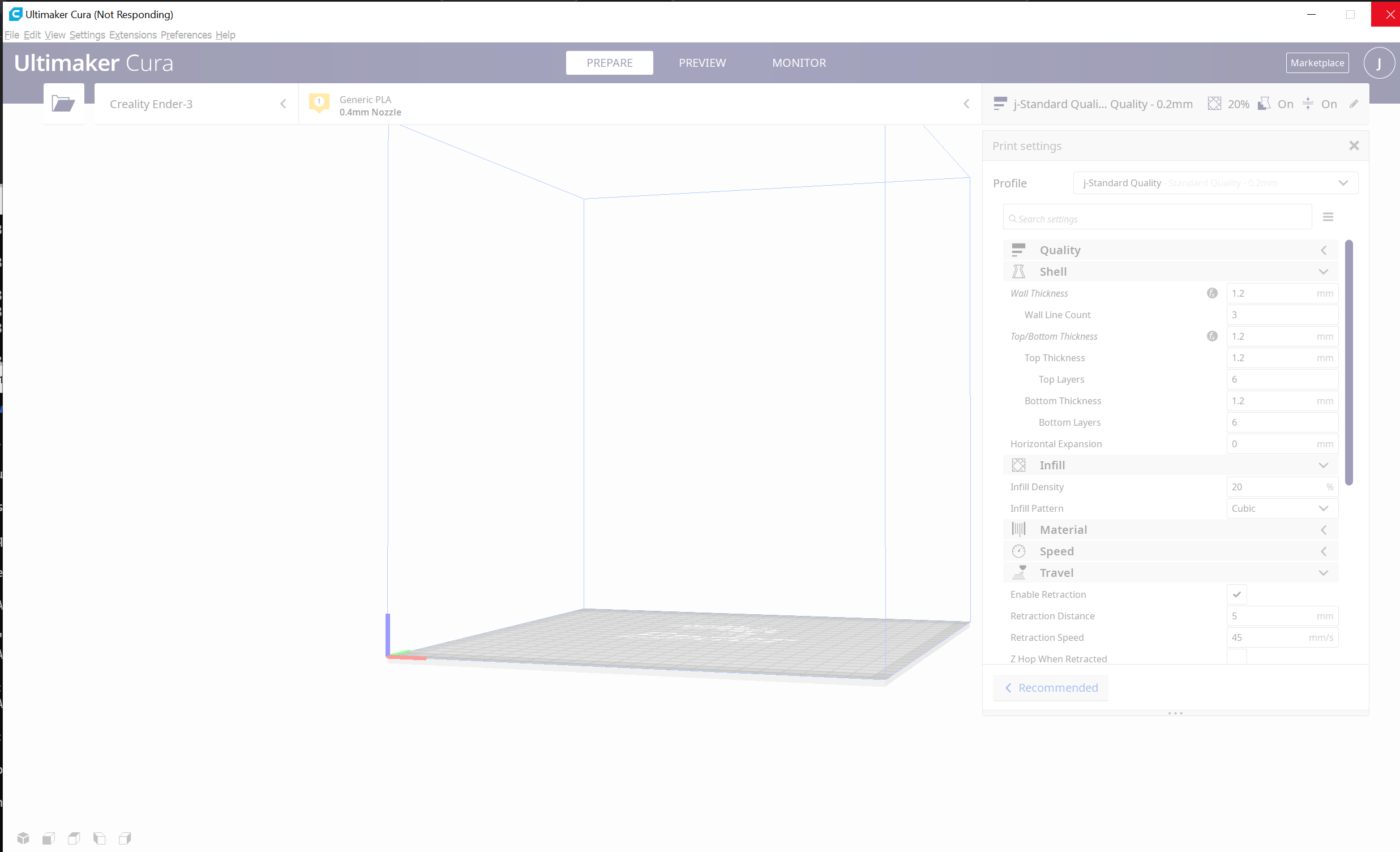
Actual results
Cura does not response showing "(Not Responding)" on the title.
Expected results
It works without pause on external monitor like laptop monitor.
Project file
any project file.
Log file
2020-06-22 11:58:59,156 - DEBUG - [MainThread] cura.Machines.MachineErrorChecker._rescheduleCheck [135]: New error check scheduled.
2020-06-22 11:58:59,548 - DEBUG - [MainThread] cura.Machines.MachineErrorChecker._checkStack [139]: Need to check for errors again. Discard the current progress and reschedule a check.
2020-06-22 11:58:59,741 - DEBUG - [MainThread] cura.Machines.MachineErrorChecker._rescheduleCheck [135]: New error check scheduled.
2020-06-22 11:59:00,276 - INFO - [MainThread] cura.Machines.MachineErrorChecker._setResult [187]: Error check finished, result = False, time = 0.5s
2020-06-22 11:59:09,346 - DEBUG - [MainThread] cura.AutoSave._onTimeout [60]: Autosaving preferences, instances and profiles
2020-06-22 11:59:53,595 - DEBUG - [MainThread] cura.Machines.MachineErrorChecker._rescheduleCheck [135]: New error check scheduled.
2020-06-22 11:59:54,097 - DEBUG - [MainThread] cura.Machines.MachineErrorChecker._checkStack [139]: Need to check for errors again. Discard the current progress and reschedule a check.
2020-06-22 11:59:54,314 - DEBUG - [MainThread] cura.Machines.MachineErrorChecker._rescheduleCheck [135]: New error check scheduled.
2020-06-22 11:59:54,816 - INFO - [MainThread] cura.Machines.MachineErrorChecker._setResult [187]: Error check finished, result = False, time = 0.5s
Additional information
I appreciate you guys! Thank you!
 jin-chong
All 4 comments
Can you share a full log with me?
 mahtDFR
on 22 Jun 2020
mahtDFR
on 22 Jun 2020
We've encountered this before - usually its caused by out of date QT. Are you able to try updating?
mahtDFR
on 23 Jun 2020
its caused by out of date QT. Are you able to try updating?
Unless OP is running Cura from source, no they are not able to update because QT is included in Cura and no matter what OP updates, the version of QT that comes with Cura is used.
 fieldOfView
on 23 Jun 2020
fieldOfView
on 23 Jun 2020
This issue has been automatically closed because there has been no response to our request for more information from the original author. With only the information that is currently in the issue, we don't have enough information to take action. Please reach out if you have or find the answers we need so that we can investigate further.
![no-response[bot] picture](https://avatars2.githubusercontent.com/u/26350515?v=4&s=40) no-response[bot]
on 6 Jul 2020
no-response[bot]
on 6 Jul 2020
Related issues
 DmitryBychkov
·
3Comments
DmitryBychkov
·
3Comments
 tomoinn
·
3Comments
tomoinn
·
3Comments
 JRRN
·
3Comments
JRRN
·
3Comments
 jornada812
·
3Comments
jornada812
·
3Comments
 jellewie
·
3Comments
jellewie
·
3Comments