Application version
(The version of the application this issue occurs with.)
4.4.0
Platform
(Information about the operating system the issue occurs on. Include at least the operating system. In the case of visual glitches/issues, also include information about your graphics drivers and GPU.)
Windows 10
Printer
(Which printer was selected in Cura? If possible, please attach project file as .curaproject.3mf.zip.)
Ender 3 Pro
Reproduction steps
- Something you did.
I downloaded the most current update for Cura. Then, I opened an .stl file into cura and attempted to slice the piece. The slice button does not seem to work. - Something you did next.
I then went from the prepare page to the preview page and attempted to slice again. Still didnt work so I closed and reopened the part file. Still didnt work so I attempted a different file I have already printed in the past. Still didnt work so I closed and reopened Cura. All of these steps did not help cura to slice. when slice button is pressed.
Actual results
(What happens after the above steps have been followed.)
Absolutely nothing. Part stays greyed out because the slicing did not occur
Expected results
(What should happen after the above steps have been followed.)
Part should turn blue and yellow with sliced layers so that I can export to an SD card.
Additional information
(Extra information relevant to the issue, like screenshots. Don't forget to attach the log files with this issue report.)
No interface feedback occurs when attempting to click the blue slice button. This is the first time Ive ever had this issue with Cura and I just downloaded the new update Cura 4.4.0 on 11/20/19
 BigDangler55
All 7 comments
- What do the logs say? They're in
%appdata%/cura/4.4/cura.log - Could you please send us one of the project files that didn't work for you?
 rburema
on 21 Nov 2019
rburema
on 21 Nov 2019
Slicing will work if you install a clean version without settings. it helped me. most likely this is a conflict of settings of the previous version
Сan clear the configuration directory
C:\Users\Name\AppData\Roaming\cura\4.4
 Goodfeat
on 21 Nov 2019
Goodfeat
on 21 Nov 2019
Slicing will work if you install a clean version without settings. it helped me. most likely this is a conflict of settings of the previous version
The upgrade-scripts should've taken care of that, though ...
rburema
on 21 Nov 2019
it seems the reason why the program cannot do slicing is the custom file "fdmprinter.def.json"
The file I use is different from the original.
I tried moving part of the code to custom file.
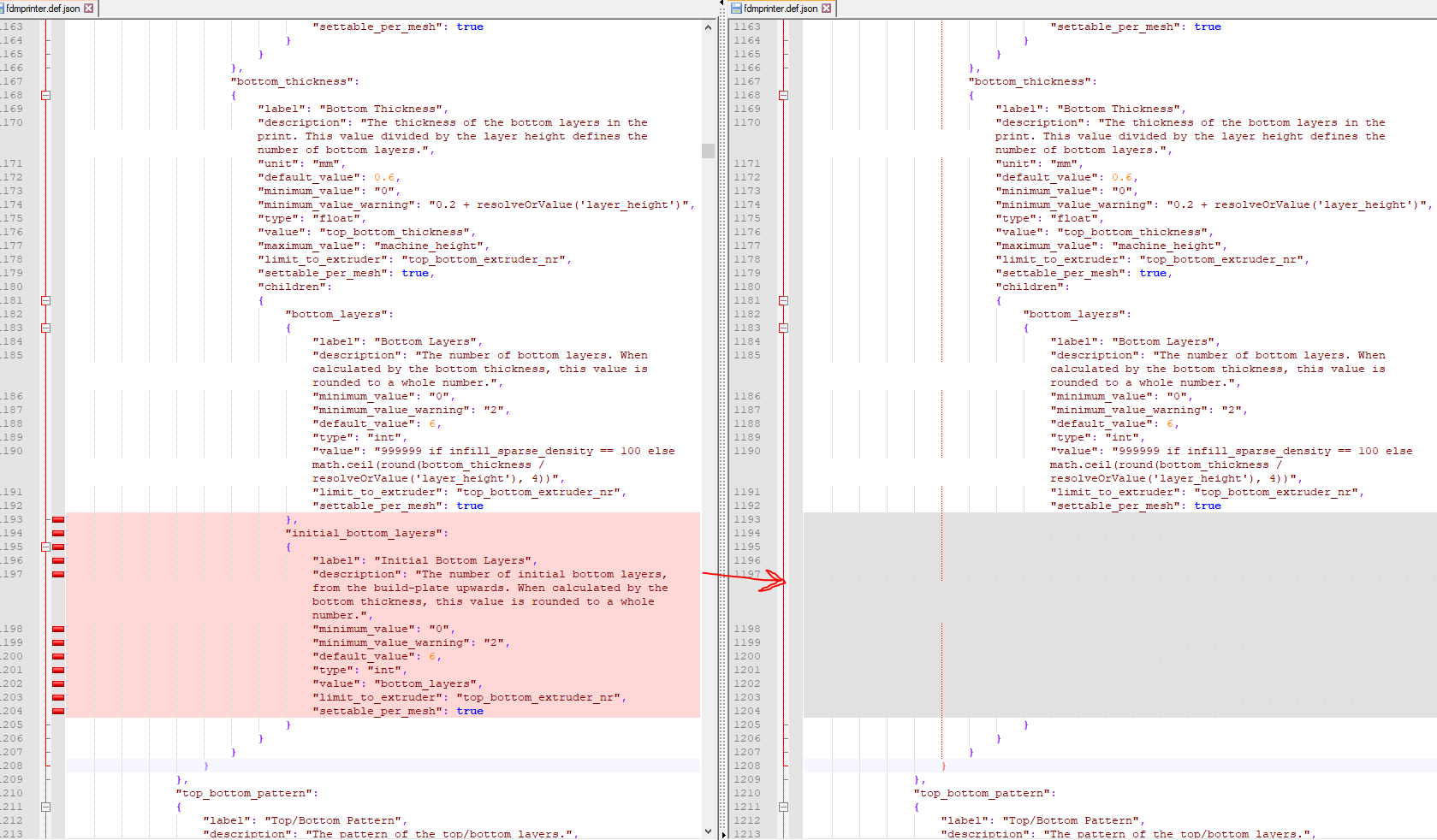
slicing was successful
Goodfeat
on 22 Nov 2019
I see. So your problem is probably different from the original post.
rburema
on 22 Nov 2019
Thank you for your suggestion. After I left Cura open on my computer for a few hours, yesterday the button finally allowed me to press it. It now seems to be working properly. Thanks again
Sent from my iPhone
On Nov 21, 2019, at 3:46 AM, Remco Burema notifications@github.com wrote:
What do the logs say? They're in %appdata%/cura/4.4/cura.log
Could you please send us one of the project files that didn't work for you?
—
You are receiving this because you authored the thread.
Reply to this email directly, view it on GitHub, or unsubscribe.
BigDangler55
on 23 Nov 2019
I'll close this now as the problem was solved :-)
rburema
on 25 Nov 2019
Related issues
 jornada812
·
3Comments
jornada812
·
3Comments
 konvoj
·
3Comments
konvoj
·
3Comments
 DmitryBychkov
·
3Comments
DmitryBychkov
·
3Comments
 rudowinger
·
3Comments
rudowinger
·
3Comments
 timherrm
·
3Comments
timherrm
·
3Comments