Cura: Slicer adds extra 'top/bottom layer' in middle of model
Application version
4.2.1
Platform
Windows 10
Printer
Anycubic mega i3
Reproduction steps
Slicing my model with some 'recessed' letters at any of the 'built in' settings.
Actual results
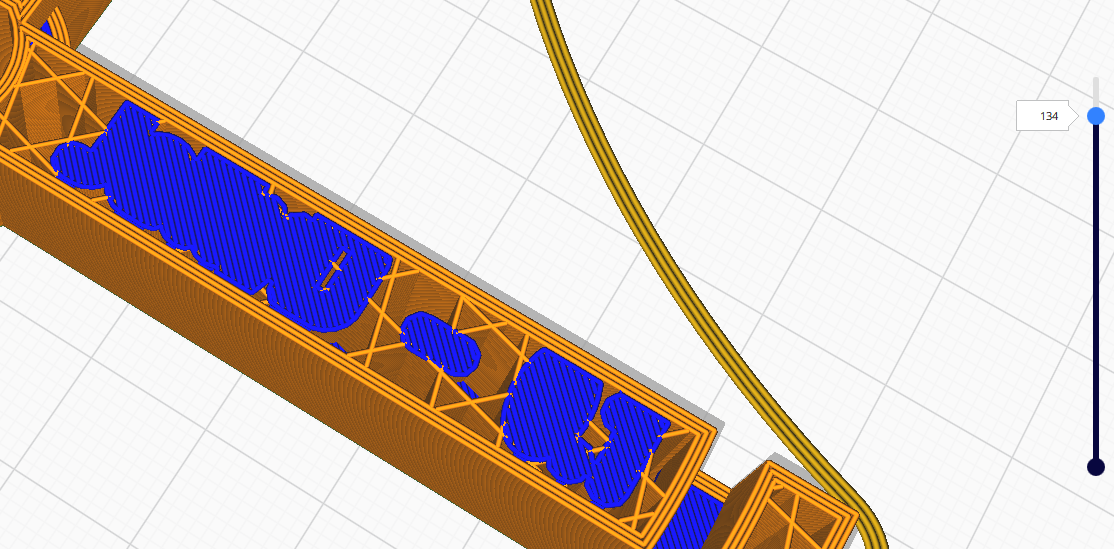
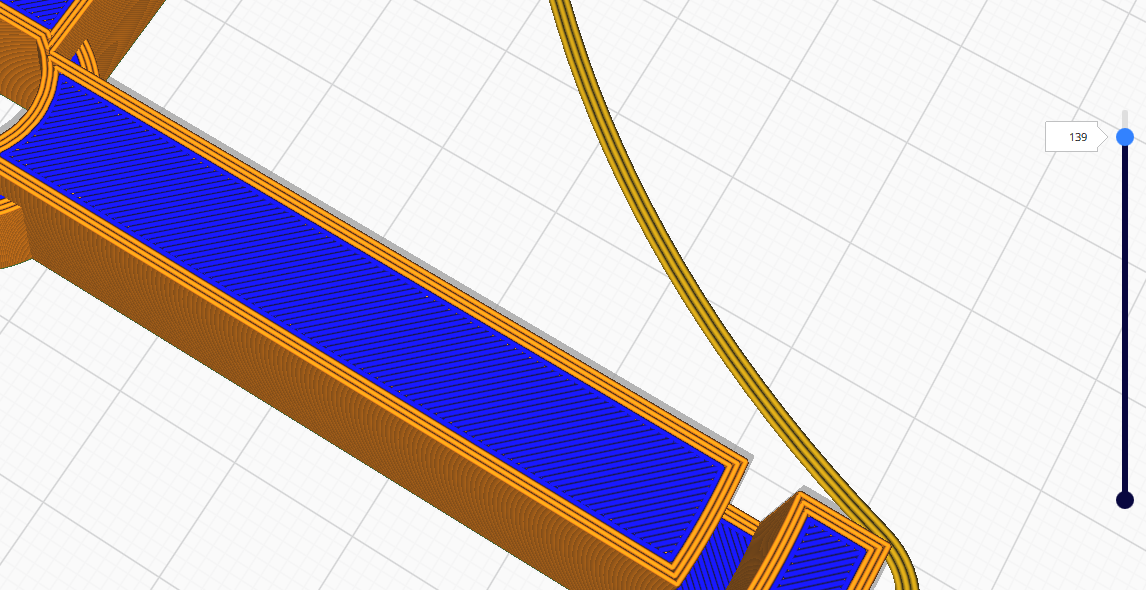
From layer 134 Slicer adds 5 'top/bottom' layers (= 0.5 mm) underneath where some 'recessed' lettering will be printed, and then from layer 139 fills over that same area and the rest of the top with another 0,5mm completely filled top/bottom layers, making the earlier layers disappear and seemingly add no real value over just printing infill. If it is for strengthening, while not needed, it should at least then use a high printing rate.
Expected results
No extra top/bottom layers in the middle of the model.
extra_top_bottom.zip
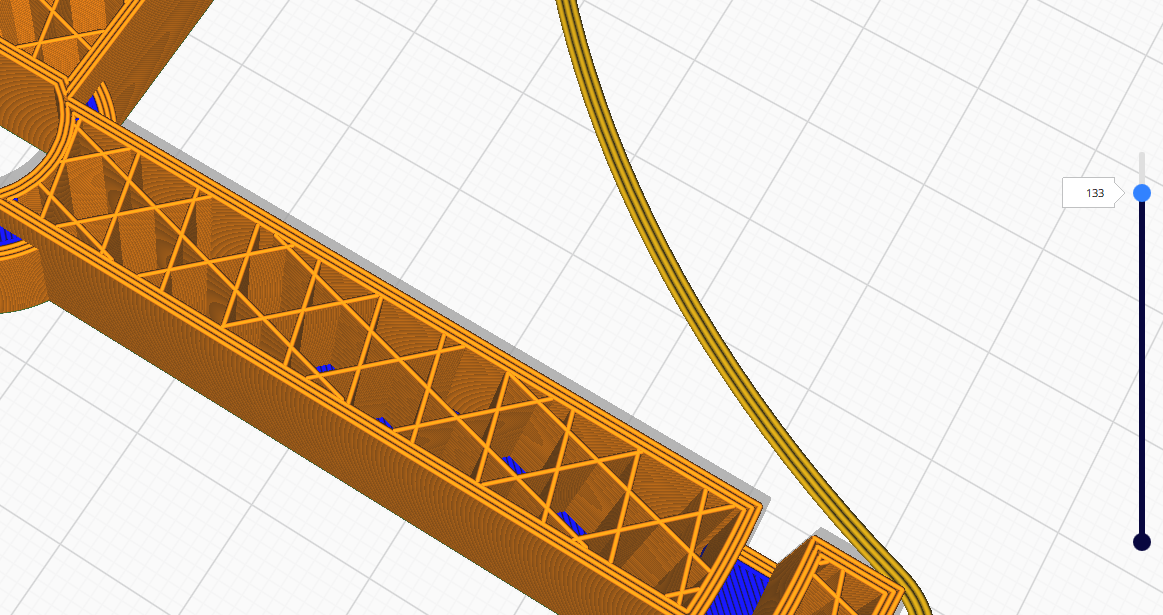
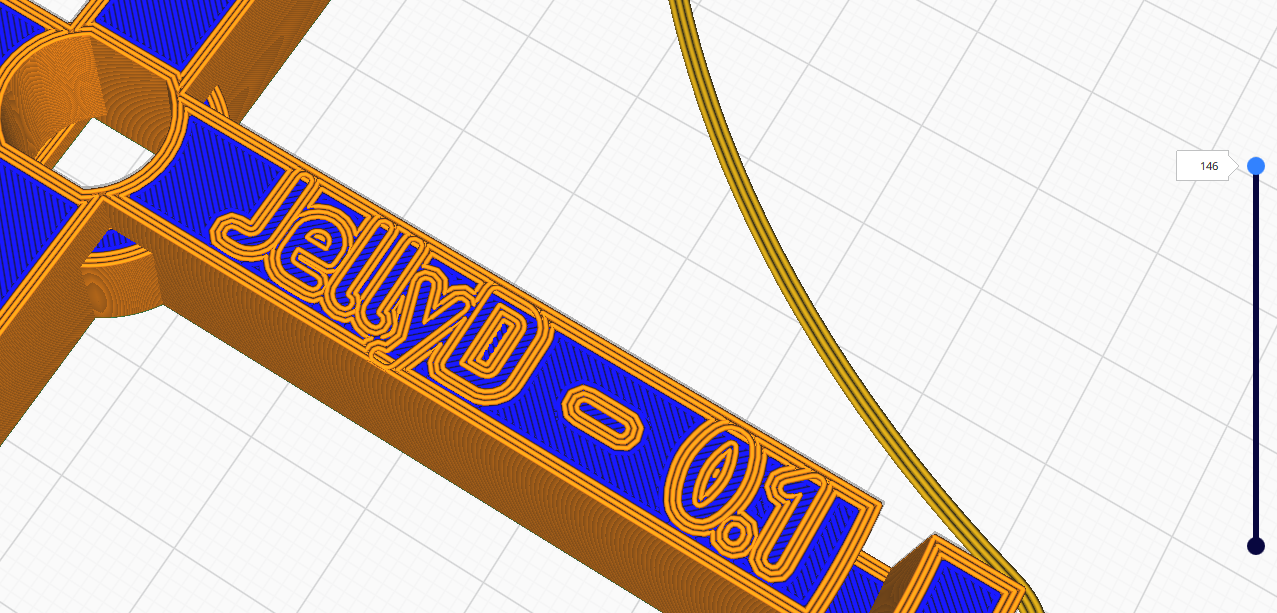
Images showing feedrate (blue 20mm, orange 50mm)
layer 133
134
139
146
 jcjveraa
All 4 comments
Your profile specifies 12(!) top layers so it's doing exactly what you asked for. If you count them you will see that there are 12 layers under the letters.
 smartavionics
on 1 Sep 2019
smartavionics
on 1 Sep 2019
Ah :)
Makes some sense I suppose, being equal to the 1.2 mm wall thickness?
But why does it then not start with complete layers but rather tracing the
outline of the letters?
Note, forgot to mention, this is a fairly hypothetical case - I can print
the object without the lettering to get rid of the problem.
jcjveraa
on 1 Sep 2019
But why does it then not start with complete layers but rather tracing the
outline of the letters?
Because then the areas around the letters would have more than 12 layers (17 in your example).
smartavionics
on 1 Sep 2019
Ok, case solved, but still it feels slightly unintuitive.
jcjveraa
on 1 Sep 2019
Related issues
 jornada812
·
3Comments
jornada812
·
3Comments
 dstulken
·
3Comments
dstulken
·
3Comments
 timherrm
·
3Comments
timherrm
·
3Comments
 wi1k1n
·
3Comments
wi1k1n
·
3Comments
 mnswamp1
·
3Comments
mnswamp1
·
3Comments