Cura: [4.2.1] Filament grind and all prints fail
Application version
4.2.1
Platform
Win10 x64
Printer
Creality cr-10S
Reproduction steps
I tried to slice much models a lot of times, I ended a 1kg roll.
Actual results
All prints failed. Filament is grinded by the extruder until it breaks.
Printing the same file even with different filaments, the fail is always in the same point, changing if I reslice.
Expected results
Don't destroy my filament
Additional information
I never have this issue with other slicers, only Cura 4.2.1. Never had a successful print with this cura, never had a fail with other slicers.
I saw other reports of this issue online.
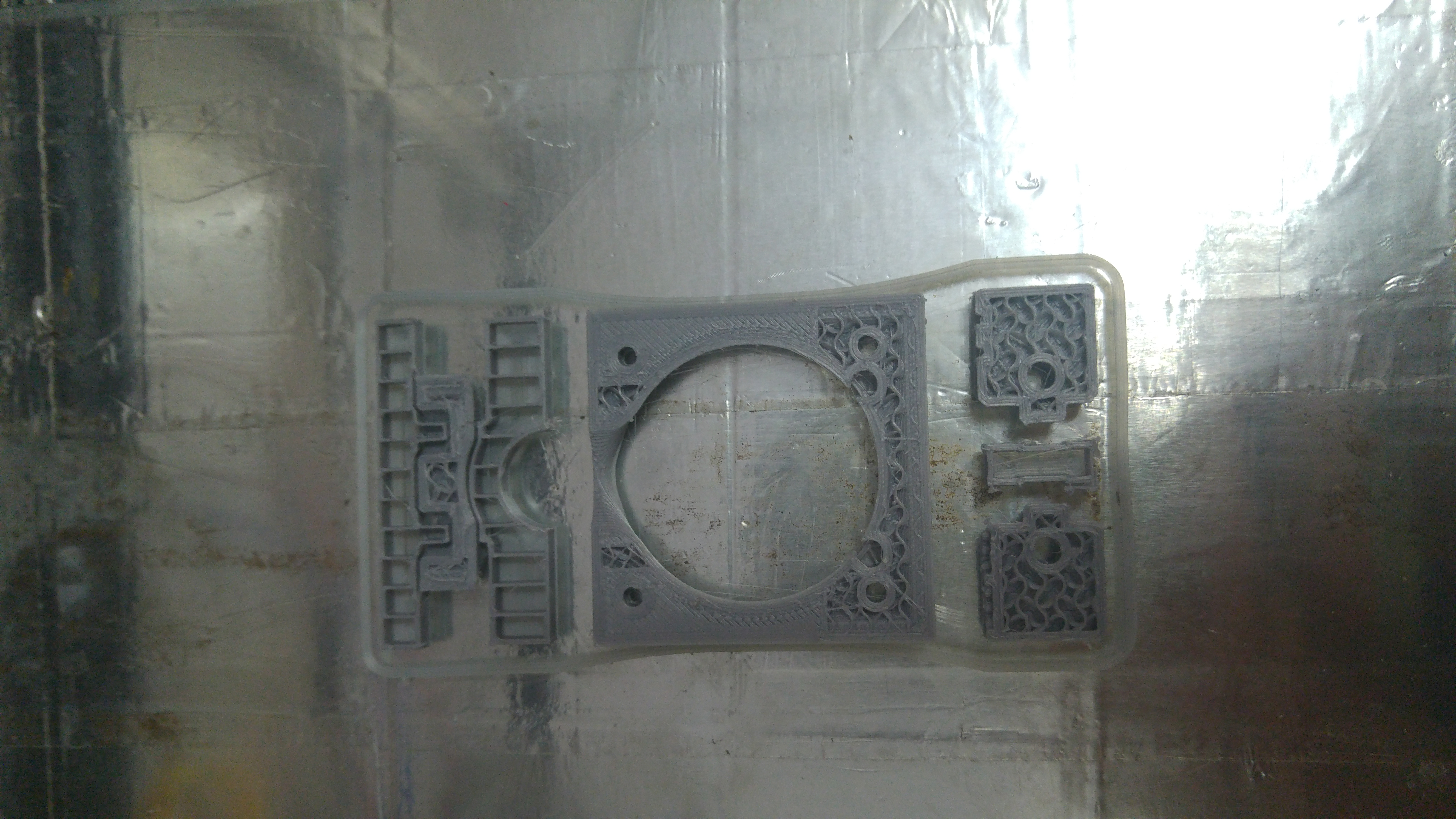
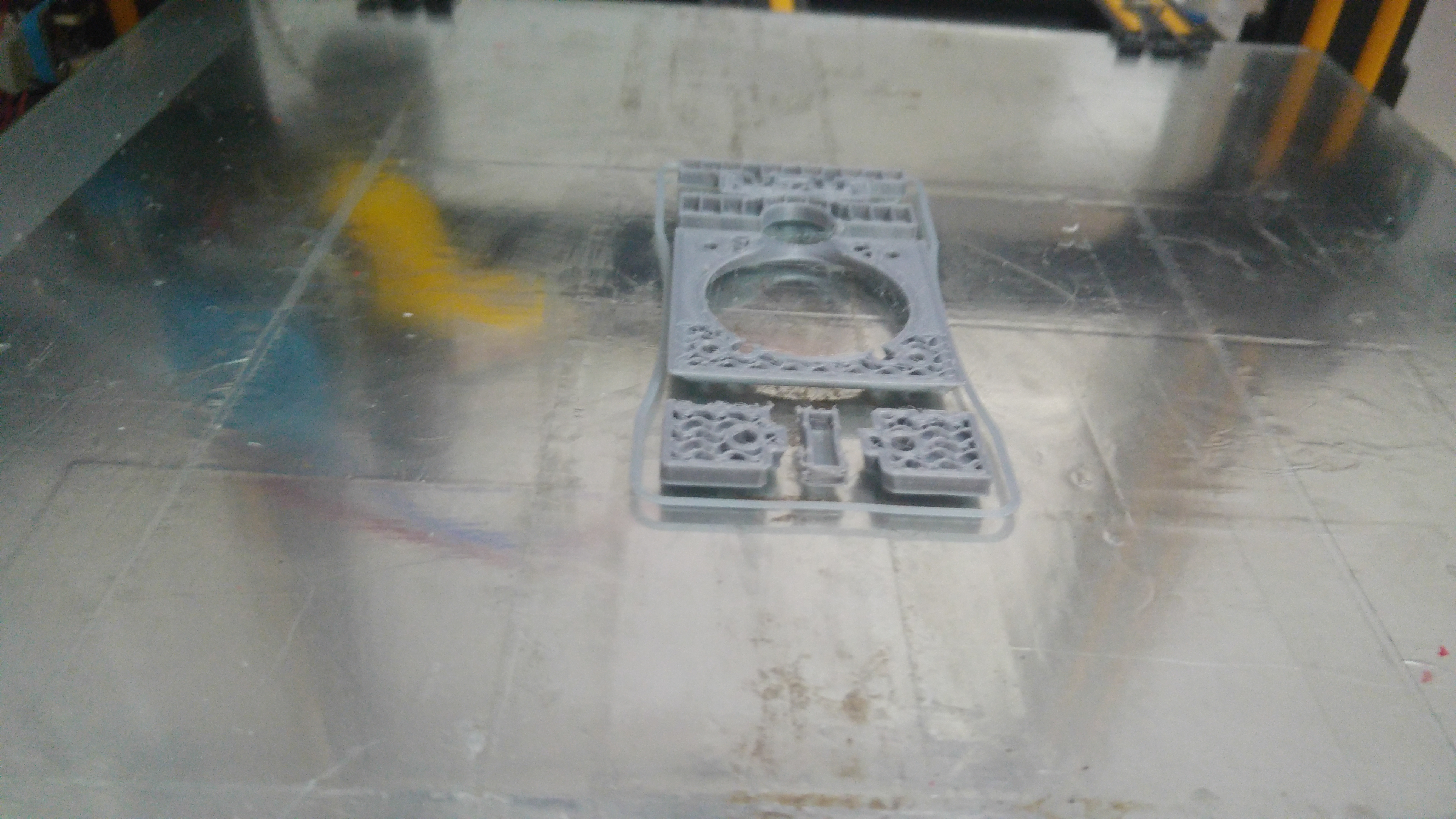
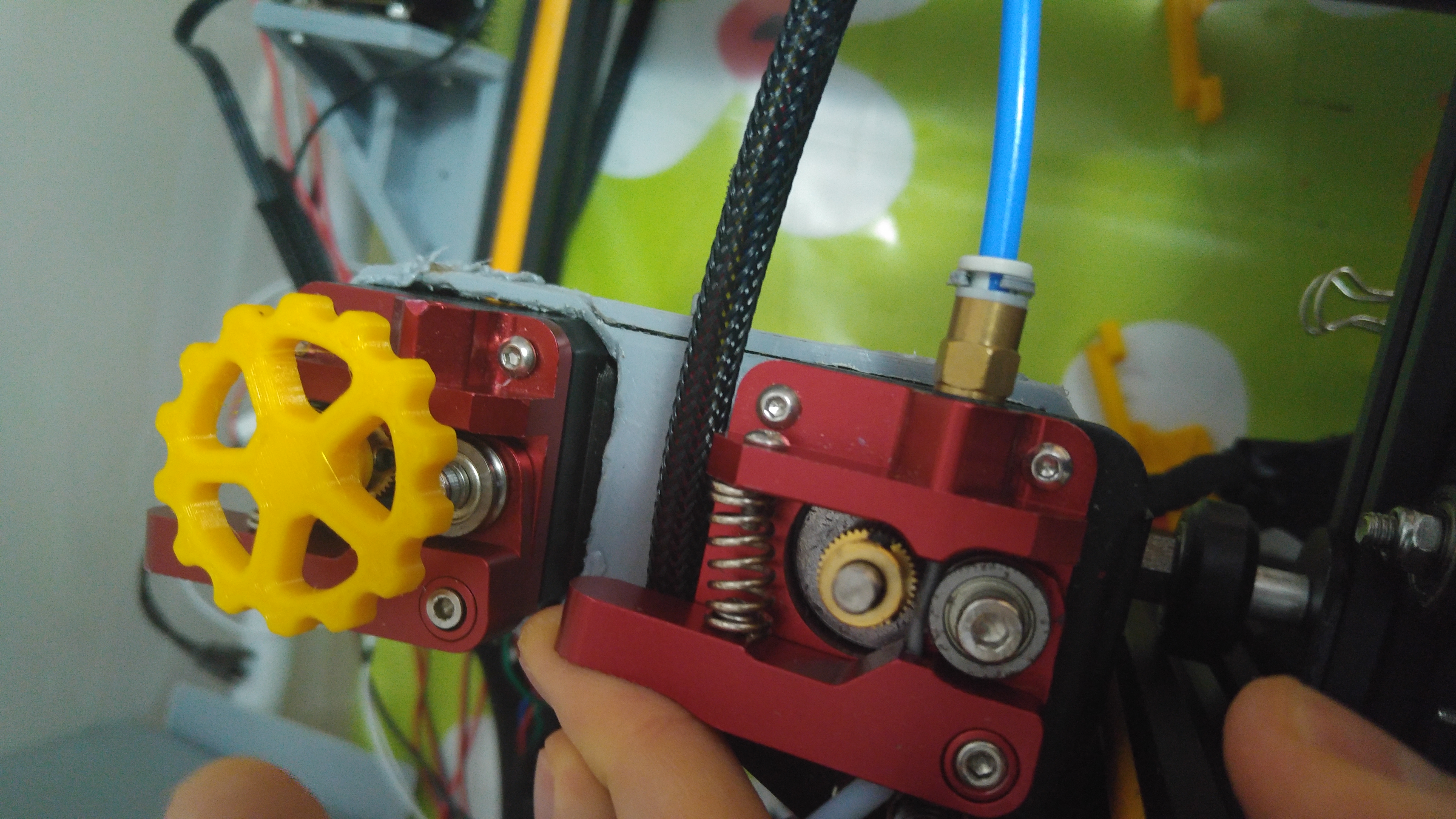
 Liger0
All 49 comments
I can't yet see anything obviously wrong with the gcode. I note that you are using relative extrusion. Does it also fail when using absolute extrusion?
 smartavionics
on 12 Aug 2019
smartavionics
on 12 Aug 2019
There are a few things that cause grind:
- Cold nozzle
- Too high a print speed
- aggressive retraction
Do you have any logs of your nozzle temps (e.g. octoprint graphs)? If it's exclusive to Cura, I'd be suspicious of retraction, since it's the least obvious suspect.
 wildjames
on 13 Aug 2019
wildjames
on 13 Aug 2019
I don't have any graphs, but I even tried 235°C on PLA while with other slicers I print fine at 200°C. Retraction is set to 2mm at 25mm/s usually even tho with other slicers I print up to 5mm with no issue ever.
I was printing very slow while with other slicers I print way faster.
But these are just tries I did, while I also made test with the same settings..
Liger0
on 13 Aug 2019
Have you tried printing this using absolute extrusion instead of relative?
smartavionics
on 13 Aug 2019
Not yet, I will as I have a moment.
Liger0
on 13 Aug 2019
I just wonder if there's a problem with the printer firmware not rounding up the extremely small extrusion quantities to the right number of extruder steps. Using absolute extrusion would at least remove that possibility.
smartavionics
on 13 Aug 2019
I use relative extrusion in other slicers too wothout any issue, by the way.
Liger0
on 13 Aug 2019
I use it all the time with no problems but it has been known to cause issues with some firmwares (apparently, I have direct experience of that).
smartavionics
on 13 Aug 2019
You could try reducing the maximum retraction count as well.
 Ghostkeeper
on 14 Aug 2019
Ghostkeeper
on 14 Aug 2019
I did set a minimum distance between retraction of 2mm, disabled relative extrusion, no difference, I still can't succeed with any print. Other slicers still don't fail.
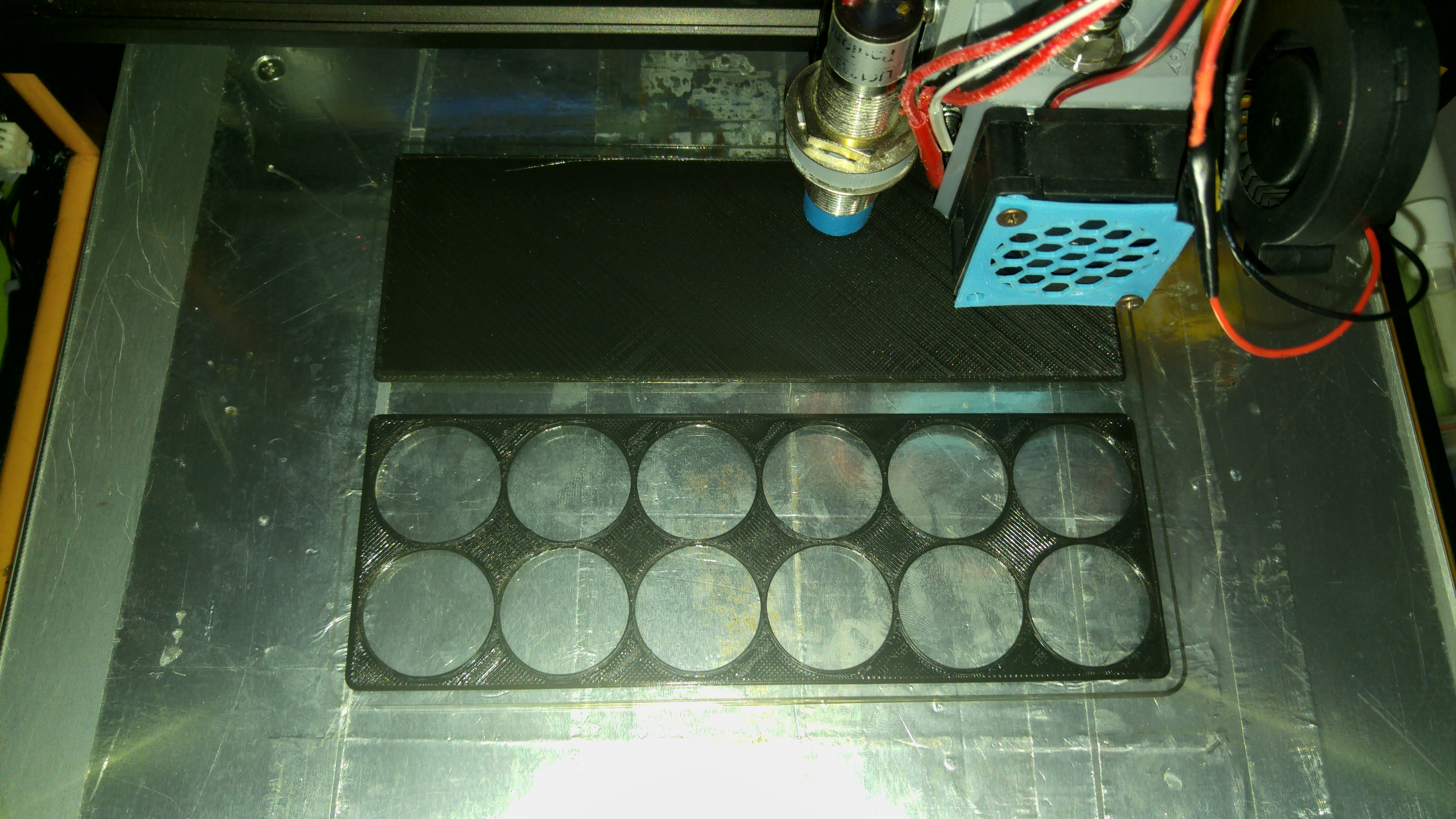
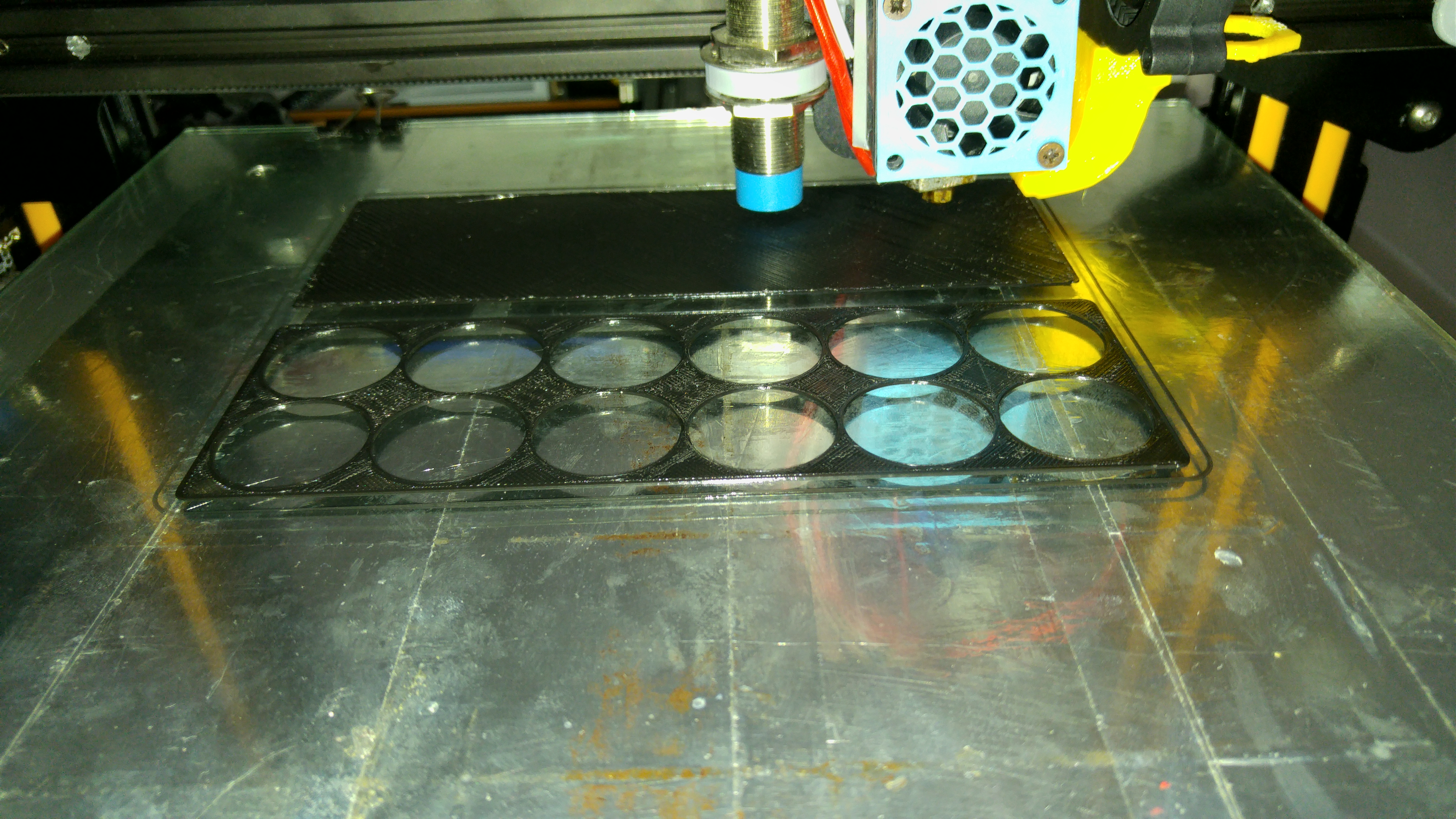
CCR10S_Vallejo_Paint_Box gcode.zip
CCR10S_Vallejo_Paint_Box.zip
Liger0
on 15 Aug 2019
I had a similar issue with my CR-X when switching to the new creawsome base profile.
Though it only occurred with some filaments I now generally use the following settings with good success:
retraction_amount = 8
retraction_count_max = 60
retraction_extrusion_window = 16
retraction_speed = 35
this basically removed any stringing and all issues with breaking filament went away, even with my worst case PLA filaments.
 FelixJirka
on 15 Aug 2019
FelixJirka
on 15 Aug 2019
But Cr-X doesn't have creawsome profile.
Liger0
on 15 Aug 2019
Don't worry, one could either use the CR10S profile or copy and rename a few files and get a CR-X definition with 2 extruders based on the creawsome profiles ;-)
FelixJirka
on 15 Aug 2019
Tried with different retraction limits and still no difference, this one failed at first layer when going to the second model bottom layer.
CCR10S_Vallejo_Paint_Box test 3 gcode.zip
CCR10S_Vallejo_Paint_Box test 3.zip
Liger0
on 16 Aug 2019
Looking at your last example, I can see that it will start the 2nd layer with a very empty nozzle because you have restricted the number of retractions so much that the nozzle has travelled something like 20-30cm! since the last retraction. You will see bad underextrusion.
smartavionics
on 16 Aug 2019
Here are a couple of solutions that might help further: https://3dprinting.stackexchange.com/questions/6747/constant-under-extrusion-and-filament-grinding
Ghostkeeper
on 16 Aug 2019
Looking at your last example, I can see that it will start the 2nd layer with a very empty nozzle because you have restricted the number of retractions so much that the nozzle has travelled something like 20-30cm! since the last retraction. You will see bad underextrusion.
Well that isn't an issue since it failed way before starting the second layer. Printed the same with with s3d without any issue.
Liger0
on 16 Aug 2019
Well that isn't an issue since it failed way before starting the second layer.
Where exactly on that first layer did it fail, please?
smartavionics
on 16 Aug 2019
Well that isn't an issue since it failed way before starting the second layer.
Where exactly on that first layer did it fail, please?
As I said, when passing to the first bottom layer of the second model. It did a few lines and blocked.
Liger0
on 16 Aug 2019
As I said, when passing to the first bottom layer of the second model. It did a few lines and blocked.
Thanks.
smartavionics
on 16 Aug 2019
So if it's blocking at that point, the problem is very unlikely to be related to retraction as it has done very few retractions when it gets to there. Is it not more likely that it's a problem with the hotend not being able to sustain the required extrusion rate? It's just printed quite a large skin area. If you increase the hotend temp does it fail at the same place?
smartavionics
on 16 Aug 2019
Printed the same with with s3d without any issue.
Please provide the s3d gcode so I can compare it to the Cura gcode. Thanks.
smartavionics
on 16 Aug 2019
Vallejo_Paint_Box_ TEST 4 S3D.zip
Note I use relative extrusion on s3d.
Liger0
on 16 Aug 2019
Thanks. Well, similar extrusion rates but you are printing at 210 with s3d and 205 with Cura. Is that enough difference to make the hotend clog? I don't know.
smartavionics
on 16 Aug 2019
I tried even printing in the air at 240°C on Cura..
Liger0
on 16 Aug 2019
You're using more print cooling fan in the Cura profile than the s3d gcode uses and I see from the photo that the print cooling fan is blowing directly on the hotend block. Have you tried using less cooling fan? It's definitely a good idea to stop the cooling fan cooling the hotend block.
smartavionics
on 16 Aug 2019
The fan doesn't engage on first layer, also the fan fuct has a 60° orientation on the tip and hits the nozzle. During most of the test I also used a heating block sock, only on the last I didn't because the clog destroyed it.
I also tried with different fan coolings on Cura.
Liger0
on 16 Aug 2019
OK, I've run out of ideas now. The only other obvious difference between the s3d and cura gcodes is that in s3d you are using zigzag skin and in cura you are using lines. I wouldn't expect that to make any difference.
smartavionics
on 16 Aug 2019
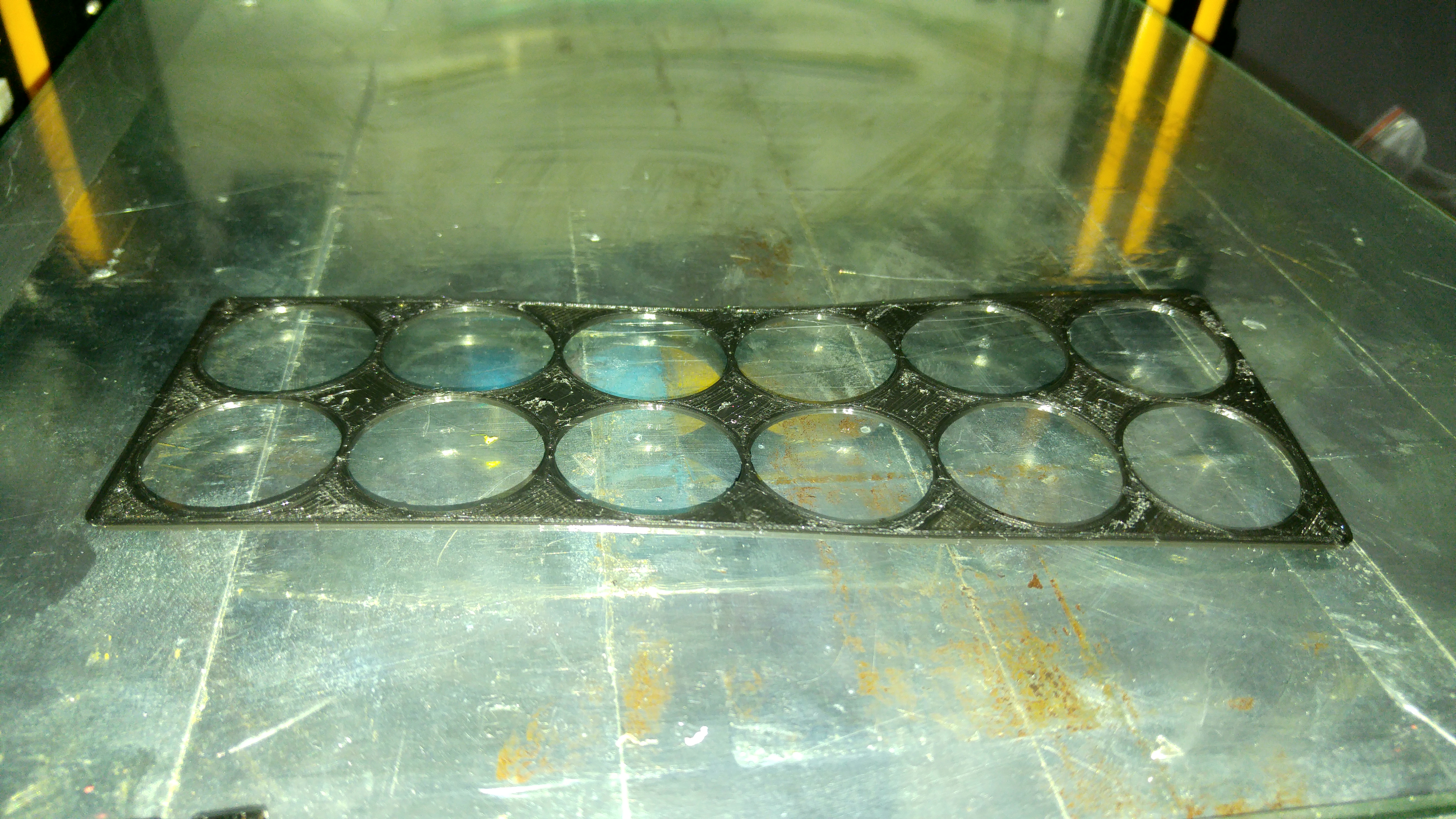
Another fail example printing only 1 model. Cura failed on layer 4 or 5, s3d worked as always.
(I moved it from the bed, don't worry)
Vallejo_Paint_Box TOP test cura.zip
Vallejo_Paint_Box TOP test s3d.zip
Liger0
on 16 Aug 2019
Grasping at straws, here. Please try setting the skin pattern to zig-zag and turning off ironing.
smartavionics
on 16 Aug 2019
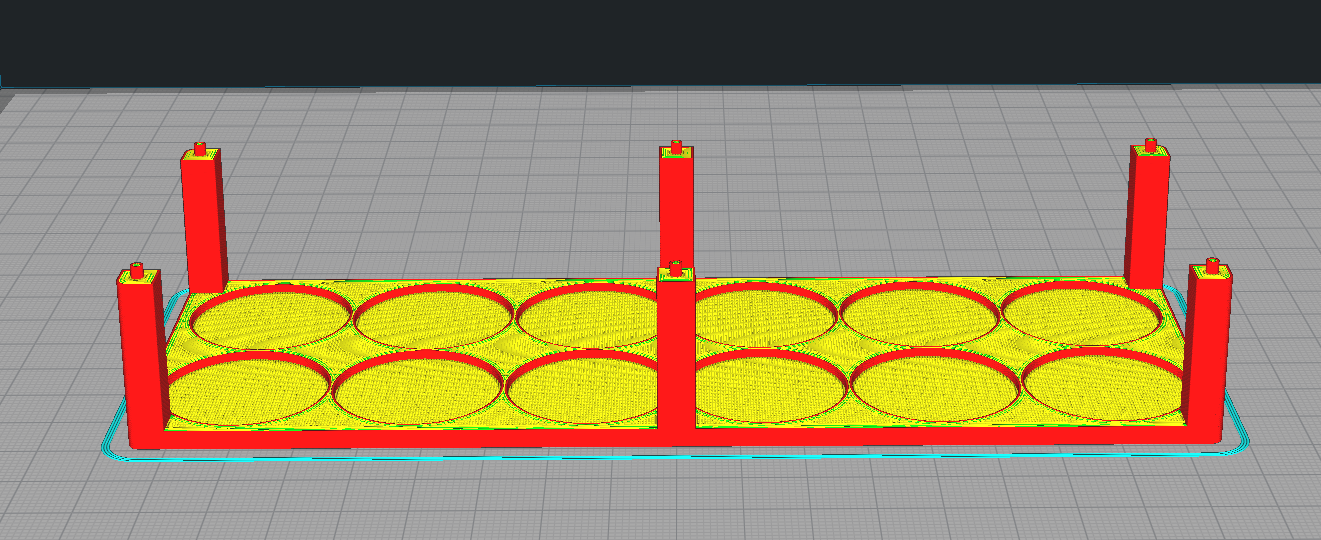
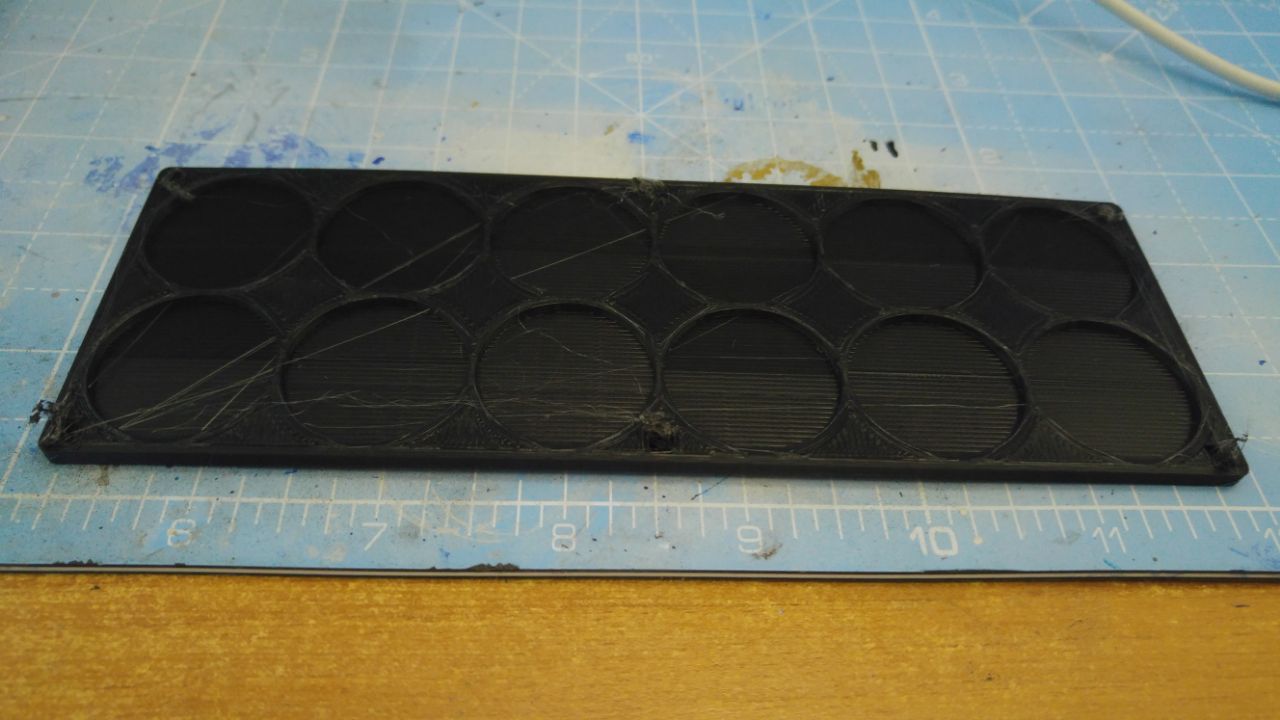
I tried using zig-zag and removing ironing, reducing infill overlap to 20%, and 0.44 and 0.48 line width. It fails when trying to print the towers on the edges.
 Liger0
on 18 Aug 2019
Liger0
on 18 Aug 2019
I tried using zig-zag and removing ironing, reducing infill overlap to 20%, and 0.44 and 0.48 line width. It fails when trying to print the towers on the edges.
But did it get further than before?
smartavionics
on 18 Aug 2019
Hard to tell, it always fails at different points but it never went ahead to those towers, not even a layer of those is printed.
I am thinking it could be the top layer being printed too slow so the filament density in the nozzle increases too much (an effect comparable to the ironing one) until it can't be pushed anymore.
Liger0
on 18 Aug 2019
until it can't be pushed anymore
Why don't you fit a decent extruder (e.g. a BMG or similar, geared, dual drive) and then all this screwing about would stop. Time is money, etc.
smartavionics
on 18 Aug 2019
Mostly because I never had any issues in the past (up to cura 3.4.1), the aluminium one is very strong even if barely tighten, and works great with s3d..
Liger0
on 18 Aug 2019
Maybe it's the ironing then?
Ghostkeeper
on 19 Aug 2019
It's disabled.
Liger0
on 19 Aug 2019
I have many of the same issues described here. Printer worked fine until updating to Cura 4.2.1 and uses a Bondtech BMG and Volcano with a 0.8mm nozzle. My prints would either finish early before the part was done or the extruder would start to click from too low of an extrusion temperature even though octoprint showed 208c on the hotend, my normal extrusion temperature.
 AceOfSspades
on 20 Aug 2019
AceOfSspades
on 20 Aug 2019
Had a very similar issue when I upgraded to 4.2 prints failed.
Watched a very small print as a test, watched nozzle drag though(still warm) previous layer.
Canceled print at ed of 3rd layer.
3 layers @ 0.1mm layer height. Height of failed print > 1mm
Downgraded back to 3.2 immediate success without changing a single setting
 StrapMerf
on 20 Aug 2019
StrapMerf
on 20 Aug 2019
I also noticed drags on the material even with zhop enabled.
Liger0
on 20 Aug 2019
I am having a similar issue, The same part sliced on cura is under extruding but when printing with s3D its fine. I have an original e3d v6 nozzle. The extruder motor starts skipping and makes jumping noises. Is there any kind of acceleration control on the extruder that is preset in cura by itself ?
 hussainsail2002
on 21 Aug 2019
hussainsail2002
on 21 Aug 2019
Is there any kind of acceleration control on the extruder that is preset in cura by itself ?
In practice, no. In theory, yes for some printers.
Cura makes retractions using its travel acceleration and jerk. However the firmware has a separate acceleration for the E axis that is much, much lower than the acceleration in the X/Y axes. So while Cura commands the firmware to use an acceleration of 1000mm/s^2 in practice it's more likely to be 50. And profiles can change the travel acceleration but it'd be pretty stupid to reduce that to the ballpark of the feeder's acceleration. So in practice it's not going to have any effect because whether the travel acceleration is 500 or 2000, it's not going to matter because it's limited by the firmware settings.
Cura also doesn't change acceleration away from the firmware default for most printers either. For instance for all Creality printers, the Acceleration Control is disabled.
Ghostkeeper
on 21 Aug 2019
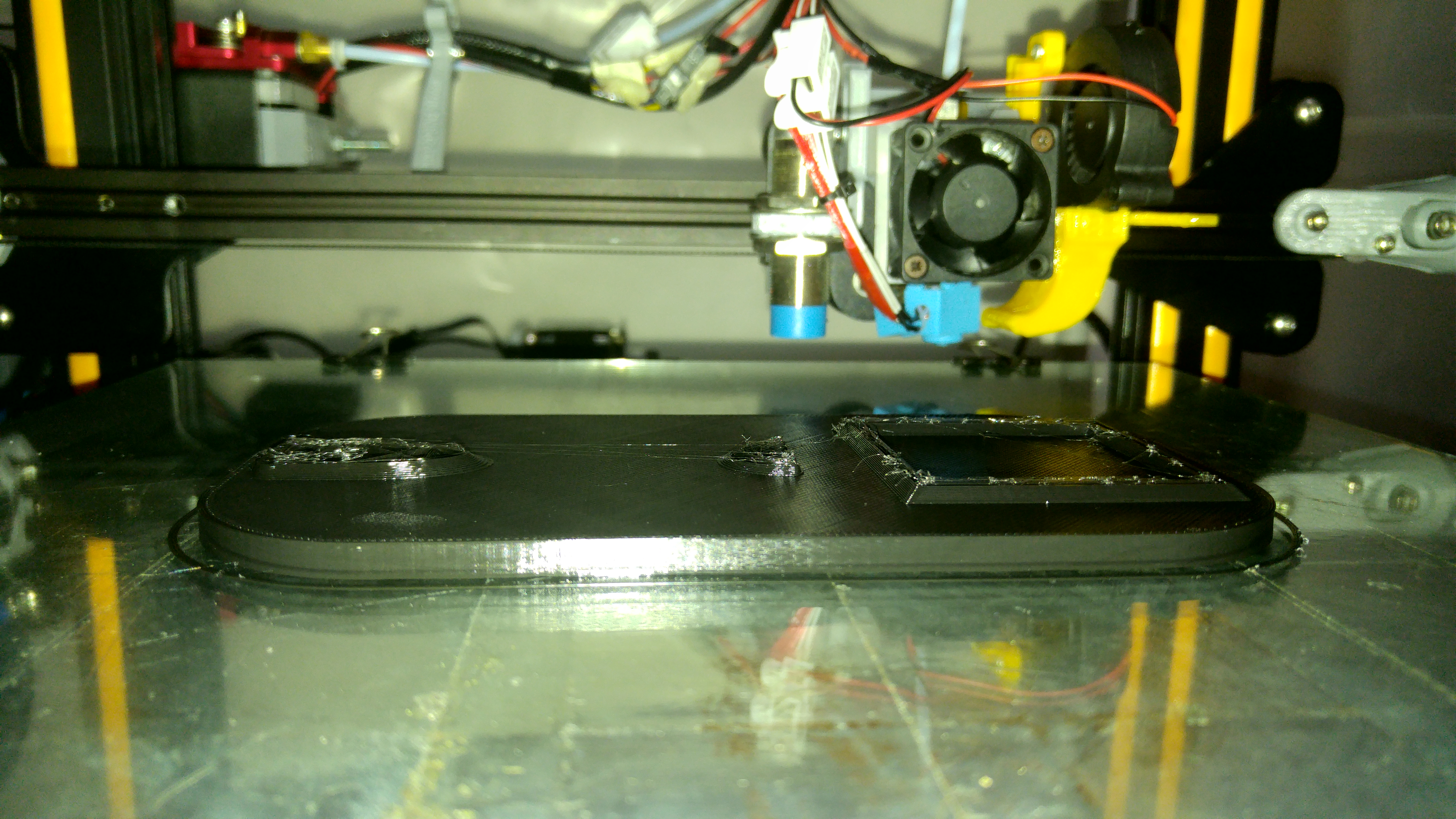
Tried to slice it twice, it both times failed on the same layer.
holder gcode.zip
Liger0
on 21 Aug 2019
I enabled the "Use firmware retraction", and I had my first successful print, altough with a lot of stringing.
Could you people give it a try?
I think someone messed up with the values used on the retraction.
As I understand it, using firmware retraction cura doesn't tell any value, so the retraction lenght and speed are unused and the FW ones are used instead (correct me if I'm wrong), but other factors may also influence the 2 options.
Liger0
on 21 Aug 2019
I am using custom marlin firmware and I don't think you can add retraction settings in the firmware, I think you have just turned of retraction and hence you are getting alot of stringing
hussainsail2002
on 22 Aug 2019
As I understand it, using firmware retraction cura doesn't tell any value, so you the retraction lenght and speed are unused and the FW ones are used instead (correct me if I'm wrong),
I am using custom marlin firmware and I don't think you can add retraction settings in the firmware, I think you have just turned of retraction and hence you are getting alot of stringing
Liger0 is right here. The firmware retraction machine setting causes Cura to output G10 and G11 in place of a retraction, whereas normally it would output G1 with a reduced E value.
There are retraction settings in the firmware. For modern Marlin that is located here:
Ghostkeeper
on 22 Aug 2019
I am extremely frustrated here, I've ended 2 1kg rolls only with failed tests.
I still get all prints failed on the first printed top layer. The hotend doesn't clog, I can move filament inside of it easily, but the filament on the extruder gets so grinded it can't enter the tube.
Can I know what extrusion settings are used on the extruder (acceleration etc) and if they were changed since 3.4.1, like probably with the creugly mod? Because I am losing all of my patience here.
Liger0
on 23 Aug 2019
Here is the file from 3.4.1: https://github.com/Ultimaker/Cura/blob/3.4/resources/definitions/creality_cr10.def.json
The actual settings that changed between those would depend on the material and quality level you selected.
Ghostkeeper
on 23 Aug 2019
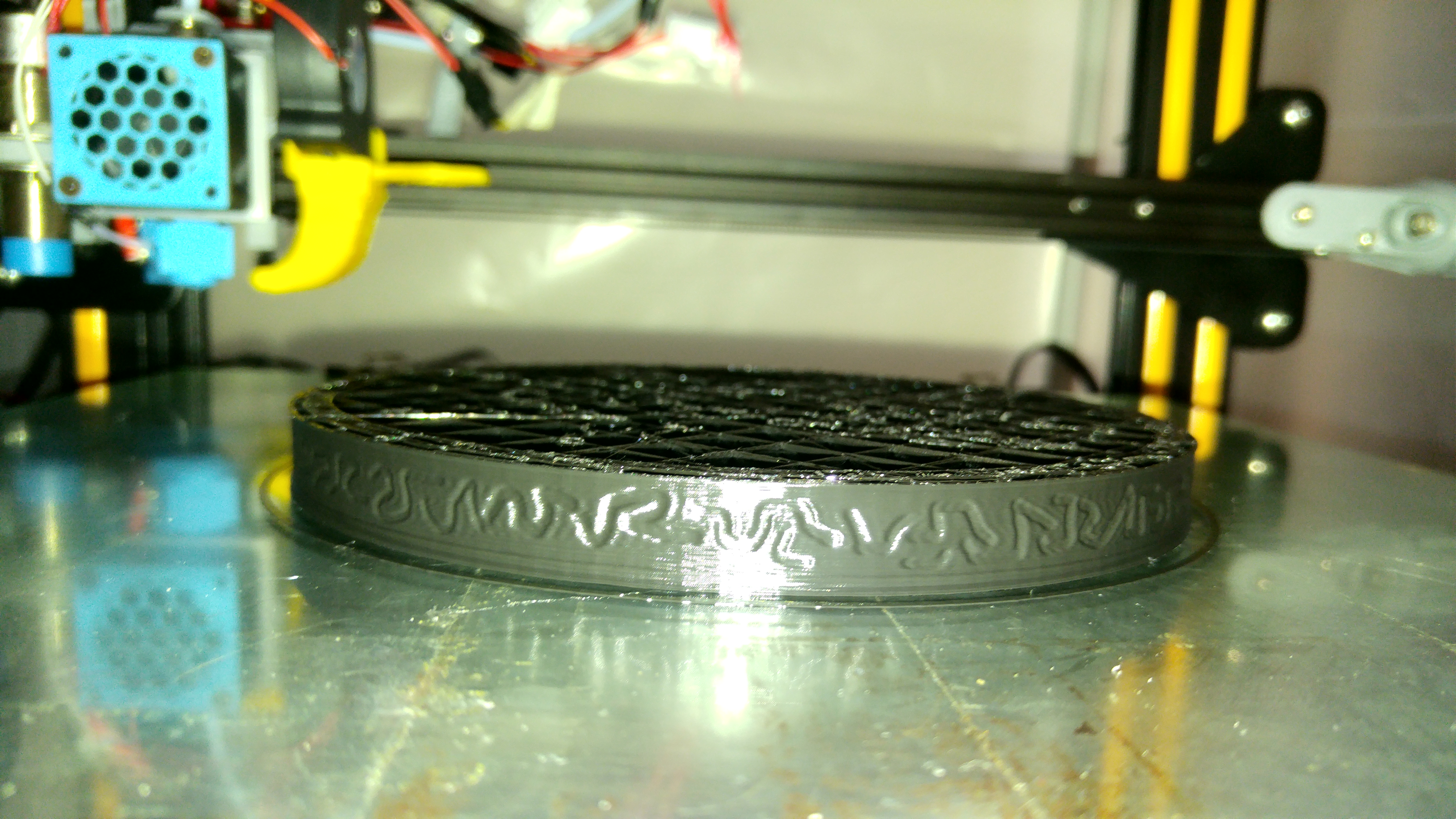
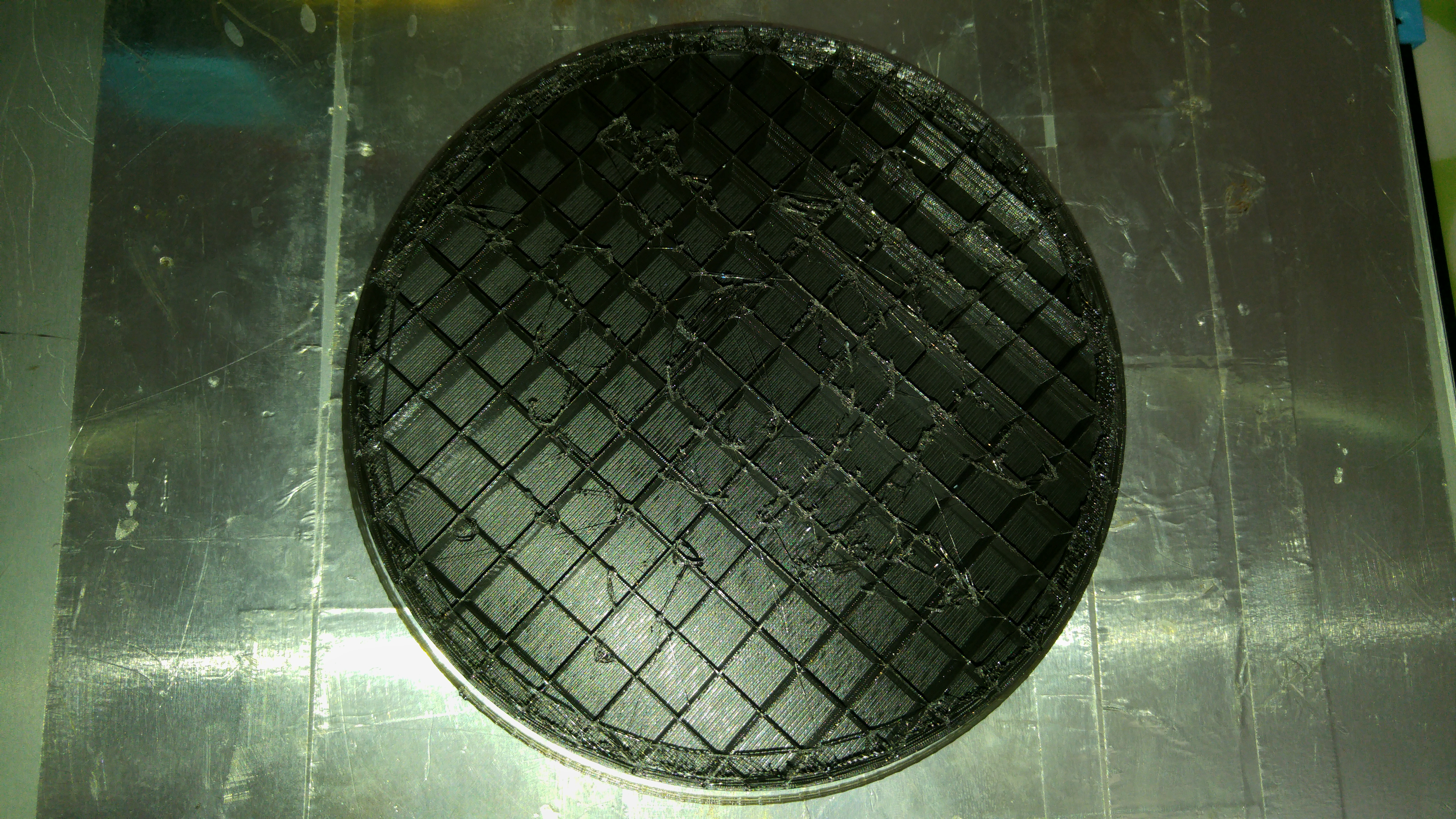
I can confirm it is not an issue with the creality profile. I had the print fail the same way with the same signs on the filament using a custom FFF printer. They all failed printing the first top layer in the model. The filament was totally destroyed in various spots with around 5 cm of distance between each other.
CFFFP_base gcode.zip
Liger0
on 24 Aug 2019
Related issues
 ferociousdiablo
·
3Comments
ferociousdiablo
·
3Comments
 jornada812
·
3Comments
jornada812
·
3Comments
 mubarak111nsu
·
3Comments
mubarak111nsu
·
3Comments
 jellewie
·
3Comments
jellewie
·
3Comments
 timherrm
·
3Comments
timherrm
·
3Comments