Application Version
Cura 4.0.0
Platform
Windows 10 64bit
Printer
All
Steps to Reproduce
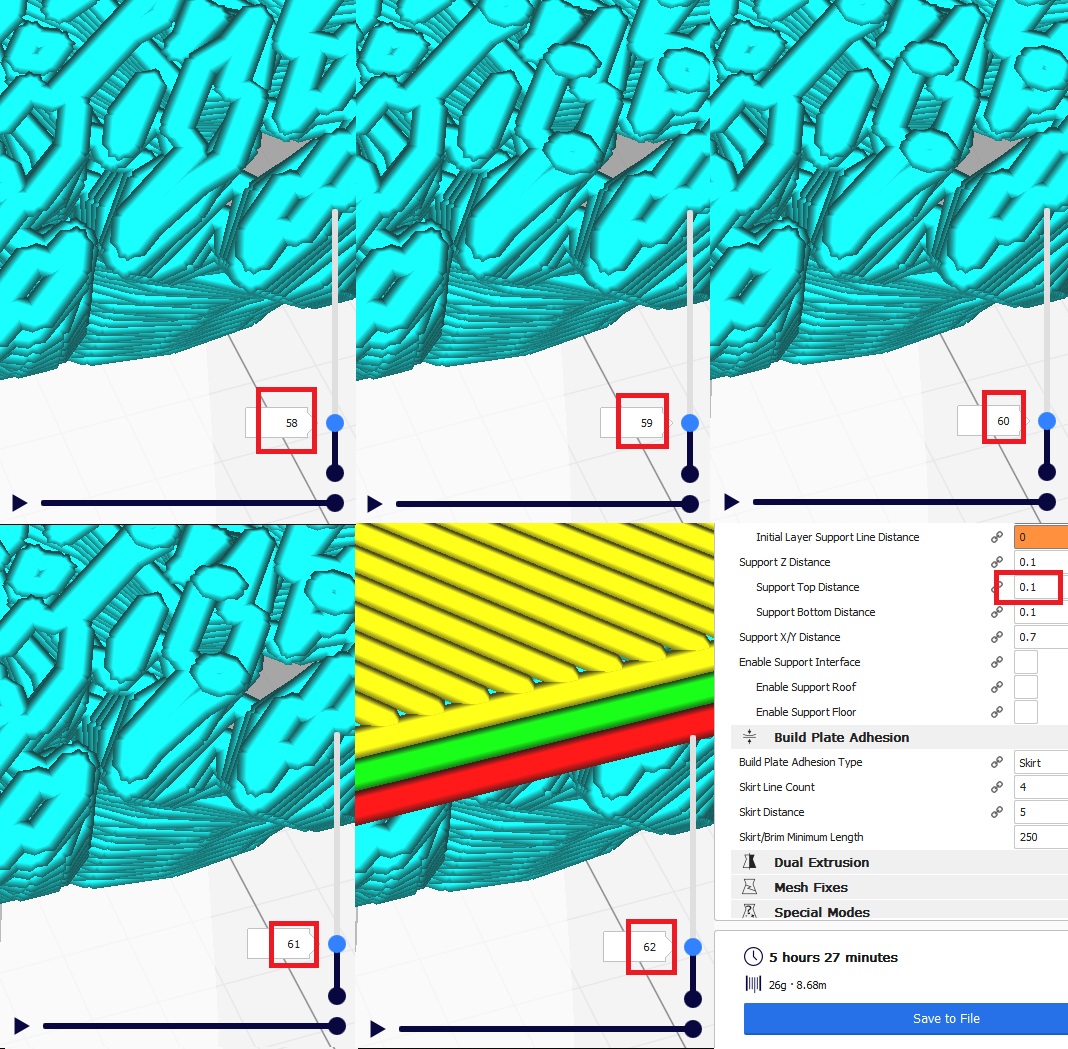
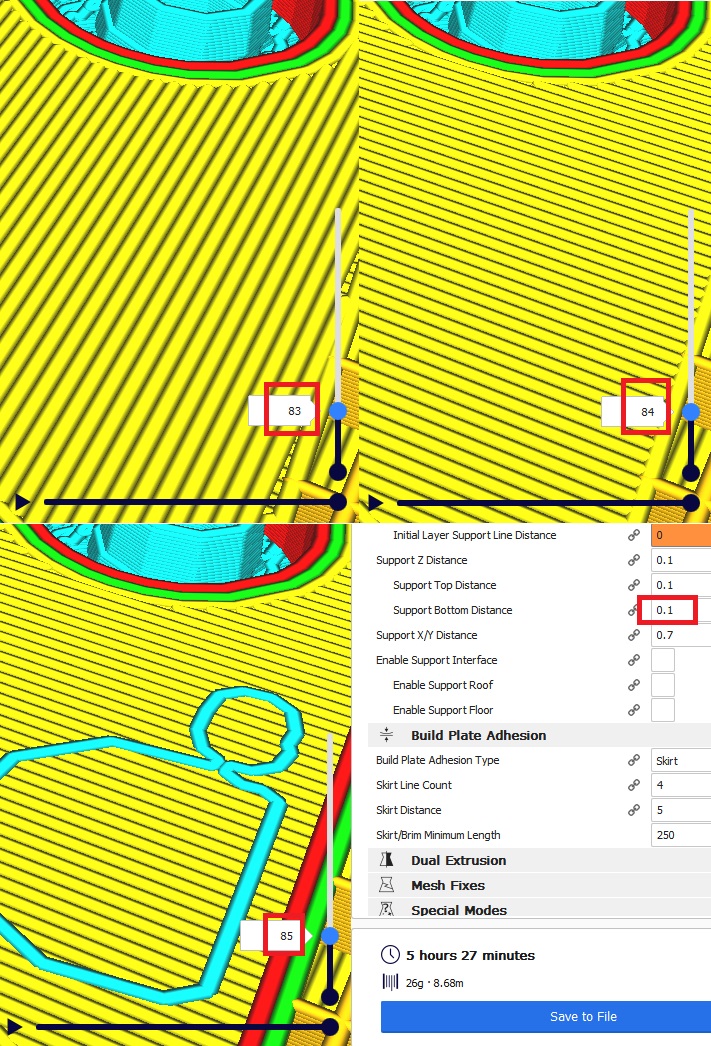
Select default "Fine - 0.1mm" profile. Turn on Tree Support option, set Support Placement to Everywhere, set Support Z Distance to one layer height (0.1mm). Slice model that requires supports on both top and bottom of model.
Actual Results
Top Z Support Distance is actually 2 layer heights. Bottom Z Support Distance is actually zero (supports are printed directly on model). This only happens with Tree Supports.
Expected results
There should be a one layer gap between supports and model for both top and bottom supports to give the same behavior as normal supports.
Additional Information
Top Tree Supports
Bottom Tree Supports
Supports
 everycoloryouare
All 11 comments
I posted similar issues about tree supports, but in my case it's the opposite.
I want both the bottom and the top to be 0, but even using 0 as a value, there always is a separation layer.
 Liger0
on 19 May 2019
Liger0
on 19 May 2019
If I set both to zero, then the top supports are one layer away and the bottom supports are printed inside the piece.
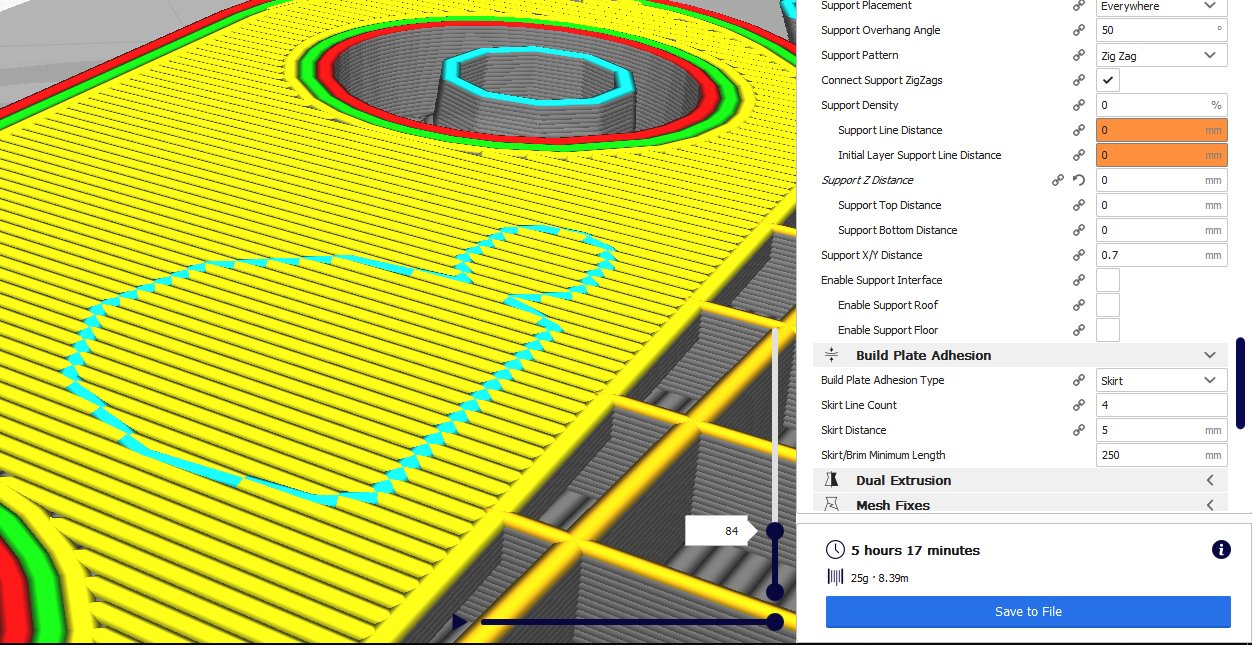
Can you reproduce your behavior from one of the default settings? I get the same behavior as flagged in this post on "Fine - 0.1mm", "Normal - 0.15mm", and "Draft - 0.2mm".
everycoloryouare
on 20 May 2019
The top distance in the case of tree support will depend on the line width. This is because the support ends in a point which is too small to print. I find that if I set the line width to be equal to the layer height, the top distance is correct. Otherwise, it is not. Perhaps it shouldn't end in a point but in a circle with a diameter of slightly more than the line width?
The bottom distance, yeah I could reproduce that. Shouldn't be too hard to fix.
 Ghostkeeper
on 20 May 2019
Ghostkeeper
on 20 May 2019
Even using normal supports, with a 0 distance, there still is an unwanted separation layer on both top and bottom.
Liger0
on 20 May 2019
Even using normal supports, with a 0 distance, there still is an unwanted separation layer on both top and bottom.
Liger0:
Normal supports work as expected for me (setting zero z distance in fact gives zero distance). Can you reproduce the behavior starting with a default setting, for example from the Fine - 0.1mm setting.
The top distance in the case of tree support will depend on the line width. This is because the support ends in a point which is too small to print. I find that if I set the line width to be equal to the layer height, the top distance is correct. Otherwise, it is not. Perhaps it shouldn't end in a point but in a circle with a diameter of slightly more than the line width?
The bottom distance, yeah I could reproduce that. Shouldn't be too hard to fix.
Ghostkeeper:
I'm not sure about whether points or circles would be preferable for tree supports. Points would be easier to remove, but circles gives more support. Maybe give an option to choose?
I'm also finding if I set the line width equal to the layer height the top distance is correct, but the bottom support distance is still 1 layer lower than it should be (zero gap when set to 1 layer gap).
Even more bizarre, when support interface is enable the gap behavior is inconsistent between the different interface patterns. Concentric and Zig Zag behave as outlined in the post above. Lines, Grid, and Triangles however behave very differently. The top interface has the correct distance, but the bottom interface is printed extremely strangely. First an interface layer is printed at one layer height too close, when there are 3 gaps, then the rest of the interface is printed.
Here is an example with 0.1mm layer height and 0.2mm z support distance.

everycoloryouare
on 26 May 2019
I'm not sure about whether points or circles would be preferable for tree supports. Points would be easier to remove, but circles gives more support. Maybe give an option to choose?
Well you see they are actually cones. But a point of infinitesimal size can't be printed. It will only get printed a few layers lower where the cross section is actually a circle. That's what I meant. Perhaps it should just end in a circle of 1 line width diameter so that it prints something.
Even more bizarre, when support interface is enable the gap behavior is inconsistent between the different interface patterns. Concentric and Zig Zag behave as outlined in the post above. Lines, Grid, and Triangles however behave very differently.
This could give a hint as to why this is happening. We've been investigating the support stair stepping algorithm as well recently.
Ghostkeeper
on 28 May 2019
I'd like to request this one be re-opened for another look. Testing just now in v4.1.0 seems to suggest that Tree Support always stops roughly 0.14mm lower than any other form of support, rounded up to the next layer.
You can see this quite clearly in the preview if you apply Tree Support in tandem with another method, provided that you don't enable the Support Interface (this setting only stops you from being able to see it clearly - it doesn't stop the problem). Setting the Layer Height to an impossibly thin level (I've tested as low as 0.01mm) allows for more accurate measurements of the difference but any Layer Height (even chunky ones like 0.64mm) will show the problem.
This does mean that if you're expecting it you can potentially accommodate for it, assuming you want at least a 0.14mm gap. However there's no way to enter a negative value to have a smaller gap (or remove it entirely, should you so desire).
Taken in tandem with the earlier suggestion that a 0 Support Z Distance will result in the Tree Supports printing inside layers underneath, this could simply be a case of the whole structure being calculated, thus sliced, lower than it should be by the aforementioned 0.14mm. Such an overall offset would cause both issues simultaneously.
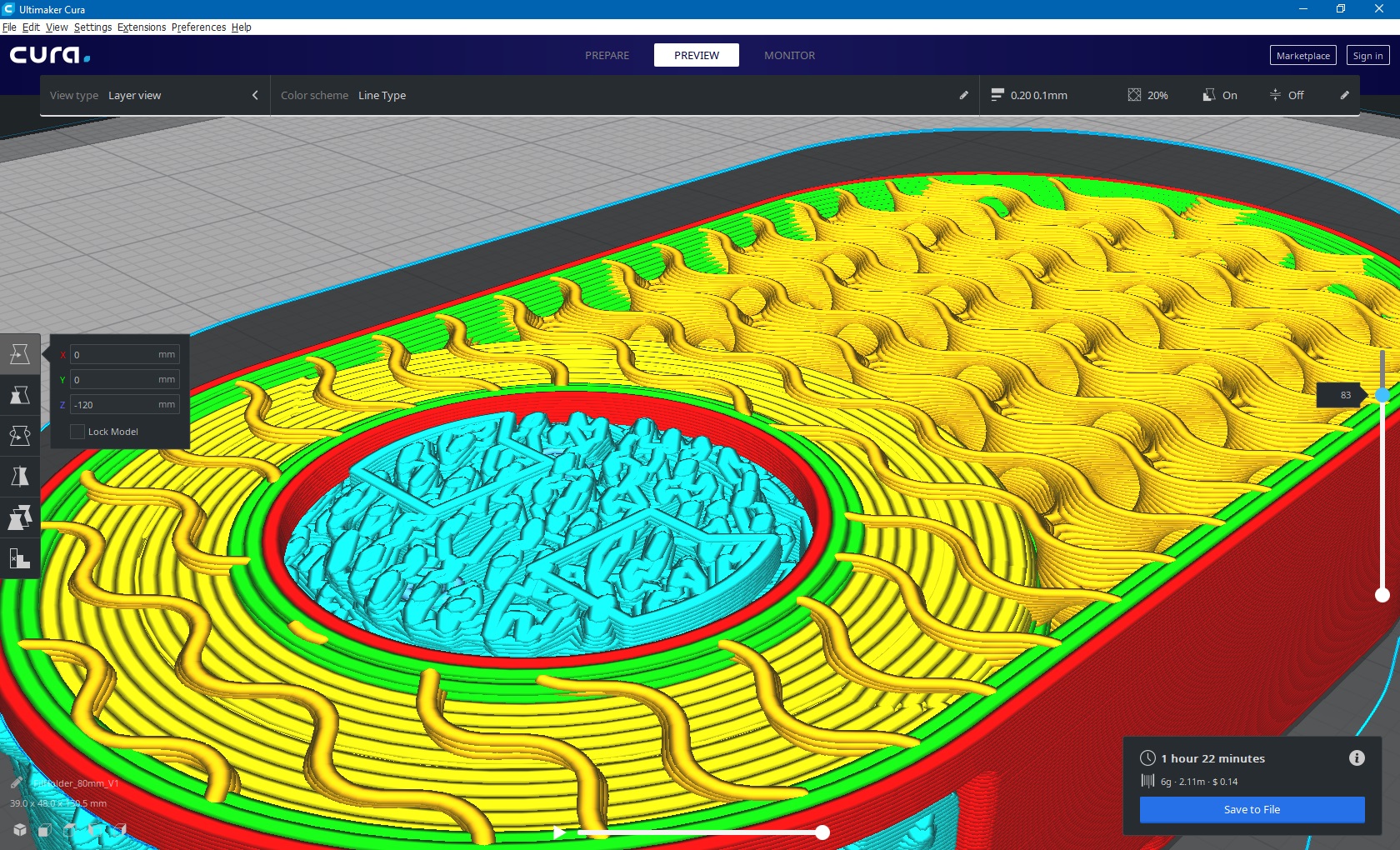
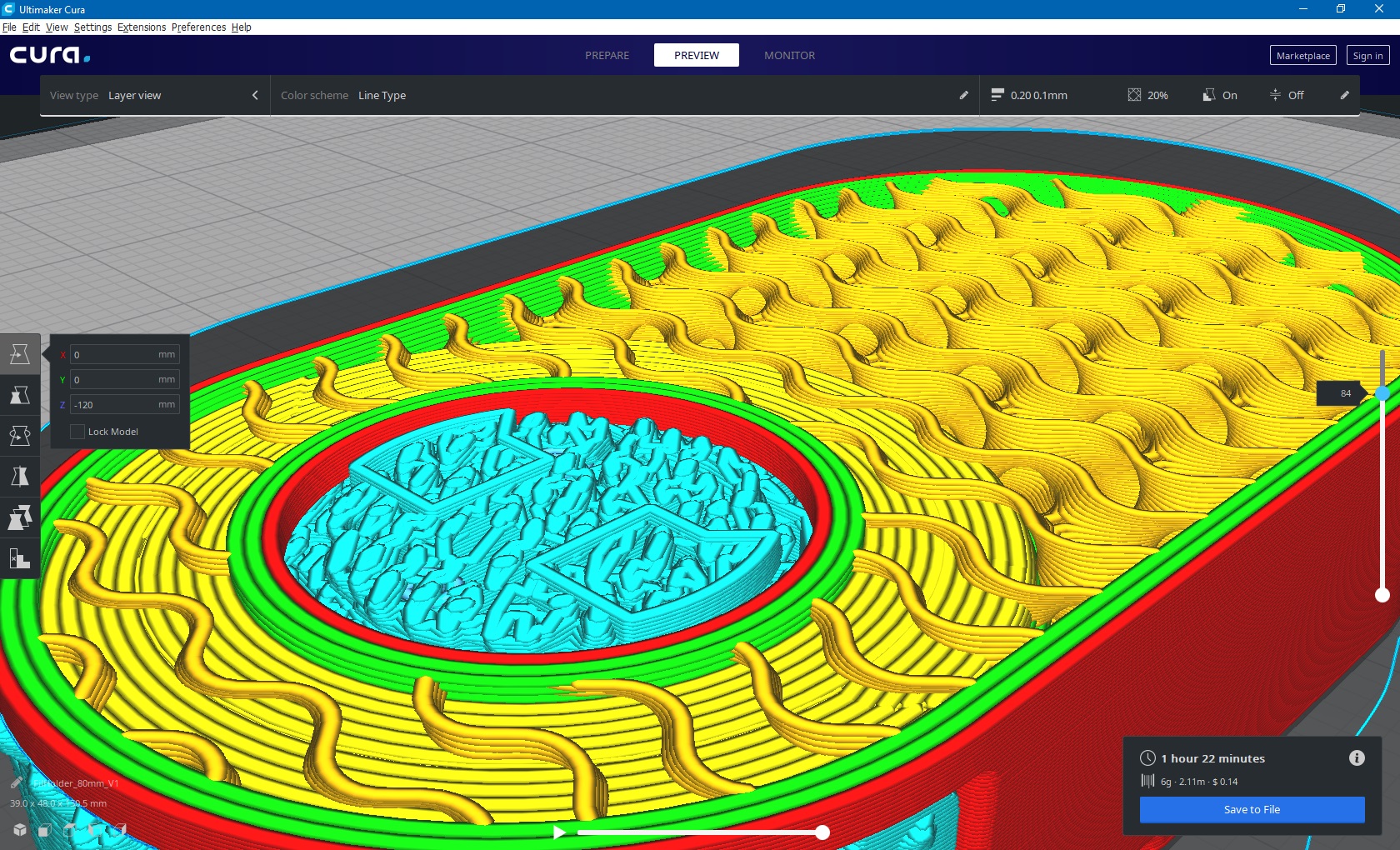
These two slices are from the same model, same time, layers 83 and 84. Both Tree Support and standard supports with the Cross pattern are in use, 0.1mm Layer Height and 0.0mm Support Z Distance. The Cross support can clearly be seen to extend one layer higher, with layer 85 (not pictured) having the material needing to be supported.
 Asterchades
on 14 Jun 2019
Asterchades
on 14 Jun 2019
@Asterchades and this 0.14mm distance gets reduced if you lower the support line width?
Hard-coding a 0.14mm vertical offset is asking for trouble. This number wasn't programmed in, so it must've arose from something. If the thing that causes it is changed, the 0.14mm will also change.
Ghostkeeper
on 17 Jun 2019
It does, yes. As counterintuitive as it seems, reducing the Support Line Width reduced the extra gap.
With a 0.04mm Layer Height, set to 0.1mm Support Z Distance, I was seeing three layers (0.12mm) of variance between the top of standard supports and Tree Supports when the Support Line Width was set to 0.4mm (matching my nozzle). Lowering the Support Line Width to 0.1mm reduced this difference to just one layer; though I would hazard a guess this cannot actually be printed.
I'm guessing this is the "cones" referenced earlier. Unlike the earlier reference, however, I was unable to ever actually align the two support pattern tops. Even going down to a 0.001mm Support Line Width (1/40th the 0.04mm layer height) I still saw the same one layer difference, with the Tree Support stopping first.
_Testing was conducted against the Zig Zag pattern, set to only have supports Touching Build Plate._
Asterchades
on 18 Jun 2019
Fixed for 4.7
 nallath
on 10 Jul 2020
nallath
on 10 Jul 2020
The distance on the bottom side is fixed. The distance at the top side is not fixed yet.
Ghostkeeper
on 13 Jul 2020
Related issues
 mnswamp1
·
3Comments
mnswamp1
·
3Comments
 DmitryBychkov
·
3Comments
DmitryBychkov
·
3Comments
 JRRN
·
3Comments
JRRN
·
3Comments
 jellewie
·
3Comments
jellewie
·
3Comments
 timherrm
·
3Comments
timherrm
·
3Comments