Cura: Slicing crashes specific to orientation and model
Application Version 3.4.0
Platform Win7-64
Printer Custom (Ender4-0.5 nozzle)
BKCTester_P2302.curaproject.3mf.curaproject.3mf.curaproject.zip
Steps to Reproduce Try to slice this specific model in the specific orientation
Actual Results Partial slicing then crash "Slicing engine for Cura has stopped working"
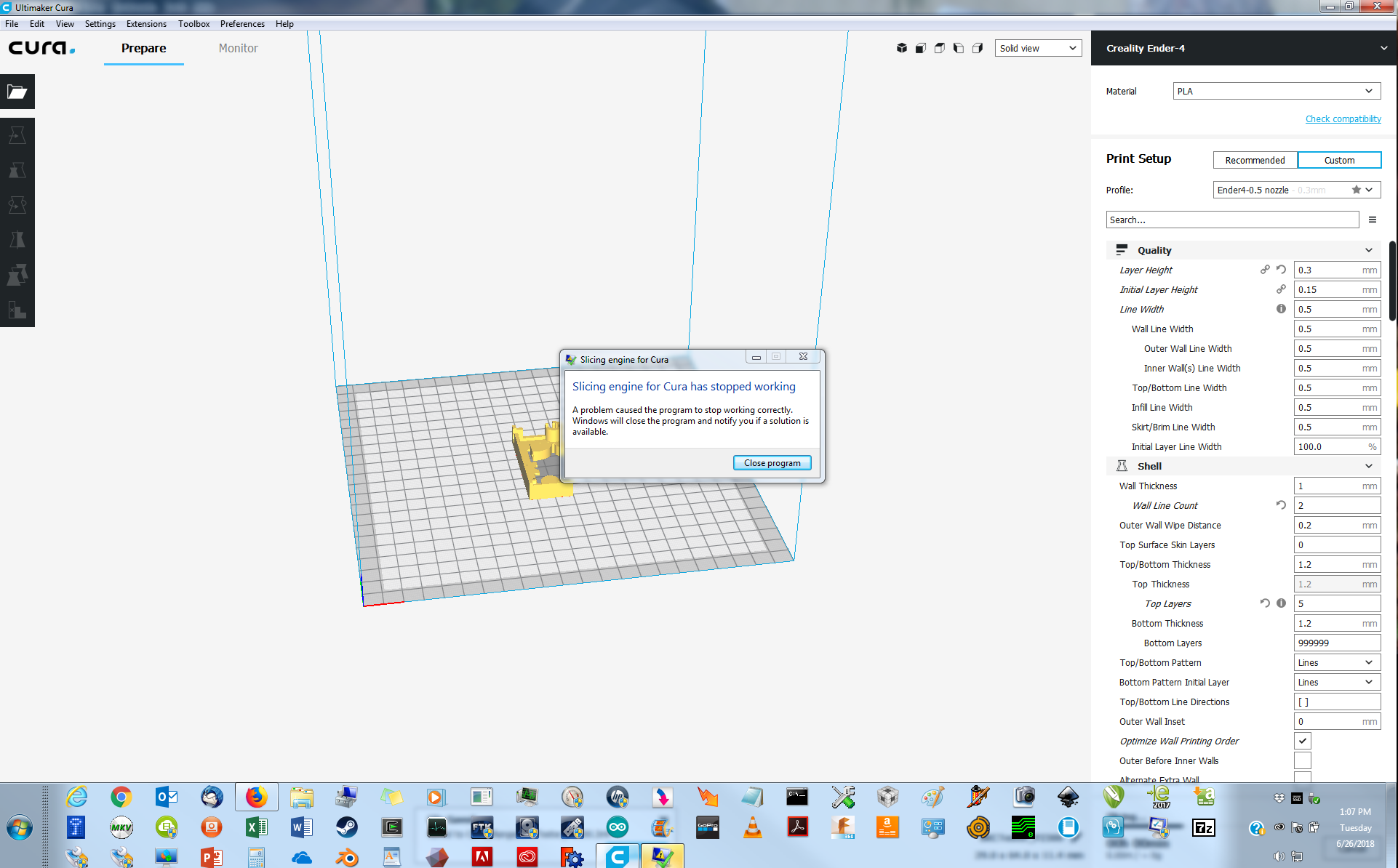
Expected results Sliced output
Additional Information Works fine in 3.3.1 There are other issues about the slicing engine but none specific to 3.4.0 that I found.
 davebelleville
All 4 comments
Hi, a workaround is to turn off the wall print order optimization. This is causing the crash due to a poor bit of coding on my part which I will fix. However, the bug is being triggered by your model which I think is broken in some way.
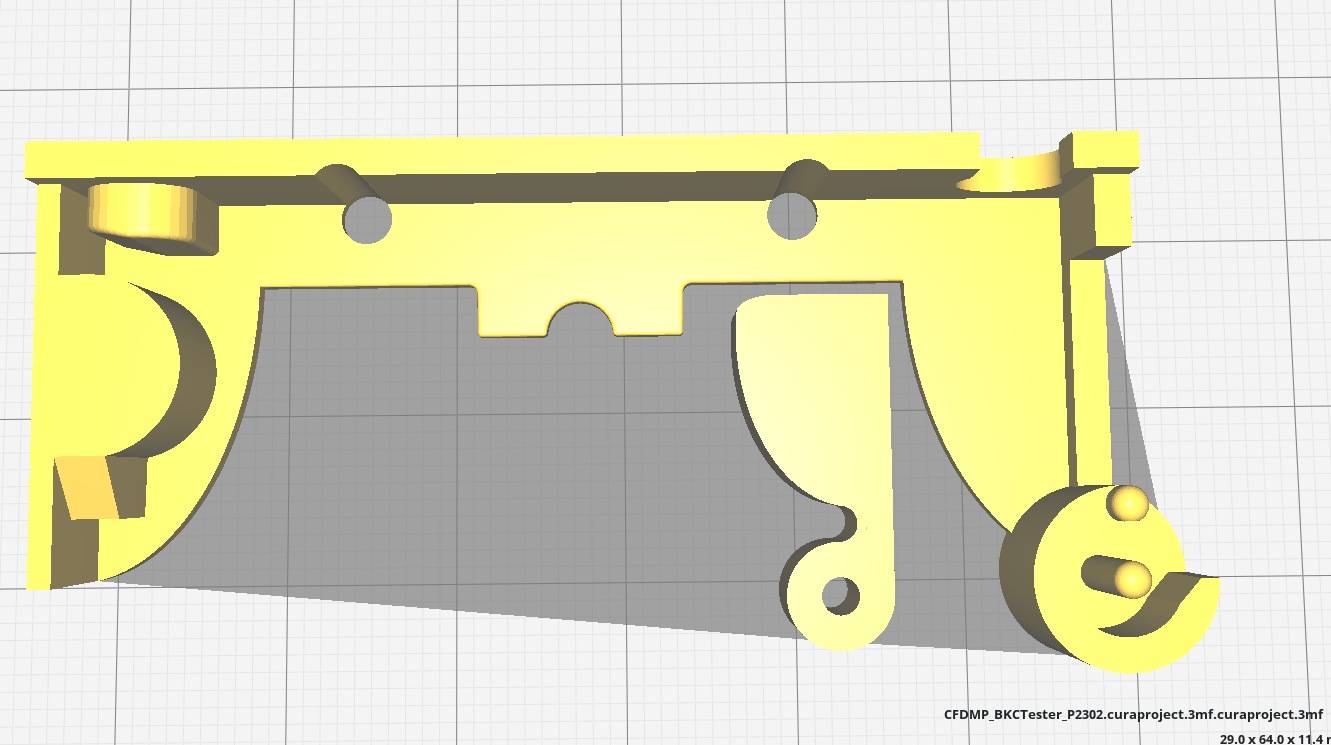
Firstly look at the solid view, it looks OK:
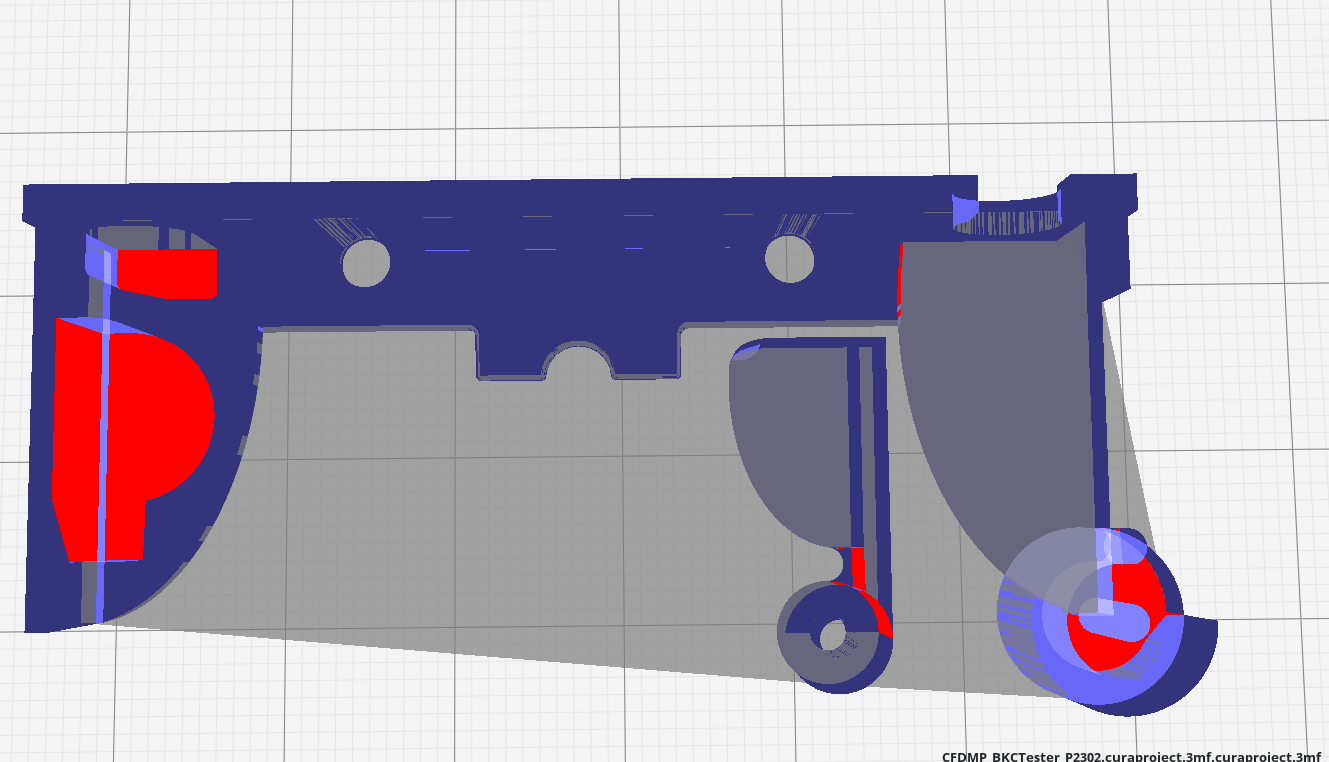
Then look at the x-ray view, those red areas are bad:
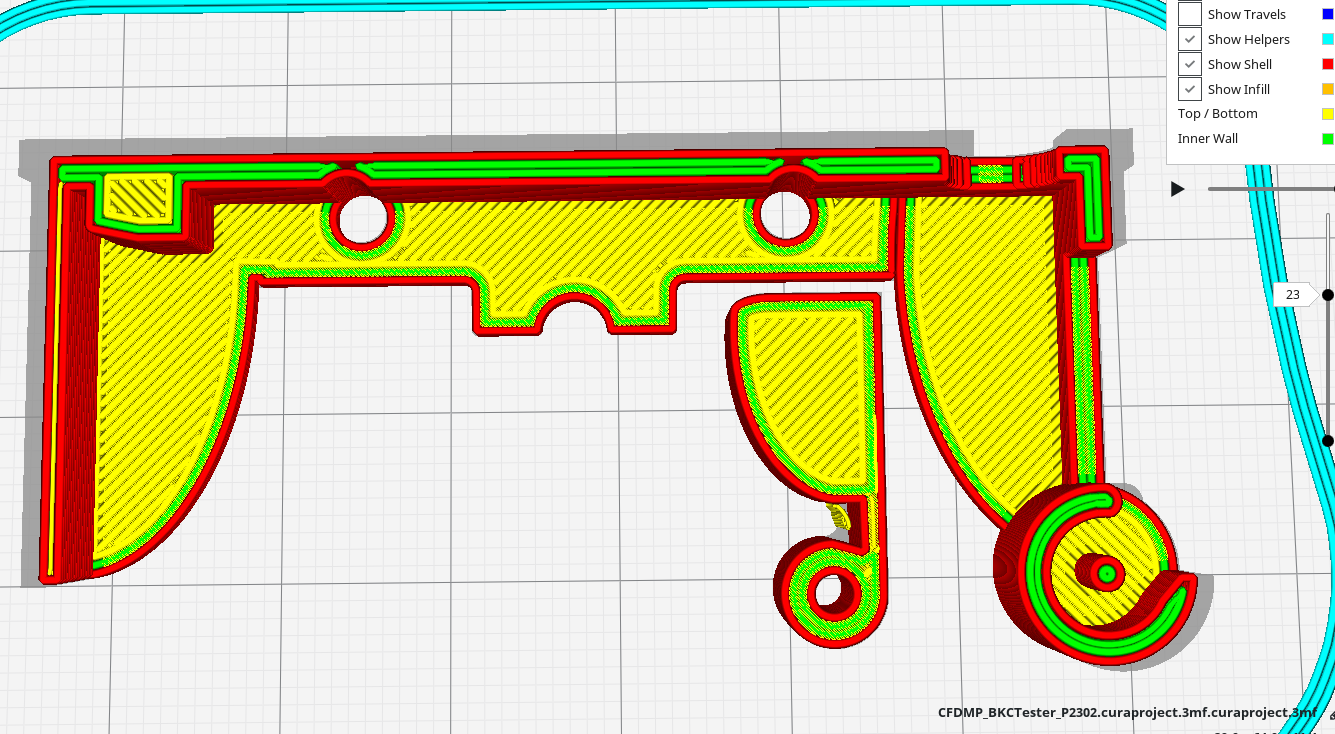
Finally, look at the sliced layer view, quite a lot of walls/roofs are missing:
So, I think the model has some problems which you need to fix.
Hope this helps.
 smartavionics
on 27 Jun 2018
smartavionics
on 27 Jun 2018
I will fix my model, thank you. I just printed it. Not good. I will remember to check the model next time.
davebelleville
on 27 Jun 2018
I have submitted the fix for this crash. Thanks again for making the effort to report it.
smartavionics
on 27 Jun 2018
@davebelleville @smartavionics The fix has been merged. It will be included in the next release.
 LipuFei
on 29 Jun 2018
LipuFei
on 29 Jun 2018
Related issues
 timherrm
·
3Comments
timherrm
·
3Comments
 JRRN
·
3Comments
JRRN
·
3Comments
 DamianSepczuk
·
3Comments
DamianSepczuk
·
3Comments
 tomoinn
·
3Comments
tomoinn
·
3Comments
 DmitryBychkov
·
3Comments
DmitryBychkov
·
3Comments
Most helpful comment
I have submitted the fix for this crash. Thanks again for making the effort to report it.