Common-voice: Mobile navigation 'zooms in' when activating translate, doesn't zoom back out.
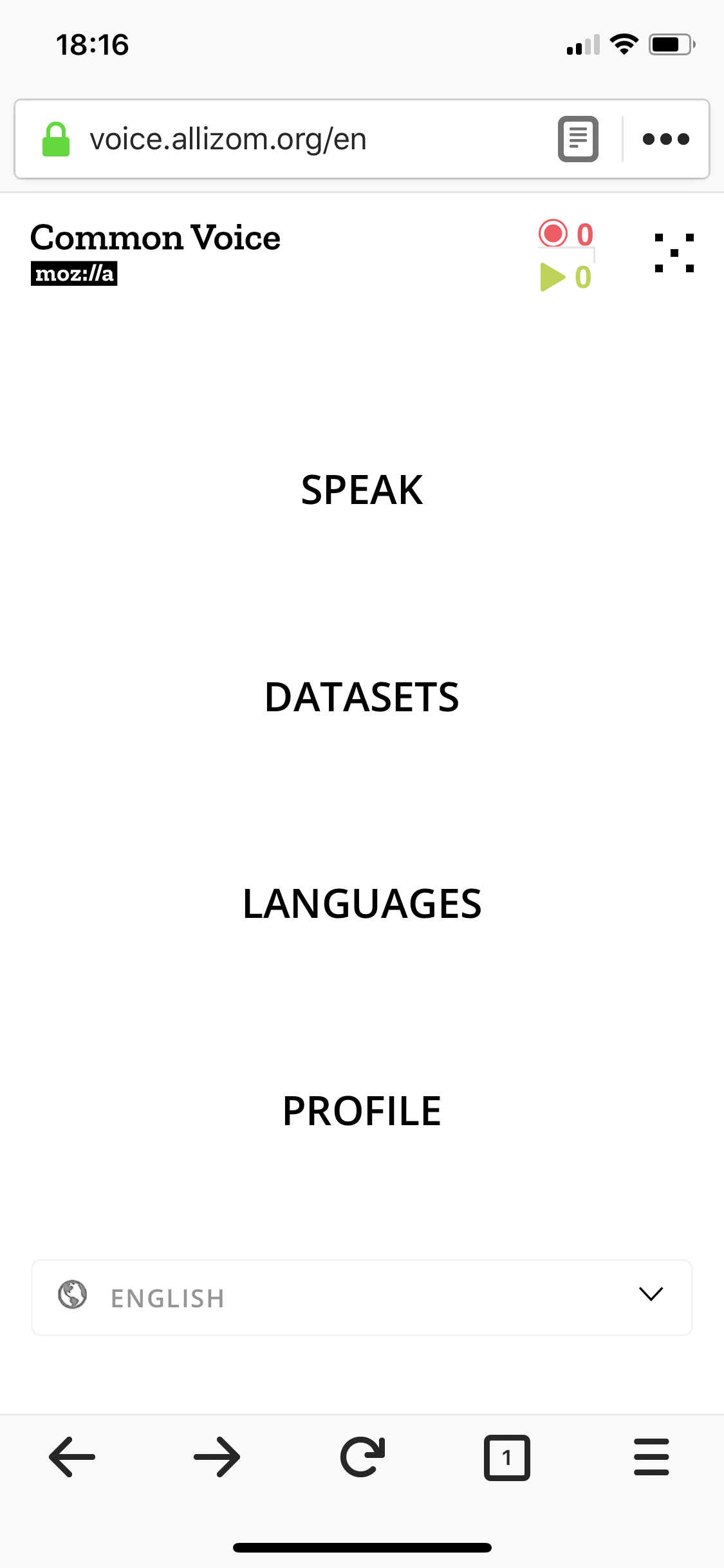
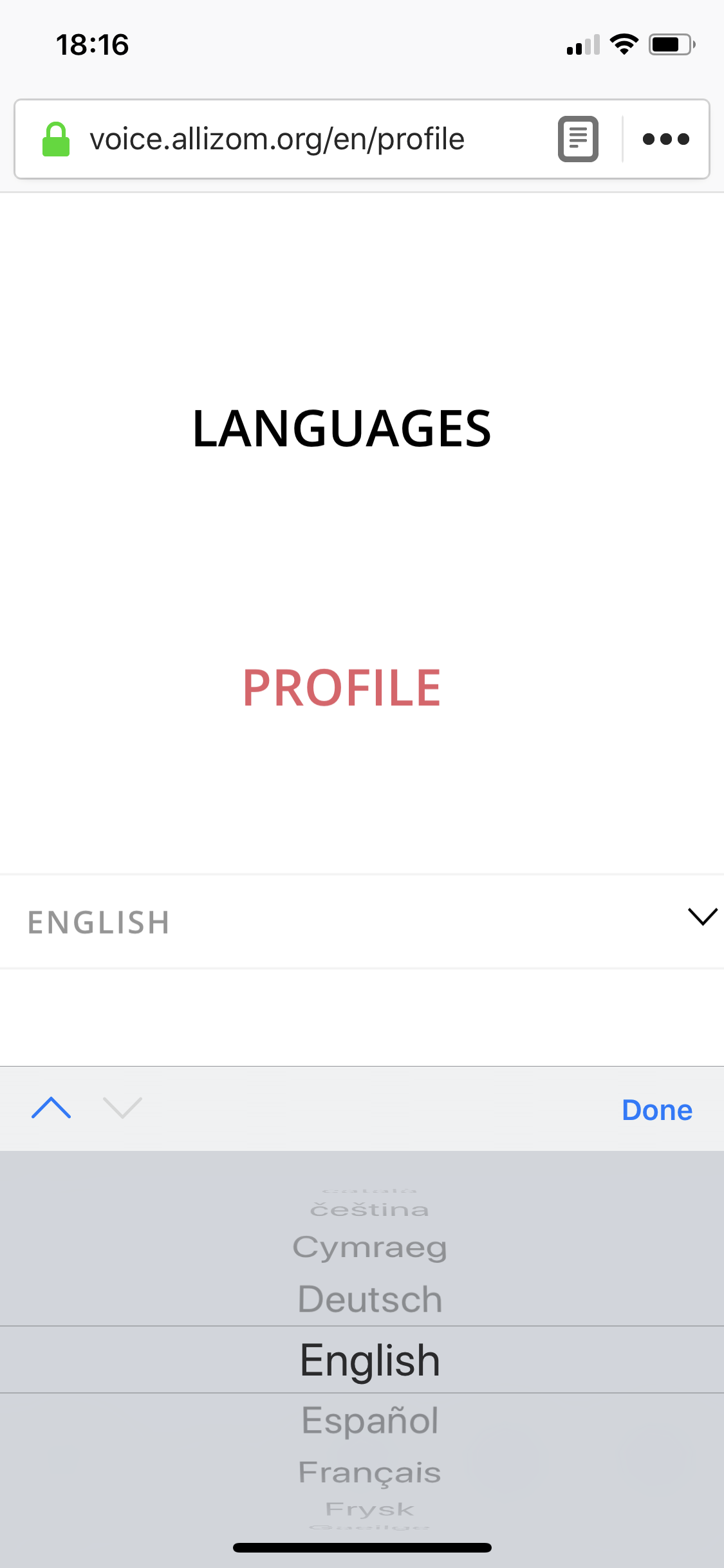
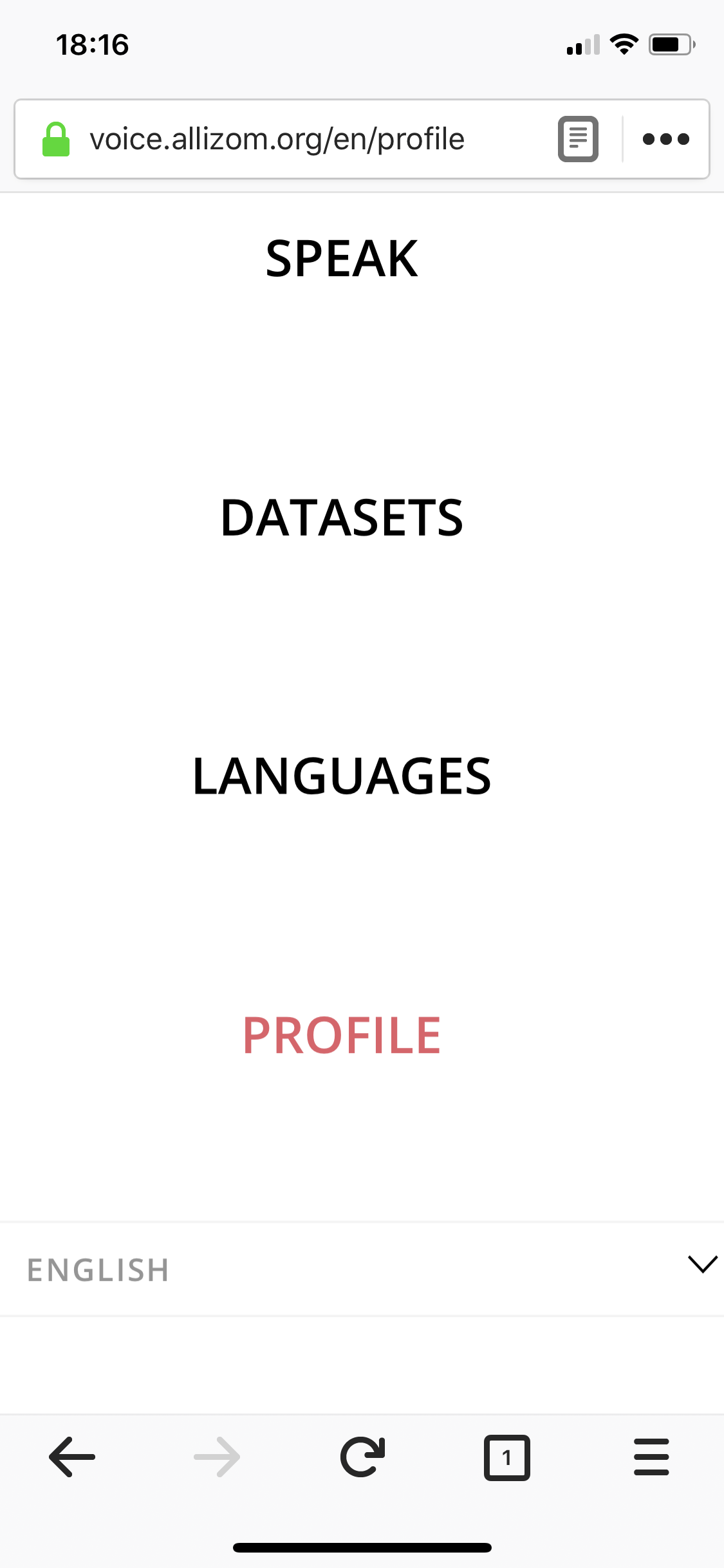
@Gregoor when testing mobile on iPhone X navigation translate zooms in when activated. After interacting with and closing translation menu screen does not zoom back out. Bug or possible to turn this off?
 mbransn
All 6 comments
I'll have to find someone in the Berlin office next week with an X. My tiny android behaves differently here.
 Gregoor
on 27 Apr 2018
Gregoor
on 27 Apr 2018
I tried it on the device simulator on Mac but didn't have much luck. Just to make sure that I'm doing it right:
- open hamburger menu
- click on the language select
- choose a language and click done
- it should stay zoomed in?
Gregoor
on 27 Apr 2018
You have the steps for recreation correct above. FWIW I was able to recreate on iPhone 8 Plus as well. It does not occur for me in browser dev tools or in device simulator on Mac either. 🤷♀️
mbransn
on 27 Apr 2018
Okay, I'll have to get my hands on one of those newer phones. Couldn't reproduce with an iPad, Simulator or iPhone 5. @mikehenrty do you have a newer iPhone? Will probably take longer to get one from the Hub.
Gregoor
on 30 Apr 2018
@Gregoor I've got one, and can reproduce. let's see if we can work on this today
 mikehenrty
on 30 Apr 2018
mikehenrty
on 30 Apr 2018
mikehenrty
on 30 Apr 2018
mikehenrty
on 30 Apr 2018
Related issues
 ivonnekn
·
5Comments
ivonnekn
·
5Comments
 selimsumlu
·
3Comments
ivonnekn
·
5Comments
selimsumlu
·
3Comments
ivonnekn
·
5Comments
 orschiro
·
5Comments
orschiro
·
5Comments
 mbebenita
·
3Comments
mbebenita
·
3Comments