Codimd: Using some unicode in markdown redirects to /404
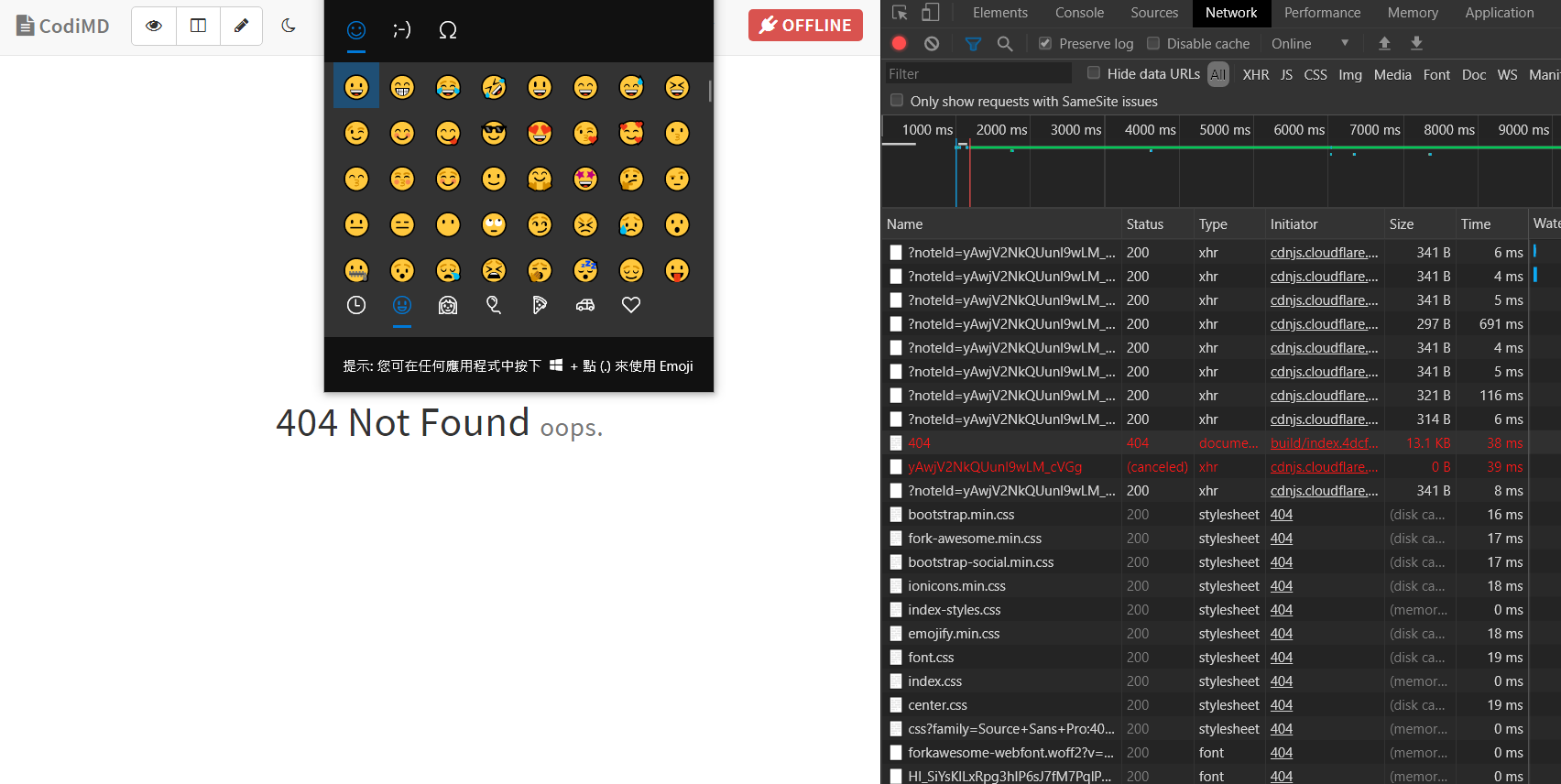
Some unicode, such as German umlauts (äöüÄÖÜ) work without any problem, however others such as ⇒ or 残念 will redirect to /404, without any errors visible in neither the developer-console nor server logs. Funny is that the inserted characters are in the document upon navigating to the document again after the redirect. Deleting them leads to multiple more redirects, depending on the speed they’re deleted.
I’m running using docker from nabo.codimd.dev/hackmdio/hackmd:1.4.1 — with CMD_USECDN=false and a config of:
{
    "production": {
        "domain": "xxx",
        "sessionSecret": "xxx",
    "sessionLife": 30*24*60*60*1000,
        "urlAddPort": false,
        "allowAnonymous": false,
        "allowAnonymousEdits": true,
        "allowFreeURL": false,
        "defaultPermission": "private",
        "email": true,
        "allowEmailRegister": false,
        "protocolUseSSL": true,
        "useCDN": false,
        "hsts": {
            "enable": "false",
            "maxAgeSeconds": 31536000,
            "includeSubdomains": "true",
            "preload": "true"
        },
    "db": {
            "username": "xxx",
            "password": "xxx",
            "database": "xxx",
            "host": "db",
            "port": "3306",
            "dialect": "mysql"
        }
    }
}
If this has any relevance for the case.
Thanks for this great piece of software nevertheless! I really enjoy using codimd daily ^_^.
-Dario
 Nebukadneza
All 3 comments
Same problem if key in new emoji '😀'
 WillGoGithub
on 17 Feb 2020
WillGoGithub
on 17 Feb 2020
I had the same issue which was related to the default mariadb encoding not supporting some emoji characters.
I set the following option in the mariadb server configuration (from https://mariadb.com/kb/en/setting-character-sets-and-collations/#example-changing-the-default-character-set-to-utf-8) before the database is created to use utf-8 encoding:
[mysqld]
collation-server = utf8mb4_unicode_ci
init-connect='SET NAMES utf8mb4'
character-set-server = utf8mb4
If you have an existing database, you may have to run SQL to convert the encoding / collation.
 spasche
on 25 May 2020
spasche
on 25 May 2020
Thanks. This is a working workaround for my instance of the problem too.
@jackycute should we leave the issue open for you to track (i.e., maybe changing default options or adding documentation on migration for users?), or would you rather have it closed?
Thanks!
Nebukadneza
on 31 May 2020
Related issues
 nitwhiz
·
4Comments
nitwhiz
·
4Comments
 mxmo0rhuhn
·
3Comments
mxmo0rhuhn
·
3Comments
 sagesharp
·
4Comments
sagesharp
·
4Comments
 ccoenen
·
4Comments
ccoenen
·
4Comments
 almereyda
·
4Comments
almereyda
·
4Comments
Most helpful comment
I had the same issue which was related to the default mariadb encoding not supporting some emoji characters.
I set the following option in the mariadb server configuration (from https://mariadb.com/kb/en/setting-character-sets-and-collations/#example-changing-the-default-character-set-to-utf-8) before the database is created to use utf-8 encoding:
If you have an existing database, you may have to run SQL to convert the encoding / collation.