Bug Description
How to Reproduce
composer create-project --prefer-dist statamic/statamic test
php artisan make:notification TestNotification
...set up mail sending for mailtrap and add in default from address to .env
Illuminate\Support\Facades\Notification::route(
    'mail',
    '[email protected]'
)->notify(new App\Notifications\TestNotification());
...then do the same but using laravel new test
Extra Detail
Result from new statamic project:

Result from new laravel 8.11.2 project:

Environment
Statamic 3.0.20 Solo
Laravel 8.11.2
PHP 7.4.8
No addons installed
 admench
All 26 comments
Guessing that Statamic doesn't "register" that theme folder?
 edalzell
on 28 Oct 2020
edalzell
on 28 Oct 2020
This bug still exists in statamic/cms 3.0.22 - any reason why this is closed?
admench
on 29 Oct 2020
It's not closed?

edalzell
on 29 Oct 2020
Sorry man - I mistook the Closed tag in the #2760 issue.
My bad. Many thanks
admench
on 29 Oct 2020
Just stumbled across this bug in a non-Statamic app so posting my solution here just in case it helps anyone.
I had the file ./resources/views/default.blade.php - if I rename this I get the styling back.
Somehow this must be overriding the markdown email's default theme layout.
 mikefrancis
on 2 Nov 2020
mikefrancis
on 2 Nov 2020
Thanks for the tip @mikefrancis .
I don't have that view, but I do have the statamic standard resources/views/default.antlers.html
Can you clarify what renaming action you actually did?
admench
on 2 Nov 2020
@admench I just renamed ./resources/views/default.blade.php to ./resources/views/something.blade.php and updated any child views that were extending the default view from:
@extends('default')
to:
@extends('something')
Yes I can confirm this fixes the styling issue with Notifications.
@jasonvarga can you possibly investigate this possible naming convention clash?
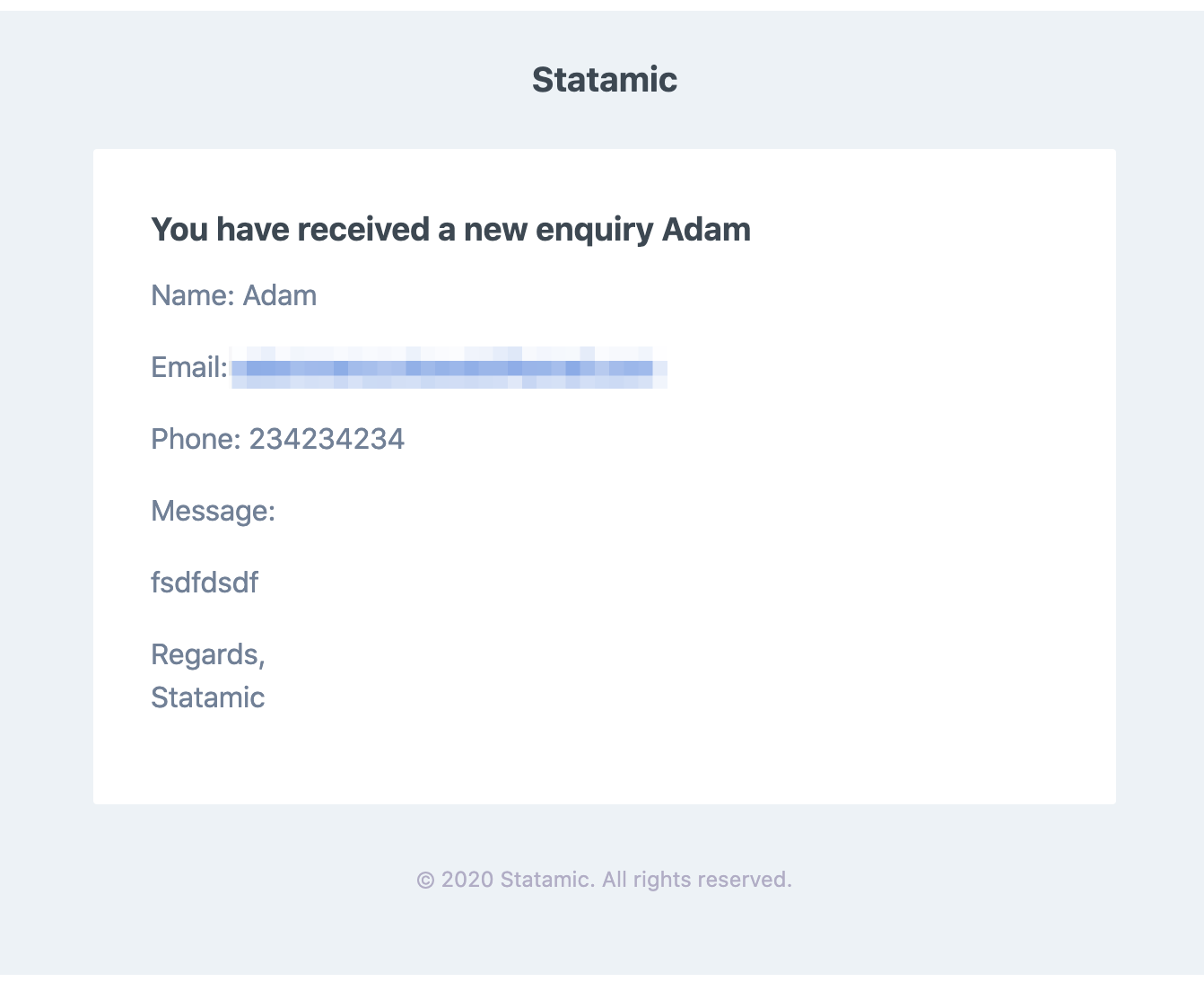
New notification after renaming default.antlers.html to main.antlers.html:
admench
on 3 Nov 2020
Looks like the only place in the Laravel codebase that mentions default in the context of emails/notifications is in this file.
I've had a similar look at the Statamic codebase but couldn't find anything with default coded in, again with the context of mail.
 duncanmcclean
on 3 Nov 2020
duncanmcclean
on 3 Nov 2020
This issue has not had recent activity and has been marked as stale — by me, a robot. Simply reply to keep it open and send me away. If you do nothing, I will close it in a week. I have no feelings, so whatever you do is fine by me.
![github-actions[bot] picture](https://avatars.githubusercontent.com/in/15368?v=4&s=40) github-actions[bot]
on 17 Jan 2021
github-actions[bot]
on 17 Jan 2021
Someone just ran into this same issue on the Discord this afternoon so I've re-opened. Link to conversation
duncanmcclean
on 31 Jan 2021
Yep, still an issue indeed in 3.0.42.
 robdekort
on 9 Feb 2021
robdekort
on 9 Feb 2021
I'll hopefully have time to look at this over the next couple of days, got a project where it's pretty important the notification styles work. 😅
duncanmcclean
on 9 Feb 2021
I think this stale bot should be removed. It keeps closing issues that is not fixed yet.
 philipboomy
on 9 Feb 2021
philipboomy
on 9 Feb 2021
I forgot to mention that it is working for v2 updates to V3
philipboomy
on 10 Feb 2021
Just managed to replicate and I think I've figured out why it's trying to find a default view.
Essentially, Laravel has a concept of themes for its emails so you can customise the CSS & HTML in your emails. The default theme is default.
Laravel tries to find a view called default, the first one it can find is the one in resources/views/default.antlers.html, hence why it uses that view instead.
A workaround for now would be to create your own mail theme, there's documentation on that over in the Laravel docs.
Make sure to change the theme in your config/mail.php file.
duncanmcclean
on 10 Feb 2021
Thanks for investigating.
@jackmcdade this seems to be something that should be in the docs.
admench
on 10 Feb 2021
@duncanmcclean Thanks for looking into it. On a V2 upgrade to V3 I have a default.antlers.html and it's still working. I get the styling correctly.
philipboomy
on 10 Feb 2021
@duncanmcclean Thanks for looking into it. On a V2 upgrade to V3 I have a default.antlers.html and it's still working. I get the styling correctly.
That's weird, I'm guessing it's in the default place (resources/views) and theme is set to default in your config/mail.php?
duncanmcclean
on 10 Feb 2021
Yeah - I tried finding the difference between the two setups yesterday.
philipboomy
on 10 Feb 2021
Yeah - I tried finding the difference between the two setups yesterday.
Hmm, that's strange. I'm not sure why that would be happening.
duncanmcclean
on 10 Feb 2021
Did you manage to get the new mail theme working?
philipboomy
on 10 Feb 2021
Did you manage to get the new mail theme working?
Yeah, we're using one anyway on this project.
duncanmcclean
on 10 Feb 2021
@duncanmcclean I just ran into this myself. Seems like the workaround is:
php artisan vendor:publish --tag=laravel-mail- Rename
default.cssto your new theme name. ie.theme-name.css - Set the theme to your theme name in /config/mail.php
'theme' => 'theme-name'
 mikemartin
on 12 Feb 2021
mikemartin
on 12 Feb 2021
I've looked into this a little more.
There's a simpler workaround:
In config/mail.php, change theme from default to mail::themes.default.
You don't need to publish anything, etc.
I'll work out a real fix for Laravel.
 jasonvarga
on 19 Mar 2021
jasonvarga
on 19 Mar 2021
I PR'd a fix to Laravel. Once the next laravel/framework release is tagged you should be able to composer update and it'll be fixed. (Assuming you're using Laravel 8)
jasonvarga
on 22 Mar 2021
Related issues
robdekort
·
3Comments
 filipac
·
4Comments
filipac
·
4Comments
 jimblue
·
3Comments
jimblue
·
3Comments
 aerni
·
3Comments
aerni
·
3Comments
 philippgrimm
·
3Comments
philippgrimm
·
3Comments
Most helpful comment
I've looked into this a little more.
There's a simpler workaround:
In
config/mail.php, changethemefromdefaulttomail::themes.default.You don't need to publish anything, etc.
I'll work out a real fix for Laravel.