Cms: Date field should not show time when not needed
Bug Description
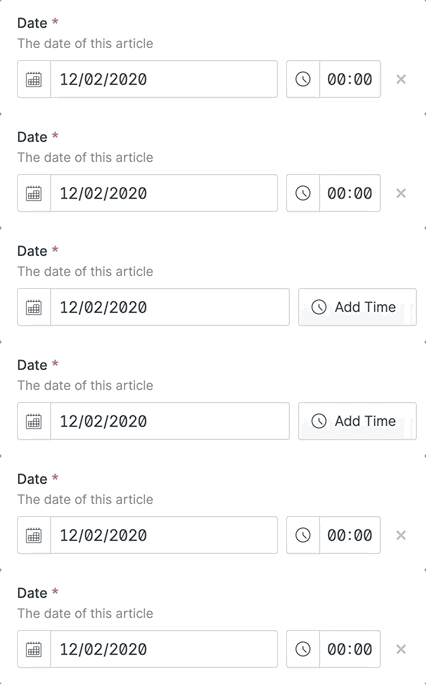
I've got a blueprint where the default date field has the time enabled. If an entry doesn't need the time, you can discard the input. On reload, the time is back at 00:00. I expect it to show the Add time button instead.
How to Reproduce
Add this to your blueprint and try yourself:
field:
  type: date
  required: true
  validate:
    - required
  display: Date
  listable: true
  mode: single
  time_enabled: true
  time_required: false
  earliest_date: '2020-01-01'
  full_width: false
  inline: false
  columns: 1
  rows: 1
  instructions: 'The date of this article'
  width: 50
Extra Detail
Environment
Statamic 3.0.34 Pro
Laravel 8.18.1
PHP 7.4.13
aerni/social-links 2.1.0
aerni/zipper 1.2.0
aryehraber/statamic-impersonator 2.0.0
jonassiewertsen/statamic-livewire 2.2.0
spatie/statamic-responsive-images 1.4.0
visuellverstehen/statamic-classify 2.0.0
withcandour/aardvark-seo 2.0.3
 aerni
aerni
All 3 comments
I think this a duplicate of #2497 so I'm closing this issue. Please correct me if you think it's a different issue and I'll re-open.
 duncanmcclean
on 11 Dec 2020
duncanmcclean
on 11 Dec 2020
I think it's a different issue. I read through all the date picker issues but none of them mentioned what I'm describing.
aerni
on 11 Dec 2020
I've literally never seen that "Add Time" button - every date field I make with time enabled (but not required) already has the time input in the control panel, and saves 00:00.
 sjclark
on 10 Jan 2021
sjclark
on 10 Jan 2021
Related issues
 austenc
·
3Comments
austenc
·
3Comments
 jelleroorda
·
3Comments
jelleroorda
·
3Comments
 filipac
·
4Comments
filipac
·
4Comments
 dakisan
·
4Comments
dakisan
·
4Comments
 mattrothenberg
·
3Comments
mattrothenberg
·
3Comments
Most helpful comment
I think it's a different issue. I read through all the date picker issues but none of them mentioned what I'm describing.